Salesforce Data Archives - gettectonic.com - Page 6
Salesforce Data Migration Tools

Salesforce Data Migration Tools

In the current age of digital transformation, effective data migration is essential, especially as cloud adoption accelerates. Research from Foundry reveals that 63% of IT leaders have increased their cloud migrations, but 90% face challenges—primarily budgetary constraints. This highlights the importance of thoughtful planning and strategic execution. In this context, we’ll explore the significance of successful Salesforce data migration and present a nine-step roadmap to ensure a seamless transition. Additionally, we’ll cover solutions for data preparation and the top five Salesforce data migration tools that can help turn migration challenges into growth opportunities. Salesforce Data Migration ChecklistDownload our e-book to quickly and efficiently migrate data from Excel spreadsheets and CRM systems to Salesforce. Why is Data Migration Important?In 2010, I bought my first smartphone and struggled to transfer data from my outdated phone. My contacts were vital, but the old phone lacked proper data transfer options. Determined not to re-enter everything manually, I searched for a solution. Eventually, I found a method to extract data into a CSV file, which I converted to vCard format to transfer successfully. This experience reinforced how essential data migration is—not only for businesses but also for everyday situations. For organizations looking to modernize, data migration is a crucial step in upgrading IT infrastructure. It enables smooth transitions from legacy systems to modern platforms like Salesforce, enhancing efficiency, scalability, and data accessibility. Effective data migration improves data management, reduces costs tied to outdated systems, and supports better decision-making through improved analytics. It also ensures data integrity and security, aligning IT capabilities with evolving business needs, fostering innovation, and keeping a competitive edge. What is Data Migration in Salesforce?Whether you are already using Salesforce or considering adoption, one common question arises: “How do I migrate my data to Salesforce?” Salesforce data migration involves moving information from external systems like legacy CRMs or local databases into Salesforce. This process is critical not only for protecting data integrity but also for enabling better decision-making, improving customer service, and promoting organizational growth. A well-planned data migration strategy ensures a smooth transition to Salesforce, maximizing its potential and enhancing business efficiency. 9-Step Salesforce Data Migration PlanPreparing for a Salesforce data migration? Follow these nine essential steps for a seamless process: Need Help with Data Migration to Salesforce?We offer consulting services to guide you through the data migration process, from auditing data sources to executing the migration strategy. Tectonic is here to help. Top 5 Salesforce Data Migration ToolsHere’s a quick comparison of five Salesforce data migration tools to help you choose the right solution: For hassle-free data migration, reach out to Tectonic for a tailored plan that minimizes downtime and maximizes operational efficiency. Like Related Posts Who is Salesforce? Who is Salesforce? Here is their story in their own words. From our inception, we’ve proudly embraced the identity of Read more Salesforce Marketing Cloud Transactional Emails Salesforce Marketing Cloud Transactional Emails are immediate, automated, non-promotional messages crucial to business operations and customer satisfaction, such as order Read more Salesforce Unites Einstein Analytics with Financial CRM Salesforce has unveiled a comprehensive analytics solution tailored for wealth managers, home office professionals, and retail bankers, merging its Financial Read more AI-Driven Propensity Scores AI plays a crucial role in propensity score estimation as it can discern underlying patterns between treatments and confounding variables Read more


Read More
data cloud and marketing cloud personalization

Salesforce Data Cloud Dictionary

Core Components of Data Cloud Integration Data Cloud: Data Cloud is a platform that gathers data from different sources into one place, giving you a complete view of your data to make smarter decisions. Data Connection: A data connection is a secure link between Data Cloud and external sources, allowing data to flow smoothly between systems. Data Lake Object (DLO): A Data Lake Object temporarily stores raw data as it’s imported into Data Cloud, keeping it organized and ready for processing. Data Model Object (DMO): A Data Model Object organizes and maps data into specific fields, making it structured and usable within Data Cloud. Data Stream: A data stream is a continuous pipeline that transfers data from a source (like a database) into Data Cloud on a regular schedule. Like Related Posts Who is Salesforce? Who is Salesforce? Here is their story in their own words. From our inception, we’ve proudly embraced the identity of Read more Salesforce Marketing Cloud Transactional Emails Salesforce Marketing Cloud Transactional Emails are immediate, automated, non-promotional messages crucial to business operations and customer satisfaction, such as order Read more Salesforce Unites Einstein Analytics with Financial CRM Salesforce has unveiled a comprehensive analytics solution tailored for wealth managers, home office professionals, and retail bankers, merging its Financial Read more AI-Driven Propensity Scores AI plays a crucial role in propensity score estimation as it can discern underlying patterns between treatments and confounding variables Read more
Read More
Informed Decision-Making

Informed Decision-Making

Informed Decision-Making Through Data Visualization: Power BI vs. Tableau Today’s businesses need to make informed decisions by leveraging organized and analyzed data. Data visualization is a key method for extracting insights from this data, and Power BI and Tableau are two leading tools that often spark debate among experts. Both are highly regarded for their ability to visualize data, and CTOs frequently compare Power BI vs. Tableau to determine the best fit for their needs. Why Power BI and Tableau Stand OutBoth tools excel at data visualization, making them top choices for business intelligence (BI) solutions. They offer seamless integration with various platforms, can handle large volumes of data, and provide predictive analytics capabilities. To help CTOs and other decision-makers boost efficiency, let’s dive into a comparison of Power BI vs. Tableau and examine how each tool measures up. Power BI Microsoft’s Power BI is a leading BI tool designed to transform data from diverse sources into insightful visual reports. It allows users to create, share, and manage analytical reports, ensuring accessibility at all times. As part of the Microsoft ecosystem, Power BI is ideal for large organizations that already use Microsoft products. Tableau Tableau delivers powerful data visualization with flexible deployment options, allowing users to seamlessly access insights. With its integration into Salesforce Data Cloud, Tableau offers a fast and scalable way to work with customer data in real time. Its strong data-handling capabilities make it popular among larger organizations and data experts. Power BI vs. Tableau: Key Differences Let’s explore the key differences between Power BI and Tableau to guide your informed decision-making. Data Visualization and User Interface Data Integration and Connectivity for Informed Decision-Making Data Handling and Performance Ease of Learning Programming Tools Support Pricing Microsoft Power BI vs. Salesforce Tableau: Pros and Cons Power BI Pros Tableau Pros Which is Better: Power BI or Tableau? When comparing Microsoft Power BI vs. Tableau, the right choice depends on your organization’s size, technical expertise, and specific needs. For smaller businesses and those already using Microsoft tools, Power BI is often the best fit. On the other hand, larger organizations managing substantial datasets might favor Tableau for its advanced capabilities. Ultimately, the decision between Power BI vs. Tableau should be based on your unique business requirements and the level of technical expertise available within your team. Like Related Posts Who is Salesforce? Who is Salesforce? Here is their story in their own words. From our inception, we’ve proudly embraced the identity of Read more Salesforce Marketing Cloud Transactional Emails Salesforce Marketing Cloud Transactional Emails are immediate, automated, non-promotional messages crucial to business operations and customer satisfaction, such as order Read more Salesforce Unites Einstein Analytics with Financial CRM Salesforce has unveiled a comprehensive analytics solution tailored for wealth managers, home office professionals, and retail bankers, merging its Financial Read more AI-Driven Propensity Scores AI plays a crucial role in propensity score estimation as it can discern underlying patterns between treatments and confounding variables Read more
Read More
user q and a

Join Datasets From Multiple Salesforce Connections

Combining Data from Two Salesforce Instances and Publishing to Tableau Server If you’re working with two Salesforce instances and need to create a unified dataset for Tableau, here’s how you can tackle the challenges and achieve your goals. Challenges Identified Recommended Approach 1. Use Tableau Prep for Data Combination Tableau Prep is an ideal tool to connect to multiple Salesforce instances and combine data into a single dataset. Steps to Union/Join Data in Tableau Prep: Advantages: 2. Create Extracts in Tableau Desktop If you need to stick with Tableau Desktop: 3. Version Compatibility and Troubleshooting Resources for Success Outcome Using Tableau Prep or carefully leveraging Tableau Desktop blending, you can create a unified dataset from two Salesforce instances and publish it for broader use. Prep is particularly effective for your scenario, offering streamlined workflows and better server compatibility. Like Related Posts Who is Salesforce? Who is Salesforce? Here is their story in their own words. From our inception, we’ve proudly embraced the identity of Read more Salesforce Marketing Cloud Transactional Emails Salesforce Marketing Cloud Transactional Emails are immediate, automated, non-promotional messages crucial to business operations and customer satisfaction, such as order Read more Salesforce Unites Einstein Analytics with Financial CRM Salesforce has unveiled a comprehensive analytics solution tailored for wealth managers, home office professionals, and retail bankers, merging its Financial Read more AI-Driven Propensity Scores AI plays a crucial role in propensity score estimation as it can discern underlying patterns between treatments and confounding variables Read more
Read More
Necessary Salesforce Admin Skills

Necessary Salesforce Admin Skills

In 2023, Salesforce Admins created 230,000 objects, generated over 2.7 billion reports monthly, and performed 1 trillion AI predictions weekly. These figures highlight the critical role of an Admin in the Salesforce ecosystem. However, becoming an expert Salesforce Admin requires more than just technical know-how. A blend of both technical and soft skills is essential to truly excel in this role. Whether you’re new to the role or looking to enhance your skills, learning the right abilities is key to thriving as a Salesforce Admin. In this guide, we’ll cover the essential Salesforce Admin skills you need to effectively manage the platform and drive business success. Key Takeaways 14 Essential Salesforce Admin Skills to Master These are some of the key skills outlined in Salesforce’s “Admin Skills Kit” that will help you secure top Salesforce Admin positions. 1. Communication Strong communication skills are critical for Salesforce Admins, who act as the link between technical teams, stakeholders, and users. You’ll need to explain complex processes clearly so that all parties can understand. Why It Matters: Clear communication ensures users can effectively engage with the platform and make informed decisions based on Salesforce data. How To Improve: Practice simplifying technical concepts, actively listen to others’ needs, and refine your ability to convey information clearly. 2. Problem Solving Challenges will arise in your role, from system errors to user issues. Having strong problem-solving skills allows you to identify the root cause of issues and quickly implement effective solutions. Why It Matters: Efficient problem resolution minimizes downtime and keeps the Salesforce platform running smoothly. How To Improve: Break down problems into manageable parts, brainstorm solutions, and always evaluate the impact of your decisions. 3. Attention to Detail Salesforce admins deal with complex data and processes that require accuracy. From maintaining data integrity to configuring processes, attention to detail is crucial. Why It Matters: Even small errors can result in inaccurate data, security risks, or inefficient processes. How To Improve: Double-check your work, use Salesforce validation tools, and ensure all workflows are correctly configured before launching. 4. Learner’s Mindset Salesforce evolves constantly, with frequent updates and new features. A learner’s mindset helps you stay on top of these changes and continuously improve your skills. Why It Matters: The more you know, the more value you bring. Keeping up with updates ensures you’re using the latest tools to benefit your organization. How To Improve: Engage with Salesforce communities, complete Trailhead modules, and attend webinars to stay current. 5. User Management As an Admin, you’ll be responsible for managing users, creating profiles, setting roles and permissions, and ensuring proper access to data. Why It Matters: Proper user management boosts productivity while ensuring data security. How To Improve: Learn the ins and outs of Salesforce profiles, roles, and permission sets, and practice managing users in a sandbox environment. 6. Security Management In today’s digital age, data security is a top priority. Salesforce Admins are responsible for safeguarding organizational data from unauthorized access or breaches. Why It Matters: Poor security can lead to data leaks, damaging the company’s reputation and finances. How To Improve: Master security settings, understand field-level permissions, and stay informed on two-step verification and audit tracking. 7. Business Analysis Admins need to understand the business needs of their organization. Business analysis skills help you gather requirements, understand workflows, and tailor Salesforce to meet those needs. Why It Matters: The better you understand the business, the more effectively you can customize Salesforce to add value. How To Improve: Collaborate with stakeholders to identify pain points and design solutions that address specific business needs. 8. Data Analysis Working with large data sets is a regular part of being a Salesforce Admin. Knowing how to analyze data and generate insights is essential. Why It Matters: Data analysis drives informed decision-making, streamlines workflows, and improves communication. How To Improve: Familiarize yourself with Salesforce’s reporting tools, dashboards, and data export features. 9. Data Management Effective data management is critical to maintaining a well-functioning Salesforce system. This involves data transfers, cleaning, deduplication, and archiving. Why It Matters: Clean and organized data supports accurate reporting and better decision-making. How To Improve: Learn best practices for data imports, validation rules, and data maintenance tools like Data Loader. 10. Designer’s Mindset Admins with a designer’s mindset can create user-friendly interfaces and workflows that enhance the system’s usability. Why It Matters: A well-designed interface improves the user experience, making work more efficient and enjoyable. How To Improve: Use the Lightning App Builder to create custom page layouts and optimize user flows. 11. Change Management When implementing new processes or updates, effective change management is key. This includes communication, ensuring smooth transitions, and training users on new features. Why It Matters: Proper change management ensures high adoption rates and a smooth transition to new features or updates. How To Improve: Develop communication plans, conduct training, and gather user feedback during transitions. 12. Process Automation Salesforce’s automation capabilities allow admins to streamline repetitive tasks. Automation skills help you create workflows, approval processes, and automated communications. Why It Matters: Automating repetitive tasks saves time and ensures that critical business processes are followed consistently. How To Improve: Learn how to use Flows, Process Builder, and Workflow Rules to automate business operations. 13. Product Management A product management mindset helps Admins align the platform with users’ and stakeholders’ needs, ensuring Salesforce delivers value to the organization. Why It Matters: Meeting evolving business needs ensures you continue to add value as an Admin. How To Improve: Collect user feedback, prioritize requests, and align updates with overall business goals. 14. Project Management Salesforce Admins often lead projects such as implementing new features or migrating data. Strong project management skills are essential to execute these tasks effectively. Why It Matters: Good project management ensures that goals are met on time and within budget. How To Improve: Get comfortable with project management tools, scheduling, resource management, and stakeholder communication. Conclusion The role of a Salesforce Admin combines both technical and soft skills like communication,

Read More
Transform Customer Experience

Transform Customer Experience

In today’s AI-driven business environment, customer experience (CX) has evolved from being a buzzword to a critical factor in determining success. It’s no longer enough for businesses to offer high-quality products or excellent service alone—today’s customers are always online, engaged, and seeking the most convenient, relevant, and enjoyable experiences. This is where Salesforce Data Cloud becomes a game-changer, providing the tools needed to meet modern customer expectations. Transforming Customer Experience with Salesforce Data Cloud Salesforce enables businesses to collect, integrate, and leverage critical customer information within its ecosystem, offering an all-encompassing view of each customer. This unified customer data allows organizations to forecast visitor trends, assess marketing impact, and predict customer behavior. As data-driven decision-making becomes increasingly central to business strategy, Salesforce Data Cloud and its Customer Data Platform (CDP) features provide a significant competitive edge—whether in e-commerce, fintech, or B2B industries. Data Cloud is more than just your traditional CDP. It’s the only data platform native to the world‘s #1 AI CRM. This means that marketers can quickly access and easily action on unified data – from across the entire business – to drive growth and increase customer lifetime value. Data Cloud’s Role in Enhancing CX By unifying data in one place, Salesforce Data Cloud enables organizations to access real-time customer insights. This empowers them to track customer activity across channels like email, social media, and online sales, facilitating targeted marketing strategies. Businesses can analyze customer behavior and deliver personalized messaging, aligning marketing, sales, and customer service efforts to ensure consistency. With these capabilities, Salesforce customers can elevate the CX by delivering the right content, at the right time, to the right audience, ultimately driving customer satisfaction and growth. New Features of Salesforce Data Cloud Salesforce continues to evolve, introducing cutting-edge features that reshape customer interaction: To fully maximize these features, partnering with a Salesforce Data Cloud consultant can help businesses unlock the platform’s full potential and refine their customer engagement strategies. Agentic AI Set to Supercharge Business Processes Salesforce’s vision extends beyond customer relationship management with the integration of Agentic AI through its Customer 360 platform. According to theCUBE Research analysts, this signals a shift toward using AI agents to automate complex business processes. These AI agents, built on Salesforce’s vast data resources, promise to revolutionize how companies operate, offering customized, AI-driven business tools. “If they can pull this off, where it becomes a more dynamic app platform, more personalized, really focused on those processes all the way back to the data, it’s going to be a clear win for them,” said Strechay. “They’re sitting on cloud; they’re sitting on IaaS. That’s a huge win from that perspective.” AI agents create a network of microservices that think and act independently, involving human intervention only when necessary. This division of labor allows businesses to capture expertise in routine tasks while freeing human workers to focus on more complex decision-making. However, the success of these AI agents depends on access to accurate and reliable data. As Gilbert explained, “Agents can call on other agents, and when they’re not confident of a step in a process or an outcome, they can then bounce up to an inbox for a human to supervise.” The goal isn’t to eliminate humans but to capture their expertise for simpler processes. Empowering Developers and Citizen Creators At the core of this AI-driven transformation is Salesforce’s focus on developers. The platform’s low-code tools allow businesses to easily customize AI agents and automate business processes, empowering both experienced developers and citizen creators. With simple language commands or goal-setting, companies can build and train these AI agents, streamlining operations. “It’s always going to be about good data—that’s the constant,” Bertrand said. “The second challenge is how to train agents and humans to work together effectively. While some entry-level jobs may be replaced, AI will continue to evolve, creating new opportunities in the future.” Is Salesforce Data Cloud the Right Fit for Your Business? Salesforce Data Cloud offers comprehensive capabilities for businesses of all sizes, but it’s essential to assess whether it aligns with your specific needs. The platform is particularly valuable for: For businesses that fit these scenarios, working with Salesforce’s partner ecosystem or a Data Cloud consultant can help ensure successful integration and optimization. What’s New in Salesforce’s Latest Release? The latest Salesforce Spring Release introduced several exciting features, further enhancing Salesforce Data Cloud: These updates reflect Salesforce’s commitment to providing innovative, data-driven solutions that enhance customer experiences and drive business success. Like Related Posts Who is Salesforce? Who is Salesforce? Here is their story in their own words. From our inception, we’ve proudly embraced the identity of Read more Salesforce Marketing Cloud Transactional Emails Salesforce Marketing Cloud Transactional Emails are immediate, automated, non-promotional messages crucial to business operations and customer satisfaction, such as order Read more Salesforce Unites Einstein Analytics with Financial CRM Salesforce has unveiled a comprehensive analytics solution tailored for wealth managers, home office professionals, and retail bankers, merging its Financial Read more AI-Driven Propensity Scores AI plays a crucial role in propensity score estimation as it can discern underlying patterns between treatments and confounding variables Read more
Read More
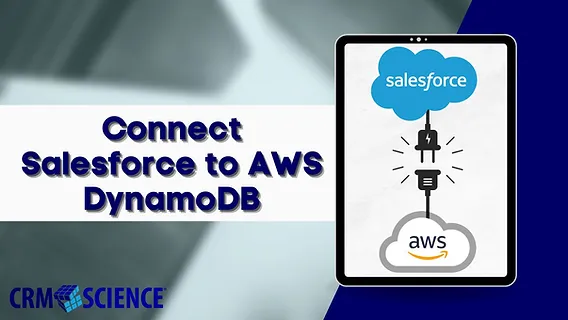
Amazon DynamoDB to Salesforce Data Cloud

Amazon DynamoDB to Salesforce Data Cloud

Ingesting Data from Amazon DynamoDB to Salesforce Data Cloud Salesforce Data Cloud serves as your organization’s digital command center, enabling real-time ingestion, unification, and activation of data from any source. By transforming scattered customer information into actionable insights, it empowers businesses to operate with unparalleled efficiency. Integrating Amazon DynamoDB with Salesforce Data Cloud exemplifies the platform’s capacity to unify and activate enterprise data seamlessly. Follow this step-by-step guide to ingest data from Amazon DynamoDB into Salesforce Data Cloud. Prerequisites Part 1: Amazon DynamoDB Setup 1. AWS Account Setup 2. Create a DynamoDB Table 3. Populate the Table with Data 4. Security Credentials Part 2: Salesforce Data Cloud Configuration 1. Creating the Data Connection 2. Configuring Data Streams Create a New Data Stream Configure the Data Model 3. Data Modeling and Mapping Custom Object Creation Conclusion After completing the setup: This integration underscores Salesforce Data Cloud’s role as a centralized hub, capable of harmonizing diverse data sources, ensuring real-time synchronization, and enabling actionable insights. By connecting Amazon DynamoDB, businesses can unlock the full potential of their data, driving better decision-making and customer experiences. Like Related Posts Who is Salesforce? Who is Salesforce? Here is their story in their own words. From our inception, we’ve proudly embraced the identity of Read more Salesforce Marketing Cloud Transactional Emails Salesforce Marketing Cloud Transactional Emails are immediate, automated, non-promotional messages crucial to business operations and customer satisfaction, such as order Read more Salesforce Unites Einstein Analytics with Financial CRM Salesforce has unveiled a comprehensive analytics solution tailored for wealth managers, home office professionals, and retail bankers, merging its Financial Read more AI-Driven Propensity Scores AI plays a crucial role in propensity score estimation as it can discern underlying patterns between treatments and confounding variables Read more

Read More
dynamically populate forms with Salesforce data

Dynamically Populate Forms with Salesforce Data

Using query parameters and Salesforce merge fields, you can create personalized prefill links that automatically populate forms with user information from Salesforce. Adding Dynamic Prefill Links in Salesforce Emails Using Dynamic Prefill Links in Salesforce Console By following these steps, you can dynamically populate forms with Salesforce data, streamlining data entry and improving user experience. Like Related Posts Who is Salesforce? Who is Salesforce? Here is their story in their own words. From our inception, we’ve proudly embraced the identity of Read more Salesforce Marketing Cloud Transactional Emails Salesforce Marketing Cloud Transactional Emails are immediate, automated, non-promotional messages crucial to business operations and customer satisfaction, such as order Read more Salesforce Unites Einstein Analytics with Financial CRM Salesforce has unveiled a comprehensive analytics solution tailored for wealth managers, home office professionals, and retail bankers, merging its Financial Read more AI-Driven Propensity Scores AI plays a crucial role in propensity score estimation as it can discern underlying patterns between treatments and confounding variables Read more

Read More
Benioff Excited About AI

Benioff Excited About AI

Salesforce CEO Marc Benioff recently critiqued Microsoft for overhyping the capabilities of its Copilot AI tool, arguing that the tech giant has done a “tremendous disservice” to the industry. In a Rapid Response interview with Bob Safian, Benioff emphasized that Salesforce’s Agentforce is “what AI was meant to be.” More excited than ever, he sees Agentforce as a technology poised to transform industries in ways comparable to past cloud, mobile, and social revolutions. Benioff Excited About AI. Reflecting on Dreamforce 2024Benioff called this year’s Dreamforce the most significant yet. With 45,000 attendees and millions joining online, Agentforce took center stage, allowing users to build their own AI agents firsthand. This hands-on experience was vital, he said, to clear up misconceptions caused by overpromised AI products. Salesforce already handles trillions of AI transactions through its Einstein platform, but Benioff believes Agentforce represents a groundbreaking shift in enterprise AI. Agentforce vs. Copilot: A Clear DifferenceBenioff drew a sharp contrast between Agentforce and Microsoft’s Copilot, comparing the latter to the infamous Microsoft Clippy. According to Benioff, Copilot often fails to deliver meaningful results, creating confusion and dissatisfaction among customers. In contrast, Agentforce is set to deliver powerful outcomes by connecting customers, raising revenues, and augmenting employees. He anticipates that within a year, Salesforce will operate over a billion AI agents worldwide. Benioff Excited About AI. Benioff Excited About AI Agentforce’s Real-World ImpactSharing a story from the healthcare sector, Benioff illustrated how Agentforce has resolved over 90% of patient inquiries and scheduling needs for one large provider, enabling rapid and meaningful interactions. He foresees similar applications across media, finance, and travel, as Agentforce helps industries implement AI-driven agents with high success rates. Scheduled to go live on October 25, Agentforce is expected to be adopted by hundreds of thousands of companies. MIT IDE Annual Conference Insights: AI’s Potential and ChallengesWhile businesses explore AI’s possibilities, researchers at MIT’s Initiative on the Digital Economy (IDE) are investigating the complexities and ethical considerations of AI. At the 2024 MIT IDE Annual Conference, findings on AI’s influence on various domains were presented, with highlights including: These MIT findings highlight both the immense promise and the challenges AI presents, as companies like Salesforce aim to harness AI’s true potential while navigating ethical and practical concerns. Like Related Posts Who is Salesforce? Who is Salesforce? Here is their story in their own words. From our inception, we’ve proudly embraced the identity of Read more Salesforce Marketing Cloud Transactional Emails Salesforce Marketing Cloud Transactional Emails are immediate, automated, non-promotional messages crucial to business operations and customer satisfaction, such as order Read more Salesforce Unites Einstein Analytics with Financial CRM Salesforce has unveiled a comprehensive analytics solution tailored for wealth managers, home office professionals, and retail bankers, merging its Financial Read more AI-Driven Propensity Scores AI plays a crucial role in propensity score estimation as it can discern underlying patterns between treatments and confounding variables Read more

Read More
Nvidia and Salesforce

Nvidia and Salesforce

Salesforce and Nvidia have announced a groundbreaking collaboration to push the boundaries of AI, transforming both customer and employee experiences. Redefining AI in Enterprise Software As businesses worldwide face the complexities and costs of integrating AI into their operations, Salesforce and Nvidia are stepping in with a strategic partnership designed to redefine AI capabilities. This collaboration merges Salesforce’s extensive CRM and enterprise software expertise with Nvidia’s advanced AI and high-performance computing technologies. The goal is to create a new generation of AI agents and avatars that can operate autonomously, grasp complex business contexts, and engage with humans in a more natural, intuitive manner. Marc Benioff, Chair and CEO of Salesforce, states: “Together with Nvidia, we’re spearheading the third wave of the AI revolution—moving beyond copilots to a seamless integration of humans and intelligent agents driving customer success.” Enhancing Salesforce’s Platform The partnership focuses on integrating Nvidia’s accelerated computing and AI software to enhance Salesforce’s platform performance. Key to this effort is the optimization of Salesforce Data Cloud, which harmonizes structured and unstructured customer data in real time. Nvidia’s full-stack accelerated computing platform will significantly increase compute resources, leading to faster insights and improved AI performance across Salesforce’s offerings. AI-Powered Avatars and Beyond A major innovation from this collaboration is the development of AI-powered avatars. By combining Nvidia ACE, a suite of digital human technologies, with Salesforce’s new Agentforce platform, the companies aim to create more engaging, human-like experiences for interactions with customers and employees. These avatars will leverage multi-modal AI models for speech recognition, text-to-speech, and contextual visual responses, potentially revolutionizing business communication. Nvidia founder and CEO Jensen Huang envisions a future where “every company, every job will be enhanced by a wide range of AI agents—assistants that will transform how we work.” He adds, “Nvidia and Salesforce are uniting our technologies to accelerate the development of AI agents, supercharging productivity for companies.” Transforming Business Operations The Salesforce-Nvidia partnership is more than a technological alliance; it’s a strategic move to meet the increasing demand for AI-driven enterprise solutions. The collaboration positions both companies at the forefront of the AI revolution in enterprise software, aiming to reshape how businesses interact with customers and manage their operations. Key facts include: Real-World Applications The potential applications of this technology are extensive. For example: Looking Ahead As Salesforce and Nvidia’s partnership unfolds, it promises not only technological advancements but a fundamental shift in how businesses leverage AI for growth, efficiency, and customer satisfaction. Marc Benioff highlights the potential: “By combining Nvidia’s AI platform with Agentforce, we’re amplifying AI performance and creating dynamic digital avatars, delivering more engaging, intelligent, and immersive customer experiences than ever before.” This collaboration is set to lead the third wave of the AI revolution, integrating humans and intelligent agents to drive unprecedented customer success. Like Related Posts Who is Salesforce? Who is Salesforce? Here is their story in their own words. From our inception, we’ve proudly embraced the identity of Read more Salesforce Marketing Cloud Transactional Emails Salesforce Marketing Cloud Transactional Emails are immediate, automated, non-promotional messages crucial to business operations and customer satisfaction, such as order Read more Salesforce Unites Einstein Analytics with Financial CRM Salesforce has unveiled a comprehensive analytics solution tailored for wealth managers, home office professionals, and retail bankers, merging its Financial Read more AI-Driven Propensity Scores AI plays a crucial role in propensity score estimation as it can discern underlying patterns between treatments and confounding variables Read more

Read More
gettectonic.com