
Salesforce Integration Archives - gettectonic.com - Page 2

The Top Sales Software Tools to Power Your Team in 2025

For seasoned sales professionals, hitting ambitious targets is just part of the job. But in today’s hyper-competitive market, raw skill alone isn’t enough—you need the right sales software to maximize productivity, streamline lead management, and strengthen customer relationships. The difference between a good sales year and a record-breaking one often comes down to the tools your team uses. In this guide, we’ll break down the best sales software of 2025, highlighting key features that can transform your daily workflow. What Is Sales Software? Sales software automates and optimizes the sales process, helping businesses reduce costs, accelerate deals, and improve customer outcomes. From CRMs to AI-powered analytics, these tools empower sales leaders to:✔ Track rep performance & identify training gaps✔ Forecast revenue with greater accuracy✔ Manage leads efficiently across the pipeline✔ Automate repetitive tasks so teams focus on selling Core Functions of Sales Software Beyond CRMs, sales software includes conversation intelligence, incentive compensation management, and pipeline optimization platforms—each playing a critical role in a high-performing sales stack. Key Features to Look for in Sales Software Before choosing a solution, assess your team’s needs and budget. Here’s what to prioritize: ✅ Seamless Integrations – Must work with your existing CRM, HR, payroll, and ERP systems.✅ Advanced Analytics – Real-time dashboards and AI-driven insights for smarter decisions.✅ User-Friendly Design – If it’s hard to use, reps won’t adopt it.✅ Workflow Automation – AI-powered tools that cut manual tasks, giving reps 30%+ more selling time.✅ Robust Security – Protects sensitive customer and company data in a remote-work era.✅ Lead Tracking & Scoring – Identifies high-intent prospects to boost conversions. The 9 Best Sales Software Tools in 2025 Based on G2 & Capterra ratings (4+ stars), these platforms lead the pack: 1. Salesforce Sales Cloud Best for: AI-driven sales management✔ Lead prioritization with smart scoring✔ Autonomous AI agents for follow-ups✔ Real-time dashboards for performance tracking 2. Pipedrive Best for: Small businesses scaling fast✔ AI-generated email prompts✔ Pipeline visualization for deal tracking✔ Sales forecasting tools 3. Outreach Best for: Sales execution & engagement✔ AI-powered prospecting workflows✔ Win-loss analytics✔ Multi-channel sync (Email, LinkedIn, CRM) 4. HubSpot Sales Hub Best for: All-in-one CRM & automation✔ Customizable workflows✔ Built-in email tracking✔ User-friendly interface 5. SAP Sales Cloud Best for: Enterprise sales teams✔ Generative AI for forecasting✔ Mobile-friendly for field reps✔ Embedded analytics 6. Monday CRM Best for: Customizable workflows✔ AI auto-categorizes leads✔ Collaboration with marketing teams✔ Visual sales pipeline 7. Freshsales Best for: High-volume lead management✔ AI lead scoring✔ Email engagement tracking✔ Highly customizable 8. Apptivo Best for: SMBs needing flexibility✔ No-code automation✔ Duplicate lead prevention✔ Strong customer support 9. Zendesk Best for: Sales + customer service alignment✔ AI-assisted live chat✔ Omnichannel support✔ Seamless Salesforce integration How to Choose the Right Sales Software Before committing, ask:🔹 Does it integrate with our current stack?🔹 Will reps actually use it? (Ease of adoption is critical.)🔹 Can it scale with our growth?🔹 What’s the customer support like? Pro Tip: Get feedback from your sales team—what features would make their jobs easier? Final Thoughts The right sales software doesn’t just manage leads—it accelerates revenue, boosts rep productivity, and turns data into actionable insights. Whether you’re a startup or an enterprise, investing in the best tools ensures your team closes more deals, faster. Ready to upgrade your sales stack? Contact Tectonic today. Like Related Posts Who is Salesforce? Who is Salesforce? Here is their story in their own words. From our inception, we’ve proudly embraced the identity of Read more Salesforce Marketing Cloud Transactional Emails Salesforce Marketing Cloud Transactional Emails are immediate, automated, non-promotional messages crucial to business operations and customer satisfaction, such as order Read more Salesforce Unites Einstein Analytics with Financial CRM Salesforce has unveiled a comprehensive analytics solution tailored for wealth managers, home office professionals, and retail bankers, merging its Financial Read more AI-Driven Propensity Scores AI plays a crucial role in propensity score estimation as it can discern underlying patterns between treatments and confounding variables Read more


Read More

Cloud-Based Housing Repairs with Salesforce

Bernicia Leads the Way in Cloud-Based Housing Repairs with Salesforce Bernicia has become the first housing association in the UK to deliver end-to-end repairs services through Salesforce’s cloud-based, nonprofit solution—setting a new industry benchmark for streamlined, automated housing repairs. Transforming Repairs with Salesforce Field Services All electrical repairs at tenants’ homes are now managed through Salesforce Field Services, enhancing the customer experience with seamless, automated processes. By this summer, all responsive repairs will transition into the system, delivering key benefits such as: A Customer-Centric Digital Transformation In 2023, Bernicia reinforced its commitment to tenants by launching a multi-year cultural development program, supported by a £4 million investment in world-class technology. By listening to customer feedback and leveraging data-driven insights, Bernicia has aligned its new digital repairs service with tenant expectations and evolving habits. Andrea Malcolm, Deputy Chief Executive at Bernicia and project sponsor, stated: “The introduction of Field Services marks a major milestone in our journey to customer service excellence. The dedication and expertise of our team have been outstanding, creating an incredible momentum across the business. We’re excited to see the real difference this will make for both customers and colleagues.” Jude Comber, Account Executive at Salesforce Nonprofits, praised the project team, saying: “The level of skill and attention to detail in this project is outstanding. Bernicia’s customer-first approach is a model for how to successfully implement a digital transformation.” Strategic Collaboration with Alscient Achieving this milestone was made possible through Bernicia’s partnership with Alscient, a multi-cloud specialist. Their expertise in Salesforce integration and digital transformation played a key role in designing and implementing the Field Services solution. Salesforce: A Game-Changer for Housing Associations Salesforce offers housing associations a single, integrated platform to streamline operations, enhance tenant relationships, and eliminate inefficiencies caused by data silos. By embracing cloud-based, automated solutions, housing providers can transform service delivery and drive long-term tenant satisfaction. Like Related Posts Who is Salesforce? Who is Salesforce? Here is their story in their own words. From our inception, we’ve proudly embraced the identity of Read more Salesforce Marketing Cloud Transactional Emails Salesforce Marketing Cloud Transactional Emails are immediate, automated, non-promotional messages crucial to business operations and customer satisfaction, such as order Read more Salesforce Unites Einstein Analytics with Financial CRM Salesforce has unveiled a comprehensive analytics solution tailored for wealth managers, home office professionals, and retail bankers, merging its Financial Read more AI-Driven Propensity Scores AI plays a crucial role in propensity score estimation as it can discern underlying patterns between treatments and confounding variables Read more

Read More
Why Choose Fundingo for Your Salesforce Loan Management Needs?

Why Choose Fundingo for Your Salesforce Loan Management Needs?

In today’s fast-evolving financial sector, businesses need solutions that boost efficiency, enhance customer experience, and streamline operations. Fundingo, a premier loan management platform, seamlessly integrates with Salesforce to deliver a powerful, all-in-one lending solution. This article explores the key advantages of Fundingo for Salesforce loan management, including automated workflows, real-time data visibility, superior CRM capabilities, and advanced reporting tools. 1. Streamlined Loan Processing with Automation Target Keywords: Integrated Loan Management Solution, Efficiency in Loan Processing Key Benefits: Traditional loan processing is often bogged down by repetitive tasks, leading to delays and inefficiencies. Fundingo’s Salesforce-native integration automates underwriting, document collection, and compliance checks—cutting processing times while improving accuracy. The result? A leaner, faster, and more scalable loan management system. 2. Real-Time Data Visibility for Smarter Decisions Target Keywords: Data Visibility in Loan Management Key Benefits: Many lenders struggle with data silos—critical borrower information trapped in disconnected systems. Fundingo eliminates this issue by integrating directly with Salesforce CRM, ensuring all loan data is updated in real time. Whether tracking delinquencies, monitoring portfolio health, or generating compliance reports, lenders gain unmatched transparency for data-driven decision-making. 3. Strengthen Customer Relationships with Salesforce CRM Target Keywords: Customer Relationship Management in Lending Key Benefits: In lending, customer experience is everything. Fundingo leverages Salesforce’s CRM tools to help lenders build stronger relationships. Automated communications, tailored loan offers, and proactive support ensure borrowers stay satisfied—leading to higher retention rates and increased referrals. 4. Advanced Reporting & Analytics for Strategic Growth Target Keywords: Reporting Tools for Loan Management Key Benefits: Without robust reporting, lenders operate blindly. Fundingo’s built-in analytics transform raw data into actionable insights, helping financial institutions mitigate risk, identify growth opportunities, and comply with regulations—all from within Salesforce. 5. The Power of Integration: Fundingo + Salesforce Target Keywords: Value Proposition of Integrated Systems Why Integration Beats Standalone Systems: ✅ Cost Savings – Eliminate redundant tools and manual processes.✅ Scalability – Grow your lending operations without switching platforms.✅ Seamless User Experience – No more juggling multiple logins or data exports. Unlike traditional Loan Origination Systems (LOS), which operate in isolation, Fundingo’s native Salesforce integration ensures a unified, future-proof solution. Industry leaders confirm: integrated lending platforms drive efficiency, reduce costs, and enhance customer satisfaction. Conclusion: Elevate Your Lending Operations with Fundingo Choosing Fundingo for Salesforce loan management means investing in speed, transparency, and customer-centric lending. By combining automation, real-time data, CRM excellence, and powerful analytics, Fundingo empowers lenders to work smarter, reduce risk, and grow faster. Ready to transform your loan management? Contact Tectonic today. Like Related Posts Who is Salesforce? Who is Salesforce? Here is their story in their own words. From our inception, we’ve proudly embraced the identity of Read more Salesforce Marketing Cloud Transactional Emails Salesforce Marketing Cloud Transactional Emails are immediate, automated, non-promotional messages crucial to business operations and customer satisfaction, such as order Read more Salesforce Unites Einstein Analytics with Financial CRM Salesforce has unveiled a comprehensive analytics solution tailored for wealth managers, home office professionals, and retail bankers, merging its Financial Read more AI-Driven Propensity Scores AI plays a crucial role in propensity score estimation as it can discern underlying patterns between treatments and confounding variables Read more
Read More
Enhance Business Communication with Accurate Email Verification in Salesforce

Enhance Business Communication with Accurate Email Verification in Salesforce

Email is the backbone of business communication, powering client interactions, customer engagement, and marketing campaigns. However, inaccurate email data can hurt your marketing efforts, damage your sender reputation, and lead to wasted resources. Verifying email addresses in Salesforce ensures data accuracy, improves deliverability, and strengthens overall communication efficiency. This guide explores how to easily verify email addresses in Salesforce, including a seamless solution—VTM (Verify the Email)—designed to simplify the process. How to Verify User Email Addresses in Salesforce Salesforce provides a built-in feature for verifying user email addresses when setting up accounts. This ensures that the email is active and functional. Here’s how: 1️⃣ Access Salesforce Setup – Navigate to the Setup Menu in Salesforce.2️⃣ Find the User Profile – Go to the Administration page, select Users, and choose the specific user account that needs verification.3️⃣ Trigger the Verification Email – When an email address is updated, Salesforce sends an automated verification email to the user.4️⃣ Confirm the Email – The user must click the link in the email to complete verification. While this method ensures the validity of user emails, it’s limited to Salesforce accounts. What about verifying emails for leads, contacts, and accounts? That’s where VTM comes in. Why Email Verification Matters in Salesforce Before diving into how VTM enhances verification, let’s explore why email validation is crucial: ✅ Improved Deliverability – Invalid email addresses cause bounces, harming your sender reputation and lowering future email success rates. ✅ Data Accuracy – Keeping Salesforce records clean ensures your team engages with valid contacts, reducing inefficiencies and missed opportunities. ✅ Compliance & Trust – Verifying emails helps maintain compliance with GDPR, CAN-SPAM, and other regulations, protecting your business from legal risks. ✅ Cost Efficiency – Many email marketing tools charge per email sent. Verifying addresses prevents wasted spending on invalid contacts. Given these challenges, VTM offers a scalable, automated solution for seamless email verification directly within Salesforce. How VTM Streamlines Email Verification in Salesforce Verify Email Addresses Without Sending Emails VTM checks the existence, domain status, and active mailbox availability of an email address—without sending actual emails. This prevents spam filter triggers and ensures verification happens discreetly. Batch Verification for Large Datasets Managing a large database? VTM enables bulk verification, allowing users to validate thousands of email addresses at once. This ensures your Salesforce data stays accurate and reliable, improving email campaign success rates. Real-Time Email Validation VTM performs instant email verification when new addresses are added to Salesforce. This proactive approach helps sales and marketing teams avoid bad data before campaigns even begin. Ensure Compliance with Email Regulations VTM helps businesses meet email security and compliance standards, ensuring verified addresses align with GDPR, CAN-SPAM, and other email regulations. This protects your organization from potential penalties while maintaining customer trust. Boost Marketing ROI Invalid email addresses can cause even the best-planned campaigns to fail. By verifying emails with VTM, businesses increase open rates, click-through rates, and overall campaign ROI. Seamless Salesforce Integration VTM operates entirely within Salesforce, offering a user-friendly experience with no need to switch between platforms. Its intuitive interface makes email verification simple and efficient for all users. Take Control of Your Email Data in Salesforce Ensuring email accuracy is key to business success. Whether you’re looking to improve deliverability, reduce bounces, or enhance campaign efficiency, VTM provides a powerful solution to keep your Salesforce data clean and reliable. Like Related Posts Who is Salesforce? Who is Salesforce? Here is their story in their own words. From our inception, we’ve proudly embraced the identity of Read more Salesforce Marketing Cloud Transactional Emails Salesforce Marketing Cloud Transactional Emails are immediate, automated, non-promotional messages crucial to business operations and customer satisfaction, such as order Read more Salesforce Unites Einstein Analytics with Financial CRM Salesforce has unveiled a comprehensive analytics solution tailored for wealth managers, home office professionals, and retail bankers, merging its Financial Read more AI-Driven Propensity Scores AI plays a crucial role in propensity score estimation as it can discern underlying patterns between treatments and confounding variables Read more

Read More

Five9 Deepens Salesforce Partnership

Five9 Deepens Salesforce Partnership to Advance AI-Powered Contact Centers Five9 is strengthening its collaboration with Salesforce to help mutual customers streamline service environments and implement AI-powered agents that enhance customer interactions. A Strategic Partnership in AI & Customer Service The announcement comes as Five9 celebrates a 17% year-over-year (YoY) revenue growth, with Chairman & CEO Mike Burkland crediting the company’s expanding partner network for driving success. While acknowledging partnerships with Microsoft, Google, ServiceNow, and Verint, Burkland highlighted Five9’s deepening relationship with Salesforce, emphasizing: “Salesforce and Five9 share a vision where AI agents and human agents work together to elevate customer experiences.” A key focus of this partnership is enhancing integration between Five9 and Agentforce, Salesforce’s platform for autonomous AI agents. This marks the first CCaaS vendor integration with Agentforce, opening up new opportunities for intelligent, industry-specific AI applications. Industry-Specific AI Agents: A Game Changer By embedding Agentforce capabilities within the Five9-Salesforce CCaaS-CRM ecosystem, businesses can automate critical customer service workflows. Some examples include: These are just a few use cases demonstrating how AI-driven automation can transform customer engagement across industries. CCaaS vs. CRM: Who Will Lead AI in Contact Centers? As AI reshapes customer service, industry analysts have questioned whether businesses will favor their CRM provider over their CCaaS vendor for AI-driven automation. Burkland dismissed this as a false choice, explaining: “It’s going to be a mix. Even if an organization chooses Salesforce for their AI, they still need access to all the contextual data in our platform. Salesforce knows they need us, and we welcome that relationship. Our goal is to do what’s best for the customer.” The Future of AI-Powered Customer Engagement By deepening its Salesforce integration and leading the way in AI-driven service automation, Five9 is positioning itself as a key player in the evolution of intelligent contact centers. As businesses increasingly seek to blend human expertise with AI efficiency, this partnership paves the way for seamless, personalized, and automated customer experiences at scale. Like Related Posts Who is Salesforce? Who is Salesforce? Here is their story in their own words. From our inception, we’ve proudly embraced the identity of Read more Salesforce Marketing Cloud Transactional Emails Salesforce Marketing Cloud Transactional Emails are immediate, automated, non-promotional messages crucial to business operations and customer satisfaction, such as order Read more Salesforce Unites Einstein Analytics with Financial CRM Salesforce has unveiled a comprehensive analytics solution tailored for wealth managers, home office professionals, and retail bankers, merging its Financial Read more AI-Driven Propensity Scores AI plays a crucial role in propensity score estimation as it can discern underlying patterns between treatments and confounding variables Read more
Read More
bring your own channel with salesforce

Bring Your Own Channel With Salesforce

Bring Your Own Channel: Seamlessly Connect Your Preferred Communication Tools to Salesforce Unified Customer Engagement on Your Terms Salesforce’s Bring Your Own Channel (BYOC) solutions empower businesses to integrate their preferred messaging and contact center platforms while maintaining a consistent agent experience within Salesforce. This flexible approach lets you leverage best-of-breed communication tools without sacrificing Salesforce’s powerful CRM capabilities. Two Powerful Integration Options 1. Bring Your Own Channel for Messaging (Generally Available) 2. Bring Your Own Channel for CCaaS Key Capabilities & Enhancements For Developers Enhanced Messaging Features Operational Improvements Why Choose Bring Your Own Channel? ✔ Preserve your existing tech investments while gaining Salesforce integration✔ Maintain agent efficiency with consistent Salesforce UI✔ Enhance customer experiences with richer messaging options✔ Future-proof your architecture with flexible API-driven connections “BYOC gives us the best of both worlds – our preferred communication channels with Salesforce’s powerful CRM capabilities.”— Enterprise Contact Center Director Transform your customer engagement with the freedom to choose your channels and the power of Salesforce. Like Related Posts Who is Salesforce? Who is Salesforce? Here is their story in their own words. From our inception, we’ve proudly embraced the identity of Read more Salesforce Marketing Cloud Transactional Emails Salesforce Marketing Cloud Transactional Emails are immediate, automated, non-promotional messages crucial to business operations and customer satisfaction, such as order Read more Salesforce Unites Einstein Analytics with Financial CRM Salesforce has unveiled a comprehensive analytics solution tailored for wealth managers, home office professionals, and retail bankers, merging its Financial Read more AI-Driven Propensity Scores AI plays a crucial role in propensity score estimation as it can discern underlying patterns between treatments and confounding variables Read more

Read More

Salesforce Functions

Salesforce Functions: A Retrospective on the Retired Serverless Solution What Was Salesforce Functions? Salesforce Functions (retired January 31, 2025) was a serverless compute platform that enabled developers to extend Salesforce with custom, elastically scalable logic using familiar programming languages like: Unlike traditional Apex development, Functions allowed teams to write, deploy, and scale business logic without managing infrastructure—all while integrating seamlessly with Apex, Flows, and Lightning Web Components (LWC). Key Features & Benefits (While Active) 1. Language Flexibility ✔ No Apex lock-in – Developers used preferred languages (Java, JS, TS) and tools.✔ Reuse existing code – Leverage libraries, frameworks, and open-source solutions. 2. Elastic, Serverless Scaling ✔ Auto-scaling – No capacity planning; Salesforce handled compute resources.✔ Pay-per-use model – Cost-efficient for variable workloads. 3. Native Salesforce Integration ✔ Trigger from Apex, Flows, or LWC – Seamlessly embed custom logic in Salesforce processes.✔ Secure & compliant – Built on Salesforce’s trusted infrastructure. 4. Reduced DevOps Overhead ✔ No server management – Salesforce handled deployment, scaling, and uptime.✔ Focus on business logic – No need to provision or monitor cloud resources. Why Was Salesforce Functions Retired? Salesforce officially sunset Functions on January 31, 2025, citing: Existing customers were required to migrate to alternative solutions before their contract terms ended. How It Worked (Before Retirement) Example Use Cases Migration Paths After Retirement Organizations previously using Functions were advised to transition to: Alternative Solution Best For Salesforce Code Builder Cloud-based development in VS Code. Einstein Automate Low-code/serverless automation with AI. External Cloud Functions AWS Lambda, Azure Functions + Salesforce Connect. Final Thoughts Salesforce Functions bridged a critical gap by letting developers break free from Apex while maintaining Salesforce’s security and scalability. Its retirement reflects Salesforce’s broader shift toward Hyperforce and cloud-agnostic development. Looking ahead? While Functions is no longer available, its legacy lives on in Salesforce’s evolving low-code and pro-code ecosystem. Key Takeaways:✔ Retired January 2025 – No new Functions could be created.✔ Enabled Java/JS/TS development – Without Apex limitations.✔ Migrate to Code Builder, Einstein Automate, or external cloud functions.✔ Part of Salesforce’s shift toward Hyperforce & cloud-native solutions. Next Steps for Former Users:➡ Audit existing Functions dependencies.➡ Evaluate Einstein Automate for low-code alternatives.➡ Explore Salesforce Code Builder for cloud-based development. Like Related Posts Who is Salesforce? Who is Salesforce? Here is their story in their own words. From our inception, we’ve proudly embraced the identity of Read more Salesforce Marketing Cloud Transactional Emails Salesforce Marketing Cloud Transactional Emails are immediate, automated, non-promotional messages crucial to business operations and customer satisfaction, such as order Read more Salesforce Unites Einstein Analytics with Financial CRM Salesforce has unveiled a comprehensive analytics solution tailored for wealth managers, home office professionals, and retail bankers, merging its Financial Read more AI-Driven Propensity Scores AI plays a crucial role in propensity score estimation as it can discern underlying patterns between treatments and confounding variables Read more
Read More
Amazon Q Business

Amazon Q Business

Amazon Q Business: Revolutionizing Enterprise Productivity with Generative AI and Plugins Amazon Q Business is a generative AI-powered assistant that empowers employees by solving problems, generating content, and offering actionable insights from across enterprise data sources. In addition to its robust search capabilities across indexed third-party services, Amazon Q Business enables real-time access to dynamic data like stock prices, vacation balances, and location tracking through its plugins. These plugins also allow employees to perform direct actions—such as prioritizing service tickets—within enterprise applications, all through a single interface. This eliminates the need to toggle between systems, saving valuable time and increasing productivity. This insight delves into how Amazon Q Business plugins seamlessly integrate with enterprise applications through built-in and custom configurations. We’ll explore: Simplifying Enterprise Tasks with Plugins Amazon Q Business enables users to access non-indexed data—such as calendar availability, stock prices, or PTO balances—and execute actions like booking a meeting or submitting PTO using services like Jira, ServiceNow, Salesforce, Fidelity, Vanguard, ADP, Workday, and Google Calendar. This unified approach streamlines workflows and minimizes reliance on multiple apps for task completion. Solution Overview Amazon Q Business connects to over 50 enterprise applications using connectors and plugins: Plugins are categorized into two types: Built-in Plugins Amazon Q Business supports more than 50 actions across applications: Category Application Sample Actions Ticketing ServiceNow Create, update, delete tickets Zendesk Suite Search, create, update tickets Project Management Jira Cloud Read, create, update, delete issues Smartsheet Search and manage sheets and reports CRM Salesforce Manage accounts, opportunities, and cases Communication Microsoft Teams Send private or channel messages Productivity Google Calendar Find events, list calendars Salesforce Plugin Example The Salesforce plugin allows users to: Configuration Steps: Custom Plugins For scenarios not covered by built-in plugins, custom plugins enable seamless integration with proprietary systems. For example: HR Time Off Plugin Example This plugin allows employees to: Setup Steps: End-to-End Use Cases 1. Salesforce Integration Sam, a Customer Success Manager, retrieves high-value opportunities using the Salesforce plugin. She creates a new case directly from the Amazon Q interface, enhancing efficiency by reducing application switching. 2. ServiceNow Ticket Management Sam uses Amazon Q Business to resolve a laptop email sync issue. After referencing indexed IT documentation, she creates a ServiceNow ticket and escalates it directly through the plugin interface. 3. HR System Integration Sam checks her PTO balance and submits a vacation request using the HR Time Off custom plugin, ensuring seamless task completion without switching to another app. Impact on Workflow Efficiency Amazon Q Business plugins simplify workflows by: Conclusion Amazon Q Business plugins represent a transformative step in automating enterprise workflows and enhancing employee productivity. From preconfigured integrations to custom-built solutions, these plugins provide unparalleled flexibility to adapt to diverse business needs. How can Amazon Q Business transform workflows in your organization? Whether through built-in integrations or custom solutions, explore the power of Amazon Q Business plugins to unlock new levels of efficiency. Share your feedback and use cases to inspire innovation across enterprises! Like Related Posts Who is Salesforce? Who is Salesforce? Here is their story in their own words. From our inception, we’ve proudly embraced the identity of Read more Salesforce Marketing Cloud Transactional Emails Salesforce Marketing Cloud Transactional Emails are immediate, automated, non-promotional messages crucial to business operations and customer satisfaction, such as order Read more Salesforce Unites Einstein Analytics with Financial CRM Salesforce has unveiled a comprehensive analytics solution tailored for wealth managers, home office professionals, and retail bankers, merging its Financial Read more AI-Driven Propensity Scores AI plays a crucial role in propensity score estimation as it can discern underlying patterns between treatments and confounding variables Read more
Read More
Project Management With Asana and Salesforce

Salesforce and Asana Integration Approach

How to Integrate Asana and Salesforce: A Complete Guide Table of Contents Integrating Asana and Salesforce can eliminate workflow silos and accelerate collaboration. Both platforms offer integration capabilities, but their suitability varies based on your needs and resources. This guide will help you navigate the options, evaluate their pros and cons, and choose the one that best suits your organization. Can You Integrate Asana and Salesforce? Yes! Asana and Salesforce integration is possible through three primary methods: Each option comes with unique features, costs, and technical requirements. This guide explores each solution to help you make an informed decision. Why Integrate Asana and Salesforce? Integration can achieve two major goals: Depending on your goals, certain integration methods may be better suited to your needs. Integration Options Overview 1. Asana for Salesforce This official integration is ideal for large organizations with Enterprise-level plans for both Asana and Salesforce. It enables automation of workflows between the two platforms, such as: Pros: Cons: Rating: 2.6/5 on Salesforce AppExchange. 2. Visor Visor offers bi-directional integration with Asana and Salesforce, making it a powerful choice for combining and visualizing data. Key Features: Best For: Setup Steps: Limitations: 3. Zapier Zapier enables custom automation between Asana and Salesforce. It’s perfect for automating simple, repetitive workflows, such as: Pros: Cons: Quick Comparison Table Feature Asana for Salesforce Zapier Visor Automates processes ✔ ✔ ✘ Combines Salesforce & Asana data ✘ ✘ ✔ Gantt charts and project boards ✘ ✘ ✔ Dashboards and timelines ✘ ✘ ✔ Two-way data sync ✘ ✘ ✔ Comparison Table Which Integration Option Is Best for You? The right choice depends on your goals: Get Started with Visor for Free Visor is one integration tool, that helps you bridge the gap between Asana and Salesforce, offering advanced visualization tools and seamless collaboration. Start using Visor for free today: Like Related Posts Who is Salesforce? Who is Salesforce? Here is their story in their own words. From our inception, we’ve proudly embraced the identity of Read more Salesforce Marketing Cloud Transactional Emails Salesforce Marketing Cloud Transactional Emails are immediate, automated, non-promotional messages crucial to business operations and customer satisfaction, such as order Read more Salesforce Unites Einstein Analytics with Financial CRM Salesforce has unveiled a comprehensive analytics solution tailored for wealth managers, home office professionals, and retail bankers, merging its Financial Read more AI-Driven Propensity Scores AI plays a crucial role in propensity score estimation as it can discern underlying patterns between treatments and confounding variables Read more

Read More
Integrate Digital Delivery and Human Connection

Types of Salesforce Integration

Types of Salesforce Integration: A Comprehensive Guide As a leading CRM platform, Salesforce is often required to integrate with other systems to deliver a seamless experience and ensure efficient business operations. Whether it’s syncing data, automating workflows, or enabling real-time communication, Salesforce provides robust integration methods tailored to various needs. In this guide, we’ll explore the different types of Salesforce integrations, their practical applications, and how to choose the right approach for your business. Why Integrate Salesforce? Integrating Salesforce with other systems empowers businesses to: Types of Salesforce Integration 1. Data Integration Ensures data consistency between Salesforce and external systems, enabling seamless synchronization. 2. Process Integration Links workflows across systems, ensuring actions in one system trigger automated processes in another. 3. User Interface (UI) Integration Combines multiple applications into a single interface for a unified user experience. 4. Application Integration Connects Salesforce with external apps for real-time data exchange and functional synchronization. 5. Real-Time Integration Facilitates instant synchronization of data and events between Salesforce and external systems. 6. Batch Integration Processes large data volumes in chunks, typically during off-peak hours. 7. Hybrid Integration Combines multiple integration types, such as real-time and batch, to handle complex requirements. Tools for Salesforce Integration Native Salesforce Tools: Third-Party Tools: Best Practices for Salesforce Integration Conclusion Salesforce integration is essential for streamlining operations and unlocking business potential. With options like data, process, and real-time integration, Salesforce offers the flexibility to meet diverse needs. By adopting the right integration approach and adhering to best practices, businesses can create a unified, efficient ecosystem, enhancing operations and improving customer experience. Whether integrating with ERP systems, marketing tools, or support platforms, Salesforce provides the tools to make integration seamless and impactful. Like Related Posts Who is Salesforce? Who is Salesforce? Here is their story in their own words. From our inception, we’ve proudly embraced the identity of Read more Salesforce Marketing Cloud Transactional Emails Salesforce Marketing Cloud Transactional Emails are immediate, automated, non-promotional messages crucial to business operations and customer satisfaction, such as order Read more Salesforce Unites Einstein Analytics with Financial CRM Salesforce has unveiled a comprehensive analytics solution tailored for wealth managers, home office professionals, and retail bankers, merging its Financial Read more AI-Driven Propensity Scores AI plays a crucial role in propensity score estimation as it can discern underlying patterns between treatments and confounding variables Read more
Read More
salesforce ddp

What is DDP?

In the context of Salesforce, DDP typically refers to Dynamic Document Package, a method for generating documents by dynamically combining data from Salesforce records with pre-designed templates. This allows for creating customized documents like contracts, proposals, or reports, automatically populated with relevant Salesforce data. DDP is often used in conjunction with document generation tools like Conga Composer and Drawloop.  Details about DDP: Like Related Posts Who is Salesforce? Who is Salesforce? Here is their story in their own words. From our inception, we’ve proudly embraced the identity of Read more Salesforce Marketing Cloud Transactional Emails Salesforce Marketing Cloud Transactional Emails are immediate, automated, non-promotional messages crucial to business operations and customer satisfaction, such as order Read more Salesforce Unites Einstein Analytics with Financial CRM Salesforce has unveiled a comprehensive analytics solution tailored for wealth managers, home office professionals, and retail bankers, merging its Financial Read more AI-Driven Propensity Scores AI plays a crucial role in propensity score estimation as it can discern underlying patterns between treatments and confounding variables Read more
Read More
Linked In Sales Navigator Salesforce

Salesforce Integration to Streamline LinkedIn Lead Gen

Dux-Soup Unveils Salesforce Integration to Enhance LinkedIn Lead Generation Dux-Soup, a leader in LinkedIn automation solutions, has announced a new integration with Salesforce, the world’s top customer relationship management (CRM) platform. This integration empowers businesses to scale their lead generation and sales efforts, offering greater efficiency and improved client engagement in less time. With the new integration, users can manage all outreach activities directly through Dux-Soup and Salesforce without needing to access LinkedIn. Campaigns are initiated within Salesforce, and all engagement data is automatically synced to the CRM. This provides companies with a streamlined process to track, nurture, and convert LinkedIn leads within a unified platform. Key Features Include: Will van der Sanden, Founder of Dux-Soup, stated, “For businesses aiming to scale their lead generation and sales, this integration unlocks new efficiencies and enhances engagement with potential clients. Our goal is to simplify and optimize the user experience, turning LinkedIn connections into real opportunities. With Salesforce integration, users can manage LinkedIn outreach more effectively than ever before.” Scott Wright, Head of Sales at Dux-Soup, added, “Integrating Dux-Soup with Salesforce is a game-changer for sales teams. It allows sales professionals to manage LinkedIn data, connections, and outreach all within Salesforce, creating a seamless workflow that helps them focus on building relationships and driving results.” This Salesforce integration is available to all Dux-Soup Turbo and Cloud users, further enhancing the LinkedIn automation tool’s capabilities. An online demo will be held on December 10th at 4:00 PM GMT, and visitors to the B2B Marketing Expo at Excel on November 27 and 28 can learn more at stand H64. Like Related Posts Who is Salesforce? Who is Salesforce? Here is their story in their own words. From our inception, we’ve proudly embraced the identity of Read more Salesforce Marketing Cloud Transactional Emails Salesforce Marketing Cloud Transactional Emails are immediate, automated, non-promotional messages crucial to business operations and customer satisfaction, such as order Read more Salesforce Unites Einstein Analytics with Financial CRM Salesforce has unveiled a comprehensive analytics solution tailored for wealth managers, home office professionals, and retail bankers, merging its Financial Read more AI-Driven Propensity Scores AI plays a crucial role in propensity score estimation as it can discern underlying patterns between treatments and confounding variables Read more

Read More
NetSuite Salesforce Collaboration

NetSuite Salesforce Collaboration

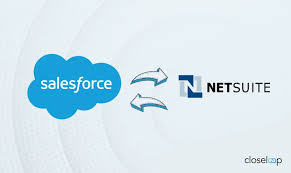
NetSuite Bets on Strategic Growth and Embraces Collaboration with Salesforce Growing on All Fronts At SuiteWorld 2024, the theme, “All Systems Grow,” reflected a pivotal moment for NetSuite. While the event lacked groundbreaking announcements, it showcased a fulfillment of past promises and a notable strategic shift toward openness and collaboration. Oracle and NetSuite are now welcoming competitors as partners, signaling a move toward interoperability that could redefine their market positioning. With over 40,000 customers, NetSuite continues its strong growth in the ERP space, particularly among SMBs. The company’s Q3 sales surged 20% year-over-year, underlining its momentum in the mid-market. Beyond traditional ERP capabilities, NetSuite’s expanded suite of solutions positions it as more than just an ERP provider. Delivering on AI Innovations While there were no splashy acquisitions, NetSuite made significant strides by rolling out 170 new modules and features, many leveraging AI. These enhancements blend predictive AI and generative AI to increase accuracy and user productivity. These updates aim to elevate both the platform’s quality and the efficiency of its users. Redwood Design: A Transformative User Experience NetSuite is adopting Oracle’s Redwood design language, promising a more intuitive and user-friendly interface. While Redwood is not new, its phased rollout within NetSuite is a significant step forward. Notable Additions: SuiteProcurement and Salesforce Integration SuiteProcurement: NetSuite’s new procurement automation solution integrates directly with Amazon Business and Staples Business Advantage, automating ordering, invoicing, approvals, and deliveries. Plans are underway to expand vendor support, offering broader applicability in the future. Salesforce Partnership: NetSuite’s most significant announcement was its strategic partnership with Salesforce, enabling real-time data exchange between the platforms. Evan Goldberg, NetSuite’s founder and EVP, explained the rationale:“It’s up to the customer to decide what software they want to use.” The partnership reflects NetSuite’s commitment to addressing customer needs, with more SaaS integrations expected in the future. Expanding Field Service Management (FSM) NetSuite’s Field Service Management (FSM) capabilities, acquired last year, are now better integrated into its platform. While development progress has been slower than anticipated, significant enhancements are expected in the coming year, leveraging Oracle technology to extend FSM’s functionality across industries. And Field Service Management is available in Salesforce, as well. Positioned for Continued SMB Growth NetSuite’s investments are yielding results, as demonstrated by its rapid growth and deeper integration of Oracle technology. The NetSuite Analytics Data Warehouse and Enterprise Performance Management are driving adoption among existing users, showcasing the platform’s scalability. NetSuite’s ability to quickly integrate Oracle updates into its infrastructure gives it a competitive edge, ensuring customers benefit from the latest innovations without delays. With its robust feature set, AI-powered tools, and strategic partnerships like the one with Salesforce, NetSuite has strengthened its position as a go-to ERP platform for SMBs. Its consistent 20% year-over-year growth indicates a bright future, making it an increasingly attractive option for mid-market businesses. Like Related Posts Who is Salesforce? Who is Salesforce? Here is their story in their own words. From our inception, we’ve proudly embraced the identity of Read more Salesforce Marketing Cloud Transactional Emails Salesforce Marketing Cloud Transactional Emails are immediate, automated, non-promotional messages crucial to business operations and customer satisfaction, such as order Read more Salesforce Unites Einstein Analytics with Financial CRM Salesforce has unveiled a comprehensive analytics solution tailored for wealth managers, home office professionals, and retail bankers, merging its Financial Read more AI-Driven Propensity Scores AI plays a crucial role in propensity score estimation as it can discern underlying patterns between treatments and confounding variables Read more

Read More
Salesforce and Firmable

Salesforce and Firmable

Firmable Launches Salesforce Integration to Enhance CRM Workflows Firmable has unveiled its latest integration with Salesforce, further expanding its CRM ecosystem to support over 20,000 Salesforce users across Australia. By embedding its extensive Australian dataset directly into Salesforce, Firmable empowers businesses to optimize workflows, improve productivity, and elevate their sales and marketing efforts. This integration adds to Firmable’s suite of CRM solutions, which also includes compatibility with platforms like HubSpot, making its rich dataset an integral part of daily business operations. Key Benefits of the Firmable-Salesforce Integration A Comprehensive Solution for Australian Businesses Firmable’s integration with Salesforce brings unparalleled ease of use and precision to CRM workflows. By embedding its rich Australian data into everyday tools, businesses can streamline lead generation, enhance customer engagement, and boost sales effectiveness. 🔔🔔 Follow us on LinkedIn 🔔🔔 Ready to transform your sales and marketing strategies? Firmable is now available for trial or purchase at firmable.com. Like Related Posts Who is Salesforce? Who is Salesforce? Here is their story in their own words. From our inception, we’ve proudly embraced the identity of Read more Salesforce Marketing Cloud Transactional Emails Salesforce Marketing Cloud Transactional Emails are immediate, automated, non-promotional messages crucial to business operations and customer satisfaction, such as order Read more Salesforce Unites Einstein Analytics with Financial CRM Salesforce has unveiled a comprehensive analytics solution tailored for wealth managers, home office professionals, and retail bankers, merging its Financial Read more AI-Driven Propensity Scores AI plays a crucial role in propensity score estimation as it can discern underlying patterns between treatments and confounding variables Read more

Read More
gettectonic.com