
Salesforce Integration Archives - gettectonic.com - Page 4
Salesforce and Ortoo Integration

Salesforce and Ortoo Integration

Ortoo Launches Smart Actions: A Revolutionary Salesforce-Native App for AI Automation Ortoo, a leading provider of Salesforce productivity solutions, has unveiled its latest innovation, Smart Actions, now available on the Salesforce AppExchange. This groundbreaking Salesforce-native app allows businesses to seamlessly integrate AI automation into their Salesforce workflows, dramatically boosting efficiency and simplifying complex processes with a single click. Salesforce and Ortoo integration for Smart Actions. How do I sync Ortto activities to Salesforce? In your Ortto account, navigate to Data sources > Salesforce > Sync Ortto activities to Salesforce. Choose up to 5 activities. At Sync settings, select whether you wish to sync these Ortto activities as activities and/or as tasks. If you are syncing the Salesforce Task object to Ortto (selected at Salesforce fields): Smart Actions empowers companies to deploy AI and GPT-powered automations across sales, service, and support functions within Salesforce, eliminating the traditionally high costs associated with advanced AI tools. By integrating smoothly into the Salesforce ecosystem, Smart Actions enables businesses to automate manual tasks, personalize communications, and optimize workflows with unparalleled ease. Track and manage email conversations within Salesforce. AI-powered actions to streamline sales workflows. SEAMLESS SALESFORCE INTEGRATION “With Smart Actions, we’re making AI automation accessible to businesses of all sizes,” said Amy Grenham, Head of Marketing at Ortoo. “If you’ve ever built a custom GPT using OpenAI, creating a Smart Action will feel very familiar. Ortoo’s prompt builder allows you to set the context, specify the Salesforce fields to analyze, and determine where the output should go. This simplicity makes it incredibly easy to deploy AI-driven processes and transform operations within Salesforce.” Key Features and Practical Applications Real-World Applications of Smart Actions Get Started with Smart Actions Today Smart Actions is now available on the Salesforce AppExchange. Businesses can start using the app for free, with additional features available through a premium version. SmartActions is a 5 star product on the Salesforce AppExchange. Like Related Posts Who is Salesforce? Who is Salesforce? Here is their story in their own words. From our inception, we’ve proudly embraced the identity of Read more Salesforce Marketing Cloud Transactional Emails Salesforce Marketing Cloud Transactional Emails are immediate, automated, non-promotional messages crucial to business operations and customer satisfaction, such as order Read more Salesforce Unites Einstein Analytics with Financial CRM Salesforce has unveiled a comprehensive analytics solution tailored for wealth managers, home office professionals, and retail bankers, merging its Financial Read more AI-Driven Propensity Scores AI plays a crucial role in propensity score estimation as it can discern underlying patterns between treatments and confounding variables Read more


Read More
Education Cloud Recruitment and Admissions

Education Cloud Recruitment and Admissions

Today’s prospective students and learners expect a seamless, connected online experience throughout their higher education journey. The days of relying on phone calls and postal mail for application processes are behind us. Faculty and staff require a complete, unified view of each learner—no more data scattered across departments. Education Cloud recruitment and admissions enables your institution to operate efficiently and effectively in the digital age. At its very heart, recuitment and admissions is only a variation on any other marketing process that has been improved with automation. No one knows automation like Salesforce. And no one knows how to build a engaging portal in Education Cloud to cator to your students than Tectonic. At the core of the recruitment and admissions process in Education Cloud is an online portal that allows learners to: This learner portal captures and records all relevant information directly in Salesforce. However, managing the multitude of interactions and documents can be challenging. That’s where the Recruiting and Admissions Consoles come in, serving as a centralized hub for faculty and staff to manage their tasks and monitor progress. The Recruitment & Admissions Consoles offer several key benefits: Like Related Posts Who is Salesforce? Who is Salesforce? Here is their story in their own words. From our inception, we’ve proudly embraced the identity of Read more Salesforce Marketing Cloud Transactional Emails Salesforce Marketing Cloud Transactional Emails are immediate, automated, non-promotional messages crucial to business operations and customer satisfaction, such as order Read more Salesforce Unites Einstein Analytics with Financial CRM Salesforce has unveiled a comprehensive analytics solution tailored for wealth managers, home office professionals, and retail bankers, merging its Financial Read more AI-Driven Propensity Scores AI plays a crucial role in propensity score estimation as it can discern underlying patterns between treatments and confounding variables Read more

Read More
Repayment Schedules With Salesforce

Repayment Schedules With Salesforce

Simplifying Repayment Schedules: Elevating Borrower Experience with Salesforce In the rapidly changing financial services industry, managing loan repayment schedules efficiently is vital for both lenders and borrowers. A well-designed system can significantly enhance the borrower experience, streamline operations, and boost overall efficiency. Salesforce software emerges as a powerful solution that simplifies repayment schedules and fosters better communication between lenders and borrowers. This article explores how Salesforce can revolutionize repayment management with its comprehensive features. Understanding Repayment Schedules Repayment schedules define how a borrower will pay back their loan over time, detailing payment amounts, due dates, interest rates, and the total loan duration. A clear and well-structured repayment schedule not only helps borrowers manage their finances but also ensures that lenders receive timely payments. The complexity of repayment schedules can vary based on factors like loan terms, interest rates, and borrower profiles. Therefore, having an effective system to manage these variables is crucial for maintaining accuracy and transparency throughout the borrowing process. The Role of Salesforce in Loan Management Salesforce offers an extensive suite of tools designed to enhance customer relationship management (CRM) across various industries, including finance. By utilizing Salesforce’s capabilities, lenders can develop customized solutions that address key aspects of loan management, such as: 1. Automated Amortization SchedulesSalesforce enables the automated creation of amortization schedules tailored to individual loans. This feature minimizes manual errors and ensures accurate calculations from the start. Automation allows lenders to provide borrowers with clear payment plans, including details on principal reductions and interest accruals over time. 2. Custom Borrower PortalsOne of Salesforce’s major strengths is the ability to create custom borrower portals. These portals allow clients to access their repayment schedules anytime, view upcoming payments, track their balances in real-time, and even make payments through secure channels. This transparency builds trust between lenders and borrowers, enhancing overall satisfaction. 3. Document ManagementEffective document management is essential for maintaining organized records related to loans and repayments. Salesforce’s document management features enable lenders to securely store important documents—such as contracts, amendments, or communications—within each borrower’s profile. This accessibility simplifies audits and reviews while ensuring compliance with regulatory standards. Streamlined Communication with Automated Alerts A common challenge for borrowers is keeping track of payment deadlines and understanding when payments are due. Salesforce addresses this by offering automated alerts via email or text message, reminding borrowers of upcoming due dates or changes in payment schedules. These notifications help keep borrowers informed about their obligations without overwhelming them, balancing proactive communication with user-friendliness. Enhanced Reporting & Analytics Salesforce provides powerful reporting tools that allow lenders to effectively analyze repayment patterns across different portfolios. By identifying trends related to timely payments, defaults, or late fees, financial institutions can strategically tailor their offerings. Detailed dashboards also present key performance indicators (KPIs) related to collection efficiency, aiding in risk assessment and decision-making processes. Portfolio Management Integration Integrating portfolio management features within Salesforce allows lenders to monitor individual loans and gain insights into overall portfolio health. This includes tracking repayments received versus outstanding balances owed by all clients collectively. This holistic view supports decision-making around refinancing options for struggling clients and identifying growth opportunities based on historical data trends. This integration enhances lender profitability while improving borrower experiences. Conclusion: Transforming the Borrower Experience Integrating Salesforce software into loan repayment scheduling represents a significant advancement in enhancing borrower experiences in the financial services industry. From automating complex amortization calculations to providing personalized customer portals, Salesforce empowers both lenders and borrowers at every stage of the process. By embracing technology like Salesforce, lenders can streamline communication, reduce administrative burdens, and position themselves favorably against competitors. This buildss long-lasting relationships built on trust and reliability, ultimately benefiting all parties involved. Contact Tectonic today to explore lending solutions from Salesforce. Like Related Posts Who is Salesforce? Who is Salesforce? Here is their story in their own words. From our inception, we’ve proudly embraced the identity of Read more Salesforce Marketing Cloud Transactional Emails Salesforce Marketing Cloud Transactional Emails are immediate, automated, non-promotional messages crucial to business operations and customer satisfaction, such as order Read more Salesforce Unites Einstein Analytics with Financial CRM Salesforce has unveiled a comprehensive analytics solution tailored for wealth managers, home office professionals, and retail bankers, merging its Financial Read more AI-Driven Propensity Scores AI plays a crucial role in propensity score estimation as it can discern underlying patterns between treatments and confounding variables Read more

Read More
benefits of salesforce flow automation

Benefits of Salesforce Flow Automation

Salesforce Flow Automation offers robust tools to streamline operations, enhance productivity, and improve accuracy. Whether you’re new to Salesforce or refining existing workflows, here are five top tips for maximizing the benefits of Salesforce Flow Automation. 1. Define Clear Objectives Before creating any flows, clearly define your automation goals, whether it’s reducing manual data entry, accelerating approval processes, or ensuring consistent customer follow-ups. Having specific objectives will keep your flow design focused and help you measure the impact of your automation. 2. Leverage Pre-Built Flow Templates Salesforce provides a range of pre-built flow templates tailored to common business needs, saving time and effort. Start with these templates and customize them to suit your unique requirements, allowing you to implement efficient solutions without building from scratch. 3. Optimize Decision Elements Decision elements in Salesforce Flow enable branching logic based on set conditions. Use them to direct the flow according to specific criteria, such as routing different approval paths based on deal value or service type. This targeted approach ensures each scenario is handled effectively. 4. Thoroughly Test Before Deployment Testing is a critical part of the automation process. Before launching a new flow, test it in a sandbox environment to catch any issues. Cover a range of scenarios and edge cases to confirm that the flow works as expected, helping avoid disruptions and ensuring a smooth transition into live use. 5. Monitor and Continuously Improve Automation is an evolving process. After deploying flows, monitor their performance to ensure they’re achieving desired outcomes. Use Salesforce’s reporting tools to track metrics like completion rates and processing times. With this data, you can fine-tune your flows to boost efficiency and adapt to changing business needs. By following these tips, you can unlock the full potential of Salesforce Flow Automation, leading to streamlined processes and better business outcomes. Embrace automation to reduce manual work and keep focus on driving core business growth. Like Related Posts Who is Salesforce? Who is Salesforce? Here is their story in their own words. From our inception, we’ve proudly embraced the identity of Read more Salesforce Marketing Cloud Transactional Emails Salesforce Marketing Cloud Transactional Emails are immediate, automated, non-promotional messages crucial to business operations and customer satisfaction, such as order Read more Salesforce Unites Einstein Analytics with Financial CRM Salesforce has unveiled a comprehensive analytics solution tailored for wealth managers, home office professionals, and retail bankers, merging its Financial Read more AI-Driven Propensity Scores AI plays a crucial role in propensity score estimation as it can discern underlying patterns between treatments and confounding variables Read more
Read More
Qwary Salesforce Integration

Qwary Salesforce Integration

Qwary Enhances Customer Insights with New Salesforce Integration HERNDON, Va., Aug. 13, 2024 /PRNewswire/ — While surveys have long been a staple for gathering customer feedback, data entry often poses a challenge in obtaining comprehensive insights. Qwary’s new Salesforce integration aims to resolve this issue by enabling seamless data transfer and synchronization between the two platforms. This integration allows teams to consolidate customer information into a single hub, providing real-time visibility and enhancing strategic planning and collaboration. Key features include creating email campaigns, importing contacts, mapping survey results, and automating event-based workflows. What Is Qwary’s Salesforce Integration? Qwary’s Salesforce integration is designed to streamline the analysis of Salesforce survey data, offering a more efficient way to understand customer interactions with your brand. By integrating survey feedback with CRM data, this tool helps you quickly adapt your products and services to meet evolving customer needs. It tracks customer journeys, collects feedback, and reveals pain points, enabling you to deliver tailored solutions. Benefits of Using Qwary’s Salesforce Integration Qwary’s integration offers several notable benefits: Automate Feedback Collection The integration automates the feedback collection process by triggering surveys at strategic points in the customer lifecycle. This allows your team to act swiftly to foster engagement and generate leads. Gain Actionable Insights Seamlessly integrating with Salesforce CRM, Qwary scores, analyzes, and enriches customer data, helping your team identify emerging trends and seize opportunities for personalization and customer development. Synchronize Data Automatically With Qwary’s integration, your contact data is consolidated into a single, reliable source of truth. Whether you’re using Salesforce or Qwary, automated data synchronization ensures consistency and provides real-time updates. Collaborate Effectively The integration promotes effective teamwork by sharing data between Salesforce and Qwary, enabling your team to solve problems collaboratively and refine strategies to boost customer retention. Key Capabilities Qwary’s Salesforce integration excels in managing customer feedback, automating workflows, and consolidating contact data: Salesforce Workflow Automation The integration simplifies scheduling and automating survey triggers, eliminating manual processes. Surveys can be initiated via email or following significant events, with responses seamlessly mapped into Salesforce. This creates a comprehensive view of customer behavior, helping your team act on insights, strengthen connections, and enhance satisfaction. Contact Data Importation Qwary facilitates quick access to Salesforce contacts, providing a holistic view of your customer base. The integration streamlines contact data importation and updates, eliminating manual data entry and speeding up data management. Potential Business Impacts By combining automation, synchronization, and data consolidation with a user-friendly interface, Qwary’s Salesforce integration enhances your sales team’s ability to collect and leverage customer feedback. Immediate access to comprehensive consumer insights allows your business to respond promptly to customer needs, improving satisfaction and loyalty. Real-time data aggregation helps your company adapt quickly and refine offerings to exceed customer expectations. Stay Ahead with Qwary’s Salesforce Integration Qwary continuously updates its solutions to meet the evolving needs of businesses focused on customer engagement. Leveraging automation, synchronization, and advanced analytics through an accessible platform, Qwary’s Salesforce integration empowers your team to enhance offerings and connect with customers efficiently. By optimizing the use of survey data and Salesforce feedback, Qwary keeps your business at the forefront of market trends, enabling you to consistently delight your customers. Like Related Posts Who is Salesforce? Who is Salesforce? Here is their story in their own words. From our inception, we’ve proudly embraced the identity of Read more Salesforce Marketing Cloud Transactional Emails Salesforce Marketing Cloud Transactional Emails are immediate, automated, non-promotional messages crucial to business operations and customer satisfaction, such as order Read more Salesforce Unites Einstein Analytics with Financial CRM Salesforce has unveiled a comprehensive analytics solution tailored for wealth managers, home office professionals, and retail bankers, merging its Financial Read more AI-Driven Propensity Scores AI plays a crucial role in propensity score estimation as it can discern underlying patterns between treatments and confounding variables Read more
Read More
Salesforce Enhances Nonprofit Cloud

Salesforce Enhances Nonprofit Cloud

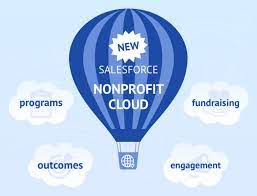
Salesforce Enhances Nonprofit Cloud with AI and Data Tools Salesforce has introduced new artificial intelligence (AI) and data capabilities to its Nonprofit Cloud, aimed at helping organizations boost efficiency, personalize donor engagement, and increase funding. Learn how Salesforce Enhances Nonprofit Cloud. Among the new features are AI tools that generate personalized gift proposals and concise summaries of program success, grant details, donor histories, and more. Additionally, Salesforce announced the launch of Data Cloud for Nonprofits, which unifies and harmonizes data to provide a comprehensive view of donors, volunteers, and program participants. Key new features include: “Every nonprofit strives to deliver the best experience for donors, volunteers, board members, staff, and, most importantly, the people and causes they serve. However, they often face the challenge of doing more with limited resources,” said Lori Freeman, Vice President and Global General Manager of Nonprofit at Salesforce. “With industry-specific AI and data tools, Salesforce empowers nonprofits to enhance productivity by augmenting staff with AI, use data more effectively to build deeper relationships with stakeholders, and ultimately raise the funds needed to fulfill their mission.” Like Related Posts Who is Salesforce? Who is Salesforce? Here is their story in their own words. From our inception, we’ve proudly embraced the identity of Read more Salesforce Marketing Cloud Transactional Emails Salesforce Marketing Cloud Transactional Emails are immediate, automated, non-promotional messages crucial to business operations and customer satisfaction, such as order Read more Salesforce Unites Einstein Analytics with Financial CRM Salesforce has unveiled a comprehensive analytics solution tailored for wealth managers, home office professionals, and retail bankers, merging its Financial Read more AI-Driven Propensity Scores AI plays a crucial role in propensity score estimation as it can discern underlying patterns between treatments and confounding variables Read more
Read More
Demandbase One for Sales iFrame

Demandbase One for Sales iFrame

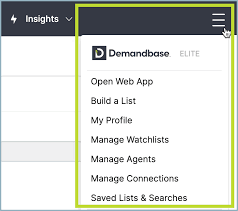
Understanding the Demandbase One for Sales iFrame in Salesforce The Demandbase One for Sales iFrame (formerly known as Sales Intelligence) allows sales teams to access deep, actionable insights directly within Salesforce. This feature provides account-level and people-level details, including engagement data, technographics, intent signals, and even relevant news, social media posts, and email communications. By offering this level of visibility, sales professionals can make informed decisions and take the most effective next steps on accounts. Key Points: Overview of the Demandbase One for Sales iFrame The iFrame is divided into several key sections: Account, People, Engagement, and Insights tabs. Each of these provides critical information to help you better understand and engage with the companies and people you’re researching. Account Tab People Tab Engagement Tab Final Notes: The Demandbase One for Sales iFrame is a powerful tool that provides a complete view of account activity, helping sales teams make informed decisions and drive results. Like Related Posts Who is Salesforce? Who is Salesforce? Here is their story in their own words. From our inception, we’ve proudly embraced the identity of Read more Salesforce Marketing Cloud Transactional Emails Salesforce Marketing Cloud Transactional Emails are immediate, automated, non-promotional messages crucial to business operations and customer satisfaction, such as order Read more Salesforce Unites Einstein Analytics with Financial CRM Salesforce has unveiled a comprehensive analytics solution tailored for wealth managers, home office professionals, and retail bankers, merging its Financial Read more AI-Driven Propensity Scores AI plays a crucial role in propensity score estimation as it can discern underlying patterns between treatments and confounding variables Read more

Read More
Salesforce Query Builder

Salesforce Query Builder

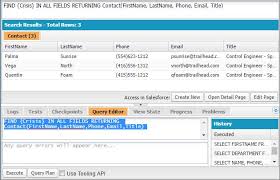
Salesforce Query Builder Effortlessly Build SOQL Queries for Salesforce Objects with Salesforce Query Builder. The Salesforce Query Builder is a powerful Chrome extension that simplifies the creation of SOQL (Salesforce Object Query Language) queries for administrators, developers, and power users. This tool addresses the common challenge of building complex queries directly within your Salesforce environment, eliminating the need for external tools. Key Features and Benefits Seamless Integration: The Query Builder works directly within your Salesforce tabs, streamlining your workflow by removing the need to switch between apps or browser windows. This integration ensures better productivity without disruption. User-Friendly Interface: Its intuitive design makes query building easy for users at any skill level. A step-by-step process walks you through selecting objects, fields, and applying filters, reducing the complexities of SOQL syntax. Dynamic Object and Field Selection: The extension automatically fetches and displays available Salesforce objects and fields, saving time and minimizing errors by using up-to-date schema information. Real-Time Query Generation: As you choose objects, fields, and filters, the extension generates the SOQL query in real-time. This live feedback helps you understand the structure of the query, allowing for quick adjustments. Secure Authentication: Using your existing Salesforce session, the Query Builder ensures your credentials remain secure. It doesn’t store or transmit sensitive information, maintaining the integrity of your data. Flexible Filtering: Easily add WHERE clauses to filter data based on specific criteria, making it simple to focus on the data subsets you need. Copy to Clipboard: With one click, copy the generated SOQL query to your clipboard for easy use in other tools, development environments, or for sharing with teammates. Field Search: For objects with many fields, the search function helps you quickly locate the fields you need, reducing time spent scrolling. Lightweight and Fast: As a browser extension, the Query Builder is lightweight, requiring no installation on your Salesforce instance, ensuring fast performance without impacting your org. Cross-Domain Support: The tool supports multiple Salesforce domains (salesforce.com, force.com, cloudforce.com), providing a consistent experience across different environments. Why You Should Install It Time-Saving: The Query Builder dramatically reduces the time spent constructing SOQL queries, especially for complex objects or unfamiliar schemas. Error Reduction: By providing a visual interface, the tool minimizes syntax errors that can occur when manually writing SOQL queries. Learning Tool: Ideal for those new to SOQL, the Query Builder helps users understand query structure and best practices through its interactive design. Increased Productivity: With seamless Salesforce integration, you can generate queries quickly without disrupting your workflow. Accessibility: The tool empowers users who may not be comfortable writing SOQL manually, making advanced querying capabilities accessible to a wider range of Salesforce users. Consistency: It encourages consistent query-building practices across teams, making collaboration and sharing of queries easier. No Setup Required: As a browser extension, it requires no changes to your Salesforce org, making it perfect for admins or developers working across multiple orgs or with limited customization permissions. By installing the Salesforce Query Builder, you gain a valuable tool for your daily Salesforce tasks. Whether you’re a developer needing to prototype queries, an admin exploring data relationships, or a business analyst needing custom views, this tool simplifies interacting with your Salesforce data. With its combination of ease of use, security, and powerful features, it’s an essential addition to any Salesforce professional’s toolkit. Like Related Posts Who is Salesforce? Who is Salesforce? Here is their story in their own words. From our inception, we’ve proudly embraced the identity of Read more Salesforce Marketing Cloud Transactional Emails Salesforce Marketing Cloud Transactional Emails are immediate, automated, non-promotional messages crucial to business operations and customer satisfaction, such as order Read more Salesforce Unites Einstein Analytics with Financial CRM Salesforce has unveiled a comprehensive analytics solution tailored for wealth managers, home office professionals, and retail bankers, merging its Financial Read more AI-Driven Propensity Scores AI plays a crucial role in propensity score estimation as it can discern underlying patterns between treatments and confounding variables Read more

Read More
Read AI Salesforce Integration

Read AI Salesforce Integration

Last month, Read AI announced the launch of its integration with HubSpot, and today the company continues its momentum in the CRM space by announcing support for 1-click connections to Salesforce. Salesforce, the leading name in CRM software, is widely adopted across virtually every industry. Read AI users can now sync their Meeting Reports directly to corresponding records within their Salesforce instance, either automatically or manually. After a meeting measured by Read AI, this integration will automatically connect any Contacts, Leads, Accounts, and Opportunities within Salesforce that are related to the external participants who attended the call. Read AI will sync Meeting Report summaries, action items, key questions, and other meeting data directly to those records, providing a comprehensive view of meeting content and progress without leaving Salesforce. This eliminates the need to spend hours updating opportunities. With Read AI, Opportunities are more up-to-date and comprehensive than anything manually written. The integration operates in the background, automatically. For those who prefer not to automatically sync Meeting Reports into Salesforce, Automatic Syncing can be turned off in Integration Settings, allowing individual push of Meeting Reports to Salesforce. To ensure historical Meeting Reports are synced to Salesforce, users can backfill Meeting Report data with one click using the ‘Sync past meetings’ button in Salesforce Integration Settings. For individual sellers, this integration removes the need to block out time to update contacts and opportunities, as Read AI automatically makes those updates. Sales Managers will no longer need to chase down sellers to update their opportunities in Salesforce, allowing more focus on sales strategy with the most complete and timely insights from SFDC. This integration promises a significant boost in productivity for users of both Read AI and Salesforce. Users no longer need to take notes during important sales calls and can easily find meeting details within Salesforce. Read AI empowers sellers to close deals while handling the administrative tasks to ensure opportunities are accurate and updated. Like Related Posts Who is Salesforce? Who is Salesforce? Here is their story in their own words. From our inception, we’ve proudly embraced the identity of Read more Salesforce Marketing Cloud Transactional Emails Salesforce Marketing Cloud Transactional Emails are immediate, automated, non-promotional messages crucial to business operations and customer satisfaction, such as order Read more Salesforce Unites Einstein Analytics with Financial CRM Salesforce has unveiled a comprehensive analytics solution tailored for wealth managers, home office professionals, and retail bankers, merging its Financial Read more AI-Driven Propensity Scores AI plays a crucial role in propensity score estimation as it can discern underlying patterns between treatments and confounding variables Read more

Read More
AI Data Cloud and Integration

AI Data Cloud and Integration

The enterprise has transitioned from merely speculating about artificial intelligence to actively implementing it. In doing so, companies must determine the optimal combination of ancillary technologies that, when strategically paired with AI, can drive relevant use cases and business outcomes. With AI Data Cloud and Integration, your data-driven decisions happen in real-time. Salesforce Inc. is leveraging a powerful trio — its Data Cloud, automation, and AI — to deliver what it considers transformative outcomes for organizations. “AI has such wonderful capability today from predictive to generative, [but] it’s not new to Salesforce,” said Param Kahlon, executive vice president and general manager at Salesforce. “Salesforce has been doing predictive AI for almost 10 years now. But what is great is that generative AI now gives the ability to process these large language models on large amounts of unstructured, semi-structured content to generate great content that can be used by salespeople to send relevant emails and marketing people to create personalized landing pages.” Kahlon spoke with theCUBE Research Senior Analyst George Gilbert during a recent “The Road to Intelligent Data Apps” podcast series. They discussed how Salesforce is revolutionizing business operations in the digital age by harnessing AI-driven insights, contextualizing data with the company’s Data Cloud, and enabling real-time actions. Gen AI and Data Cloud for Contextualization In today’s business environment, intelligence is the cornerstone of success. Salesforce’s AI platform empowers companies with predictive and generative AI capabilities, enabling them to make insightful decisions and craft personalized experiences for their customers. Businesses can now process vast amounts of unstructured data and generate compelling content. “For this AI to be meaningful and for companies to harness the full value of AI, you want to make sure that you’re grounding the data that’s being used to generate those predictions with some things that are relevant to the current business process, to the current transaction, to the current context of interaction you’re happening with the customer,” Kahlon said. Salesforce’s Data Cloud acts as the AI foundation, enriching existing data models with relevant contextual data tailored to the specific needs of each business and their interactions with customers. “When we talk to our large Salesforce customers, they all tell us that AI is really important for them,” Kahlon said. “That is something that they want to drive, but they’re also saying that the data for them is spread out across the enterprise. Some of them tell us that they have more than 900 different business systems in which data is stored, and they want the ability to bring that data together in a seamless way so it can be processed by AI through Data Cloud.” Automation and Integration for Real-Time Action The combination of AI and Data Cloud generates actionable insights, but these insights alone aren’t enough. Businesses need to act swiftly on these predictions, driving real-time actions to capitalize on opportunities. This is where integration and automation come into play, according to Kahlon. “[Customers are] essentially telling us that data is spread across the enterprise and they want the data in real time to be available to customers,” he said. “With MuleSoft and Salesforce integration capabilities, we’ve focused on the real-time nature of making sure that you can take real-time business transactions in the context of the process that is happening, and that’s what’s differentiated in our approach to making sure that we can collect the data in real time and make actions happen in real time.” Integration is the glue that brings together data from various sources, allowing AI to derive meaningful insights. Salesforce’s integration capabilities, powered by MuleSoft, focus on real-time data processing, ensuring that businesses can act on insights as they occur. This low-latency approach enables not only Salesforce applications but also other third-party applications to contribute to the data ecosystem, Kahlon explained. “We’ve got a very large North American airline that has built their entire customer experience, from booking an airline ticket to checking into your flight and ordering special meals for your flight, all of that on an API-based platform — and we’re able to process that scale of transactions,” he said. “As you get into AI, all of that becomes extremely relevant to drive that real-time throughput, and that’s where our customers are finding value in our technology.” When the customer experience is the driver, the experience is always stellar. Like Related Posts Who is Salesforce? Who is Salesforce? Here is their story in their own words. From our inception, we’ve proudly embraced the identity of Read more Salesforce Marketing Cloud Transactional Emails Salesforce Marketing Cloud Transactional Emails are immediate, automated, non-promotional messages crucial to business operations and customer satisfaction, such as order Read more Salesforce Unites Einstein Analytics with Financial CRM Salesforce has unveiled a comprehensive analytics solution tailored for wealth managers, home office professionals, and retail bankers, merging its Financial Read more AI-Driven Propensity Scores AI plays a crucial role in propensity score estimation as it can discern underlying patterns between treatments and confounding variables Read more

Read More
Standards in Healthcare Cybersecurity

Standards in Healthcare Cybersecurity

The Change Healthcare cyberattack was a significant incident with widespread ramifications across the healthcare industry, with effects that are likely to persist for months or even longer. Standards in Healthcare Cybersecurity will change as a result. Since the ransomware attack on UnitedHealth Group’s (UHG) subsidiary, Change Healthcare, providers have faced financial and operational challenges due to disruptions in claims processing and other essential services. Change Healthcare, which processes 15 billion transactions annually and interacts with one in every three patient records in the U.S., is undergoing a complex and lengthy recovery process, with long-term implications for the industry. The attack was first reported on February 21st when Optum, another UHG subsidiary, alerted customers about the unavailability of some applications due to a cybersecurity issue. It was later confirmed that the BlackCat ransomware gang was responsible for the attack, which led to a $22 million ransom payment by UHG. The scale of the attack caused significant operational disruptions across the healthcare system, affecting entities ranging from large pharmacy chains to small, independently owned practices. In the weeks following the attack, UHG began restoring services, but the recovery process remains ongoing. UHG CEO Andrew Witty testified before Congress that the cybercriminals had gained access to Change Healthcare systems nine days before deploying the ransomware, using compromised credentials to access a Citrix portal without multi-factor authentication. The decision to pay the ransom was described as one of the hardest Witty has ever had to make. The incident has highlighted the vulnerabilities in healthcare cybersecurity, particularly for large organizations like UHG that handle vast amounts of sensitive data. It has also fueled the debate over whether ransomware payments should be made illegal, with arguments on both sides regarding the implications for victims and the broader cybersecurity landscape. The attack has prompted a strong response from industry groups and the federal government. The American Hospital Association (AHA) and the American Medical Association (AMA) have been vocal about the impact on providers, with the AHA calling it “the most significant and consequential cyberattack on the U.S. healthcare system in American history.” The federal government, through the Department of Health and Human Services (HHS), has provided guidance to Medicare providers and launched a formal investigation into the breach. As the healthcare industry continues to recover, the long-term impacts of the Change Healthcare cyberattack are expected to shape future cybersecurity strategies. The incident has underscored the importance of robust third-party risk management, the implementation of security measures like multi-factor authentication, and the potential need for more stringent regulatory standards in healthcare cybersecurity. The full extent of the breach, including the number of individuals affected, remains to be seen, but it is already clear that this event will have lasting repercussions for the industry. Like Related Posts Who is Salesforce? Who is Salesforce? Here is their story in their own words. From our inception, we’ve proudly embraced the identity of Read more Salesforce Unites Einstein Analytics with Financial CRM Salesforce has unveiled a comprehensive analytics solution tailored for wealth managers, home office professionals, and retail bankers, merging its Financial Read more AI-Driven Propensity Scores AI plays a crucial role in propensity score estimation as it can discern underlying patterns between treatments and confounding variables Read more Tectonic’s Successful Salesforce Track Record Salesforce Technology Services Integrator – Tectonic has successfully delivered Salesforce in a variety of industries including Public Sector, Hospitality, Manufacturing, Read more

Read More
UncannyAutomator Salesforce Integration

UncannyAutomator Salesforce Integration

Integrating WordPress with Salesforce With the Uncanny Automator Elite Integrations addon, connecting your WordPress site to Salesforce is a breeze. Steps to Connect Uncanny Automator to Your Salesforce Account 1. Install the Elite Integrations Addon First, ensure you have the Elite Integrations addon for Uncanny Automator installed on your WordPress site. 2. Connect Uncanny Automator to Salesforce To establish the connection, follow these steps: You will be prompted to log into Salesforce. After logging in, you will need to allow Uncanny Automator to manage your Salesforce data by clicking Allow. You will then return to the app connection screen on your WordPress site. Using Salesforce Actions in Recipes Once connected to Salesforce, you can use Uncanny Automator to create and update contacts and leads based on user actions on your WordPress site. Here’s how: Final Steps That’s it! Your recipe will now automatically run whenever users complete the selected trigger(s), sending the desired updates directly to your Salesforce account. Installing Uncanny Automator Install the free version The free version of Uncanny Automator is hosted in the WordPress.org repository, so installing it on your WordPress site couldn’t be easier. Sign into your website as an administrator, and in /wp-admin/, navigate to Plugins > Add New. In the search field, enter “Uncanny Automator”. See the image below for more context. In the Search Results, click the Install Now button for Automator. Once it finishes installing, click Activate. That’s it! Uncanny Automator is installed and ready for use. Please note that you must have the free version installed first to use Uncanny Automator Pro. The setup wizard After activation, you will be redirected to the Uncanny Automator dashboard. From here, you can connect an account, watch tutorials or read articles in our Knowledge Base. Connecting a free account is an optional step allows you to try out some of the App non-WordPress Automator integrations (like Slack, Google Sheets and Facebook) but it is not required to use anything else in the free version. Install Uncanny Automator Pro Uncanny Automator Pro is a separate plugin from our free version, and to use Pro features, you must have both Uncanny Automator AND Uncanny Automator Pro installed and active. If you don’t yet have a copy of Automator Pro, you can purchase one from https://automatorplugin.com/pricing/. Once purchased, you can download the latest version of Uncanny Automator Pro inside your account on our website at https://automatorplugin.com/my-account/downloads/. To install the Pro version after downloading the zip file, navigate to Plugins > Add New in /wp-admin/. At the top of the page, click the Upload Plugin button. Click Choose File to select the Pro zip file, the Install Now and Activate the plugin. Once activated, be sure to visit Automator > Settings in /wp-admin/ to enter your license key. This unlocks access to automatic updates and unlimited use of non-WordPress integrations in your recipes. UncannyAutomator special triggers can be found here. Like Related Posts Who is Salesforce? Who is Salesforce? Here is their story in their own words. From our inception, we’ve proudly embraced the identity of Read more Salesforce Marketing Cloud Transactional Emails Salesforce Marketing Cloud Transactional Emails are immediate, automated, non-promotional messages crucial to business operations and customer satisfaction, such as order Read more Salesforce Unites Einstein Analytics with Financial CRM Salesforce has unveiled a comprehensive analytics solution tailored for wealth managers, home office professionals, and retail bankers, merging its Financial Read more AI-Driven Propensity Scores AI plays a crucial role in propensity score estimation as it can discern underlying patterns between treatments and confounding variables Read more

Read More
Democratizing CLM

Democratizing CLM

IntelAgree, a leader in AI-powered contract lifecycle management (CLM) software, is excited to announce the integration of generative AI functionality into its existing Salesforce platform. The new feature, Saige Assist: Contract Advice, enhances the contracting process by providing users with immediate answers to contract-related questions directly within the familiar Salesforce environment. Available to IntelAgree users with AI-enabled subscriptions, Saige Assist: Contract Advice significantly enhances productivity and efficiency. Traditional inquiries to legal teams, which might take 48-72 hours due to staffing or prioritization constraints, are now addressed in seconds, enabling faster decision-making. “Many of our clients draft and manage contracts through Salesforce. With this new feature, they won’t need to leave Salesforce to get the answers they need,” said Michael Schacter, Director of Product Management at IntelAgree. “They can ask questions right within the platform, making it an all-in-one solution for contract management.” Key benefits of this new update include: “At IntelAgree, we aim to make contracting a team sport. A major part of this is meeting non-legal users where they work and how they prefer to work,” said Kyle Myers, EVP of Product and Engineering at IntelAgree. “With this new Salesforce integration update, we’re not just making contract management easier – we’re democratizing it, making AI-powered contract insights available to anyone using Salesforce.” IntelAgree distinguishes itself with a user-first approach to contract management, addressing the evolving needs of modern businesses beyond just legal departments. Looking ahead, the company plans to expand Saige Assist’s functionality to other native integrations. Along with the launch of Saige Assist: Contract Advice, IntelAgree has introduced an attributes tab to its Salesforce integration, providing users with quick access to key attribute values like arbitration, payment terms, and publicity restrictions. In a future release, users will also be able to complete smart forms within Salesforce, further minimizing the need to switch platforms. About IntelAgree:IntelAgree is an AI-powered contract lifecycle management (CLM) platform that helps enterprise teams do impactful work, not busy work. The platform uses machine learning to identify, extract, and analyze text in agreements, making contract analytics more accessible. IntelAgree also uses intelligent automation to optimize every part of the contracting process, so teams can create, negotiate, sign, manage, and analyze contracts faster. IntelAgree is trusted by leading companies, ranging from major league sports teams to Fortune 500 companies, to automate the most painful, costly parts of the contracting process. For more information about IntelAgree, visit intelagree.com. Like Related Posts Who is Salesforce? Who is Salesforce? Here is their story in their own words. From our inception, we’ve proudly embraced the identity of Read more Salesforce Marketing Cloud Transactional Emails Salesforce Marketing Cloud Transactional Emails are immediate, automated, non-promotional messages crucial to business operations and customer satisfaction, such as order Read more Salesforce Unites Einstein Analytics with Financial CRM Salesforce has unveiled a comprehensive analytics solution tailored for wealth managers, home office professionals, and retail bankers, merging its Financial Read more AI-Driven Propensity Scores AI plays a crucial role in propensity score estimation as it can discern underlying patterns between treatments and confounding variables Read more

Read More
Alphabet Abandons Acquisition for HubSpot

Alphabet Abandons Acquisition for HubSpot

Alphabet Abandons Acquisition Plans for HubSpot The integration between Salesforce and Hubspot could have changed drastically. The HubSpot-Salesforce integration allows you to pass data between HubSpot and Salesforce seamlessly, and maintain consistency between your marketing and sales teams. Current HubSpot Google integration includes: ability to log emails sent from Gmail into HubSpot CRM with one click, so your team spends less time on busy work and more time doing what they do best. HubSpot integrates with your Google Calendar to help you book more meetings in less time. Google parent Alphabet has abandoned its plans to acquire HubSpot, according to sources familiar with the matter. This decision puts to rest what would have been one of the year’s largest takeovers. HubSpot, Inc. is an American developer and marketer of software products for inbound marketing, sales, and customer service. HubSpot was founded by Brian Halligan and Dharmesh Shah in 2006. The talks between Alphabet and HubSpot never progressed to due diligence and fell apart shortly after the companies held initial discussions on a potential deal, the source said, on condition of anonymity to discuss confidential matters. HubSpot’s shares, a customer relationship management company, plummeted by as much as 19 percent on Wednesday (Jul 10) in New York trading, marking the most significant drop since 2020. The shares closed down 12 percent at $492.31, giving the company a market value of approximately $25 billion. Earlier this year, Alphabet had expressed interest in a potential deal with HubSpot. However, the two sides never progressed to detailed discussions or due diligence, said the sources, who requested anonymity due to the confidentiality of the matter. Representatives for Alphabet did not immediately comment. A HubSpot spokesperson also declined to comment. Any acquisition of HubSpot would have been among the largest tech deals of the year, comparable to Synopsys’s pending $34 billion acquisition of Ansys, according to data compiled by Bloomberg. HubSpot recently suffered a hack attack. HubSpot, which builds marketing software for small and medium-sized businesses, has specialized in so-called inbound marketing, where consumers start engagement with a brand. HubSpot customers apply its software to make advertising content that consumers can click on. CEO Yamini Rangan said in May on HubSpot’s financial results call that customer demand had weakened, as small businesses worried about the economic impact of high interest rates. Acquiring Cambridge, Massachusetts-based HubSpot, which caters to small and midsize enterprises, would have bolstered Alphabet’s competitiveness against rivals like Microsoft, Oracle, and Salesforce. Like Related Posts Who is Salesforce? Who is Salesforce? Here is their story in their own words. From our inception, we’ve proudly embraced the identity of Read more Salesforce Marketing Cloud Transactional Emails Salesforce Marketing Cloud Transactional Emails are immediate, automated, non-promotional messages crucial to business operations and customer satisfaction, such as order Read more Salesforce Unites Einstein Analytics with Financial CRM Salesforce has unveiled a comprehensive analytics solution tailored for wealth managers, home office professionals, and retail bankers, merging its Financial Read more AI-Driven Propensity Scores AI plays a crucial role in propensity score estimation as it can discern underlying patterns between treatments and confounding variables Read more

Read More
Autodesk Enhancements with Einstein 1

Autodesk Enhancements with Einstein 1

Autodesk Enhances Customer Service and Agent Productivity with Salesforce AI Integration Autodesk, a leader in 3D design, engineering, and entertainment software, has strengthened its partnership with Salesforce by incorporating Salesforce AI technology into its service agent workflow. This integration aims to boost agent productivity and enhance customer satisfaction. Autodesk Enhancements with Einstein 1. Impact of Salesforce Integration By leveraging Salesforce’s CRM, trusted AI, and data solutions, Autodesk has unified data access and developed an AI-powered self-service application. This initiative aims to foster deeper customer relationships and enhance employee productivity. The integration with Salesforce is transforming Autodesk’s customer engagement and agent workflow efficiency. Key Benefits for Autodesk Accelerating Self-Service: Autodesk uses the Einstein 1 Platform, which employs AI to create actionable data and streamline processes. This has enabled the development of a comprehensive, intuitive service cloud application for Autodesk’s team. At the conclusion of customer-agent interactions, Einstein for Service generates AI-powered case summaries, reducing the time agents spend summarizing chats by 63%. Creating Frictionless Experiences: MuleSoft has been pivotal in advancing Autodesk’s automation strategy by providing integrated and unified data access across cloud solutions. This has allowed Autodesk to modernize, simplify, and connect existing SaaS applications, resulting in smoother operations. Minimizing Disruption: Salesforce Professional Services provides real-time, 24/7 monitoring, equipping Autodesk with tools to identify and resolve potential performance issues before they affect customers. Salesforce also enhances data access monitoring, leading to a 30% reduction in ongoing maintenance. Customer Perspective Prakash Kota, SVP and CIO of Autodesk, expressed enthusiasm for the partnership: “We are thrilled to partner with Salesforce as Autodesk continues to innovate, grow, and scale with the customer at the center of our business. Our teams are excited to put generative AI to work across the enterprise, enhancing the productivity of our service agents. Saving time on tasks enables our employees to focus on higher-value work.” This partnership underscores Autodesk’s commitment to customer-centric innovation and operational efficiency, leveraging Salesforce’s advanced technologies to drive continued growth and customer satisfaction. Like Related Posts Who is Salesforce? Who is Salesforce? Here is their story in their own words. From our inception, we’ve proudly embraced the identity of Read more Salesforce Marketing Cloud Transactional Emails Salesforce Marketing Cloud Transactional Emails are immediate, automated, non-promotional messages crucial to business operations and customer satisfaction, such as order Read more Salesforce Unites Einstein Analytics with Financial CRM Salesforce has unveiled a comprehensive analytics solution tailored for wealth managers, home office professionals, and retail bankers, merging its Financial Read more AI-Driven Propensity Scores AI plays a crucial role in propensity score estimation as it can discern underlying patterns between treatments and confounding variables Read more

Read More
gettectonic.com