Salesforce Lightning Archives - gettectonic.com - Page 2
Salesforce Summer 24 Experience Cloud Release

Salesforce Summer 24 Experience Cloud Release

Experience Cloud Customization is key, and Experience Cloud is here to help you deliver. Salesforce Summer 24 Experience Cloud Release. Integrate enhanced LWR sites with Data Cloud to gain deeper insights into site visitor interactions. Elevate your site with new styling features for forms and buttons, streamlined search options, and increased control over the layout and spacing of your LWR sites. Improve your visitor login experience with a new integration framework for headless login and guest user identity flows. Stay productive on the go with a collection of updates to the Mobile Publisher app. Salesforce Summer 24 Experience Cloud Release Like Related Posts AI Automated Offers with Marketing Cloud Personalization AI-Powered Offers Elevate the relevance of each customer interaction on your website and app through Einstein Decisions. Driven by a Read more Salesforce OEM AppExchange Expanding its reach beyond CRM, Salesforce.com has launched a new service called AppExchange OEM Edition, aimed at non-CRM service providers. Read more The Salesforce Story In Marc Benioff’s own words How did salesforce.com grow from a start up in a rented apartment into the world’s Read more Salesforce Jigsaw Salesforce.com, a prominent figure in cloud computing, has finalized a deal to acquire Jigsaw, a wiki-style business contact database, for Read more

Read More
Salesforce Unified Knowledge

Salesforce Unified Knowledge

Salesforce Inc. is introducing a novel feature within its Data Cloud data lake, addressing the growing need for organizations to develop their own artificial intelligence models. This new feature, termed Unified Knowledge, integrates data from various third-party sources into the Data Cloud, facilitating the collection and curation of data crucial for training AI models, particularly for customer service agents. Unified Knowledge enables the importation of unstructured data into the Data Cloud, where it undergoes transformation, tagging, and quality assurance processes. This feature, developed in collaboration with Zoomin, primarily targets the enhancement of Salesforce’s Einstein for Service customer support application. However, its data integration capabilities extend to other Salesforce applications like Sales Cloud, Health Cloud, Financial Services Cloud, and Field Service. The administrative setup process for Unified Knowledge is described as relatively straightforward. Within Salesforce’s knowledge management tool, tagging tools are available, and once content is integrated into the system, much of the content can be automatically processed. Data from external sources such as Microsoft’s SharePoint, Atlassian’s Confluence, Google Drive and YouTube, Amazon Web Services’ S3 storage, Adobe’s Experience Platform, Guru Technologies’ Guru, Zendesk’s customer service platform, and company websites can be utilized to train customer-facing answer bots, streamline employee access to internal information, and facilitate quick searches within company knowledge bases. Unified Knowledge is available in a free beta test for Salesforce customers with Service Cloud Unlimited Edition, Einstein 1 Service Edition, or the Knowledge Add-On. A freemium version of Unified Knowledge will continue to be included with those applications, with Salesforce Lightning Knowledge being a requirement and Classic Knowledge not being supported. In essence, Unified Knowledge aims to consolidate organizational knowledge from disparate third-party systems into Salesforce, thereby improving service agent efficiency, resolving customer cases faster, and enhancing the quality and accuracy of generative AI content. By Tectonic Salesforce Marketing Architect, Shannan Hearne. Like Related Posts AI Automated Offers with Marketing Cloud Personalization AI-Powered Offers Elevate the relevance of each customer interaction on your website and app through Einstein Decisions. Driven by a Read more Salesforce OEM AppExchange Expanding its reach beyond CRM, Salesforce.com has launched a new service called AppExchange OEM Edition, aimed at non-CRM service providers. Read more The Salesforce Story In Marc Benioff’s own words How did salesforce.com grow from a start up in a rented apartment into the world’s Read more Salesforce Jigsaw Salesforce.com, a prominent figure in cloud computing, has finalized a deal to acquire Jigsaw, a wiki-style business contact database, for Read more

Read More
Security Identity and Privacy Summer 24 Release Notes

Internal Design System Architecture Updates Go Live in Summer 24

If you’re an admin of an org with an Experience Cloud site, Lightning pages, or both. Starting in Summer ’24, we’re modifying the design system architecture to support future product innovations. Internal Design System Architecture Updates Go Live in Summer 24. The changes Salesforce are making aren’t visible to most customers. If you customize the visual design of your pages or sites by using supported techniques, they expect these changes to have little to no impact on your customizations. However, if your org customizes Lightning pages or Experience Cloud sites by targeting Salesforce components and CSS styles that change with the architecture updates, some visual regressions are possible. These visual regressions can range from a UI component displaying a slightly different color to layout changes in your UI. For more details, review the SLDS Architecture Updates FAQs below. During the Summer ’24 Release Sandbox Preview on May 10, 2024, work with your site development team or Tectonic to review the user interface. If you notice visual regressions, refer to the SLDS Architecture Updates FAQs to learn how to update the customized CSS and resolve the regressions. Why take this action? If you customized Lightning pages or Experience Cloud sites by using unsupported techniques, visual regressions are possible. Internal Design System Architecture Updates Go Live in Summer 24 Starting with the Summer ‘24 Release, Salesforce is modifying the internal implementations of our Lightning components, Salesforce Lightning Design System (SLDS) styles, and custom properties to support future UI changes (safe harbor). These internal changes don’t cause visible UI changes for most customers. However, if you’ve used unsupported CSS overrides to customize an Experience Cloud site or Lightning pages, those customizations may lead to undesirable visual changes as we continue to update our architecture. Internal Design System Architecture Updates Go Live in Summer 24 Frequently Asked Questions: What is the Salesforce Lightning Design System? Why is Salesforce changing SLDS? How can the changes affect my Salesforce pages and sites? Where is it documented that overriding CSS to customize Salesforce components is not supported? What are the supported techniques for customizing the styling in my Lightning components? What are the unsupported techniques that might cause visual regressions? What visual regressions should I look for? What should I do if my site or page has visual regressions? Who can make the changes? What resources do you have to help resolve the CSS overrides? What if styling hooks are not available for the desired customization? Where can I get help for updating my customizations? Can I disable the SLDS architecture updates? What are the benefits of updating customizations? What is the impact if I don’t update the customizations? How can I prepare Experience Cloud sites for the SLDS architecture updates? Like Related Posts AI Automated Offers with Marketing Cloud Personalization AI-Powered Offers Elevate the relevance of each customer interaction on your website and app through Einstein Decisions. Driven by a Read more Salesforce OEM AppExchange Expanding its reach beyond CRM, Salesforce.com has launched a new service called AppExchange OEM Edition, aimed at non-CRM service providers. Read more The Salesforce Story In Marc Benioff’s own words How did salesforce.com grow from a start up in a rented apartment into the world’s Read more Salesforce Jigsaw Salesforce.com, a prominent figure in cloud computing, has finalized a deal to acquire Jigsaw, a wiki-style business contact database, for Read more

Read More
Salesforce Experience Cloud Summer 24 Release Notes

Salesforce Experience Cloud Summer 24 Release Notes

Customization is key, and Experience Cloud is here to help you deliver. Salesforce Experience Cloud Summer 24 Release Notes. Integrate enhanced LWR sites with Data Cloud to gain deeper insights into site visitor interactions. Elevate your site with new styling features for forms and buttons, streamlined search options, and increased control over the layout and spacing of your LWR sites. Improve your visitor login experience with a new integration framework for headless login and guest user identity flows. Stay productive on the go with a collection of updates to the Mobile Publisher app. Salesforce Experience Cloud Summer 24 Release Notes Like Related Posts AI Automated Offers with Marketing Cloud Personalization AI-Powered Offers Elevate the relevance of each customer interaction on your website and app through Einstein Decisions. Driven by a Read more Salesforce OEM AppExchange Expanding its reach beyond CRM, Salesforce.com has launched a new service called AppExchange OEM Edition, aimed at non-CRM service providers. Read more The Salesforce Story In Marc Benioff’s own words How did salesforce.com grow from a start up in a rented apartment into the world’s Read more Salesforce Jigsaw Salesforce.com, a prominent figure in cloud computing, has finalized a deal to acquire Jigsaw, a wiki-style business contact database, for Read more

Read More
Summer 24 Salesforce Development Release Notes

Summer 24 Salesforce Development Release Notes

Whether you’re using Lightning components, Visualforce, Apex, or Salesforce APIs with your favorite programming language, these enhancements help you develop amazing applications, integrations, and packages for resale to other organizations. Summer 24 Salesforce Development Release Notes. Like Related Posts AI Automated Offers with Marketing Cloud Personalization AI-Powered Offers Elevate the relevance of each customer interaction on your website and app through Einstein Decisions. Driven by a Read more Salesforce OEM AppExchange Expanding its reach beyond CRM, Salesforce.com has launched a new service called AppExchange OEM Edition, aimed at non-CRM service providers. Read more The Salesforce Story In Marc Benioff’s own words How did salesforce.com grow from a start up in a rented apartment into the world’s Read more Salesforce Jigsaw Salesforce.com, a prominent figure in cloud computing, has finalized a deal to acquire Jigsaw, a wiki-style business contact database, for Read more

Read More
Salesforce Industries Summer 24 Release Notes

Salesforce Industries Summer 24 Release Notes

Industries solutions shape Salesforce to the needs of your business, reducing the need for you to customize things yourself. Salesforce Industries summer 24 release notes. Consumer Goods Cloud streamlines delivery and distribution processes with Direct Store Delivery and Van Sales. Optimize service operations in the field with Field Service for Industries. Health Cloud integrates with Milliman Care Guidelines (MCG) to bring industry-standard assessments to Integrated Care Management. Loyalty Management gives marketing managers greater flexibility with Global Promotions Management. Manufacturing Cloud helps manufacturers streamline the process of recovering costs on defective parts from suppliers with Warranty Supplier Recovery. Salesforce for Education helps students plan their degrees better with Intelligent Degree Planning. We also have plenty of changes for Automotive Cloud, Salesforce for Nonprofits, Public Sector Solutions, Industries common features, and much more. Salesforce Industries Summer 24 Release Notes Like Related Posts AI Automated Offers with Marketing Cloud Personalization AI-Powered Offers Elevate the relevance of each customer interaction on your website and app through Einstein Decisions. Driven by a Read more Salesforce OEM AppExchange Expanding its reach beyond CRM, Salesforce.com has launched a new service called AppExchange OEM Edition, aimed at non-CRM service providers. Read more The Salesforce Story In Marc Benioff’s own words How did salesforce.com grow from a start up in a rented apartment into the world’s Read more Salesforce Jigsaw Salesforce.com, a prominent figure in cloud computing, has finalized a deal to acquire Jigsaw, a wiki-style business contact database, for Read more

Read More
Einstein Prediction Builder

Einstein Prediction Builder

Einstein Prediction Builder, a sophisticated yet user-friendly tool from Salesforce Einstein, empowers users to generate predictions effortlessly, without requiring machine learning expertise or coding skills. This capability enables businesses to augment their operations with foresight-driven insights. As of the Spring ’20 release, all Enterprise Edition and above orgs can build one free prediction with Einstein Prediction Builder. Consider the potential business outcomes unlocked by leveraging Einstein Prediction Builder. Let’s delve into a hypothetical scenario: Meet Mr. Claus, the owner of ‘North Claus,’ a business that began as a modest family venture but gradually expanded its footprint. As ‘North Claus’ burgeoned across 10 countries, Mr. Claus recognized the need for Business Intelligence (BI) to navigate market dynamics effectively. BI entails gathering insights to forecast and comprehend market shifts—an imperative echoed by Jack Ma’s famous adage, “Adopt and change before any major trends and changes.” Intrigued by the prospect of BI, especially amidst the disruptive backdrop of Covid-19, Mr. Claus embarked on a journey to implement it in his company. The Formation of Business Intelligence: In today’s digital landscape, businesses amass vast amounts of data from diverse sources such as sales, customer interactions, and website traffic. This data serves as the bedrock for deriving actionable insights, enabling organizations to formulate forward-looking strategies. However, developing robust BI capabilities poses several challenges: Mr. Claus grappled with these challenges as he endeavored to develop BI independently. Recognizing the complexity involved, he turned to Salesforce, particularly intrigued by Einstein Prediction Builder. Einstein Prediction Builder Trailhead Understanding Einstein Prediction Builder: Einstein Prediction Builder, available in various Salesforce editions, leverages checkbox and formula fields to generate predictions. Before utilizing Prediction Builder, certain prerequisites must be met: Creating Einstein Predictions: To initiate the creation of Einstein Predictions, users navigate to Setup and access the Einstein Prediction Builder. The guided Setup simplifies the process, guiding users through relevant data inputs at each step. Once configured, predictions can be enabled, disabled, or cloned as needed. Key Features and Applications: Einstein Predictions integrate seamlessly with Salesforce Lightning, providing predictive insights directly on record pages. These predictions offer invaluable guidance on various aspects, such as sales opportunities and payment delays. Additionally, Prediction Builder facilitates packaging of predictions for seamless deployment across orgs and supports integration with external platforms like Tableau. Prediction Builder equips businesses with the intelligence needed to anticipate market trends, optimize workflows, and enhance customer interactions. As Mr. Claus discovered, embracing predictive analytics can revolutionize decision-making and drive sustainable growth. Like1 Related Posts AI Automated Offers with Marketing Cloud Personalization AI-Powered Offers Elevate the relevance of each customer interaction on your website and app through Einstein Decisions. Driven by a Read more Salesforce OEM AppExchange Expanding its reach beyond CRM, Salesforce.com has launched a new service called AppExchange OEM Edition, aimed at non-CRM service providers. Read more The Salesforce Story In Marc Benioff’s own words How did salesforce.com grow from a start up in a rented apartment into the world’s Read more Salesforce Jigsaw Salesforce.com, a prominent figure in cloud computing, has finalized a deal to acquire Jigsaw, a wiki-style business contact database, for Read more

Read More
UX Design Trends 2024

UX Design Trends 2024

Navigating Design Trends: AI, Discovery, Accessibility, and Collaboration. Salesforce UX Design Trends 2024. As we reflect on the past year and look ahead, design trends are emerging, signaling a pivotal moment in the intersection of creativity, usability, and AI. For developers, admins, architects, and business leaders, understanding these trends is crucial in shaping the future. Here are the four design trends steering this transformative journey: As we move forward, these design trends signify a paradigm shift, emphasizing the significance of AI, streamlined discovery, accessibility, and the growing collaboration between designers and developers. Navigating this transformative landscape requires an adaptable mindset and a commitment to ethical, inclusive design practices from the outset. When you work with Tectonic we take all these considerations to mind as we design or re-design your Salesforce org. Contact Tectonic today. UX Design Trends 2024 Like2 Related Posts AI Automated Offers with Marketing Cloud Personalization AI-Powered Offers Elevate the relevance of each customer interaction on your website and app through Einstein Decisions. Driven by a Read more Salesforce OEM AppExchange Expanding its reach beyond CRM, Salesforce.com has launched a new service called AppExchange OEM Edition, aimed at non-CRM service providers. Read more The Salesforce Story In Marc Benioff’s own words How did salesforce.com grow from a start up in a rented apartment into the world’s Read more Salesforce Jigsaw Salesforce.com, a prominent figure in cloud computing, has finalized a deal to acquire Jigsaw, a wiki-style business contact database, for Read more

Read More
Salesforce Marketing Cloud Account Engagement

Salesforce Marketing Cloud Engagement for Industries

Customer and stakeholder expectations for communication have reached unprecedented levels in 2024. Every message now demands personalization, targeting, and relevance to foster enduring and meaningful relationships. How can you ensure that you meet these heightened expectations and cultivate lifelong connections with your customers? With Salesforce Marketing Cloud Engagement for Industries. Enter Marketing Cloud Engagement for Industries, a solution crafted by Salesforce to assist companies and organizations of any size in crafting personalized customer and stakeholder experiences through scalable email campaigns and data-driven insights. This robust offering provides a foundational framework for leveraging Marketing Cloud, offering pre-built tools, templates, and assets customized for your specific industry. The result? The ability to engage with your customers and stakeholders swiftly and effectively. This suite of outreach marketing tools helps you communicate with and engage your supporters, customers, contacts, and prospects. With Marketing Cloud Engagement for Industries, you receive a tailored package that includes: Additional tools are at your disposal to expedite the implementation of Marketing Cloud Engagement and minimize setup time. A user-friendly Get Started page walks you through the configuration process, and industry-specific assets—such as sample email templates and journeys—empower you to extract greater value from Marketing Cloud more efficiently. And Tectonic is ready to be your implementation partner. Contact Tectonic today for more information. If you are already using Marketing Cloud you can still add the Get Started page and pre-built assets. Note that to use Marketing Cloud Engagement for Industries does require the implementation of Salesforce Lightning Experience and My Domain for a more specific domain name in your Salesforce org. Connecting Marketing Cloud Engagement with Salesforce can be a complex process. Tectonic can help. Like2 Related Posts AI Automated Offers with Marketing Cloud Personalization AI-Powered Offers Elevate the relevance of each customer interaction on your website and app through Einstein Decisions. Driven by a Read more Salesforce OEM AppExchange Expanding its reach beyond CRM, Salesforce.com has launched a new service called AppExchange OEM Edition, aimed at non-CRM service providers. Read more The Salesforce Story In Marc Benioff’s own words How did salesforce.com grow from a start up in a rented apartment into the world’s Read more Salesforce Jigsaw Salesforce.com, a prominent figure in cloud computing, has finalized a deal to acquire Jigsaw, a wiki-style business contact database, for Read more

Read More
Tableau CRM Refresh Button With LWC

Tableau CRM Refresh Button With LWC

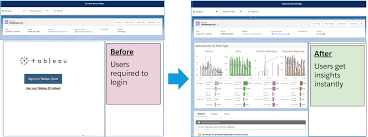
Revitalize your Tableau CRM (formerly known as Einstein Analytics) dashboards with a custom Refresh button, enhancing user experience and analytical efficiency. This button serves as a simple yet powerful tool to reset applied filters and revert the dashboard to its default state, facilitating seamless exploration of data insights. Tableau CRM Refresh Button With LWC. What exactly is a Tableau CRM Refresh Button With LWC? It’s a user interface component that, upon activation, clears all applied filters, restoring the dashboard to its initial configuration. This feature proves particularly beneficial in scenarios where users seek to initiate fresh analyses or when dealing with intricate filter structures. To embark on this enhancement journey, you’ll require three essential components: Once equipped, follow these steps to integrate the Refresh button seamlessly: Step 1: Crafting a Lightning Web Component (LWC) Initiate the creation process by developing a Lightning Web Component (LWC) within Salesforce. This component will seamlessly embed into your Tableau CRM dashboard. Step 2: Designing the HTML Framework Within the HTML file of your LWC (let’s name it refreshButton.html), define the structural blueprint for your button. Below is a sample markup: phpCopy code<template> <div class=”reset-btn_container”> <lightning-button variant=”base” label=”&#xe912;” aria-label=”Clear Filters” onclick={clearFilters} class=”slds-m-right_x-small hpe-icon-button hpe-icon-bare” ></lightning-button> </div> </template> This markup establishes a container for the button, utilizing a lightning-button element to create the button itself. Key attributes such as label, variant, and onclick event handler are set accordingly. Step 3: Implementing JavaScript Logic In the JavaScript file of your LWC (refreshButton.js), define the logic to execute filter clearance upon button activation. Here’s an illustrative example: typescriptCopy codeimport { LightningElement, api, track } from ‘lwc’; export default class DceResetDashboardButton extends LightningElement { @api getState; @api setState; @api refresh; @track initialState = null; clearFilters() { const {state, pageId} = this.getState(); const newState = { state: { …state, datasets: this.initialState.state.datasets, steps: Object.fromEntries(Object.entries(state.steps).map(([k, v]) => { return [k, { …v, values: [] }] })), }, pageId, } this.setState({ …newState, replaceState: true }); } connectedCallback() { this.initialState = this.getState(); } } This JavaScript snippet encompasses crucial elements such as property definition, filter clearance methodology, and initialization of the dashboard’s initial state. Step 4: Deploying the Lightning Web Component With your LWC crafted, proceed to deploy it within your Salesforce organization. Step 5: Integrating the LWC into Your Dashboard Edit your Tableau CRM dashboard, adding a new “Custom Component” widget and configuring it to utilize your deployed LWC as the custom component. Step 6: Testing Your Refresh Button Upon completion, navigate to your Tableau CRM dashboard to confirm the presence of the Refresh Button. A simple click on this button will swiftly clear all filters, providing a seamless experience for resetting your analysis. By incorporating this Refresh button into your Tableau CRM dashboard, you enhance user satisfaction and analytical agility. Take advantage of this tutorial to elevate your dashboards and witness the appreciation from your users firsthand! If you need assistance building a refresh button in your Tableau CRM dashboard, contact Tectonic today. Like Related Posts AI Automated Offers with Marketing Cloud Personalization AI-Powered Offers Elevate the relevance of each customer interaction on your website and app through Einstein Decisions. Driven by a Read more Salesforce OEM AppExchange Expanding its reach beyond CRM, Salesforce.com has launched a new service called AppExchange OEM Edition, aimed at non-CRM service providers. Read more The Salesforce Story In Marc Benioff’s own words How did salesforce.com grow from a start up in a rented apartment into the world’s Read more Salesforce Jigsaw Salesforce.com, a prominent figure in cloud computing, has finalized a deal to acquire Jigsaw, a wiki-style business contact database, for Read more

Read More
Field Service Lightning

Field Service Lightning

Field Service Lightning (FSL) is a comprehensive system developed by Salesforce to streamline the operations of companies providing on-site services. It facilitates the creation of employee records, task assignments, and real-time location monitoring to enhance organizational efficiency. Formerly recognized as Field Service Lightning (FSL), Salesforce Field Service (SFS) enhances customer experiences through its advanced collaboration capabilities. Field Service enables businesses to automate tracking and analysis of customer interactions, leading to improved satisfaction rates and quicker response times. Service Cloud further automates customer service processes, including ticket and account management, enhancing overall efficiency. Offline capabilities in Salesforce FSL encompass caching frequently accessed records for offline viewing and enabling Offline Edit for creating, editing, and deleting records without internet connectivity. These features are accessible on Salesforce for Android and iOS platforms. Salesforce Lightning empowers users to develop customized applications tailored to specific requirements. With features like drag and drop functionality, improved navigation, and customizable dashboards, Salesforce Lightning enhances productivity and saves time. Notably, Salesforce Lightning offers a modern interface, equivalent cost to Salesforce Classic, more extensive features, and increased access to Einstein functionality. Salesforce Field Service, previously known as Field Service Lightning, provides a robust, customizable, and mobile-friendly field service hub within Salesforce. It caters to enterprises’ needs for work order, scheduling, and mobile workforce management, offering a wide array of functionalities, including: Field Service Lightning, integrated with Salesforce’s Service Cloud, streamlines customer data and record management for support departments. It facilitates seamless coordination between phone and field services, enabling agents to efficiently handle tasks like repairs, installations, and professional services. To utilize Field Service, a minimum of one Service Cloud user license is required. Existing Service Cloud customers must also possess at least one Dispatcher license or the Field Service Plus bundle, incorporating Service user functionality. Field Service’s core features, managed package, and mobile app are available in Enterprise, Unlimited, and Developer Editions. The suite includes standard objects such as work orders and service appointments, as well as additional functionalities provided through the managed package: The Field Service mobile app, compatible with iOS and Android platforms, enhances mobile workers’ productivity by enabling offline updates to work orders, parts tracking, customer signature collection, and dispatcher communication. For developers interested in integrating Field Service, resources such as the Field Service Developer Guide offer object relationship diagrams, API reference information, and code samples. Salesforce Field Service provides a comprehensive solution for managing field service operations, offering extensive customization options and mobile-friendly functionalities to streamline workforce management and enhance customer satisfaction. Content updated April 2024. Like Related Posts AI Automated Offers with Marketing Cloud Personalization AI-Powered Offers Elevate the relevance of each customer interaction on your website and app through Einstein Decisions. Driven by a Read more Salesforce OEM AppExchange Expanding its reach beyond CRM, Salesforce.com has launched a new service called AppExchange OEM Edition, aimed at non-CRM service providers. Read more The Salesforce Story In Marc Benioff’s own words How did salesforce.com grow from a start up in a rented apartment into the world’s Read more Salesforce Jigsaw Salesforce.com, a prominent figure in cloud computing, has finalized a deal to acquire Jigsaw, a wiki-style business contact database, for Read more

Read More
Salesforce Lightning and Hyperforce

Difference Between Salesforce Lightning and Hyperforce

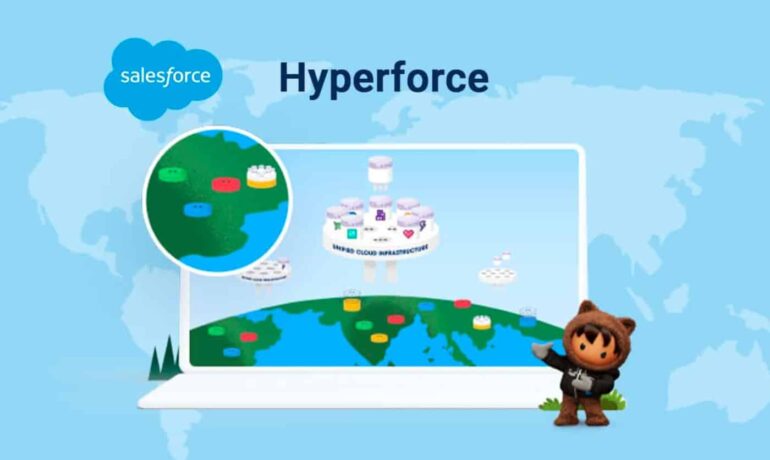
Salesforce Lightning Platform and Hyperforce: An Overview The Lightning Platform forms the core infrastructure of Salesforce, while Hyperforce is a new infrastructure model provided by the CRM platform. Salesforce Lightning Salesforce Lightning elevates customization with its modern and flexible framework. It offers a powerful drag-and-drop interface called the Lightning App Builder, enabling users to design custom homepages, record pages, and dashboards effortlessly. Salesforce Hyperforce Introduced at Dreamforce in December 2020 and recently made generally available, Hyperforce is an architectural enhancement to Salesforce’s platform designed for the public cloud. It offers several benefits, including scalability, global reach, and increased control over data residency. As part of the Salesforce Customer 360 platform, Hyperforce brings enhanced flexibility, scalability, and performance to the cloud. Key Benefits of Hyperforce: Hyperforce Migration Migrating to Hyperforce does not require additional costs. Once migrated, organizations will not experience significant changes, and non-Hyperforce services will continue to run. This code-based offering enhances speed, reliability, and global performance. Reasons to Migrate to Hyperforce: Hyperforce and Public Cloud Platforms Hyperforce can run on public cloud platforms like AWS, GCP, and Azure, representing a shift from traditional Salesforce-hosted data centers. The Data Cloud and Marketing Cloud are also built on Hyperforce, offering businesses a powerful platform for customer interactions and relationship management. Hyperforce vs. Shield Hyperforce provides volume-level encryption by default for data at rest, while Shield Platform Encryption operates in parallel, offering additional encryption features. Hyperforce Migration: Mandatory Upgrade Migrating to Hyperforce is not optional, as Salesforce has declared this architecture as its future. The migration process will occur over time, and organizations will need to prepare for it. If migration timing is not suitable, businesses should contact their Salesforce account agent. Data Residency and Migration Issues: While Hyperforce is expanding, more countries need to support data residency to have a truly international impact. Some migration issues may include Einstein loading problems, bot disruptions, and glitches with the Smartcomm managed package. Basic troubleshooting can resolve minor issues, but technical considerations like manual endpoint management may be time-consuming and costly. Hyperforce Assistant The Hyperforce Assistant provides a step-by-step guide to upgrade from Salesforce-managed physical data centers to Hyperforce, ensuring admins feel confident about the migration process. By adopting Hyperforce, businesses can enhance their customer data management with innovative solutions, ensuring robust security, scalability, and efficiency in their operations. Like Related Posts AI Automated Offers with Marketing Cloud Personalization AI-Powered Offers Elevate the relevance of each customer interaction on your website and app through Einstein Decisions. Driven by a Read more Salesforce OEM AppExchange Expanding its reach beyond CRM, Salesforce.com has launched a new service called AppExchange OEM Edition, aimed at non-CRM service providers. Read more The Salesforce Story In Marc Benioff’s own words How did salesforce.com grow from a start up in a rented apartment into the world’s Read more Salesforce Jigsaw Salesforce.com, a prominent figure in cloud computing, has finalized a deal to acquire Jigsaw, a wiki-style business contact database, for Read more

Read More
gettectonic.com