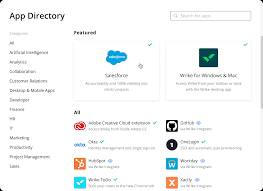
Visualize Your Task List With Salesforce and Wrike
Streamlining Collaboration with Wrike and Salesforce Integration If your team uses Wrike and your sales team operates in Salesforce, seamless collaboration is now within reach without the hassle of switching between platforms or relying on excessive email communication. Visualize Your Task List With Salesforce and Wrike. Account administrators can integrate Wrike with Salesforce, a widely used CRM solution. This integration allows you to manage client projects directly within Salesforce, enhancing collaboration between sales and other customer-facing teams using Wrike. This setup facilitates faster, more transparent work processes. More information on Salesforce can be found here. How the Integration Works Once the integration is in place, you can monitor task status from within Salesforce. You can link any Salesforce object to a Wrike project or folder, ensuring that changes in Wrike are immediately reflected in Salesforce. This integration supports both Salesforce Classic and Salesforce Lightning. Key Benefits of Wrike-Salesforce Integration: Utilizing the Integration Every record page in Salesforce (where the integration is enabled) includes a Wrike widget. This widget lets you select or change the project or folder displayed, access tasks, and monitor their status. If a project or folder hasn’t been set up for a Salesforce record, you can create it directly from the widget using templates provided by the admin. The integration’s customization options allow you to select which Salesforce objects (such as Leads, Opportunities, Accounts, or Subscriptions) you want to link with Wrike. On enabled objects, record pages will feature the Wrike widget for easy access to related tasks. Setting Up the Wrike Widget To set up the Wrike widget on your Salesforce pages: Practical Applications Common Use Cases: Getting Started – Visualize Your Task List With Salesforce and Wrike Wrike’s Salesforce Integration is available to Wrike Enterprise accounts. If you are ready to implement this integration, contact Wrike’s Support team for the installation package. Please note that List view is not available for accounts created on or after June 9, 2023; we recommend using the Table view instead. This integration not only simplifies workflow management but also enhances collaboration and accountability across your teams, making it an invaluable tool for organizations using both Salesforce and Wrike. Like Related Posts Who is Salesforce? Who is Salesforce? Here is their story in their own words. From our inception, we’ve proudly embraced the identity of Read more Salesforce Marketing Cloud Transactional Emails Salesforce Marketing Cloud Transactional Emails are immediate, automated, non-promotional messages crucial to business operations and customer satisfaction, such as order Read more Salesforce Unites Einstein Analytics with Financial CRM Salesforce has unveiled a comprehensive analytics solution tailored for wealth managers, home office professionals, and retail bankers, merging its Financial Read more AI-Driven Propensity Scores AI plays a crucial role in propensity score estimation as it can discern underlying patterns between treatments and confounding variables Read more