Salesforce Tools Archives - gettectonic.com - Page 2
Salesforce Backup

Get To Know Salesforce Backup

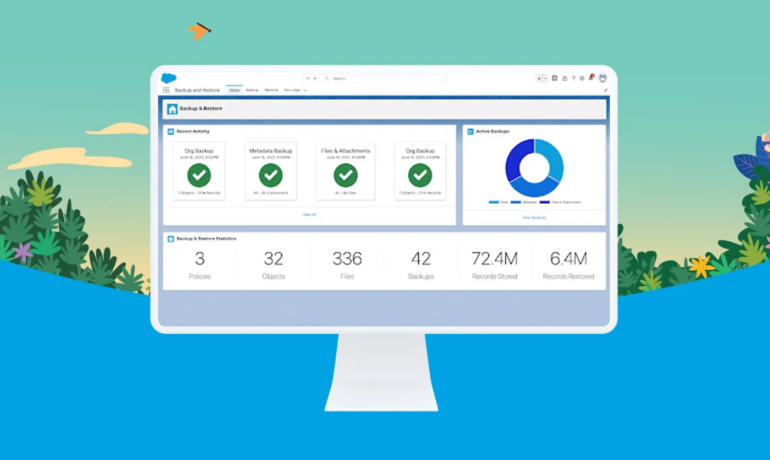
Salesforce Backup constitutes a vital component of the comprehensive Salesforce data management and security portfolio. For organizations that prioritize data integrity and compliance within their Salesforce environment, integrating this app into their org and establishing a backup policy can be accomplished on the same day. This product empowers companies to safeguard their data against user errors, malicious activities, and potential data loss, thereby enhancing overall security measures. Let’s get to know Salesforce Backup Here’s what you can achieve with the Salesforce Backup tool: Identifying and prioritizing the data you intend to back up is a crucial step. Specify the most critical data, users often have specific goals for their backups. Some administrators, focus on security, while others aim to meet compliance requirements for specific data categories, such as health data. Regardless of the goal, understanding which information holds paramount importance for your company’s security and compliance needs is essential. The data backup process involves Salesforce Backup conducting a full “Day 0” backup for an object, followed by daily incremental backups that capture only updated or deleted data. This method ensures a comprehensive and efficient approach to data protection. If you would like to add Salesforce Backup to your org, Contact Tectonic today. Like2 Related Posts Who is Salesforce? Who is Salesforce? Here is their story in their own words. From our inception, we’ve proudly embraced the identity of Read more Salesforce Marketing Cloud Transactional Emails Salesforce Marketing Cloud Transactional Emails are immediate, automated, non-promotional messages crucial to business operations and customer satisfaction, such as order Read more Salesforce Unites Einstein Analytics with Financial CRM Salesforce has unveiled a comprehensive analytics solution tailored for wealth managers, home office professionals, and retail bankers, merging its Financial Read more AI-Driven Propensity Scores AI plays a crucial role in propensity score estimation as it can discern underlying patterns between treatments and confounding variables Read more

Read More

Improving Customer Experiences with Salesforce

In 2023, sustaining competitiveness demands businesses to prioritize personalization and agility in their customer experience (CX) strategy. Brands need to build customer relationships and provide experiences that exceed expectations. If not, your connected customer will find a competitor who can. Improving Customer Experiences with Salesforce begins with initial implementation. Salesforce plays a critical role in achieving customer success as it serves as a central hub for customer data, streamlines communication, and offers valuable insights for customized customer interactions. It also allows for the tracking of customer behavior and preferences, enabling proactive and personalized support. Salesforce did not invent Customer Success, but the company quickly built what has become the number one customer relationship management platform to help their customers provide great experiences to their customers. Here are strategies to enhance your customer experience program: Enhancing Customer Experience for Brand Loyalty: Advance Personalized Experiences: By concentrating on these core areas, organizations can navigate the evolving CX landscape, delivering exceptional customer experiences. Tectonic is poised to collaborate, customizing Salesforce tools to craft remarkable customer experiences. If a friend ignores a call, text, or email, it probably doesn’t bode well for the relationship. As with friendships, customer relationships bloom when individuals feel understood. Relationships weaken when customers feel that businesses don’t appreciate their personal preferences, whether that’s remembering they enjoy romantic comedies, or that they would rather be contacted by email. Improving Customer Experiences with Salesforce The customer experience is broader and deeper than just the level of service received. Customer experience is the total perception of the company, interaction by interaction, from the first touchpoint to the last. This may include navigating the website, talking to sales reps over the phone, visiting a store, sampling a product or service, and experiencing an onboarding phase after a purchase. CRM may be a modern term, but the importance of nurturing customer relationships is age-old. The role of the customer experience has shifted in recent years, becoming one of the most crucial brand differentiators. Let’s explore how leveraging Salesforce can create customer experiences that surpass expectations and foster long-term relationships. As products become less distinguishable by brand and price, a great customer experience has become essential for companies to differentiate themselves. What are the 4 E’s of customer experience? Then come the 4Es – Economic, Efficient, Emotional, and Empathetic experiences, which focus on making your customers’ journey worthwhile. Every interaction should offer value for money (Economic), be easy for the customer (Efficient), generate positive feelings (Emotional), and show customers you get them (Empathetic). Like2 Related Posts Who is Salesforce? Who is Salesforce? Here is their story in their own words. From our inception, we’ve proudly embraced the identity of Read more Salesforce Marketing Cloud Transactional Emails Salesforce Marketing Cloud Transactional Emails are immediate, automated, non-promotional messages crucial to business operations and customer satisfaction, such as order Read more Salesforce Unites Einstein Analytics with Financial CRM Salesforce has unveiled a comprehensive analytics solution tailored for wealth managers, home office professionals, and retail bankers, merging its Financial Read more AI-Driven Propensity Scores AI plays a crucial role in propensity score estimation as it can discern underlying patterns between treatments and confounding variables Read more

Read More
Improving Customer Experiences with Salesforce

Improving Customer Experiences with Salesforce

Sustaining competitiveness continues to demand businesses prioritize personalization and agility in their customer experience strategy in 2023. Improved Customer Experiences with Salesforce are attainable. Read on. “You are caller number 10; please stay on the line.” A few years ago, a phone message like this from a company was a standard part of the customer experience. But today, customers expect more. They expect callback options. They expect to open a chat window on your website, send a text message or a tweet, and get a near-instant reply. They expect that you already know who they are when they call, that you’re aware of their most recent order, and that you understand what they need next. They don’t want to repeat their information. And they definitely don’t want to wait. Improved Customer Experiences with Salesforce Here are ways to enhance your customer experience program: Enhancing Customer Experience for Brand Loyalty: Advance Personalized Experiences: By concentrating on these core areas, organizations can navigate the evolving CX landscape, delivering exceptional customer experiences. Tectonic is poised to collaborate, customizing Salesforce tools to craft remarkable customer experiences. CX-Customer experience, gets thrown around a lot. But how is it defined, and what does it mean? “Customer experience and service have converged, it’s more than call centers and successful responses to problems. It is service opportunities in sales, support, and marketing. Delivering great customer experiences now means providing amazing, almost magical service at every opportunity.” Peter Schwartz, Salesforce senior vice president of strategic planning What Does Customer Experience Mean? Customer experience encompasses every interaction a prospect or customer has with a business, spanning various channels and touchpoints. Here’s how to enhance customer experience with Salesforce: Customers have always wanted a consistently good buying experience and the best value they can get. If they’re not happy buying expensive razor blades, they can sign up for inexpensive monthly delivery. If they’re fed up with mediocre hotel chains that don’t offer value, why not try Airbnb? The Good News The good news? Customers are willing to pay a premium for great experiences, and not just great products and services. This means businesses have an opportunity to increase revenue by delighting their customers in a way that no one else can. What are the 3Rs of customer experience? Science shows that customers are looking for 3 things in every interaction. These can be summarized in the 3 service values: be reliable, be responsive and build relationships. What are the six pillars of customer experience excellence? Developed by KPMG Nunwood of the UK following research involving more than one million customers across three continents, the system spotlights six key principles as the building blocks for customer experience success: personalization, integrity, expectations, resolution, time and effort, and empathy. Like2 Related Posts Who is Salesforce? Who is Salesforce? Here is their story in their own words. From our inception, we’ve proudly embraced the identity of Read more Salesforce Marketing Cloud Transactional Emails Salesforce Marketing Cloud Transactional Emails are immediate, automated, non-promotional messages crucial to business operations and customer satisfaction, such as order Read more Salesforce Unites Einstein Analytics with Financial CRM Salesforce has unveiled a comprehensive analytics solution tailored for wealth managers, home office professionals, and retail bankers, merging its Financial Read more AI-Driven Propensity Scores AI plays a crucial role in propensity score estimation as it can discern underlying patterns between treatments and confounding variables Read more

Read More
Exploring Salesforce Journey Builder

Exploring Salesforce Journey Builder

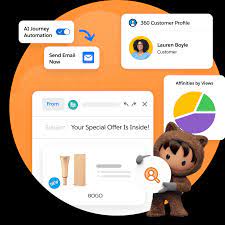
Exploring Salesforce Journey Builder Salesforce Journey Builder, a feature within Salesforce Marketing Cloud, is designed to give marketers a comprehensive view of customer interactions across multiple channels, including email, mobile, and social ads. It enables the creation and automation of personalized customer journeys that can be tailored based on specific behaviors, preferences, and demographics. Key Features of Journey Builder Types of Customer Journeys Journey Builder supports various journey types, offering flexibility in campaign design: Benefits of Using Journey Builder Connecting Marketing Cloud Journeys to Salesforce To link Marketing Cloud journeys with Salesforce campaigns, navigate to the relevant campaign in Salesforce, then select “Connect Campaign” from the Campaign Messages component. From there, choose the appropriate Marketing Cloud business unit and select an active journey. Differentiating Journey Builder from Other Salesforce Tools Conclusion Salesforce Journey Builder empowers marketers to automate and personalize customer journeys across various channels. By leveraging its capabilities, organizations can boost customer engagement, drive conversions, and remain agile in response to evolving market trends. Like Related Posts Who is Salesforce? Who is Salesforce? Here is their story in their own words. From our inception, we’ve proudly embraced the identity of Read more Salesforce Marketing Cloud Transactional Emails Salesforce Marketing Cloud Transactional Emails are immediate, automated, non-promotional messages crucial to business operations and customer satisfaction, such as order Read more Salesforce Unites Einstein Analytics with Financial CRM Salesforce has unveiled a comprehensive analytics solution tailored for wealth managers, home office professionals, and retail bankers, merging its Financial Read more AI-Driven Propensity Scores AI plays a crucial role in propensity score estimation as it can discern underlying patterns between treatments and confounding variables Read more

Read More
Marketing Cloud Admins

Marketing Cloud Admins

Salesforce Marketing Cloud Administrators play a key role in ensuring the success of an organization’s marketing efforts. Their responsibilities span system configuration, data management, campaign development, and execution. These professionals need a blend of technical expertise, strategic thinking, and keen attention to detail to effectively manage and optimize the Marketing Cloud environment. System Configuration and AdministrationMarketing Cloud Admins are responsible for setting up and configuring user accounts, defining roles and permissions, and customizing the system to meet specific organizational needs. They stay current on Salesforce updates, conducting system audits to maintain security and performance. Admins also oversee platform customization, aligning it with business goals. Data Management and SegmentationEffective data management is crucial for personalized marketing. Admins manage data imports, exports, and integration with other systems, ensuring data cleanliness and compliance with privacy regulations. They create audience segments based on specific criteria to enable targeted campaigns. Campaign Development and ExecutionAdmins work closely with marketing teams to develop and execute email, SMS, and social media campaigns. They set up customer journeys, implement automation, and ensure campaigns are delivered as planned. Monitoring performance and analyzing metrics allows admins to optimize campaigns and provide insights for future strategies. Integration and AutomationAdmins integrate Marketing Cloud with CRM systems, e-commerce platforms, and third-party apps. They streamline workflows by automating processes through tools like Journey Builder and Automation Studio, ensuring data consistency and efficiency. Troubleshooting and SupportAdmins provide technical support and troubleshoot issues related to system errors, data synchronization, and campaign delivery. They collaborate with Salesforce support to resolve complex problems, ensuring smooth operations and minimal downtime. Training and DocumentationTraining users on Marketing Cloud tools and developing comprehensive documentation are also key responsibilities. Admins ensure users are well-versed in the platform’s features and best practices, helping maintain consistent performance across teams. Monitoring and ReportingAdmins track key performance indicators (KPIs) and generate reports to analyze campaign success. By using tools like Analytics Builder, they offer data-driven insights that help improve marketing strategies and align them with business objectives. Skills Required for Salesforce Marketing Cloud AdminsAdmins must have strong technical aptitude, familiarity with Salesforce tools like Email Studio and Journey Builder, and proficiency in SQL, HTML, and APIs for system integration. Problem-solving skills are critical for diagnosing and resolving issues, and data management expertise is essential for organizing and analyzing marketing data. FAQs: If you are in need of Marketing Cloud assistance, contact Tectonic today. Content updated September 2024. Like Related Posts Who is Salesforce? Who is Salesforce? Here is their story in their own words. From our inception, we’ve proudly embraced the identity of Read more Salesforce Marketing Cloud Transactional Emails Salesforce Marketing Cloud Transactional Emails are immediate, automated, non-promotional messages crucial to business operations and customer satisfaction, such as order Read more Salesforce Unites Einstein Analytics with Financial CRM Salesforce has unveiled a comprehensive analytics solution tailored for wealth managers, home office professionals, and retail bankers, merging its Financial Read more AI-Driven Propensity Scores AI plays a crucial role in propensity score estimation as it can discern underlying patterns between treatments and confounding variables Read more

Read More
Salesforce role hierarchy

What is a Salesforce Data Dictionary?

What is a Salesforce Data Dictionary? A Salesforce data dictionary functions as a comprehensive repository containing names, attributes, and descriptions of data objects or business logic within a data model. Its primary purpose is to ensure consistency in the terminology used by business users or stakeholders, particularly regarding type/category, such as personally identifiable information (PII). This user-friendly and business-centric solution allows organizations to document and establish a shared vocabulary for their use of Salesforce, facilitating the simplification of processes through just-in-time learning solutions like Spekit. Components of a Data Dictionary A data dictionary serves as a centralized metadata repository where all CRM changes are documented, enabling quick impact analysis and future changes without concerns about system breaks. It compiles and communicates the structure and content of data, offering meaningful descriptions for individually named data objects. Benefits of a Salesforce Data Dictionary Clear Metadata Across Teams Understanding Field Accessibility to Sensitive Data Reduce Technical Debt Avoid Unintended Breaks Trust the Integrity of Your Business Reports How to Create a Data Dictionary in Salesforce To create a data dictionary in Salesforce, follow these steps: Difference Between Metadata and Data Dictionary The data dictionary contains data about the data in the database, while metadata is the data about the data in the data warehouse. These terms are commonly used and play distinct roles. Types of Data Dictionary There are two types of data dictionaries: active and passive. An active data dictionary is tied to a specific database and updates automatically with the data management system. Benefits of Data Dictionary The benefits of a data dictionary include faster detection of data anomalies, improved data quality, availability of trustworthy data, greater transparency within data teams, better regulatory compliance, and faster analytics. Content updated July 2023. Like2 Related Posts Who is Salesforce? Who is Salesforce? Here is their story in their own words. From our inception, we’ve proudly embraced the identity of Read more Salesforce Marketing Cloud Transactional Emails Salesforce Marketing Cloud Transactional Emails are immediate, automated, non-promotional messages crucial to business operations and customer satisfaction, such as order Read more Salesforce Unites Einstein Analytics with Financial CRM Salesforce has unveiled a comprehensive analytics solution tailored for wealth managers, home office professionals, and retail bankers, merging its Financial Read more AI-Driven Propensity Scores AI plays a crucial role in propensity score estimation as it can discern underlying patterns between treatments and confounding variables Read more

Read More
Salesforce Certifications

Writing Apex Code

Apex is a strongly typed, object-oriented programming language. Apex allows developers to execute flow and transaction control statements on the Lightning platform server in conjunction with calls to the Lightning Platform​ API. Writing Apex code makes valuable Salesforce tools available. Using syntax that looks like Java and acts like database stored procedures, Apex enables developers to add business logic to most system events, including button clicks, related record updates, and Visualforce pages. Apex code can be initiated by Web service requests and from triggers on objects. Writing Apex Code Apex is more similar to Java than javascript. There are different types of tools are available to write the code in Apex: How do you open the Apex code? Click Debug | Open Execute Anonymous Window to open the Enter Apex Code window and to open the code editor in a new browser window. To automatically open the resulting debug log when execution is complete, select Open Log. Note You can’t use the keyword static in anonymous code. The Developer Console There are several development environments for developing Apex code. The Developer Console and the Salesforce extensions for Visual Studio Code allow you to write, test, and debug your Apex code. The code editor in the user interface enables only writing code and doesn’t support debugging. The Developer Console is an integrated development environment with a collection of tools you can use to create, debug, and test applications in your Salesforce organization. The Developer Console supports these tasks: Like Related Posts Who is Salesforce? Who is Salesforce? Here is their story in their own words. From our inception, we’ve proudly embraced the identity of Read more Salesforce Marketing Cloud Transactional Emails Salesforce Marketing Cloud Transactional Emails are immediate, automated, non-promotional messages crucial to business operations and customer satisfaction, such as order Read more Salesforce Unites Einstein Analytics with Financial CRM Salesforce has unveiled a comprehensive analytics solution tailored for wealth managers, home office professionals, and retail bankers, merging its Financial Read more AI-Driven Propensity Scores AI plays a crucial role in propensity score estimation as it can discern underlying patterns between treatments and confounding variables Read more

Read More
Salesforce Slack

What is Slack?

Chances are a co-worker has at least once offered to “Slack” you something—whether it’s a file, a work order, or a phone number. The first time I heard this phrase, I was concerned about potential physical harm, only to learn that “Slack” refers to a messaging application for businesses and much more.  This insight takes a deep dive into Salesforce’s collaborative tool. Slack is a messaging app for businesses that connects people to the information they need.  Many companies utilize Slack from Salesforce as a centralized hub for various purposes. From project collaboration to casual “water cooler” conversations. This is especially vital for remote teams spread across different locations and time zones. At Tectonic, we’ve integrated Slack channels for accounts and Salesforce tools. For projects, events, webinars, and training, fostering seamless communication. Slack is becoming increasingly popular for its compatibility with Salesforce and numerous applications, across diverse workplaces. As opposed to text messaging or emails, Slack is an efficient messaging app making it easier to communicate and organize conversations. To understand Slack, it’s helpful to distinguish between its two primary communication forms. Channels and direct messages (DMs). Slack channels are tailored by users to bring the right people together. By facilitating the sharing of information, files, thoughts, and project details. In contrast, direct messages are private, one-off conversations ideal for topics outside specific channels. Conversations within the channels are transparent and accessible to everyone, except for private channels, marked with a lock symbol. Direct messages, on the other hand, are suited for smaller, individual conversations. Starting a new conversation in the platform is as simple as clicking the compose button and drafting a message. It can be for a specific channel or individual. Mentioning a team member using @team-members-name ensures that they see your message and are notified when it is posted. Emojis Slack’s wide variety of emoji reactions add a fun element, with commonly used emojis like eyes or check marks indicating engagement or task completion. Custom emojis can be created for personalized use or to trigger automated workflows within your Salesforce project.  The eyes emoji, for example, typically means the message reader is taking at a look at whatever was referenced in the post.   Slack customization is a key aspect of its effectiveness. Updating your profile, integrating with your calendar for availability status, and setting relevant notifications. Utilizing shortcuts, apps, and integrations can enhance collaboration efficiency. Tectonic conducts a comprehensive discovery of your organization’s processes to recommend tailored ways this tool can boost your overall efficiency. Sharing files is easy, with seamless integration with popular file storage tools like Dropbox and Google Drive. Slack’s scheduling feature allows you to compose messages and schedule delivery at more appropriate times, making it a valuable organizational time management tool. Users can set their in and out of office times. Thus silencing notifications outside working hours. Slack also has a mobile app so users can stay connected from anywhere. Chat-based Collaboration Comparisons This chat-based collaboration tool that emphasizes communication. Whereas Microsoft Teams is a comprehensive collaboration suite that offers chat, video conference, and integrated document management.  Teams is a part of the Microsoft ecosystem, while Slack is a standalone tool from Salesforce with robust third party integrations. The primary difference between Google Chat and Slack includes search and customization options and the amount of storage offered. Slack offers more customization options, Google Chat offers unlimited storage in Business and Enterprise plans. Slack differs from Skype in that it takes communication to the level of collaboration by bringing together teams, tools, and workflows in a single platform. The sweet spot for Slack seems to be in companies with 20-50 employees. Many businesses are moving away from email and into channels, Away from legacy suites and onto customizable platforms that can connect more easily.  In 2019 the platform broke the 12 million user daily activity level and continues to grow by about 37% every year. Cross-channel Integrations Slack offers thousands of cross-channel integrations with other apps, not just email and Salesforce. This collaborative tool was developed by Slack Technologies, owned by Salesforce. It offers freemium and paid subscription services, and offers text messaging, file and media sharing, voice and video calls, and group chat for team collaboration. Slack has the capacity to support an unlimited number of users per organization, channels per workspace, and over 100,000 users on a channel. All content in the channels is searchable. Thereby making it an easy repository for conversations which ultimately contain a lot of information users want to reference back to.  Slack also offers bookmarking of content, pinning of content and other assorted features for information organization. Default Slack settings encrypt data at rest and data in transit. Data is further protected with tools like Slack Enterprise Key Management, audit logs, and integrations with top data loss prevention providers. Slack received its official name in 2012 from Stewart Butterfield. He replaced the product codename of linefeed with the communication tool which he said was derived from Searchable Log of All Conversation and Knowledge. If you’re curious about how Slack can enhance your Salesforce experience, reach out to Tectonic for a free quote or demo today. Like Related Posts Who is Salesforce? Who is Salesforce? Here is their story in their own words. From our inception, we’ve proudly embraced the identity of Read more Salesforce Marketing Cloud Transactional Emails Salesforce Marketing Cloud Transactional Emails are immediate, automated, non-promotional messages crucial to business operations and customer satisfaction, such as order Read more Salesforce Unites Einstein Analytics with Financial CRM Salesforce has unveiled a comprehensive analytics solution tailored for wealth managers, home office professionals, and retail bankers, merging its Financial Read more AI-Driven Propensity Scores AI plays a crucial role in propensity score estimation as it can discern underlying patterns between treatments and confounding variables Read more

Read More
Salesforce and Calendly

Calendly and Salesforce Integration

The Salesforce integration helps you close deals faster than the competition by scheduling high-value leads on the spot. Calendly Routing works with your marketing forms and Salesforce records to qualify, route, and schedule meetings. Integration with Calendly provides extra power to your CRM. Salesforce and Calendly can be integrated using Zapier, Boomi, or other integration tools. When scheduling meetings with new prospects when using Calendly, right inside Salesforce create a new lead, contact or opportunity.  Or update an existing Salesforce record. Your reps will love using the Calendly integration to get back more selling time, and management will love that Salesforce data is always accurate without having to chase down their reps for updates. Instantly schedule leads that come in via marketing forms based on real time Salesforce assignment status, filtering by deal stage, territory, or other fields in Salesforce as needed. To map Calendly data to fields in Salesforce objects What is the purpose of Calendly Scheduling Integration? Calendly is a virtual availability and booking app used to schedule meetings, appointments, and events for individuals and organizations. Calendly takes the work out of updating Salesforce so you can sell more. With this powerful integration you get to marry your Salesforce calendar and tasks with your actual availability providing easier scheduling for your prospects and customers. For teams on Calendly’s Enterprise plan, keep data more manageable in Salesforce by syncing Calendly data for specific groups only, like your Sales group. All other meeting and user information stays in Calendly so you don’t have to worry about non-revenue team data in the CRM. Schedule meetings for your team without leaving your CRM using Calendly, and view your upcoming and past meetings from your activities. Like Related Posts Who is Salesforce? Who is Salesforce? Here is their story in their own words. From our inception, we’ve proudly embraced the identity of Read more Salesforce Marketing Cloud Transactional Emails Salesforce Marketing Cloud Transactional Emails are immediate, automated, non-promotional messages crucial to business operations and customer satisfaction, such as order Read more Salesforce Unites Einstein Analytics with Financial CRM Salesforce has unveiled a comprehensive analytics solution tailored for wealth managers, home office professionals, and retail bankers, merging its Financial Read more AI-Driven Propensity Scores AI plays a crucial role in propensity score estimation as it can discern underlying patterns between treatments and confounding variables Read more

Read More
Customer Satisfaction

10 Essential Customer Service Skills & How to Master Them

At Tectonic, we focus heavily on Salesforce tools—but technology alone isn’t enough. Exceptional customer service hinges on the right mix of human skills and smart automation. Ever called customer support only to be met with indifference or incompetence? Poor service doesn’t just frustrate—it erodes trust and drives customers away. In today’s competitive market, outstanding service is a differentiator. It boosts satisfaction, retention, and revenue while building brand loyalty. Whether you’re a leader refining your team or an agent honing your craft, mastering both hard and soft skills is key. What Is Customer Service? Customer service is the support businesses provide before, during, and after a purchase. It includes:✔ Resolving issues✔ Answering questions✔ Offering guidance✔ Ensuring satisfaction The goal? Stronger relationships, happier customers, and business growth. Why Do Customer Service Skills Matter? It’s not just about fixing problems—it’s about listening, empathizing, and exceeding expectations. Top Customer Service Skills 1. Continuity 2. Omnichannel Support 3. Automation How to Improve Customer Service Skills For Teams: For Agents: Hard Skills Every Agent Needs 🔹 Product Knowledge – Know features, fixes, and FAQs inside out.🔹 Technical Expertise – Navigate service consoles & CRMs with ease.🔹 AI Proficiency – Leverage chatbots and automation smartly.🔹 Omnichannel Etiquette – Adjust tone for email, chat, and phone.🔹 Multilingual Ability – Serve diverse customers better. Soft Skills That Build Trust 🔸 Effective Communication – Be clear, concise, and customer-focused.🔸 Active Listening – Hear the real issue behind complaints.🔸 Empathy – Show genuine care (e.g., “I understand how frustrating this must be.”).🔸 Adaptability – Stay calm under pressure and pivot when needed.🔸 Time Management – Balance speed and quality. Mastering Customer Service in the AI Era Customer service is evolving fast. The best teams combine:✅ Human touch (empathy, problem-solving)✅ Smart tech (AI, automation, CRM insights) For leaders: Use this checklist when hiring and training.For agents: Sharpen these skills to deliver standout experiences—and grow your career. Pro Tip: Pair skills with the right tools. Salesforce’s My Service Journey helps align service with business goals. Final Thought Great service isn’t just about solving issues—it’s about making customers feel valued. Invest in these skills, and your team (and bottom line) will thrive. 🚀 Like Related Posts Who is Salesforce? Who is Salesforce? Here is their story in their own words. From our inception, we’ve proudly embraced the identity of Read more Salesforce Marketing Cloud Transactional Emails Salesforce Marketing Cloud Transactional Emails are immediate, automated, non-promotional messages crucial to business operations and customer satisfaction, such as order Read more Salesforce Unites Einstein Analytics with Financial CRM Salesforce has unveiled a comprehensive analytics solution tailored for wealth managers, home office professionals, and retail bankers, merging its Financial Read more AI-Driven Propensity Scores AI plays a crucial role in propensity score estimation as it can discern underlying patterns between treatments and confounding variables Read more

Read More
Salesforce Duplicate Checker

Duplicate Checker Salesforce

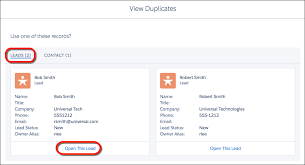
What is a duplicate checker in Salesforce? Salesforce finds and handles duplicates using a combination of matching rules and duplicate rules. Duplicate rules and duplicate jobs specify matching rules that determine how duplicates are identified. Duplicate sets and reports list the duplicates found. Some tools for checking and catching duplicate Salesforce records include: Duplicate Check is a fully on-platform duplicate management tool for Salesforce, empowering users to manage their data and sieve out duplicate records with unparalleled ease. While incredibly complex in its logic, it’s also bewilderingly simple to set up and use – you don’t even need an Admin to set it up! The Matching Method allows you to configure the kind of match the field values are required to have before they’re considered a match. An exact match means the two fields must be identical, character for character. A Fuzzy match means the field values need to be similar – not identical, but close. One way is to use the Duplicate Management feature in Salesforce. This feature can be found in the Setup menu under Data Management. Duplicate Management can be used to find and merge duplicate records. Another way to find duplicate records is to use the Salesforce Data Export Service. This is just a drop in the bucket.  When selecting a duplicate record management tool, look at your specific business needs. How do I prevent duplicates in Salesforce? Block sales reps from creating duplicate leads. In the Standard Lead Duplicate Rule, select Block instead of Allow. With the Standard Lead Duplicate Rule set to block duplicates, a rep can click to view duplicates of leads but can’t save a new lead. If you are looking at a duplicate checker solution as a part of a Salesforce implementation, reach out to Tectonic today. Content updated June 2023. Like Related Posts Who is Salesforce? Who is Salesforce? Here is their story in their own words. From our inception, we’ve proudly embraced the identity of Read more Salesforce Marketing Cloud Transactional Emails Salesforce Marketing Cloud Transactional Emails are immediate, automated, non-promotional messages crucial to business operations and customer satisfaction, such as order Read more Salesforce Unites Einstein Analytics with Financial CRM Salesforce has unveiled a comprehensive analytics solution tailored for wealth managers, home office professionals, and retail bankers, merging its Financial Read more AI-Driven Propensity Scores AI plays a crucial role in propensity score estimation as it can discern underlying patterns between treatments and confounding variables Read more

Read More
gettectonic.com