

Software Archives - gettectonic.com - Page 22
Cloud First

Advances in Generative AI

What is generative AI?  Generative AI focuses on creating new and original content, chat responses, designs, synthetic data or even deepfakes.  While predictive AI worked on predefined, human supplied rules, generative AI functions somewhat autonomously. Advances in Generative AI have been groundbreaking. Advances in generative AI represent a significant advancement beyond established technologies like predictive AI, and business leaders are eagerly embracing its potential. A remarkable 91% recognize generative AI as a major advantage, driven by its diverse applications, from content creation to software development. Despite its novelty, generative AI is rapidly progressing, causing over three-quarters of business leaders to express concerns about potentially missing out on its benefits. In particular, marketing leaders are apprehensive about not fully leveraging generative AI in their workflows, with 88% worried that their companies are lagging behind. Insight Generation and Decision-Making: Going beyond traditional data analysis, generative AI excels by not only analyzing existing data but also generating potential scenarios. This predictive modeling empowers businesses to anticipate market shifts, understand consumer preferences, and identify potential risks, fostering proactive strategies over reactive ones. Generative AI’s Global Impact: Generative AI has captivated global attention, with ChatGPT becoming the fastest-growing software program in history, reaching a hundred million users within two months of its public debut. This surge has sparked an arms race among tech giants like Microsoft and Google, and AI chip maker Nvidia has witnessed increased business. Unlike previous AI programs that provided numeric scores, generative AI, including programs like Stability AI’s Stable Diffusion and OpenAI’s DALL-E, reproduces elements of the real world. Amazon announced in 2023 that its voice assistant Alexa now comes with generative AI capabilities. Apple is developing a large array of features that use generative AI, including a new version of Siri expected to launch in 2024. Mixed Modality in AI: The concept of mixed modality or “multi-modality” is taking center stage, enabling programs to fuse text, images, physical space representations, sounds, video, and entire computer functions as smart applications. This approach enhances program capabilities and contributes to continuous learning, potentially advancing the goal of “embodied AI” and robotics. Evolution of Generative AI: Generative AI will continue evolving, contributing to advancements in translation, drug discovery, anomaly detection, and the generation of new content, spanning text, video, fashion design, and music. A generative AI chatbot, for example, is a type of conversational AI system that uses deep learning and natural language processing techniques to generate human-like text responses in real-time. These chatbots can hold text-based conversations with users, understand user input, and generate contextually relevant responses. Transformative Trends in Marketing and Sales Operations: Generative AI is reshaping marketing and sales operations with key trends, including hyper-quick sales and marketing content creation, automation of repetitive tasks (e.g., keyword research, administrative work, content formatting, and data analysis), and the facilitation of sales enablement and custom materials. What is the Main Goal of Generative AI? The answer likely would vary depending on who you ask, but commonly we expect generative AI tools to change the calculus of knowledge work automation. Generative AI isn’t going to eliminate the need for human workers, but it will assist them with the ability to produce human-like writing, images, audio, or video in response to plain-English text prompts. The potential to collaborate with human partners to generate contact that represents practical work is exciting. Curious how generative AI could help your business? Contact Tectonic today to learn more. Like1 Related Posts Who is Salesforce? Who is Salesforce? Here is their story in their own words. From our inception, we’ve proudly embraced the identity of Read more Salesforce Marketing Cloud Transactional Emails Salesforce Marketing Cloud Transactional Emails are immediate, automated, non-promotional messages crucial to business operations and customer satisfaction, such as order Read more Salesforce Unites Einstein Analytics with Financial CRM Salesforce has unveiled a comprehensive analytics solution tailored for wealth managers, home office professionals, and retail bankers, merging its Financial Read more AI-Driven Propensity Scores AI plays a crucial role in propensity score estimation as it can discern underlying patterns between treatments and confounding variables Read more


Read More
Salesforce Managed Services

Confidential Computing

Confidential computing is a technology that protects data in use by isolating and encrypting it within a secure hardware-based environment, preventing unauthorized access or modification, even by cloud providers.  Details: Like Related Posts Who is Salesforce? Who is Salesforce? Here is their story in their own words. From our inception, we’ve proudly embraced the identity of Read more Salesforce Unites Einstein Analytics with Financial CRM Salesforce has unveiled a comprehensive analytics solution tailored for wealth managers, home office professionals, and retail bankers, merging its Financial Read more AI-Driven Propensity Scores AI plays a crucial role in propensity score estimation as it can discern underlying patterns between treatments and confounding variables Read more Tectonic’s Successful Salesforce Track Record Salesforce Technology Services Integrator – Tectonic has successfully delivered Salesforce in a variety of industries including Public Sector, Hospitality, Manufacturing, Read more

Read More
Slack and ChatGPT

Slack and ChatGPT

Salesforce Inc announced its collaboration with OpenAI, the creator of ChatGPT, to integrate the chatbot technology into its Slack collaboration software and broaden the use of generative artificial intelligence across its business software. The San Francisco-based company unveiled EinsteinGPT, a technology merging its own AI capabilities with those of external partners like OpenAI. This collaboration aims to assist businesses in tasks such as drafting emails, managing customer accounts, and even generating computer code. Additionally, ChatGPT will integrate with Slack to help users summarize conversations and handle various queries. This strategic move reflects the competitive landscape among tech giants racing to enhance their platforms with generative AI, which can generate text, images, and other content based on historical data inputs. Microsoft Corp, for example, leveraging its investment in OpenAI, has integrated generative AI into its Teams product, enabling functionalities like generating meeting notes and suggesting email responses through its Viva Sales subscription. This places Teams in direct competition with Slack. Clara Shih, a general manager at Salesforce, highlighted during a press briefing that this announcement addresses the growing demand from businesses for advanced AI capabilities. She emphasized that Salesforce’s proprietary data and AI models would differentiate their offerings in the market. Salesforce’s initiative in generative AI is poised to transform customer engagement strategies for businesses, according to Shih, enabling them to innovate profoundly in their interactions with customers. In addition to this integration, Salesforce also unveiled a new fund aimed at investing in startups specializing in generative AI technologies. Like Related Posts Who is Salesforce? Who is Salesforce? Here is their story in their own words. From our inception, we’ve proudly embraced the identity of Read more Salesforce Marketing Cloud Transactional Emails Salesforce Marketing Cloud Transactional Emails are immediate, automated, non-promotional messages crucial to business operations and customer satisfaction, such as order Read more Salesforce Unites Einstein Analytics with Financial CRM Salesforce has unveiled a comprehensive analytics solution tailored for wealth managers, home office professionals, and retail bankers, merging its Financial Read more AI-Driven Propensity Scores AI plays a crucial role in propensity score estimation as it can discern underlying patterns between treatments and confounding variables Read more

Read More
MuleSoft Robotic Process Automation

MuleSoft Robotic Process Automation

MuleSoft Robotic Process Automation (RPA) MuleSoft Robotic Process Automation (RPA) empowers organizations to automate business processes and tasks using bots, streamlining operations and minimizing human errors. Fully integrated with Salesforce Clouds, MuleSoft RPA enables admins, business teams, and developers to leverage robotic process automation technology, facilitating end-to-end workflow automation. Key Features and Capabilities Benefits of MuleSoft RPA Common Use Cases MuleSoft RPA Development Lifecycle Comprehensive Applications for Managing the Development Lifecycle Installation and Comparison Enhanced Efficiency and Productivity By automating data extraction and entry, reducing errors, and improving productivity, MuleSoft RPA significantly enhances operational efficiency. This allows human operators to focus on more complex and strategic tasks, driving overall organizational success. Like1 Related Posts Who is Salesforce? Who is Salesforce? Here is their story in their own words. From our inception, we’ve proudly embraced the identity of Read more Salesforce Marketing Cloud Transactional Emails Salesforce Marketing Cloud Transactional Emails are immediate, automated, non-promotional messages crucial to business operations and customer satisfaction, such as order Read more Salesforce Unites Einstein Analytics with Financial CRM Salesforce has unveiled a comprehensive analytics solution tailored for wealth managers, home office professionals, and retail bankers, merging its Financial Read more AI-Driven Propensity Scores AI plays a crucial role in propensity score estimation as it can discern underlying patterns between treatments and confounding variables Read more
Read More
Salesforce Automation

Using Automation Tools in Salesforce

Automation streamlines repetitive tasks in your business, such as creating follow-up messages or sending reminder emails, saving critical time and reducing errors. Salesforce offers four main automation tools to help businesses optimize their processes and enhance efficiency: Workflow Rules, Process Builder, Flow, and Apex. While these tools can significantly improve productivity, there are additional resources to further enhance automation capabilities. Salesforce Automation Tools Overview Salesforce provides multiple automation tools to streamline business processes and save time. Here’s an overview of some of these tools: Workflow Rules: These rules automate simple business processes by setting criteria and actions based on record changes in Salesforce. Process Builder: This tool allows you to create more complex automated processes using a graphical interface, including triggering actions based on multiple criteria. Flow: Flow enables you to automate even more sophisticated processes by guiding users through screens and automating complex logic, similar to building a program. Apex: For developers, Apex provides a powerful programming language to create custom automation solutions tailored to specific business needs. Each of these tools has its strengths and use cases, allowing businesses to choose the most appropriate tool for their requirements. Salesforce Workflow Automation To automate workflows in Salesforce, you can utilize several options: Process Builder: This tool enables you to create automated processes triggered by various Salesforce events, allowing for more advanced workflow automation. Salesforce Automation Rules Automation rules in Salesforce are criteria-based rules that identify matching prospects and apply predefined actions to them. These rules help streamline and automate lead management processes, ensuring timely actions are taken based on prospect criteria. Automating Tasks in Salesforce Salesforce Macros provide a way to automate repetitive tasks for your team, allowing you to solve customer issues with a single click. The Macro Builder enables you to define the logic behind these automated tasks, improving efficiency and productivity. Choosing the Right Automation in Salesforce Flow Builder is a versatile tool for automating repetitive business processes in Salesforce. Additional features such as approval processes, Flow Orchestration, Einstein Next Best Action, and Apex can further enhance automation capabilities based on specific business requirements. Salesforce Automation Technology Overview Salesforce automation technology encompasses tools and software platforms designed to automate various tasks expected of sales teams, such as data entry and email communication. By reducing manual workload, these technologies help sales teams focus more on revenue-generating activities. The Power of Automation in Salesforce Salesforce offers a comprehensive suite of automation tools that empower users to automate processes and approvals without writing any code. These tools provide guided visual experiences and behind-the-scenes automation, enabling businesses to streamline operations efficiently. In conclusion, Salesforce provides a range of automation tools and technologies to help businesses streamline processes, save time, and improve productivity. Understanding the capabilities of these tools and choosing the right ones for your specific requirements can greatly enhance your automation efforts. Like Related Posts Who is Salesforce? Who is Salesforce? Here is their story in their own words. From our inception, we’ve proudly embraced the identity of Read more Salesforce Marketing Cloud Transactional Emails Salesforce Marketing Cloud Transactional Emails are immediate, automated, non-promotional messages crucial to business operations and customer satisfaction, such as order Read more Salesforce Unites Einstein Analytics with Financial CRM Salesforce has unveiled a comprehensive analytics solution tailored for wealth managers, home office professionals, and retail bankers, merging its Financial Read more AI-Driven Propensity Scores AI plays a crucial role in propensity score estimation as it can discern underlying patterns between treatments and confounding variables Read more
Read More
Explore Salesforce Experience Cloud

Explore Salesforce Experience Cloud

Empowering Businesses with Exceptional Salesforce Cloud Solutions Explore the transformative work we have done for our clients with Salesforce Experience Cloud, showcasing some of the exceptional solutions we have implemented. Through our strategic initiatives, we have enabled organizations across various industries to leverage the full potential of Salesforce Clouds to enhance user engagement, streamline operations, and achieve significant business growth. Our success stories reflect the diverse challenges our clients faced and the optimized solutions we provided to address them. For instance, by revamping an recruiting portal for a prominent American government agency, we reduced issues related to recruting, onboarding, and retaining talent. Tectonic’s approach incorporates the latest Salesforce technologies, such as Lightning Web Components, Service Cloud, and Experience Cloud, to deliver high-performing, scalable solutions. From improving partner portals for better partner support to transforming community portals for enhanced user experience, our solutions are designed to meet specific client needs while ensuring long-term adaptability and success. Manufacturing – Experience Cloud Case Study Public Sector – Experience Cloud and Grants Management Case Study Manufacturing – Sales, Service, Marketing, and Partner Community Case Study Manufacturing – Sales, Service, Marketing and Experience Cloud Case Study Branded Solutions Manufacturing – Sales, Service, and Experience Cloud Case Study Nonprofit Hospitality – Service and Experience Cloud Case Study Tribal Government – Health, Marketing, MuleSoft, and Experience Cloud Case Study Restaurant – Sales, Service, and Experience Cloud Case Study Federal Government – Nonprofit Talent Acquisition Experience Cloud Case Study Higher Education Software – Sales, Service and Experience Cloud Case Study Salesforce Partner Portals Built on Salesforce Experience Cloud Explore all Tectonic Salesforce Implementation Solutions Like Related Posts Who is Salesforce? Who is Salesforce? Here is their story in their own words. From our inception, we’ve proudly embraced the identity of Read more Salesforce Marketing Cloud Transactional Emails Salesforce Marketing Cloud Transactional Emails are immediate, automated, non-promotional messages crucial to business operations and customer satisfaction, such as order Read more Salesforce Unites Einstein Analytics with Financial CRM Salesforce has unveiled a comprehensive analytics solution tailored for wealth managers, home office professionals, and retail bankers, merging its Financial Read more AI-Driven Propensity Scores AI plays a crucial role in propensity score estimation as it can discern underlying patterns between treatments and confounding variables Read more

Read More
Connecting Marketing Cloud Account Engagement, Marketing Cloud, and Salesforce

Why Optimize Sales Force

Maximizing Sales Force Productivity: Overcoming Challenges and Reaping Rewards-Why Optimize Sales force? The productivity of a sales force is paramount to the success and growth of any business. A high-performing sales team not only drives revenue but also enhances customer satisfaction. However, organizations often encounter obstacles that hinder the optimization of their sales force. Typical Challenges and Problems Why Optimize Sales force? Approaches to Address These Challenges To effectively tackle these issues, a holistic approach is necessary: Benefits of Enhanced Sales Force Productivity Optimizing sales force productivity is key to driving growth and gaining a competitive edge. By addressing challenges, implementing strategic approaches, and emphasizing continuous improvement, organizations can elevate the effectiveness of their sales teams and enjoy the benefits of increased revenue, customer satisfaction, and employee morale. Implementing Salesforce could be just what your sales team needs. Contact Tectonic today. Like Related Posts Who is Salesforce? Who is Salesforce? Here is their story in their own words. From our inception, we’ve proudly embraced the identity of Read more Salesforce Marketing Cloud Transactional Emails Salesforce Marketing Cloud Transactional Emails are immediate, automated, non-promotional messages crucial to business operations and customer satisfaction, such as order Read more Salesforce Unites Einstein Analytics with Financial CRM Salesforce has unveiled a comprehensive analytics solution tailored for wealth managers, home office professionals, and retail bankers, merging its Financial Read more AI-Driven Propensity Scores AI plays a crucial role in propensity score estimation as it can discern underlying patterns between treatments and confounding variables Read more
Read More
Create Approval Process in Salesforce

Create Approval Process in Salesforce

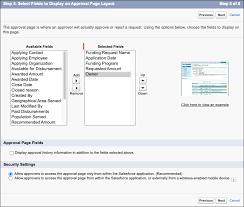
Implementing a Salesforce Approval Process: Options and Considerations to Create Approval Process in Salesforce An approval process is necessary for: This insight explores top options for implementing a Salesforce approval process within your company. Option 1: Manual Email or Slack Notifications The classic approach involves emailing or using Slack to request approvals. It’s straightforward and free, making it accessible for teams handling fewer approval requests. Pros: Cons: Option 2: Google Sheets Integration Another method involves using Google Sheets to manage approvals. Sales reps and managers input deal details for approval and track status in a centralized document. Pros: Cons: The drawback of both methods is their manual nature and limited integration with Salesforce, which can hinder sales workflow efficiency and lead to approval delays. Option 3: Salesforce Approvals Salesforce provides a native approval functionality where users create processes (e.g., discount matrices) requiring multiple stakeholders to approve at designated levels. Pros: Cons: While Salesforce Approvals streamline the process compared to manual methods, they still rely on user actions for notifications and responses, lacking full automation. Choosing the Right Option Evaluate each method’s pros and cons to determine the best fit for your company’s needs. Consider: By establishing a dynamic approval process aligned with your business requirements, you can empower your sales team to focus more on client acquisition and less on administrative tasks. Choose wisely to optimize efficiency and decision-making within your organization. Like Related Posts Who is Salesforce? Who is Salesforce? Here is their story in their own words. From our inception, we’ve proudly embraced the identity of Read more Salesforce Marketing Cloud Transactional Emails Salesforce Marketing Cloud Transactional Emails are immediate, automated, non-promotional messages crucial to business operations and customer satisfaction, such as order Read more Salesforce Unites Einstein Analytics with Financial CRM Salesforce has unveiled a comprehensive analytics solution tailored for wealth managers, home office professionals, and retail bankers, merging its Financial Read more AI-Driven Propensity Scores AI plays a crucial role in propensity score estimation as it can discern underlying patterns between treatments and confounding variables Read more

Read More
Salesforce Integration

Salesforce Implementation Services

As certified experts, Tectonic offers comprehensive Salesforce implementation, management, and support services. Seek professional guidance from a trusted Salesforce Partner. Tectonic’s Salesforce implementation services encompass consulting, configuration, customization, migration, integration, support, and more. With over a decade of experience in CRM development, Tectonic assists companies in implementing robust Salesforce solutions that empower their sales, customer service, and marketing processes. Who participates in Salesforce implementation? The implementation team should include sales agents, customer service representatives, IT experts, marketers, general users, and business administrators. And of course, your Salesforce implementation partner. As an experienced Salesforce Partner, we follow a proven six-phase approach to ensure project success: Kickoff, Discovery, Build, Test, Deploy, and Service. Is it possible to implement Salesforce independently? Yes, but, we strongly discourage attempting a solo Salesforce implementation, especially if you are new to the platform. While Salesforce provides an admin-friendly interface, the risk of creating a non-scalable solution is high without expert guidance. Do you need a Salesforce implementation partner? In cases involving large-scale projects requiring a team of 10+ Consultants, engaging a Certified Implementation Partner is recommended. What are the critical success factors for Salesforce implementation? A well-defined strategy aligned with business goals, user training, effective data migration, proper customization, ongoing support, user adoption, clear communication, and commitment to continuous improvement are crucial elements. How long does Salesforce implementation take? On average, implementation for core products like Sales Cloud takes 5 to 12 weeks. The timeline may extend for a few months with add-ons or highly customized projects. How challenging is Salesforce implementation? Implementing Salesforce can be challenging and overwhelming, with up to 70% of CRM platform implementations facing difficulties. Salesforce itself recommends working with a Salesforce Implementation partner. One of the biggest challenges with the Salesforce platform is that it is highly customizable, this is not software you install and run with. Being highly customizable, however, is also why Salesforce is the number one CRM solution in the world. Why do Salesforce implementations fail? Failures in Salesforce implementations can result from fundamental data problems such as incomplete, inaccurate, or duplicative data, leading to issues like poor customer experience and incorrect budget forecasting. The lifecycle of Salesforce development involves planning, design, development, testing, deployment, and maintenance phases. The development process includes analyzing requirements, designing a solution, building and testing, and deploying it to end users. Is it time to explore bringing in a Salesforce implementation partner? Contact Tectonic today. Like1 Related Posts Who is Salesforce? Who is Salesforce? Here is their story in their own words. From our inception, we’ve proudly embraced the identity of Read more Salesforce Marketing Cloud Transactional Emails Salesforce Marketing Cloud Transactional Emails are immediate, automated, non-promotional messages crucial to business operations and customer satisfaction, such as order Read more Salesforce Unites Einstein Analytics with Financial CRM Salesforce has unveiled a comprehensive analytics solution tailored for wealth managers, home office professionals, and retail bankers, merging its Financial Read more AI-Driven Propensity Scores AI plays a crucial role in propensity score estimation as it can discern underlying patterns between treatments and confounding variables Read more
Read More
Salesforce Managed Services

Automation Tools in Salesforce

What are the types of automation in Salesforce? What are the Automation Tools in Salesforce? The automation capabilities offered by Salesforce are based on two main categories: process automation (workflows) and data operations (data loading and cleansing). There are four main automation tools that Salesforce offers, each tailored to a specific purpose. What is an automation tool in Salesforce? Automation provides the tools necessary to automate repetitive processes and tasks for your business, such as creating a follow-up task, sending a reminder email, or updating a record. Automations can help users save critical time and reduce errors by creating processes to complete repetitive tasks. The Top 8 Best Salesforce Automation Tools What is data automation in Salesforce? Healthy automation enables users to focus on high-value work and reduces time spent on repetitive, manual tasks or complex data entry. Most often, automation means translating business processes from one form to another: from paper-based form to digital form, from an old system to a new one. What is the power of automation in Salesforce? By adopting Salesforce automation, you save time and resources, which can be redirected to more productive tasks. Sales automation can reduce daily administrative time by 14%. Moreover, it significantly enhances deal closure rates by 30% and boosts sales productivity by 14.5%. Why is Salesforce difficult to automate? Here are some of the reasons why Salesforce is difficult to automate from a technical perspective: Frequent system updates: Salesforce regularly update their platform to enhance user experiences or fix underlying issues. Unfortunately, these changes can impact user customizations and even standard uses of the platform. This is one reason many Salesforce customers opt to have a Salesforce Managed Service Provider. Disadvantages of Salesforce Flow Limited Customization and Complexity: While Salesforce Flow is considered user-friendly, it may not offer the customization and complexity required for some advanced automation tasks. Businesses with highly specific needs might find Flow somewhat restrictive. Which three components are used to automate a process in Salesforce? Use Flow Builder to automate most of your organization’s repetitive business processes. More features can provide further automation functionality, including approval processes, Flow Orchestration, Einstein Next Best Action, and Apex. Note: Use Flow Builder instead of Process Builder and workflow rules. Content updated January 2024. Like2 Related Posts Who is Salesforce? Who is Salesforce? Here is their story in their own words. From our inception, we’ve proudly embraced the identity of Read more Salesforce Marketing Cloud Transactional Emails Salesforce Marketing Cloud Transactional Emails are immediate, automated, non-promotional messages crucial to business operations and customer satisfaction, such as order Read more Salesforce Unites Einstein Analytics with Financial CRM Salesforce has unveiled a comprehensive analytics solution tailored for wealth managers, home office professionals, and retail bankers, merging its Financial Read more AI-Driven Propensity Scores AI plays a crucial role in propensity score estimation as it can discern underlying patterns between treatments and confounding variables Read more
Read More
Batch Job Behavior

Batch Job Behavior

By automating specific actions  that you’d normally have to manually initiate, batch jobs make processing large amount of data less tedious and time consuming. If you’ve ever noticed data from batch jobs processes ‘out of order,’ we’ll go over why that’s the case.  Inconsistent Batch Job Behavior Resolution Inconsistent behavior of batches is because batch Apex is an asynchronous process with no SLA, and many customers are sharing the resources, causing it to be slow.  Being an asynchronous process, the system will process the batches only when the system resources are available. There’s no way to prioritize a process, and we don’t provide a SLA for the execution.  Asynchronous Apex In a nutshell, asynchronous Apex is used to run processes in a separate thread, at a later time. An asynchronous process is a process or function that executes a task “in the background” without the user having to wait for the task to finish. You’ll typically use Asynchronous Apex for callouts to external systems, operations that require higher limits, and code that needs to run at a certain time. The key benefits of asynchronous processing include: User efficiency Let’s say you have a process that makes many calculations on a custom object whenever an Opportunity is created. The time needed to execute these calculations could range from a minor annoyance to a productivity blocker for the user. Since these calculations don’t affect what the user is currently doing, making them wait for a long running process is not an efficient use of their time. With asynchronous processing the user can get on with their work, the processing can be done in the background and the user can see the results at their convenience. Scalability By allowing some features of the platform to execute when resources become available at some point in the future, resources can be managed and scaled quickly. This allows the platform to handle more jobs using parallel processing. Higher Limits Asynchronous processes are started in a new thread, with higher governor and execution limits. And to be honest, doesn’t everyone want higher governor and execution limits? Asynchronous Apex comes in a number of different flavors. We’ll get into more detail for each one shortly, but here’s a high level overview. Type Overview Common Scenarios Future Methods Run in their own thread, and do not start until resources are available. Web service callout. Batch Apex Run large jobs that would exceed normal processing limits. Data cleansing or archiving of records. Queueable Apex Similar to future methods, but provide additional job chaining and allow more complex data types to be used. Performing sequential processing operations with external Web services. Scheduled Apex Schedule Apex to run at a specified time. Daily or weekly tasks. It’s also worth noting that these different types of asynchronous operations are not mutually exclusive. For instance, a common pattern is to kick off a Batch Apex job from a Scheduled Apex job. Increased Governor and Execution Limits One of the main benefits of running asynchronous Apex is higher governor and execution limits. For example, the number of SOQL queries is doubled from 100 to 200 queries when using asynchronous calls. The total heap size and maximum CPU time are similarly larger for asynchronous calls. Not only do you get higher limits with async, but also those governor limits are independent of the limits in the synchronous request that queued the async request initially. That’s a mouthful, but essentially, you have two separate Apex invocations, and more than double the processing capability. This comes in handy for instances when you want to do as much processing as you can in the current transaction but when you start to get close to governor limits, continue asynchronously. How Asynchronous Processing Works Asynchronous processing, in a multitenant environment, presents some challenges: Ensure fairness of processing Make sure every customer gets a fair share of processing resources. Ensure fault tolerance Make sure no asynchronous requests are lost due to equipment or software failures. The platform uses a queue-based asynchronous processing framework. This framework is used to manage asynchronous requests for multiple organizations within each instance. The request lifecycle is made up of three parts: Enqueue The request gets put into the queue. This could be an Apex batch request, future Apex request or one of many others. The platform will enqueue requests along with the appropriate data to process that request. Persistence The enqueued request is persisted. Requests are stored in persistent storage for failure recovery and to provide transactional capabilities. Dequeue The enqueued request is removed from the queue and processed. If the processing fails, transaction control ensures that requests are not lost. Each request is processed by a handler. The handler is the code that performs functions for a specific request type. Handlers are executed by a finite number of worker threads on each of the application servers that make up an instance. The threads request work from the queuing framework and when received, start a specific handler to do the work. Resource Conservation Asynchronous processing has lower priority than real-time interaction via the browser and API. To ensure there are sufficient resources to handle an increase in computing resources, the queuing framework monitors system resources such as server memory and CPU usage and reduce asynchronous processing when thresholds are exceeded. This is a fancy way of saying that the multitenant system protects itself. If an org tries to “gobble up” more than its share of resources, asynchronous processing is suspended until a normal threshold is reached. The long and short of it is that there’s no guarantee on processing time, but it’ll all work out in the end. Like Related Posts Who is Salesforce? Who is Salesforce? Here is their story in their own words. From our inception, we’ve proudly embraced the identity of Read more Salesforce Unites Einstein Analytics with Financial CRM Salesforce has unveiled a comprehensive analytics solution tailored for wealth managers, home office professionals, and retail bankers, merging its Financial Read more AI-Driven Propensity

Read More
Improved Quoting Process

Improved Quoting Process

Is Your Quoting Process Suffering from Pricing Errors or Delays? Are pricing errors or inconsistencies slowing down your quoting process and leading to customer dissatisfaction? Is the generation of quotes or proposals hampered by bottlenecks? Are your sales reps finding it challenging to navigate complex pricing structures, discounts, or promotions? Its time for an Improved Quoting Process from Salesforce. For many businesses leveraging Salesforce for sales automation, CPQ (Configure, Price, Quote) software provides solutions to these challenging issues, helping companies scale their pricing and selling strategies more effectively. If your current Salesforce quoting process is fraught with inefficiencies and errors, it may be time to explore Salesforce CPQ software options. Let’s examine the challenges you might be facing and the signs that indicate it’s time to adopt a CPQ solution. What Problem Does Improved Quoting Process Solve? As market demands shift toward self-service, omnichannel support, industry-specific solutions, and intelligent, user-friendly interfaces, businesses need to adapt to stay competitive. This is particularly important in industries such as manufacturing, telecommunications, and software as a service (SaaS). Common hurdles businesses face before implementing Salesforce quoting software include: Who Benefits from Salesforce Quoting Software? Approximately 83% of sales representatives use configure, price, and quote solutions, underscoring their importance. Among Salesforce users, those who benefit most from CPQ software include: Embracing Salesforce CPQ can help streamline your quoting process, improve accuracy, and boost overall efficiency. If these challenges resonate with your current operations, it might be time to consider the benefits of a CPQ solution from Tectonic. Contact us today. Like Related Posts Who is Salesforce? Who is Salesforce? Here is their story in their own words. From our inception, we’ve proudly embraced the identity of Read more Salesforce Marketing Cloud Transactional Emails Salesforce Marketing Cloud Transactional Emails are immediate, automated, non-promotional messages crucial to business operations and customer satisfaction, such as order Read more Salesforce Unites Einstein Analytics with Financial CRM Salesforce has unveiled a comprehensive analytics solution tailored for wealth managers, home office professionals, and retail bankers, merging its Financial Read more AI-Driven Propensity Scores AI plays a crucial role in propensity score estimation as it can discern underlying patterns between treatments and confounding variables Read more

Read More
Always Be Curious

Always Be Curious

“Always Be Curious”: A Modern Approach to Sales The classic sales mantra “A-B-C: Always Be Closing” has become emblematic of an outdated, aggressive approach to sales that prioritized closing deals at all costs. However, as the sales landscape evolves, so does the mindset of successful sales professionals. In today’s market, an approach centered around curiosity—”Always Be Curious”—is emerging as a more effective strategy. Here’s a look at why this shift matters and how it can transform your sales approach. Is “Always Be Closing” Still Relevant? The old-school sales tactic of relentless deal-closing often sacrificed customer relationships and long-term satisfaction. However, today’s customers are more informed and connected, expecting sales reps to act as trusted advisors rather than pushy sellers. According to Salesforce’s latest State of Sales report, 87% of business buyers expect this advisory role from sales reps. In my experience, the “Always Be Closing” mindset is less effective today. Customers seek to be understood, not just sold to. They want solutions to their problems, and they value genuine relationships over a quick transaction. Thus, sales strategies must evolve to focus on understanding customer needs, building trust, and delivering value. Alternative Sales Strategies Modern sales strategies prioritize understanding customer needs and building lasting relationships over the urgency of closing a deal. Here are three approaches that align with an “Always Be Curious” mindset: From “Always Be Closing” to “Always Be Curious” Transitioning from “Always Be Closing” to “Always Be Curious” is more than a change in slogan; it’s a strategic shift that transforms how deals are won. Here are some key elements of this approach: How a CRM Can Help A Customer Relationship Management (CRM) system can be invaluable for adopting an “Always Be Curious” approach. Here’s how: Embrace Curiosity in Sales In the modern sales environment, success hinges on building relationships and truly understanding customer needs. By adopting a curious, customer-centric approach, you can create lasting partnerships that benefit both parties. Embrace this shift, and let curiosity lead you to deeper connections and more successful closes. Like Related Posts Who is Salesforce? Who is Salesforce? Here is their story in their own words. From our inception, we’ve proudly embraced the identity of Read more Salesforce Marketing Cloud Transactional Emails Salesforce Marketing Cloud Transactional Emails are immediate, automated, non-promotional messages crucial to business operations and customer satisfaction, such as order Read more Salesforce Unites Einstein Analytics with Financial CRM Salesforce has unveiled a comprehensive analytics solution tailored for wealth managers, home office professionals, and retail bankers, merging its Financial Read more AI-Driven Propensity Scores AI plays a crucial role in propensity score estimation as it can discern underlying patterns between treatments and confounding variables Read more

Read More
salesforce private lending

Private Lending Simplified

Private Lending Simplified: Unlocking Success with Salesforce In the dynamic world of private lending, technology is transforming the way lenders operate. Salesforce stands out as a powerful platform, enabling private lenders to optimize processes, enhance borrower relationships, and drive sustainable growth. Let’s explore how Salesforce can simplify private lending and boost efficiency. The Landscape of Private Lending and Its Challenges Private lending refers to providing loans to individuals or businesses outside of traditional banks. While this approach offers flexibility and faster approvals, it also comes with challenges such as: Given these complexities, lenders need robust tools to manage the entire loan lifecycle effectively. The Role of Loan Management Software in Private Lending Loan management software is indispensable for automating and streamlining lending operations. Salesforce, with its flexible loan management capabilities, is particularly well-suited for private lenders. Key functionalities include: 1. Automated Underwriting Salesforce enables automated underwriting by using predefined rules and algorithms to evaluate borrower eligibility. This speeds up decision-making, reduces manual errors, and ensures consistency. 2. Loan Processing A centralized system in Salesforce allows lenders to track applications, manage documentation, and communicate with borrowers, ensuring no step in the process is overlooked. 3. Loan Servicing Post-loan disbursement, Salesforce’s integration capabilities support repayment tracking, automated reminders, and delinquency management, ensuring seamless loan servicing. Why Private Lenders Turn to Salesforce Salesforce empowers private lenders with tools designed to optimize every stage of the lending process. 1. Customizable Solutions Salesforce’s flexibility allows lenders to create workflows tailored to different loan types, whether it’s mortgage servicing or merchant cash advance (MCA) underwriting. 2. Advanced Data Management With secure, cloud-based infrastructure, Salesforce ensures easy access to data anytime, anywhere. This not only enhances decision-making through analytics but also supports regulatory compliance. 3. Enhanced Customer Relationship Management (CRM) Strong borrower relationships are key to private lending success. Salesforce’s CRM tools help lenders manage interactions from initial inquiries to post-loan follow-ups, ensuring clients feel supported throughout their journey. 4. Seamless Integration Salesforce integrates effortlessly with other financial tools, such as microfinance platforms and construction loan management software, creating a unified ecosystem for managing diverse loan portfolios. Choosing the Right Loan Management Solution When adopting Salesforce or similar platforms for private lending, consider the following: For private lenders, specialized solutions like Fundingo, built on Salesforce, can take operational efficiency to the next level. Conclusion Salesforce is transforming private lending by simplifying operations and strengthening lender-borrower relationships. With tools to manage the entire loan lifecycle—from underwriting to servicing—private lenders can increase efficiency, maintain compliance, and enhance customer satisfaction. Adopting advanced technologies like Salesforce positions private lenders for long-term success in an increasingly competitive market. Are you ready to harness the power of Salesforce for your private lending business? Let’s connect and explore how Tectonic can streamline your processes. Like Related Posts Who is Salesforce? Who is Salesforce? Here is their story in their own words. From our inception, we’ve proudly embraced the identity of Read more Salesforce Marketing Cloud Transactional Emails Salesforce Marketing Cloud Transactional Emails are immediate, automated, non-promotional messages crucial to business operations and customer satisfaction, such as order Read more Salesforce Unites Einstein Analytics with Financial CRM Salesforce has unveiled a comprehensive analytics solution tailored for wealth managers, home office professionals, and retail bankers, merging its Financial Read more AI-Driven Propensity Scores AI plays a crucial role in propensity score estimation as it can discern underlying patterns between treatments and confounding variables Read more

Read More
gettectonic.com