Wiz Archives - gettectonic.com
AI Project Planning by Workflows

Salesforce Flow Explained

Salesforce Flow: The No-Code Automation Powerhouse Salesforce Flow revolutionizes business process automation by enabling visual, click-based workflow design—eliminating the need for complex coding. From simple task automation to intricate multi-system integrations, Flow empowers admins and business users to streamline operations, enhance accuracy, and boost productivity—all within the Salesforce ecosystem. Why Salesforce Flow? Key Benefits ✅ No-Code Simplicity – Build complex automations with drag-and-drop ease, reducing reliance on developers.✅ End-to-End Automation – Handle data updates, approvals, user guidance, and external integrations seamlessly.✅ Error Reduction – Minimize manual entry mistakes with automated, logic-driven workflows.✅ Flexible Triggers – Run flows on demand, on schedule, or in response to real-time record changes.✅ Enhanced User Experience – Guide employees through processes with intuitive, step-by-step screens. Types of Salesforce Flows & When to Use Them Flow Type Best For Screen Flows Interactive user interfaces (e.g., onboarding wizards, guided data entry). Record-Triggered Flows Auto-updating records on creation/modification (e.g., lead scoring, SLA tracking). Schedule-Triggered Flows Recurring tasks (e.g., nightly data syncs, batch record updates). Auto-Launched Flows API-triggered automations or sub-processes within larger workflows. Platform Event Flows Real-time integrations with external systems (e.g., ERP, payment gateways). Top Use Cases for Salesforce Flow 1. Automated Data Management 2. Smarter Approval Workflows 3. Guided User Journeys 4. Seamless Integrations 5. Advanced Business Logic Flow vs. Process Builder vs. Apex: Which to Use? Tool Complexity Best For Limitations Flow Low to High End-to-end automation, UI-guided processes. Not for ultra-high-volume transactions. Process Builder Low Simple record-triggered actions. Limited logic capabilities. Apex (Code) High Custom logic, heavy computations. Requires developer expertise. Pro Tip: Salesforce recommends migrating from Process Builder to Flow, as it offers greater flexibility and future-proofing. Getting Started with Salesforce Flow The Future of Automation Is Clicks, Not Code Salesforce Flow puts enterprise-grade automation in the hands of non-developers, accelerating digital transformation. By reducing manual work, cutting errors, and ensuring process consistency, it’s a game-changer for CRM efficiency. Ready to automate? Start with a simple Record-Triggered Flow today and scale up as your needs grow! Key Takeaways:✔ No-code automation for admins & business users.✔ Five flow types cover everything from UI guides to backend integrations.✔ Replaces Process Builder as Salesforce’s recommended automation tool.✔ Critical for CRM efficiency—saves time, reduces errors, and enforces best practices. Like Related Posts Who is Salesforce? Who is Salesforce? Here is their story in their own words. From our inception, we’ve proudly embraced the identity of Read more Salesforce Marketing Cloud Transactional Emails Salesforce Marketing Cloud Transactional Emails are immediate, automated, non-promotional messages crucial to business operations and customer satisfaction, such as order Read more Salesforce Unites Einstein Analytics with Financial CRM Salesforce has unveiled a comprehensive analytics solution tailored for wealth managers, home office professionals, and retail bankers, merging its Financial Read more AI-Driven Propensity Scores AI plays a crucial role in propensity score estimation as it can discern underlying patterns between treatments and confounding variables Read more


Read More
Salesforce Data Migration Tools

Salesforce Data Migration Tools

In the current age of digital transformation, effective data migration is essential, especially as cloud adoption accelerates. Research from Foundry reveals that 63% of IT leaders have increased their cloud migrations, but 90% face challenges—primarily budgetary constraints. This highlights the importance of thoughtful planning and strategic execution. In this context, we’ll explore the significance of successful Salesforce data migration and present a nine-step roadmap to ensure a seamless transition. Additionally, we’ll cover solutions for data preparation and the top five Salesforce data migration tools that can help turn migration challenges into growth opportunities. Salesforce Data Migration ChecklistDownload our e-book to quickly and efficiently migrate data from Excel spreadsheets and CRM systems to Salesforce. Why is Data Migration Important?In 2010, I bought my first smartphone and struggled to transfer data from my outdated phone. My contacts were vital, but the old phone lacked proper data transfer options. Determined not to re-enter everything manually, I searched for a solution. Eventually, I found a method to extract data into a CSV file, which I converted to vCard format to transfer successfully. This experience reinforced how essential data migration is—not only for businesses but also for everyday situations. For organizations looking to modernize, data migration is a crucial step in upgrading IT infrastructure. It enables smooth transitions from legacy systems to modern platforms like Salesforce, enhancing efficiency, scalability, and data accessibility. Effective data migration improves data management, reduces costs tied to outdated systems, and supports better decision-making through improved analytics. It also ensures data integrity and security, aligning IT capabilities with evolving business needs, fostering innovation, and keeping a competitive edge. What is Data Migration in Salesforce?Whether you are already using Salesforce or considering adoption, one common question arises: “How do I migrate my data to Salesforce?” Salesforce data migration involves moving information from external systems like legacy CRMs or local databases into Salesforce. This process is critical not only for protecting data integrity but also for enabling better decision-making, improving customer service, and promoting organizational growth. A well-planned data migration strategy ensures a smooth transition to Salesforce, maximizing its potential and enhancing business efficiency. 9-Step Salesforce Data Migration PlanPreparing for a Salesforce data migration? Follow these nine essential steps for a seamless process: Need Help with Data Migration to Salesforce?We offer consulting services to guide you through the data migration process, from auditing data sources to executing the migration strategy. Tectonic is here to help. Top 5 Salesforce Data Migration ToolsHere’s a quick comparison of five Salesforce data migration tools to help you choose the right solution: For hassle-free data migration, reach out to Tectonic for a tailored plan that minimizes downtime and maximizes operational efficiency. Like Related Posts Who is Salesforce? Who is Salesforce? Here is their story in their own words. From our inception, we’ve proudly embraced the identity of Read more Salesforce Marketing Cloud Transactional Emails Salesforce Marketing Cloud Transactional Emails are immediate, automated, non-promotional messages crucial to business operations and customer satisfaction, such as order Read more Salesforce Unites Einstein Analytics with Financial CRM Salesforce has unveiled a comprehensive analytics solution tailored for wealth managers, home office professionals, and retail bankers, merging its Financial Read more AI-Driven Propensity Scores AI plays a crucial role in propensity score estimation as it can discern underlying patterns between treatments and confounding variables Read more
Read More
Road for AI Regulation

Road for AI Regulation

The concept of artificial intelligence, or synthetic minds capable of thinking and reasoning like humans, has been around for centuries. Ancient cultures often expressed ideas and pursued goals similar to AI, and in the early 20th century, science fiction brought these notions to modern audiences. Works like The Wizard of Oz and films such as Metropolis resonated globally, laying the groundwork for contemporary AI discussions.

Read More
Salesforce and Microsoft

Salesforce and Microsoft

Or is it Salesforce versus Microsoft? The Salesforce and Microsoft relationship is evolving. Or is it devolving? Earlier this year, Salesforce rebranded its Einstein Copilot to Agentforce. Following this change, co-founder and CEO Marc Benioff criticized Microsoft Copilot, comparing it to the outdated rules-based assistant “Clippy” from Microsoft Office in the 1990s and 2000s. Benioff’s critiques began on August 28 during the company’s latest quarterly earnings call, where he asserted that Microsoft customers have not seen value from their Copilot investments, referring to it as a “science project.” He reiterated his stance in his Dreamforce keynote, stating that Microsoft Copilot suffers from “a lack of context, skills, and adaptability.” This raises questions about Salesforce’s relationship with Microsoft. When directly asked, Benioff’s response was tinged with sarcasm: “Very good. I love them. They’re great. An impressive company.” He then recounted several of Microsoft’s historical competitive missteps, even referencing the U.S. government’s antitrust case against the company stemming from its battle with Netscape. Microsoft chose not to comment on this story. However, in response to Benioff’s criticisms following the late-August earnings call, Jared Spataro, Microsoft’s corporate vice president for artificial intelligence at work, highlighted that both internal and third-party metrics show a doubling of Copilot daily users in the previous quarter, along with a 60% increase in sales, indicating that Copilot adds value in the workplace. Salesforce reportedly serves about 150,000 customers, while Microsoft boasts an approximately 85% market penetration for productivity applications. This theoretically means that around 127,500 customers could integrate Microsoft 365 with Salesforce for email, calendar, tasks, and contact management. Salesforce claimed more than 25 million end users in 2022, suggesting that approximately 21.5 million users depend on collaboration between Salesforce and Microsoft for their systems to function effectively. “There’s always noise in the system,” said Ian Kahn, a principal at PwC and leader of the firm’s Salesforce practice. “Frankly speaking, I don’t think our clients care about it. You tune out the noise.” Rebecca Wettemann, founder of the research and advisory firm Valoir, noted that while she agrees with some of Benioff’s points—such as the underperformance of Copilots and limited customer deployment—many Salesforce customers are hosted on Microsoft’s Azure cloud. “You’ve got to play both sides,” Wettemann remarked. “You have to be on Azure because it’s one of the biggest public clouds, and people want to be there. But you also have to take potshots at Microsoft. That’s just how it works.” Salesforce’s AI tools are designed specifically for sales, service, marketing, and e-commerce, integrated within the company’s applications. Users can create agents in Slack, and there are many industry-specific tools tailored for different sectors. In contrast, Microsoft’s Copilots are more generalized and are embedded in various applications, featuring a no-code “wizard” interface to pull in data from multiple sources, including Salesforce. Microsoft recently added Copilot agents, AI assistants that automate and execute business processes. While there are similarities between Salesforce’s Agentforce and Microsoft’s Copilot, Benioff’s comparisons may not be entirely fair. Salesforce’s AI is more focused on service, sales, and marketing, whereas Microsoft targets productivity for office workers. That said, this kind of competitive banter is par for the course in the tech industry. As Wettemann pointed out, “If they didn’t make aggressive marketing claims, it wouldn’t be Dreamforce.” Like Related Posts Who is Salesforce? Who is Salesforce? Here is their story in their own words. From our inception, we’ve proudly embraced the identity of Read more Salesforce Marketing Cloud Transactional Emails Salesforce Marketing Cloud Transactional Emails are immediate, automated, non-promotional messages crucial to business operations and customer satisfaction, such as order Read more Salesforce Unites Einstein Analytics with Financial CRM Salesforce has unveiled a comprehensive analytics solution tailored for wealth managers, home office professionals, and retail bankers, merging its Financial Read more AI-Driven Propensity Scores AI plays a crucial role in propensity score estimation as it can discern underlying patterns between treatments and confounding variables Read more

Read More
More Cool AI Tools

More Cool AI Tools

In today’s fast-paced digital world, AI is no longer a luxury but a necessity for maximizing work efficiency. With the right AI tools, businesses and individuals can automate tasks, enhance creativity, improve customer engagement, and streamline operations. Here’s a breakdown of the Top 21 AI tools you should explore to elevate your productivity and stay ahead of the curve! 1️⃣ Video CreationSynthesiaWebsite: SynthesiaAn AI video creation tool that lets you generate high-quality videos from text. Ideal for creating marketing, training, and explainer videos quickly and professionally. VeedWebsite: VeedVeed helps you create, edit, and share professional videos with ease, incorporating AI to streamline the process of adding captions, effects, and edits. SubmagicWebsite: SubmagicSubmagic uses AI to automatically generate subtitles for videos, improving accessibility and viewer engagement. 2️⃣ Customer Relationship Management (CRM)HubSpotWebsite: HubSpotHubSpot’s AI-powered CRM system streamlines customer interactions, helping businesses improve customer satisfaction, sales, and retention. FreshworksWebsite: FreshworksThis tool offers AI-driven solutions for customer service, sales, and marketing, helping companies improve relationships and resolve issues faster. HighLevelWebsite: HighLevelHighLevel integrates AI to improve customer management processes, including lead nurturing and campaign tracking. 3️⃣ Website Design and BrandingWizard AIWebsite: Wizard AIA design tool that helps you create stunning visuals and branding for your website using AI. Whether you’re looking to revamp your website or create a logo, Wizard AI makes it simple. LookaWebsite: LookaLooka offers AI-powered logo creation, making it easy for businesses and startups to design professional logos in just minutes. TurbologoWebsite: TurbologoTurbologo is another intuitive logo maker that uses AI to generate custom logo designs based on your business type and preferences. 4️⃣ Project Management and CollaborationMondayWebsite: MondayAn all-in-one project management platform that uses AI to automate workflows, track progress, and enhance team collaboration. ClickUpWebsite: ClickUpClickUp leverages AI to provide real-time project insights, task automation, and comprehensive team collaboration tools for businesses of all sizes. Golf AIWebsite: Golf AIGolf AI helps golfers refine their game with AI insights, but its technology can also be applied in the professional world, improving focus, strategy, and decision-making in various projects. 5️⃣ Marketing and Lead GenerationPipedriveWebsite: PipedriveA popular tool that helps businesses track leads and automate marketing workflows, making lead generation more efficient and scalable. Apollo AIWebsite: Apollo AIApollo enables businesses to automate sales and lead generation by using AI to find and reach potential customers, helping you connect with decision-makers faster. EnvizWebsite: EnvizThis platform uses AI to provide intelligent data analysis and insights, allowing businesses to fine-tune their marketing strategies. 6️⃣ AI for Audio and VoiceMurf AIWebsite: Murf AIAn AI voice generator that converts text into lifelike voiceovers. Ideal for creators, marketers, and educators who want to generate high-quality audio content. SpeechifyWebsite: SpeechifySpeechify turns written text into audio, helping users consume content faster. It’s perfect for multitaskers and individuals with reading disabilities. ElevenLabsWebsite: ElevenLabsElevenLabs offers state-of-the-art AI technology to generate and clone natural-sounding voices, ideal for podcasts, audiobooks, and interactive audio experiences. 🌐 Explore More AI-Powered ToolsUnlock your productivity potential with these top AI tools. Whether you’re managing projects, creating content, or building customer relationships, AI is your key to efficiency. Like Related Posts Who is Salesforce? Who is Salesforce? Here is their story in their own words. From our inception, we’ve proudly embraced the identity of Read more Salesforce Marketing Cloud Transactional Emails Salesforce Marketing Cloud Transactional Emails are immediate, automated, non-promotional messages crucial to business operations and customer satisfaction, such as order Read more Salesforce Unites Einstein Analytics with Financial CRM Salesforce has unveiled a comprehensive analytics solution tailored for wealth managers, home office professionals, and retail bankers, merging its Financial Read more AI-Driven Propensity Scores AI plays a crucial role in propensity score estimation as it can discern underlying patterns between treatments and confounding variables Read more
Read More
Salesforce Data Migration

Salesforce Data Migration

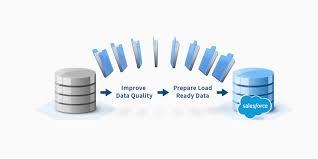
In today’s era of rapid digital transformation, efficient data migration has become increasingly important as cloud adoption gains momentum. Foundry’s research indicates that 63% of IT leaders have accelerated their cloud migrations, but 90% encounter challenges, often related to budget constraints. This emphasizes the need for meticulous planning and strategic execution. This insight focuses on Salesforce data migration, outlining why it’s essential and providing a nine-step plan for a successful migration. Additionally, we look into data preparation solutions and highlight Salesforce data migration tools, turning potential challenges into growth opportunities. Salesforce Data Migration Checklist Why is Data Migration Important? In 2011, we faced the challenge of transferring data from an old phone to a first smartphone. The contacts were especially important, but the outdated phone lacked any data transfer capabilities. Unwilling to manually re-enter everything, we researched extensively and discovered a method to extract the data into a CSV file. Converting it into vCard format, we successfully migrated all contacts. This personal experience illustrates the significance of data migration, not just for businesses but for everyday scenarios as well. For organizations, having a structured data migration plan is critical when transitioning from legacy systems to modern platforms like Salesforce. It enhances efficiency, scalability, and accessibility, supporting business growth through better data management, cost savings, and improved decision-making. Data migration also ensures integrity and security, aligning IT capabilities with evolving business needs and driving innovation in a fast-changing technological landscape. Learn how we helped Cresa migrate over 8,000 records to Salesforce with 100% accuracy. What is Salesforce Data Migration? Salesforce data migration refers to the process of transferring information from external systems—such as legacy CRM platforms or local databases—into Salesforce. This process not only preserves data integrity but also supports better decision-making, enhances customer service, and enables business growth. A well-planned Salesforce data migration strategy is critical for unlocking the full benefits of the platform and ensuring a seamless transition. Salesforce Data Migration Plan: 9 Key Steps Need Help with Data Migration to Salesforce?We offer consulting services to help you navigate your data migration challenges, from auditing to strategy execution. Contact Tectonic today. Practical Salesforce Data Migration ExampleUsing Data Loader, here’s a step-by-step guide to migrating a list of companies. After logging into Salesforce and selecting the Accounts object, you map fields from your CSV file, execute the migration, and review the logs to ensure accuracy. Like Related Posts Who is Salesforce? Who is Salesforce? Here is their story in their own words. From our inception, we’ve proudly embraced the identity of Read more Salesforce Marketing Cloud Transactional Emails Salesforce Marketing Cloud Transactional Emails are immediate, automated, non-promotional messages crucial to business operations and customer satisfaction, such as order Read more Salesforce Unites Einstein Analytics with Financial CRM Salesforce has unveiled a comprehensive analytics solution tailored for wealth managers, home office professionals, and retail bankers, merging its Financial Read more AI-Driven Propensity Scores AI plays a crucial role in propensity score estimation as it can discern underlying patterns between treatments and confounding variables Read more

Read More
AI Services and Models Security Shortcomings

AI Services and Models Security Shortcomings

Orca Report: AI Services and Models Show Security Shortcomings Recent research by Orca Security reveals significant security vulnerabilities in AI services and models deployed in the cloud. The “2024 State of AI Security Report,” released in 2024, underscores the urgent need for improved security practices as AI technologies advance rapidly. AI Services and Models Security Shortcomings. AI usage is exploding. Gartner predicts that the AI software market will grow19.1% annually, reaching 8 billion by 2027. In many ways, AI is now inthe stage reminiscent of where cloud computing was over a decade ago. Orca’s analysis of cloud assets across major platforms—AWS, Azure, Google Cloud, Oracle Cloud, and Alibaba Cloud—has highlighted troubling risks associated with AI tools and models. Despite the surge in AI adoption, many organizations are neglecting fundamental security measures, potentially exposing themselves to significant threats. The report indicates that while 56% of organizations use their own AI models for various purposes, a substantial portion of these deployments contain at least one known vulnerability. Orca’s findings suggest that although most vulnerabilities are currently classified as low to medium risk, they still pose a serious threat. Notably, 62% of organizations have implemented AI packages with vulnerabilities, which have an average CVSS score of 6.9. Only 0.2% of these vulnerabilities have known public exploits, compared to the industry average of 2.5%. Insecure Configurations and Controls Orca’s research reveals concerning security practices among widely used AI services. For instance, Azure OpenAI, a popular choice for building custom applications, was found to be improperly configured in 27% of cases. This lapse could allow attackers to access or manipulate data transmitted between cloud resources and AI services. The report also criticizes default settings in Amazon SageMaker, a prominent machine learning service. It highlights that 45% of SageMaker buckets use non-randomized default names, and 98% of organizations have not disabled default root access for SageMaker notebook instances. These defaults create vulnerabilities that attackers could exploit to gain unauthorized access and perform actions on the assets. Additionally, the report points out a lack of self-managed encryption keys and encryption protection. For instance, 98% of organizations using Google Vertex have not enabled encryption at rest for their self-managed keys, potentially exposing sensitive data to unauthorized access or alteration. Exposed Access Keys and Platform Risks Security issues extend to popular AI platforms like OpenAI and Hugging Face. Orca’s report found that 20% of organizations using OpenAI and 35% using Hugging Face have exposed access keys, heightening the risk of unauthorized access. This follows recent research by Wiz, which demonstrated vulnerabilities in Hugging Face during Black Hat USA 2024, where sensitive data was compromised. Addressing the Security Challenge Orca co-founder and CEO Gil Geron emphasizes the need for clear roles and responsibilities in managing AI security. He stresses that security practitioners must recognize and address these risks by setting policies and boundaries. According to Geron, while the challenges are not new, the rapid development of AI tools makes it crucial to address security from both engineering and practitioner perspectives. Geron also highlights the importance of reviewing and adjusting default settings to enhance security, advocating for rigorous permission management and network hygiene. As AI technology continues to evolve, organizations must remain vigilant and proactive in safeguarding their systems and data. In conclusion, the Orca report serves as a critical reminder of the security risks associated with AI services and models. Organizations must take concerted action to secure their AI deployments and protect against potential vulnerabilities. Balance Innovation and Security in AI Tectonic notes Salesforce was not included in the sampling. Content updated September 2024. Like Related Posts Who is Salesforce? Who is Salesforce? Here is their story in their own words. From our inception, we’ve proudly embraced the identity of Read more Salesforce Unites Einstein Analytics with Financial CRM Salesforce has unveiled a comprehensive analytics solution tailored for wealth managers, home office professionals, and retail bankers, merging its Financial Read more AI-Driven Propensity Scores AI plays a crucial role in propensity score estimation as it can discern underlying patterns between treatments and confounding variables Read more Tectonic’s Successful Salesforce Track Record Salesforce Technology Services Integrator – Tectonic has successfully delivered Salesforce in a variety of industries including Public Sector, Hospitality, Manufacturing, Read more

Read More
Wiz and FEDRamp

Wiz and FEDRamp

Cloud Security Leader Achieves FedRAMP Milestone Faster Than Any Other NEW YORK, NY / ACCESSWIRE / August 15, 2024 – Cloud security pioneer Wiz has announced that its top-rated Cloud-Native Application Protection Platform has achieved FedRAMP® Moderate Authorization, marking it as the fastest company to reach this milestone since its founding. Wiz’s achievement is now officially listed on the FedRAMP Marketplace. This accomplishment highlights Wiz’s dedication to strengthening cybersecurity for U.S. government agencies transitioning to cloud environments. The platform’s effectiveness is already evident, with notable integrations such as the U.S. Navy’s use of Wiz in its COSMOS platform. This integration provides centralized visibility across cloud resources, enhances risk detection, and ensures compliance with DoD requirements. FedRAMP, a government-wide program, standardizes cloud security to facilitate faster adoption by federal agencies. Wiz’s rigorous security assessment and compliance with National Institute of Standards and Technology (NIST) Special Publication 800-53 controls affirm its adherence to federal security standards. As the federal government modernizes its cybersecurity approach, Wiz supports agencies in keeping pace with evolving cloud threats and improving their security posture. “We are thrilled to achieve FedRAMP authorization at such a critical time,” said Assaf Rappaport, Co-Founder and CEO of Wiz. “As the U.S. Federal Government adapts to the modern cybersecurity landscape amidst advancements in cloud technology and AI, Wiz is uniquely positioned to deliver comprehensive risk management across these domains.” Wiz’s platform offers significant operational and security enhancements, including comprehensive visibility through the Wiz Security Graph, targeted risk mitigation, compliance assessment, proactive threat management, and secure AI utilization. For more details about our FedRAMP authorization, visit Wiz’s blog. About Wiz Wiz is a leading provider of cloud security solutions, protecting everything organizations build and operate in the cloud. Established in 2020, Wiz is the fastest-growing software company globally, empowering hundreds of organizations—including 40 percent of the Fortune 100—to identify and mitigate critical cloud risks swiftly. Its clientele includes Salesforce, Slack, Mars, BMW, Avery Dennison, Priceline, Cushman & Wakefield, DocuSign, Plaid, and Agoda, among others. Wiz is supported by major investors such as Andreessen Horowitz, Sequoia, Index Ventures, Lightspeed, Insight Partners, Cyberstarts, Thrive Capital, Greylock, Wellington, Salesforce, Blackstone, Advent, Greenoaks, and Aglaé. For more information, visit Wiz. Like Related Posts Who is Salesforce? Who is Salesforce? Here is their story in their own words. From our inception, we’ve proudly embraced the identity of Read more Salesforce Marketing Cloud Transactional Emails Salesforce Marketing Cloud Transactional Emails are immediate, automated, non-promotional messages crucial to business operations and customer satisfaction, such as order Read more Salesforce Unites Einstein Analytics with Financial CRM Salesforce has unveiled a comprehensive analytics solution tailored for wealth managers, home office professionals, and retail bankers, merging its Financial Read more AI-Driven Propensity Scores AI plays a crucial role in propensity score estimation as it can discern underlying patterns between treatments and confounding variables Read more

Read More
AI Infrastructure Flaws

AI Infrastructure Flaws

Wiz Researchers Warn of Security Flaws in AI Infrastructure Providers AI infrastructure providers like Hugging Face and Replicate are vulnerable to emerging attacks and need to strengthen their defenses to protect sensitive user data, according to Wiz researchers. AI Infrastructure Flaws come from security being an afterthought. During Black Hat USA 2024 on Wednesday, Wiz security experts Hillai Ben-Sasson and Sagi Tzadik presented findings from a year-long study on the security of three major AI infrastructure providers: Hugging Face, Replicate, and SAP AI Core. Their research aimed to assess the security of these platforms and the risks associated with storing valuable data on them, given the increasing targeting of AI platforms by cybercriminals and nation-state actors. Hugging Face, a machine learning platform that allows users to create models and store datasets, was recently targeted in an attack. In June, the platform detected suspicious activity on its Spaces platform, prompting a key and token reset. The researchers demonstrated how they compromised these platforms by uploading malicious models and using container escape techniques to break out of their assigned environments, moving laterally across the service. In an April blog post, Wiz detailed how they compromised Hugging Face, gaining cross-tenant access to other customers’ data and training models. Similar vulnerabilities were later identified in Replicate and SAP AI Core, and these attack techniques were showcased during Wednesday’s session. Prior to Black Hat, Ben-Sasson, Tzadik, and Ami Luttwak, Wiz’s CTO and co-founder, discussed their research. They revealed that in all three cases, they successfully breached Hugging Face, Replicate, and SAP AI Core, accessing millions of confidential AI artifacts, including models, datasets, and proprietary code—intellectual property worth millions of dollars. Luttwak highlighted that many AI service providers rely on containers as barriers between different customers, but warned that these containers can often be bypassed due to misconfigurations. “Containerization is not a secure enough barrier for tenant isolation,” Luttwak stated. After discovering these vulnerabilities, the researchers responsibly disclosed the issues to each service provider. Ben-Sasson praised Hugging Face, Replicate, and SAP for their collaborative and professional responses, and Wiz worked closely with their security teams to resolve the problems. Despite these fixes, Wiz researchers recommended that organizations update their threat models to account for potential data compromises. They also urged AI service providers to enhance their isolation and sandboxing standards to prevent lateral movement by attackers within their platforms. The Risks of Rapid AI Adoption The session also addressed the broader challenges associated with the rapid adoption of AI. The researchers emphasized that security is often an afterthought in the rush to implement AI technologies. “AI security is also infrastructure security,” Luttwak explained, noting that the novelty and complexity of AI often leave security teams ill-prepared to manage the associated risks. Many organizations testing AI models are using unfamiliar tools, often open-source, without fully understanding the security implications. Luttwak warned that these tools are frequently not built with security in mind, putting companies at risk. He stressed the importance of performing thorough security validation on AI models and tools, especially given that even major AI service providers have vulnerabilities. In a related Black Hat session, Chris Wysopal, CTO and co-founder of Veracode, discussed how developers increasingly use large language models for coding but often prioritize functionality over security, leading to concerns like data poisoning and the replication of existing vulnerabilities. Like Related Posts Who is Salesforce? Who is Salesforce? Here is their story in their own words. From our inception, we’ve proudly embraced the identity of Read more Salesforce Marketing Cloud Transactional Emails Salesforce Marketing Cloud Transactional Emails are immediate, automated, non-promotional messages crucial to business operations and customer satisfaction, such as order Read more Salesforce Unites Einstein Analytics with Financial CRM Salesforce has unveiled a comprehensive analytics solution tailored for wealth managers, home office professionals, and retail bankers, merging its Financial Read more AI-Driven Propensity Scores AI plays a crucial role in propensity score estimation as it can discern underlying patterns between treatments and confounding variables Read more
Read More
July Changes to Preference Center

July Changes to Preference Center

Privacy Center Update What’s the July Changes to Preference Center? Starting in July 2024, the Privacy Center app within the core platform now supports retention features. July Changes to Preference Center introduces a new Hyperforce-based retention store, allows for retention testing in sandboxes, and offers the option to mask data during retention. The new Hyperforce-based retention store can be provisioned using the core Privacy Center app, eliminating the need for Heroku or the Privacy Center managed package. The rollout of this new retention capability will be phased across regions, initially launching in Germany, Australia, and America East. You can spin up a retention store once it’s available in your region. For more details, refer to the Privacy Center’s Hyperforce-Based Retention Store FAQ. What action do I need to take? What if I don’t take any action? You can continue using the legacy Privacy Center app (managed package version) for data retention, but it will no longer be enhanced and will remain in maintenance mode. Heroku can still be used for managing data retention policies until the end of your contract. Where can I learn more about this upcoming change? Review the Privacy Center’s Hyperforce-Based Retention Store FAQ for more information. Like Related Posts Who is Salesforce? Who is Salesforce? Here is their story in their own words. From our inception, we’ve proudly embraced the identity of Read more Salesforce Marketing Cloud Transactional Emails Salesforce Marketing Cloud Transactional Emails are immediate, automated, non-promotional messages crucial to business operations and customer satisfaction, such as order Read more Salesforce Unites Einstein Analytics with Financial CRM Salesforce has unveiled a comprehensive analytics solution tailored for wealth managers, home office professionals, and retail bankers, merging its Financial Read more AI-Driven Propensity Scores AI plays a crucial role in propensity score estimation as it can discern underlying patterns between treatments and confounding variables Read more

Read More
Salesforce Data Migration Tools

Salesforce Data Migration

Salesforce Data Migration: A Key to CRM Success The migration of data into Salesforce is critical for the efficient functioning of Salesforce CRM. When executed correctly, it reduces data duplication, consolidates customer and operational data into a unified platform, and extends CRM capabilities beyond basic functionalities. Proper data migration serves as the foundation for advanced business intelligence and in-depth analytics. On the other hand, poorly managed migration can lead to transferring incorrect, duplicate, or corrupted data, compromising the system’s reliability. An efficient migration process safeguards data integrity, ensures a seamless transfer to Salesforce, and enhances overall organizational performance. What is Data Migration in Salesforce? Salesforce data migration is the process of transferring data from external systems, databases, or platforms into Salesforce. This process captures critical business information and integrates it into Salesforce’s CRM framework securely. The migration process also involves data cleansing, verification, and transforming data into formats compatible with Salesforce’s structure. Why You Need Salesforce Data Migration Importance Data migration is indispensable for companies looking to modernize their operations and enhance performance. With Salesforce, organizations can: Benefits Migrating Data from Legacy Systems to Salesforce Migrating data from legacy systems to Salesforce is essential for scalability and efficient data management. Key advantages include: Salesforce Data Migration Process Data migration involves transferring data into Salesforce to improve customer engagement and operational workflows. The process ensures data accuracy and compatibility with Salesforce’s architecture. Key Steps for Salesforce Data Migration Types of Salesforce Data Migration Top Salesforce Data Migration Tools Data Archiving in Salesforce Salesforce data archiving involves relocating unused or historical data to a separate storage area. This optimizes system performance and ensures easy access for compliance or analysis. Advantages Top Options for Data Archiving Best Practices for Salesforce Data Migration Conclusion Salesforce data migration is a pivotal step in transforming organizational processes and achieving CRM excellence. When done right, it improves efficiency, eliminates data duplication, and ensures accurate information storage. By following best practices, leveraging appropriate tools, and engaging migration specialists, organizations can unlock Salesforce’s full potential for scalability, automation, and advanced analytics. Successful migration paves the way for better decision-making and future growth. Like Related Posts Who is Salesforce? Who is Salesforce? Here is their story in their own words. From our inception, we’ve proudly embraced the identity of Read more Salesforce Marketing Cloud Transactional Emails Salesforce Marketing Cloud Transactional Emails are immediate, automated, non-promotional messages crucial to business operations and customer satisfaction, such as order Read more Salesforce Unites Einstein Analytics with Financial CRM Salesforce has unveiled a comprehensive analytics solution tailored for wealth managers, home office professionals, and retail bankers, merging its Financial Read more AI-Driven Propensity Scores AI plays a crucial role in propensity score estimation as it can discern underlying patterns between treatments and confounding variables Read more
Read More
UncannyAutomator Salesforce Integration

UncannyAutomator Salesforce Integration

Integrating WordPress with Salesforce With the Uncanny Automator Elite Integrations addon, connecting your WordPress site to Salesforce is a breeze. Steps to Connect Uncanny Automator to Your Salesforce Account 1. Install the Elite Integrations Addon First, ensure you have the Elite Integrations addon for Uncanny Automator installed on your WordPress site. 2. Connect Uncanny Automator to Salesforce To establish the connection, follow these steps: You will be prompted to log into Salesforce. After logging in, you will need to allow Uncanny Automator to manage your Salesforce data by clicking Allow. You will then return to the app connection screen on your WordPress site. Using Salesforce Actions in Recipes Once connected to Salesforce, you can use Uncanny Automator to create and update contacts and leads based on user actions on your WordPress site. Here’s how: Final Steps That’s it! Your recipe will now automatically run whenever users complete the selected trigger(s), sending the desired updates directly to your Salesforce account. Installing Uncanny Automator Install the free version The free version of Uncanny Automator is hosted in the WordPress.org repository, so installing it on your WordPress site couldn’t be easier. Sign into your website as an administrator, and in /wp-admin/, navigate to Plugins > Add New. In the search field, enter “Uncanny Automator”. See the image below for more context. In the Search Results, click the Install Now button for Automator. Once it finishes installing, click Activate. That’s it! Uncanny Automator is installed and ready for use. Please note that you must have the free version installed first to use Uncanny Automator Pro. The setup wizard After activation, you will be redirected to the Uncanny Automator dashboard. From here, you can connect an account, watch tutorials or read articles in our Knowledge Base. Connecting a free account is an optional step allows you to try out some of the App non-WordPress Automator integrations (like Slack, Google Sheets and Facebook) but it is not required to use anything else in the free version. Install Uncanny Automator Pro Uncanny Automator Pro is a separate plugin from our free version, and to use Pro features, you must have both Uncanny Automator AND Uncanny Automator Pro installed and active. If you don’t yet have a copy of Automator Pro, you can purchase one from https://automatorplugin.com/pricing/. Once purchased, you can download the latest version of Uncanny Automator Pro inside your account on our website at https://automatorplugin.com/my-account/downloads/. To install the Pro version after downloading the zip file, navigate to Plugins > Add New in /wp-admin/. At the top of the page, click the Upload Plugin button. Click Choose File to select the Pro zip file, the Install Now and Activate the plugin. Once activated, be sure to visit Automator > Settings in /wp-admin/ to enter your license key. This unlocks access to automatic updates and unlimited use of non-WordPress integrations in your recipes. UncannyAutomator special triggers can be found here. Like Related Posts Who is Salesforce? Who is Salesforce? Here is their story in their own words. From our inception, we’ve proudly embraced the identity of Read more Salesforce Marketing Cloud Transactional Emails Salesforce Marketing Cloud Transactional Emails are immediate, automated, non-promotional messages crucial to business operations and customer satisfaction, such as order Read more Salesforce Unites Einstein Analytics with Financial CRM Salesforce has unveiled a comprehensive analytics solution tailored for wealth managers, home office professionals, and retail bankers, merging its Financial Read more AI-Driven Propensity Scores AI plays a crucial role in propensity score estimation as it can discern underlying patterns between treatments and confounding variables Read more
Read More
gettectonic.com