- gettectonic.com - Page 3
Salesforce for the Automotive Industry

Salesforce for the Automotive Industry

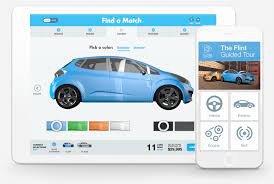
Revolutionizing the Automotive Industry through Salesforce CRM. Salesforce CRM presents holistic management solutions across all facets of the automotive sector, guiding customers seamlessly from selecting a vehicle to post-sales customer service. By integrating all back-office operations with advanced AI capabilities, Salesforce CRM provides superior and scalable solutions. Essentially, Salesforce Industries’ automotive CRM empowers employees to play a crucial role in the customer’s buying journey by offering valuable guidance, assisting in vehicle selection, and ensuring ongoing support post-purchase. This builds a foundation of trust between dealers and customers, nurturing lasting relationships. Salesforce for the Automotive Industry. Salesforce CRM proves invaluable for dealers, enabling active listening to customers and engagement at every touchpoint—online sites, mobile devices, social media networks, showrooms, and connected cars. It facilitates streamlined lead distribution, minimizes sales leaks, and ensures a personalized customer experience within the automotive industry. The software accelerates innovation and agility in the automotive sector, providing real-time automation to maximize car sales, improve dealership and inventory management, and seamlessly integrate with other applications. Salesforce CRM benefits extend to helping companies streamline the customer journey, understand consumer preferences, and provide personalized experiences, thereby keeping customers engaged. Prominent automotive industry players, such as Toyota Motors, Mercedes-Benz, and Bombardier Recreational Products, leverage Salesforce CRM for their operations. With an accurate Salesforce users email list, connecting with key decision-makers from these industry leaders becomes a seamless process. Transforming Automotive Experiences. Accelerate innovation with AI and automation. Enhance customer experiences, explore new revenue models, and power software-defined vehicles with the Einstein 1 Platform. Build your perfect automotive solution with Automotive Cloud and the Customer 360. OEMs Orchestrate communications, improve ecosystem collaboration, and drive frictionless buying and servicing experiences. Retail Engage with drivers meaningfully with visibility into their vehicle history, open warranties, upcoming appointments, and more. Captive Finance. Get a comprehensive view of a driver’s loan information, lease renewals, payment reminders, vehicle value, or available accessories or subscriptions. Software-Defined Vehicles Turn telematics data into personalized, immersive in-vehicle experiences and unlock new revenue with subscriptions or services. Transform the Automotive Experience. Create an omnichannel automotive retail experience, deliver consistent sales and service, and build loyalty with Salesforce’s automotive CRM. Reduce costs with innovations that bring automotive journeys together. Reimagine Digital Retailing. Seamlessly collaborate and transfer data between OEMs and dealerships. Track every interaction, from OEM website research to a purchase in a dealership. Win Customers for Life Provide and exceptional service, increase dealer profitability, and boost productivity with personalized engagements throughout the ownership lifecycle. Personalize the Digital Customer Journey. Engage with your customers at the right time with the right message throughout the ownership lifecycle. Create personalized journeys with the world’s #1 CRM. Like1 Related Posts Tectonic’s Successful Salesforce Track Record Salesforce Technology Services Integrator – Tectonic has successfully delivered Salesforce in a variety of industries including Public Sector, Hospitality, Manufacturing, Read more Asset Management Salesforce Can Salesforce do asset management? You can manage assets in Consumer Goods (desktop) and in the Consumer Goods offline mobile Read more Salesforce Scheduler Salesforce Scheduler provides the objects required for appointment scheduling and an app that makes it easy to set up Scheduler. Read more A Salesforce Architect’s Thoughts on User Experience The intersection of Salesforce User Experience (UX) Design and Architecture in the Salesforce ecosystem is making traction. As User Experience Read more


Read More
Marketing Cloud Engagement

Salesforce Distributed Marketing Content

Salesforce Distributed Marketing Content empowers you to extend dynamic content to dispersed teams, fostering safe and efficient interaction with that content. Integrate one or more Distributed Marketing Content Blocks seamlessly with standard or custom content areas to facilitate collaborative moments within branded email messages. For instance, enable users to personalize holiday cards with personal notes and images or provide context to market update messages. Leverage Distributed Marketing alongside AMPscript to enable users to craft customized SMS messages. Salesforce Distributed Marketing Content While marketing teams retain control over message structure, ensuring coherence, brand alignment, and compliance, collaborative content augments this framework, granting distributed teams flexibility within set parameters – a concept Salesforce refers to as “flexibility within a framework.” The usage of Distributed Marketing content is flexible and can adapt over time. Since each message is independently configurable, you can initiate with existing assets and introduce collaborative elements as needed. Please note that Distributed Marketing employs JavaScript ES6 for message personalization, requiring the disabling of Prevent Cross-Site Tracking in Safari and third-party cookies in Chrome. Enable Email Personalization with Distributed Marketing Content Blocks Utilize Distributed Marketing Content Blocks within Marketing Cloud to create personalized sections of content for Distributed Marketing users. Enable Custom SMS Messages Incorporate AMPscript into SMS messages to empower users to compose and dispatch custom SMS messages through Distributed Marketing. Personalization Data Extension Distributed Marketing establishes personalization data extensions in Marketing Cloud to store user-entered personalization data for email messages. A personalization data extension is automatically generated when connecting a journey to a campaign or enabling a journey for quick send. Custom SMS messages are not stored here but are accessible in the journey’s event data extension. Legacy Personalization While Legacy Personalization options like Introduction, Conclusion, and Greeting are available, their usage will be supported until End of Support is announced. Like1 Related Posts Who is Salesforce? Who is Salesforce? Here is their story in their own words. From our inception, we’ve proudly embraced the identity of Read more Salesforce Marketing Cloud Transactional Emails Salesforce Marketing Cloud Transactional Emails are immediate, automated, non-promotional messages crucial to business operations and customer satisfaction, such as order Read more Salesforce Unites Einstein Analytics with Financial CRM Salesforce has unveiled a comprehensive analytics solution tailored for wealth managers, home office professionals, and retail bankers, merging its Financial Read more AI-Driven Propensity Scores AI plays a crucial role in propensity score estimation as it can discern underlying patterns between treatments and confounding variables Read more

Read More
Custom Copilot Actions

Custom Copilot Actions

How to Create a Custom Copilot Action Custom Copilot Actions allow you to extend Copilot’s functionality within Salesforce, enabling users to perform tasks specific to your business needs. By utilizing invocable Apex classes, autolaunched flows, and prompt templates, you can build custom actions tailored to your organization’s requirements. Extend your unified copilot with custom actions. Before You Begin: Steps to Create a Custom Copilot Action: Testing and Deployment: Understanding Einstein Copilot Einstein Copilot is Salesforce’s AI assistant designed to enhance productivity and user experience across various applications and departments. Admins can configure and deploy Copilots to empower users with AI capabilities, streamlining workflows and increasing efficiency. Out-of-the-Box Actions: In the Spring ’24 release, Einstein Copilot offers several out-of-the-box actions, including: Customization and Future Development: Admins can create custom actions to tailor Copilot’s capabilities to their organization’s specific requirements. Custom actions enable tasks such as updating records and integrating with external systems, enhancing productivity and efficiency. When you create a custom action, you build it on top of platform functionality you want to make available in Einstein Copilot, such as invocable Apex classes, autolaunched flows, or prompt templates. Adding custom actions lets you customize your copilot and get more mileage out of your current Salesforce platform capabilities. Access to a custom copilot action depends on the type of Salesforce action it references. For example, if a custom action was built using a flow, the custom action adheres to the permissions, field-level security, and sharing settings configured in the flow. Use Cases and Considerations: Typical Use Cases: Considerations: Building Custom Copilot Actions: Power of Custom Actions: Custom actions extend Copilot’s capabilities, offering a wide range of use cases and functionalities. Actions can be built using flows, prompts, or Apex, providing flexibility and customization options. Descriptive Instructions: Accurate descriptions of actions, inputs, and outputs are essential for Copilot’s understanding and execution. Clear instructions provide context and improve response accuracy. Best Practices: Einstein Copilot, coupled with custom actions, empowers organizations to optimize workflows and drive efficiency. By following best practices and leveraging the full potential of Copilot, Salesforce admins can enhance user experiences and unlock new levels of productivity. Explore these features within your organization to realize the benefits of Salesforce Einstein Copilot Custom Actions. Assign an action to your copilot from the Copilot Actions page, the record page for an action, or the Copilot Action Library tab of the actions panel in the Copilot Builder. Your copilot must be deactivated. To test your action and preview how the output appears in a copilot conversation, open the copilot in the Copilot Builder and start a preview conversation. Enter utterances that you expect to trigger your action, and then make adjustments to the copilot action instructions based on your results. What powers Einstein Copilot custom actions? By facilitating the flow of work through smart, AI-driven actions, Einstein Copilot enhances efficiency and decision-making. Here’s how organizations can harness its power through the design of custom actions, ensuring their operations are as streamlined and effective as possible. Like1 Related Posts Who is Salesforce? Who is Salesforce? Here is their story in their own words. From our inception, we’ve proudly embraced the identity of Read more Salesforce Marketing Cloud Transactional Emails Salesforce Marketing Cloud Transactional Emails are immediate, automated, non-promotional messages crucial to business operations and customer satisfaction, such as order Read more Salesforce Unites Einstein Analytics with Financial CRM Salesforce has unveiled a comprehensive analytics solution tailored for wealth managers, home office professionals, and retail bankers, merging its Financial Read more AI-Driven Propensity Scores AI plays a crucial role in propensity score estimation as it can discern underlying patterns between treatments and confounding variables Read more

Read More
Campaign Infuence in Salesforce

What is Campaign Infuence in Salesforce?

Campaign Influence is a tool designed to allocate success attribution to influential campaigns, with two available versions: Campaign Influence 1.0 for Salesforce Classic, and Customizable Campaign Influence for both Classic and Lightning Experience. Campaign Infuence in Salesforce. Customizable Campaign Influence in Salesforce facilitates revenue attribution through standard and custom models, which can be updated manually or automatically. This data can be added to related lists and reports, enabling sales representatives to comprehend the impact of campaigns on their opportunity pipelines. With Campaign Influence, you can link an opportunity to multiple campaigns, but each opportunity can only have one primary campaign influencing the campaign rollup summary fields on the related campaign. Campaign Influence considers every campaign member, regardless of their member status. Customizable Campaign Influence relies on the Campaign object, the Opportunity object, and a Campaign Influence junction object. To tag an opportunity to a campaign in Salesforce, navigate to the opportunity record, find the Campaign Influence related list, click “New,” enter a campaign name, and specify the attribution percentage in the “Influence (%)” field. A parent campaign in Salesforce aggregates values from all its child campaigns, irrespective of the user’s sharing settings. Admins can customize which fields are visible in the Campaign Hierarchy related list to limit user visibility. Campaigns in Salesforce are versatile and are used creatively by nonprofit and higher education organizations to group people for specific actions and result tracking. Active campaigns in Salesforce allow adding contacts and leads, while inactive ones do not, but member reports cannot be run for inactive campaigns. Influence refers to attributing success percentage to influential campaigns, whereas attribution identifies the source where revenue originates. Key factors influencing a successful marketing campaign include understanding the target audience, personalization, effective communication, and innovative elements. Like Related Posts Who is Salesforce? Who is Salesforce? Here is their story in their own words. From our inception, we’ve proudly embraced the identity of Read more Salesforce Marketing Cloud Transactional Emails Salesforce Marketing Cloud Transactional Emails are immediate, automated, non-promotional messages crucial to business operations and customer satisfaction, such as order Read more Salesforce Unites Einstein Analytics with Financial CRM Salesforce has unveiled a comprehensive analytics solution tailored for wealth managers, home office professionals, and retail bankers, merging its Financial Read more AI-Driven Propensity Scores AI plays a crucial role in propensity score estimation as it can discern underlying patterns between treatments and confounding variables Read more

Read More
Learning AI

AI Success is a Team Sport

The contemporary workplace is currently experiencing a profound transformation. The Future of Jobs Report from the World Economic Forum predicts that AI will replace approximately 85 million jobs by 2025, while concurrently generating around 97 million AI-related jobs. AI Success is a Team Sport and will require hiring and training people. This significant shift necessitates a reevaluation of work dynamics, introducing new roles that involve collaboration between “humans, machines, and algorithms.” Amidst this transformative period, AI provides opportunities for organizations to reimagine existing roles, offer upskilling opportunities, and design innovative positions to meet evolving needs. For leaders in the data domain, the crucial task is to assess which jobs could benefit from AI. This requires a thorough understanding of organizational tasks, skills, and strategic goals, complemented by a scalable change management process to accommodate the growth of AI initiatives. To pinpoint relevant jobs, the following steps can be taken: Despite 67% of global business leaders considering the use of generative AI, an equal number of IT leaders acknowledge a skills gap among their employees. “I think most business leaders have a good sense of what the key jobs are inside their organizations. Of those key jobs, what are the good candidates for AI? I think it’s important for any executive—data or not—to understand what they are and plan accordingly.” SOLOMON KAHN DATA LEADERSHIP COLLABORATIVE  The implementation of AI necessitates a specialized team, encompassing roles from project managers to domain experts. The composition of the team depends on the project’s complexity, scope, budget, and overall strategic objectives. But to be sure, AI Success is a Team Sport. Key roles for AI initiatives include: AI acts as a disruptor to traditional business practices, and this disruption is viewed positively. The bonuses far outweigh the challenges. The new generation of user-friendly AI technologies, such as generative AI, has moved beyond the hype cycle, offering applications that generate personalized offers and automated chatbots capable of solving complex customer support issues. In this era powered by AI, data leaders play a pivotal role in driving transformative change. Like1 Related Posts Who is Salesforce? Who is Salesforce? Here is their story in their own words. From our inception, we’ve proudly embraced the identity of Read more Salesforce Marketing Cloud Transactional Emails Salesforce Marketing Cloud Transactional Emails are immediate, automated, non-promotional messages crucial to business operations and customer satisfaction, such as order Read more Salesforce Unites Einstein Analytics with Financial CRM Salesforce has unveiled a comprehensive analytics solution tailored for wealth managers, home office professionals, and retail bankers, merging its Financial Read more AI-Driven Propensity Scores AI plays a crucial role in propensity score estimation as it can discern underlying patterns between treatments and confounding variables Read more

Read More
LLMs Beyond Generative AI

LLMs Beyond Generative AI

Beyond Text Generation: The Versatile Capabilities of Large Language Models While large language models (LLMs) and generative AI have dominated the conversation over the past year, the spotlight has largely been on their text generation capabilities. There’s no denying the value of LLMs in generating answers to questions. However, focusing solely on this use case overlooks other valuable applications. This insight will explore several primary uses of LLMs, ensuring you recognize their broader potential beyond just generative purposes. Creation and Generation This is the most publicized use case for LLMs today. Applications like ChatGPT can answer questions with detailed responses, and tools like DALL-E generate images based on user prompts. Similar generators exist for code, video, and 3D virtual worlds. Interestingly, these generators share fundamental algorithmic approaches despite producing different content types—text, images, videos. Since they all process prompts, they require training to understand and decompose these prompts to guide the generation process, necessitating the use of LLMs. However, generating new content is just one aspect of what LLMs can achieve. Summarization LLMs excel at summarizing information. For instance, if you have a list of papers on your to-read list, an LLM can summarize their key themes, common points, and differences. This provides a clear baseline, helping you focus on essential aspects as you read. Summarizing content with AI tends to have a lower error risk compared to generating new content because the LLM works within the boundaries of the provided information. While it might occasionally miss a pattern or emphasize the wrong details, it’s unlikely to produce completely incorrect summaries. Translation Often underrated, translation might be one of the most impactful uses of LLMs. For example, LLMs can translate old code from obsolete languages into modern ones. An LLM generates a draft translation, which, although imperfect, can be refined by a programmer who understands the goal of the code even with limited knowledge of the original language. Human language translation also stands to benefit significantly. Soon, we’ll be able to communicate in our preferred languages, with LLMs instantly translating our words into the listener’s language. This will eliminate the need for a common language and help preserve uncommon languages by removing the communication barriers associated with them. Interpretation and Extraction LLMs are also adept at interpreting statements and triggering subsequent actions. Image generators use this approach, as do tools that handle analytical queries. For instance, asking “Please summarize this year’s sales by region and subtotal by product” allows an LLM to interpret the request, extract key parameters, and pass them to a query generator for the answer. Companies like Quaeris, which I advise, focus on this capability. Additionally, LLMs can handle tasks like sentiment analysis and customer service inquiries. They can ingest inquiries and extract relevant details, such as the product in question, the issue raised, and the requested action, to route the inquiry to the appropriate person more effectively. LLMs Beyond Generative AI The examples discussed are not exhaustive but represent some common and powerful uses of LLMs. They highlight that LLMs offer far more than just text generation. Exploring these other applications can provide significant benefits for you and your organization. Originally posted in the Analytics Matters newsletter on LinkedIn. Like Related Posts Who is Salesforce? Who is Salesforce? Here is their story in their own words. From our inception, we’ve proudly embraced the identity of Read more Salesforce Unites Einstein Analytics with Financial CRM Salesforce has unveiled a comprehensive analytics solution tailored for wealth managers, home office professionals, and retail bankers, merging its Financial Read more AI-Driven Propensity Scores AI plays a crucial role in propensity score estimation as it can discern underlying patterns between treatments and confounding variables Read more Tectonic’s Successful Salesforce Track Record Salesforce Technology Services Integrator – Tectonic has successfully delivered Salesforce in a variety of industries including Public Sector, Hospitality, Manufacturing, Read more

Read More
CPQ Called in Salesforce

Hidden Power of Salesforce CPQ

If you’ve integrated Salesforce CPQ into your operations but feel your sales reps aren’t maximizing its potential, you’re not alone. The Hidden Power of Salesforce CPQ cab be hard to grasp. This versatile tool offers fantastic support for creating accurate customer quotes, yet its extensive feature set might go underutilized. In this article, we’ll delve into ten Salesforce CPQ features that can significantly enhance your quoting experience and hopefully inspire you to implement them in your organization. Hidden Power of Salesforce CPQ Bonus Features: Salesforce CPQ boasts a rich feature set that, when explored and implemented effectively, can significantly impact the daily lives of sales reps, enhancing their efficiency and quoting accuracy. For more information on Salesforce CPQ for your business, contact Tectonic today. Like1 Related Posts Asset Management Salesforce Can Salesforce do asset management? You can manage assets in Consumer Goods (desktop) and in the Consumer Goods offline mobile Read more Salesforce Health Cloud Information Since its inception in 2016, Salesforce Health Cloud has evolved significantly, adapting to the intricacies of the sensitive and dynamic Read more Salesforce Vlocity Acquisition Salesforce’s Acquisition of Vlocity: A Game-Changer for the CRM Ecosystem The news of Salesforce acquiring Vlocity, though somewhat overshadowed by Read more Salesforce CPQ and Billing Explained With Salesforce CPQ companies can provide accurate pricing for any given product with any optional configurations, lessening errors and shortening Read more

Read More
Prompt Decomposition

Prompt Decomposition

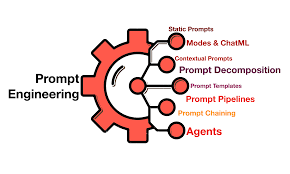
Optimizing Generative AI: Overcoming Adoption Barriers Through Prompt Decomposition Understand and Control Every Element of Your Workload Prompt Decomposition decompose the task into steps that focus on age date and interest allowing for accurate recommendations based on predefined test cases. Challenges in Scaling Generative AI As Generative AI Specialist at AWS, Iweve worked with over 50 customers in the last 18 months, encountering numerous generative AI proof of concepts (PoCs). Many teams struggle to move beyond the PoC stage due to several common challenges: Solution: Prompt Decomposition Prompt decomposition offers a solution to these common issues by breaking down complex prompts into manageable parts. While other techniques exist, prompt decomposition stands out for its ability to address these blockers effectively. Does Prompt Decomposition Really Work? Yes, it does. This technique has proven effective in unlocking scalability for some of AWS’s largest clients across various sectors. In this blog post, I will share code examples for two use cases that illustrate how prompt decomposition can improve accuracy and reduce latency. Each example will demonstrate changes in cost, latency, and accuracy before and after applying prompt decomposition. Example Results What is Prompt Decomposition? Prompt decomposition involves breaking down a complex prompt into smaller, more manageable components. This approach simplifies large tasks into sequential, manageable steps, improving execution efficiency. Example: Summer Camp Recommendation System Consider a system recommending summer camps based on a child’s age, desired camp date, and interests. The process can be decomposed into three steps: Parallel Execution For particularly lengthy prompts, decomposing them into parallel tasks can significantly reduce execution time. For example, a prompt initially taking 43 seconds can be broken into three parallel parts, reducing the total execution time to under 10 seconds without sacrificing accuracy. Conclusion Prompt decomposition is a powerful technique to overcome common challenges in generative AI projects. By breaking down complex tasks, teams can improve accuracy, manage costs and latency, and gain better control and metrics, leading to more scalable and reliable solutions. Ready to Build? For those ready to dive in, full code examples are available in the GitHub repository linked below. The repository includes a Jupyter Notebook (Prompt_Decomposition.ipynb) with two examples: one focused on accuracy and the other on latency. An updated evaluation function for multithreaded calls to Amazon Bedrock is also included. Starting with Evaluation Automated evaluation is crucial for assessing generative AI performance. Begin with a gold standard set of input/output pairs created by humans to serve as a benchmark. Avoid using generative AI to create this set, as it may introduce inaccuracies. The evaluation function compares the correct and generated answers, scoring them similarly to how a teacher would grade student work. Here’s a sample evaluation prompt: pythonCopy codetest_prompt_template_system = “””You are a detail-oriented teacher. You are grading an exam, looking at a correct answer and a student submitted answer. Your goal is to score the student answer based on how close it is to the correct answer. This is a pass/fail test. If the two answers are basically the same, the score should be 100. Minor things like punctuation, capitalization, or spelling should not impact the score. If the two answers are different, then the score should be 0. Please use your score in a ‘score’ XML tag, and any reasoning in a ‘reason’ XML tag. “”” Task-Based Decomposition Example For a summer camp recommendation system, we decompose the task into steps that focus on age, date, and interests, allowing for accurate recommendations based on predefined test cases. Volume-Based Decomposition Use Case To handle long prompts efficiently, such as analyzing an entire novel, we break the task into smaller, parallel parts, significantly improving execution time and accuracy. Prompt Decomposition Creating a flowchart for your task and selecting the best tools for each step can greatly enhance your generative AI workflows. Explore the full code in the GitHub repository, and feel free to comment with questions or share your own experiences. Let’s build something amazing by breaking it down into manageable pieces! Like Related Posts Who is Salesforce? Who is Salesforce? Here is their story in their own words. From our inception, we’ve proudly embraced the identity of Read more Salesforce Marketing Cloud Transactional Emails Salesforce Marketing Cloud Transactional Emails are immediate, automated, non-promotional messages crucial to business operations and customer satisfaction, such as order Read more Salesforce Unites Einstein Analytics with Financial CRM Salesforce has unveiled a comprehensive analytics solution tailored for wealth managers, home office professionals, and retail bankers, merging its Financial Read more AI-Driven Propensity Scores AI plays a crucial role in propensity score estimation as it can discern underlying patterns between treatments and confounding variables Read more

Read More
What is Einstein Used for in Salesforce?

What is Einstein Used for in Salesforce?

Salesforce Einstein is an AI-powered platform that can be used in various ways to enhance customer experiences and streamline business operations: SalesSalesforce Einstein can help sales teams better understand customers, improve conversion rates, and close deals more quickly. For instance, it can generate sales call summaries, draft emails using customer data, and provide real-time predictions. Customer ServiceEinstein helps customer service agents resolve cases faster and provide customers with relevant information during interactions. MarketingSalesforce Einstein enables marketers to create personalized experiences and send the right content to the right customer at the right time. ITSalesforce empowers IT teams to embed intelligence across the business and create smarter apps for customers and employees. CommerceSalesforce assists retailers by recommending the best products to each customer. Salesforce also includes features to protect data privacy and security, such as the Tectonic GPT Trust Layer, which provides AI bias detection, data security, and regulatory compliance. Salesforce Einstein is the first all-inclusive AI for CRM. It’s an integrated set of AI technologies that makes the Customer Success Platform smarter and brings AI to Salesforce users everywhere. Salesforce is the only comprehensive AI for CRM. It is: Tectonic and Salesforce allow businesses to become AI-first, providing the ability to anticipate customer needs, improve service efficiency, and enable smarter, data-driven decision-making. Sales teams can anticipate next opportunities and exceed customer needs,Service teams can proactively resolve issues before they occur,Marketing teams can create predictive journeys and personalize experiences like never before,IT teams can embed intelligence everywhere and create smarter apps. AI that works for your business.Drive business productivity and personalization with predictive AI, generative AI, and agents across the Customer 360 platform. Create and deploy assistive AI experiences natively in Salesforce, allowing your customers and employees to converse directly with Agentforce to solve issues faster and work smarter. Empower service reps, agents, marketers, and others with AI tools safely grounded in your customer data to make every customer experience more impactful. What is Salesforce Einstein?As of 2024, this groundbreaking AI-based product remains a leader in the CRM industry since its release in 2016. It combines a range of AI technologies, including advanced machine learning, natural language processing (NLP), predictive analytics, and image recognition, enabling businesses to improve productivity and sustain growth. Salesforce AI BenefitsThe most significant benefits of AI are the time and efficiency gains it offers to business processes. By automating tasks, employees can focus on more strategic work. Additionally, automating repetitive tasks reduces errors and enhances operational efficiency. Saleesforce provides robust reporting features that generate valuable insights to support decision-making, helping businesses understand customer needs and identify opportunities. From a customer perspective, Salesforce ensures more meaningful and personalized experiences through advanced NLP capabilities and machine learning to better understand customer behavior. Salesforce AI FeaturesSalesforce is a feature-rich platform that leverages AI’s capabilities in Natural Language Processing, Machine Learning, and image processing. Some of the key features include: Salesforce PricingCosts depend on the required features and the size of the business. Pricing starts at $50 per user per month, with potential increases based on the specific capabilities needed. Salesforce Tectonic ChallengesAlthough Salesforce Tectonic offers numerous benefits, companies may face challenges during integration, such as aligning it with existing systems and ensuring proper training for employees to maximize its use. How to Prepare for Salesforce Tectonic IntegrationUsing an implementation partner like Tectonic can help ensure seamless integration. A partner will assess your current Salesforce setup, recommend the right features, and guide you through the integration process. ConclusionSalesforce is a cutting-edge platform that empowers businesses to transform operations with comprehensive AI capabilities. It provides tailored solutions for sales, service, marketing, and commerce teams, enabling better customer interactions, data-driven decision-making, and increased productivity. With the right implementation partner like Tectonic, businesses can seamlessly integrate and leverage Tectonic to stay ahead in a competitive landscape. Content updated November 2024. Like1 Related Posts Who is Salesforce? Who is Salesforce? Here is their story in their own words. From our inception, we’ve proudly embraced the identity of Read more Salesforce Marketing Cloud Transactional Emails Salesforce Marketing Cloud Transactional Emails are immediate, automated, non-promotional messages crucial to business operations and customer satisfaction, such as order Read more Salesforce Unites Einstein Analytics with Financial CRM Salesforce has unveiled a comprehensive analytics solution tailored for wealth managers, home office professionals, and retail bankers, merging its Financial Read more AI-Driven Propensity Scores AI plays a crucial role in propensity score estimation as it can discern underlying patterns between treatments and confounding variables Read more

Read More
ai and sustainability

AI and Sustainability

Climate Change: A Global Crisis Demanding Urgent Action Climate change is one of the most critical challenges of our time, accelerating at an unprecedented pace. Rising global temperatures, melting polar ice, surging sea levels, and intensifying extreme weather events are destabilizing ecosystems, endangering biodiversity, and jeopardizing human communities worldwide. The future of our planet and the well-being of generations to come depend on decisive action—reducing greenhouse gas emissions, shifting to renewable energy, and embracing sustainable practices. Artificial intelligence (AI) is emerging as a vital tool in this fight, offering innovative technological solutions to advance sustainability efforts. AI for a Sustainable Future Sustainability is about meeting society’s environmental, social, and economic needs without compromising future generations’ ability to do the same. With mounting pressure on Earth’s resources and growing recognition of the need for responsible practices, sustainability has never been more crucial. The United Nations’ 17 Sustainable Development Goals (SDGs) provide a global framework for fostering sustainable progress. AI stands at the forefront of this movement, enabling smarter resource management, waste reduction, and more efficient systems—while also demanding careful consideration of its own environmental impact. Key Areas Where AI Drives Sustainability Beyond these areas, AI aids sustainability across industries—streamlining manufacturing processes, designing energy-efficient buildings, and advancing green technologies. The Hidden Cost: AI’s Carbon Footprint Despite its benefits, AI has a significant environmental downside. Data centers, which power AI systems, consume vast amounts of energy—accounting for roughly 1% of global electricity use—and this demand is rising. Much of this energy comes from non-renewable sources, contributing to carbon emissions. Additionally, hardware production involves resource-intensive processes, from mining rare metals to managing electronic waste. It is not totally unimaginable that the “tree huggers” and “nuclear power haters” are dusting off their signs to protest the surging power demands of AI. To maximize AI’s sustainability potential, we must address its environmental impact. This includes: By balancing AI’s advantages with its ecological costs, we can harness its power to build a greener future—without undermining the very goals it seeks to achieve. Like Related Posts Who is Salesforce? Who is Salesforce? Here is their story in their own words. From our inception, we’ve proudly embraced the identity of Read more Salesforce Unites Einstein Analytics with Financial CRM Salesforce has unveiled a comprehensive analytics solution tailored for wealth managers, home office professionals, and retail bankers, merging its Financial Read more AI-Driven Propensity Scores AI plays a crucial role in propensity score estimation as it can discern underlying patterns between treatments and confounding variables Read more Tectonic’s Successful Salesforce Track Record Salesforce Technology Services Integrator – Tectonic has successfully delivered Salesforce in a variety of industries including Public Sector, Hospitality, Manufacturing, Read more

Read More
Salesforce and Snowflake

Is Snowflake a Data Cloud?

Is Snowflake recognized as a data cloud? Certainly, Snowflake stands as an encompassing platform integral to the Data Cloud. Uniquely designed for global connectivity, it empowers businesses to navigate diverse data types and scales, accommodating various workloads and fostering seamless data collaboration. Globally, over 400 million SaaS data sets often remain isolated in cloud storage and on-premise data centers, creating data silos. The Data Cloud, driven by Snowflake, eradicates these silos, facilitating the effortless consolidation, analysis, sharing, and monetization of data. Is Snowflake categorized as a database or cloud? Snowflake exclusively operates on cloud infrastructure. With all components residing in public cloud infrastructures (excluding optional command line clients, drivers, and connectors), Snowflake utilizes virtual compute instances for computing needs and a storage service for persistent data storage. What characterizes a data cloud? A data cloud serves as a unified platform for structured, unstructured, or semi-structured data, simplifying data discovery and reducing complexity. It should be capable of collecting, ingesting, and processing data from various on-premises or cloud-based source systems, consolidating it into a single accessible location. Snowflake’s Data Cloud facilitates organizations in effortlessly unifying and connecting to a single copy of all their data. This results in an ecosystem where businesses connect not only to their individual data but also to each other, seamlessly sharing and consuming data and data services. How does Snowflake’s Data Cloud handle different workloads? Snowflake’s Data Cloud efficiently powers diverse data workloads, including Data Warehousing, Data Lake, Data Engineering, AI and ML, Applications, and Cybersecurity. It operates seamlessly across multiple cloud providers and regions, catering to organizational needs from any location within the organization. What storage type does Snowflake employ? Snowflake utilizes scalable Cloud blob storage for its storage layer, accommodating data, tables, and query results. This storage is designed to scale independently from compute resources, allowing customers to adjust storage and analytics requirements independently. Is Snowflake considered a data warehouse or ETL? Snowflake’s capabilities in data loading, transformation, and storage eliminate the need for additional ETL tools, providing an end-to-end solution. Renowned worldwide, many organizations have adopted Snowflake as their primary Data Warehousing solution due to its distinctive features, scalability, and security. Where is Snowflake’s data stored? Snowflake’s database storage layer resides in a scalable cloud storage service, such as Amazon S3, ensuring data replication, scaling, and availability without requiring customer management. The data is optimized and stored in a columnar format within the storage layer, following user-specified database organization. How does Snowflake’s architecture benefit organizations? Snowflake’s architecture offers near-unlimited storage and real-time computing to an extensive number of concurrent users within the Data Cloud. It enables organizations to execute critical workloads on a fully managed platform, leveraging the cloud’s near-infinite resources. What are the advantages of Snowflake’s single platform? Snowflake’s single platform delivers optimal workload performance, full automation, secure global collaboration, Snowflake capabilities for non-SQL code processing, and optimized storage. It encompasses features such as Elastic Multi-Cluster Compute, Cloud Services, and Snowgrid, providing businesses with a comprehensive and fully managed solution. Why opt for Snowflake over competitors? Snowflake’s main advantage lies in its multi-cloud capability, available on major platforms like Azure, AWS, and GCP. This flexibility benefits companies operating in multi-cloud environments, enabling them to query Snowflake data directly from any of these platforms. About Snowflake Inc. Snowflake Inc., an American cloud computing-based data cloud company located in Bozeman, Montana, was founded in July 2012 and publicly launched in October 2014. Operating as a data-as-a-service provider, Snowflake offers cloud-based data storage and analytics services. Like Related Posts Salesforce Health Cloud Information Since its inception in 2016, Salesforce Health Cloud has evolved significantly, adapting to the intricacies of the sensitive and dynamic Read more Capture Initial Traffic Source With Google Analytics To ensure the proper sequencing of Tags, modify the Tag sequencing in the Google Analytics preview Tag settings. The custom Read more Snowflake and Salesforce with Embed Snowflake has deepened its partnership with investor Salesforce by introducing two tools that seamlessly connect their cloud-native systems. Snowflake and Read more Salesforce and Marketing Cloud Together Salesforce Marketing Cloud serves as a customer relationship management (CRM) platform tailored for marketers, enabling them to establish and oversee Read more

Read More
lightning

AI Built Into the Lightning Platform

Salesforce Lightning Platform is infused with AI through Einstein AI, providing predictive and generative capabilities across various Salesforce clouds. This integration aims to boost productivity, personalize customer experiences, and automate tasks. Einstein is not just a set of tools, but a platform-wide initiative to embed AI into the core of Salesforce.  1. Einstein AI: The Core AI Engine 2. Einstein 1 Platform: A Unified AI-Powered System (now referred to as Agentforce) 3. Key Applications and Features: 4. Benefits of AI Integration: 5. How to Get Started: Content updated June 2025. Like Related Posts Who is Salesforce? Who is Salesforce? Here is their story in their own words. From our inception, we’ve proudly embraced the identity of Read more Salesforce Marketing Cloud Transactional Emails Salesforce Marketing Cloud Transactional Emails are immediate, automated, non-promotional messages crucial to business operations and customer satisfaction, such as order Read more Salesforce Unites Einstein Analytics with Financial CRM Salesforce has unveiled a comprehensive analytics solution tailored for wealth managers, home office professionals, and retail bankers, merging its Financial Read more AI-Driven Propensity Scores AI plays a crucial role in propensity score estimation as it can discern underlying patterns between treatments and confounding variables Read more

Read More
FigJam AI

FigJam AI

Recently Edward Chechique explained FigJam AI, an AI flowchart generator. Below is a summary of this article originally published at uxdesign.cc Over the past three years, the author has extensively researched and tested how product designers can use generative AI technology to improve efficiency and accuracy in their design workflows. Although this journey is still in its early stages, designers must integrate AI into their design processes today. This integration will enable them to work more efficiently and with greater precision. Common AI tools on the market include ChatGPT, Gemini, and Midjourney, showcasing key features of artificial intelligence technology. Additionally, many new tools are launched daily. Apart from the new AI tools, there are tools not originally AI-based, like Figma and Miro. These tools have started to add AI capabilities, enhancing their utility. This article aims to show how designers can use FigJam AI, an efficient AI flowchart maker, to create flowcharts. In the words of designers: “Stop moving rectangles and invest in creativity.” This encapsulates the author’s goal. What is FigJam AI? FigJam AI is an AI tool that Figma added to FigJam. It helps cluster information, generate design thinking workshops, organize information, summarize information, and more. For a more detailed look at this AI feature, check out the author’s article about FigJam AI. Step-by-Step Introduction to Figjam AI for Better Design Collaboration Enhancing Design Team Workflows with Figjam AI The Importance of Detailed Prompts When teaching students how to use AI, the author emphasizes the importance of providing the AI with exact instructions. Without this, the desired results may not be achieved. This highlights a significant difference from traditional work processes. Often, traditional methods don’t start with a clear end solution but involve experimenting, adjusting designs, and refining the vision over time. In contrast, AI requires precise instructions from the beginning. The examples provided illustrate this point. During the process, small changes in the prompt can significantly affect the results, demonstrating the importance of clear and specific instructions. Generate Flowcharts from Text The author conducted several tests with FigJam AI to illustrate the process. Starting with simple prompts and gradually moving to more sophisticated approaches, here are three key tests: Test 1: Happy Flow The author began with a simple flowchart for buying a T-shirt in an online store to see if the AI could generate a complete flow from it. Prompt: Act like a product designer and create a Flow chart for the process of buying a T-shirt in an e-commerce store: Create only this flow. Do not add anything else. Result: The AI created exactly what was asked, making the creation process more efficient by eliminating the need to manually adjust “rectangles,” streamlining the diagram creation. Test 2: Flow with One Error The second test aimed to see if the AI could add a condition to the flow for cases where something does not work correctly. Prompt: Act like a product designer and create a Flow chart for the process of buying a T-shirt in an e-commerce store: Take into account the error case: Promo Code does not work. Create only this flow. Do not add anything else. Result: The AI accomplished the task exactly as requested and added the error case to the flowchart creation. Test 3: Flowchart with Three Errors The next step was to see if the AI could handle three error cases. Prompt: Act like a product designer and create a Flow chart for the process of buying a T-shirt in an e-commerce store: Take into account these error cases: Create only this flow. Do not add anything else. Result: The AI added all error cases but with issues: To address these issues, the author revised the prompt: Revised Prompt: Act like a product designer and create a Flow chart for the process of buying a T-shirt in an e-commerce store: Create only this flow. Do not add anything else. Result: The AI added all error cases correctly, creating a more legible and easy-to-understand flow. Key Insights from the Tests: To Summarize: This insight demonstrated how to use FigJam AI as an AI flowchart tool. The author shared three tests: a happy path flowchart, a flowchart with one error case, and a more complex flowchart with three error cases. After refining the prompts, the desired results were achieved. Key insights from the process were also discussed. Like Related Posts AI-Driven Propensity Scores AI plays a crucial role in propensity score estimation as it can discern underlying patterns between treatments and confounding variables Read more Tectonic’s Successful Salesforce Track Record Salesforce Technology Services Integrator – Tectonic has successfully delivered Salesforce in a variety of industries including Public Sector, Hospitality, Manufacturing, Read more What is Salesforce? Salesforce is cloud-based CRM software. It makes it easier for companies to find more prospects, close more deals, and connect Read more The Evolution of Industrial Revolutions History of First Four Industrial Revolutions Throughout history, humanity has always relied on technology. Although the technology of each era Read more

Read More
gettectonic.com