, Author at gettectonic.com - Page 8
Spring 25 Update

Spring 25 Update

Get Ready for Salesforce Spring ’25: Key Dates and Insights It’s that time of the Salesforce calendar again—the Salesforce ecosystem is buzzing with anticipation as the Spring ’25 release approaches. Packed with innovative features and updates, this release is set to enhance the customer experience and deliver significant value to all Salesforce users. To make the most of this release, there are two key priorities to focus on: preparing your sandbox and understanding when your instance will be upgraded. When Will Your Salesforce Instance Upgrade to Spring ’25? Knowing when your main Salesforce environment will transition to Spring ’25 is critical. Running tests on key system functions before the upgrade ensures everything continues to operate smoothly. While Salesforce releases are generally seamless, proactive testing is always a good practice. The main release weekends for Spring ’25 are: To pinpoint when your specific instance will upgrade: If you’re unsure of your instance name, you can find it by navigating to Setup > Company Information in your Salesforce org. Spring ’25 Sandbox Preview: Your Testing Opportunity Upgrading your sandbox environment is a vital part of preparing for the Spring ’25 release. This step allows you to test the new features and updates with your unique configurations and data. Salesforce provides two upgrade windows for sandboxes, depending on whether your instance is “Preview” or “Non-Preview.” Most sandboxes are expected to upgrade around January 4, 2025. Using a pre-release org is another option to explore the new features before the sandbox upgrade, but keep in mind that pre-release orgs don’t include your specific configurations. Spring ’25 Pre-Release Orgs Pre-release orgs provide a sneak peek at the Spring ’25 updates. These are an excellent way to get hands-on experience with the new features before they roll out to your environment. Stay tuned for the pre-release org link as it becomes available. Spring ’25 Release Notes: A First Look at New Features Perhaps the most eagerly awaited milestone in the Salesforce release cycle is the publication of the official release notes. These notes provide an in-depth overview of the features and upgrades being rolled out across Salesforce products. We’ll link the release notes here as soon as they’re available—so you can dive into what’s coming and prepare to implement the changes that matter most to your organization. With the Spring ’25 release just around the corner, now’s the time to start planning and testing. By staying ahead of the key dates and leveraging your sandbox preview, you’ll ensure a smooth transition to the latest Salesforce innovations. Like Related Posts Who is Salesforce? Who is Salesforce? Here is their story in their own words. From our inception, we’ve proudly embraced the identity of Read more Salesforce Marketing Cloud Transactional Emails Salesforce Marketing Cloud Transactional Emails are immediate, automated, non-promotional messages crucial to business operations and customer satisfaction, such as order Read more Salesforce Unites Einstein Analytics with Financial CRM Salesforce has unveiled a comprehensive analytics solution tailored for wealth managers, home office professionals, and retail bankers, merging its Financial Read more AI-Driven Propensity Scores AI plays a crucial role in propensity score estimation as it can discern underlying patterns between treatments and confounding variables Read more


Read More

5 Attributes of an Agent

Defining the Role of AI Agents To successfully implement AI agents, organizations must clearly define their function across these five key areas: The Evolution of Agentic Automation Agentic automation represents a major shift in how enterprises leverage AI to drive productivity and efficiency. By seamlessly integrating AI agents, human employees, and automation technologies, businesses can orchestrate complex workflows from start to finish. AI agents are transforming customer service and business operations. These intelligent systems can plan and execute tasks, make informed decisions, and integrate with existing workflows to deliver superior efficiency. With the right AI strategy, businesses can elevate customer experiences by offering proactive, personalized, and highly responsive solutions. The Need for AI Agents Businesses today face mounting challenges: AI agents like Agentforce provide a scalable solution by automating interactions, streamlining processes, and ensuring continuous availability. Let’s explore what AI agents are, how they work, and how to deploy them successfully. What is an AI Agent? An AI agent is an intelligent system that autonomously interacts with customers, processes data, and executes actions without human intervention. Powered by machine learning and natural language processing (NLP), AI agents can: Unlike traditional automation, AI agents learn from interactions, refine their responses, and adapt to evolving business needs. Imagine if every employee—from the CEO to the newest sales rep—had an AI-powered assistant. With today’s AI advancements, that vision is becoming a reality. The Impact of Generative AI Agents More companies are embracing generative AI agents that leverage trusted customer data to deliver real-time insights. Tasks that once required extensive manual effort—like data analysis, trend forecasting, and customer support—can now be automated, freeing employees to focus on higher-value work. Beyond customer service, AI agents help businesses scale, meet key performance indicators, and solve problems before they escalate. The potential of this technology is just beginning to unfold. How AI Agents Work AI agents operate through a four-step process: By integrating these capabilities, AI agents can autonomously manage tasks like product recommendations, troubleshooting, and proactive follow-ups—allowing human employees to focus on strategic initiatives. Types of AI Agents Not all AI agents function the same way. Businesses can leverage different types of agents based on their operational needs: The Future of AI Agents AI-driven automation is redefining the way businesses operate. From enhancing customer experiences to optimizing internal workflows, AI agents are becoming indispensable tools for modern enterprises. As organizations invest in AI strategies, the key question remains: Are you ready to harness the full potential of AI agents to drive business success? Contact Tectonic today! By Tectonic Marketing Operations Director, Shannan Hearne Like Related Posts Who is Salesforce? Who is Salesforce? Here is their story in their own words. From our inception, we’ve proudly embraced the identity of Read more Salesforce Marketing Cloud Transactional Emails Salesforce Marketing Cloud Transactional Emails are immediate, automated, non-promotional messages crucial to business operations and customer satisfaction, such as order Read more Salesforce Unites Einstein Analytics with Financial CRM Salesforce has unveiled a comprehensive analytics solution tailored for wealth managers, home office professionals, and retail bankers, merging its Financial Read more AI-Driven Propensity Scores AI plays a crucial role in propensity score estimation as it can discern underlying patterns between treatments and confounding variables Read more

Read More
dynamic filters in reports

Dynamic Filters in Salesforce Reports

Revolutionizing Salesforce Reports with Winter ’25Have you explored the Dynamic Filters in reports introduced in the Winter ’25 release? Gone are the days of creating separate reports every time you need a slightly different view. With Dynamic Filters, you can modify your report filters on the fly—no more starting from scratch! ✅ Save Hours of time.✅ Get tailored insights instantly.✅ Perfect for those “I need this data, but sliced differently” moments in meetings. This feature supercharges your reports with unmatched flexibility and efficiency. It’s a game-changer for Salesforce teams, leaving many wondering, “Why didn’t we have this sooner?” Understanding Dynamic Reports in Salesforce Dynamic reports allow users to adjust filter criteria in real time while running the report, eliminating the need for fixed filter values. With filters like “current user,” “current month,” or “my opportunities,” these reports adapt based on who is running them or the context, providing more relevant insights. Key Features: How to Create Dynamic Reports in Salesforce Here’s how you can set up a dynamic report step by step: Dynamic Dashboards in Salesforce A dynamic dashboard displays data tailored to the specific user viewing it, unlike standard dashboards, which show static data for a specific user or report owner. Benefits of Dynamic Dashboards: How to Create a Dynamic Dashboard Conclusion Dynamic Filters and Dashboards in Salesforce are powerful tools to streamline reporting and boost efficiency. By eliminating the need for static reports and dashboards, they allow for real-time adjustments and personalized data views, making your analytics more actionable and user-friendly. Want to level up your Salesforce reporting game? Dive deeper into the guides for creating dashboards, advanced filters, and leveraging analytics to maximize your Salesforce potential. Whether you’re an admin or a sales leader, these tools will transform how you approach data insights. Like Related Posts Who is Salesforce? Who is Salesforce? Here is their story in their own words. From our inception, we’ve proudly embraced the identity of Read more Salesforce Marketing Cloud Transactional Emails Salesforce Marketing Cloud Transactional Emails are immediate, automated, non-promotional messages crucial to business operations and customer satisfaction, such as order Read more Salesforce Unites Einstein Analytics with Financial CRM Salesforce has unveiled a comprehensive analytics solution tailored for wealth managers, home office professionals, and retail bankers, merging its Financial Read more AI-Driven Propensity Scores AI plays a crucial role in propensity score estimation as it can discern underlying patterns between treatments and confounding variables Read more

Read More
iot and salesforce einstein

IoT and Salesforce Einstein

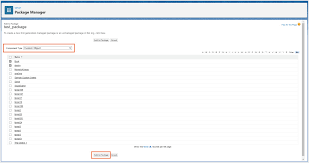
IoT and Salesforce Einstein: Revolutionizing Data-Driven Decision Making The combination of Internet of Things (IoT) and Salesforce Einstein is transforming how businesses collect, analyze, and act on data. By integrating IoT devices with Salesforce’s AI-powered Einstein platform, organizations can unlock real-time insights, automate processes, and deliver personalized customer experiences. Let’s dive into how IoT and Salesforce Einstein work together and the benefits they bring to businesses. What is IoT? The Internet of Things (IoT) refers to a network of physical devices (e.g., sensors, wearables, smart appliances, industrial machines) that are connected to the internet and can collect, share, and act on data. These devices generate vast amounts of data, which can be used to monitor performance, predict issues, and optimize operations. What is Salesforce Einstein? Salesforce Einstein is an AI layer integrated into the Salesforce platform. It uses machine learning, predictive analytics, and natural language processing to provide intelligent insights, automate tasks, and enhance decision-making. Einstein powers features like predictive lead scoring, personalized recommendations, and automated workflows. How IoT and Salesforce Einstein Work Together When IoT devices are connected to Salesforce Einstein, the data they generate can be analyzed in real-time to drive actionable insights. Here’s how the integration works: Key Use Cases of IoT and Salesforce Einstein 1. Predictive Maintenance 2. Smart Customer Service 3. Personalized Marketing 4. Supply Chain Optimization 5. Smart Cities and Utilities Benefits of Combining IoT and Salesforce Einstein 1. Real-Time Insights 2. Proactive Problem Solving 3. Enhanced Customer Experiences 4. Operational Efficiency 5. Competitive Advantage How to Get Started with IoT and Salesforce Einstein The Future of IoT and Salesforce Einstein As IoT and AI technologies continue to evolve, their integration will become even more powerful. Future trends include: Conclusion The combination of IoT and Salesforce Einstein is a game-changer for businesses looking to harness the power of data. By integrating IoT devices with Einstein’s AI capabilities, organizations can gain real-time insights, automate processes, and deliver exceptional customer experiences. Whether you’re in manufacturing, retail, healthcare, or any other industry, IoT and Salesforce Einstein can help you stay ahead of the curve and drive innovation. Start exploring the possibilities today and unlock the full potential of IoT and Salesforce Einstein! Like Related Posts Who is Salesforce? Who is Salesforce? Here is their story in their own words. From our inception, we’ve proudly embraced the identity of Read more Salesforce Marketing Cloud Transactional Emails Salesforce Marketing Cloud Transactional Emails are immediate, automated, non-promotional messages crucial to business operations and customer satisfaction, such as order Read more Salesforce Unites Einstein Analytics with Financial CRM Salesforce has unveiled a comprehensive analytics solution tailored for wealth managers, home office professionals, and retail bankers, merging its Financial Read more AI-Driven Propensity Scores AI plays a crucial role in propensity score estimation as it can discern underlying patterns between treatments and confounding variables Read more
Read More
salesforce einstein insights

Salesforce Einstein Conversation Insights

Unlocking Einstein Conversation Insights in Salesforce: Setup, Integration, and Customization In this insight, we’ll guide you through setting up Einstein Conversation Insights in Salesforce, integrating it with platforms like Zoom, managing permissions, and customizing the dataflow schedule for optimal performance. As a marketer from way back when, little gets me as excited about the future of technology than marketing tools that make us smarter and faster. What is Einstein Conversation Insights? Einstein Conversation Insights (ECI) empowers teams to analyze and identify patterns, phrases, and areas of focus within voice and video interactions. By tracking terms and extracting actionable insights, managers and representatives can prioritize follow-ups and improve decision-making through detailed call logs and actionable dashboards. No longer are we hampered by the limitations of written text! Step 1: Enabling Einstein Conversation Insights To begin utilizing Einstein Conversation Insights: Step 2: Assigning Permissions To grant users access to ECI: Step 3: Connecting Recording Providers Voice Recording Providers To analyze call recordings: Video Recording Providers For video analysis, integrate your conferencing platform: Setting Up Zoom Integration To integrate Salesforce with Zoom: Once complete, users will need to link their Zoom accounts individually. A message will confirm successful setup. Click Take me there to finalize the connection. Step 4: Exploring the Conversation Insights App After linking your Zoom account, visit the Conversation Insights App under the Analytics tab. This app provides a comprehensive view of call details, recordings, and actionable insights, empowering teams to focus on strategic improvements. Step 5: Customizing Dataflow Schedule By default, ECI updates its dataflow every eight hours, refreshing your dashboards with new insights. To modify this schedule: Frequently Asked Questions 1. What are the benefits of Einstein Conversation Insights?Einstein Conversation Insights automates the transcription and analysis of calls, identifies trends, and recommends next steps to accelerate sales cycles and free up sales staff to focus on opportunity closing efforts. 2. Does ECI record calls?No, ECI does not record calls. Instead, it analyzes existing recordings from connected providers to generate insights. 3. Are there any limitations?Yes, Salesforce allows up to 100 custom insights, with each insight accommodating a maximum of 25 keywords, each up to 255 characters long. Conclusion Einstein Conversation Insights is a game-changing tool that analyzes voice and video interactions to provide actionable insights, empowering teams to make data-driven decisions. By integrating with Salesforce and platforms like Zoom, you can effortlessly track call details, identify trends, and streamline workflows. Customizing your dataflow schedule ensures your dashboards always reflect the latest information, enhancing efficiency and enabling timely decision-making. Ready to take your insights further? Start integrating Einstein Conversation Insights today! By Tectonic MarketingOpps Director, Shannan Hearne Like Related Posts Who is Salesforce? Who is Salesforce? Here is their story in their own words. From our inception, we’ve proudly embraced the identity of Read more Salesforce Marketing Cloud Transactional Emails Salesforce Marketing Cloud Transactional Emails are immediate, automated, non-promotional messages crucial to business operations and customer satisfaction, such as order Read more Salesforce Unites Einstein Analytics with Financial CRM Salesforce has unveiled a comprehensive analytics solution tailored for wealth managers, home office professionals, and retail bankers, merging its Financial Read more AI-Driven Propensity Scores AI plays a crucial role in propensity score estimation as it can discern underlying patterns between treatments and confounding variables Read more

Read More
healthcare Can prioritize ai governance

Healthcare Can Prioritize AI Governance

As artificial intelligence gains momentum in healthcare, it’s critical for health systems and related stakeholders to develop robust AI governance programs. AI’s potential to address challenges in administration, operations, and clinical care is drawing interest across the sector. As this technology evolves, the range of applications in healthcare will only broaden.

Read More
Agentic AI Race

Agentic AI Race

This announcement precedes the release of Salesforce’s competing Agentforce platform, set to debut for general use on Oct. 25. Salesforce CEO Marc Benioff has publicly criticized Microsoft’s AI technology, calling out Copilot’s data security risks and expressing doubts about its value for business customers.

Read More
ChatGPT and Politics?

ChatGPT and Politics?

ChatGPT has also appeared in influence operations, with groups using it to generate political content for social media. OpenAI observed an Iranian-led operation, Storm-2035, using ChatGPT to publish politically charged content about U.S. elections and global conflicts. Yet, OpenAI noted that these AI-driven influence efforts often lack audience engagement.

Read More
Reasons to Automate Your Sales Commission Process

Reasons to Automate Your Sales Commission Process

Optimizing your sales commission process through automation can create significant efficiencies, reduce errors, and increase team satisfaction across the organization. Sales commission software provides the real-time data and transparency that today’s sales, finance, and revenue operations (RevOps) teams need to keep pace with business growth. Here are four key benefits of implementing automated commission software: 1. Real-Time Visibility into the Commission Process Sales commission software offers instant access to commission data for reps, managers, and executives. This real-time visibility empowers sales reps to stay focused on high-value deals, knowing their commission data is accurate and transparent. Sales managers can use metrics like quota attainment and earned commissions to track team performance and motivate reps effectively. Automating commission tracking also streamlines end-of-month reporting for finance and RevOps, eliminating the need for manual calculations. And with transparent, accessible data, sales reps can trust the accuracy of their earnings without having to double-check formulas or request manual verifications—freeing them to focus on closing more deals. 2. Increased Productivity Across Teams Manually calculating commissions is both time-consuming and prone to errors, which can erode trust and impact productivity across sales, finance, and RevOps. Automating this process reduces human error and saves teams hours of administrative work, allowing them to redirect energy toward business-critical activities. Manual commission management can also limit scalability; each change in team structure or territory often requires a full recalibration in spreadsheets. With automated software, these adjustments are streamlined, allowing for seamless scalability and supporting growth without adding manual overhead. 3. Improved Accuracy in Commission Calculations Replacing unhappy sales reps is costly, and one common cause of dissatisfaction is inaccurate commission calculations. Studies show nearly 90% of spreadsheets contain errors, and in a process as complex as commission calculation, these errors can lead to mistrust and turnover. Automating commissions removes the risk of errors, helping keep reps happy and reducing friction between sales and finance. A reliable, accurate commission process means reps can trust the data, while finance teams can confidently manage compensation without chasing down mistakes. Few things negatively impact employee focus and loyalty than feeling cheated at payday. 4. Enhanced Access to Data and Actionable Insights Sales commission software does more than calculate earnings—it collects and organizes critical data on sales performance. With these insights, organizations can identify areas for improvement, analyze trends, and optimize their sales strategies. Transform Your Organization with Automated Commission Management Automating your sales commission process isn’t just about efficiency—it’s a powerful way to build trust, enable productivity, and make data-driven decisions that drive growth. By leveraging dedicated incentive compensation management tools, you can empower your teams, reduce operational burdens, and maximize the impact of your sales data. Like1 Related Posts Who is Salesforce? Who is Salesforce? Here is their story in their own words. From our inception, we’ve proudly embraced the identity of Read more Salesforce Marketing Cloud Transactional Emails Salesforce Marketing Cloud Transactional Emails are immediate, automated, non-promotional messages crucial to business operations and customer satisfaction, such as order Read more Salesforce Unites Einstein Analytics with Financial CRM Salesforce has unveiled a comprehensive analytics solution tailored for wealth managers, home office professionals, and retail bankers, merging its Financial Read more AI-Driven Propensity Scores AI plays a crucial role in propensity score estimation as it can discern underlying patterns between treatments and confounding variables Read more

Read More
Informed Decision-Making

Informed Decision-Making

Informed Decision-Making Through Data Visualization: Power BI vs. Tableau Today’s businesses need to make informed decisions by leveraging organized and analyzed data. Data visualization is a key method for extracting insights from this data, and Power BI and Tableau are two leading tools that often spark debate among experts. Both are highly regarded for their ability to visualize data, and CTOs frequently compare Power BI vs. Tableau to determine the best fit for their needs. Why Power BI and Tableau Stand OutBoth tools excel at data visualization, making them top choices for business intelligence (BI) solutions. They offer seamless integration with various platforms, can handle large volumes of data, and provide predictive analytics capabilities. To help CTOs and other decision-makers boost efficiency, let’s dive into a comparison of Power BI vs. Tableau and examine how each tool measures up. Power BI Microsoft’s Power BI is a leading BI tool designed to transform data from diverse sources into insightful visual reports. It allows users to create, share, and manage analytical reports, ensuring accessibility at all times. As part of the Microsoft ecosystem, Power BI is ideal for large organizations that already use Microsoft products. Tableau Tableau delivers powerful data visualization with flexible deployment options, allowing users to seamlessly access insights. With its integration into Salesforce Data Cloud, Tableau offers a fast and scalable way to work with customer data in real time. Its strong data-handling capabilities make it popular among larger organizations and data experts. Power BI vs. Tableau: Key Differences Let’s explore the key differences between Power BI and Tableau to guide your informed decision-making. Data Visualization and User Interface Data Integration and Connectivity for Informed Decision-Making Data Handling and Performance Ease of Learning Programming Tools Support Pricing Microsoft Power BI vs. Salesforce Tableau: Pros and Cons Power BI Pros Tableau Pros Which is Better: Power BI or Tableau? When comparing Microsoft Power BI vs. Tableau, the right choice depends on your organization’s size, technical expertise, and specific needs. For smaller businesses and those already using Microsoft tools, Power BI is often the best fit. On the other hand, larger organizations managing substantial datasets might favor Tableau for its advanced capabilities. Ultimately, the decision between Power BI vs. Tableau should be based on your unique business requirements and the level of technical expertise available within your team. Like Related Posts Who is Salesforce? Who is Salesforce? Here is their story in their own words. From our inception, we’ve proudly embraced the identity of Read more Salesforce Marketing Cloud Transactional Emails Salesforce Marketing Cloud Transactional Emails are immediate, automated, non-promotional messages crucial to business operations and customer satisfaction, such as order Read more Salesforce Unites Einstein Analytics with Financial CRM Salesforce has unveiled a comprehensive analytics solution tailored for wealth managers, home office professionals, and retail bankers, merging its Financial Read more AI-Driven Propensity Scores AI plays a crucial role in propensity score estimation as it can discern underlying patterns between treatments and confounding variables Read more
Read More
gettectonic.com