

Salesforce Flow Archives - gettectonic.com - Page 2
Salesforce Foundations

Salesforce Foundations

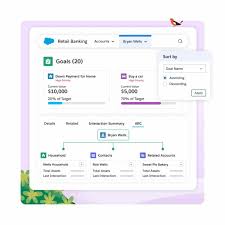
We are excited that Agentforce Service Agents are now live! Agentforce Service Agent is the autonomous conversational AI assistant to help your customers with their service and support needs. What does this mean for Foundations Customers?Salesforce Foundations is required for all customers in order to try or buy Agentforce. Additionally, customers who have Foundations can try Agentforce Agents for free with a limited number of credits to test a use case or deploy a proof of concept. Salesforce Foundations is not a product or add-on. It’s a multi-cloud feature set that will be added to Sales and Service Cloud — no integration needed, with no additional upfront cost for our customers. It includes foundational features from Sales, Service, Marketing, Commerce, and Data Cloud. Salesforce Foundations provides a 360-degree view of your customer relationships across sales, service, marketing, and commerce through integrated applications and unified data. It also boosts productivity with streamlined, visually friendly user interface improvements, that you can turn on or off per your requirements. If you’re a Salesforce Sales Cloud or Service Cloud customer, you’ve become accustomed to the power, convenience, and full-featured functionality of our trusted CRM. Adding the additional functionality and engagement capabilities of a new Salesforce Cloud is exciting, but it’s also a big change for your organization to consider when you’re not sure about the value it brings. So, what if you could use essential features in the most popular Salesforce Clouds and turn them on when you’re ready? Now you can with Salesforce Foundations. Salesforce Foundations is a new, no-cost addition to your existing CRM that equips you to expand your business reach. The suite gives Salesforce customers on Enterprise, Unlimited, and Einstein 1 editions the power of Data Cloud, and access to essential Salesforce sales, service, Agentforce, marketing, and commerce capabilities. This suite is built into your existing CRM, and provides new functionality to give you a more robust 360-degree view of your customers. This chart shows the Salesforce Foundations features you get with your current Sales Cloud or Service Cloud package. You get Sales for Salesforce Foundations You get Service for Salesforce Foundations You get Marketing for Salesforce Foundations You get Commerce for Salesforce Foundations You get Data Cloud for Salesforce Foundations You get Agentforce for Salesforce Foundations If you already have Sales Cloud * Yes Yes Yes Yes Yes If you already have Service Cloud Yes * Yes Yes Yes Yes If you already have Sales & Service Clouds * * Yes Yes Yes Yes *Your current Salesforce product. Benefits of Salesforce Foundations The features you get with Salesforce Foundations open doors to all sorts of new ways your teams can work more efficiently and engage with your customers on a more personal level. The benefits listed below are only a few of the ways Salesforce Foundations can help your business grow and thrive. Check out Discover Salesforce Foundations to see the full list of capabilities included with Salesforce Foundations. With Salesforce Foundations, your organization benefits from: Sales features that help you take care of your entire sales pipeline, from prospecting to closing. You can manage your leads, opportunities, accounts, and contacts in the preconfigured Sales Console. Service features that make it easy to provide proactive, personalized support to your customers through the preconfigured Service Console. Omni-channel case routing makes sure the most qualified agents work each case, Knowledge Management helps agents provide accurate and relevant help articles to customers, and macros help agents complete repetitive tasks with a single click. Agentforce brings the power of conversational AI to your business. Try out an intelligent, trusted, and customizable AI agent and help your users get more done with Salesforce. Agentforce’s autonomous apps use LLMs and context to assist customers and human agents. Marketing features that allow you to join data from disparate sources, better understand and analyze your customers, and choose how to connect with your audiences. You can create customized marketing campaigns powered by Salesforce Flows to send at the right time. Commerce features that help boost sales with a Direct to Customer (D2C) online storefront. You can define customer experiences like search, carts, and checkout. Pay Now lets you generate secure payment links for customers when opportunities close, so you get paid faster. Data Cloud functionality that creates unified profiles by aggregating data from all of your data sources into a single view so you can better understand your customers. Create customer segments to more accurately target campaigns, analyze your customers, and manage consent data. Data Cloud also powers features so you can send online store order confirmation emails and marketing messages. Like Related Posts Who is Salesforce? Who is Salesforce? Here is their story in their own words. From our inception, we’ve proudly embraced the identity of Read more Salesforce Marketing Cloud Transactional Emails Salesforce Marketing Cloud Transactional Emails are immediate, automated, non-promotional messages crucial to business operations and customer satisfaction, such as order Read more Salesforce Unites Einstein Analytics with Financial CRM Salesforce has unveiled a comprehensive analytics solution tailored for wealth managers, home office professionals, and retail bankers, merging its Financial Read more AI-Driven Propensity Scores AI plays a crucial role in propensity score estimation as it can discern underlying patterns between treatments and confounding variables Read more

Read More
Agentic AI is Here

Agentic AI Revolution

The Agentic AI Revolution: Lead, Follow, or Get Out of the Way The era of agentic AI is here, and the message is clear—if you’re not leading the charge, you’re falling behind. Companies like Wiley and OpenTable are reshaping their industries with autonomous AI agents that don’t just assist but also analyze, strategize, and execute tasks with unparalleled efficiency. As these organizations demonstrate, the key to AI success lies in rewriting the rules of your industry rather than playing catch-up. Rewriting Industry Standards with Agentic AI Wiley: The education giant leveraged Agentforce, a digital labor platform for deploying autonomous AI agents, to transform its customer service operations. By onboarding representatives 50% faster and improving case resolution by 40%, Wiley streamlined its processes in just a few weeks. AI agents now handle registration and payment inquiries, directing students to resources and reducing the workload on human representatives. OpenTable: As the go-to reservation platform for 1.7 billion diners annually, OpenTable deploys AI agents to manage reservation changes and loyalty points. This allows employees to focus on customer relationships. Even a two-minute efficiency gain per interaction translates to massive operational savings. Salesforce Help Site: With over 60 million annual visits, the Salesforce Help site integrated Agentforce to resolve 83% of queries without human involvement. In just weeks, Agentforce doubled its capacity, handling over 32,000 automated conversations. These examples showcase a new era of digital labor where AI agents orchestrate high-value, multistep tasks, working tirelessly to deliver results. Far from replacing humans, they supercharge productivity and innovation, enabling companies to do more than ever before. How to Empower Your Workforce with AI Empowering your workforce for the next wave of AI doesn’t require months of preparation or millions of dollars. You don’t need to build or train your own large language model (LLM). Instead, integrating AI with existing data, automation, and workflows is the key to success, as demonstrated by leaders like Wiley and OpenTable. Here’s how to get started: 1. Real-Time Data Access AI thrives on real-time, high-quality data. Platforms like Salesforce Data Cloud unify structured and unstructured data, connecting it seamlessly to the LLM. Techniques such as retrieval-augmented generation (RAG) and semantic search ensure AI agents can access the most relevant data for any task. 2. Advanced Reasoning AI agents aren’t just about answering queries—they execute complex, multistep tasks. For example, they can process returns, reorder items, and even flag anomalies. Powered by reasoning engines, these agents draw data from systems like CRM, refine plans, and adapt dynamically until the task is completed correctly. 3. Built-In Security AI agents must operate within clear guardrails, knowing their limits and handing tasks off to humans when necessary. Strong permissions and security protocols are essential to ensure data protection and prevent unauthorized actions. 4. Action-Oriented Workflows Generative AI’s real value lies in action. By integrating tools like Salesforce Flow for task automation and MuleSoft APIs for system connectivity, AI agents can execute business workflows such as fraud detection, customer outreach, and case management. 5. Human-AI Collaboration The future of work isn’t AI replacing humans—it’s AI and humans working together. While agents handle data-intensive and repetitive tasks, humans bring strategic thinking, empathy, and creativity. This synergy leads to smarter decisions and redefines workflows across industries. Why Training Your Own LLM May Not Be the Answer Many companies assume training a proprietary LLM will give them a competitive edge. In reality, this process is costly, time-intensive, and requires constant updates to remain accurate. An LLM trained on static data quickly becomes outdated, much like a GPS that fails after the first detour. Instead, companies are turning to out-of-the-box AI solutions that integrate seamlessly with their existing systems. These tools offer the flexibility to scale quickly and adapt in real time, enabling businesses to stay competitive without the heavy lift of building from scratch. Scaling AI for the Future Many organizations remain stuck in pilot phases with AI due to data quality issues and a limited understanding of use cases. Companies like Wiley and OpenTable, however, have cracked the code: integrating prebuilt AI systems with robust data flows, automation, and workflows. By embracing agentic AI, forward-thinking organizations are creating digital labor forces that unlock new efficiencies, enhance customer experiences, and position themselves for long-term success. The trillion-dollar AI opportunity awaits—will you lead or trail behind? Like Related Posts Who is Salesforce? Who is Salesforce? Here is their story in their own words. From our inception, we’ve proudly embraced the identity of Read more Salesforce Marketing Cloud Transactional Emails Salesforce Marketing Cloud Transactional Emails are immediate, automated, non-promotional messages crucial to business operations and customer satisfaction, such as order Read more Salesforce Unites Einstein Analytics with Financial CRM Salesforce has unveiled a comprehensive analytics solution tailored for wealth managers, home office professionals, and retail bankers, merging its Financial Read more AI-Driven Propensity Scores AI plays a crucial role in propensity score estimation as it can discern underlying patterns between treatments and confounding variables Read more

Read More
Integrate Digital Delivery and Human Connection

Types of Salesforce Integration

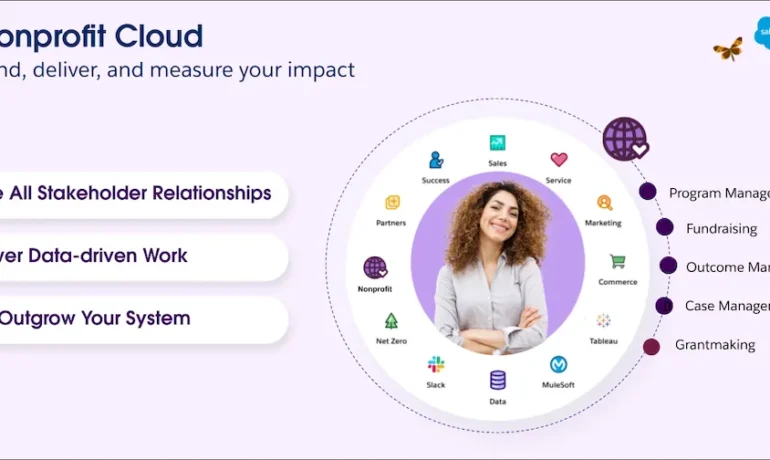
Types of Salesforce Integration: A Comprehensive Guide As a leading CRM platform, Salesforce is often required to integrate with other systems to deliver a seamless experience and ensure efficient business operations. Whether it’s syncing data, automating workflows, or enabling real-time communication, Salesforce provides robust integration methods tailored to various needs. In this guide, we’ll explore the different types of Salesforce integrations, their practical applications, and how to choose the right approach for your business. Why Integrate Salesforce? Integrating Salesforce with other systems empowers businesses to: Types of Salesforce Integration 1. Data Integration Ensures data consistency between Salesforce and external systems, enabling seamless synchronization. 2. Process Integration Links workflows across systems, ensuring actions in one system trigger automated processes in another. 3. User Interface (UI) Integration Combines multiple applications into a single interface for a unified user experience. 4. Application Integration Connects Salesforce with external apps for real-time data exchange and functional synchronization. 5. Real-Time Integration Facilitates instant synchronization of data and events between Salesforce and external systems. 6. Batch Integration Processes large data volumes in chunks, typically during off-peak hours. 7. Hybrid Integration Combines multiple integration types, such as real-time and batch, to handle complex requirements. Tools for Salesforce Integration Native Salesforce Tools: Third-Party Tools: Best Practices for Salesforce Integration Conclusion Salesforce integration is essential for streamlining operations and unlocking business potential. With options like data, process, and real-time integration, Salesforce offers the flexibility to meet diverse needs. By adopting the right integration approach and adhering to best practices, businesses can create a unified, efficient ecosystem, enhancing operations and improving customer experience. Whether integrating with ERP systems, marketing tools, or support platforms, Salesforce provides the tools to make integration seamless and impactful. Like Related Posts Who is Salesforce? Who is Salesforce? Here is their story in their own words. From our inception, we’ve proudly embraced the identity of Read more Salesforce Marketing Cloud Transactional Emails Salesforce Marketing Cloud Transactional Emails are immediate, automated, non-promotional messages crucial to business operations and customer satisfaction, such as order Read more Salesforce Unites Einstein Analytics with Financial CRM Salesforce has unveiled a comprehensive analytics solution tailored for wealth managers, home office professionals, and retail bankers, merging its Financial Read more AI-Driven Propensity Scores AI plays a crucial role in propensity score estimation as it can discern underlying patterns between treatments and confounding variables Read more
Read More
Salesforce Strategies to Improve a Nonprofit

Salesforce Strategies to Improve a Nonprofit

Transforming Nonprofit Operations with Salesforce: Lessons from a Real-Life Success Story Actionable insights for nonprofits to streamline operations and amplify impact-Salesforce Strategies to Improve a Nonprofit Running a nonprofit is challenging enough without the added frustration of disjointed systems. Many nonprofits grapple with scattered databases, isolated email tools, and incompatible fundraising platforms, resulting in inefficiencies and operational headaches. When systems operate in silos, teams waste time on manual data entry and backtracking, which hinders program delivery and donor engagement—putting the mission at risk. Enter Salesforce Nonprofit Cloud, a transformative platform designed to centralize operations, improve donor communication, and provide actionable insights. With 93% of Salesforce users reporting positive ROI, the platform empowers nonprofits to focus on what matters most: driving impact. Salesforce can revolutionize nonprofit operations. Case Study: Supporting Families Through Salesforce Client: Children’s Organization for displaced children in Ukraine Mission: To help children separated from their families during the war in Ukraine by providing bilingual, family-narrated audiobooks and beautifully illustrated storybooks. Challenge:While Better Time Stories had a meaningful mission, their operational processes were a roadblock. Their delivery system struggled with: The Approach 1. Goals Set Results With these optimizations, Better Time Stories significantly improved delivery success: Continuous system support ensured seamless operations and enhanced the organization’s ability to meet its mission. Key Strategies for Nonprofits Using Salesforce 1. Automate Donation and Impact Tracking 2. Personalize Donor Journeys 3. Create Custom Workflows 4. Integrate Salesforce with Other Tools 5. Enable Advanced Reporting 6. Build Volunteer and Beneficiary Portals 7. Leverage AI for Strategic Decisions 8. Design Scalable Data Architecture 9. Conduct Regular Health Checks Conclusion Nonprofits need solutions that simplify operations and maximize impact. Salesforce Nonprofit Cloud offers the tools to centralize processes, enhance donor engagement, and drive mission-critical outcomes. By following these strategies and working with an experienced implementation partner, your nonprofit can achieve operational excellence and focus on delivering meaningful results. Ready to transform your nonprofit operations with Salesforce? Let’s make it happen! Like1 Related Posts Who is Salesforce? Who is Salesforce? Here is their story in their own words. From our inception, we’ve proudly embraced the identity of Read more Salesforce Marketing Cloud Transactional Emails Salesforce Marketing Cloud Transactional Emails are immediate, automated, non-promotional messages crucial to business operations and customer satisfaction, such as order Read more Salesforce Unites Einstein Analytics with Financial CRM Salesforce has unveiled a comprehensive analytics solution tailored for wealth managers, home office professionals, and retail bankers, merging its Financial Read more AI-Driven Propensity Scores AI plays a crucial role in propensity score estimation as it can discern underlying patterns between treatments and confounding variables Read more

Read More
AI Project Planning by Workflows

Salesforce Flow Tests

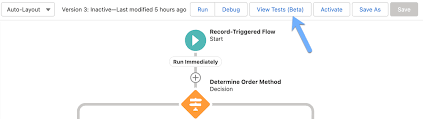
Salesforce Flow Tests: What Are the Limitations? Salesforce Flow Tests are essential for ensuring automation reliability, but they aren’t without their constraints. Recognizing these limitations is key to refining your automation strategy and avoiding potential roadblocks. Here’s an overview of common challenges, along with insights into how you can navigate them to maximize the effectiveness of your testing processes. The Role of Flow Tests in Automation Automated processes in Salesforce are powerful, but they don’t optimize themselves. Proper setup and rigorous testing are essential to ensure that your automations run smoothly. While Salesforce Flow Tests help verify functionality, they have inherent limitations that, if misunderstood, could lead to inefficiencies or rework. By understanding these boundaries, you can make informed decisions to strengthen your overall approach to testing and automation. Key Limitations of Salesforce Flow Tests Final Thoughts Mastering Salesforce Flow Tests means leveraging their strengths while acknowledging their constraints. Optimized automations require careful planning, robust testing, and a clear understanding of the tools’ boundaries. Have questions about improving your Salesforce Flows or testing strategy? Let’s chat and explore ways to fine-tune your automations! Like Related Posts Who is Salesforce? Who is Salesforce? Here is their story in their own words. From our inception, we’ve proudly embraced the identity of Read more Salesforce Marketing Cloud Transactional Emails Salesforce Marketing Cloud Transactional Emails are immediate, automated, non-promotional messages crucial to business operations and customer satisfaction, such as order Read more Salesforce Unites Einstein Analytics with Financial CRM Salesforce has unveiled a comprehensive analytics solution tailored for wealth managers, home office professionals, and retail bankers, merging its Financial Read more AI-Driven Propensity Scores AI plays a crucial role in propensity score estimation as it can discern underlying patterns between treatments and confounding variables Read more
Read More
Tectonic Salesforce Customization

Salesforce Customization Requests

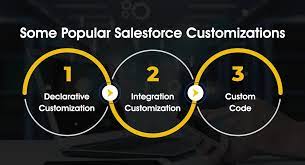
The Most Commonly Requested Salesforce Customizations Salesforce’s flexibility is one of its biggest strengths, allowing businesses to tailor the platform to meet their unique needs. Here are the most frequently requested types of customizations: 1. Declarative Customization Make adjustments using Salesforce’s built-in tools—no coding required. Examples: Ideal For:Businesses looking for straightforward changes to enhance usability without requiring programming expertise. 2. Integration Customization Connect Salesforce with third-party systems to streamline workflows and centralize data. Examples: Benefits:Boost operational efficiency by enabling seamless communication between systems. 3. Custom Code Development Go beyond standard functionality with tailored solutions using Apex, Visualforce, or Lightning Web Components. Examples: Best For:Organizations with advanced or highly specific requirements that declarative tools can’t fulfill. 4. User Interface (UI) Customization Adapt the look and feel of Salesforce to improve user experience and align with your brand. Examples: Goal:Create an intuitive, visually appealing interface that boosts productivity and user adoption. 5. Workflow Automation Save time by automating repetitive tasks and processes. Examples: Impact:Streamline operations, reduce manual workloads, and improve efficiency. 6. Reporting and Analytics Customization Provide actionable insights with tailored reports and dashboards. Examples: Advantage:Empower teams to make data-driven decisions with clear, relevant insights. 7. Mobile Optimization Ensure a seamless Salesforce experience for users on mobile devices. Examples: Purpose:Keep teams connected and productive, regardless of location. Conclusion Salesforce customization goes beyond CRM—it transforms the platform into a tailored solution that aligns with your unique business processes. Whether you’re looking for simple adjustments or advanced integrations, these customizations unlock Salesforce’s full potential to drive operational success. Ready to Get Started?Discover how our Salesforce customization services can help tailor the platform to your specific needs. Let’s work together to maximize your investment and achieve your business goals! Like Related Posts Who is Salesforce? Who is Salesforce? Here is their story in their own words. From our inception, we’ve proudly embraced the identity of Read more Salesforce Marketing Cloud Transactional Emails Salesforce Marketing Cloud Transactional Emails are immediate, automated, non-promotional messages crucial to business operations and customer satisfaction, such as order Read more Salesforce Unites Einstein Analytics with Financial CRM Salesforce has unveiled a comprehensive analytics solution tailored for wealth managers, home office professionals, and retail bankers, merging its Financial Read more AI-Driven Propensity Scores AI plays a crucial role in propensity score estimation as it can discern underlying patterns between treatments and confounding variables Read more
Read More
Salesforce Flow Tests

Salesforce Flow is Here

Hello, Salesforce Flow. Goodbye, Workflow Rules and Process Builder. As Bob Dylan famously sang, “The times they are a-changin’.” If your nonprofit is still relying on Workflow Rules and Process Builder to automate tasks in Salesforce, it’s time to prepare for change. These tools are being retired, but there’s no need to panic—Salesforce Flow, a more powerful, versatile automation tool, is ready to take the lead. Why Move to Salesforce Flow? Salesforce is consolidating its automation features into one unified platform: Flow. This shift comes with significant benefits for nonprofits: What This Means for Nonprofits While existing Workflow Rules and Process Builders will still function for now, Salesforce plans to end support by December 31, 2025. This means no more updates or bug fixes, and unsupported automations could break unexpectedly soon after the deadline. To avoid disruptions, nonprofits should start migrating their automations to Flow sooner rather than later. How to Transition to Salesforce Flow Resources to Simplify Migration: Planning Your Migration: Start by auditing your existing automations to determine which Workflow Rules and Process Builders need to be transitioned. Think strategically about how to improve processes and leverage Flow’s expanded capabilities. What Can Flow Do for Your Nonprofit? Salesforce Flow empowers nonprofits to automate processes in innovative ways: Don’t Go It Alone Transitioning to Salesforce Flow may seem overwhelming, but it’s a chance to elevate your nonprofit’s automation capabilities. Whether you need help with migration tools, strategic planning, or Flow development, you don’t have to do it alone. Reach out to our support team or contact us to get started. Together, we can make this transition seamless and set your nonprofit up for long-term success with Salesforce Flow. Like1 Related Posts Who is Salesforce? Who is Salesforce? Here is their story in their own words. From our inception, we’ve proudly embraced the identity of Read more Salesforce Marketing Cloud Transactional Emails Salesforce Marketing Cloud Transactional Emails are immediate, automated, non-promotional messages crucial to business operations and customer satisfaction, such as order Read more Salesforce Unites Einstein Analytics with Financial CRM Salesforce has unveiled a comprehensive analytics solution tailored for wealth managers, home office professionals, and retail bankers, merging its Financial Read more AI-Driven Propensity Scores AI plays a crucial role in propensity score estimation as it can discern underlying patterns between treatments and confounding variables Read more

Read More
Salesforce Flows and LeanData

Salesforce Flows and LeanData

Mastering Opportunity Routing in Salesforce Flows While leads are essential at the top of the funnel, opportunities take center stage as the sales process advances. In Salesforce, the opportunity object acts as a container that can hold multiple contacts tied to a specific deal, making accurate opportunity routing crucial. Misrouting or delays at this stage can significantly impact revenue and forecasting, while manual processing risks incorrect assignments and uneven distribution. Leveraging Salesforce Flows for opportunity routing can help avoid these issues. Salesforce Flows and LeanData. What Is Opportunity Routing? Opportunity routing is the process of assigning open opportunities to the right sales rep based on specific criteria like territory, deal size, industry, or product type. The goal is to ensure every opportunity reaches the right person quickly, maximizing the chance to close the deal. Opportunity routing also helps prioritize high-potential deals, improving pipeline efficiency. Challenges of Manual Routing Manual opportunity routing can lead to several challenges: Benefits of Automating Routing with Salesforce Flows Using Salesforce Flows for opportunity routing offers many benefits: Setting Up Opportunity Routing in Salesforce Flows Here’s an outline for setting up opportunity routing in Salesforce: Managing Complex Salesforce Flows Opportunity routing in Salesforce Flows is powerful, but managing complex sales environments can be challenging: How LeanData Enhances Opportunity Routing LeanData extends Salesforce routing capabilities with advanced, no-code automation and auditing features: Salesforce Flows and LeanData Whether using Salesforce Flows or LeanData, the goal is to optimize time to revenue. While Salesforce Flows offer a robust foundation, organizations without dedicated admins or developers may face challenges in making frequent updates. LeanData provides greater flexibility and real-time automation, helping to streamline the routing process and drive revenue growth. Like Related Posts Who is Salesforce? Who is Salesforce? Here is their story in their own words. From our inception, we’ve proudly embraced the identity of Read more Salesforce Marketing Cloud Transactional Emails Salesforce Marketing Cloud Transactional Emails are immediate, automated, non-promotional messages crucial to business operations and customer satisfaction, such as order Read more Salesforce Unites Einstein Analytics with Financial CRM Salesforce has unveiled a comprehensive analytics solution tailored for wealth managers, home office professionals, and retail bankers, merging its Financial Read more AI-Driven Propensity Scores AI plays a crucial role in propensity score estimation as it can discern underlying patterns between treatments and confounding variables Read more

Read More
Salesforce Einstein Conversation Mining

Salesforce Einstein Conversation Mining

What Is Salesforce Einstein Conversation Mining? Imagine truly understanding your customers—knowing what drives their satisfaction, common reasons for support requests, and more. That’s the power of Einstein Conversation Mining (ECM). This AI-powered tool leverages customer interactions—via chats, emails, or calls—to uncover valuable insights. By analyzing these conversations, ECM helps businesses identify patterns, track sentiment, and prioritize what matters most to their customers. Take Your Salesforce Flows to the Next Level Einstein Conversation Mining employs advanced natural language processing (NLP) and machine learning to: Far from being tech for tech’s sake, ECM provides actionable insights that empower service and sales teams to: Key Features and Benefits Einstein Conversation Mining transforms customer conversations into strategic insights. Here’s how: 1. Automatic Call Transcriptions Converts spoken interactions into text, eliminating manual note-taking. These transcripts are analyzed to ensure critical details are captured and actionable. 2. Sentiment Analysis Automatically detects customer emotions (positive, negative, or neutral), enabling teams to address frustrations or identify upsell opportunities. 3. Topic Identification Highlights key topics from interactions, allowing teams to focus on areas of interest or concern and prioritize impactful actions. 4. Actionable Insights Provides AI-driven recommendations for the next steps, enabling more personalized and proactive customer interactions. 5. Trend Analysis Identifies recurring issues or successful strategies, helping teams refine processes and maintain effective practices. 6. Conversation Summarization Generates concise summaries of calls, streamlining the review process and saving time. 7. Customizable Dashboards Tailored reporting ensures teams can focus on the metrics that matter most, driving data-informed decisions. How Does Einstein Conversation Mining Work? Here’s an example of how ECM transforms customer interactions into insights: Scenario: Rescheduling an Appointment Setting Up Einstein Conversation Mining ECM is available on Performance, Unlimited, and Developer Editions of Salesforce. Reporting and Dashboards To generate actionable reports: Considerations and Best Practices Before implementing ECM, keep these in mind: ECM vs. Einstein Conversation Insights (ECI) Why Einstein Conversation Mining Matters In today’s competitive landscape, personalized customer service is critical. Einstein Conversation Mining equips teams to: Despite limitations, ECM’s AI-driven insights enable businesses to work smarter, improve processes, and deliver exceptional customer experiences. Transform Your Customer Interactions Today Embrace Einstein Conversation Mining to turn customer conversations into your greatest asset! Like Related Posts Who is Salesforce? Who is Salesforce? Here is their story in their own words. From our inception, we’ve proudly embraced the identity of Read more Salesforce Marketing Cloud Transactional Emails Salesforce Marketing Cloud Transactional Emails are immediate, automated, non-promotional messages crucial to business operations and customer satisfaction, such as order Read more Salesforce Unites Einstein Analytics with Financial CRM Salesforce has unveiled a comprehensive analytics solution tailored for wealth managers, home office professionals, and retail bankers, merging its Financial Read more AI-Driven Propensity Scores AI plays a crucial role in propensity score estimation as it can discern underlying patterns between treatments and confounding variables Read more

Read More

When to use Flow

When and Why Should You Use a Flow in Salesforce? Flow is Salesforce’s premier tool for creating configurable automation and guided user experiences. If you need to build a process that doesn’t require the complexity of Apex code, Flow should be your go-to solution. It’s versatile, user-friendly, and equipped to handle a wide range of business automation needs. Legacy tools like Process Builder and Workflow Rules are being phased out, with support ending in December 2025. While you may choose to edit existing automations in these tools temporarily, migrating to Flow should be a top priority for future-proofing your Salesforce org. Capabilities of FlowFlows allow you to: When Should You Avoid Using a Flow?Although Flow is powerful, it’s not the right choice in every scenario. Here are situations where it may not be suitable: Creating a Flow in Salesforce Pro Tips for Flow Building Flow vs. Apex: Which to Choose?Flows are simpler, faster to deploy, and accessible to admins without coding expertise. Apex, on the other hand, is suited for complex use cases requiring advanced logic or integrations. Here’s when Apex should be used instead: Why Flows Are the FutureSalesforce has positioned Flow as the central automation tool by deprecating Workflow Rules and Process Builder. With every release, Flow’s capabilities expand, making it easier to replace tasks traditionally requiring Apex. For instance: Final ThoughtsSalesforce admins should prioritize building and migrating automation to Flow. It’s a scalable and admin-friendly tool that ensures your org stays up-to-date with Salesforce’s evolving ecosystem. Whether you’re automating basic processes or tackling complex workflows, Flow provides the flexibility to meet your needs. Like Related Posts Who is Salesforce? Who is Salesforce? Here is their story in their own words. From our inception, we’ve proudly embraced the identity of Read more Salesforce Marketing Cloud Transactional Emails Salesforce Marketing Cloud Transactional Emails are immediate, automated, non-promotional messages crucial to business operations and customer satisfaction, such as order Read more Salesforce Unites Einstein Analytics with Financial CRM Salesforce has unveiled a comprehensive analytics solution tailored for wealth managers, home office professionals, and retail bankers, merging its Financial Read more AI-Driven Propensity Scores AI plays a crucial role in propensity score estimation as it can discern underlying patterns between treatments and confounding variables Read more

Read More
Salesforce Flow Approval Orchestration

Salesforce Flow Orchestrator: The Ultimate Guide to Enterprise Process Automation

Beyond Basic Automation: The Power of Orchestration While Salesforce Flows excel at automating individual tasks, complex business processes often resemble multi-act plays—requiring seamless coordination between departments, systems, and approval layers. This is where Flow Orchestrator transforms automation from single-note scripts into full symphonies of efficiency. What Makes Flow Orchestrator Different? Feature Standard Flow Flow Orchestrator Scope Single object/process Cross-object, multi-department Triggers Record-based only Record + event + schedule User Handoffs Limited screen flows Guided role-based journeys Data Sharing Within single flow Across all orchestrated flows Visibility Isolated executions End-to-end process tracking Example: A $500K deal approval requiring: When to Use Flow Orchestrator: 5 Game-Changing Scenarios 1. Multi-Tiered Approvals with Dynamic Routing 2. Customer Onboarding Journeys 3. Quote-to-Cash Automation Integrates with: “Manufacturers using orchestrated quote flows see 28% fewer errors” – Salesforce ROI Study 4. Cross-Departmental Case Resolution → All synchronized without manual handoffs 5. Scheduled Batch Processes Technical Deep Dive: How Orchestrator Works Core Components Execution Monitoring Implementation Checklist Real-World Results Global Bank Case Study Getting Started “Flow Orchestrator isn’t just another tool—it’s how enterprises operationalize their competitive advantage.” – Salesforce VP of Automation Next Steps: Need expert guidance? Book an architecture review to design your first orchestration. #Salesforce #FlowOrchestrator #BusinessAutomation #DigitalTransformation Like Related Posts Who is Salesforce? Who is Salesforce? Here is their story in their own words. From our inception, we’ve proudly embraced the identity of Read more Salesforce Marketing Cloud Transactional Emails Salesforce Marketing Cloud Transactional Emails are immediate, automated, non-promotional messages crucial to business operations and customer satisfaction, such as order Read more Salesforce Unites Einstein Analytics with Financial CRM Salesforce has unveiled a comprehensive analytics solution tailored for wealth managers, home office professionals, and retail bankers, merging its Financial Read more AI-Driven Propensity Scores AI plays a crucial role in propensity score estimation as it can discern underlying patterns between treatments and confounding variables Read more

Read More
salesforce unified knowledge

The Low-Code Revolution

The Low-Code Revolution: How Salesforce is Democratizing CRM Customization Redefining CRM Development Through Visual Innovation Salesforce has pioneered a fundamental shift in customer relationship management by embracing low-code/no-code technology, transforming how organizations customize their CRM platforms. This revolutionary approach enables business users across departments to actively participate in solution development through intuitive visual interfaces rather than complex programming. The low-code movement represents more than just simplified development—it’s a strategic empowerment of business teams to rapidly adapt systems to evolving needs without creating IT bottlenecks. By 2025, Gartner predicts 70% of new applications will use low-code/no-code technologies, with Salesforce positioned at the forefront of this transformation. Understanding the Low-Code/No-Code Paradigm Visual Development for Business Agility Low-code/no-code platforms replace traditional programming with: This approach creates a spectrum of capability: The Strategic Advantages of Salesforce’s Approach 1. Accelerated Digital Transformation 2. Cost-Effective Innovation 3. Cross-Functional Collaboration Salesforce’s Low-Code Ecosystem Core Platform Capabilities Expanding Possibilities Real-World Impact Across Industries Financial Services A regional bank reduced loan processing time by 40% by enabling loan officers to build their own workflow automations using Salesforce Flow. Healthcare A hospital network created a patient intake portal in three days using Lightning App Builder, eliminating a six-month development backlog. Retail A global retailer empowered store managers to build custom inventory apps, improving stock accuracy by 25% without IT involvement. The Future of Enterprise Development Salesforce’s low-code strategy represents more than just simplified tools—it’s redefining the relationship between business needs and technical solutions. Key emerging trends include: Implementing a Successful Low-Code Strategy Organizations maximizing Salesforce’s low-code potential typically: Conclusion: The Democratization of Digital Transformation Salesforce’s low-code/no-code revolution represents a fundamental shift in how businesses approach CRM customization and digital innovation. By empowering business users to become active participants in solution development, organizations can achieve: As the platform continues to evolve, Salesforce is positioned to lead the next wave of enterprise software—where the power to transform business processes resides not just with technical teams, but across the entire organization. This democratization of development capability marks a new era of business agility and competitive advantage. Content updated April 2025. Like Related Posts Who is Salesforce? Who is Salesforce? Here is their story in their own words. From our inception, we’ve proudly embraced the identity of Read more Salesforce Marketing Cloud Transactional Emails Salesforce Marketing Cloud Transactional Emails are immediate, automated, non-promotional messages crucial to business operations and customer satisfaction, such as order Read more Salesforce Unites Einstein Analytics with Financial CRM Salesforce has unveiled a comprehensive analytics solution tailored for wealth managers, home office professionals, and retail bankers, merging its Financial Read more AI-Driven Propensity Scores AI plays a crucial role in propensity score estimation as it can discern underlying patterns between treatments and confounding variables Read more

Read More
Salesforce Flow Builder

Salesforce Flow Builder

Salesforce Flow Builder: Key Limitations & Workarounds (2024 Guide) While Salesforce Flow Builder is a powerful automation tool, it comes with important technical constraints that every admin and developer should understand. Here’s a concise breakdown of the most critical limitations and practical solutions: Core Limitations of Flow Builder 1. Execution Limits 2. Query & Data Operation Constraints 3. Performance Boundaries 4. Structural Constraints 5. Execution Order Challenges Additional Considerations Pro Tips for Optimization “The best flows are simple flows. When you hit these limits, it’s often a sign to reevaluate your architecture.” – Salesforce Architect’s Handbook Understanding these boundaries will help you design more efficient automations while knowing when to transition to code-based solutions. Like Related Posts Who is Salesforce? Who is Salesforce? Here is their story in their own words. From our inception, we’ve proudly embraced the identity of Read more Salesforce Marketing Cloud Transactional Emails Salesforce Marketing Cloud Transactional Emails are immediate, automated, non-promotional messages crucial to business operations and customer satisfaction, such as order Read more Salesforce Unites Einstein Analytics with Financial CRM Salesforce has unveiled a comprehensive analytics solution tailored for wealth managers, home office professionals, and retail bankers, merging its Financial Read more AI-Driven Propensity Scores AI plays a crucial role in propensity score estimation as it can discern underlying patterns between treatments and confounding variables Read more

Read More
gettectonic.com