Salesforce Marketing Cloud Archives - gettectonic.com - Page 15
Salesforce Communications Cloud

Salesforce Communications Cloud for Service Providers

Salesforce’s Communications Cloud facilitates the delivery of digital-first journeys. With seamless order processes, offering time and cost savings while enhancing internal operational efficiencies. In collaboration with Tectonic, this Salesforce tool empowers the creation of straightforward yet powerful digital experiences. It aids in streamlining product and service launches and adhering to industry standards.. With architectures, and leveraging predictive analytics to reduce email churn. Built on the world’s leading CRM platform – Salesforce, Communications Cloud, formerly known as Vlocity for communications. It empowers B2C, B2B, and wholesale communications service providers (CSPs) to transition to a catalog-driven digital BSS (digital business support system).  Purpose Built Industry Functionality With purpose-built industry functionality and the comprehensive capabilities of Sales Cloud and Service Cloud, service providers can swiftly adapt to changing customer expectations. The tool to achieve faster time-to-value, and integrate every aspect of their organization, from marketing and retail channels to customer care and operations. Salesforce Communications Cloud ensures businesses exceed customer expectations across B2B, B2C, and multiple channels. It seamlessly integrates with Salesforce Marketing, Sales, and Service Clouds, offering industry-specific functionality. Utilizing analytics and artificial intelligence (AI), it delivers personalized services, enabling omnichannel marketing across various channels. Collaborating with Tectonic ensures the seamless integration of Communications Cloud functionality with other Salesforce systems, promoting smooth data flow and cohesive organizational processes. Properly implemented Salesforce Communications Cloud makes omnichannel communications easy. For specific business operations, like number reservation systems or credit check applications, that are not directly supported by Salesforce Customer 360, OmniStudio and APIs can be employed to integrate third-party applications. This solution provides industry-standard APIs, including TMF620 and TMF645 APIs, automating processes for faster and more accurate service. Communications Cloud allows tailoring customer interactions based on individual preferences, providing notifications about promotions, service activations, outages, billing information, product changes, and feedback opportunities. Each communication is tracked on the customer account, enabling Einstein Analytics to monitor interactions for efficient and personalized service. Collaboration with Salesforce Communications Cloud Commercial and technical teams collaborate using a shared catalog to design and develop customer-specific offers. With reusable components in the shared catalog, teams can efficiently build, test, and connect offer elements, reducing time-to-market. Customers can order products and services through various channels, and Communications Cloud, being omnichannel, processes and stores information using a master data source. It ensures that products and services offered are relevant, correctly configured, priced, available, and deliverable before the order is placed. Integration with Marketing and Service Clouds facilitates order fulfillment, service scheduling, and customer communication. Call center interactions become opportunities to build relationships and make informed suggestions, enhancing the customer experience.  Communications Cloud makes every connection with a customer a positive experience properly tracked in your CRM. Communications Cloud in the Communications Industry In the communications industry, changes to plans and services, known as move, add, change, delete (MACD), are managed through Communications Cloud integration with Salesforce Service and Marketing clouds. Sales reps create MACD orders with industries CPQ, keeping customers informed of progress and scheduling relevant service appointments. Tectonic, as a Salesforce Consulting Partner, assists companies in utilizing Communications Cloud effectively. Through the discovery process, roles and responsibilities are mapped to determine how key employees can best leverage Salesforce Communications Cloud. Tectonic comprises a skilled team of Salesforce-certified Consultants, Developers, Analysts, and Project Managers. Specializing in innovative Salesforce solutions, the team brings custom Salesforce technology to various business aspects, ensuring strategic services align with specific needs. Reach out to the Tectonic team today to explore how Salesforce Communications Cloud can improve your customer communications. Like Related Posts Who is Salesforce? Who is Salesforce? Here is their story in their own words. From our inception, we’ve proudly embraced the identity of Read more Salesforce Marketing Cloud Transactional Emails Salesforce Marketing Cloud Transactional Emails are immediate, automated, non-promotional messages crucial to business operations and customer satisfaction, such as order Read more Salesforce Unites Einstein Analytics with Financial CRM Salesforce has unveiled a comprehensive analytics solution tailored for wealth managers, home office professionals, and retail bankers, merging its Financial Read more AI-Driven Propensity Scores AI plays a crucial role in propensity score estimation as it can discern underlying patterns between treatments and confounding variables Read more
Read More
Snowflake and Salesforce Marketing Cloud

Snowflake and Salesforce Marketing Cloud

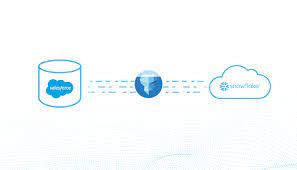
Harnessing the Power of Salesforce Marketing Cloud and Snowflake Two of the most influential trends in marketing technology (MarTech) and analytics today are Salesforce’s Marketing Cloud (SFMC) and Snowflake’s data warehousing platform. SFMC offers marketers a robust Journey Builder experience, while Snowflake eliminates data silos, making more data accessible to analysts than ever before. Both platforms are next-generation, cloud-first solutions that open new possibilities for marketers and are already helping to create more compelling and relevant experiences for consumers. A shared commitment to simplifying the end-user experience while unlocking a vast array of new data capabilities makes these solutions powerful examples of “soft technology.” Soft Technology: Snowflake and SFMC “When I speak about the power and virtues of technology, I am referring to soft technology: technology that is flexible, that is under our control.” — Don Norman What makes a technology great is its ease and flexibility for end users. Both SFMC and Snowflake simplify the user experience for their target users with remarkable results. SFMC’s Journey Builder allows marketers to build sophisticated journey orchestration flows on a canvas similar to how they might draft a journey on a whiteboard. Once configured, there’s no need to call IT for support; it’s time for delivery. Snowflake targets analysts, data engineers, and data scientists, breaking down data silos and removing traditional storage and processing constraints. This allows them to focus on solving business problems rather than dealing with perpetual data consolidation and cleansing. Snowflake also simplifies working with different types of data, such as unstructured data like logs or customer activity signals, through its “variant” datatype. The Perils of “Hard Technology” for SFMC Users “Hard technology remains unheedful of the real needs and desires of users. It is a technology that, rather than conforming to our needs, forces us to conform to its needs. Hard technology makes us subservient;” — Don Norman SFMC’s Journey Builder users are most productive when their source data is well-prepared for marketing purposes. However, as marketing needs evolve, new customer profile data and segments are required, often necessitating IT intervention and the use of complex SQL queries or programming languages. An inefficient process often emerges: This lengthy process can slow down time-to-market for campaigns and hinder marketing agility. Bridging Snowflake and SFMC to Avoid Hard Technology Low-code and visual SQL tools allow campaign analysts to remain business-focused and meet most of their daily data needs without relying heavily on IT. These tools are now more powerful thanks to modern data warehousing platforms like Snowflake, which supports SQL-like querying of unstructured data directly. Low-code solutions help marketers maintain productivity within SFMC’s Journey Builder by enabling them to autonomously explore and retrieve new customer data and segments. Checklist for Low-Code & Visual SQL Tools For maximum impact, look for low-code and visual SQL tools that: Simplifying Data Integration with Skyvia, Integrate.io, and GetCensus Skyvia Skyvia allows you to replicate Salesforce Marketing Cloud data to Snowflake with minimal configuration. It creates tables for cloud data automatically and keeps the data updated with incremental updates. Integrate.io Integrate.io provides a lightning-fast CDC platform for Salesforce data integration, offering robust ETL and ELT capabilities to connect your Salesforce data with hundreds of other apps. Integrate.io’s low-code interface allows for easy configuration and seamless data migration. GetCensus GetCensus enables data synchronization between Snowflake and Salesforce Marketing Cloud in four simple steps: By leveraging these tools and platforms, marketers can enhance their campaigns and improve customer experiences through efficient and effective data integration and management. Like1 Related Posts Who is Salesforce? Who is Salesforce? Here is their story in their own words. From our inception, we’ve proudly embraced the identity of Read more Salesforce Marketing Cloud Transactional Emails Salesforce Marketing Cloud Transactional Emails are immediate, automated, non-promotional messages crucial to business operations and customer satisfaction, such as order Read more Salesforce Unites Einstein Analytics with Financial CRM Salesforce has unveiled a comprehensive analytics solution tailored for wealth managers, home office professionals, and retail bankers, merging its Financial Read more AI-Driven Propensity Scores AI plays a crucial role in propensity score estimation as it can discern underlying patterns between treatments and confounding variables Read more

Read More
Marketing Cloud for Nonprofits

Marketing Cloud for Nonprofits

Introducing Marketing Cloud for Nonprofits: A Comprehensive Overview A brand-new edition of Salesforce Marketing Cloud tailored specifically for nonprofit organizations has arrived – Marketing Cloud for Nonprofits. This specialized edition comes with discounted licensing and includes pre-defined email templates and journeys crafted for nonprofit use cases, with more exciting features planned for future releases. So, how can nonprofits leverage Salesforce Marketing Cloud? What sets Marketing Cloud apart from other digital marketing tools? And most importantly, is Marketing Cloud the right fit for your nonprofit? Marketing Cloud for Nonprofits Utilizing Marketing Cloud for Nonprofits For those involved in nonprofit work, this offering brings significant advantages: Why Choose Marketing Cloud Over Other Tools? Salesforce Marketing Cloud (SFMC) stands out for leveraging your supporter data effectively for marketing purposes. Is Marketing Cloud for Nonprofits Suitable for You? Consider using Salesforce Marketing Cloud if your nonprofit: Pricing and Investment The introductory pricing for Marketing Cloud for Nonprofits starts at £400/€500 per month and offers flexibility to scale as your marketing needs grow. Explore additional contact allowances and sending capabilities as you expand your fundraising efforts. In the nonprofit sector, value for money is essential. The Marketing Cloud for Nonprofits edition provides an opportunity to explore SFMC’s potential with an initial investment. As you witness the fundraising benefits, consider scaling up and exploring advanced features offered by SFMC. Engage with Salesforce partners to navigate your Marketing Cloud journey effectively, and consult with your Salesforce Account Executive (AE) to assess if Marketing Cloud for Nonprofits aligns with your organization’s goals. To learn more about Salesforce products tailored for nonprofits, visit Salesforce.org and kickstart your journey towards impactful fundraising and supporter engagement. To discuss installing and implementing Marketing Cloud for Nonprofits, contact Tectonic today. Like1 Related Posts Salesforce Marketing Cloud Transactional Emails Salesforce Marketing Cloud Transactional Emails are immediate, automated, non-promotional messages crucial to business operations and customer satisfaction, such as order Read more Tectonic’s Successful Salesforce Track Record Salesforce Technology Services Integrator – Tectonic has successfully delivered Salesforce in a variety of industries including Public Sector, Hospitality, Manufacturing, Read more Perfect Drip Campaign In an ideal world, you effortlessly conquer the lead generation challenges with one creative arm tied behind your back, craft Read more Asset Management Salesforce Can Salesforce do asset management? You can manage assets in Consumer Goods (desktop) and in the Consumer Goods offline mobile Read more

Read More
Salesforce Marketing Cloud Advertising Studio

Advertising Studio Salesforce Marketing Cloud

Advertising Studio in Salesforce Marketing Cloud excels at re-engaging inactive users, uncovering new prospects, and achieving success in contemporary advertising. Here are the key benefits and workings of Advertising Studio: Benefits of Advertising Studio: Similar to other products in Salesforce’s suite, Marketing Cloud Advertising Studio provides seamless cross-platform data access and robust data security. With Advertising Studio, you can: Before diving into the details, it’s crucial to grasp the overarching functionality of Advertising Studio. How Advertising Studio Works: Advertising Studio establishes a secure API connection to ad accounts, allowing the feeding of customer data for building advertising audiences. The process involves: Connecting Marketing Cloud and an ad network requires authorization from a Marketing Cloud user who is also an admin on the ad accounts. If this admin is not an Advertising Studio user, alternative solutions involve providing login credentials or ad account access, potentially using remote screen sharing services if needed. Setting Up Salesforce Advertising Studio: While the setup may seem intricate initially, Salesforce experts can guide users through the process successfully. Principal Components of Ad Studio (Salesforce): Salesforce Marketing Cloud Studios, such as Advertising Studio, manage content and specific marketing channels, while Builders, like Journey Builder, handle data and campaign automation. Advertising Studio emerges as a comprehensive solution for marketers, offering cross-channel advertising and effective data management capabilities. Content updated August 2023. Like2 Related Posts Salesforce Marketing Cloud Transactional Emails Salesforce Marketing Cloud Transactional Emails are immediate, automated, non-promotional messages crucial to business operations and customer satisfaction, such as order Read more Perfect Drip Campaign In an ideal world, you effortlessly conquer the lead generation challenges with one creative arm tied behind your back, craft Read more Salesforce Content Builder Salesforce Content Builder empowers you to craft compelling emails and landing page templates, complete with reusable and interactive content blocks. Read more Demandbase Salesforce Integration The integration of Demandbase with Salesforce creates a seamless connection between Demandbase One and your Salesforce CRM, establishing a bidirectional Read more

Read More
Salesforce Marketing Cloud Social Studio

Topic Profiles in Salesforce Marketing Cloud Social Studio

Follow these recommended practices to optimize your topic profiles in Social Studio effectively: Like Related Posts Who is Salesforce? Who is Salesforce? Here is their story in their own words. From our inception, we’ve proudly embraced the identity of Read more Salesforce Marketing Cloud Transactional Emails Salesforce Marketing Cloud Transactional Emails are immediate, automated, non-promotional messages crucial to business operations and customer satisfaction, such as order Read more Salesforce Unites Einstein Analytics with Financial CRM Salesforce has unveiled a comprehensive analytics solution tailored for wealth managers, home office professionals, and retail bankers, merging its Financial Read more AI-Driven Propensity Scores AI plays a crucial role in propensity score estimation as it can discern underlying patterns between treatments and confounding variables Read more

Read More
salesforce marketing cloud interaction studio

Adobe Marketing Cloud vs Salesforce Marketing Cloud

In the realm of marketing automation tools, Adobe Marketing Cloud vs Salesforce Marketing Cloud stand out as two of the most widely used platforms. Both platforms offer robust solutions for managing marketing campaigns, personalizing content, and measuring return on investment (ROI). Feature Overview: Adobe Marketing Cloud vs. Salesforce Marketing Cloud Adobe Marketing Cloud: Emphasizing ‘cross-channel campaigns,’ Adobe Marketing Cloud excels in executing campaigns across diverse channels, including email, mobile, web pages, and offline sources. Core functionalities include digital experiences through web content management, personalization, A/B testing of landing pages, and more. Modules encompass Campaign, Experience Manager, Media Optimizer, Primetime, Social, Audience Manager, Target, and Analytics. While it centralizes campaign messaging for consistent personalized experiences, user reviews note challenges due to a lack of robust tutorials and documentation. Salesforce Marketing Cloud: As a comprehensive end-to-end solution, Salesforce Marketing Cloud offers marketing studios and modules for data management and segmentation. It supports segmented campaigns across email, mobile apps, SMS, social media, and advertising. Products include Email Studio, Journey Builder, Audience Builder, Personalization, Content Builder, Analytics Builder, Intelligence, Customer Data Platform, Account Engagement powered by Pardot, Advertising, Mobile Studio, Datorama, and Marketing Cloud Connect. With high customization options, Salesforce Marketing Cloud holds a 1.51% market share in the Campaign Management category, outpacing Adobe. Integration of Adobe Marketing Cloud vs Salesforce Marketing Cloud Integration: Adobe Marketing Cloud: Designed as a standalone product, Adobe Marketing Cloud integrates with third-party systems like Microsoft Dynamics CRM and Silverpop but lacks extensive integration with Salesforce Sales Cloud. Adobe Analytics, a paid platform, is recommended for analytics, diverting from the popular free tool, Google Analytics. Salesforce Marketing Cloud: Tightly integrated with Sales Cloud CRM, Salesforce Marketing Cloud streamlines data flow and potential between the two products. It seamlessly integrates with various systems, including Shopify and social media platforms like LinkedIn and Twitter. User Experience: Adobe Marketing Cloud: Despite its goal to provide delightful digital experiences, the user interface of Adobe Marketing Cloud is criticized for being somewhat dated and clunky, lacking modern aesthetics. Salesforce Marketing Cloud: While some older features await design revamps, Salesforce Marketing Cloud generally offers a positive user experience. The platform’s user interface includes a simple navigation bar and engaging displays, notably in the Journey Builder tool. Customer Support: Adobe Marketing Cloud: Adobe Marketing Cloud provides email support, a knowledge base, and 24/7 live chat support. However, its online community support and forums are smaller compared to Salesforce. Salesforce Marketing Cloud: Salesforce Marketing Cloud offers phone support, a unique advantage. Support levels vary based on pricing plans, with tailored and proactive support options. The Trailblazer community forums and training resources facilitate self-solving errors. Pricing: Both Adobe Marketing Cloud and Salesforce Marketing Cloud offer pricing by quote, depending on the number and type of modules required. Salesforce Marketing Cloud is generally rated at a higher price point but provides comprehensive features and seamless integration capabilities. Other Comparisons: In Salesforce Marketing Cloud’s AI functionality ‘Einstein’ is a notable feature absent in Adobe Marketing Cloud. Salesforce Marketing Cloud supports more languages than Adobe Marketing Cloud, including Swedish, Spanish, French, Italian, Dutch, and Portuguese. Salesforce Marketing Cloud caters to B2B companies with specific products like ‘Account Engagement powered by Pardot,’ offering advanced lead scoring, grading tools, and lead nurture workflows. Choosing the Right Fit: Adobe Marketing Cloud suits enterprise-sized businesses with complex marketing attribution needs, focusing on consistent personalization across multiple channels. Salesforce Marketing Cloud is suitable for small, medium, and large businesses, providing a tailored pricing model. It is widely used by B2C companies and offers tools for B2B use cases. Contact Tectonic today for assistance in further evaluating these email marketing solutions. Like1 Related Posts Salesforce Marketing Cloud Transactional Emails Salesforce Marketing Cloud Transactional Emails are immediate, automated, non-promotional messages crucial to business operations and customer satisfaction, such as order Read more Salesforce Unites Einstein Analytics with Financial CRM Salesforce has unveiled a comprehensive analytics solution tailored for wealth managers, home office professionals, and retail bankers, merging its Financial Read more AI-Driven Propensity Scores AI plays a crucial role in propensity score estimation as it can discern underlying patterns between treatments and confounding variables Read more Tectonic’s Successful Salesforce Track Record Salesforce Technology Services Integrator – Tectonic has successfully delivered Salesforce in a variety of industries including Public Sector, Hospitality, Manufacturing, Read more
Read More
Improving customer experiences with Marketing Cloud Personalization

Understanding Marketing Cloud List

Understanding Marketing Cloud Lists: A Guide for Email Studio Users If you use Salesforce Marketing Cloud (SFMC) Email Studio, you may wonder: This guide explains lists, their types, and best practices for managing subscriber data. What Is a Marketing Cloud List? Lists are the default way to store subscriber data in Email Studio. They help: Key Considerations for Lists ✔ Best for small datasets (under 500,000 subscribers).✔ Not ideal for complex data (use Data Extensions instead).✔ Use cases: Preference centers, opt-outs, basic segmentation. Types of Email Studio Lists Marketing Cloud has two main list types: 1. Publication Lists 📍 Where to find them:Email Studio » Subscribers » Lists 2. Suppression Lists 📍 How to manage: When to Use Lists vs. Data Extensions Feature Lists Data Extensions Max Records 500,000 Unlimited Data Complexity Simple (subscriber status, preferences) Complex (transactional, relational data) Use Case Opt-outs, basic segmentation Advanced segmentation, dynamic content Performance Slower for large datasets Optimized for scalability 💡 Best Practice: How Admins Can Improve Data Quality Final Thoughts Marketing Cloud lists are great for basic subscriber management, but Data Extensions offer more flexibility for advanced use cases. By understanding the differences, you can optimize your email strategy for better deliverability and segmentation. 🚀 Next Steps: Need help? Check Salesforce’s official documentation or consult a Tectonic Marketing Cloud expert. Like Related Posts Who is Salesforce? Who is Salesforce? Here is their story in their own words. From our inception, we’ve proudly embraced the identity of Read more Salesforce Marketing Cloud Transactional Emails Salesforce Marketing Cloud Transactional Emails are immediate, automated, non-promotional messages crucial to business operations and customer satisfaction, such as order Read more Salesforce Unites Einstein Analytics with Financial CRM Salesforce has unveiled a comprehensive analytics solution tailored for wealth managers, home office professionals, and retail bankers, merging its Financial Read more AI-Driven Propensity Scores AI plays a crucial role in propensity score estimation as it can discern underlying patterns between treatments and confounding variables Read more

Read More
Salesforce Marketing Cloud Advertising Studio

Salesforce Marketing Cloud’s Advertising Studio

Salesforce Marketing Cloud Advertising Studio, an advanced component of Salesforce Marketing Cloud (SFMC), empowers marketers to digitalize their efforts on a large scale, precisely targeting audiences to achieve business objectives efficiently. Advertising Studio, seamlessly integrated with online advertising channels, enables the execution of targeted ad campaigns for contacts within your database. Whether utilizing the full Marketing Cloud suite or employing Pardot and Advertising Studio independently, the option to connect Pardot and Advertising Studio is available. Key Features and Capabilities: Understanding How Advertising Studio Works: Advertising Audiences: Journey Builder Advertising: Lead Capture: Salesforce Marketing Cloud Advertising Studio offers a comprehensive solution for marketers to execute highly personalized, cross-channel advertising campaigns with automated lead capture and seamless integration with CRM systems. Like1 Related Posts Salesforce Marketing Cloud Transactional Emails Salesforce Marketing Cloud Transactional Emails are immediate, automated, non-promotional messages crucial to business operations and customer satisfaction, such as order Read more Perfect Drip Campaign In an ideal world, you effortlessly conquer the lead generation challenges with one creative arm tied behind your back, craft Read more Salesforce Content Builder Salesforce Content Builder empowers you to craft compelling emails and landing page templates, complete with reusable and interactive content blocks. Read more Demandbase Salesforce Integration The integration of Demandbase with Salesforce creates a seamless connection between Demandbase One and your Salesforce CRM, establishing a bidirectional Read more

Read More
marketing cloud audience builder

Utilizing Marketing Cloud Audience Builder

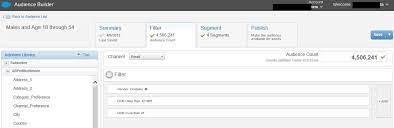
What is Audience Builder in Marketing Cloud? Utilizing Marketing Cloud Audience Builder. Audience Builder in Marketing Cloud dynamically generates targeted audiences from stored contact data, utilizing both attribute and behavioral values. These audiences can then be leveraged to either target specific contacts or exclude them from various activities within Marketing Cloud Engagement. Key Features and Functionality: Audiences: A collection of contacts grouped based on specific attributes used when sending messages. These audiences draw information from sendable data extensions, with Audience Builder setting a flag in the header of the data extension to identify it as an audience. Outbound Mail Manager (OMM) utilizes this information to determine the appropriate channel, audience, and segment for engaging contacts with messages. Usage and Integration: Audience Builder can integrate with lists, groups, or data extensions linked through a common subscriber key or ID. It supports queries performed via the expression builder and recommends using a subscriber key for optimal functionality. Segments: Segments represent groups of individuals who meet predefined criteria. These can be used for analysis and targeting within audiences, with the option to append attributes to segments and use AMPscript and Server-Side JavaScript for content decisions based on segment assignment. Reporting: Audiences and segments can be utilized for reporting purposes, with Audience Builder providing a dedicated report in the standard email reports section that breaks down campaign metrics by segment name. Performance: Each implementation of Audience Builder may have unique performance characteristics. It’s essential to work with the implementation team to understand performance expectations and optimize system performance. Audience Builder Usage: Filter Tab: Allows for querying the total population to match subscriber data of interest, either for sending purposes or analytic purposes. Exclusions Tab: Enables the creation of suppression criteria from the attribute library to remove a subset of contacts from a filtered audience or segment. Segment Tab: Facilitates segmenting an audience to suppress certain subscribers based on specific criteria. Audience Publishing: After filtering and segmenting an audience, it can be published as a publish definition for use across various applications within the Marketing Cloud. Future of Audience Builder: Salesforce announced the retirement of Audience Builder in 2021, meaning it’s no longer sold to new customers, and existing customers will transition away from the tool. Instead, functionalities like creating audiences for various ad platforms are integrated directly into Marketing Cloud Advertising. Additional Features: Creation of Audiences for Advertising Platforms: Advertising Studio allows for the creation of audiences tailored for platforms such as Facebook, Instagram, Google Ads, LinkedIn, Twitter, Pinterest, and Snapchat. Notification Configuration: Configure notification settings in Marketing Cloud Advertising to receive emails upon completion of audience uploads, refreshes, or in case of errors or other events. Audience Builder and Contact Builder are two essential tools within Marketing Cloud, each serving distinct purposes in data segmentation and management. Contact Builder serves as the cornerstone of data modeling within Marketing Cloud. It allows users to define the data structure by establishing relationships between various data extensions. Additionally, Contact Builder enables the creation of populations, organizing data in a manner conducive to campaign execution. In contrast, Audience Builder focuses on data segmentation. It pulls data from predefined data extensions and applies specified filter criteria to create targeted audience segments for marketing activities. While Audience Builder is being retired, Contact Builder remains a vital component of Marketing Cloud. Attributes defined in the data model act as fields and are utilized within Contact Builder. Attribute groups, integral to data organization, will continue to function seamlessly despite the retirement of Audience Builder. In conclusion, Audience Builder serves as a powerful tool within Marketing Cloud, enabling marketers to dynamically create targeted audiences, segment contacts, and optimize engagement strategies based on customer attributes and behaviors. However, with its retirement announced by Salesforce, users are encouraged to explore alternative functionalities integrated into Marketing Cloud Advertising for audience management. Like1 Related Posts Salesforce Marketing Cloud Transactional Emails Salesforce Marketing Cloud Transactional Emails are immediate, automated, non-promotional messages crucial to business operations and customer satisfaction, such as order Read more Perfect Drip Campaign In an ideal world, you effortlessly conquer the lead generation challenges with one creative arm tied behind your back, craft Read more Salesforce Content Builder Salesforce Content Builder empowers you to craft compelling emails and landing page templates, complete with reusable and interactive content blocks. Read more Demandbase Salesforce Integration The integration of Demandbase with Salesforce creates a seamless connection between Demandbase One and your Salesforce CRM, establishing a bidirectional Read more

Read More
Salesforce Marketing Cloud Advertising Studio

Salesforce Marketing Cloud Advertising Studio Explained

Advertising Studio serves as a conduit to digital advertising platforms such as Google, Instagram, LinkedIn, Twitter, and YouTube, expanding your outreach beyond email and mobile messages. Integrated seamlessly through Journey Builder, this Salesforce product facilitates the incorporation of these platforms into your marketing campaigns. Unlike an isolated tool, Salesforce Advertising Studio is a product that integrates advertising campaigns directly into Salesforce’s CRM, enabling marketers to harness customer data derived from interactions on social channels. Salesforce Audience Studio (DMP), on the other hand, is a comprehensive platform that gathers, stores, organizes, and centralizes data from diverse sources, whether internal or external. Functioning in real-time, it unifies user data collected from multiple sources, creating a unified profile for each customer. Marketing Cloud Advertising empowers you to engage and advertise to your customers and prospects effectively. Coordinating campaigns across social, mobile, sales, and customer service efforts, Marketing Cloud Advertising enhances your email marketing goals by integrating advertising strategies. Utilize platforms like Facebook, Instagram, Google Ads, LinkedIn, Twitter, Pinterest, or Snapchat to connect with existing customers. Identify new prospects through lookalike audiences and re-engage inactive users within the customer journey through digital advertising channels. Salesforce Advertising Studio, an elevated offering within Salesforce Marketing Cloud (SFMC), empowers marketers to seamlessly digitize their endeavors at scale, effectively targeting precise audiences to achieve business objectives. This sophisticated platform facilitates the creation of distinctive customer experiences while delivering ads to the intended audience. This insight will guide you through the features, benefits, and setup of Salesforce Advertising Studio. Importance of Advertising Studio Understanding the significance of Advertising Studio in your marketing endeavors is crucial: Benefits of Salesforce Advertising Studio Features of Advertising Studio Steps to Set Up Salesforce Advertising Studio Step 1: Account Configuration Step 2: Navigation and Granting Access Step 3: Monitor the Flow of Data Implementing these steps ensures a seamless setup of Salesforce Advertising Studio, maximizing its potential for your marketing strategies. Contact Tectonic today to get starting using Marketing Cloud Advertising Studio. Content updated January 2024. Like2 Related Posts Salesforce Marketing Cloud Transactional Emails Salesforce Marketing Cloud Transactional Emails are immediate, automated, non-promotional messages crucial to business operations and customer satisfaction, such as order Read more Perfect Drip Campaign In an ideal world, you effortlessly conquer the lead generation challenges with one creative arm tied behind your back, craft Read more Salesforce Content Builder Salesforce Content Builder empowers you to craft compelling emails and landing page templates, complete with reusable and interactive content blocks. Read more Demandbase Salesforce Integration The integration of Demandbase with Salesforce creates a seamless connection between Demandbase One and your Salesforce CRM, establishing a bidirectional Read more

Read More
gettectonic.com