
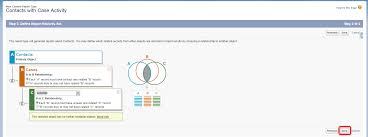
How to Add Fields to a Custom Report Type
If a report based on a Custom Report Type is missing some fields, you’ll need to edit the layout of the report type to make those fields available.
For example, if an ‘Activities with Accounts and Contacts’ report type lacks certain fields in the ‘Select Columns’ step of the Report Builder, follow the steps below to resolve this.
Steps to Add Missing Fields to Your Custom Report:
- Navigate to Setup: In the Quick Find box, type Report Types and select Report Types from the results.
- Select Your Report Type: Choose the name of the Custom Report Type you want to modify.
- Edit the Layout: In the ‘Fields Available for Reports’ section, click Edit Layout. If there’s an Object Relationship, you can adjust the View drop-down to find additional fields.
- Drag and Drop Fields: From the Field Definition Fields section, drag and drop the missing fields into the layout, then click Save.
- Add Fields via Lookup (Optional): You can also add additional fields from related objects by clicking Add fields via lookup on either the primary or secondary object.
Note:
When previewing the layout, you’ll see all fields and objects, even those you don’t have permission to access. You can only access data stored in fields or objects that you have the appropriate permissions for.
Once you’ve completed these steps, the missing fields will be available in the report.
Additional Resources
For more tips, visit the Salesforce Help page: Design the Field Layout for Reports Created From Your Custom Report.
You may also want to explore more about creating a Custom Report Type and Standard Report Types for further customization.

Who is Salesforce? Here is their story in their own words. From our inception, we've proudly embraced the identity of Read more

Salesforce Marketing Cloud Transactional Emails are immediate, automated, non-promotional messages crucial to business operations and customer satisfaction, such as order Read more

Salesforce has unveiled a comprehensive analytics solution tailored for wealth managers, home office professionals, and retail bankers, merging its Financial Read more

AI plays a crucial role in propensity score estimation as it can discern underlying patterns between treatments and confounding variables Read more





