

Apex Archives - gettectonic.com - Page 2
Mastering Decorators and Lifecycle Hooks in Salesforce LWC

Mastering Decorators and Lifecycle Hooks in Salesforce LWC

Introduction to LWC Core Concepts Lightning Web Components (LWC) in Salesforce leverage two fundamental JavaScript features to create efficient, reactive components: decorators and lifecycle hooks. These mechanisms work together to: Deep Dive into LWC Decorators 1. @api – The Public Interface Decorator Purpose: Enables component communication and exposes public properties/methods Key Characteristics: Implementation Patterns: javascript Copy // Child component exposing properties and methods import { LightningElement, api } from ‘lwc’; export default class Modal extends LightningElement { @api title = ‘Default Title’; // Public property with default @api show() { // Public method this.template.querySelector(‘.modal’).classList.remove(‘hidden’); } @api hide() { this.template.querySelector(‘.modal’).classList.add(‘hidden’); } } Best Practices: Performance Considerations: 2. @track – The Reactive Property Decorator (Legacy) Evolution of Reactivity: When to Use Today: Modern Alternatives: javascript Copy // Preferred immutable pattern (no @track needed) updateUser() { this.user = { …this.user, name: ‘Updated Name’ }; } // Array operations addItem(newItem) { this.items = […this.items, newItem]; } 3. @wire – The Data Service Decorator Core Functionality: Implementation Options: javascript Copy // Property syntax (automatic) @wire(getContacts) contacts; // Function syntax (manual control) @wire(getContacts) wiredContacts({ error, data }) { if (data) this.contacts = data; if (error) this.error = error; } Advanced Patterns: Lifecycle Hooks Demystified The Component Lifecycle Journey Practical Implementation Guide Component Communication Patterns Parent-to-Child: html Copy <!– Parent template –> <c-child public-property={value}></c-child> Run HTML Child-to-Parent: javascript Copy // Child component this.dispatchEvent(new CustomEvent(‘notify’, { detail: data })); Performance Optimization Techniques Common Anti-Patterns to Avoid Advanced Patterns and Best Practices State Management Strategies Testing Lifecycle Hooks Example Test Case: javascript Copy import { createElement } from ‘lwc’; import MyComponent from ‘c/myComponent’; describe(‘Lifecycle hooks’, () => { it(‘calls connectedCallback when inserted’, () => { const element = createElement(‘c-my-component’, { is: MyComponent }); spyOn(MyComponent.prototype, ‘connectedCallback’); document.body.appendChild(element); expect(MyComponent.prototype.connectedCallback).toHaveBeenCalled(); }); }); Real-World Component Examples Data Table with Sorting javascript Copy import { LightningElement, api } from ‘lwc’; export default class DataTable extends LightningElement { @api columns = []; @api data = []; sortBy(field) { this.data = […this.data].sort((a, b) => a[field] > b[field] ? 1 : -1 ); } } Dynamic Form Generator javascript Copy import { LightningElement, api } from ‘lwc’; export default class DynamicForm extends LightningElement { @api fields; values = {}; handleChange(event) { this.values = { …this.values, [event.target.name]: event.target.value }; } } Conclusion and Key Takeaways By mastering these concepts, developers can create robust, efficient Lightning Web Components that leverage the full power of the Salesforce platform while maintaining clean, maintainable code architecture. Like Related Posts Who is Salesforce? Who is Salesforce? Here is their story in their own words. From our inception, we’ve proudly embraced the identity of Read more Salesforce Marketing Cloud Transactional Emails Salesforce Marketing Cloud Transactional Emails are immediate, automated, non-promotional messages crucial to business operations and customer satisfaction, such as order Read more Salesforce Unites Einstein Analytics with Financial CRM Salesforce has unveiled a comprehensive analytics solution tailored for wealth managers, home office professionals, and retail bankers, merging its Financial Read more AI-Driven Propensity Scores AI plays a crucial role in propensity score estimation as it can discern underlying patterns between treatments and confounding variables Read more


Read More
Autonomous AI Service Agents

Developing AI Agents

Developing AI Agents: A Practical Guide Why AI Agent Development is Different Building AI agents requires an iterative, hands-on approach rather than traditional waterfall planning. Unlike conventional software projects, you can’t fully design an agent in documents before building – you need to prototype, test, and refine continuously. Key Principles: Designing the User Experience Take a user-centered approach to ensure your agent delivers value: Protip: Test different UX approaches in sandbox before finalizing channel configurations. Technical Implementation Guide 1. Data Strategy 2. Channel & Routing Configuration 3. Security Framework For Employee-Facing Agents: For Customer-Facing Agents: Agent User Permissions: Testing Tip: Always debug flows running as the agent user to catch permission issues. Salesforce Environment Considerations Requirements Checklist Integration Planning Implementation Best Practices Remember: Successful AI agent development balances careful planning with agile experimentation. The most effective agents evolve through real-world testing and refinement. Like Related Posts Who is Salesforce? Who is Salesforce? Here is their story in their own words. From our inception, we’ve proudly embraced the identity of Read more Salesforce Marketing Cloud Transactional Emails Salesforce Marketing Cloud Transactional Emails are immediate, automated, non-promotional messages crucial to business operations and customer satisfaction, such as order Read more Salesforce Unites Einstein Analytics with Financial CRM Salesforce has unveiled a comprehensive analytics solution tailored for wealth managers, home office professionals, and retail bankers, merging its Financial Read more AI-Driven Propensity Scores AI plays a crucial role in propensity score estimation as it can discern underlying patterns between treatments and confounding variables Read more

Read More
spring 25

Spring 25 Revealed

Spring ’25 Salesforce Release: What’s New and How to Prepare As winter lingers, the Salesforce Ohana is already embracing the promise of spring—a season of renewal, growth, and transformation. The Salesforce Spring ’25 Release brings fresh innovations designed to enhance productivity, streamline integrations, and optimize your CRM experience. With powerful AI enhancements, security updates, and UI improvements, this release is set to elevate the way you work. Let’s explore the key updates and how you can prepare to make the most of these enhancements. 1. Changes to Einstein Activity Capture Permissions What’s New?Salesforce is refining access to Einstein Activity Capture (EAC), ensuring more controlled and secure usage. Sales Engagement Basic Users will no longer have default access to EAC and must be assigned the Standard Einstein Activity Capture permission set to continue using the feature. Why It Matters:This update enhances security by limiting access to users with the appropriate permissions, improving governance over activity data. How to Prepare: 2. Transition to ICU Locale Formats What’s New?Salesforce is shifting from Oracle’s JDK Locale formats to ICU Locale Formats for handling date, currency, and numeric data. Why It Matters:ICU formats provide better internationalization and localization, improving accuracy and consistency across different regions. How to Prepare: 3. Introduction of LWC Stacked Modals What’s New?Lightning Web Components (LWC) now support stacked modals, allowing multiple modal windows to remain open simultaneously. Why It Matters:This improves the user experience by enabling seamless navigation between modal windows without losing context. How to Prepare: 4. Secure Redirection for Flows What’s New?Salesforce now requires that retURL parameters used in Flow redirections be explicitly added to the trusted URLs list. Why It Matters:This security enhancement mitigates risks associated with unauthorized redirections, protecting user data. How to Prepare: 5. Rollbacks for Apex Action Exceptions in REST API What’s New?Salesforce now enforces automatic rollbacks for exceptions occurring during Apex actions invoked via REST API. Why It Matters:This update ensures data integrity by preventing incomplete or failed operations from saving partial updates. How to Prepare: Final Thoughts The Spring ’25 release brings vital enhancements to permissions, security, UI, and API reliability. By proactively testing and preparing, you can ensure a seamless transition while unlocking the full potential of these updates. Stay ahead of the curve and leverage these improvements to create a more efficient, secure, and innovative Salesforce environment. Like Related Posts Who is Salesforce? Who is Salesforce? Here is their story in their own words. From our inception, we’ve proudly embraced the identity of Read more Salesforce Marketing Cloud Transactional Emails Salesforce Marketing Cloud Transactional Emails are immediate, automated, non-promotional messages crucial to business operations and customer satisfaction, such as order Read more Salesforce Unites Einstein Analytics with Financial CRM Salesforce has unveiled a comprehensive analytics solution tailored for wealth managers, home office professionals, and retail bankers, merging its Financial Read more AI-Driven Propensity Scores AI plays a crucial role in propensity score estimation as it can discern underlying patterns between treatments and confounding variables Read more

Read More
Granular Locking in Salesforce

Granular Locking in Salesforce

Granular Locking in Salesforce: Enhancing Performance & Reducing Contention Granular locking in Salesforce is a powerful feature designed to minimize record lock contention, particularly in high-data-volume environments or those with complex automation processes. By refining traditional locking constraints, this mechanism allows Salesforce to manage simultaneous updates more efficiently, improving system performance and reducing errors. What is Granular Locking? Granular locking is an advanced record-locking mechanism that applies locks at a more detailed level, preventing unnecessary locking of parent or related records. This is especially useful in scenarios where multiple records are updated concurrently, reducing row lock contention in parent-child relationships. Key Features: ✅ Fine-Grained Locks – Prevents excessive locking of parent or related records.✅ Enhanced Concurrency – Allows multiple simultaneous updates to child records without conflicts.✅ Improved Performance – Minimizes errors like “Unable to lock row” by reducing contention. Why is Granular Locking Important? 1️⃣ Concurrent Record Updates 2️⃣ Optimized Automation 3️⃣ Scaling High-Volume Transactions How Granular Locking Works Granular locking ensures that:🔹 Parent records remain unlocked when child records are updated.🔹 Locks apply only to the specific records being modified instead of affecting entire datasets. Example: 🚫 Without Granular Locking: Updating an Opportunity record locks the parent Account and all related child records.✅ With Granular Locking: Only the specific Opportunity record is locked, allowing the Account and other child records to remain accessible. When Does Granular Locking Apply? 🔹 Master-Detail Relationships – Prevents parent records from being unnecessarily locked during child record updates.🔹 Campaign Hierarchies – Ensures that updates to child campaigns don’t lock parent campaigns.🔹 Sharing Recalculations – Reduces locking issues when Salesforce recalculates sharing rules for parent-child data relationships. Benefits of Granular Locking 🚀 Reduced Lock Contention – Minimizes conflicts in multi-user environments.📉 Fewer Errors – Decreases “Unable to obtain exclusive access to this record” errors.⚡ Faster Automation – Improves workflow and trigger execution speed.📊 Better Scalability – Enhances performance in high-transaction environments. Best Practices for Using Granular Locking ✅ Optimize Relationship Design: Avoid complex parent-child structures that could lead to unnecessary locking.✅ Minimize Simultaneous Updates: Reduce concurrent updates on the same parent record.✅ Use Asynchronous Processing: Implement Batch Apex or Queueable Apex for large data operations.✅ Test in High-Volume Scenarios: Simulate real-world data loads in a sandbox environment.✅ Monitor Locking Issues: Use debug logs and Event Monitoring to track and resolve locking conflicts. Common Issues & Solutions ❌ Error: “Unable to Lock Row”🔹 Cause: Simultaneous updates to related records.🔹 Solution: Redesign workflows or use asynchronous processing to reduce contention. ❌ Slow Performance in Campaign Updates🔹 Cause: Hierarchical campaign relationships triggering excessive locks.🔹 Solution: Ensure campaigns are structured to take advantage of granular locking. ❌ Automation Conflicts🔹 Cause: Multiple automation tools acting on the same records.🔹 Solution: Consolidate triggers and workflows to minimize overlaps. How to Enable Granular Locking for Campaign Hierarchies Although granular locking is enabled by default for most Salesforce operations, certain features (like hierarchical campaign locking) require manual activation. 🔹 Steps to Enable Granular Locking in Campaign Hierarchies:1️⃣ Navigate to Setup.2️⃣ Go to Campaign Settings.3️⃣ Check the box for Enable Improved Campaign Management (Granular Locking).4️⃣ Save your changes. Conclusion Granular locking is a vital feature in Salesforce that optimizes record management by reducing contention, minimizing errors, and improving system performance in high-transaction environments. By implementing best practices and leveraging fine-grained locks, organizations can scale efficiently while ensuring smooth automation and record updates. For teams handling complex data relationships, granular locking provides the flexibility, scalability, and reliability needed to maintain a high-performing Salesforce environment. Like Related Posts Who is Salesforce? Who is Salesforce? Here is their story in their own words. From our inception, we’ve proudly embraced the identity of Read more Salesforce Marketing Cloud Transactional Emails Salesforce Marketing Cloud Transactional Emails are immediate, automated, non-promotional messages crucial to business operations and customer satisfaction, such as order Read more Salesforce Unites Einstein Analytics with Financial CRM Salesforce has unveiled a comprehensive analytics solution tailored for wealth managers, home office professionals, and retail bankers, merging its Financial Read more AI-Driven Propensity Scores AI plays a crucial role in propensity score estimation as it can discern underlying patterns between treatments and confounding variables Read more

Read More

Salesforce Functions

Salesforce Functions: A Retrospective on the Retired Serverless Solution What Was Salesforce Functions? Salesforce Functions (retired January 31, 2025) was a serverless compute platform that enabled developers to extend Salesforce with custom, elastically scalable logic using familiar programming languages like: Unlike traditional Apex development, Functions allowed teams to write, deploy, and scale business logic without managing infrastructure—all while integrating seamlessly with Apex, Flows, and Lightning Web Components (LWC). Key Features & Benefits (While Active) 1. Language Flexibility ✔ No Apex lock-in – Developers used preferred languages (Java, JS, TS) and tools.✔ Reuse existing code – Leverage libraries, frameworks, and open-source solutions. 2. Elastic, Serverless Scaling ✔ Auto-scaling – No capacity planning; Salesforce handled compute resources.✔ Pay-per-use model – Cost-efficient for variable workloads. 3. Native Salesforce Integration ✔ Trigger from Apex, Flows, or LWC – Seamlessly embed custom logic in Salesforce processes.✔ Secure & compliant – Built on Salesforce’s trusted infrastructure. 4. Reduced DevOps Overhead ✔ No server management – Salesforce handled deployment, scaling, and uptime.✔ Focus on business logic – No need to provision or monitor cloud resources. Why Was Salesforce Functions Retired? Salesforce officially sunset Functions on January 31, 2025, citing: Existing customers were required to migrate to alternative solutions before their contract terms ended. How It Worked (Before Retirement) Example Use Cases Migration Paths After Retirement Organizations previously using Functions were advised to transition to: Alternative Solution Best For Salesforce Code Builder Cloud-based development in VS Code. Einstein Automate Low-code/serverless automation with AI. External Cloud Functions AWS Lambda, Azure Functions + Salesforce Connect. Final Thoughts Salesforce Functions bridged a critical gap by letting developers break free from Apex while maintaining Salesforce’s security and scalability. Its retirement reflects Salesforce’s broader shift toward Hyperforce and cloud-agnostic development. Looking ahead? While Functions is no longer available, its legacy lives on in Salesforce’s evolving low-code and pro-code ecosystem. Key Takeaways:✔ Retired January 2025 – No new Functions could be created.✔ Enabled Java/JS/TS development – Without Apex limitations.✔ Migrate to Code Builder, Einstein Automate, or external cloud functions.✔ Part of Salesforce’s shift toward Hyperforce & cloud-native solutions. Next Steps for Former Users:➡ Audit existing Functions dependencies.➡ Evaluate Einstein Automate for low-code alternatives.➡ Explore Salesforce Code Builder for cloud-based development. Like Related Posts Who is Salesforce? Who is Salesforce? Here is their story in their own words. From our inception, we’ve proudly embraced the identity of Read more Salesforce Marketing Cloud Transactional Emails Salesforce Marketing Cloud Transactional Emails are immediate, automated, non-promotional messages crucial to business operations and customer satisfaction, such as order Read more Salesforce Unites Einstein Analytics with Financial CRM Salesforce has unveiled a comprehensive analytics solution tailored for wealth managers, home office professionals, and retail bankers, merging its Financial Read more AI-Driven Propensity Scores AI plays a crucial role in propensity score estimation as it can discern underlying patterns between treatments and confounding variables Read more

Read More
Agentforce Redefines Generative AI

Agentforce Redefines Generative AI

Agentforce: Redefining Generative AI in Salesforce Many Dreamforce attendees who expected to hear about Einstein Copilot were surprised when Salesforce introduced Agentforce just a week before the conference. While it might seem like a rebranding of Copilot, Agentforce marks a significant evolution by enabling more autonomous agents that go beyond summarizing or generating content to perform specific actions. Here’s a breakdown of the transition and what it means for Salesforce users: Key Vocabulary Updates How Agentforce Works Agents take user input, known as an “utterance,” and translate it into actionable steps based on predefined configurations. This allows the system to enhance performance over time while delivering responses tailored to user needs. Understanding Agentforce 1. Topics: Organizing Agent Capabilities Agentforce introduces “Topics,” a new layer of organization that categorizes actions by business function. When a user provides an utterance, the agent identifies the relevant topic first, then determines the best actions to address it. 2. Actions: What Agents Can Do Actions remain largely unchanged from Einstein Copilot. These are tasks agents perform to execute plans. 3. Prompts: The Key to Better Results LLMs rely on prompts to generate outputs, and crafting effective prompts is essential for reducing irrelevant responses and optimizing agent behavior. How Generative AI Enhances Salesforce Agentforce unlocks several benefits across productivity, personalization, standardization, and efficiency: Implementing Agentforce: Tips for Success Getting Started Start by using standard Agent actions. These out-of-the-box tools, such as opportunity summarization or close plan creation, provide a strong foundation. You can make minor adjustments to optimize their performance before diving into more complex custom actions. Testing and Iteration Testing AI agents is different from traditional workflows. Agents must handle various phrasing of the same user request (utterances) while maintaining consistency in responses. The Future of Salesforce with Agentforce As you gain expertise in planning, developing, testing, and deploying Agentforce actions, you’ll unlock new possibilities for transforming your Salesforce experience. With generative AI tools like Agentforce, Salesforce evolves from a traditional point-and-click interface into an intelligent, agent-driven platform with streamlined, conversational workflows. This isn’t just an upgrade — it’s the foundation for reimagining how businesses interact with their CRM in an AI-assisted world. Like Related Posts Who is Salesforce? Who is Salesforce? Here is their story in their own words. From our inception, we’ve proudly embraced the identity of Read more Salesforce Marketing Cloud Transactional Emails Salesforce Marketing Cloud Transactional Emails are immediate, automated, non-promotional messages crucial to business operations and customer satisfaction, such as order Read more Salesforce Unites Einstein Analytics with Financial CRM Salesforce has unveiled a comprehensive analytics solution tailored for wealth managers, home office professionals, and retail bankers, merging its Financial Read more AI-Driven Propensity Scores AI plays a crucial role in propensity score estimation as it can discern underlying patterns between treatments and confounding variables Read more

Read More
Agentic AI is Here

On Premise Gen AI

In 2025, enterprises transitioning generative AI (GenAI) into production after years of experimentation are increasingly considering on-premises deployment as a cost-effective alternative to the cloud. Since OpenAI ignited the AI revolution in late 2022, organizations have tested large language models powering GenAI services on platforms like AWS, Microsoft Azure, and Google Cloud. These experiments demonstrated GenAI’s potential to enhance business operations while exposing the substantial costs of cloud usage. To avoid difficult conversations with CFOs about escalating cloud expenses, CIOs are exploring on-premises AI as a financially viable solution. Advances in software from startups and packaged infrastructure from vendors such as HPE and Dell are making private data centers an attractive option for managing costs. A survey conducted by Menlo Ventures in late 2024 found that 47% of U.S. enterprises with at least 50 employees were developing GenAI solutions in-house. Similarly, Informa TechTarget’s Enterprise Strategy Group reported a rise in enterprises considering on-premises and public cloud equally for new applications—from 37% in 2024 to 45% in 2025. This shift is reflected in hardware sales. HPE reported a 16% revenue increase in AI systems, reaching $1.5 billion in Q4 2024. During the same period, Dell recorded a record .6 billion in AI server orders, with its sales pipeline expanding by over 50% across various customer segments. “Customers are seeking diverse AI-capable server solutions,” noted David Schmidt, senior director of Dell’s PowerEdge server line. While heavily regulated industries have traditionally relied on on-premises systems to ensure data privacy and security, broader adoption is now driven by the need for cost control. Fortune 2000 companies are leading this trend, opting for private infrastructure over the cloud due to more predictable expenses. “It’s not unusual to see cloud bills exceeding 0,000 or even million per month,” said John Annand, an analyst at Info-Tech Research Group. Global manufacturing giant Jabil primarily uses AWS for GenAI development but emphasizes ongoing cost management. “Does moving to the cloud provide a cost advantage? Sometimes it doesn’t,” said CIO May Yap. Jabil employs a continuous cloud financial optimization process to maximize efficiency. On-Premises AI: Technology and Trends Enterprises now have alternatives to cloud infrastructure, including as-a-service solutions like Dell APEX and HPE GreenLake, which offer flexible pay-per-use pricing for AI servers, storage, and networking tailored for private data centers or colocation facilities. “The high cost of cloud drives organizations to seek more predictable expenses,” said Tiffany Osias, vice president of global colocation services at Equinix. Walmart exemplifies in-house AI development, creating tools like a document summarization app for its benefits help desk and an AI assistant for corporate employees. Startups are also enabling enterprises to build AI applications with turnkey solutions. “About 80% of GenAI requirements can now be addressed with push-button solutions from startups,” said Tim Tully, partner at Menlo Ventures. Companies like Ragie (RAG-as-a-service) and Lamatic.ai (GenAI platform-as-a-service) are driving this innovation. Others, like Squid AI, integrate custom AI agents with existing enterprise infrastructure. Open-source frameworks like LangChain further empower on-premises development, offering tools for creating chatbots, virtual assistants, and intelligent search systems. Its extension, LangGraph, adds functionality for building multi-agent workflows. As enterprises develop AI applications internally, consulting services will play a pivotal role. “Companies offering guidance on effective AI tool usage and aligning them with business outcomes will thrive,” Annand said. This evolution in AI deployment highlights the growing importance of balancing technological innovation with financial sustainability. Like Related Posts Who is Salesforce? Who is Salesforce? Here is their story in their own words. From our inception, we’ve proudly embraced the identity of Read more Salesforce Unites Einstein Analytics with Financial CRM Salesforce has unveiled a comprehensive analytics solution tailored for wealth managers, home office professionals, and retail bankers, merging its Financial Read more AI-Driven Propensity Scores AI plays a crucial role in propensity score estimation as it can discern underlying patterns between treatments and confounding variables Read more Tectonic’s Successful Salesforce Track Record Salesforce Technology Services Integrator – Tectonic has successfully delivered Salesforce in a variety of industries including Public Sector, Hospitality, Manufacturing, Read more

Read More
Tectonic Salesforce Customization

Maximizing Salesforce Customizations

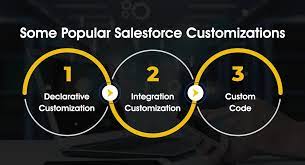
Data Goldmine: Maximizing Salesforce Customizations to Supercharge Contact Center Efficiency In the fast-paced realm of customer relationship management (CRM), Salesforce has become an indispensable tool for businesses aiming to optimize customer interactions and streamline operations. Despite its widespread use, many organizations barely scratch the surface of its customization potential. The issue isn’t a lack of tools but rather the underutilization of powerful resources like Apex code—a hidden goldmine that can significantly elevate contact center performance. Unlocking Potential with Apex Customizations Salesforce’s Apex code empowers businesses to craft tailored solutions that meet unique operational needs. However, these customizations often remain static, failing to evolve alongside changing business requirements. By revisiting and repurposing existing Apex code, businesses can unlock advanced features and innovative applications that go beyond their original scope. Here are a few ways Apex customizations can transform your contact center: 1. Intelligent Task Routing Picture a contact center where customer inquiries are dynamically routed to the most qualified agents based on expertise, availability, and historical performance. With Apex, businesses can design systems that enable intelligent task assignment. This improves operational efficiency while boosting customer satisfaction, ensuring every inquiry is resolved by the right person at the right time. 2. Proactive Workload Optimization Workload imbalances can lead to agent burnout and reduced service quality. By analyzing Salesforce data, businesses can develop Apex-driven algorithms to optimize workload distribution. These systems identify interaction trends and allocate tasks in real time, ensuring that no agent is overburdened. The result? A healthier, more productive team and consistently superior customer service. 3. AI-Augmented Decision-Making AI integration with Salesforce customizations is reshaping customer support. By leveraging AI-driven insights, businesses can equip agents with real-time recommendations, allowing for more personalized, informed interactions. These tools not only enhance the customer experience but also empower agents to make faster, smarter decisions. Taking Action: Steps to Unleash Your CRM’s Full Potential To harness the full power of Salesforce customizations, consider these actionable steps: Looking Ahead: Preparing for Next-Gen Customer Support The future of customer support is driven by data, AI, and personalized experiences. Salesforce customizations can help businesses stay ahead by enabling cutting-edge capabilities like multilingual support, visual troubleshooting, and advanced interactive features. By revisiting your existing customizations and aligning them with emerging trends, you can not only enhance customer satisfaction but also set your organization apart in a competitive marketplace. Salesforce isn’t just a CRM—it’s a platform for building next-generation customer service. A Call to Action: Unlock the Potential of Your Salesforce Ecosystem Are you ready to explore how your Salesforce customizations can revolutionize customer service? The potential is vast, and the rewards are significant. Let’s discuss how to harness the full power of your CRM to drive smarter workflows and enhance your contact center’s efficiency. Take a closer look at your existing customizations—they may hold the key to the innovation and success you’ve been seeking. By embracing Salesforce’s full potential, you can create a future-ready customer support ecosystem that works harder for your business. Like Related Posts Who is Salesforce? Who is Salesforce? Here is their story in their own words. From our inception, we’ve proudly embraced the identity of Read more Salesforce Marketing Cloud Transactional Emails Salesforce Marketing Cloud Transactional Emails are immediate, automated, non-promotional messages crucial to business operations and customer satisfaction, such as order Read more Salesforce Unites Einstein Analytics with Financial CRM Salesforce has unveiled a comprehensive analytics solution tailored for wealth managers, home office professionals, and retail bankers, merging its Financial Read more AI-Driven Propensity Scores AI plays a crucial role in propensity score estimation as it can discern underlying patterns between treatments and confounding variables Read more
Read More
Integrate Digital Delivery and Human Connection

Types of Salesforce Integration

Types of Salesforce Integration: A Comprehensive Guide As a leading CRM platform, Salesforce is often required to integrate with other systems to deliver a seamless experience and ensure efficient business operations. Whether it’s syncing data, automating workflows, or enabling real-time communication, Salesforce provides robust integration methods tailored to various needs. In this guide, we’ll explore the different types of Salesforce integrations, their practical applications, and how to choose the right approach for your business. Why Integrate Salesforce? Integrating Salesforce with other systems empowers businesses to: Types of Salesforce Integration 1. Data Integration Ensures data consistency between Salesforce and external systems, enabling seamless synchronization. 2. Process Integration Links workflows across systems, ensuring actions in one system trigger automated processes in another. 3. User Interface (UI) Integration Combines multiple applications into a single interface for a unified user experience. 4. Application Integration Connects Salesforce with external apps for real-time data exchange and functional synchronization. 5. Real-Time Integration Facilitates instant synchronization of data and events between Salesforce and external systems. 6. Batch Integration Processes large data volumes in chunks, typically during off-peak hours. 7. Hybrid Integration Combines multiple integration types, such as real-time and batch, to handle complex requirements. Tools for Salesforce Integration Native Salesforce Tools: Third-Party Tools: Best Practices for Salesforce Integration Conclusion Salesforce integration is essential for streamlining operations and unlocking business potential. With options like data, process, and real-time integration, Salesforce offers the flexibility to meet diverse needs. By adopting the right integration approach and adhering to best practices, businesses can create a unified, efficient ecosystem, enhancing operations and improving customer experience. Whether integrating with ERP systems, marketing tools, or support platforms, Salesforce provides the tools to make integration seamless and impactful. Like Related Posts Who is Salesforce? Who is Salesforce? Here is their story in their own words. From our inception, we’ve proudly embraced the identity of Read more Salesforce Marketing Cloud Transactional Emails Salesforce Marketing Cloud Transactional Emails are immediate, automated, non-promotional messages crucial to business operations and customer satisfaction, such as order Read more Salesforce Unites Einstein Analytics with Financial CRM Salesforce has unveiled a comprehensive analytics solution tailored for wealth managers, home office professionals, and retail bankers, merging its Financial Read more AI-Driven Propensity Scores AI plays a crucial role in propensity score estimation as it can discern underlying patterns between treatments and confounding variables Read more

Read More
Salesforce prompt builder

Salesforce Prompt Builder

Salesforce Prompt Builder: Field Generation Prompt Template What is a Prompt? A prompt is a set of detailed instructions designed to guide a Large Language Model (LLM) in generating relevant and high-quality output. Just like chefs fine-tune their recipes through testing and adjustments, prompt design involves iterating on instructions to ensure that the LLM delivers accurate, actionable results. Effective prompt design involves “grounding” your prompts with specific data, such as business context, product details, and customer information. By tailoring prompts to your particular needs, you help the LLM provide responses that align with your business goals. Like a well-crafted recipe, an effective prompt consists of both ingredients and instructions that work together to produce optimal results. A great prompt offers clear directions to the LLM, ensuring it generates output that meets your expectations. But what does an ideal prompt template look like? Here’s a breakdown: What is a Field Generation Prompt Template? The Field Generation Prompt Template is a tool that integrates AI-powered workflows directly into fields within Lightning record pages. This template allows users to populate fields with summaries or descriptions generated by an LLM, streamlining interactions and enhancing productivity during customer conversations. Let’s explore how to set up a Field Generation Prompt Template by using an example: generating a summary of case comments to help customer service agents efficiently review a case. Steps to Create a Field Generation Prompt Template 1. Create a New Rich Text Field on the Case Object 2. Enable Einstein Setup 3. Create a Prompt Template with the Field Generation Template Type 4. Configure the Prompt Template Workspace Optional: You can also use Flow or Apex to incorporate additional merge fields. 5. Preview the LLM’s Response Example Prompt: Scenario:You are a customer service representative at a company called ENForce.com, and you need a quick summary of a case’s comments. Record Merge Fields: Instructions: vbnetCopy codeFollow these instructions precisely. Do not add information not provided. – Refer to the “contact” as “client” in the summary. – Use clear, concise, and straightforward language in the active voice with a friendly, informal, and informative tone. – Include an introductory sentence and closing sentence, along with several bullet points. – Use a variety of emojis as bullet points to make the list more engaging. – Limit the summary to no more than seven sentences. – Do not include any reference to missing values or incomplete data. 6. Add the “Case Summary” Field to the Lightning Record Page 7. Generate the Summary By following these steps, you can leverage Salesforce’s Prompt Builder to enhance case management processes and improve the efficiency of customer service interactions through AI-assisted summaries. Like Related Posts Who is Salesforce? Who is Salesforce? Here is their story in their own words. From our inception, we’ve proudly embraced the identity of Read more Salesforce Marketing Cloud Transactional Emails Salesforce Marketing Cloud Transactional Emails are immediate, automated, non-promotional messages crucial to business operations and customer satisfaction, such as order Read more Salesforce Unites Einstein Analytics with Financial CRM Salesforce has unveiled a comprehensive analytics solution tailored for wealth managers, home office professionals, and retail bankers, merging its Financial Read more AI-Driven Propensity Scores AI plays a crucial role in propensity score estimation as it can discern underlying patterns between treatments and confounding variables Read more

Read More
Autonomous Agents on the Agentforce Platform

Leveraging Agentforce

At Dreamforce 2024, Salesforce customers showcased the power of Agentforce by creating over 10,000 autonomous agents, each designed to address specific business challenges. The message was clear: “If you can describe it, Agentforce can do it.” By leveraging Agentforce, customers are able to create a flexible, on-demand digital workforce that operates without limitations, making it easy to build and deploy agents using familiar Salesforce tools and language. Why This Matters: Recent Salesforce research reveals that U.S. consumers often spend up to nine hours interacting with customer service to resolve a single issue. Moreover, 67% of consumers are frustrated when their issues aren’t resolved immediately and may abandon one-third of customer service interactions. This presents a massive opportunity to enhance the customer experience with AI-powered agents. “Piloting Agentforce made a noticeable difference during our busiest period — back-to-school season. We saw a 40% increase in case resolution, surpassing the performance of our old bot. Agentforce helps manage routine tasks, allowing our service teams to focus on more complex cases.” – Kevin Quigley, Director of Process Improvement, Wiley What’s New: Several new solutions are now available to all customers: Going Deeper: Agentforce is fully integrated into the Salesforce Platform, combining powerful data, AI, and the Salesforce Customer 360 ecosystem. This integration unlocks infinite agent capacity and proactive actions across all roles and channels, with full context on every customer interaction. Industry-Specific Examples: Agentforce’s flexibility allows it to serve various industries with tailored solutions: Customer & Analyst Quotes: “Agentforce is enhancing Saks’ ability to provide personalized customer support, automating routine tasks like order tracking, which allows our teams to focus on delivering a high-touch experience.” – Mike Hite, Chief Technology Officer, Saks Global “With Agentforce, OpenTable is automating routine tasks, saving time for our reps to focus on strengthening customer relationships and providing exceptional service to diners and restaurants worldwide.” – George Pokorny, Senior VP of Global Customer Success, OpenTable “By integrating Agentforce with Data Cloud and MuleSoft, we’re unlocking the full potential of our data, driving faster decisions and reimagining how we serve clients.” – Caroline Basyn, Chief Digital & IT Officer, The Adecco Group “Agentforce will revolutionize ezCater’s food management services, blending AI and human interaction to ensure seamless, personalized experiences for every customer.” – Erin DeCesare, CTO, ezCater Like Related Posts Who is Salesforce? Who is Salesforce? Here is their story in their own words. From our inception, we’ve proudly embraced the identity of Read more Salesforce Marketing Cloud Transactional Emails Salesforce Marketing Cloud Transactional Emails are immediate, automated, non-promotional messages crucial to business operations and customer satisfaction, such as order Read more Salesforce Unites Einstein Analytics with Financial CRM Salesforce has unveiled a comprehensive analytics solution tailored for wealth managers, home office professionals, and retail bankers, merging its Financial Read more AI-Driven Propensity Scores AI plays a crucial role in propensity score estimation as it can discern underlying patterns between treatments and confounding variables Read more

Read More
gettectonic.com