Canvas Archives - gettectonic.com - Page 2
Marketing Cloud Enhancements 2024

Marketing Cloud Enhancements 2024

Salesforce has introduced several important feature enhancements over the past year, enhancing the capabilities of Marketing Cloud and other tools. Marketing Cloud Enhancements 2024. Here’s an overview of the most impactful updates: Generative AI for Marketing Cloud Generative AI can now be integrated into Marketing Cloud to create brand-specific content that resonates with your audience. This technology allows businesses to project their unique voice and style while reducing the time spent on content creation. Using Einstein generative AI, you can craft subject lines and body copy directly within Einstein Copy Insights and Content Builder. In Copy Insights, you can test, copy, and download AI-generated content, while Content Builder enables seamless content creation for marketing messages. You can also leverage the Typeface integration to generate on-brand images alongside the text, further enhancing your content strategy. Salesforce’s Einstein Trust Layer ensures data privacy and security, preventing potential data breaches while using generative AI features, providing a safer alternative to external AI platforms. Enabling Einstein Generative AI To get started with Einstein generative AI, enable both Einstein Copy Insights and the generative AI features in Marketing Cloud Setup. You can customize content based on your organization’s brand identity by using Brand Center to define personalities like “Professional” or “Casual” or create up to 10 custom personalities. This allows you to ensure all AI-generated content aligns with your brand’s voice. Crafting Subject Lines and Body Copy With Einstein generative AI, you can quickly generate and test up to five subject line or body copy options for a given message. The system allows you to test, copy, and download selected options while ensuring content is protected from bias and privacy risks via the Einstein Trust Layer. Additionally, the AI-generated content is never stored, safeguarding sensitive data. Typeface Content Block for Image Creation Create visually engaging and on-brand content using the Typeface Content Block in Content Builder. The AI-powered image editor allows for quick adjustments, like adding text or swapping backgrounds, without the need for advanced design tools. You can generate creative variations for targeted campaigns and optimize performance through multivariate testing. Error Messaging for CloudPages Custom Domains Marketers can now customize error messages for CloudPages custom domains. These friendly error messages can guide customers when they encounter issues such as wrong URLs or unpublished pages. Content Recovery in Content Builder Content management is now more efficient, with the ability to restore deleted items from the Recycle Bin in Content Builder. This feature, accessible to users with delete permissions, ensures smoother content recovery processes without needing support intervention. Journey Builder Performance Optimization The new System Optimization Dashboard helps you monitor journey performance and identify inefficiencies. With real-time data, you can pinpoint issues that affect processing speed and implement recommendations for optimizing journeys. Recent Journey Builder Enhancements Several updates in Journey Builder boost productivity: Data Management Updates in Contact Builder Improvements in Contact Builder include the ability to restore deleted data extensions within 30 days and two new dashboard columns for better data retention insights. The row limit for data retention has also been increased to 500 million, offering greater scalability. Accurate Distinct Contact Counts Salesforce has improved the accuracy of Total Distinct Contact counts in Marketing Cloud. This update ensures duplicate contact records across different data sources are automatically deduplicated, providing a more accurate count of unique contacts. Marketing Cloud Enhancements 2024 These feature enhancements are designed to help businesses work more efficiently while delivering more personalized and secure customer experiences. Like Related Posts Who is Salesforce? Who is Salesforce? Here is their story in their own words. From our inception, we’ve proudly embraced the identity of Read more Salesforce Marketing Cloud Transactional Emails Salesforce Marketing Cloud Transactional Emails are immediate, automated, non-promotional messages crucial to business operations and customer satisfaction, such as order Read more Salesforce Unites Einstein Analytics with Financial CRM Salesforce has unveiled a comprehensive analytics solution tailored for wealth managers, home office professionals, and retail bankers, merging its Financial Read more AI-Driven Propensity Scores AI plays a crucial role in propensity score estimation as it can discern underlying patterns between treatments and confounding variables Read more

Read More
Slack Automation with New Workflow Features

Slack Automation with New Workflow Features

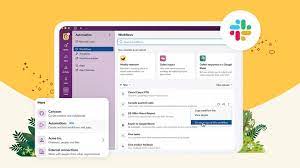
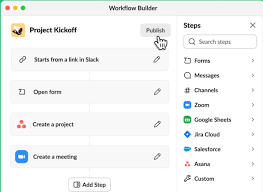
Salesforce Expands Slack Automation with New Workflow Features Salesforce has introduced new capabilities in Slack, allowing customers to build workflows that automatically trigger when an event occurs in third-party apps like PagerDuty, Asana, Bitbucket, and others. This update also enhances the user experience, making it more intuitive to create workflows in Slack. Users now have access to over 50 plug-and-play templates tailored to common productivity tasks. Additionally, developers gain access to more coding languages and tools for building custom workflows, which can be easily shared with their teams. Why It Matters Key Highlights Workflow Builder, Slack’s no-code automation tool, empowers users to streamline tasks directly within Slack, reducing the burden on IT teams. Salesforce highlights the following new features: From Slack’s Perspective Slack has also made it easier to customize workflows with expanded developer tools. Developers can now build custom steps using open APIs and new developer resources, integrating these steps into Workflow Builder. These tools support additional programming languages, including JavaScript, TypeScript, Python, and Java, further enhancing the flexibility of custom workflows. According to Rob Seaman, Slack’s Chief Product Officer, “At Slack, one of our product principles is ‘don’t make me think.’ We’re applying that to automation, making it intuitive and delightful for everyone. These new features empower both developers and end users to automate any business process across their apps seamlessly in Slack.” What This Means for Businesses As companies seek ways to increase productivity without overloading IT teams, automation has become a critical solution. Tools like Slack’s no-code Workflow Builder enable users of any skill level to automate repetitive tasks, freeing up time for more strategic work. This is particularly important in an era where skilled workers, especially in data science and programming, are in short supply. The expanded capabilities in Workflow Builder make it easier to create powerful workflows that integrate with third-party systems. In addition, Salesforce has expanded Slack AI, initially launched in April as an add-on for paying customers, to support multiple languages, including Japanese and Spanish. This ongoing development strengthens Slack’s position as a central hub for workplace automation. Like Related Posts Who is Salesforce? Who is Salesforce? Here is their story in their own words. From our inception, we’ve proudly embraced the identity of Read more Salesforce Marketing Cloud Transactional Emails Salesforce Marketing Cloud Transactional Emails are immediate, automated, non-promotional messages crucial to business operations and customer satisfaction, such as order Read more Salesforce Unites Einstein Analytics with Financial CRM Salesforce has unveiled a comprehensive analytics solution tailored for wealth managers, home office professionals, and retail bankers, merging its Financial Read more AI-Driven Propensity Scores AI plays a crucial role in propensity score estimation as it can discern underlying patterns between treatments and confounding variables Read more

Read More
Slack Operating System

Slack Operating System

Slack Advances Its Work Operating System with Enhanced Automation Capabilities With 3,000 workflows created this year alone, Rivian relies on Slack’s automation features to save time and boost team productivity. Slack Operating System are making a world of difference. Salesforce has announced new innovations in Slack, making it easier for users to build automations regardless of their technical expertise. Key Updates: Why This Matters: With 71% of business leaders under pressure to increase team productivity, and 70% of IT leaders concerned that rising business demands could stifle innovation, automation is crucial. A recent survey reveals that 77% of users believe automating routine tasks would significantly boost productivity. Companies need user-friendly, no-code automation solutions that enhance productivity without overburdening IT departments. A Closer Look: Slack’s Perspective: Rob Seaman, Chief Product Officer at Slack, stated, “At Slack, one of our product principles is ‘don’t make me think.’ We’re applying that principle to the traditionally technical and time-consuming area of automation, making it an intuitive and delightful productivity driver for everyone. These new features make Slack even more powerful, giving both developers and end users the tools they need to automate any business process across their work apps.” Customer Reaction: “Automation is a core capability that increases productivity and saves time for Rivian employees when doing repetitive work. Workflow Builder allows Slack users to easily create no-code automation at any experience level. Our Slack users created approximately 3,000 workflows in 2024, with heavy adoption in Production, Operation, and Service groups,” said Anoop Narang, Head of Digital Workplace & Solutions at Rivian. Availability: The enhancements to Workflow Builder are now generally available to all customers. Other app updates you might have missed. Slack 4.40.120 August 27, 2024 Bug Fixes Slack 4.39.95 July 29, 2024 Bug Fixes Slack 4.39.93 July 18, 2024 Bug Fixes Slack 4.39.90 July 8, 2024 Bug Fixes Slack 4.39.89 June 25, 2024 Bug Fixes Like Related Posts Who is Salesforce? Who is Salesforce? Here is their story in their own words. From our inception, we’ve proudly embraced the identity of Read more Salesforce Marketing Cloud Transactional Emails Salesforce Marketing Cloud Transactional Emails are immediate, automated, non-promotional messages crucial to business operations and customer satisfaction, such as order Read more Salesforce Unites Einstein Analytics with Financial CRM Salesforce has unveiled a comprehensive analytics solution tailored for wealth managers, home office professionals, and retail bankers, merging its Financial Read more AI-Driven Propensity Scores AI plays a crucial role in propensity score estimation as it can discern underlying patterns between treatments and confounding variables Read more

Read More
Salesforce Flow Approval Orchestration

Salesforce Flow Orchestrator: The Ultimate Guide to Enterprise Process Automation

Beyond Basic Automation: The Power of Orchestration While Salesforce Flows excel at automating individual tasks, complex business processes often resemble multi-act plays—requiring seamless coordination between departments, systems, and approval layers. This is where Flow Orchestrator transforms automation from single-note scripts into full symphonies of efficiency. What Makes Flow Orchestrator Different? Feature Standard Flow Flow Orchestrator Scope Single object/process Cross-object, multi-department Triggers Record-based only Record + event + schedule User Handoffs Limited screen flows Guided role-based journeys Data Sharing Within single flow Across all orchestrated flows Visibility Isolated executions End-to-end process tracking Example: A $500K deal approval requiring: When to Use Flow Orchestrator: 5 Game-Changing Scenarios 1. Multi-Tiered Approvals with Dynamic Routing 2. Customer Onboarding Journeys 3. Quote-to-Cash Automation Integrates with: “Manufacturers using orchestrated quote flows see 28% fewer errors” – Salesforce ROI Study 4. Cross-Departmental Case Resolution → All synchronized without manual handoffs 5. Scheduled Batch Processes Technical Deep Dive: How Orchestrator Works Core Components Execution Monitoring Implementation Checklist Real-World Results Global Bank Case Study Getting Started “Flow Orchestrator isn’t just another tool—it’s how enterprises operationalize their competitive advantage.” – Salesforce VP of Automation Next Steps: Need expert guidance? Book an architecture review to design your first orchestration. #Salesforce #FlowOrchestrator #BusinessAutomation #DigitalTransformation Like Related Posts Who is Salesforce? Who is Salesforce? Here is their story in their own words. From our inception, we’ve proudly embraced the identity of Read more Salesforce Marketing Cloud Transactional Emails Salesforce Marketing Cloud Transactional Emails are immediate, automated, non-promotional messages crucial to business operations and customer satisfaction, such as order Read more Salesforce Unites Einstein Analytics with Financial CRM Salesforce has unveiled a comprehensive analytics solution tailored for wealth managers, home office professionals, and retail bankers, merging its Financial Read more AI-Driven Propensity Scores AI plays a crucial role in propensity score estimation as it can discern underlying patterns between treatments and confounding variables Read more

Read More
New Approaches to UI UX

New Approaches to UI UX

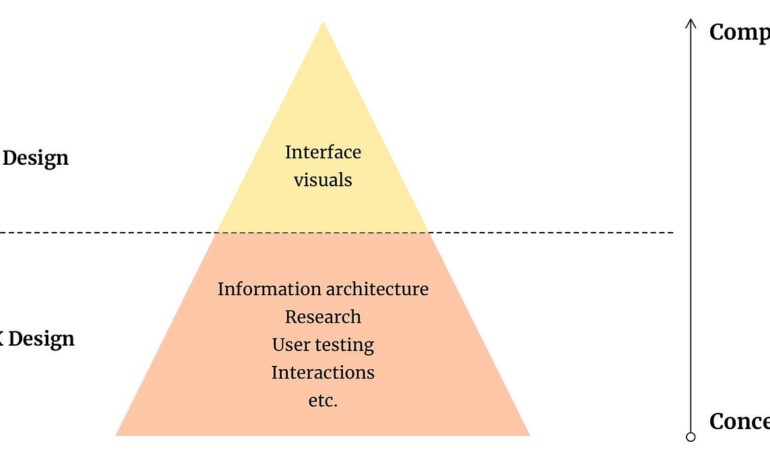
Ever-Updating Collection of New Approaches to UI/UX in the AI Era Dials, Knobs, and Sliders Physical knobs, digital sliders, and quadrant “dials” are being used to fine-tune AI responses and inputs. For example, Figma’s new Figma Slides features a novel UX where you can adjust the tone of generated text with a slider. Moving the orange indicator lets you blend between casual and professional tones, or concise and expanded content. This idea was spotted in a demo shared by Twitter user Johannes Stelzer. While I don’t have all the details, the concept is fantastic. For a personal example, I built a Chrome extension that summarizes any webpage. You can adjust the length of the output using sliders. Want a four-word summary? Slide it down. Prefer a detailed essay? Slide it up. Node-and-Edge Graph LangGraph Studio uses a node-and-edge system to visualize logic flows in LangChain Agents. Each node represents a “micro-agent” completing a specific task, and the edges show the connections between them. This modular approach allows users to build complex agents from simple, connected building blocks. The Infinite Canvas An infinite canvas provides an open, continuous workspace for limitless creativity. Examples include Figma, FigJam, TLDraw, and Visual Electric. Here’s a peek at Visual Electric’s canvas in action. Figma and FigJam also use this concept to inspire creativity. In one example, Julie W. Design is brainstorming with FigJam AI on an infinite canvas. Another example combines Claude’s Artifacts and TLDraw’s infinite canvas for nearly instant site-building capabilities. Voice Input While voice input isn’t new, it feels more natural within AI chat interfaces, popularized by OpenAI’s ChatGPT. David Lam points out that voice input works seamlessly with this mental model of a chat interface. Dot by New.Computer integrates voice input elegantly, alongside its text-based interactions. Notably, the interface includes a “pinch-out” gesture to access a hidden card view, showcasing Jason Yuan’s mastery of fluid, innovative UI design. Visual Interface AI tools are also embracing visual input. For example, OpenInterpreter uses a webcam to “read” a sticky note held up by Killian, then connects to Wi-Fi based on the written info. Side-by-Side Layout In this UI approach, a chat window appears on the left while results or outputs are shown on the right. This layout works well on desktop but requires swipes or tabs for mobile. Here are a few examples: Whole-Body Interface This example demonstrates how MediaPipe tracks body gestures to produce results. While it may rely on machine learning more than traditional AI, the outcome is undeniably cool! Like Related Posts Who is Salesforce? Who is Salesforce? Here is their story in their own words. From our inception, we’ve proudly embraced the identity of Read more Salesforce Marketing Cloud Transactional Emails Salesforce Marketing Cloud Transactional Emails are immediate, automated, non-promotional messages crucial to business operations and customer satisfaction, such as order Read more Salesforce Unites Einstein Analytics with Financial CRM Salesforce has unveiled a comprehensive analytics solution tailored for wealth managers, home office professionals, and retail bankers, merging its Financial Read more AI-Driven Propensity Scores AI plays a crucial role in propensity score estimation as it can discern underlying patterns between treatments and confounding variables Read more
Read More
Slack Integrating AI Into Platform

Slack Integrating AI Into Platform

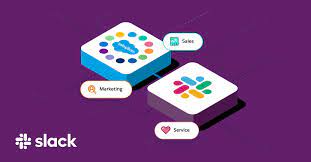
Slack’s CEO Denise Dresser announced that AI will soon be integrated into every aspect of the platform, enabling users to manage tasks and launch new projects without leaving the application. This announcement highlights a significant shift towards enhancing productivity and collaboration within Slack using advanced AI capabilities. Slack Integrating AI Into Platform. During a media session following her keynote at Salesforce’s World Tour event in Boston, Dresser outlined her vision for AI in Slack. Having taken on her role six months ago after years with Salesforce, she emphasized the integration of Slack with Salesforce’s Einstein Copilot. Acquired by Salesforce in late 2020, Slack aims to provide a unified experience for users by leveraging AI to manage both structured and unstructured data. The goal is to help users quickly find key conversations and turn them into actionable tasks and projects. Dresser noted the challenges in navigating chat histories and identifying important moments, which AI integration aims to address. Slack Integrating AI Into Platform “AI can significantly drive productivity,” Dresser said. “With Slack AI Search, Slack becomes your organization’s long-term memory. It allows users to easily find what they need through generative summaries, which was a major breakthrough for us.” Dresser highlighted the rapid adoption of AI and its integration into Slack’s functionality, leading to an evolution in skills such as prompt engineering and natural language processing. These advancements enable tasks like software creation without traditional coding methods. She pointed out the rapid growth in AI adoption, comparing it to the adoption rates of ChatGPT, mobile phones, and Facebook. Dresser believes this trend will continue as people experience productivity improvements with AI. AI will be embedded in various Slack features, including Canvas, Workflow, and Huddle, providing seamless assistance within the application. Users may not even realize they are interacting with AI, as it will naturally enhance Slack’s functionality. For instance, instead of manually searching through messages, AI will highlight the most important summaries. Dresser also mentioned the newly launched Slack Lists feature, which automatically captures and surfaces key parts of channel conversations. She stressed the importance of reducing the need to switch between different applications, which can drain time and productivity. “We have millions of people working in Slack; why leave Slack?” she said. “We wanted to integrate capabilities for tasks, lists, and projects directly into Slack, starting right within conversations.” In the future, Slack will also suggest relevant chat channels for project purposes, providing users with powerful insights and capabilities. Dresser noted that while only about a third of employees currently use AI-powered platforms, those who do report an average 81% increase in productivity by eliminating mundane tasks. As AI continues to be embedded into Slack and Salesforce tools, Dresser acknowledged the challenge of maintaining the platform’s beloved feel and integrity. “We’ve already integrated Slack, Sales Elevate, and Salesforce. Copilot’s integration will be excellent,” she said. “We have focused on preserving the unique Slack experience, even while enhancing it with new architectural integrations. Our goal is to ensure that Slack remains efficient and productive while staying true to its core identity.” Like Related Posts Who is Salesforce? Who is Salesforce? Here is their story in their own words. From our inception, we’ve proudly embraced the identity of Read more Salesforce Marketing Cloud Transactional Emails Salesforce Marketing Cloud Transactional Emails are immediate, automated, non-promotional messages crucial to business operations and customer satisfaction, such as order Read more Salesforce Unites Einstein Analytics with Financial CRM Salesforce has unveiled a comprehensive analytics solution tailored for wealth managers, home office professionals, and retail bankers, merging its Financial Read more AI-Driven Propensity Scores AI plays a crucial role in propensity score estimation as it can discern underlying patterns between treatments and confounding variables Read more

Read More
Slack and Salesforce

AI in Slack

Introducing AI in Slack If you are unfamiliar with the Slack collaboration tool, learn more here. Incorporating Artificial Intelligence (AI) into Slack marks a significant milestone, one that is a real gamechanger. Slack’s ability to consolidate projects, data, and conversations into one platform has been a time saver for businesses, fostering collaboration and enhancing productivity. Now, with the introduction of native AI features, users can leverage their collective knowledge more efficiently than ever before. “For the past decade, Slack has transformed the way we work, facilitating seamless integration of people, apps, and systems. With Slack AI, we’re poised to elevate this transformation further. These new AI capabilities empower our customers to tap into the wealth of knowledge within Slack, enabling smarter work processes, faster decision-making, and more focus on innovation and growth.” Denise Dresser, CEO of Slack Enhancing Work Efficiency with AI The traditional approach to work often comes with productivity challenges, particularly when employees lack access to critical, time based information. Studies reveal that nearly half of digital workers struggle to find necessary information, leading to suboptimal decision-making. By integrating AI features into Slack, users can instantly access contextual information related to any project or policy within their organization’s history. This streamlines workflows and enables teams to make better-informed decisions efficiently. Slack’s Commitment to Simplified Work Processes Slack has always aimed to simplify work processes, bringing conversations, automation, and productivity tools into one unified platform. From channel-based discussions to real-time collaboration and process automation, Slack offers a comprehensive solution for teams. Moreover, Slack seamlessly integrates with popular tools like Salesforce, Workday, and Google Drive, facilitating smoother business operations and accelerating task completion. AI in Slack With Slack’s channel-based model serving as the foundation, users can create a centralized repository of information. Every message, canvas, and clip contributes to this repository, forming a searchable database of collective knowledge. Intelligent search functionality further enhances accessibility, enabling users to retrieve relevant information effortlessly. AI-powered features, such as channel recaps, thread summaries, and search answers, revolutionize how teams interact with information. Channel recaps provide key highlights from discussions, allowing users to catch up quickly and make informed decisions. Thread summaries condense lengthy conversations, facilitating faster comprehension and decision-making. Additionally, search answers offer concise responses to queries, leveraging relevant Slack messages to provide valuable insights. Embracing AI for Future Growth As businesses recognize the potential of AI to drive efficiency and productivity, Slack’s AI features offer a seamless transition. By embedding AI tools directly into the Slack workspace, users can harness the power of AI effortlessly, without the need for complex configurations or separate applications. Overall, Slack AI empowers teams to reach their full potential by leveraging corporate knowledge effectively. With AI-driven insights at their fingertips, teams can save time, make better decisions, and drive meaningful outcomes for their organizations. AI in Slack Like1 Related Posts Who is Salesforce? Who is Salesforce? Here is their story in their own words. From our inception, we’ve proudly embraced the identity of Read more Salesforce Marketing Cloud Transactional Emails Salesforce Marketing Cloud Transactional Emails are immediate, automated, non-promotional messages crucial to business operations and customer satisfaction, such as order Read more Salesforce Unites Einstein Analytics with Financial CRM Salesforce has unveiled a comprehensive analytics solution tailored for wealth managers, home office professionals, and retail bankers, merging its Financial Read more AI-Driven Propensity Scores AI plays a crucial role in propensity score estimation as it can discern underlying patterns between treatments and confounding variables Read more
Read More
Salesforce Einstein AI Trust Layer

Einstein AI Trust Layer Explained

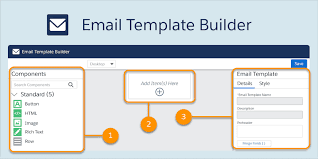
The Einstein Trust Layer is a secure AI architecture. It is natively built into the Salesforce Platform. Designed for enterprise security standards the Einstein Trust Layer continues to allow teams to benefit from generative AI. Without compromising their customer data, while at the same time letting companies use their trusted data to improve generative AI responses: Trusted AI starts with securely grounded prompts. A prompt is a canvas to provide detailed context and instructions to Large Language Models. The Einstein Trust layer allows you to responsibly ground all of your prompts in customer data and mask that data when the prompt is shared with Large Language Models*. With our Zero Retention architecture, none of your data is stored outside of Salesforce. Salesforce gives customers control over the use of their data for AI. Whether using our own Salesforce-hosted models or external models that are part of our Shared Trust Boundary, like OpenAI, no context is stored. The large language model forgets both the prompt and the output as soon as the output is processed. Like1 Related Posts Who is Salesforce? Who is Salesforce? Here is their story in their own words. From our inception, we’ve proudly embraced the identity of Read more Salesforce Marketing Cloud Transactional Emails Salesforce Marketing Cloud Transactional Emails are immediate, automated, non-promotional messages crucial to business operations and customer satisfaction, such as order Read more Salesforce Unites Einstein Analytics with Financial CRM Salesforce has unveiled a comprehensive analytics solution tailored for wealth managers, home office professionals, and retail bankers, merging its Financial Read more AI-Driven Propensity Scores AI plays a crucial role in propensity score estimation as it can discern underlying patterns between treatments and confounding variables Read more
Read More
Salesforce Marketing Cloud Journey Builder

Effortlessly Extract Journey Builder Wait Activity Contacts with the New REST API

For Salesforce Marketing Cloud developers, tracking contacts in Journey Builder has always been tricky—especially when trying to identify who passed through wait activities. While Data Views capture email interactions, monitoring wait states has historically required workarounds, such as adding Update Contact activities to funnel contacts into a Data Extension. But what if you need this data on demand—without pre-configuring your journey? Enter the Summer ’23 release’s game-changing feature: Journey Builder History Download via REST API. Why This API Is a Game-Changer No more clunky workarounds—just clean, direct access to the data you need. How to Use the API: Step-by-Step Guide 1. Prerequisites Before diving in, ensure you have: ⚠️ Missing the Contacts scope? Extracted contacts may appear as “Unknown”. 2. API Request Setup (Using Talend API Tester or Postman) Request Structure http Copy POST https://[REST Base URL].rest.marketingcloudapis.com/interaction/v1/interactions/journeyhistory/download?columns=ContactKey Headers: Content-Type: application/json Authorization: Bearer [Access Token] x-direct-pipe: true Body: { “activityIds”: [“8bb8d44a-9576-4ec8-9b19-576c56ec1746”], // Your Wait Activity ID “statuses”: [“complete”] // Avoids duplicate entries } Key Notes: 3. Download Your Data After a successful 200 OK response: Advanced Use Cases The API isn’t just for wait activities—you can also extract: 1. Contacts Who Met a Goal json Copy { “definitionIds”: [“a8787c44-d866-4b3a-bf71-f515b9a5c63f”], // Version ID, not Journey ID “activityTypes”: [“goalcriteriaactivity”] } 2. Contacts Who Exited the Journey json Copy { “definitionIds”: [“86f7c10b-76fa-4f5f-94b5-8afc6d0509af”], “statuses”: [“ExitCriteriaMet”] } 3. Contacts Who Entered the Journey json Copy { “definitionIds”: [“370c64da-781b-4f67-a10a-7722b74e73bb”], “activityTypes”: [“startinteractionactivity”] } 🔍 Need the Version ID? Here’s an easy way to retrieve it. Final Thoughts This API eliminates the need for manual tracking or pre-configured activities, giving developers real-time flexibility in extracting journey data. 🔹 No more workarounds🔹 No more guesswork🔹 Just clean, actionable data Next steps? Experiment with different filters, automate downloads, and integrate this into your reporting workflows. Like Related Posts Who is Salesforce? Who is Salesforce? Here is their story in their own words. From our inception, we’ve proudly embraced the identity of Read more Salesforce Marketing Cloud Transactional Emails Salesforce Marketing Cloud Transactional Emails are immediate, automated, non-promotional messages crucial to business operations and customer satisfaction, such as order Read more Salesforce Unites Einstein Analytics with Financial CRM Salesforce has unveiled a comprehensive analytics solution tailored for wealth managers, home office professionals, and retail bankers, merging its Financial Read more AI-Driven Propensity Scores AI plays a crucial role in propensity score estimation as it can discern underlying patterns between treatments and confounding variables Read more
Read More
Slack's Next Gen Platform Released

Slack’s Next Gen Platform Released

The Salesforce Slack platform lets you extend, expand, and automate your workspaces all while collaborating. Slacks Next Gen Platform Released. Slacks Next Gen Platform Released Slack’s advanced platform, initially in the beta phase for developers, is now progressively rolling out to all teams. Following nearly three years of community-driven experimentation, development, and testing, Slack is excited for you to explore the possibilities it unlocks for your teams: Modular Architecture: Introduce yourself to a new modular architecture rooted in building blocks like functions, triggers, and workflows. These elements are remixable, reusable, and seamlessly connect to the data flow within Slack. Enhanced Developer Experience: Enjoy a faster, more intuitive developer interface with new tools such as the Slack CLI and TypeScript SDK. These tools simplify and clarify the often tedious aspects of building atop the Slack platform. Secure Infrastructure: Benefit from secure deployment, data storage, and authentication powered by Slack-managed serverless infrastructure. The fast Deno-based TypeScript runtime keeps your focus on coding and user experience. Flexible User Experience: Experience a flexible user interface that facilitates easy sharing of your creations within Slack. Introduce a link trigger to make your workflow portable—share it in messages, add it to bookmarks, incorporate it into a canvas, and more. Slack Seeks Feedback Acknowledging the importance of feedback from developers, admins, and users, Slack understands the challenges encountered while building custom integrations. From ensuring enterprise readiness to keeping integrations up-to-date with new Slack features, your input has guided every decision, leading them to this point. The platform’s distinction lies in its extensive options and robust support, offering a fluid and expansive development experience. This approach has allowed Salesforce and Slack to explore innovative ways to integrate support structures directly within Slack, as echoed by Tyler Beckett, SaaS Operations Engineer at Workiva. Slacks Next Gen Platform Released to Include More Automation Slack’s platform is also designed to make workflows automatically extensible to the Slack surfaces of today and tomorrow. Focus on business logic, and Slack will ensure your functions and workflows seamlessly work in any new experience introduced in Slack. For example, the canvas is a new persistent surface where teams can create, curate, and share essential information like text, files, link unfurls, and more in a single view. From day one, you can embed workflows too, making it easy to discover and use them in a relevant context, such as adding an IT request workflow to an onboarding canvas. Talk to Tectonic today about adding Salesforce Slack to your Salesforce ecosystem. Like Related Posts Who is Salesforce? Who is Salesforce? Here is their story in their own words. From our inception, we’ve proudly embraced the identity of Read more Salesforce Marketing Cloud Transactional Emails Salesforce Marketing Cloud Transactional Emails are immediate, automated, non-promotional messages crucial to business operations and customer satisfaction, such as order Read more Salesforce Unites Einstein Analytics with Financial CRM Salesforce has unveiled a comprehensive analytics solution tailored for wealth managers, home office professionals, and retail bankers, merging its Financial Read more AI-Driven Propensity Scores AI plays a crucial role in propensity score estimation as it can discern underlying patterns between treatments and confounding variables Read more
Read More
Salesforce Integration

Canvas Integration With Salesforce

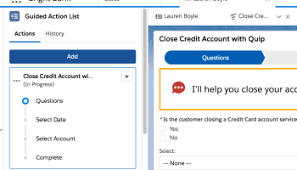
Can Salesforce be seamlessly integrated with Canvas? The integration of Salesforce and Canvas is made effortless through the Tray Platform’s robust connectors for Salesforce and Canvas. These connectors are designed to connect with any service without the need for additional integration tools. Canvas facilitates the easy integration of third-party applications within Salesforce. It comprises a set of tools and JavaScript APIs that allow you to expose an application as a canvas app. This implies that you can make your new or existing applications accessible to users as part of their Salesforce experience without the need for extensive redesign or reintegration. Canvas provides tools to manage various aspects, including: The third-party app you wish to expose as a canvas app can be written in any language, with the only requirement being a secure URL (HTTPS). Other integration options to consider before opting for Canvas include: How do I open a Canvas app in Salesforce? To view canvas apps in the navigation menu, log in to Salesforce mobile web. The Canvas app displays in the call control tool when Open CTI is selected in the call center’s definition file. Additionally, the Canvas app can be displayed in the publisher. What is the Canvas app used for? Canvas apps are ideal for constructing task-based or role-based applications. For instance, a team within the customer service department responsible for creating support tickets can efficiently use Canvas apps for this purpose. What are two features of a Canvas app? Two features of a Canvas app include: Like Related Posts Who is Salesforce? Who is Salesforce? Here is their story in their own words. From our inception, we’ve proudly embraced the identity of Read more Salesforce Marketing Cloud Transactional Emails Salesforce Marketing Cloud Transactional Emails are immediate, automated, non-promotional messages crucial to business operations and customer satisfaction, such as order Read more Salesforce Unites Einstein Analytics with Financial CRM Salesforce has unveiled a comprehensive analytics solution tailored for wealth managers, home office professionals, and retail bankers, merging its Financial Read more AI-Driven Propensity Scores AI plays a crucial role in propensity score estimation as it can discern underlying patterns between treatments and confounding variables Read more
Read More
gettectonic.com