Customization Archives - gettectonic.com - Page 4

Salesforce Reports Explained

Salesforce Reports: A Complete Guide to Data Analysis & Insights What Are Salesforce Reports? Salesforce Reports empower users to access, analyze, and share critical business data stored in Salesforce. They transform raw data into actionable insights, helping teams track performance, identify trends, and make data-driven decisions. Reports can be customized, visualized in dashboards, and shared across teams for better collaboration. Key Types of Salesforce Reports Salesforce offers four main report types, each suited for different analytical needs: 1. Tabular Reports 2. Summary Reports 3. Matrix Reports 4. Joined Reports How to Create & Customize Reports Step 1: Navigate to the Reports Tab Step 2: Customize Your Report Step 3: Save & Share Advanced Analysis with Salesforce Reports Einstein Analytics Dynamic Filters Scheduled Reports Best Practices for Effective Reporting ✅ Define a Clear Purpose – What decision will this report drive?✅ Keep It User-Friendly – Use charts, summaries, and clear labels.✅ Ensure Data Accuracy – Regularly review filters & formulas.✅ Share Strategically – Grant access only to relevant stakeholders.✅ Automate Where Possible – Schedule reports to save time. Conclusion: Unlock the Power of Salesforce Reports Salesforce Reports turn raw data into strategic insights, helping businesses track performance, optimize processes, and drive growth. By mastering report types, customization, and sharing, teams can make faster, smarter decisions. Need help? Explore Salesforce’s Report Builder or check out Trailhead for hands-on training! Like Related Posts Who is Salesforce? Who is Salesforce? Here is their story in their own words. From our inception, we’ve proudly embraced the identity of Read more Salesforce Marketing Cloud Transactional Emails Salesforce Marketing Cloud Transactional Emails are immediate, automated, non-promotional messages crucial to business operations and customer satisfaction, such as order Read more Salesforce Unites Einstein Analytics with Financial CRM Salesforce has unveiled a comprehensive analytics solution tailored for wealth managers, home office professionals, and retail bankers, merging its Financial Read more AI-Driven Propensity Scores AI plays a crucial role in propensity score estimation as it can discern underlying patterns between treatments and confounding variables Read more

Read More
Salesforce Quickstart

Advantages and Disadvantages of a Salesforce Quickstart

What is Quickstart in Salesforce? Quickstarts packages are great for individual departments or small sales & customer services teams who want to get the most out of their Salesforce experience from day one. Who is it for? Small to medium-sized businesses who are looking for quick deployment and want to get started with Salesforce as soon as possible. The Quickstart Advantage: Fast, Affordable, and Proven Salesforce Quickstart packages provide a streamlined path to CRM adoption, ideal for businesses that need rapid deployment without extensive customization. Key Benefits ✔ Weeks, Not Months – Pre-configured setups reduce implementation time by 60-70%✔ Cost Savings – Up to 50% lower than custom builds (initial TCO)✔ Built-in Best Practices – Leverages Salesforce’s 2M+ deployments of proven configurations✔ Faster User Adoption – Includes role-specific training for immediate productivity✔ Scalable Foundation – Designed to grow with modular add-ons When Quickstart Makes Sense Ideal Use Cases Industries Well-Suited for Quickstart Critical Limitations to Consider 1. Customization Constraints 2. Hidden Cost Drivers Potential Add-on Costs Typical Price Range Data migration services $5k-$25k Third-party integrations $10k-$50k Advanced reporting $3k-$15k 3. Scalability Challenges Strategic Decision Framework Choose Quickstart if:✅ You need core CRM functionality fast✅ Your processes align with standard Salesforce models✅ Budget is constrained (<$50k implementation) Opt for Custom if:❌ You require deep industry-specific workflows❌ You anticipate complex integrations (ERP, legacy systems)❌ You expect >50% customization of standard objects Implementation Best Practices *”Quickstart gets you 80% of the way there at 50% of the cost—but that last 20% determines long-term success.”*— Implementation Playbook The Bottom Line Salesforce Quickstart delivers speed-to-value for standardized deployments, but growing enterprises should plan for eventual re-platforming. Companies that: Achieve 3x faster breakeven compared to custom builds while maintaining flexibility for future scaling. Like Related Posts Who is Salesforce? Who is Salesforce? Here is their story in their own words. From our inception, we’ve proudly embraced the identity of Read more Salesforce Marketing Cloud Transactional Emails Salesforce Marketing Cloud Transactional Emails are immediate, automated, non-promotional messages crucial to business operations and customer satisfaction, such as order Read more Salesforce Unites Einstein Analytics with Financial CRM Salesforce has unveiled a comprehensive analytics solution tailored for wealth managers, home office professionals, and retail bankers, merging its Financial Read more AI-Driven Propensity Scores AI plays a crucial role in propensity score estimation as it can discern underlying patterns between treatments and confounding variables Read more

Read More
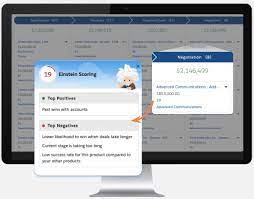
Einstein Opportunity Scoring Boosts Sales

Opportunities and List Views in Salesforce

Understanding Opportunities and List Views in Salesforce What Is an Opportunity? An opportunity in Salesforce represents a deal in progress. These records track key details such as the associated account, stakeholders, and potential sales value. Opportunities help sales teams manage pipelines and track revenue potential efficiently. To view and manage your opportunities, Salesforce provides list views, which display a collection of opportunity records. Since list views are dynamic, any updates to an opportunity automatically reflect in real time. Additionally, you can filter, customize, and visualize list views to streamline your workflow. Filtering Opportunities in a List View By default, your list view may show Recently Viewed opportunities. To switch to a different view: To remove all filters, simply click Remove All, then Save. Filtering becomes especially powerful when managing a large number of records. Try adding a new opportunity using the New button and adjust filters to see how they refine the view. You can always add more filters to further customize your list. Creating a New List View Note: Only users with the View Roles and Role Hierarchy permission can select from your org’s role list when editing public list view visibility. Customizing Displayed Fields This allows you to focus on the most relevant opportunity details at a glance. Visualizing Opportunities with Kanban By default, Kanban groups opportunities by Stage (opportunity status). To customize this: To return to the standard table view, click the Display as icon and select Table. Maximize Your Use of List Views Salesforce’s opportunity list views offer powerful filtering, customization, and visualization capabilities to help sales teams stay organized and efficient. Keep exploring different list view settings to optimize your workflow and better manage your deals. Like Related Posts Who is Salesforce? Who is Salesforce? Here is their story in their own words. From our inception, we’ve proudly embraced the identity of Read more Salesforce Marketing Cloud Transactional Emails Salesforce Marketing Cloud Transactional Emails are immediate, automated, non-promotional messages crucial to business operations and customer satisfaction, such as order Read more Salesforce Unites Einstein Analytics with Financial CRM Salesforce has unveiled a comprehensive analytics solution tailored for wealth managers, home office professionals, and retail bankers, merging its Financial Read more AI-Driven Propensity Scores AI plays a crucial role in propensity score estimation as it can discern underlying patterns between treatments and confounding variables Read more
Read More
Salesforce Order Management

Salesforce Order Management Explained

What is Salesforce Order Management? It’s a platform for managing orders, customer records, fulfillment, inventory visibility, payments and invoicing, and customer care.

Read More

AI in Sales Enablement

automation, and personalization to enhance sales processes, increase customer engagement, and drive revenue growth. Companies are working with AI to improve analysis of all customer contact points to both identify leads and weigh lead quality. That includes ingesting information from web pages, email campaigns, phone calls, and much more.

Read More
Salesforce Health Cloud

Salesforce Health Cloud Information

Since its inception in 2016, Salesforce Health Cloud has evolved significantly, adapting to the intricacies of the sensitive and dynamic health industry. The latest addition to its offerings, Customer 360 for Health, represents a strategic move towards more empathetic care, bolstering patient trust and fostering team collaboration.

Read More
Salesforce Quickstart

Step By Step Guide to a Salesforce Quickstart

Salesforce Implementation with a Tectonic Quickstart: Step-by-Step Salesforce Quickstart Guide. Step 1: Define Your Business Requirements Step 2: Choose the Appropriate Salesforce Products Step 3: Choose the Right Salesforce Quickstart Package Step 4: Prepare Your Data Step 5: Customize Your Quickstart Package Step 6: Train Your Users Step 7: Monitor and Optimize Your Processes Benefits of Salesforce Implementation with QuickStart Package Is it time for your business to get up and running on Salesforce? Contact Tectonic about our Salesforce Quickstart solutions today. Salesforce quickstarts are also known as Salesforce Implementation Solutions. Content updated December 2024. Like1 Related Posts Who is Salesforce? Who is Salesforce? Here is their story in their own words. From our inception, we’ve proudly embraced the identity of Read more Salesforce Marketing Cloud Transactional Emails Salesforce Marketing Cloud Transactional Emails are immediate, automated, non-promotional messages crucial to business operations and customer satisfaction, such as order Read more Salesforce Unites Einstein Analytics with Financial CRM Salesforce has unveiled a comprehensive analytics solution tailored for wealth managers, home office professionals, and retail bankers, merging its Financial Read more AI-Driven Propensity Scores AI plays a crucial role in propensity score estimation as it can discern underlying patterns between treatments and confounding variables Read more
Read More
Financial Services Sector

Salesforce Unites Einstein Analytics with Financial CRM

Salesforce has unveiled a comprehensive analytics solution tailored for wealth managers, home office professionals, and retail bankers, merging its Financial Services Cloud with Einstein Analytics. This amalgamation, known as Einstein Analytics for Financial Services, harnesses Salesforce’s robust query engine and interpretation layers, fueled by the enterprise data analytics prowess acquired through BeyondCore in 2016. Salesforce Unites Einstein Analytics with Financial CRM This integrated platform – Salesforce Unites Einstein Analytics with Financial CRM – offers two prebuilt analytical models, meticulously designed to gauge client churn (identifying clients at risk of leaving) and the potential for clients to bring additional assets to a firm. These models, while prepackaged, can be tailored to specific needs, providing insights into future scenarios within the firm. Advisors can leverage these models to assess client characteristics against firm-wide benchmarks and receive actionable suggestions to enhance client retention. Home office professionals and data scientists have the option to delve into the underlying mathematical frameworks of these models, allowing for customization if required. While the tool offers enterprise-level benchmarking, firms can incorporate their own industry-specific data to run the models, ensuring tailored insights. This initiative builds upon previous endeavors integrating machine learning into Financial Services Cloud, which aimed to identify crucial life events and offer actionable recommendations. The decision to develop a more holistic solution stemmed from observing customer behavior and the growing trend of custom dashboard creation. By streamlining and prepackaging these insights, Salesforce aims to accelerate adoption and empower users to focus on their core tasks. Although customization remains a key feature, the platform aims to simplify adoption by providing templated solutions. However, the efficacy of insights depends on the quality of the ingested data, emphasizing the importance of data aggregation and normalization. Future updates are expected to introduce additional machine learning models focused on reducing heldaway assets and increasing assets under management. Developed in collaboration with diverse stakeholders, ranging from enterprise financial advisors to firms of varying sizes, the service is priced at $150 per user per month. It’s not a standalone product and requires integration with Financial Services Cloud or Einstein Analytics Plus. Like2 Related Posts Who is Salesforce? Who is Salesforce? Here is their story in their own words. From our inception, we’ve proudly embraced the identity of Read more Salesforce Marketing Cloud Transactional Emails Salesforce Marketing Cloud Transactional Emails are immediate, automated, non-promotional messages crucial to business operations and customer satisfaction, such as order Read more AI-Driven Propensity Scores AI plays a crucial role in propensity score estimation as it can discern underlying patterns between treatments and confounding variables Read more Tectonic’s Successful Salesforce Track Record Salesforce Technology Services Integrator – Tectonic has successfully delivered Salesforce in a variety of industries including Public Sector, Hospitality, Manufacturing, Read more
Read More
gettectonic.com