
EGI Archives - gettectonic.com - Page 11
Crucial Role of Data and Integration in AI at Dreamforce

Salesforce Data Integration

Salesforce Data Integration: A Comprehensive Guide Introduction Salesforce offers numerous tools to access, synchronize, and share data with external systems. However, selecting the right tool for your project is critical. This guide explores Salesforce’s data integration landscape, providing recommendations based on specific use cases—along with guidance on which tools to avoid. Scope of This Guide This decision guide focuses on data-level integrations involving Salesforce, covering: While these are just a subset of integration challenges faced by Salesforce Architects, future guides will address: Note: Many tools discussed here can also solve enterprise-wide integration challenges, but those use cases are beyond this guide’s scope. Key Takeaways Common Considerations for Choosing Data Integration Tools Before selecting a tool, evaluate these key factors: Area to Consider Key Questions Existing Tools & Landscape Is an ESB/ETL solution already in place? Are there compliance requirements? Are systems cloud or on-premise? Data Flow Does data need to move synchronously, asynchronously, or in batches? Should data be replicated? Which system is the source of truth? Implementation What’s the effort for non-Salesforce systems? Which teams will deliver integrations? What tools do they prefer? Maintainability Who will maintain the integration? What skills do they have (or need)? What’s the total cost of ownership? Data Volume Is it a large data volume (LDV) scenario? How frequent are bulk changes? What’s the impact of singleton updates? Limits Are complex transformations needed? Will data be combined from multiple sources? How often will integrations run per user? Overview of Data Integration Tools Tool Salesforce → External External → Salesforce Execution License Required? Apex Actions ✅ Yes ✅ Yes Server-side ❌ No Change Data Capture ✅ Yes ❌ No Server-side ❌ No* Custom Apex (REST/SOAP) ✅ Yes ✅ Yes Server-side ❌ No External Services ✅ Yes ❌ No Server-side ❌ No Generic Events (Legacy) ✅ Yes ❌ No Server-side ❌ No** Heroku Connect ✅ Yes ✅ Yes Server-side ✅ Yes MuleSoft Anypoint ✅ Yes ✅ Yes Server-side ✅ Yes MuleSoft Composer ✅ Yes ✅ Yes Server-side ✅ Yes Native Salesforce APIs ❌ No ✅ Yes Server-side ❌ No OmniScript ✅ Yes ✅ Yes Client-side**** ✅ Yes OmniStudio Integration ✅ Yes ✅ Yes Server-side ✅ Yes Outbound Messaging ⚠️ Not Ideal ❌ No Server-side ❌ No Platform Events ✅ Yes ✅ Yes Server-side ❌ No*** PushTopic (Legacy) ⚠️ Not Ideal ❌ No Server-side ❌ No** Salesforce Connect ✅ Yes ✅ Yes Server-side ✅ Yes ✅ = Recommended | ⚠️ = Possible but consider alternatives | ❌ = Not supported Notes: Other Tools (Not Primary Integration Solutions) While these tools support aspects of data movement, they should not be the foundation of an integration strategy: Final Recommendations By aligning the right tool with your use case, you can optimize performance, reduce technical debt, and ensure scalable integrations. Content updated April 2025. Like Related Posts Who is Salesforce? Who is Salesforce? Here is their story in their own words. From our inception, we’ve proudly embraced the identity of Read more Salesforce Marketing Cloud Transactional Emails Salesforce Marketing Cloud Transactional Emails are immediate, automated, non-promotional messages crucial to business operations and customer satisfaction, such as order Read more Salesforce Unites Einstein Analytics with Financial CRM Salesforce has unveiled a comprehensive analytics solution tailored for wealth managers, home office professionals, and retail bankers, merging its Financial Read more AI-Driven Propensity Scores AI plays a crucial role in propensity score estimation as it can discern underlying patterns between treatments and confounding variables Read more


Read More
Salesforce Sales Enablement

Modern Sales Enablemen

The Ultimate Guide to Modern Sales Enablement: Driving Revenue Through Strategic Enablement Why Sales Enablement Matters More Than Ever In today’s competitive landscape, sales teams face unprecedented challenges: Sales enablement has evolved from basic training to a strategic revenue driver that:✔ Accelerates ramp time for new reps✔ Increases win rates by 20-30%✔ Boosts deal sizes through value-selling✔ Shortens sales cycles with battle-tested playbooks The 4 Pillars of High-Impact Enablement 1. Goal-Driven Enablement Stop generic training. Start with one revenue-critical KPI: Example: A SaaS company increased deal size 22% by training reps to lead with ROI calculators instead of discounts. 2. Behavior-Based Coaching Leverage AI and data to target specific skill gaps: 3. Technology Stack Integration Essential tools for measurable impact: Tool Key Benefit CRM Tracks enablement progress to revenue outcomes Conversation AI Surfaces coaching moments from calls/emails Enablement Platform Delivers contextual training in workflow Learning LMS Gamifies certifications & skill development Pro Tip: Integrate tools so reps learn while selling (e.g., Salesforce Sales Enablement auto-suggests battle cards during opp stages). 4. Continuous Optimization Quarterly enablement health checks: Best Practices for 2024 For Enablement Leaders For Sales Reps The Future: AI-Powered Enablement Leading organizations now deploy:🤖 Autonomous Coaching Agents – Real-time deal guidance📊 Predictive Content Recommendations – AI suggests optimal assets per stage🎯 Skill Gap Analytics – Prescriptive training based on deal outcomes “Enablement isn’t about training—it’s about engineering revenue behaviors.”– Sales Enablement Leader, Fortune 500 Tech Company Get Started Template Quarter 1 Enablement Plan markdown 1. **Goal**: Increase win rate by 15% 2. **Behavior Focus**: Executive stakeholder alignment 3. **Actions**: – Build “C-Suite Messaging” playbook – Train on discovery questioning frameworks – Implement call tracking for “business outcome” language 4. **Tools**: Salesforce Enablement + Gong 5. **Success Metrics**: – 25% more exec-level meetings booked – 10% higher win rate on deals with CFO engagement Content updated February 2025. Like Related Posts Who is Salesforce? Who is Salesforce? Here is their story in their own words. From our inception, we’ve proudly embraced the identity of Read more Salesforce Marketing Cloud Transactional Emails Salesforce Marketing Cloud Transactional Emails are immediate, automated, non-promotional messages crucial to business operations and customer satisfaction, such as order Read more Salesforce Unites Einstein Analytics with Financial CRM Salesforce has unveiled a comprehensive analytics solution tailored for wealth managers, home office professionals, and retail bankers, merging its Financial Read more AI-Driven Propensity Scores AI plays a crucial role in propensity score estimation as it can discern underlying patterns between treatments and confounding variables Read more

Read More
Salesforce Quickstart

Advantages and Disadvantages of a Salesforce Quickstart

What is Quickstart in Salesforce? Quickstarts packages are great for individual departments or small sales & customer services teams who want to get the most out of their Salesforce experience from day one. Who is it for? Small to medium-sized businesses who are looking for quick deployment and want to get started with Salesforce as soon as possible. The Quickstart Advantage: Fast, Affordable, and Proven Salesforce Quickstart packages provide a streamlined path to CRM adoption, ideal for businesses that need rapid deployment without extensive customization. Key Benefits ✔ Weeks, Not Months – Pre-configured setups reduce implementation time by 60-70%✔ Cost Savings – Up to 50% lower than custom builds (initial TCO)✔ Built-in Best Practices – Leverages Salesforce’s 2M+ deployments of proven configurations✔ Faster User Adoption – Includes role-specific training for immediate productivity✔ Scalable Foundation – Designed to grow with modular add-ons When Quickstart Makes Sense Ideal Use Cases Industries Well-Suited for Quickstart Critical Limitations to Consider 1. Customization Constraints 2. Hidden Cost Drivers Potential Add-on Costs Typical Price Range Data migration services $5k-$25k Third-party integrations $10k-$50k Advanced reporting $3k-$15k 3. Scalability Challenges Strategic Decision Framework Choose Quickstart if:✅ You need core CRM functionality fast✅ Your processes align with standard Salesforce models✅ Budget is constrained (<$50k implementation) Opt for Custom if:❌ You require deep industry-specific workflows❌ You anticipate complex integrations (ERP, legacy systems)❌ You expect >50% customization of standard objects Implementation Best Practices *”Quickstart gets you 80% of the way there at 50% of the cost—but that last 20% determines long-term success.”*— Implementation Playbook The Bottom Line Salesforce Quickstart delivers speed-to-value for standardized deployments, but growing enterprises should plan for eventual re-platforming. Companies that: Achieve 3x faster breakeven compared to custom builds while maintaining flexibility for future scaling. Like Related Posts Who is Salesforce? Who is Salesforce? Here is their story in their own words. From our inception, we’ve proudly embraced the identity of Read more Salesforce Marketing Cloud Transactional Emails Salesforce Marketing Cloud Transactional Emails are immediate, automated, non-promotional messages crucial to business operations and customer satisfaction, such as order Read more Salesforce Unites Einstein Analytics with Financial CRM Salesforce has unveiled a comprehensive analytics solution tailored for wealth managers, home office professionals, and retail bankers, merging its Financial Read more AI-Driven Propensity Scores AI plays a crucial role in propensity score estimation as it can discern underlying patterns between treatments and confounding variables Read more

Read More
Database Sharding

Database Sharding

Database Sharding: A Scalability Technique What is Sharding? Sharding is a database scaling technique that distributes data across multiple machines (or “shards”) to handle large datasets and high traffic loads that a single server may struggle to manage. The Problem: Single Database Limitations The Solution: Sharding Benefits of Sharding ✅ Horizontal Scaling – Add more servers instead of upgrading a single one (vertical scaling).✅ Improved Performance – Workload distribution reduces query response times.✅ Increased Storage Capacity – Supports much larger datasets than a single server.✅ Easier Data Management – Individual shards can be maintained, updated, and backed up independently.✅ Fault Tolerance – If one shard fails, the rest remain operational. How Sharding Works When to Use Sharding? Sharding vs. Partitioning Challenges of Sharding ⚠ Increased Complexity ⚠ Data Distribution Difficulties ⚠ Transactional & Query Challenges ⚠ Data Consistency Issues ⚠ Maintenance Overhead ⚠ Higher Costs Conclusion Sharding is a powerful solution for large-scale, high-traffic applications, but it introduces complexity and operational challenges. Success depends on: Before implementing sharding, evaluate whether its benefits outweigh the trade-offs for your use case. Like Related Posts Who is Salesforce? Who is Salesforce? Here is their story in their own words. From our inception, we’ve proudly embraced the identity of Read more Salesforce Unites Einstein Analytics with Financial CRM Salesforce has unveiled a comprehensive analytics solution tailored for wealth managers, home office professionals, and retail bankers, merging its Financial Read more AI-Driven Propensity Scores AI plays a crucial role in propensity score estimation as it can discern underlying patterns between treatments and confounding variables Read more Tectonic’s Successful Salesforce Track Record Salesforce Technology Services Integrator – Tectonic has successfully delivered Salesforce in a variety of industries including Public Sector, Hospitality, Manufacturing, Read more
Read More
Optimizing AI Agent Performance Through Strategic Data Management

Salesforce Consultant

The Salesforce Consultant: Your Guide to CRM Transformation What Does a Salesforce Consultant Do? A Salesforce Consultant is a strategic problem-solver who bridges the gap between business needs and technology. They work either in-house or as external advisors, helping organizations maximize Salesforce to improve efficiency, customer relationships, and revenue growth. Core Responsibilities ✅ Business Analysis – Identify pain points and align Salesforce solutions with company goals.✅ Process Optimization – Map workflows and automate tasks to boost productivity.✅ Solution Design & Configuration – Customize Salesforce to fit unique business needs.✅ Change Management – Train teams and ensure smooth adoption of new systems.✅ Project Leadership – Oversee implementations, integrations, and migrations. Why Businesses Need Them Many companies invest in Salesforce CRM but lack the expertise to fully leverage it. A consultant ensures:🔹 Faster ROI – Avoid costly misconfigurations.🔹 Scalability – Build systems that grow with the business.🔹 User Adoption – Drive engagement through training and support. Why Become a Salesforce Consultant? Impact & Rewards 💡 Transform Businesses – Help companies cut costs, boost revenue, and improve customer satisfaction.💡 Empower Teams – Simplify workflows so employees focus on meaningful work.💡 High Earning Potential – Skilled consultants command K–0K+ (varies by experience & certs). Career Flexibility 🌍 Work Anywhere – Remote, freelance, or in-house roles available.🚀 Growth Path – Advance to Solution Architect, Product Manager, or CTO. How to Become a Salesforce Consultant 1. Build Core Skills ✔ Business Acumen – Understand sales, marketing, or service operations.✔ Technical Proficiency – Master Salesforce Admin, Flows, and integrations.✔ Soft Skills – Communication, leadership, and Agile project management. 2. Earn Certifications Start with: 3. Gain Experience 🔹 Start as a Salesforce Admin🔹 Volunteer for non-profits (via Salesforce.org)🔹 Work on freelance projects (Upwork, Toptal) 4. Expand Your Toolkit 📌 Business Analysis – Learn requirements gathering.📌 Change Management – Study ADKAR or Prosci methodologies.📌 DevOps Basics – Understand CI/CD for Salesforce deployments. Final Thoughts Salesforce Consultants are change agents—combining tech expertise with business strategy to drive real impact. If you love problem-solving and want a dynamic, high-paying career, this path offers unlimited growth. Like Related Posts Who is Salesforce? Who is Salesforce? Here is their story in their own words. From our inception, we’ve proudly embraced the identity of Read more Salesforce Marketing Cloud Transactional Emails Salesforce Marketing Cloud Transactional Emails are immediate, automated, non-promotional messages crucial to business operations and customer satisfaction, such as order Read more Salesforce Unites Einstein Analytics with Financial CRM Salesforce has unveiled a comprehensive analytics solution tailored for wealth managers, home office professionals, and retail bankers, merging its Financial Read more AI-Driven Propensity Scores AI plays a crucial role in propensity score estimation as it can discern underlying patterns between treatments and confounding variables Read more
Read More
Salesforce Health Cloud

12 Transformative Benefits of Salesforce Health Cloud for Healthcare Organizations

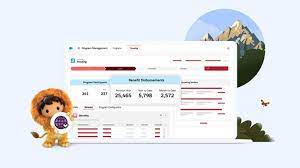
Why Health Cloud Leads the Healthcare CRM Market Recognized as the #1 healthcare CRM by KLAS and Forrester, Salesforce Health Cloud is revolutionizing how providers, payers, biotech/pharma, and medical device companies deliver care and manage operations. This powerful platform unifies patient data, streamlines workflows, and enables personalized engagement at scale. Key Advantages by Healthcare Sector For Healthcare Providers For Health Plans & Payers For Biotech & Pharmaceutical Companies For Medical Device Companies Implementation Success Factors Critical Capabilities ROI Drivers ✅ 30% faster care coordination✅ 25% improvement in patient adherence✅ 40% reduction in manual data entry Why Partner with Tectonic? As a certified Salesforce partner with deep healthcare expertise, Tectonic helps organizations: “Health Cloud users report 125% ROI through reduced administrative costs and improved patient outcomes.” – Forrester TEI Study Ready to transform your healthcare operations?Contact us today! Elevate patient care, streamline operations, and drive growth with the healthcare CRM leader—powered by Tectonic’s implementation excellence. Like Related Posts Who is Salesforce? Who is Salesforce? Here is their story in their own words. From our inception, we’ve proudly embraced the identity of Read more Salesforce Marketing Cloud Transactional Emails Salesforce Marketing Cloud Transactional Emails are immediate, automated, non-promotional messages crucial to business operations and customer satisfaction, such as order Read more Salesforce Unites Einstein Analytics with Financial CRM Salesforce has unveiled a comprehensive analytics solution tailored for wealth managers, home office professionals, and retail bankers, merging its Financial Read more AI-Driven Propensity Scores AI plays a crucial role in propensity score estimation as it can discern underlying patterns between treatments and confounding variables Read more

Read More
Salesforce Campaigns

Campaign in Salesforce Marketing Cloud

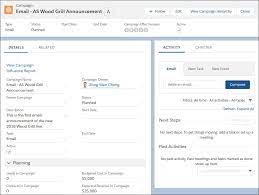
What is a campaign in Salesforce Marketing Cloud? Campaigns help organize your marketing plan and assets. Plus, when you set up your campaign records effectively, they contain valuable data that you can use to optimize future efforts. What are campaigns in Salesforce Marketing Cloud for? A Salesforce Campaign in Marketing Cloud is a group of Leads and Contacts exposed to specific marketing communication(s). It stores essential performance metrics and means salespeople can quickly see the customers and prospects that received marketing activity. How do I send a Salesforce campaign from Marketing Cloud? In Marketing Cloud > Email Studio > Overview, open the email that you want to send and click ‘Send’ Select a ‘Send Classification’ then click ‘Next’ In the left pane, select ‘Salesforce Campaigns’ and then type the name of the desired campaign in the ‘Search’ field. Create a Marketing Cloud Campaign Why use campaigns in marketing cloud? Marketing Cloud Campaigns provide a way of grouping similar emails together. That way, Campaigns can be used in Datorama Reporting to present data for certain emails. What is campaign object in Salesforce? The Campaign object contains all the settings associated with how campaign records appear, the actions that users can take on campaigns, field access, and more. Create a campaign in the Campaigns app. Use tags in Marketing Cloud Engagement to categorize campaigns by any criteria, such as geography, marketing tactic, and product line. Where are my old Campaigns? I don’t see them on the campaign Overview tab.Campaigns that contain an email that has been sent automatically have their status set to Deployed. By default, the Overview tab only shows Campaigns with a status of In Process. To view older campaigns that have a status of Deployed, simply adjust the filter in the upper left.Setting the campaign status to Deployed now happens automatically when associated emails are sent. This feature was enabled in January 2014. Content updated January 2024. Like3 Related Posts Who is Salesforce? Who is Salesforce? Here is their story in their own words. From our inception, we’ve proudly embraced the identity of Read more Salesforce Marketing Cloud Transactional Emails Salesforce Marketing Cloud Transactional Emails are immediate, automated, non-promotional messages crucial to business operations and customer satisfaction, such as order Read more Salesforce Unites Einstein Analytics with Financial CRM Salesforce has unveiled a comprehensive analytics solution tailored for wealth managers, home office professionals, and retail bankers, merging its Financial Read more AI-Driven Propensity Scores AI plays a crucial role in propensity score estimation as it can discern underlying patterns between treatments and confounding variables Read more
Read More
Salesforce Marketing Cloud

What is the Difference in Lists and a Data Extensions in Salesforce Marketing Cloud

There are two different methods to store and segment subscriber data within Marketing Cloud: Lists and Data Extensions. Lists have limited functionality, whereas Data Extensions provide full flexibility to store and relate subscriber information. Salesforce Marketing Cloud lists and data extensions are the primary ways to manage your subscriber data. What is the difference between data extension and list in Marketing Cloud? In short, lists are best used for specific email sends lacking advanced data or segmentation, whereas data extensions can be used for basically any type of communication or data management need. If the goal is to organize data with simplicity, go for lists. What is data extension in Marketing Cloud? A data extension is a table that contains your data. With Marketing Cloud Connect, push tracking data from the Marketing Cloud back to your Sales or Service Cloud orgs using Salesforce data extensions (SFDEs). Data extensions are also filterable. What are the data extension limits for Marketing Cloud? There is currently no limit for the amount of rows that can exist within a Data Extension. This means that, without Row Based Data Retention, a Data extension can grow exponentially without any real upper limit. What is a list in Marketing Cloud? Lists are a default way of storing data in Marketing Cloud Email Studio. You can set different attributes for your customers by using lists, which represent a collection of customers and provide a simple method for audience segmentation. These attributes are used to store the position of the customer in a given list. List can be configured to send a welcome email when a subscriber opts in, and can have double opt-in. You will also hear groups mentioned. Groups are smaller segments of a list. When to Opt for Marketing Cloud Data Extensions There are two primary scenarios that distinctly indicate the need for utilizing a data extension rather than a list: Fluctuating Values Over Time: Data Relationship via a 3rd Data Point: Like Related Posts Who is Salesforce? Who is Salesforce? Here is their story in their own words. From our inception, we’ve proudly embraced the identity of Read more Salesforce Marketing Cloud Transactional Emails Salesforce Marketing Cloud Transactional Emails are immediate, automated, non-promotional messages crucial to business operations and customer satisfaction, such as order Read more Salesforce Unites Einstein Analytics with Financial CRM Salesforce has unveiled a comprehensive analytics solution tailored for wealth managers, home office professionals, and retail bankers, merging its Financial Read more AI-Driven Propensity Scores AI plays a crucial role in propensity score estimation as it can discern underlying patterns between treatments and confounding variables Read more
Read More
Sending Emails Through Salesforce

Journey Builder or Automation Studio

Both Journey Builder and Automation Studio are robust tools available to Marketing Cloud customers. However, determining when to use each one and how they complement each other can sometimes be confusing. Automation Studio primarily focuses on ETL (Extract, Transform, Load) processes in marketing automation. It enables marketers to integrate data from various systems and automate tasks for segmentation and email campaign deployment. With Automation Studio, marketers can create highly advanced automated segmentation using data filters and queries, making it ideal for repetitive processes. It also allows users to execute SQL queries to retrieve and store data extension information. On the other hand, Journey Builder is a user-friendly, drag-and-drop tool designed for creating personalized, engagement-based customer journeys. It facilitates individualized, multi-channel communications at scale and provides goal and success measurements for monitoring and management. Unlike Automation, Journey Builder offers more opportunities for testing strategies and optimizing messages based on real-time engagement and interaction. One key difference between the two tools is that Journey Builder offers built-in goal reporting, providing real-time insights into campaign performance and customer engagement. Another distinction is that while Automation Studio relies on batch processing, Journey Builder allows individuals to enter journeys on an individual level, enabling real-time monitoring and action based on customer behavior. To decide which tool to use, consider the following questions: In many cases, it’s not a matter of choosing between Journey Builder vs Automation Studio but rather leveraging both tools together. By combining the powerful segmentation capabilities of Automation Studio with the personalized journey creation features of Journey Builder, marketers can deliver highly targeted and personalized messaging to their customers. Automation Studio is best for complex segmentation at scale, while Journey Builder guides customers through customized journeys based on Marketing Cloud data. Ultimately, using both tools together allows marketers to create seamless, personalized experiences for their customers. Like1 Related Posts Who is Salesforce? Who is Salesforce? Here is their story in their own words. From our inception, we’ve proudly embraced the identity of Read more Salesforce Marketing Cloud Transactional Emails Salesforce Marketing Cloud Transactional Emails are immediate, automated, non-promotional messages crucial to business operations and customer satisfaction, such as order Read more Salesforce Unites Einstein Analytics with Financial CRM Salesforce has unveiled a comprehensive analytics solution tailored for wealth managers, home office professionals, and retail bankers, merging its Financial Read more AI-Driven Propensity Scores AI plays a crucial role in propensity score estimation as it can discern underlying patterns between treatments and confounding variables Read more

Read More
Salesforce CPQ

Salesforce for Government and Public Sector Solutions

Transform your system of record into a system of engagement to manage mission-critical programs effectively. Achieve superior long-term outcomes by incorporating apps that seamlessly connect EHR data, treatment plans, and patient preferences. Utilize top-tier commercial CRM capabilities while adhering to compliance standards such as FedRAMP, DoD IL2/4, SOC, and more. Ensure stakeholders have secure access to critical information on any device, allowing IT to focus on innovation and employees to engage with collaborative tools.

Read More
gettectonic.com