
Integrations Archives - gettectonic.com - Page 17
Tableau vs Datorama

What is the Difference Between Datorama and Tableau?

In the current business environment, customer and prospect data serve as the driving force in most everything we do, emphasizing the importance of analyzing, understanding, and acting on accurate data for informed decision-making. Business Intelligence (BI) tools like Datorama and Tableau play an important role in facilitating these processes. This insight conducts a comparative analysis of Datorama vs. Tableau, covering features, capabilities, pricing, support, and training options. Tectonic’s goal is to assist businesses in making informed decisions aligned with their specific needs. If you are choosing between these two tools, contact Tectonic for assistance. Overview of Datorama: Datorama, a cloud-based BI platform, specializes in providing insights into data across a variety of marketing channels. Offering real-time analytics and pre-built connectors for various marketing platforms, Datorama serves as a comprehensive tool for marketing analytics. Its dashboard provides a centralized view of marketing data, automates real-time processing, and incorporates AI-powered insights generated by Salesforce Einstein. Overview of Tableau: Tableau, a widely used BI platform, facilitates easy data connection and visualization. With a user-friendly interface, it allows users to build interactive dashboards and visualizations without coding expertise. Tableau’s adaptability enables it to connect to various data sources, create interactive visualizations, offer data blending, and include forecasting capabilities. Key Features of Datorama and Tableau: Datorama Features: Tableau Features: Pricing Models: Datorama: Custom plans with varying costs based on specific business needs, starting at $3,000 USD per month. Tableau: Tiered plans with pricing ranging from $12 to $70 per user per month. Support and Training: Datorama: Knowledge base, community forums, training courses, and a certification program. Tableau: 24/7 support, online courses, and live training sessions. Choosing the Right BI Solution: Datorama: Suited for businesses with complex data integration needs, ideal for multi-channel marketing analytics and forecasting, offers advanced AI-powered insights. Tableau: Suited for businesses with data visualization and reporting needs, ideal for ad-hoc data analysis and dashboarding, offers powerful visualization capabilities. Benefits of Integration: Final Thoughts: Both Datorama and Tableau excel as BI tools, offering unique strengths. Datorama is tailored for marketing analytics with real-time insights, while Tableau provides versatility in connecting and visualizing data from various sources. Choosing the right solution depends on specific business needs, goals, and budget considerations. Contact Tectonic today for assistance. Like2 Related Posts Who is Salesforce? Who is Salesforce? Here is their story in their own words. From our inception, we’ve proudly embraced the identity of Read more Salesforce Marketing Cloud Transactional Emails Salesforce Marketing Cloud Transactional Emails are immediate, automated, non-promotional messages crucial to business operations and customer satisfaction, such as order Read more Salesforce Unites Einstein Analytics with Financial CRM Salesforce has unveiled a comprehensive analytics solution tailored for wealth managers, home office professionals, and retail bankers, merging its Financial Read more AI-Driven Propensity Scores AI plays a crucial role in propensity score estimation as it can discern underlying patterns between treatments and confounding variables Read more

Read More
Salesforce Slack

Slack Process Automation

Salesforce’s Slack team collaboration tool extends beyond facilitating communication across channels; it empowers users to automate routine processes seamlessly through the Workflow Builder tool. This feature, available in Slack, offers a range of tools to streamline processes both within and outside Slack, all without the need for coding. Slack process automation improves the power and usage of the collaboration tool. The versatility of workflows is vast, accommodating simple to complex processes that can connect with various apps and services, not limited to Slack and Salesforce alone. With over 2,400 apps in the Slack App Directory, integration possibilities are extensive. Should a pre-built app fall short, customization options allow tailoring to specific business needs without the necessity for coding expertise. Building a workflow primarily requires identifying routine business processes suitable for automation, whether through app installation or custom Workflow Builder creation. The absence of coding prerequisites makes this accessible to a broader audience. Workflow Builder considers any series of sequential, repeatable tasks aimed at achieving a specific goal as a viable process for automation. Since Salesforce’s acquisition of Slack in 2021, the platform has become a pivotal collaboration tool within and beyond the Salesforce ecosystem. Its popularity has surged, particularly in remote-based work environments, where integrations with various applications synchronize data into Slack, providing a single, accurate source accessible to all team members. This, coupled with automation features directly accessible from the Slack app, significantly reduces manual task durations. Eight highly recommended Slack automations, facilitated through pre-built templates, cover various aspects, including recruiting, lead management, deal alerts, quote-to-invoice processes, project status tracking, time tracking, support case management, and even creative applications like hue light automation. Tectonic offers expertise in custom Slack integrations with Salesforce projects. Companies can explore how Slack enhances team collaboration and process automation by connecting with us. Slack Workflows Importantly, Slack workflows extend beyond Salesforce integration, working seamlessly with other platforms such as Zapier, Centro, Google Sheets, AttendanceBot, Polly, Datadog, Fellow, Automate.io, BirthdayBot, Jira, Workstreams, ToDoBot, Workast, Simple Poll, and more. The Workflow Builder feature enables the creation of predefined triggers and steps to automate processes directly within the Slack app. Triggers can be manually selected, initiated by emoticon selections, or set to run automatically. Once triggered, the workflow’s steps unfold in the selected order, allowing the seamless execution of various tasks. Process Automation in Slack The possibilities for automation using Workflow Builder in Slack are extensive, ranging from employee onboarding, customer support, content and communication review, to sales lead and marketing campaign management, request approval processes, and beyond. Slack, in conjunction with Tectonic, stands ready to bring these envisioned automations to life for organizations seeking enhanced efficiency and collaboration. Like Related Posts Who is Salesforce? Who is Salesforce? Here is their story in their own words. From our inception, we’ve proudly embraced the identity of Read more Salesforce Marketing Cloud Transactional Emails Salesforce Marketing Cloud Transactional Emails are immediate, automated, non-promotional messages crucial to business operations and customer satisfaction, such as order Read more Salesforce Unites Einstein Analytics with Financial CRM Salesforce has unveiled a comprehensive analytics solution tailored for wealth managers, home office professionals, and retail bankers, merging its Financial Read more AI-Driven Propensity Scores AI plays a crucial role in propensity score estimation as it can discern underlying patterns between treatments and confounding variables Read more

Read More
Salesforce Einstein

Connect Salesforce to an External API with No Code

Effortlessly establish seamless integration between your Salesforce org and an external API, all without writing a single line of code. Harness the capabilities of declarative tools in conjunction with OpenAPI specifications to define the functionality of the external API. Connect Salesforce to an external API for increased productivity. External Services will autonomously generate invocable actions directly within Salesforce. Whether you prefer low-code, process-driven integrations or aim to enhance your Apex integrations, External Services efficiently handles outbound integrations from Salesforce. Invoke these actions seamlessly from Apex, integrate them into flows, or include them in Einstein bots for smooth interaction with the external API source. Connect Salesforce to an external API to access these benefits. To begin, register OpenAPI 2.0 or OpenAPI 3.0 schemas within External Services. The operations imported from your registered schema effortlessly transform into invocable actions, accessible in Apex or as External Services action types within user-friendly automation tools like Flow Builder, Orchestrator, Einstein bots, or OmniStudio Assets. External Services particularly excels in handling RESTful services hosted externally, especially when the API specification aligns with OpenAPI 2.0 or OpenAPI 3.0 JSON schema formats. Low-code and no-code solutions for Salesforce allow you to build and deploy applications without needing extensive or any coding knowledge. These tools can help to save your business time and money when it comes to software development as well as allow non-technical users to create and customize applications. Like Related Posts Who is Salesforce? Who is Salesforce? Here is their story in their own words. From our inception, we’ve proudly embraced the identity of Read more Salesforce Marketing Cloud Transactional Emails Salesforce Marketing Cloud Transactional Emails are immediate, automated, non-promotional messages crucial to business operations and customer satisfaction, such as order Read more Salesforce Unites Einstein Analytics with Financial CRM Salesforce has unveiled a comprehensive analytics solution tailored for wealth managers, home office professionals, and retail bankers, merging its Financial Read more AI-Driven Propensity Scores AI plays a crucial role in propensity score estimation as it can discern underlying patterns between treatments and confounding variables Read more

Read More
Salesforce Quickstart

Advantages and Disadvantages of a Salesforce Quickstart

What is Quickstart in Salesforce? Quickstarts packages are great for individual departments or small sales & customer services teams who want to get the most out of their Salesforce experience from day one. Who is it for? Small to medium-sized businesses who are looking for quick deployment and want to get started with Salesforce as soon as possible. The Quickstart Advantage: Fast, Affordable, and Proven Salesforce Quickstart packages provide a streamlined path to CRM adoption, ideal for businesses that need rapid deployment without extensive customization. Key Benefits ✔ Weeks, Not Months – Pre-configured setups reduce implementation time by 60-70%✔ Cost Savings – Up to 50% lower than custom builds (initial TCO)✔ Built-in Best Practices – Leverages Salesforce’s 2M+ deployments of proven configurations✔ Faster User Adoption – Includes role-specific training for immediate productivity✔ Scalable Foundation – Designed to grow with modular add-ons When Quickstart Makes Sense Ideal Use Cases Industries Well-Suited for Quickstart Critical Limitations to Consider 1. Customization Constraints 2. Hidden Cost Drivers Potential Add-on Costs Typical Price Range Data migration services $5k-$25k Third-party integrations $10k-$50k Advanced reporting $3k-$15k 3. Scalability Challenges Strategic Decision Framework Choose Quickstart if:✅ You need core CRM functionality fast✅ Your processes align with standard Salesforce models✅ Budget is constrained (<$50k implementation) Opt for Custom if:❌ You require deep industry-specific workflows❌ You anticipate complex integrations (ERP, legacy systems)❌ You expect >50% customization of standard objects Implementation Best Practices *”Quickstart gets you 80% of the way there at 50% of the cost—but that last 20% determines long-term success.”*— Implementation Playbook The Bottom Line Salesforce Quickstart delivers speed-to-value for standardized deployments, but growing enterprises should plan for eventual re-platforming. Companies that: Achieve 3x faster breakeven compared to custom builds while maintaining flexibility for future scaling. Like Related Posts Who is Salesforce? Who is Salesforce? Here is their story in their own words. From our inception, we’ve proudly embraced the identity of Read more Salesforce Marketing Cloud Transactional Emails Salesforce Marketing Cloud Transactional Emails are immediate, automated, non-promotional messages crucial to business operations and customer satisfaction, such as order Read more Salesforce Unites Einstein Analytics with Financial CRM Salesforce has unveiled a comprehensive analytics solution tailored for wealth managers, home office professionals, and retail bankers, merging its Financial Read more AI-Driven Propensity Scores AI plays a crucial role in propensity score estimation as it can discern underlying patterns between treatments and confounding variables Read more
Read More
Salesforce and Google Calendar

Sync Google Calendar with Salesforce

Lightning Sync is specifically designed to synchronize only your primary Google Calendar with Salesforce. Verify with your administrator whether your sync configuration is configured to synchronize private events. Is there synchronization between Google Drive and Salesforce? Effortlessly associate Google Drive files and folders with Salesforce records for convenient access and sharing. Additionally, access and modify Google Drive files directly within Salesforce using the Drive Connect File Viewer. How does Salesforce collaborate with Google? Salesforce maintains its leadership position in business, philanthropy, and workplace satisfaction by leveraging Google Workspace for real-time collaboration among dispersed teams and partners. Salesforce stands out as the leading provider of Customer Relationship Management (CRM) software globally. Steps to sync Google Calendar with Salesforce: Can Google Calendar function as a CRM? No, but you can integrate your CRM system with Google Calendar. This integration allows you to add events from your calendar to a CRM task and vice versa, ensuring that your team stays informed about important company events. If you are interested in syncing Google Calendar or other Google tools to your Salesforce org, contact Tectonic today. Like1 Related Posts Who is Salesforce? Who is Salesforce? Here is their story in their own words. From our inception, we’ve proudly embraced the identity of Read more Salesforce Marketing Cloud Transactional Emails Salesforce Marketing Cloud Transactional Emails are immediate, automated, non-promotional messages crucial to business operations and customer satisfaction, such as order Read more Salesforce Unites Einstein Analytics with Financial CRM Salesforce has unveiled a comprehensive analytics solution tailored for wealth managers, home office professionals, and retail bankers, merging its Financial Read more AI-Driven Propensity Scores AI plays a crucial role in propensity score estimation as it can discern underlying patterns between treatments and confounding variables Read more

Read More
Salesforce Content Management System

Salesforce Content Management System

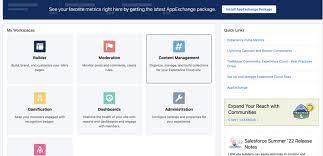
Salesforce CMS: A Comprehensive Overview Salesforce Content Management System empowers organizations to build sites, portals, and forums effortlessly through a user-friendly, declarative builder, offered at a subscription rate of $10,000 per org/month. Users leverage its capabilities to publish and manage various content types such as blogs and banners across multiple channels like emails, websites, mobile apps, and portals. Key Features of Salesforce CMS Benefits of Salesforce CMS Salesforce CMS functions as a hybrid content management system, facilitating seamless content creation and delivery for teams of all skill levels. It integrates deeply with customer data, enabling personalized and efficient content distribution. Real-World Application Andy Jones from NOW, a streaming service by Sky in the U.K., praises Salesforce CMS for accelerating content creation. According to Jones, content creators transition swiftly from novice to mastery without relying on IT or design teams, resulting in visually appealing content. Integration of CRM with CMS enhances customer experiences significantly. Features and Flexibility Tools for Building Experiences Delivering Content to Third-Party Platforms Utilize Salesforce headless APIs to seamlessly deliver content to third-party sites, experiences, or mobile apps. Personalization and Customer-Centric Content Salesforce CMS enhances content personalization by leveraging customer data, enabling teams to craft content that effectively addresses customer pain points, needs, questions, and desires. Turning Data into Content Transform CRM records into visually compelling content such as banners, tile menus, or engaging promotional CTAs, empowering every team member to contribute to enhanced customer experiences. Salesforce CMS stands as a robust, adaptable, and user-friendly solution for organizations aiming to deliver personalized, data-driven content across all customer touchpoints. Like Related Posts Who is Salesforce? Who is Salesforce? Here is their story in their own words. From our inception, we’ve proudly embraced the identity of Read more Salesforce Marketing Cloud Transactional Emails Salesforce Marketing Cloud Transactional Emails are immediate, automated, non-promotional messages crucial to business operations and customer satisfaction, such as order Read more Salesforce Unites Einstein Analytics with Financial CRM Salesforce has unveiled a comprehensive analytics solution tailored for wealth managers, home office professionals, and retail bankers, merging its Financial Read more AI-Driven Propensity Scores AI plays a crucial role in propensity score estimation as it can discern underlying patterns between treatments and confounding variables Read more
Read More
Experience Salesforce Experience Cloud

Experience Salesforce Experience Cloud

Salesforce Experience Cloud, formerly recognized as Salesforce Community Cloud, offers organizations a platform to construct branded online communities for employees, customers, partners, and other stakeholders, fostering collaboration, engagement, and self-service among community members. Key Features: Customization: Experience Cloud facilitates customization, empowering organizations to tailor their community’s appearance to match their brand through custom themes, templates, and layouts. Member Engagement: Various engagement tools like discussion forums, chats, and groups enable members to interact, share information, and collaborate effectively. Content Management: Easily create, manage, and share content within the community, including articles, documents, videos, and more, organized into topics for streamlined navigation. Access Control: Administrators can regulate community access and permissions, defining different levels of access for diverse user groups. Integration: Seamless integration with other Salesforce products and external systems enables connectivity with CRM, marketing automation, and other business applications. Mobile-Responsiveness: Communities built with Experience Cloud are mobile-responsive, ensuring accessibility from different devices. Data Visibility: Users can access relevant data from Salesforce CRM, such as customer records and support cases, within the community. Self-Service: Community members can find answers, access support resources, and resolve issues themselves, reducing the burden on support teams. Analytics: Experience Cloud offers analytics and reporting tools to track community engagement, member activity, and content performance for informed decision-making. Developer Tools: Advanced customization and integration requirements are met through developer tools, APIs, and documentation provided by Salesforce Experience Cloud. Use Cases: Customer Communities: Partner Portals: Employee Communities: B2B Commerce: Knowledge Sharing: Event Management: Custom Applications: Branding and Theming: Analytics and Reporting: Advantages of Salesforce Experience Cloud: Enhanced Customer Engagement: Build interactive communities for customers to find support and connect with each other. Scalable Collaboration: Create communities for various user groups while maintaining security and access control. Personalization: Deliver personalized content and services to enhance user engagement. Brand Consistency: Customize community appearance to ensure a consistent brand experience. Integration: Seamlessly connect with other Salesforce products and external systems. Mobile-Friendly: Communities are accessible from various devices, improving accessibility. Analytics and Insights: Gain valuable insights into community engagement and user behavior. Automation: Automate processes like customer support workflows to save time and improve efficiency. Security: Protect community data with robust security features. Customer and Partner Enablement: Provide easy access to resources and support for customers and partners. Reduced IT Overhead: Configure and customize communities without extensive coding or IT resources. Community Growth: Scale communities as your organization grows. Comparison with Community Cloud: Experience Cloud offers a broader range of functionalities beyond traditional community building. It focuses on creating seamless digital experiences for customers, partners, and employees. It provides enhanced integration capabilities and AI-driven personalization features. The name change reflects Salesforce’s shift towards delivering comprehensive digital experiences. Examples of What Can Be Achieved: Self-Service Portals: Customer support and FAQs. Partner Portals: Lead management and collaboration. Employee Intranets: Collaboration and HR processes. E-Commerce Storefronts: Product catalogs and shopping carts. Discussion Forums: Community interaction and knowledge sharing. Event and Conference Portals: Event registration and agendas. Patient and Healthcare Portals: Medical records and appointment scheduling. Nonprofit Donor Engagement: Fundraising campaigns and volunteer opportunities. Education Portals: Learning materials and discussion boards. Government Portals: Citizen services and public discussions. Financial Services Client Portals: Account information and communication with advisors. Like Related Posts Who is Salesforce? Who is Salesforce? Here is their story in their own words. From our inception, we’ve proudly embraced the identity of Read more Salesforce Marketing Cloud Transactional Emails Salesforce Marketing Cloud Transactional Emails are immediate, automated, non-promotional messages crucial to business operations and customer satisfaction, such as order Read more Salesforce Unites Einstein Analytics with Financial CRM Salesforce has unveiled a comprehensive analytics solution tailored for wealth managers, home office professionals, and retail bankers, merging its Financial Read more AI-Driven Propensity Scores AI plays a crucial role in propensity score estimation as it can discern underlying patterns between treatments and confounding variables Read more

Read More
Salesforce Integration

Salesforce Integrations for Sales and Marketing Teams

First Understand Salesforce Integrations Salesforce integrations involve establishing seamless connections between Salesforce and diverse third-party applications. These applications range from marketing automation tools and customer service software to accounting programs. The purpose is to facilitate a smooth exchange of data, ultimately enhancing Salesforce’s overall functionality. Salesforce integrations for sales and marketing teams brings all the applications needed for the relationship with prospects into one place. Salesforce’s Integration Ecosystem While Salesforce boasts a robust integration ecosystem, featuring over 3,000 integrations available on its AppExchange marketplace. Users can leverage various integration approaches: Salesforce Integrations for Sales and Marketing While there’s no complete universal list of essential Salesforce integrations for sales and marketing, several widely-used integrations cater to diverse needs: No-code Data Automation Integrations: Analytics and Reporting Integrations: Email Marketing Automation Integration: Data Storage Integration: Communications Apps Integrations: Project Management Tools Integration: Account Management Integration: CRM Tools Integration: Helpdesk Integrations: Feedback Tools Integration: These integrations facilitate efficient data handling, analytics, communication, project management, and more within sales and marketing teams. Integrations for Sales and Marketing Tools Salesforce seamlessly integrates with various tools relevant to Sales and Marketing teams, including but not limited to: Salesforce Integration with Teams and Workday The Salesforce AppExchange Salesforce’s Role in Sales and Marketing Salesforce Marketing Cloud Salesforce and ERP Integration Digital Marketing and Salesforce Salesforce’s Role in Marketing Automation Content updated November 2023. Like Related Posts Who is Salesforce? Who is Salesforce? Here is their story in their own words. From our inception, we’ve proudly embraced the identity of Read more Salesforce Marketing Cloud Transactional Emails Salesforce Marketing Cloud Transactional Emails are immediate, automated, non-promotional messages crucial to business operations and customer satisfaction, such as order Read more Salesforce Unites Einstein Analytics with Financial CRM Salesforce has unveiled a comprehensive analytics solution tailored for wealth managers, home office professionals, and retail bankers, merging its Financial Read more AI-Driven Propensity Scores AI plays a crucial role in propensity score estimation as it can discern underlying patterns between treatments and confounding variables Read more
Read More
Salesforce and Healthcare

What is Healthcare Technology?

What is the role of healthcare technology? Healthtech companies play a crucial role in elevating patient care and outcome. Within the health and life sciences industry technology plays an important role. Leveraging innovative technologies and digital solutions, these companies contribute to the enhancement of diagnostic accuracy, treatment planning, and monitoring efficiency for healthcare providers. How is technology defined in healthcare? Healthtech encompasses a broad spectrum of technologies, including medical devices, information technology (IT) systems, algorithms, artificial intelligence (AI), cloud computing, and blockchain. The purpose is to provide support to healthcare organizations, facilitating improved services and patient care. CRM in healthcare not only stores patients’ contact information. It also gives a comprehensive overview of their medical history, appointments, and prescriptions. Using a healthcare CRM system, providers can customize their patient management plans so that each patient gets precisely the amount of care they need. How does HealthTech differ from MedTech? HealthTech is implemented through diverse technologies like wearables, applications, or databases. MedTech primarily involves medical equipment, prosthesis, and tools. Despite their distinct differences, both HealthTech and MedTech share a common goal of integrating technology into healthcare. What is healthcare management and technology? Health information management and healthtech professionals are engaged in comprehending healthcare dat. The intricacies of which require in-depth knowledge of the software and systems that govern its utilization. The convergence of these fields aims to enhance the quality of life for medical patients by integrating technology into healthcare practices. The global healthcare CRM market size was estimated at USD 14.3 billion in 2021 and is expected to reach USD 16.0 billion in 2022. The value is predicted to grow at a CAGR of 8.4% from 2022 to 2030. North America remained the largest market for medical CRM in 2021. Health Cloud is one of the Salesforce Industry Clouds: a solution tailored to meet the unique needs of specific industries. It combines the best of Salesforce’s CRM capabilities with advanced features tailored for healthcare providers, payers, medical device companies, and pharmaceutical manufacturers. What is a Hipaa compliant CRM? HIPAA regulations require this information be protected and kept confidential… A HIPAA-compliant CRM ensures that the information is handled securely and that the organization is in compliance with the law. Like1 Related Posts Who is Salesforce? Who is Salesforce? Here is their story in their own words. From our inception, we’ve proudly embraced the identity of Read more Salesforce Marketing Cloud Transactional Emails Salesforce Marketing Cloud Transactional Emails are immediate, automated, non-promotional messages crucial to business operations and customer satisfaction, such as order Read more Salesforce Unites Einstein Analytics with Financial CRM Salesforce has unveiled a comprehensive analytics solution tailored for wealth managers, home office professionals, and retail bankers, merging its Financial Read more AI-Driven Propensity Scores AI plays a crucial role in propensity score estimation as it can discern underlying patterns between treatments and confounding variables Read more

Read More
Salesforce Slack

What is Slack?

Chances are a co-worker has at least once offered to “Slack” you something—whether it’s a file, a work order, or a phone number. The first time I heard this phrase, I was concerned about potential physical harm, only to learn that “Slack” refers to a messaging application for businesses and much more.  This insight takes a deep dive into Salesforce’s collaborative tool. Slack is a messaging app for businesses that connects people to the information they need.  Many companies utilize Slack from Salesforce as a centralized hub for various purposes. From project collaboration to casual “water cooler” conversations. This is especially vital for remote teams spread across different locations and time zones. At Tectonic, we’ve integrated Slack channels for accounts and Salesforce tools. For projects, events, webinars, and training, fostering seamless communication. Slack is becoming increasingly popular for its compatibility with Salesforce and numerous applications, across diverse workplaces. As opposed to text messaging or emails, Slack is an efficient messaging app making it easier to communicate and organize conversations. To understand Slack, it’s helpful to distinguish between its two primary communication forms. Channels and direct messages (DMs). Slack channels are tailored by users to bring the right people together. By facilitating the sharing of information, files, thoughts, and project details. In contrast, direct messages are private, one-off conversations ideal for topics outside specific channels. Conversations within the channels are transparent and accessible to everyone, except for private channels, marked with a lock symbol. Direct messages, on the other hand, are suited for smaller, individual conversations. Starting a new conversation in the platform is as simple as clicking the compose button and drafting a message. It can be for a specific channel or individual. Mentioning a team member using @team-members-name ensures that they see your message and are notified when it is posted. Emojis Slack’s wide variety of emoji reactions add a fun element, with commonly used emojis like eyes or check marks indicating engagement or task completion. Custom emojis can be created for personalized use or to trigger automated workflows within your Salesforce project.  The eyes emoji, for example, typically means the message reader is taking at a look at whatever was referenced in the post.   Slack customization is a key aspect of its effectiveness. Updating your profile, integrating with your calendar for availability status, and setting relevant notifications. Utilizing shortcuts, apps, and integrations can enhance collaboration efficiency. Tectonic conducts a comprehensive discovery of your organization’s processes to recommend tailored ways this tool can boost your overall efficiency. Sharing files is easy, with seamless integration with popular file storage tools like Dropbox and Google Drive. Slack’s scheduling feature allows you to compose messages and schedule delivery at more appropriate times, making it a valuable organizational time management tool. Users can set their in and out of office times. Thus silencing notifications outside working hours. Slack also has a mobile app so users can stay connected from anywhere. Chat-based Collaboration Comparisons This chat-based collaboration tool that emphasizes communication. Whereas Microsoft Teams is a comprehensive collaboration suite that offers chat, video conference, and integrated document management.  Teams is a part of the Microsoft ecosystem, while Slack is a standalone tool from Salesforce with robust third party integrations. The primary difference between Google Chat and Slack includes search and customization options and the amount of storage offered. Slack offers more customization options, Google Chat offers unlimited storage in Business and Enterprise plans. Slack differs from Skype in that it takes communication to the level of collaboration by bringing together teams, tools, and workflows in a single platform. The sweet spot for Slack seems to be in companies with 20-50 employees. Many businesses are moving away from email and into channels, Away from legacy suites and onto customizable platforms that can connect more easily.  In 2019 the platform broke the 12 million user daily activity level and continues to grow by about 37% every year. Cross-channel Integrations Slack offers thousands of cross-channel integrations with other apps, not just email and Salesforce. This collaborative tool was developed by Slack Technologies, owned by Salesforce. It offers freemium and paid subscription services, and offers text messaging, file and media sharing, voice and video calls, and group chat for team collaboration. Slack has the capacity to support an unlimited number of users per organization, channels per workspace, and over 100,000 users on a channel. All content in the channels is searchable. Thereby making it an easy repository for conversations which ultimately contain a lot of information users want to reference back to.  Slack also offers bookmarking of content, pinning of content and other assorted features for information organization. Default Slack settings encrypt data at rest and data in transit. Data is further protected with tools like Slack Enterprise Key Management, audit logs, and integrations with top data loss prevention providers. Slack received its official name in 2012 from Stewart Butterfield. He replaced the product codename of linefeed with the communication tool which he said was derived from Searchable Log of All Conversation and Knowledge. If you’re curious about how Slack can enhance your Salesforce experience, reach out to Tectonic for a free quote or demo today. Like Related Posts Who is Salesforce? Who is Salesforce? Here is their story in their own words. From our inception, we’ve proudly embraced the identity of Read more Salesforce Marketing Cloud Transactional Emails Salesforce Marketing Cloud Transactional Emails are immediate, automated, non-promotional messages crucial to business operations and customer satisfaction, such as order Read more Salesforce Unites Einstein Analytics with Financial CRM Salesforce has unveiled a comprehensive analytics solution tailored for wealth managers, home office professionals, and retail bankers, merging its Financial Read more AI-Driven Propensity Scores AI plays a crucial role in propensity score estimation as it can discern underlying patterns between treatments and confounding variables Read more

Read More
Understanding Salesforce Integration

Understanding Salesforce Integration

What is Salesforce Integration? Salesforce Integration is the process of connecting two or more systems to streamline workflows and enhance data consistency across platforms. Consider situations where vital information is stored in one system but also needed in another. By integrating these systems, you ensure seamless data flow, improve efficiency, and enable smooth business processes. Why is Integration Important? In today’s digital landscape, businesses must continuously enhance efficiency and customer experience to stay competitive. Operating in isolation is no longer an option. Effective system integration ensures faster, scalable, and more reliable operations. What is an API? An API (Application Programming Interface) enables different applications to communicate with each other. For instance, when you use a mobile app, it connects to the internet, retrieves data from a server, and displays it in a readable format. The right API ensures this process runs smoothly and efficiently. Different types of APIs will be discussed later in the Salesforce Integration Capabilities section. Types of Salesforce Integration Architectures Each integration architecture has advantages and drawbacks. Here are the three main types: 1. Point-to-Point Integration This is a one-to-one integration model where each system has a direct connection to another. For example, a sales application sends order details separately to a billing system, a shipping application, and a tracking system. However, this approach is costly to maintain and lacks scalability, as adding new integrations requires extensive modifications. 2. Hub-and-Spoke Integration With this model, a central hub facilitates communication between systems. Instead of creating multiple direct integrations, each system only connects to the hub. This setup simplifies management and scalability compared to point-to-point integration. 3. Enterprise Service Bus (ESB) Integration An evolution of the hub-and-spoke model, ESB uses an integration engine to connect various applications. ESB provides: Each system connects through an adapter, making it easy to scale integrations as business needs evolve. Salesforce Integration Capabilities Understanding APIs and integration capabilities is crucial. Here are key Salesforce integration tools: 1. REST API Best for web or mobile applications, REST API operates using: It uses JSON or XML and functions synchronously, meaning it waits for a response before proceeding. 2. SOAP API SOAP API is suited for back-end system integrations requiring structured payloads. It uses XML and supports asynchronous communication, meaning it can process requests without waiting for immediate responses. 3. Bulk API Designed for handling large data volumes, Bulk API efficiently processes up to 100 million records within a 24-hour period. It is asynchronous, making it ideal for initial data migrations and batch processing. 4. Streaming API Built on the publish/subscribe model, Streaming API supports near real-time data updates. It includes: This API is essential for event-driven architectures. 5. Outbound Messages This declarative option sends messages to external systems when triggered by workflow rules or approval processes. It is asynchronous but requires acknowledgment from the receiving system. 6. Web Service Callouts Salesforce can initiate outbound requests to external systems for data validation or process execution. These callouts require Apex coding and can be synchronous or asynchronous. 7. Salesforce Connect Salesforce Connect enables real-time data access from external systems without storing the data in Salesforce. This “data virtualization” reduces storage costs and ensures up-to-date information is available when needed. 8. Heroku Connect Heroku Connect synchronizes data between Salesforce and Postgres databases, making it ideal for high-volume applications where not all data needs to reside in Salesforce. Salesforce Integration Patterns Integration patterns define how systems interact. Consider: 1. Remote Call-In External systems retrieve, update, or delete Salesforce data (e.g., an order management system updating Salesforce records). 2. Request and Reply Salesforce calls an external system and waits for a response before proceeding (e.g., address validation services). 3. Fire and Forget Salesforce sends a request but does not wait for a response (e.g., outbound messages and platform events). 4. Batch Data Synchronization Data is periodically synchronized between Salesforce and external systems in bulk (e.g., nightly updates to a data warehouse). 5. UI Update Based on Data Changes Salesforce UI updates dynamically when backend data changes (e.g., real-time case status updates for support agents). 6. Data Virtualization Salesforce displays external data in real time without storing it, reducing storage costs and improving efficiency (e.g., Salesforce Connect). Conclusion Salesforce integration streamlines business processes, enhances efficiency, and improves data consistency. Understanding integration architectures, capabilities, and patterns helps businesses select the right approach for their needs. By leveraging Salesforce’s integration tools, organizations can achieve seamless connectivity across their technology ecosystem. Like Related Posts Who is Salesforce? Who is Salesforce? Here is their story in their own words. From our inception, we’ve proudly embraced the identity of Read more Salesforce Marketing Cloud Transactional Emails Salesforce Marketing Cloud Transactional Emails are immediate, automated, non-promotional messages crucial to business operations and customer satisfaction, such as order Read more Salesforce Unites Einstein Analytics with Financial CRM Salesforce has unveiled a comprehensive analytics solution tailored for wealth managers, home office professionals, and retail bankers, merging its Financial Read more AI-Driven Propensity Scores AI plays a crucial role in propensity score estimation as it can discern underlying patterns between treatments and confounding variables Read more
Read More
Salesforce Integration

Salesforce Integrations Explained

Introducing Salesforce Integration – Fundamental Concepts Before diving deep into more the complex aspects, let’s explore the basics of Salesforce Integrations, encompassing three key areas: integration types, integration capabilities, and integration patterns. When we talk about integration, it means to create a connection between a specific Salesforce instance and another database, third party product, or system. The connection can be inbound, outbound, or bi-directional, and you may be connecting to another database, another Salesforce instance, or another cloud-based data source. What is Integration? Salesforce Integration involves bringing together two or more systems to streamline distinct processes, enabling the efficient management of information across various business processes that span multiple systems.  Salesforce Integration is a process of connecting two or more applications. This provides both a sharing of data between systems and end user improved efficiency. Enterprise systems use many applications, many or most of which are not designed to work with one another out of the box. How many integrations does Salesforce have? Salesforce has over 3,000 integrations available on its AppExchange marketplace alone. Apart from those, you can use: low-code and no-code integrations like Coupler.io or Zapier for data automation. Why is Integration Important with Salesforce? In our digital era, enhancing efficiency and customer experience is crucial for competitiveness and user adoption. Integration ensures that systems work seamlessly together by fostering a scalable and faster collaborative environment. How do you make Salesforce even better? Integrate it with the apps you already use. From productivity to marketing to collaboration and beyond, now you can connect your Salesforce to the other tools you need to run your business. MuleSoft is Salesforce’s integration and automation technology and offers connectivity solutions for all of your apps. What is an API? API, or Application Programming Interface, facilitates communication between two applications. It enables the smooth exchange of data, ensuring processes occur without interruptions. Different API types will be covered in the ‘Salesforce Integration Capabilities’ section. Types of Salesforce Integration Architectures Three integration architectures come with both their benefits and drawbacks: Salesforce Integration Capabilities Consider the following aspects for efficient Salesforce integration: Understanding integration involves recognizing its fundamental concepts, including types, architectures, and capabilities.  Like Related Posts Who is Salesforce? Who is Salesforce? Here is their story in their own words. From our inception, we’ve proudly embraced the identity of Read more Salesforce Marketing Cloud Transactional Emails Salesforce Marketing Cloud Transactional Emails are immediate, automated, non-promotional messages crucial to business operations and customer satisfaction, such as order Read more Salesforce Unites Einstein Analytics with Financial CRM Salesforce has unveiled a comprehensive analytics solution tailored for wealth managers, home office professionals, and retail bankers, merging its Financial Read more AI-Driven Propensity Scores AI plays a crucial role in propensity score estimation as it can discern underlying patterns between treatments and confounding variables Read more
Read More
Salesforce and Calendly

Calendly and Salesforce Integration

The Salesforce integration helps you close deals faster than the competition by scheduling high-value leads on the spot. Calendly Routing works with your marketing forms and Salesforce records to qualify, route, and schedule meetings. Integration with Calendly provides extra power to your CRM. Salesforce and Calendly can be integrated using Zapier, Boomi, or other integration tools. When scheduling meetings with new prospects when using Calendly, right inside Salesforce create a new lead, contact or opportunity.  Or update an existing Salesforce record. Your reps will love using the Calendly integration to get back more selling time, and management will love that Salesforce data is always accurate without having to chase down their reps for updates. Instantly schedule leads that come in via marketing forms based on real time Salesforce assignment status, filtering by deal stage, territory, or other fields in Salesforce as needed. To map Calendly data to fields in Salesforce objects What is the purpose of Calendly Scheduling Integration? Calendly is a virtual availability and booking app used to schedule meetings, appointments, and events for individuals and organizations. Calendly takes the work out of updating Salesforce so you can sell more. With this powerful integration you get to marry your Salesforce calendar and tasks with your actual availability providing easier scheduling for your prospects and customers. For teams on Calendly’s Enterprise plan, keep data more manageable in Salesforce by syncing Calendly data for specific groups only, like your Sales group. All other meeting and user information stays in Calendly so you don’t have to worry about non-revenue team data in the CRM. Schedule meetings for your team without leaving your CRM using Calendly, and view your upcoming and past meetings from your activities. Like Related Posts Who is Salesforce? Who is Salesforce? Here is their story in their own words. From our inception, we’ve proudly embraced the identity of Read more Salesforce Marketing Cloud Transactional Emails Salesforce Marketing Cloud Transactional Emails are immediate, automated, non-promotional messages crucial to business operations and customer satisfaction, such as order Read more Salesforce Unites Einstein Analytics with Financial CRM Salesforce has unveiled a comprehensive analytics solution tailored for wealth managers, home office professionals, and retail bankers, merging its Financial Read more AI-Driven Propensity Scores AI plays a crucial role in propensity score estimation as it can discern underlying patterns between treatments and confounding variables Read more

Read More
Optimizing AI Agent Performance Through Strategic Data Management

Salesforce Consultant

The Salesforce Consultant: Your Guide to CRM Transformation What Does a Salesforce Consultant Do? A Salesforce Consultant is a strategic problem-solver who bridges the gap between business needs and technology. They work either in-house or as external advisors, helping organizations maximize Salesforce to improve efficiency, customer relationships, and revenue growth. Core Responsibilities ✅ Business Analysis – Identify pain points and align Salesforce solutions with company goals.✅ Process Optimization – Map workflows and automate tasks to boost productivity.✅ Solution Design & Configuration – Customize Salesforce to fit unique business needs.✅ Change Management – Train teams and ensure smooth adoption of new systems.✅ Project Leadership – Oversee implementations, integrations, and migrations. Why Businesses Need Them Many companies invest in Salesforce CRM but lack the expertise to fully leverage it. A consultant ensures:🔹 Faster ROI – Avoid costly misconfigurations.🔹 Scalability – Build systems that grow with the business.🔹 User Adoption – Drive engagement through training and support. Why Become a Salesforce Consultant? Impact & Rewards 💡 Transform Businesses – Help companies cut costs, boost revenue, and improve customer satisfaction.💡 Empower Teams – Simplify workflows so employees focus on meaningful work.💡 High Earning Potential – Skilled consultants command K–0K+ (varies by experience & certs). Career Flexibility 🌍 Work Anywhere – Remote, freelance, or in-house roles available.🚀 Growth Path – Advance to Solution Architect, Product Manager, or CTO. How to Become a Salesforce Consultant 1. Build Core Skills ✔ Business Acumen – Understand sales, marketing, or service operations.✔ Technical Proficiency – Master Salesforce Admin, Flows, and integrations.✔ Soft Skills – Communication, leadership, and Agile project management. 2. Earn Certifications Start with: 3. Gain Experience 🔹 Start as a Salesforce Admin🔹 Volunteer for non-profits (via Salesforce.org)🔹 Work on freelance projects (Upwork, Toptal) 4. Expand Your Toolkit 📌 Business Analysis – Learn requirements gathering.📌 Change Management – Study ADKAR or Prosci methodologies.📌 DevOps Basics – Understand CI/CD for Salesforce deployments. Final Thoughts Salesforce Consultants are change agents—combining tech expertise with business strategy to drive real impact. If you love problem-solving and want a dynamic, high-paying career, this path offers unlimited growth. Like Related Posts Who is Salesforce? Who is Salesforce? Here is their story in their own words. From our inception, we’ve proudly embraced the identity of Read more Salesforce Marketing Cloud Transactional Emails Salesforce Marketing Cloud Transactional Emails are immediate, automated, non-promotional messages crucial to business operations and customer satisfaction, such as order Read more Salesforce Unites Einstein Analytics with Financial CRM Salesforce has unveiled a comprehensive analytics solution tailored for wealth managers, home office professionals, and retail bankers, merging its Financial Read more AI-Driven Propensity Scores AI plays a crucial role in propensity score estimation as it can discern underlying patterns between treatments and confounding variables Read more

Read More
gettectonic.com