Integrations Archives - gettectonic.com - Page 16
Salesforce Whatsapp Integration

New Salesforce Whatsapp Integrations

Salesforce has unveiled its roadmap for upcoming WhatsApp integrations tailored for marketing and service teams. WhatsApp, a widely-used mobile messaging app with over 2.2 billion monthly active users and a daily message count exceeding 100 billion, has demonstrated remarkable international reach, fostering instant and effective communication across borders without reliance on local telecom providers. New Salesforce Whatsapp Integrations While WhatsApp integration was not previously available as a standard feature in Salesforce, the recent partnership announcement at Dreamforce ’22 prompted swift action. The integration will harness the WhatsApp Business Platform API, a cloud-based service provided by Meta (WhatsApp’s owner) for businesses at no cost in 2022. This API enhances end-to-end experiences, streamlining scalable business processes. For Salesforce + WhatsApp in Service: WhatsApp for Service can be utilized through Digital Engagement, an add-on for Service Cloud. Also Salesforce’s Contact Center for Communications within Communications Cloud. WhatsApp for Service Cloud is expected to be generally available (GA) starting March 16, 2023. For Salesforce + WhatsApp in Marketing: The WhatsApp for Marketing Cloud Rich Media support is anticipated to be generally available (GA) in the second half of 2023. As consumer demand for WhatsApp continues to surge, specialized integrations, like those tailored for Salesforce. By address the growing need for organizations to connect WhatsApp with their business-critical systems. The collaboration underscores Salesforce’s commitment to meeting evolving communication demands and leveraging the popularity of WhatsApp for enhanced customer interactions. Struggling to integrate WhatsApp in your Salesforce ecosystem? Tectonic can help. Like2 Related Posts Who is Salesforce? Who is Salesforce? Here is their story in their own words. From our inception, we’ve proudly embraced the identity of Read more Salesforce Marketing Cloud Transactional Emails Salesforce Marketing Cloud Transactional Emails are immediate, automated, non-promotional messages crucial to business operations and customer satisfaction, such as order Read more Salesforce Unites Einstein Analytics with Financial CRM Salesforce has unveiled a comprehensive analytics solution tailored for wealth managers, home office professionals, and retail bankers, merging its Financial Read more AI-Driven Propensity Scores AI plays a crucial role in propensity score estimation as it can discern underlying patterns between treatments and confounding variables Read more


Read More
Salesforce Genie

Genie Salesforce

Salesforce Genie is a real-time platform that synthesizes customer data, enabling organizations to meet their customer requirements and expectations as and when they change. What is the difference between Salesforce Genie and CDP? Data activation protocols are followed by the Salesforce Customer Data Platform. This helps in order to segment the audience and activate the data. With Genie, you are able to unify your data and resolve customer identity issues. What is the Genie platform? Genie is an online sales platform that allows you to leverage the strengths of traditional marketing. With online marketing and direct mail into successful multi-channel campaigns. Combine data, marketing and tracking in one place. Always with a team of data marketing experts only a phone call away for support. It makes it easier for businesses to decode and make sense of all their data from all systems, channels, or data streams. It also integrates data from each step in the customer’s experience into a unified customer profile record. Therefore helping create one single view of the customer. Have you ever called a support line and spent unnecessary time talking the agent through your purchase history to get the right level of support? Or when an ecommerce site states the shirts that you have been eyeing for are finally in stock, but they’re still out of stock when you get to the store? These are familiar scenarios for most of us. We expect every experience to be connected and updated in real time. When they aren’t, we’re disappointed. Salesforce Genie was first announced by Salesforce at Dreamforce ‘22. Like1 Related Posts Who is Salesforce? Who is Salesforce? Here is their story in their own words. From our inception, we’ve proudly embraced the identity of Read more Salesforce Marketing Cloud Transactional Emails Salesforce Marketing Cloud Transactional Emails are immediate, automated, non-promotional messages crucial to business operations and customer satisfaction, such as order Read more Salesforce Unites Einstein Analytics with Financial CRM Salesforce has unveiled a comprehensive analytics solution tailored for wealth managers, home office professionals, and retail bankers, merging its Financial Read more AI-Driven Propensity Scores AI plays a crucial role in propensity score estimation as it can discern underlying patterns between treatments and confounding variables Read more

Read More
Salesforce Page Design

Compact Page Layouts in Salesforce

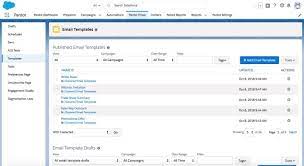
Compact page layouts in Salesforce serve to showcase the essential fields of a record when minimal details are required. They dictate which fields appear in the highlights panel at the top of a record. A compact layout displays a record’s key fields at a glance in the Salesforce mobile app, Lightning Experience, and in the Outlook and Gmail integrations. Lightning Pages For users employing Lightning Pages, ensure that the Highlights Panel Component is included on your page to ensure visibility. Navigate to the Object Manager, select the Object, go to Compact Layouts, and create a new layout. After naming the Compact Layout, add the desired fields for viewing. Note that a compact layout can only include fields from its object or fields that may be utilizing a formula as a cross-object reference to another object. Salesforce fields not present in SOAP API cannot be added to compact layouts in the Salesforce mobile app. Compact Page Layouts in Salesforce Compact layouts also influence how records are displayed in the Salesforce mobile app, helping users quickly recognize pertinent information on mobile screens. These layouts enable a tailored view of records, emphasizing the information users need at a glance. While compact layouts support all field types, it’s worth noting that they exclude text area, long text area, rich text area, and multi-select picklist fields. Like Related Posts Who is Salesforce? Who is Salesforce? Here is their story in their own words. From our inception, we’ve proudly embraced the identity of Read more Salesforce Marketing Cloud Transactional Emails Salesforce Marketing Cloud Transactional Emails are immediate, automated, non-promotional messages crucial to business operations and customer satisfaction, such as order Read more Salesforce Unites Einstein Analytics with Financial CRM Salesforce has unveiled a comprehensive analytics solution tailored for wealth managers, home office professionals, and retail bankers, merging its Financial Read more AI-Driven Propensity Scores AI plays a crucial role in propensity score estimation as it can discern underlying patterns between treatments and confounding variables Read more
Read More
Salesforce Marketing Cloud

Custom Preference Center in Salesforce Marketing Cloud

Improve your customer relationships by seamlessly integrating the Salesforce core Individual object with the Marketing Cloud profile center and subscription center when creating a custom preference center. Consider the following design considerations to optimize this process: Understanding the Preference Center: A preference center serves as a centralized contact management tool, empowering customers to: Customizing a Preference Center: As the dynamics of the relationship between a company and its customers evolve over time, influencing customer contact preferences, businesses should: Key Instances When a Preference Center Is Crucial: Common Data Considerations: Evaluate hosting options, considering platforms such as SFMC, EHI, Lacek, or Salesforce Experience Cloud. Address data model concerns by determining: Contact Governance: Contact governance involves guiding principles for enterprise-wide data management and contact strategy. To ensure a customer-first approach and streamline data management, consider: Creating a Custom Preference Center: Engage marketing and technology teams for segmentation, language, and channel considerations. Even with light initial adoption, align goals and priorities across brands to move into gathering technical requirements and scoping the project. SFMC Custom Preference Center: In Salesforce Marketing Cloud (SFMC), a custom preference center allows subscribers to choose the type and frequency of email messages they wish to receive, enabling them to “opt down” instead of unsubscribing completely. Importance of Preference Management: Preference management in marketing cloud is crucial for: Like3 Related Posts Who is Salesforce? Who is Salesforce? Here is their story in their own words. From our inception, we’ve proudly embraced the identity of Read more Salesforce Marketing Cloud Transactional Emails Salesforce Marketing Cloud Transactional Emails are immediate, automated, non-promotional messages crucial to business operations and customer satisfaction, such as order Read more Salesforce Unites Einstein Analytics with Financial CRM Salesforce has unveiled a comprehensive analytics solution tailored for wealth managers, home office professionals, and retail bankers, merging its Financial Read more AI-Driven Propensity Scores AI plays a crucial role in propensity score estimation as it can discern underlying patterns between treatments and confounding variables Read more
Read More
Python Alongside Salesforce

Python Alongside Salesforce

Salesforce can integrate with Python, though the platform primarily relies on its proprietary languages and frameworks for core development. Python, however, plays a crucial role in enhancing Salesforce’s capabilities through integrations, automation, data analysis, and extending functionalities via external applications. Here’s an overview of how Python works within the Salesforce ecosystem: 1. Salesforce’s Core Development Stack Before exploring Python’s use, it’s important to understand the key development tools within Salesforce: These tools are the foundation for Salesforce development. However, Python complements Salesforce by enabling integrations and automation that go beyond these native tools. 2. Python in Salesforce Integrations Python shines when integrating Salesforce with other systems, automating workflows, and extending functionality. Here’s how: a. API Interactions Salesforce’s REST and SOAP APIs allow external systems to communicate with Salesforce data. Python, with its powerful libraries, is excellent for interfacing with these APIs. Key Libraries: Example: Extracting Data via API: pythonCopy codefrom simple_salesforce import Salesforce # Connect to Salesforce sf = Salesforce(username=’your_username’, password=’your_password’, security_token=’your_token’) # Query Salesforce data accounts = sf.query(“SELECT Id, Name FROM Account LIMIT 10”) for account in accounts[‘records’]: print(account[‘Name’]) b. Data Processing and Analysis Python’s data manipulation libraries like Pandas and NumPy make it ideal for processing Salesforce data. Example: Data Cleaning and Analysis: pythonCopy codeimport pandas as pd from simple_salesforce import Salesforce # Connect to Salesforce sf = Salesforce(username=’your_username’, password=’your_password’, security_token=’your_token’) # Fetch data query = “SELECT Id, Name, AnnualRevenue FROM Account” accounts = sf.query_all(query) df = pd.DataFrame(accounts[‘records’]).drop(columns=[‘attributes’]) # Process data df[‘AnnualRevenue’] = df[‘AnnualRevenue’].fillna(0) high_revenue_accounts = df[df[‘AnnualRevenue’] > 1000000] print(high_revenue_accounts) 3. Automation and Scripting Python can automate Salesforce-related tasks, improving productivity and reducing manual effort. This can involve automating data updates, generating reports, or scheduling backups. Example: Automating Data Backup: pythonCopy codeimport schedule import time from simple_salesforce import Salesforce def backup_salesforce_data(): sf = Salesforce(username=’your_username’, password=’your_password’, security_token=’your_token’) query = “SELECT Id, Name, CreatedDate FROM Contact” contacts = sf.query_all(query) df = pd.DataFrame(contacts[‘records’]).drop(columns=[‘attributes’]) df.to_csv(‘contacts_backup.csv’, index=False) print(“Salesforce data backed up successfully.”) # Schedule the backup schedule.every().day.at(“00:00”).do(backup_salesforce_data) while True: schedule.run_pending() time.sleep(1) 4. Building External Applications Using platforms like Heroku, developers can build external applications in Python that integrate with Salesforce, extending its functionality for custom portals or advanced analytics. Example: Web App Integrating with Salesforce: pythonCopy codefrom flask import Flask, request, jsonify from simple_salesforce import Salesforce app = Flask(__name__) @app.route(‘/get_accounts’, methods=[‘GET’]) def get_accounts(): sf = Salesforce(username=’your_username’, password=’your_password’, security_token=’your_token’) accounts = sf.query(“SELECT Id, Name FROM Account LIMIT 10”) return jsonify(accounts[‘records’]) if __name__ == ‘__main__’: app.run(debug=True) 5. Data Integration and ETL Python is commonly used in ETL (Extract, Transform, Load) processes that involve Salesforce data. Tools like Apache Airflow allow you to create complex data pipelines for integrating Salesforce data with external databases. Example: ETL Pipeline with Airflow: pythonCopy codefrom airflow import DAG from airflow.operators.python_operator import PythonOperator from simple_salesforce import Salesforce import pandas as pd from datetime import datetime def extract_salesforce_data(): sf = Salesforce(username=’your_username’, password=’your_password’, security_token=’your_token’) query = “SELECT Id, Name, CreatedDate FROM Opportunity” opportunities = sf.query_all(query) df = pd.DataFrame(opportunities[‘records’]).drop(columns=[‘attributes’]) df.to_csv(‘/path/to/data/opportunities.csv’, index=False) default_args = { ‘owner’: ‘airflow’, ‘start_date’: datetime(2023, 1, 1), ‘retries’: 1, } dag = DAG(‘salesforce_etl’, default_args=default_args, schedule_interval=’@daily’) extract_task = PythonOperator( task_id=’extract_salesforce_data’, python_callable=extract_salesforce_data, dag=dag, ) extract_task 6. Machine Learning and Predictive Analytics Python’s machine learning libraries, such as Scikit-learn and TensorFlow, enable predictive analytics on Salesforce data. This helps in building models for sales forecasting, lead scoring, and customer behavior analysis. Example: Predicting Lead Conversion: pythonCopy codeimport pandas as pd from sklearn.model_selection import train_test_split from sklearn.ensemble import RandomForestClassifier from simple_salesforce import Salesforce # Fetch Salesforce data sf = Salesforce(username=’your_username’, password=’your_password’, security_token=’your_token’) query = “SELECT Id, LeadSource, AnnualRevenue, NumberOfEmployees, Converted FROM Lead” leads = sf.query_all(query) df = pd.DataFrame(leads[‘records’]).drop(columns=[‘attributes’]) # Preprocess and split data df = pd.get_dummies(df, columns=[‘LeadSource’]) X = df.drop(‘Converted’, axis=1) y = df[‘Converted’] X_train, X_test, y_train, y_test = train_test_split(X, y, test_size=0.2, random_state=42) # Train model model = RandomForestClassifier(n_estimators=100, random_state=42) model.fit(X_train, y_train) # Evaluate accuracy accuracy = model.score(X_test, y_test) print(f”Model Accuracy: {accuracy * 100:.2f}%”) 7. Best Practices for Using Python with Salesforce To maximize the efficiency and security of Python with Salesforce: 8. Recommended Learning Resources By leveraging Python alongside Salesforce, organizations can automate tasks, integrate systems, and enhance their data analytics, all while boosting productivity. Content updated August 2024. Like Related Posts Who is Salesforce? Who is Salesforce? Here is their story in their own words. From our inception, we’ve proudly embraced the identity of Read more Salesforce Marketing Cloud Transactional Emails Salesforce Marketing Cloud Transactional Emails are immediate, automated, non-promotional messages crucial to business operations and customer satisfaction, such as order Read more Salesforce Unites Einstein Analytics with Financial CRM Salesforce has unveiled a comprehensive analytics solution tailored for wealth managers, home office professionals, and retail bankers, merging its Financial Read more AI-Driven Propensity Scores AI plays a crucial role in propensity score estimation as it can discern underlying patterns between treatments and confounding variables Read more

Read More
Digital Transformation Consulting

Digital Transformation Consulting

Empower Digital Evolution — Traditional tools like shared spreadsheets and physical paper fall short in the face of modern digital solutions. At Tectonic, we specialize in delivering compelling digital experiences to both our clients and their customers. Our team of digital transformation consultants collaborates closely with you to conceive, construct, and expand genuinely transformative digital enterprises. Digital Transformation Consulting is a key. Digital transformation consultants are seasoned professionals dedicated to aiding organizations in implementing digital technologies and strategies that enhance operations, elevate customer experiences, and boost profitability. These consultants play a vital role in future-proofing businesses, pinpointing areas requiring more effective management for sustained future success. Digital transformation involves the integration of technologies across companies to instigate profound change, resulting in increased efficiency, heightened business agility, and the creation of new value for employees, customers, and shareholders. Market research indicates a continuous growth in the digital transformation market, projected to achieve a CAGR of 23.6% until 2030. This trend underscores the proactive approach companies are taking to seek assistance in navigating these processes and maximizing their return on investment. A digital and AI transformation is the ongoing development of organizational and technology-based capabilities enabling a company to consistently enhance customer experiences, lower unit costs, and maintain a competitive advantage over time. The “5 A’s of digital transformation” — Audience, Assets, Access, Attribution, and Automatization — serve as guiding principles. Additionally, there are four types of digital transformation: Process, Business Model, Domain, and Cultural/Organizational transformations. The six pillars of digital transformation include people, leadership, experience, culture, change, and innovation. These elements form the foundation for cultivating a digital transformation mindset. Hiring a digital transformation consultant is helpful, as these experts adeptly execute transformations that maximize positive impacts on people and processes while minimizing operational disruptions and optimizing resource allocation. Given that nearly 70% of digital transformation efforts face some degree of failure, partnering with a consultant can significantly contribute to success. The challenges of digital transformation are substantial, often stemming from organizational and technology complexity. This complexity can make it challenging to coordinate and manage efforts effectively. Overcoming these challenges is essential for a smooth and seamless transition to a digital future. Real-world business examples, such as Netflix, NIKE, Starbucks, AUDI, Adobe, and Airbnb, highlight successful digital transformations, showcasing the impact of embracing digital evolution in diverse industries. Tectonic specializes in Digital Transformation Consulting as a part of our Salesforce implementation and consulting services. Like2 Related Posts Who is Salesforce? Who is Salesforce? Here is their story in their own words. From our inception, we’ve proudly embraced the identity of Read more Salesforce Marketing Cloud Transactional Emails Salesforce Marketing Cloud Transactional Emails are immediate, automated, non-promotional messages crucial to business operations and customer satisfaction, such as order Read more Salesforce Unites Einstein Analytics with Financial CRM Salesforce has unveiled a comprehensive analytics solution tailored for wealth managers, home office professionals, and retail bankers, merging its Financial Read more AI-Driven Propensity Scores AI plays a crucial role in propensity score estimation as it can discern underlying patterns between treatments and confounding variables Read more

Read More
Custom Fiscal Forecasts in Revenue Insights

Custom Fiscal Forecasts in Revenue Insights

Custom Fiscal Years in Salesforce: A Complete Guide Many companies customize their fiscal years, quarters, and weeks to align with their financial planning needs. Salesforce supports this customization by allowing the definition of Custom Fiscal Years. When to Use Custom Fiscal Years in Salesforce If your company follows the Gregorian calendar year but simply wants to change the fiscal year start month, the standard fiscal year option in Salesforce will suffice. However, if your company uses a non-standard fiscal year structure, enabling Custom Fiscal Years in Salesforce is necessary to accurately define your unique fiscal timeline. Enabling a Custom Fiscal Year in Salesforce impacts your forecasts, quotas, and reports. It’s important to note that configuring a Custom Fiscal Year will delete all existing forecast history and records from the first period of the fiscal year onward. Using Custom Fiscal Forecasts in Revenue Insights If your forecast types are configured with custom fiscal quarters or periods, you can leverage them in Revenue Insights. For instance, you can analyze the total amount of closed-won opportunities for a custom fiscal period defined for your team. Where: This feature is available in Sales Cloud within Lightning Experience in Enterprise and Unlimited editions, but it comes with an additional cost. How: To use this feature, you must enable custom fiscal year usage in Data Prep. Navigate to Data Prep Settings in Analytics Object Manager, then click “Enable Date Settings.” The Importance of Sales Forecasting Sales forecasting is essential for businesses as it helps anticipate future sales and enables informed decision-making. Accurate sales forecasts lead to better resource allocation, inventory management, and financial planning. Salesforce, a leading CRM platform, is widely used by sales teams to enhance their sales operations. Its robust sales forecasting capabilities allow businesses to create precise revenue forecasts, driving growth. However, for companies with revenue from usage-based products, bookings, or subscriptions, there are challenges in fully leveraging Salesforce’s revenue forecasting potential. Why Salesforce is a Powerful Tool for Sales Teams Salesforce’s extensive CRM capabilities and the AppExchange marketplace, offering numerous solutions to extend its functionality, contribute to its effectiveness in forecasting. The platform allows businesses to manage both existing clients and potential leads, track customer behavior, and create targeted sales strategies. Salesforce’s forecasting tools enable sales teams to predict both short-term and long-term performance, which is crucial for making informed business decisions. By leveraging these tools, businesses can set team quotas, continuously monitor sales progress, and work toward achieving their company goals. However, companies with revenue spread over time, such as through bookings or subscriptions, may face challenges in extracting accurate financial insights from Salesforce for planning and analysis. Automating revenue forecasting can help reduce manual errors and lead to smarter decisions. Sales Forecasting in Salesforce Salesforce Sales Team Sales Cloud Salesforce Implementation SolutionSalesforce offers customizable forecasting, allowing users to create custom fields, adjust forecast settings, and modify forecast categories as needed. The native Salesforce Sales Cloud forecasts page displays forecast amounts based on the totals and subtotals of opportunity stages. Salesforce’s forecast categories classify sales opportunities based on the sales team‘s confidence level in closing the deal. Typical forecast categories include: Customizable forecasting and forecast categories in Salesforce enable sales teams to create more accurate revenue forecasts and plan more effectively for the future. Revenue Forecasting in Salesforce While Salesforce’s forecasting tool is effective for estimating future sales revenue, it has limitations in revenue forecasting. Often, revenue forecasting in Salesforce is done manually through spreadsheets, which can be error-prone and time-consuming. This can lead to visibility issues for financial planning and analysis, as well as for sales operations teams. Manual creation of revenue forecasts and reports increases the risk of inaccuracies due to human error. Cloud-based integrations like revVana’s Salesforce Revenue Forecasting can help. By converting forecasts from pipeline and closed opportunities into revenue streams, revVana automates and streamlines revenue forecasting, providing real-time insights on CRM data and reducing manual errors. Conclusion Custom Fiscal Years in Salesforce allow for precise data analysis over extended periods, aiding in the effective analysis of revenue, earnings, and other expenses. By understanding and leveraging Salesforce’s advanced capabilities, businesses can enhance their forecasting processes and make more informed financial decisions. Content updated June 2024. Like Related Posts Who is Salesforce? Who is Salesforce? Here is their story in their own words. From our inception, we’ve proudly embraced the identity of Read more Salesforce Marketing Cloud Transactional Emails Salesforce Marketing Cloud Transactional Emails are immediate, automated, non-promotional messages crucial to business operations and customer satisfaction, such as order Read more Salesforce Unites Einstein Analytics with Financial CRM Salesforce has unveiled a comprehensive analytics solution tailored for wealth managers, home office professionals, and retail bankers, merging its Financial Read more AI-Driven Propensity Scores AI plays a crucial role in propensity score estimation as it can discern underlying patterns between treatments and confounding variables Read more
Read More
Salesforce Automation

Salesforce Automation

In today’s fast-paced business landscape, efficiency reigns supreme, and the optimization of processes is paramount for success. Salesforce automation tools stand as indispensable allies in this pursuit, empowering businesses to automate repetitive tasks, eliminate errors, and liberate valuable time for employees to focus on mission-critical endeavors. From sales to marketing and customer service, Salesforce offers a comprehensive suite of automation tools designed to enhance efficiency, productivity, and ultimately, profitability. This insight serves as a guide to the value and various components of Salesforce automation. At the core of Salesforce’s effectiveness lies its sophisticated suite of automation tools, reshaping how organizations manage and streamline their sales operations. For administrators entrusted with overseeing the Salesforce environment, mastering these automation tools transcends mere skill; it’s a strategic necessity. Salesforce Automation Tools empower administrators to craft and deploy intricate workflows, facilitating seamless coordination of tasks and processes within the CRM platform. From lead generation to deal closure, these tools offer a comprehensive array of features that can metamorphose manual, time-consuming tasks into streamlined, automated processes. As businesses aspire for agility and efficiency in their operations, administrators assume the role of architects, leveraging Salesforce automation tools to erect a robust foundation for success. This deep dive into Salesforce Automation Tools aims to arm administrators with the knowledge and insights required to navigate the platform’s intricacies adeptly. We will dive into the fundamental components of automation, including workflow rules, process builder, and flow builder, unraveling their functionalities and showcasing how they can be tailored to suit specific business requirements. Through real-world examples and practical guidance, this exploration seeks to empower administrators to unleash the full potential of Salesforce Automation Tools, transforming them into proficient conductors of the CRM symphony. As we embark on this journey, administrators will cultivate a comprehensive understanding of Salesforce’s automation capabilities, enabling them to optimize processes, enhance productivity, and elevate the overall user experience. Whether you’re a seasoned Salesforce administrator or a newcomer to the platform, this deep dive promises invaluable insights and hands-on expertise to navigate the dynamic realm of Salesforce automation with confidence and proficiency. What is Salesforce Automation? Salesforce automation represents a sophisticated sales management solution that automates pivotal sales components such as lead management, sales forecasting, and team performance management. Leveraging Software-as-a-Service (SaaS) products enables the automation of repetitive and redundant tasks and processes. Workflow rules enable organizations to design and enforce business processes systematically. For example, as leads progress through the sales pipeline, workflow rules can automatically assign tasks to sales representatives, update opportunity stages, and notify relevant stakeholders. By establishing these rules, administrators lay the groundwork for a more streamlined and error-resistant workflow, allowing teams to focus on high-impact activities while the system handles routine, rule-based tasks. Understanding the foundations of Salesforce automation through workflow rules is crucial for administrators seeking to optimize their CRM environment. As businesses evolve, the ability to adapt and scale automation becomes paramount. This foundational knowledge not only empowers administrators to create efficient workflows but also sets the stage for exploring more advanced automation tools within the Salesforce ecosystem, ensuring a robust and responsive foundation for the dynamic world of CRM. Centralized Data Storage and Enhanced Lead Tracking Centralizing customer-related data stands as one of the most significant advantages of Salesforce automation. This consolidation facilitates streamlined lead tracking, performance monitoring, and revenue prediction. By automating non-revenue-generating tasks, which can consume up to two-thirds of a sales representative’s time, sales teams can redirect their efforts towards high-impact, revenue-generating activities, thereby fostering overall business growth. Automated Sales Processes: Boosting Productivity The automation of repetitive sales processes emerges as a direct response to research indicating the imperative to enhance sales productivity. Through automation, sales representatives can leverage their time more effectively, focusing on tasks that directly contribute to revenue generation and organizational success. Understanding the Crucial Role of Salesforce Automation The importance of Salesforce automation cannot be overstated in the realm of sales management. By offering centralized data storage, streamlined lead tracking, and enhanced performance monitoring, Salesforce automation revolutionizes the sales landscape. Discover – Controllers in Salesforce: What It Is, Types and Features. Key Benefits of Salesforce Automation The benefits of Salesforce automation are manifold. Firstly, it facilitates the consolidation of customer-related data, enabling efficient lead tracking, reminder setting, and performance monitoring. Additionally, automation saves time and minimizes errors, allowing sales representatives to concentrate on revenue-generating activities such as deal closure and client relationship building. Moreover, Salesforce automation ensures a personalized and consistent customer experience, empowering sales reps to tailor interactions based on customer preferences and behaviors. Furthermore, Salesforce automation fosters efficient collaboration and communication within sales teams, providing a centralized platform for accessing essential information and insights. Additionally, it offers valuable analytics and insights to optimize sales strategies, analyzing customer behavior, sales performance, and market trends to drive revenue growth. Components of Salesforce Automation Lead Management: Involves collecting, tracking, and analyzing customer data and interactions to streamline the sales pipeline and convert leads into customers. Sales Forecasting: Enables organizations to make educated decisions and prepare for future development by forecasting sales revenue based on market analysis and demands. Team Performance Management: Involves monitoring sales team performance, identifying areas for improvement, and providing feedback and coaching to enhance team performance. Email and Social Media Marketing: Automates marketing platforms to communicate better with consumers and prospects, customizing campaigns based on customer preferences and behaviors. Workflow and Approval Processes: Ensures that sales processes follow established procedures and workflows, reducing manual errors and enhancing organizational performance. Data and Analytics: Tracks key performance indicators (KPIs) and provides actionable insights to inform decision-making and drive revenue growth. Streamlining Appointment Scheduling: Assists in scheduling sales appointments efficiently, mitigating the risk of double-booking meetings. Prioritizing Leads: Analyzes leads based on various metrics to maximize sales and productivity. Salesforce automation has revolutionized sales operations, fostering efficiency, effectiveness, and customer-centricity. As technology continues to evolve, Salesforce automation remains a critical tool for businesses striving to stay ahead of the competition and achieve their sales goals. In the dynamic world of Salesforce, administrators

Read More
Salesforce and Healthcare

Healthcare Technology Solutions

Healthcare institutions have the golden opportunity to enhance the technology systems implemented over the past few pandemic years, particularly in the realm of virtual rounding—where clinicians utilize collaboration technologies to interact with patients remotely. This approach gained significant traction during the pandemic and is now poised for further growth and refinement. Healthcare Technology Solutions. Healthcare technology solutions refer to the use of technology to improve both healthcare delivery and outcomes.  These solutions encompass a wide range of technologies from electronic health records to wearable devices to mobile applications.  Many believe the solution to better healthcare is data and collaboration.  The right software can help. Healthcare Technology Solutions Here are ways to maximize the impact of virtual rounding specifically in your healthcare organization: Devices: Collaboration Software: Telehealth Peripherals: Electronic Medical Records: Patient Experience APIs: Asset Tracking: Business Intelligence: Mobility Management: Whether your organization requires healthcare technology hardware, software, or cloud-based solutions, Tectonic is well-equipped to expedite the implementation process with numerous healthcare implementations under our belt. Five Exciting and emerging healthcare technology solutions coming in 2023 and beyond: Like Related Posts Who is Salesforce? Who is Salesforce? Here is their story in their own words. From our inception, we’ve proudly embraced the identity of Read more Salesforce Marketing Cloud Transactional Emails Salesforce Marketing Cloud Transactional Emails are immediate, automated, non-promotional messages crucial to business operations and customer satisfaction, such as order Read more Salesforce Unites Einstein Analytics with Financial CRM Salesforce has unveiled a comprehensive analytics solution tailored for wealth managers, home office professionals, and retail bankers, merging its Financial Read more AI-Driven Propensity Scores AI plays a crucial role in propensity score estimation as it can discern underlying patterns between treatments and confounding variables Read more
Read More
analytics 360 and journey builder

Google Analytics 360 and Salesforce Marketing Cloud

Customers seek to engage with brands that understand and value them, offering personalized interactions. Google Analytics 360 and Marketing Cloud provide a full understanding of your customers. 67 percent express a willingness to pay more for an enhanced brand experience. However, 51 percent of consumers feel that brands are currently falling short in delivering this desired level of customer experience. Various challenges contribute to this, including disconnected data, outdated systems, disparate channels, and siloed departments. The solution to overcoming these obstacles lies in integration. Integration of Google Analytics 360 and Marketing Cloud is the fix! While the answer seems straightforward, the task of untangling data from multiple fragmented systems to create a unified and actionable view of the consumer is more complex. Salesforce and Google recognize this challenge and have joined forces to facilitate the seamless integration of cross-channel insights for marketers within the Salesforce Marketing Cloud and Google Marketing Platform. Empowering Marketers This integration offers several capabilities, empowering marketers to be more productive, analyze rich data in one place and create personalized messages. The ability to make informed marketing decisions is key for many. Key features include simplified setup, cross-channel analytics, content performance analysis, website optimization, marketing attribution, and audience activation. The simplified setup allows users to view Analytics 360 reports in one Marketing Cloud dashboard. The cross-channel analytics feature provides a comprehensive understanding of customer engagement metrics, integrating data from various sources, including web and advertising. Content performance analysis goes beyond open and click rates, offering insights into customer behavior after interacting with marketing content. Website optimization leverages Marketing Cloud engagement data to enhance web optimization tests and personalize the site experience based on a broader, cross-channel view of the consumer. Marketing attribution enriches attribution reports with Marketing Cloud engagement data for a more complete view of the channels and tactics leading to optimal results. Integration of Google Analytics 360 and Marketing Cloud Provides Simplification The integration also simplifies the process of providing additional marketing and channel engagement data to Google Marketing Platform for measurement and activation through auto-tagging of journeys. Additionally, for the first time, marketers can create audiences in Analytics 360 based on users’ web and app browsing behavior and directly share and activate them through additional Marketing Cloud channels like email, SMS, or push notifications. This coordination ensures a consistent and personalized customer journey across various channels. Like1 Related Posts Who is Salesforce? Who is Salesforce? Here is their story in their own words. From our inception, we’ve proudly embraced the identity of Read more Salesforce Marketing Cloud Transactional Emails Salesforce Marketing Cloud Transactional Emails are immediate, automated, non-promotional messages crucial to business operations and customer satisfaction, such as order Read more Salesforce Unites Einstein Analytics with Financial CRM Salesforce has unveiled a comprehensive analytics solution tailored for wealth managers, home office professionals, and retail bankers, merging its Financial Read more AI-Driven Propensity Scores AI plays a crucial role in propensity score estimation as it can discern underlying patterns between treatments and confounding variables Read more

Read More
clock

Salesforce Integrations for Sales and Marketing Teams

What do Salesforce integrations entail? Salesforce Integrations for Sales and Marketing Teams. Salesforce integrations involve establishing connections between Salesforce and various third-party applications, ranging from marketing automation tools and customer service software to accounting programs. This seamless exchange of data between platforms serves to enhance Salesforce’s overall functionality. How extensive is Salesforce’s integration ecosystem? Salesforce boasts a robust integration ecosystem, with over 3,000 integrations available on its AppExchange marketplace. Beyond these, users can leverage: Salesforce Integrations for Sales and Marketing Teams While there isn’t a one-size-fits-all list of essential Salesforce integrations for sales and marketing, we’ve curated a selection of widely-used integrations across various categories: These integrations cater to diverse needs within sales and marketing, facilitating efficient data handling, analytics, communication, project management, and more. Like1 Related Posts Who is Salesforce? Who is Salesforce? Here is their story in their own words. From our inception, we’ve proudly embraced the identity of Read more Salesforce Marketing Cloud Transactional Emails Salesforce Marketing Cloud Transactional Emails are immediate, automated, non-promotional messages crucial to business operations and customer satisfaction, such as order Read more Salesforce Unites Einstein Analytics with Financial CRM Salesforce has unveiled a comprehensive analytics solution tailored for wealth managers, home office professionals, and retail bankers, merging its Financial Read more AI-Driven Propensity Scores AI plays a crucial role in propensity score estimation as it can discern underlying patterns between treatments and confounding variables Read more
Read More
Crucial Role of Data and Integration in AI at Dreamforce

Salesforce Data Integration

Salesforce Data Integration: A Comprehensive Guide Introduction Salesforce offers numerous tools to access, synchronize, and share data with external systems. However, selecting the right tool for your project is critical. This guide explores Salesforce’s data integration landscape, providing recommendations based on specific use cases—along with guidance on which tools to avoid. Scope of This Guide This decision guide focuses on data-level integrations involving Salesforce, covering: While these are just a subset of integration challenges faced by Salesforce Architects, future guides will address: Note: Many tools discussed here can also solve enterprise-wide integration challenges, but those use cases are beyond this guide’s scope. Key Takeaways Common Considerations for Choosing Data Integration Tools Before selecting a tool, evaluate these key factors: Area to Consider Key Questions Existing Tools & Landscape Is an ESB/ETL solution already in place? Are there compliance requirements? Are systems cloud or on-premise? Data Flow Does data need to move synchronously, asynchronously, or in batches? Should data be replicated? Which system is the source of truth? Implementation What’s the effort for non-Salesforce systems? Which teams will deliver integrations? What tools do they prefer? Maintainability Who will maintain the integration? What skills do they have (or need)? What’s the total cost of ownership? Data Volume Is it a large data volume (LDV) scenario? How frequent are bulk changes? What’s the impact of singleton updates? Limits Are complex transformations needed? Will data be combined from multiple sources? How often will integrations run per user? Overview of Data Integration Tools Tool Salesforce → External External → Salesforce Execution License Required? Apex Actions ✅ Yes ✅ Yes Server-side ❌ No Change Data Capture ✅ Yes ❌ No Server-side ❌ No* Custom Apex (REST/SOAP) ✅ Yes ✅ Yes Server-side ❌ No External Services ✅ Yes ❌ No Server-side ❌ No Generic Events (Legacy) ✅ Yes ❌ No Server-side ❌ No** Heroku Connect ✅ Yes ✅ Yes Server-side ✅ Yes MuleSoft Anypoint ✅ Yes ✅ Yes Server-side ✅ Yes MuleSoft Composer ✅ Yes ✅ Yes Server-side ✅ Yes Native Salesforce APIs ❌ No ✅ Yes Server-side ❌ No OmniScript ✅ Yes ✅ Yes Client-side**** ✅ Yes OmniStudio Integration ✅ Yes ✅ Yes Server-side ✅ Yes Outbound Messaging ⚠️ Not Ideal ❌ No Server-side ❌ No Platform Events ✅ Yes ✅ Yes Server-side ❌ No*** PushTopic (Legacy) ⚠️ Not Ideal ❌ No Server-side ❌ No** Salesforce Connect ✅ Yes ✅ Yes Server-side ✅ Yes ✅ = Recommended | ⚠️ = Possible but consider alternatives | ❌ = Not supported Notes: Other Tools (Not Primary Integration Solutions) While these tools support aspects of data movement, they should not be the foundation of an integration strategy: Final Recommendations By aligning the right tool with your use case, you can optimize performance, reduce technical debt, and ensure scalable integrations. Content updated April 2025. Like Related Posts Who is Salesforce? Who is Salesforce? Here is their story in their own words. From our inception, we’ve proudly embraced the identity of Read more Salesforce Marketing Cloud Transactional Emails Salesforce Marketing Cloud Transactional Emails are immediate, automated, non-promotional messages crucial to business operations and customer satisfaction, such as order Read more Salesforce Unites Einstein Analytics with Financial CRM Salesforce has unveiled a comprehensive analytics solution tailored for wealth managers, home office professionals, and retail bankers, merging its Financial Read more AI-Driven Propensity Scores AI plays a crucial role in propensity score estimation as it can discern underlying patterns between treatments and confounding variables Read more
Read More
gettectonic.com