
Integrations Archives - gettectonic.com - Page 15
Slack and Salesforce

Amaze Your Customers With Slack and Service Cloud For Improved Customer Service

Surpass your customers’ expectations with the combined power of Service Cloud and Slack. Drive down operating costs, enhance team productivity, and exceed customer expectations by leveraging the capabilities of Service Cloud and Slack. Understanding the current service landscape: The digital transformation, accelerated by the pandemic, has propelled customers and businesses into a new era, marked by the extensive use of diverse tools for day-to-day operations. Since 2020, Salesforce’s data indicates that achieving transparency and fostering active engagement are crucial to meeting heightened customer expectations, evident in a notable 47% surge in video support. However, a significant number of organizations face a challenge as their technology systems do not fully align with these evolving expectations. We all know it’s hard to make a good paper mache airplane if you only have a piece of paper. And technology is no different. According to Intercom, 46% of support leaders express that their tech stack acts as a hindrance to achieving organizational goals. Operating across various applications diminishes team productivity and hinders business expansion. To effectively cater to your customers, service teams must innovate and adapt to the multitude of tools, contact channels, isolated teams, and fragmented data. Support operations personnel need to address key questions: The solution lies in adopting Slack as the productivity hub, coupled with Salesforce’s Service Cloud integration. This dynamic combination unlocks your full productivity potential, fostering increased customer loyalty. Break down organizational silos and expedite case resolution for enhanced customer experiences. In the ever-evolving digital marketplace, customers demand seamless service without being transferred between agents or repeating their information. A staggering 83% of customers expect complex issues to be addressed by a single point of contact. However, traditional tiered-support models fall short of meeting these expectations. The solution lies in providing teams with a comprehensive view of the entire customer journey. By leveraging the combined capabilities of Service Cloud and Slack, organizations can achieve significant cost reductions and enhance service team productivity. Service Cloud has been shown to lower support costs by 27%, while Slack increases employee productivity by 26%, according to the 2022 Salesforce Success Metrics Global Highlights study. Swarming Swarming, facilitated by Service Cloud and Slack, revolutionizes the support approach. Unlike traditional tiered support, swarming brings service agents, engineers, and issue analysts together in real-time, eliminating the need for case escalations and customer department bouncing. The swarm team collaborates efficiently, sharing information with customers proactively. The Field Service mobile app further facilitates instant connections with experts, reducing the need for unnecessary on-site visits. Service Cloud and Slack, working together, use out-of-the-box workflows to automatically assemble cross-functional experts and create Slack channels for collaborative efforts on complex cases. This approach eliminates messy handoffs and siloed decision-making, promoting transparency. Swarming ensures that everyone involved can access the entire conversation, participate in Slack huddles, and search for resolutions to similar cases. Automation and streamlined collaboration are paramount for providing exceptional service experiences. The time factor, particularly time to resolution and time on hold, is a significant barrier. Many service agents (78%) struggle to balance speed and quality due to the challenge of working across multiple systems. The integration of Service Cloud and Slack addresses this issue by extending workflows throughout the organization. Soon, Slack GPT will further enhance CRM and conversational data, providing AI-generated summaries and enabling the creation of no-code workflows. Workflow Builder and Flow Builder, no-code tools from Slack and Salesforce, respectively, collaborate seamlessly to automate daily tasks and enhance transparency, agility, and cross-team collaboration. Successful Integration The success of this integration is evident in the substantial improvements seen by service organizations using Slack, including a 32% increase in Net Promoter Score, 27% decrease in service/support costs, 30% increase in agent productivity, and a 30% increase in customer retention. The ever-changing level of customer expectations underscores the importance of service professionals as frontline ambassadors for your brand. With 88% of customers valuing their experience with a company as much as its products, swarming becomes a strategic approach to surpass expectations. Slack Connect facilitates direct access to support for partners, vendors, and B2B customers through a dedicated channel, fostering collaborative issue resolution. Slack clips and white-glove service further enhance the support process. Clips allow users to record audio, video, and screen shares, creating a searchable database of demonstrations. Private support channels in Slack provide key customers with white-glove service, allowing them to record and upload technical issues for prompt resolution. slack and service cloud In the current remote and decentralized business workforce, Service Cloud and Slack offer an opportunity to exceed customer expectations, transform service cases into lasting relationships, cut costs, and boost team productivity. If your average call handle time is too long, if your data is too siloed, or if your customer service teams are overwhelmed, contact Tectonic today to explore a Slack and Salesforce Service Cloud Integration. Like Related Posts Who is Salesforce? Who is Salesforce? Here is their story in their own words. From our inception, we’ve proudly embraced the identity of Read more Salesforce Marketing Cloud Transactional Emails Salesforce Marketing Cloud Transactional Emails are immediate, automated, non-promotional messages crucial to business operations and customer satisfaction, such as order Read more Salesforce Unites Einstein Analytics with Financial CRM Salesforce has unveiled a comprehensive analytics solution tailored for wealth managers, home office professionals, and retail bankers, merging its Financial Read more AI-Driven Propensity Scores AI plays a crucial role in propensity score estimation as it can discern underlying patterns between treatments and confounding variables Read more

Read More
Salesforce Experience Cloud

Nonprofit with Salesforce Experience Cloud

Transform Your Nonprofit with Salesforce Experience Cloud: A Digital Storefront for Engagement Think of Salesforce Experience Cloud as your Nonprofit’s digital storefront—always open, always inviting. This powerful Digital Experience Platform (DXP) enables you to create custom portals, communities, and hubs where donors, volunteers, and beneficiaries can seamlessly connect with your organization. Instead of juggling endless emails and spreadsheets, Experience Cloud centralizes interactions, making them self-service, intuitive, and engaging. With nonprofit-specific features, you can build customized, branded experiences without heavy development work. Here’s what makes Experience Cloud a game-changer: ✅ Drag-and-drop site builder for effortless customization✅ Prebuilt templates & Lightning components for quick deployment✅ Mobile Publisher for consistent branding across mobile apps✅ Built-in content management system (CMS)✅ Personalization tools like audience targeting & role-based access✅ Einstein AI-powered chatbots for instant responses✅ Gamification with badges & leaderboards✅ Google Analytics 4 integration for engagement insights✅ Advanced security with Lightning Locker & Clickjack protection …and much more. 🔍 Nonprofit Solutions You Can Build with Salesforce Experience Cloud 1️⃣ Program Applications & Intake Portals Managing program applications can be overwhelming without a structured system. Experience Cloud allows Nonprofits to create a self-service portal where applicants can submit forms, track status updates, and receive automated notifications—eliminating paper-based processes and endless email chains. With Dynamic Forms and Flow Builder, applications stay structured while automation accelerates approvals. Plus, since everything syncs to the Nonprofit Success Pack (NPSP), you’ll always have a real-time view of applicants and program impact. 2️⃣ Volunteer Portals Managing volunteers shouldn’t feel like a full-time job. With a Volunteer Portal, people can sign up, pick shifts, and track their hours—all without back-and-forth emails. Features like automated background checks and approval workflows ensure smooth operations. Meanwhile, Experience Cloud’s Chatter integration fosters engagement, helping you track who’s active, who’s disengaged, and who might need a little encouragement. 3️⃣ Community Partner Portals Nonprofits thrive on partnerships, and a Community Partner Portal keeps corporate sponsors, local businesses, and community groups connected. With this portal, partners can log in, access shared resources, submit funding applications, and track joint projects—all from one secure platform. Role-based access ensures that sensitive data stays protected while collaboration remains seamless. 4️⃣ Membership Portals If your nonprofit has a membership program, Experience Cloud helps you build a Member Portal where users can renew memberships, update information, and access exclusive content. Want to boost engagement? Introduce gamification with badges, leaderboards, and personalized event recommendations. Since everything is integrated with Salesforce CRM, you’ll gain real-time insights into member activity to keep engagement levels high. 5️⃣ Grant Management Portals Grant applications shouldn’t feel like a never-ending email thread. With Experience Cloud, you can create a Grant Management Portal where organizations apply for funding, track application progress, and submit reports—all in one place. Einstein AI can even prioritize applications based on predefined criteria, accelerating the review process. Grantors, in turn, can access real-time funding reports—enhancing transparency and trust. 6️⃣ E-Commerce & Donation Portals Looking to sell nonprofit merchandise or accept donations online? Experience Cloud seamlessly integrates with Salesforce Commerce Cloud, allowing you to build an e-commerce storefront for hassle-free transactions. Supporters can:💳 Make one-time or recurring donations🛍️ Purchase branded merchandise📜 Track donation history & receive personalized thank-you messages For secure transactions and easy donor tracking, you can integrate Stripe, PayPal, or other payment processors directly into your portal. 7️⃣ Voter Registration Portals If your nonprofit promotes civic engagement, Experience Cloud can power a Voter Registration Portal where users can check registration status, sign up to vote, and receive election reminders. With geolocation tools, voters can find polling places instantly, while Marketing Cloud integration allows you to send timely voter updates—ensuring higher participation in the democratic process. Implementing Salesforce Experience Cloud for Nonprofits Which Approach is Right for Your Nonprofit? Your ideal Experience Cloud implementation depends on your current CRM, budget, and long-term strategy. 1️⃣ Standalone Experience Cloud Implementation If your nonprofit already uses Salesforce CRM (but not NPSP), you can still implement Experience Cloud independently to create portals, volunteer hubs, and dashboards while maintaining your existing CRM as the system of record. Considerations:🔹 Custom Configuration – You’ll need to set up nonprofit-specific objects & automation.🔹 Permissions & Access – Well-structured security settings are crucial.🔹 CRM Integration – If using a non-Salesforce CRM, API integrations (e.g., MuleSoft, Zapier) will be required. This option is best for nonprofits that want external-facing engagement tools without fully shifting to the Salesforce Nonprofit ecosystem. 2️⃣ Experience Cloud + Nonprofit Cloud / NPSP For nonprofits already using Salesforce Nonprofit Cloud or NPSP, Experience Cloud becomes an extension of your engagement strategy. 🔹 Real-time donor, volunteer, and grant data sharing🔹 Prebuilt nonprofit features (fundraising, donor management, program tracking)🔹 Automation & AI-powered engagement 3️⃣ Experience Cloud + Third-Party Nonprofit CRMs Already using a third-party nonprofit CRM (like Raiser’s Edge NXT, Neon One, or DonorPerfect)? You can still leverage Experience Cloud, but strong integration is key. 🔹 Experience Cloud powers your donor, volunteer, or program portal🔹 API-based sync required for real-time data exchange🔹 Tools like MuleSoft or Zapier help bridge data gaps This approach is ideal for nonprofits wanting the flexibility of Experience Cloud without migrating their backend to Salesforce. Final Thought: Making Experience Cloud Work for Your Nonprofit No matter your approach, Salesforce Experience Cloud is a powerful tool to drive engagement and efficiency for nonprofits. However, successful implementation requires a well-thought-out strategy. Need expert guidance? A Salesforce implementation partner can help tailor Experience Cloud to fit your unique nonprofit needs, ensuring your digital storefront delivers maximum impact. Like Related Posts Who is Salesforce? Who is Salesforce? Here is their story in their own words. From our inception, we’ve proudly embraced the identity of Read more Salesforce Marketing Cloud Transactional Emails Salesforce Marketing Cloud Transactional Emails are immediate, automated, non-promotional messages crucial to business operations and customer satisfaction, such as order Read more Salesforce Unites Einstein Analytics with Financial CRM Salesforce has unveiled a comprehensive analytics solution tailored for wealth managers, home office professionals, and retail bankers, merging its Financial Read more AI-Driven Propensity Scores AI plays

Read More
Salesforce Flow

Einstein GPT Integration with Flow and Data Cloud Now Available

Salesforce has recently unveiled exciting new capabilities for Flow, Einstein GPT Integration with Flow and Data Cloud. Introducing Einstein GPT and Data Cloud features to its growing family of automation tools. This development empowers everyday administrators, eliminating the need for extensive engineering teams to harness large datasets for automation purposes. The groundbreaking aspect lies in the ability to achieve this in real-time, using a user-friendly interface without the need for coding. Introduction to Einstein GPT: Einstein GPT builds upon ChatGPT technology, combining public and private AI models with CRM data within Salesforce. This allows users to pose natural-language prompts directly within Salesforce CRM, receiving AI-generated content that adapts continuously to changing customer information and needs. The learning capability of Einstein GPT ensures ongoing improvement based on user input, aligning with best practices. Einstein GPT for Flow: When integrated with Salesforce Flow, Einstein GPT enables users to create and modify automations through a conversational interface, simplifying the flow creation process significantly. This fusion lowers barriers for non-technical users, enhancing the overall experience with Flow Builder and ensuring adherence to best practices. Key benefits of Einstein GPT for Flow include: Pricing details for Einstein GPT products are pending confirmation, and Salesforce will soon announce pilot program dates to broaden accessibility. Data Cloud for Flow: Introduced at Dreamforce 2022, Salesforce Data Cloud, formerly Genie, facilitates highly personalized customer experiences in real-time. Serving as a command center for customer data, Data Cloud integrates real-time data streams with Salesforce data, powering Flow with actionable insights. By combining Data Cloud with Flow, users can automate complex workflows and trigger actions based on real-time changes without the need for extensive IT involvement. This approach streamlines the process of designing, building, and testing custom integrations, reducing the burden on IT teams. Key advantages of Data Cloud for Flow include: These announcements bring forth transformative capabilities, making data utilization more accessible and streamlining the automation process within Salesforce. The combination of Einstein GPT and Data Cloud for Flow opens up possibilities for creating personalized and interconnected customer experiences across different sectors. Like1 Related Posts Who is Salesforce? Who is Salesforce? Here is their story in their own words. From our inception, we’ve proudly embraced the identity of Read more Salesforce Marketing Cloud Transactional Emails Salesforce Marketing Cloud Transactional Emails are immediate, automated, non-promotional messages crucial to business operations and customer satisfaction, such as order Read more Salesforce Unites Einstein Analytics with Financial CRM Salesforce has unveiled a comprehensive analytics solution tailored for wealth managers, home office professionals, and retail bankers, merging its Financial Read more AI-Driven Propensity Scores AI plays a crucial role in propensity score estimation as it can discern underlying patterns between treatments and confounding variables Read more
Read More
APIs and Software Development

Salesforce API Access Control

Salesforce API Access Control: A Complete Guide Understanding API Access Control Salesforce’s API Access Control feature provides robust security options for managing API access to your org. Available across Professional, Enterprise, Performance, Unlimited, and Developer Editions (in both Classic and Lightning), this feature lets you: Key Capabilities 1. Restricting API Access via Connected Apps 2. Managing Customer/Partner API Access Implementation Process To enable API Access Control: API Management via Anypoint Platform For organizations using MuleSoft’s Anypoint Platform to manage APIs, follow these steps to apply policies: Prerequisites Applying IP Whitelist Policy bash Copy Download curl ‘https://anypoint.mulesoft.com/apimanager/api/v1/organizations/<org_id>/environments/<env_id>/apis/<api_id>/policies’ \ -X POST \ -H ‘Accept: application/json, text/plain, */*’ \ -H ‘X-ANYPNT-ORG-ID: <org_id>’ \ -H ‘X-ANYPNT-ENV-ID: <env_id>’ \ -H ‘Content-Type: application/json;charset=utf-8’ \ –data-raw ‘{ “configurationData”: { “ipExpression”: “#[attributes.headers[”x-forwarded-for”]]”, “ips”: [“1.1.1.1”] }, “apiVersionId”: <api_id>, “pointcutData”: null, “policyTemplateId”: null, “groupId”: “68ef9520-24e9-4cf2-b2f5-620025690913”, “assetId”: “ip-allowlist”, “assetVersion”: “1.1.1” }’ Retrieving Policy Configuration To understand policy parameters: bash Copy Download curl ‘https://anypoint.mulesoft.com/apimanager/api/v1/organizations/<org_id>/environments/<env_id>/apis/<api_id>/policies’ \ -X GET \ -H ‘Accept: application/json, text/plain, */*’ \ -H ‘Authorization: Bearer <token>’ \ -H ‘X-ANYPNT-ENV-ID: <env_id>’ \ -H ‘Content-Type: application/json;charset=utf-8’ Best Practices By implementing these controls, organizations can significantly enhance their API security posture while maintaining necessary integration capabilities. Content updated February 2025. Like Related Posts Who is Salesforce? Who is Salesforce? Here is their story in their own words. From our inception, we’ve proudly embraced the identity of Read more Salesforce Marketing Cloud Transactional Emails Salesforce Marketing Cloud Transactional Emails are immediate, automated, non-promotional messages crucial to business operations and customer satisfaction, such as order Read more Salesforce Unites Einstein Analytics with Financial CRM Salesforce has unveiled a comprehensive analytics solution tailored for wealth managers, home office professionals, and retail bankers, merging its Financial Read more AI-Driven Propensity Scores AI plays a crucial role in propensity score estimation as it can discern underlying patterns between treatments and confounding variables Read more
Read More
Salesforce Flow Tests

Mastering Salesforce Flows

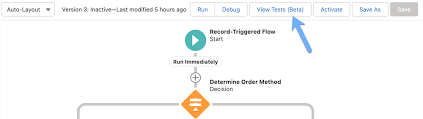
Mastering Salesforce Flows: The Complete Guide to Process Automation Why Flows Are Every Admin’s Superpower In today’s fast-moving business world, 87% of organizations report that automation is critical to maintaining competitiveness. Salesforce Flows empower admins to automate complex processes that traditionally required developer resources – making you the automation hero your team needs. The Flow Advantage *”After implementing flows, one manufacturing company reduced their quote-to-cash cycle from 5 days to 2 hours.”* Flow Types Demystified: Choose the Right Tool Flow Type Best For Key Features Trigger Examples Screen Flow User-guided processes Interactive UI, data collection Onboarding wizards, service case triage Record-Triggered Auto-processing records Runs on create/update/delete Auto-calculate discounts, update related records Schedule-Triggered Batch operations Runs on cron schedule Daily data cleanup, monthly reports Platform Event System integrations Handles external events Process IoT device alerts, SMS responses Orchestration Multi-step workflows Coordinates teams/systems Complex approvals, onboarding journeys Pro Tip: With Process Builder sunsetting in 2025, all new automation should use flows. Building Your First Flow: Step-by-Step 1. Planning Your Flow 2. Creating in Flow Builder markdown Copy Download 1. Setup > Flows > New Flow 2. Select type (e.g., Record-Triggered) 3. Configure trigger (when to run) 4. Add elements using + button: – Get Records (query data) – Decision (if/then logic) – Action (create/update records) 5. Set fault paths for error handling 3. Testing Like a Pro 4. Deployment Checklist ✅ Sandbox testing complete✅ Error handling implemented✅ Documentation created✅ User training scheduled Advanced Flow Techniques Avoid These Common Pitfalls 🚫 Nested Loops – Use Collection Filter instead🚫 Hardcoding IDs – Create custom labels🚫 Overquerying – Leverage $Record variables🚫 No Null Checks – Always add decision branches Proven Performance Boosters Example: Filtering 10,000 contacts takes: Real-World Flow Examples 1. Lightning-Fast Lead Routing Diagram Code Download EMEA APAC New Lead Region? Assign to London Queue Assign to Sydney Queue Send Welcome Email Create First Task Result: 90% faster lead assignment 2. Automated Renewal Management Impact: 30% increase in renewals 3. Customer Service Escalation Flows vs. Code: When to Choose What Scenario Flow Apex Field updates ✅ Best ⚠ Overkill Complex calculations ✅ Spring ’22+ ✅ Needed pre-2022 External API calls ✅ (Simple) ✅ (Complex) Bulk data (>10k recs) ⚠ Careful ✅ Better Trigger frameworks ❌ Avoid ✅ Required Golden Rule: Start with Flow, escalate to Apex only when limits hit. Flow Orchestration: Next-Level Automation For processes spanning multiple departments: Benefits:✔ End-to-end visibility✔ Automatic handoffs✔ Built-in wait steps Getting Started Resources “The average admin automates 23 hours of work weekly using flows.” – Salesforce ROI Study Ready to transform your processes? Book a flow consultation with our certified experts today! #Salesforce #Flow #CRM #BusinessAutomation #DigitalTransformation Content updated December 2024. Like Related Posts Who is Salesforce? Who is Salesforce? Here is their story in their own words. From our inception, we’ve proudly embraced the identity of Read more Salesforce Marketing Cloud Transactional Emails Salesforce Marketing Cloud Transactional Emails are immediate, automated, non-promotional messages crucial to business operations and customer satisfaction, such as order Read more Salesforce Unites Einstein Analytics with Financial CRM Salesforce has unveiled a comprehensive analytics solution tailored for wealth managers, home office professionals, and retail bankers, merging its Financial Read more AI-Driven Propensity Scores AI plays a crucial role in propensity score estimation as it can discern underlying patterns between treatments and confounding variables Read more
Read More
Salesforce Telephony Integration

Aircall and Salesforce Integration

Aircall offers inbound screen-pop and automation call logging.  Run outbound list dialer campaigns from any Salesforce list of records or reports. Aircall and Salesforce Integration. Use the Aircall Salesforce integration to place and receive phone calls directly in Sales Cloud or Service Cloud. With the Aircall Salesforce integration all calls are automatically logged directly into Salesforce and each caller’s history is saved. You can now very easily connect Salesforce with Aircall to ramp-up your CRM. Log calls will be created for any type of calls and will be assigned to the person who picks up the call. Does Salesforce have VOIP? Telephony in Salesforce is done through a VOIP (voice over internet protocol) service. Many offerings on the market provide this, including RingCentral, Natterbox, and Salesforce’s own Service Cloud Voice. What makes Aircall different? Aircall uses cloud-based technology so no more physical desk phones. Set up whole teams, in moments, no matter where they’re based. Benefit from performance insights and integrate Aircall with all your existing systems for better productivity. Salesforce CTI, or Computer Telephony Integration, is a feature that allows you to integrate your telephone system with your Salesforce account. This integration enables you to make and receive calls, view call history, and log call information directly from within Salesforce. Like2 Related Posts Who is Salesforce? Who is Salesforce? Here is their story in their own words. From our inception, we’ve proudly embraced the identity of Read more Salesforce Marketing Cloud Transactional Emails Salesforce Marketing Cloud Transactional Emails are immediate, automated, non-promotional messages crucial to business operations and customer satisfaction, such as order Read more Salesforce Unites Einstein Analytics with Financial CRM Salesforce has unveiled a comprehensive analytics solution tailored for wealth managers, home office professionals, and retail bankers, merging its Financial Read more AI-Driven Propensity Scores AI plays a crucial role in propensity score estimation as it can discern underlying patterns between treatments and confounding variables Read more
Read More
Marketing Cloud Admins

Generating PDFs of Marketing Cloud Emails

Rendering Emails as PDFs in Salesforce Marketing Cloud Converting Salesforce Marketing Cloud Engagement emails into PDFs can be a required step for documentation, compliance, and archiving. While Salesforce provides various solutions for PDF rendering, not all are fully compatible with Salesforce Marketing Cloud (SFMC). This insight explores different methods to convert emails into PDFs and automate the process wherever possible. Manual PDF Rendering For users who need a straightforward approach, saving an email as a PDF manually is an option: Using Chrome Extensions Several Chrome extensions can facilitate PDF conversion, including: Using Sejda for PDF Conversion Sejda is a free online tool that preserves links and other embedded elements while converting emails to PDFs. It can be an excellent solution for one-off conversions where maintaining interactivity is important. Email Archiving in Salesforce Salesforce offers an Email Archiving Add-On that can store emails for compliance and retrieval. However, this solution is more focused on archiving than rendering emails into PDFs. Automating PDF Rendering in SFMC For those looking to automate PDF generation, a structured approach using AWS services and SFMC data extensions is possible. Steps to Automate PDF Rendering Alternative AppExchange Solutions For those looking for pre-built solutions, Salesforce AppExchange offers various options, such as Sercante, which specializes in PDF generation and marketing automation integrations. Conclusion Converting emails to PDFs in SFMC can be done manually, with browser extensions, or through automated solutions using AWS services. The right choice depends on your needs, whether it’s one-time conversion, compliance archiving, or a fully automated workflow. Content updated February 2025. Like Related Posts Who is Salesforce? Who is Salesforce? Here is their story in their own words. From our inception, we’ve proudly embraced the identity of Read more Salesforce Marketing Cloud Transactional Emails Salesforce Marketing Cloud Transactional Emails are immediate, automated, non-promotional messages crucial to business operations and customer satisfaction, such as order Read more Salesforce Unites Einstein Analytics with Financial CRM Salesforce has unveiled a comprehensive analytics solution tailored for wealth managers, home office professionals, and retail bankers, merging its Financial Read more AI-Driven Propensity Scores AI plays a crucial role in propensity score estimation as it can discern underlying patterns between treatments and confounding variables Read more
Read More
data cloud and marketing cloud personalization

Data Cloud and Marketing Cloud Personalization

Choosing the correct Customer Data Platform (CDP) for your organization is crucial for adapting to challenges and capitalizing on opportunities in the evolving marketing technology landscape. While AI, behavioral patterns, and infrastructure play pivotal roles in this decision-making process, it’s essential to understand the landscape. However, the same factors, including AI, behavioral habits, and infrastructure, can influence this decision. Data Cloud and Marketing Cloud Personalization together capture and utilize customer data. Selecting the right tools makes it easier to know and cater to your prospects and customers. Without them, you are firing into the darkness. You must understand the necessary infrastructure for a marketing technology team to meet challenges and leverage new opportunities. It integrates four essential AdTech (Advertising Technology) principles applicable to MarTech in the evolving landscape. The external market poses challenges, notably the discontinuation of third-party cookies by major browsers like Google. This shift impacts prospecting and underscores the significance of first-party data. The rise of AI, exemplified by technologies like ChatGPT and integrated into platforms like Salesforce’s Einstein, further complicates the landscape. The AI era raises concerns about data usage and collection, employment risks, and the ethical consideratins. Organizations rush to incorporate AI, with Salesforce introducing Einstein GPT shortly after the emergence of ChatGPT. In this dynamic environment, organizations grapple with managing diverse data sources, implementing AI/ML, and ensuring privacy. AdTech principles become imperative in MarTech for effective targeting, personalization, and measurement. The focus shifts to the role of a Customer Data Platform (CDP) within the MarTech stack. Distinguishing between Data Management Platforms (DMPs), CDPs, Data Warehouses, and Data Lakes sets the stage. The article explores three CDP types: Enterprise, Event-Based, and Real-Time Personalization. The significance of a Customer Data Platform (CDP) like Salesforce’s Data Cloud cannot be stressed enough. Bear in mind there are differences between DMPs, CDPs, Data Warehouses, and Data Lakes, each with their own use cases. And for your situation a DMP, Data Warehouse, or Data Lake might be required. Salesforce’s CDP platform undergoes scrutiny, aligning its features with AdTech principles. Read more about Tectonic’s thoughts on Data Cloud here. The CDP’s contribution to targeting, personalization, and both deterministic and probabilistic measurement is detailed. Salesforce’s Data Cloud and Marketing Cloud Personalization (Interaction Studio) emerge as solutions catering to distinct needs. In conclusion we must underscore the criticality of choosing the right CDP for organizational resilience, superior customer experiences, and addressing privacy concerns. A robust infrastructure facilitates efficient data management, collaboration, and scalability, empowering organizations to make informed decisions with AI/ML and business intelligence. #data-cloud-and-marketing-cloud-personalization Like2 Related Posts Who is Salesforce? Who is Salesforce? Here is their story in their own words. From our inception, we’ve proudly embraced the identity of Read more Salesforce Marketing Cloud Transactional Emails Salesforce Marketing Cloud Transactional Emails are immediate, automated, non-promotional messages crucial to business operations and customer satisfaction, such as order Read more Salesforce Unites Einstein Analytics with Financial CRM Salesforce has unveiled a comprehensive analytics solution tailored for wealth managers, home office professionals, and retail bankers, merging its Financial Read more AI-Driven Propensity Scores AI plays a crucial role in propensity score estimation as it can discern underlying patterns between treatments and confounding variables Read more
Read More
Salesforce Service Cloud Einstein

Salesforce Service Cloud Einstein

Einstein for Service is a robust suite of time-saving Artificial Intelligence features designed to empower agents in delivering exceptional customer service experiences. Salesforce Service Cloud Einstein-learn more. Customer service has evolved from being a cost center to a growth driver, and leading companies are prioritizing customer service to increase brand loyalty. In Service Cloud Einstein, various AI technologies, such as Machine Learning (ML), deep learning, predictive analytics, Natural Language Processing (NLP), and smart data discovery, work collaboratively to enhance customer support, providing faster and better service. Salesforce Einstein, recognized as the world’s first “generative AI” built for CRM, seamlessly integrates into multiple Salesforce products, including Marketing Cloud, Sales Cloud, and Service Cloud. Sales Cloud incorporates Einstein in the form of eight essential tools: Salesforce Einstein, since its inception in 2016, has been at the forefront of CRM AI technology, delivering personalized and predictive experiences for enhanced professionalism. Salesforce Service Cloud is a CRM platform focused on providing service and support to business customers. It is an extension of the Sales Cloud product tailored for sales professionals. Service Cloud Einstein is utilized by notable companies like Thomson Reuters, Southern Glazer’s Wine and Spirits, Cisco, and Skillsoft. Service Cloud Einstein benefits businesses by providing efficient customer service, with Einstein GPT responding promptly to inquiries, offering precise responses, enhancing customer satisfaction, and reducing resolution time. Studies show that in the same time 3 customers could be serviced before Service Cloud Einstein, now ten can be taken care of. The difference between Einstein GPT and ChatGPT lies in their design, with Einstein GPT specifically tailored for Salesforce users and clouds, while ChatGPT is a more versatile model for general use. Einstein is available for free with Salesforce’s Developer Edition, providing access to most platform features for building and testing custom applications and integrations using Einstein. Salesforce Sales Cloud and Service Cloud differ in their focus, with Sales Cloud concentrating on sales processes, while Service Cloud centers around customer service and support. Einstein remains the overarching AI brand for Salesforce, present across the portfolio, including within Tableau. Einstein Discovery is available as part of Tableau CRM Plus or through Einstein Predictions. Are you ready to explore the power of Einstein in your Salesforce Service Cloud implementation? Contact Tectonic today. Tectonic is please to announce Salesforce Service Cloud Implementation Solutions. Content updated January 2024. Like1 Related Posts Who is Salesforce? Who is Salesforce? Here is their story in their own words. From our inception, we’ve proudly embraced the identity of Read more Salesforce Marketing Cloud Transactional Emails Salesforce Marketing Cloud Transactional Emails are immediate, automated, non-promotional messages crucial to business operations and customer satisfaction, such as order Read more Salesforce Unites Einstein Analytics with Financial CRM Salesforce has unveiled a comprehensive analytics solution tailored for wealth managers, home office professionals, and retail bankers, merging its Financial Read more AI-Driven Propensity Scores AI plays a crucial role in propensity score estimation as it can discern underlying patterns between treatments and confounding variables Read more
Read More

Maximizing Business Efficiency with Salesforce Managed Services

The Importance of Salesforce Optimization In today’s super fast-paced business world, companies rely on Salesforce to streamline operations and reduce costs. As a leading customer relationship management (CRM) platform, Salesforce enables organizations to enhance workflows, improve efficiency, and drive better results. To maximize the value of your Salesforce platform, optimization is essential. This involves fine tuning the system to ensure ease of use, eliminating inefficiencies, and enhancing overall performance. However, managing Salesforce effectively requires significant time and resources—this is where Salesforce Managed Services come in. This Tectonic insight explores how Managed Services can elevate your Salesforce experience, driving improved business performance and maximizing return on investment. What is Salesforce Optimization? Salesforce optimization focuses on refining the platform to better align with your business needs. It involves continuous improvements in system configuration, workflows, and integrations to ensure peak performance. Given that business requirements evolve over time, optimization is an ongoing process rather than a one-time task. Through Managed Services, businesses can fine-tune settings, enhance workflows, and ensure seamless system integrations, leading to increased productivity and efficiency. How to Optimize Salesforce for Maximum Efficiency Optimizing Salesforce involves refining data management, automation, user experience, and security. Key areas of focus include: 1. Data Model Optimization 2. Indexing and Query Optimization 3. Managing Governor Limits 4. Data Loading and Migration 5. UI and Lightning Experience Optimization 6. Reporting and Dashboard Optimization 7. Security and Access Control 8. Performance Monitoring and Analysis Challenges in Salesforce Optimization Optimizing Salesforce can be complex, and failing to manage it properly can hinder performance. Common challenges include: Why Continuous Salesforce Optimization is Essential Ongoing optimization ensures that businesses maximize their Salesforce investment, enabling: Understanding Salesforce Managed Services Salesforce Managed Services offer a proactive approach to CRM optimization. Instead of managing Salesforce in-house, businesses can outsource expert professionals to ensure seamless operations, enhanced security, and continuous improvement. Key Benefits of Managed Services How Managed Services Improve Salesforce Performance Salesforce Managed Services take a proactive approach to optimization, preventing issues before they arise. Key areas of impact include: 1. Proactive Monitoring & Maintenance 2. Customization & Automation 3. Enhanced Data Integrity & Security 4. Seamless Third-Party Integrations Maximizing ROI with Managed Salesforce Services Optimizing Salesforce through Managed Services yields significant business benefits, including cost savings, operational efficiency, and revenue growth. 1. Cost Efficiency 2. Faster Implementation & Deployment 3. Improved User Adoption & Productivity 4. Measurable Business Growth Conclusion Salesforce optimization is crucial for maintaining an efficient and scalable CRM. By leveraging Managed Services, businesses can enhance system performance, improve data security, and increase operational efficiency in a cost-effective manner. A dedicated Salesforce Managed Service Provider like Tectonic ensures streamlined operations, optimized configurations, and enhanced user adoption, ultimately driving business growth. Elevate Your Salesforce Performance As your business grows, managing and optimizing Salesforce becomes increasingly complex. Our Managed Services provide expert support, ensuring that your CRM remains optimized, secure, and scalable. Looking to enhance your Salesforce strategy? Contact us today to optimize your Salesforce instance and unlock its full potential. Like Related Posts Who is Salesforce? Who is Salesforce? Here is their story in their own words. From our inception, we’ve proudly embraced the identity of Read more Salesforce Marketing Cloud Transactional Emails Salesforce Marketing Cloud Transactional Emails are immediate, automated, non-promotional messages crucial to business operations and customer satisfaction, such as order Read more Salesforce Unites Einstein Analytics with Financial CRM Salesforce has unveiled a comprehensive analytics solution tailored for wealth managers, home office professionals, and retail bankers, merging its Financial Read more AI-Driven Propensity Scores AI plays a crucial role in propensity score estimation as it can discern underlying patterns between treatments and confounding variables Read more

Read More
Slack's Next Gen Platform Released

Slack’s Next Gen Platform Released

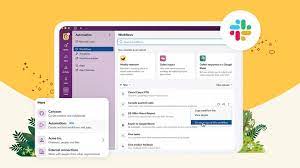
The Salesforce Slack platform lets you extend, expand, and automate your workspaces all while collaborating. Slacks Next Gen Platform Released. Slacks Next Gen Platform Released Slack’s advanced platform, initially in the beta phase for developers, is now progressively rolling out to all teams. Following nearly three years of community-driven experimentation, development, and testing, Slack is excited for you to explore the possibilities it unlocks for your teams: Modular Architecture: Introduce yourself to a new modular architecture rooted in building blocks like functions, triggers, and workflows. These elements are remixable, reusable, and seamlessly connect to the data flow within Slack. Enhanced Developer Experience: Enjoy a faster, more intuitive developer interface with new tools such as the Slack CLI and TypeScript SDK. These tools simplify and clarify the often tedious aspects of building atop the Slack platform. Secure Infrastructure: Benefit from secure deployment, data storage, and authentication powered by Slack-managed serverless infrastructure. The fast Deno-based TypeScript runtime keeps your focus on coding and user experience. Flexible User Experience: Experience a flexible user interface that facilitates easy sharing of your creations within Slack. Introduce a link trigger to make your workflow portable—share it in messages, add it to bookmarks, incorporate it into a canvas, and more. Slack Seeks Feedback Acknowledging the importance of feedback from developers, admins, and users, Slack understands the challenges encountered while building custom integrations. From ensuring enterprise readiness to keeping integrations up-to-date with new Slack features, your input has guided every decision, leading them to this point. The platform’s distinction lies in its extensive options and robust support, offering a fluid and expansive development experience. This approach has allowed Salesforce and Slack to explore innovative ways to integrate support structures directly within Slack, as echoed by Tyler Beckett, SaaS Operations Engineer at Workiva. Slacks Next Gen Platform Released to Include More Automation Slack’s platform is also designed to make workflows automatically extensible to the Slack surfaces of today and tomorrow. Focus on business logic, and Slack will ensure your functions and workflows seamlessly work in any new experience introduced in Slack. For example, the canvas is a new persistent surface where teams can create, curate, and share essential information like text, files, link unfurls, and more in a single view. From day one, you can embed workflows too, making it easy to discover and use them in a relevant context, such as adding an IT request workflow to an onboarding canvas. Talk to Tectonic today about adding Salesforce Slack to your Salesforce ecosystem. Like Related Posts Who is Salesforce? Who is Salesforce? Here is their story in their own words. From our inception, we’ve proudly embraced the identity of Read more Salesforce Marketing Cloud Transactional Emails Salesforce Marketing Cloud Transactional Emails are immediate, automated, non-promotional messages crucial to business operations and customer satisfaction, such as order Read more Salesforce Unites Einstein Analytics with Financial CRM Salesforce has unveiled a comprehensive analytics solution tailored for wealth managers, home office professionals, and retail bankers, merging its Financial Read more AI-Driven Propensity Scores AI plays a crucial role in propensity score estimation as it can discern underlying patterns between treatments and confounding variables Read more
Read More
Improving Customer Experiences with Salesforce

Improving Customer Experiences with Salesforce

Sustaining competitiveness continues to demand businesses prioritize personalization and agility in their customer experience strategy in 2023. Improved Customer Experiences with Salesforce are attainable. Read on. “You are caller number 10; please stay on the line.” A few years ago, a phone message like this from a company was a standard part of the customer experience. But today, customers expect more. They expect callback options. They expect to open a chat window on your website, send a text message or a tweet, and get a near-instant reply. They expect that you already know who they are when they call, that you’re aware of their most recent order, and that you understand what they need next. They don’t want to repeat their information. And they definitely don’t want to wait. Improved Customer Experiences with Salesforce Here are ways to enhance your customer experience program: Enhancing Customer Experience for Brand Loyalty: Advance Personalized Experiences: By concentrating on these core areas, organizations can navigate the evolving CX landscape, delivering exceptional customer experiences. Tectonic is poised to collaborate, customizing Salesforce tools to craft remarkable customer experiences. CX-Customer experience, gets thrown around a lot. But how is it defined, and what does it mean? “Customer experience and service have converged, it’s more than call centers and successful responses to problems. It is service opportunities in sales, support, and marketing. Delivering great customer experiences now means providing amazing, almost magical service at every opportunity.” Peter Schwartz, Salesforce senior vice president of strategic planning What Does Customer Experience Mean? Customer experience encompasses every interaction a prospect or customer has with a business, spanning various channels and touchpoints. Here’s how to enhance customer experience with Salesforce: Customers have always wanted a consistently good buying experience and the best value they can get. If they’re not happy buying expensive razor blades, they can sign up for inexpensive monthly delivery. If they’re fed up with mediocre hotel chains that don’t offer value, why not try Airbnb? The Good News The good news? Customers are willing to pay a premium for great experiences, and not just great products and services. This means businesses have an opportunity to increase revenue by delighting their customers in a way that no one else can. What are the 3Rs of customer experience? Science shows that customers are looking for 3 things in every interaction. These can be summarized in the 3 service values: be reliable, be responsive and build relationships. What are the six pillars of customer experience excellence? Developed by KPMG Nunwood of the UK following research involving more than one million customers across three continents, the system spotlights six key principles as the building blocks for customer experience success: personalization, integrity, expectations, resolution, time and effort, and empathy. Like2 Related Posts Who is Salesforce? Who is Salesforce? Here is their story in their own words. From our inception, we’ve proudly embraced the identity of Read more Salesforce Marketing Cloud Transactional Emails Salesforce Marketing Cloud Transactional Emails are immediate, automated, non-promotional messages crucial to business operations and customer satisfaction, such as order Read more Salesforce Unites Einstein Analytics with Financial CRM Salesforce has unveiled a comprehensive analytics solution tailored for wealth managers, home office professionals, and retail bankers, merging its Financial Read more AI-Driven Propensity Scores AI plays a crucial role in propensity score estimation as it can discern underlying patterns between treatments and confounding variables Read more

Read More
Connecting Marketing Cloud Account Engagement, Marketing Cloud, and Salesforce

Why Optimize Sales Force

Maximizing Sales Force Productivity: Overcoming Challenges and Reaping Rewards-Why Optimize Sales force? The productivity of a sales force is paramount to the success and growth of any business. A high-performing sales team not only drives revenue but also enhances customer satisfaction. However, organizations often encounter obstacles that hinder the optimization of their sales force. Typical Challenges and Problems Why Optimize Sales force? Approaches to Address These Challenges To effectively tackle these issues, a holistic approach is necessary: Benefits of Enhanced Sales Force Productivity Optimizing sales force productivity is key to driving growth and gaining a competitive edge. By addressing challenges, implementing strategic approaches, and emphasizing continuous improvement, organizations can elevate the effectiveness of their sales teams and enjoy the benefits of increased revenue, customer satisfaction, and employee morale. Implementing Salesforce could be just what your sales team needs. Contact Tectonic today. Like Related Posts Who is Salesforce? Who is Salesforce? Here is their story in their own words. From our inception, we’ve proudly embraced the identity of Read more Salesforce Marketing Cloud Transactional Emails Salesforce Marketing Cloud Transactional Emails are immediate, automated, non-promotional messages crucial to business operations and customer satisfaction, such as order Read more Salesforce Unites Einstein Analytics with Financial CRM Salesforce has unveiled a comprehensive analytics solution tailored for wealth managers, home office professionals, and retail bankers, merging its Financial Read more AI-Driven Propensity Scores AI plays a crucial role in propensity score estimation as it can discern underlying patterns between treatments and confounding variables Read more
Read More
Salesforce Integration

Salesforce Implementation Services

As certified experts, Tectonic offers comprehensive Salesforce implementation, management, and support services. Seek professional guidance from a trusted Salesforce Partner. Tectonic’s Salesforce implementation services encompass consulting, configuration, customization, migration, integration, support, and more. With over a decade of experience in CRM development, Tectonic assists companies in implementing robust Salesforce solutions that empower their sales, customer service, and marketing processes. Who participates in Salesforce implementation? The implementation team should include sales agents, customer service representatives, IT experts, marketers, general users, and business administrators. And of course, your Salesforce implementation partner. As an experienced Salesforce Partner, we follow a proven six-phase approach to ensure project success: Kickoff, Discovery, Build, Test, Deploy, and Service. Is it possible to implement Salesforce independently? Yes, but, we strongly discourage attempting a solo Salesforce implementation, especially if you are new to the platform. While Salesforce provides an admin-friendly interface, the risk of creating a non-scalable solution is high without expert guidance. Do you need a Salesforce implementation partner? In cases involving large-scale projects requiring a team of 10+ Consultants, engaging a Certified Implementation Partner is recommended. What are the critical success factors for Salesforce implementation? A well-defined strategy aligned with business goals, user training, effective data migration, proper customization, ongoing support, user adoption, clear communication, and commitment to continuous improvement are crucial elements. How long does Salesforce implementation take? On average, implementation for core products like Sales Cloud takes 5 to 12 weeks. The timeline may extend for a few months with add-ons or highly customized projects. How challenging is Salesforce implementation? Implementing Salesforce can be challenging and overwhelming, with up to 70% of CRM platform implementations facing difficulties. Salesforce itself recommends working with a Salesforce Implementation partner. One of the biggest challenges with the Salesforce platform is that it is highly customizable, this is not software you install and run with. Being highly customizable, however, is also why Salesforce is the number one CRM solution in the world. Why do Salesforce implementations fail? Failures in Salesforce implementations can result from fundamental data problems such as incomplete, inaccurate, or duplicative data, leading to issues like poor customer experience and incorrect budget forecasting. The lifecycle of Salesforce development involves planning, design, development, testing, deployment, and maintenance phases. The development process includes analyzing requirements, designing a solution, building and testing, and deploying it to end users. Is it time to explore bringing in a Salesforce implementation partner? Contact Tectonic today. Like1 Related Posts Who is Salesforce? Who is Salesforce? Here is their story in their own words. From our inception, we’ve proudly embraced the identity of Read more Salesforce Marketing Cloud Transactional Emails Salesforce Marketing Cloud Transactional Emails are immediate, automated, non-promotional messages crucial to business operations and customer satisfaction, such as order Read more Salesforce Unites Einstein Analytics with Financial CRM Salesforce has unveiled a comprehensive analytics solution tailored for wealth managers, home office professionals, and retail bankers, merging its Financial Read more AI-Driven Propensity Scores AI plays a crucial role in propensity score estimation as it can discern underlying patterns between treatments and confounding variables Read more

Read More
Salesforce Slack

Enable Salesforce for Slack Integrations

Seamlessly integrate Salesforce and Slack to unlock enhanced collaboration through Slack apps, tools, and services. Follow these admin procedures to enable Salesforce for Slack integrations. Required User Permissions To set up and use Salesforce for Slack, ensure users have the appropriate permissions or permission sets: Action Required Permissions/Permission Sets Connect Salesforce and Slack Connect Salesforce with Slack (system permission on supported Salesforce licenses) Use the Sales Cloud for Slack app Slack Sales User Use the PRM for Slack app PRM for Slack app Salesforce User or PRM for Slack Partner app User Use the Service Cloud for Slack app Connect Salesforce with Slack, Slack Service User, Run Flows Use the CRM Analytics for Slack app Connect Salesforce with Slack Also recommended: Note: Salesforce for Slack apps are not supported in Government Cloud or Government Cloud Plus orgs. Do not enable this feature in such environments. Contact your Salesforce Account Executive for more details. Steps to Enable Salesforce for Slack Integrations Follow these steps to set up and enable the integration: 1. Navigate to Slack Apps Setup 2. Accept Terms and Conditions 3. Enable Applications 4. Set Up Required Permissions 5. Configure Object Permissions 6. Install Slack Apps 7. Complete Additional App Setup 8. Customize Field Access (Optional) For Individual Users After the integration is complete, instruct users to: By following these steps, you can ensure seamless Salesforce and Slack integration, enhancing productivity and collaboration across your organization. Content updated October 2024. Like Related Posts Who is Salesforce? Who is Salesforce? Here is their story in their own words. From our inception, we’ve proudly embraced the identity of Read more Salesforce Marketing Cloud Transactional Emails Salesforce Marketing Cloud Transactional Emails are immediate, automated, non-promotional messages crucial to business operations and customer satisfaction, such as order Read more Salesforce Unites Einstein Analytics with Financial CRM Salesforce has unveiled a comprehensive analytics solution tailored for wealth managers, home office professionals, and retail bankers, merging its Financial Read more AI-Driven Propensity Scores AI plays a crucial role in propensity score estimation as it can discern underlying patterns between treatments and confounding variables Read more

Read More
gettectonic.com