

Opportunities Archives - gettectonic.com - Page 28
Salesforce Data Cloud

Drive Sales and Service With Real Time Data

Sales and Service Personalization: drive sales with real time data Enhance customer and prospect interactions by integrating real-time engagement data directly into your sales and service consoles. Provide service teams with the ability to proactively address queries and deliver effective case resolutions by swiftly accessing a customer’s recent interactions across diverse business touchpoints. Empower your sales teams with deeper insights into an account or prospect’s purchase journey, enabling more relevant conversations and offers based on real-time knowledge of consumed content, viewed products, or time spent on your site. Know your buyers. Attain a comprehensive view of your buyers by combining 1st and 3rd party data with the robust capabilities of Salesforce’s industry-leading Customer Data Platform (CDP). Imagine closing prospects instantly. With real-time data, it’s possible! Real-time sales data enables you to identify recent changes, such as mergers, acquisitions, new job openings, or promotions. Equip your sales team with a competitive advantage, allowing them to promptly contact potential customers and initiate sales activities. So, what is real-time data, how does it work, and how can you implement it without a complex data infrastructure? This article explores all these aspects and highlights the benefits of utilizing accurate B2B data for real-time sales. What is real-time data? Real-time data refers to immediate and continuous access to information about sales activities, customer interactions, and market trends. For your sales and marketing teams, this means capturing, analyzing, and utilizing up-to-date data to make informed decisions, enhance sales processes, create personalized experiences, and strengthen customer relationships. Real-time data is crucial because it offers numerous benefits for B2B businesses. This insight will explore some tangible benefits that real-time data can provide for your company: Access up-to-the-minute information on customer behaviors, preferences, and buying patterns, allowing your B2B sales team to engage with prospects immediately. Real-time insights into events like funding, promotions, or team expansions can trigger timely sales activities, such as emails, LinkedIn messages, or call invitations. Immediate updates from real-time sales insights enable businesses to adjust pricing based on market fluctuations or competitive moves. Real-time data collection helps track competitor pricing, customer demand, and inventory levels, allowing for optimized pricing strategies and instant adjustments with minimal effort from your sales team. Incorporate robust key management for data security to safeguard sensitive information and avoid additional risks. When a prospect expresses interest or takes specific actions, such as visiting a website or filling out a form, you can immediately engage with them. Define sales triggers and actions, such as emailing to schedule a demo after a prospect visits your pricing page. Real-time data processing allows for automated nurturing of prospects, eliminating the need for manual tracking and outreach. Gain real-time actionable insights into sales performance, leading to accurate sales forecasting. Sales managers can monitor sales data in real time, track progress against targets, adjust strategies, and manage pipeline visibility for more precise financial projections aligned with future financial planning. Instant data offers the opportunity to personalize customer interactions more effectively. Access real-time data analytics on customer preferences, purchase history, and previous interactions to tailor relevant recommendations and provide a personalized customer experience. Real-time data analysis provides instant visibility into sales performance metrics. Sales representatives can monitor their performance, including call activity, conversion rates, and revenue generated, in real time. Immediate feedback enables reps to course-correct, improve sales techniques, and achieve better results. By monitoring real-time market trends, competitor activities, and customer feedback, sales managers can make data-driven decisions, adjust sales strategies, and seize emerging opportunities. Business intelligence tools offering real-time data services help sales teams promptly address customer issues or concerns. By tracking customer behavior, feedback, complaints, and inquiries in real time, sales reps can proactively contact customers and help resolve issues. How does real-time data work? Real-time data involves capturing specific actions on the go, such as customers’ activities on your website or offsite, like visiting sales pages, checking your company’s LinkedIn profile, or exploring similar sites. Events are collected before storing any information, allowing for instant management of sales data and predictive analytics. Marketing and Sales Use of Real-Time Data: Updating lead records in real time results in better sales performance and cost savings across the entire business. Real-time big data can be used in various ways for better business decisions, such as: Examples of Real-Time Data: Real-time intent data helps identify potential customers actively researching or showing interest in products like you are selling. This data can be gathered from various sources, including website tracking, social media monitoring, and content consumption patterns. Ultima used a real-time data solution to access intent data and direct dials, resulting in ROI in just 8 weeks. Real-time data is a valuable asset for B2B businesses, offering timely opportunities, dynamic pricing, immediate lead engagement, accurate forecasting, personalized customer interactions, instant sales performance insights, agile sales strategies, and prompt issue resolution. Understanding how real-time data works and leveraging it effectively can significantly enhance the performance and efficiency of your sales and marketing teams. How do you use data to drive sales? What is an example of a data-driven sales? A B2B company that manufactures and sells industrial equipment can use a data-driven approach that involves analyzing purchasing data from their CRM, tracking industry trends, and using customer feedback surveys to understand what customers truly value. To drive sales with real time data, you need a tool like Salesforce and Salesforce Data Cloud. A real-time data sales strategy is a strategy that focuses on delivering immediate responses from customers. The methodology of real time selling is a way for brands to interact with their customers using stuff that’s actually happening at that time. The real time sales are based on insights into a customer’s online actions. The insights are analyzed and utilized quickly with AI. Drive sales real time data. Like1 Related Posts Who is Salesforce? Who is Salesforce? Here is their story in their own words. From our inception, we’ve proudly embraced the identity of Read more Salesforce Marketing Cloud Transactional Emails Salesforce Marketing Cloud Transactional Emails are immediate,


Read More
Salesforce Integration

Salesforce Integrations for Sales and Marketing Teams

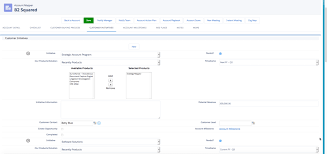
First Understand Salesforce Integrations Salesforce integrations involve establishing seamless connections between Salesforce and diverse third-party applications. These applications range from marketing automation tools and customer service software to accounting programs. The purpose is to facilitate a smooth exchange of data, ultimately enhancing Salesforce’s overall functionality. Salesforce integrations for sales and marketing teams brings all the applications needed for the relationship with prospects into one place. Salesforce’s Integration Ecosystem While Salesforce boasts a robust integration ecosystem, featuring over 3,000 integrations available on its AppExchange marketplace. Users can leverage various integration approaches: Salesforce Integrations for Sales and Marketing While there’s no complete universal list of essential Salesforce integrations for sales and marketing, several widely-used integrations cater to diverse needs: No-code Data Automation Integrations: Analytics and Reporting Integrations: Email Marketing Automation Integration: Data Storage Integration: Communications Apps Integrations: Project Management Tools Integration: Account Management Integration: CRM Tools Integration: Helpdesk Integrations: Feedback Tools Integration: These integrations facilitate efficient data handling, analytics, communication, project management, and more within sales and marketing teams. Integrations for Sales and Marketing Tools Salesforce seamlessly integrates with various tools relevant to Sales and Marketing teams, including but not limited to: Salesforce Integration with Teams and Workday The Salesforce AppExchange Salesforce’s Role in Sales and Marketing Salesforce Marketing Cloud Salesforce and ERP Integration Digital Marketing and Salesforce Salesforce’s Role in Marketing Automation Content updated November 2023. Like Related Posts Who is Salesforce? Who is Salesforce? Here is their story in their own words. From our inception, we’ve proudly embraced the identity of Read more Salesforce Marketing Cloud Transactional Emails Salesforce Marketing Cloud Transactional Emails are immediate, automated, non-promotional messages crucial to business operations and customer satisfaction, such as order Read more Salesforce Unites Einstein Analytics with Financial CRM Salesforce has unveiled a comprehensive analytics solution tailored for wealth managers, home office professionals, and retail bankers, merging its Financial Read more AI-Driven Propensity Scores AI plays a crucial role in propensity score estimation as it can discern underlying patterns between treatments and confounding variables Read more
Read More
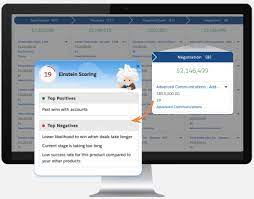
Einstein Opportunity Scoring Boosts Sales

Opportunities and List Views in Salesforce

Understanding Opportunities and List Views in Salesforce What Is an Opportunity? An opportunity in Salesforce represents a deal in progress. These records track key details such as the associated account, stakeholders, and potential sales value. Opportunities help sales teams manage pipelines and track revenue potential efficiently. To view and manage your opportunities, Salesforce provides list views, which display a collection of opportunity records. Since list views are dynamic, any updates to an opportunity automatically reflect in real time. Additionally, you can filter, customize, and visualize list views to streamline your workflow. Filtering Opportunities in a List View By default, your list view may show Recently Viewed opportunities. To switch to a different view: To remove all filters, simply click Remove All, then Save. Filtering becomes especially powerful when managing a large number of records. Try adding a new opportunity using the New button and adjust filters to see how they refine the view. You can always add more filters to further customize your list. Creating a New List View Note: Only users with the View Roles and Role Hierarchy permission can select from your org’s role list when editing public list view visibility. Customizing Displayed Fields This allows you to focus on the most relevant opportunity details at a glance. Visualizing Opportunities with Kanban By default, Kanban groups opportunities by Stage (opportunity status). To customize this: To return to the standard table view, click the Display as icon and select Table. Maximize Your Use of List Views Salesforce’s opportunity list views offer powerful filtering, customization, and visualization capabilities to help sales teams stay organized and efficient. Keep exploring different list view settings to optimize your workflow and better manage your deals. Like Related Posts Who is Salesforce? Who is Salesforce? Here is their story in their own words. From our inception, we’ve proudly embraced the identity of Read more Salesforce Marketing Cloud Transactional Emails Salesforce Marketing Cloud Transactional Emails are immediate, automated, non-promotional messages crucial to business operations and customer satisfaction, such as order Read more Salesforce Unites Einstein Analytics with Financial CRM Salesforce has unveiled a comprehensive analytics solution tailored for wealth managers, home office professionals, and retail bankers, merging its Financial Read more AI-Driven Propensity Scores AI plays a crucial role in propensity score estimation as it can discern underlying patterns between treatments and confounding variables Read more

Read More

Salesforce Integration: Enhancing Your CRM Capabilities

Salesforce is the world’s leading CRM platform, empowering businesses to streamline operations, enhance customer relationships, and drive growth. However, to maximize its potential, integrating Salesforce with third-party applications is essential. By connecting Salesforce with various external tools—such as MailChimp, QuickBooks, WhatsApp, and LinkedIn—organizations can improve efficiency, automate workflows, and unify data across departments. But how can businesses successfully integrate these applications into their Salesforce environment, and what challenges might they face? Let’s explore. What is Salesforce Integration? Salesforce integration refers to the process of connecting Salesforce with third-party applications to facilitate seamless data flow and process automation. These integrations leverage APIs to establish communication between systems, ensuring a unified experience across different business functions such as HR, finance, marketing, and sales. Why is Salesforce Integration Important? Integrating Salesforce with other systems offers several advantages, including: Common Salesforce Integrations and Use Cases Salesforce can be integrated with a variety of platforms to enhance functionality. Some key use cases include: Challenges in Salesforce App Integration While Salesforce integrations bring numerous benefits, they also come with challenges: Tools for Successful Salesforce Integration To facilitate smooth integrations, businesses can leverage the following tools: 1. Salesforce Native Tools These tools enable direct integrations with Salesforce products. Examples include: 2. App-Native Tools Many external applications offer built-in integrations with Salesforce, such as: 3. Third-Party Middleware For more complex integrations, middleware platforms help bridge gaps between systems: Best Practices for Salesforce Integration To ensure a smooth and successful integration, businesses should follow these best practices: Final Thoughts: Should You Integrate Salesforce with Third-Party Apps? Absolutely. Integrating Salesforce with external applications enhances its capabilities, drives efficiency, and unlocks new business opportunities. However, it’s crucial to implement these integrations through a certified Salesforce partner to minimize risks and ensure seamless execution. By following best practices and using the right tools, businesses can maximize their CRM investment and drive long-term success. FAQs Have more questions about Salesforce integration? Get in touch with our certified Salesforce consultants to explore the best integration solutions for your business. Like Related Posts Who is Salesforce? Who is Salesforce? Here is their story in their own words. From our inception, we’ve proudly embraced the identity of Read more Salesforce Marketing Cloud Transactional Emails Salesforce Marketing Cloud Transactional Emails are immediate, automated, non-promotional messages crucial to business operations and customer satisfaction, such as order Read more Salesforce Unites Einstein Analytics with Financial CRM Salesforce has unveiled a comprehensive analytics solution tailored for wealth managers, home office professionals, and retail bankers, merging its Financial Read more AI-Driven Propensity Scores AI plays a crucial role in propensity score estimation as it can discern underlying patterns between treatments and confounding variables Read more
Read More
Configuring Revenue Management

Configuring Revenue Management

Configuring Revenue Management for Automated Population of Recognition Templates and GLAs Revenue Management can be set up to automatically populate the recognition template and GLAs on your source records based on their revenue recognition treatment. How It Works Revenue Management assigns the correct recognition template to a source record by following these steps: Setting Up the Flow To use this functionality, you must build a Salesforce flow that triggers an Apex action. Follow these steps to create a flow for each source object: Below is an outline for creating a flow for the Order Product (OrderItem) source object: Creating the Flow for Order Product (OrderItem) The flow will trigger when you save or update an order product that meets the conditions for inclusion in recognition processes. Repeat for Other Source Objects Repeat the above procedure to create flows for each of the remaining source objects: Invoice Line, Credit Note Line, and Usage Summary (if used). Ready? By following these steps, you can efficiently configure Revenue Management to automate the population of recognition templates and GLAs, streamlining your revenue recognition processes. Like1 Related Posts Who is Salesforce? Who is Salesforce? Here is their story in their own words. From our inception, we’ve proudly embraced the identity of Read more Salesforce Marketing Cloud Transactional Emails Salesforce Marketing Cloud Transactional Emails are immediate, automated, non-promotional messages crucial to business operations and customer satisfaction, such as order Read more Salesforce Unites Einstein Analytics with Financial CRM Salesforce has unveiled a comprehensive analytics solution tailored for wealth managers, home office professionals, and retail bankers, merging its Financial Read more AI-Driven Propensity Scores AI plays a crucial role in propensity score estimation as it can discern underlying patterns between treatments and confounding variables Read more
Read More
Salesforce Einstein and Einstein Automate

Lead Conversion at the Speed of Einstein

The primary challenges faced by businesses today revolve around lead generation and conversion. Lead conversion with Einstein is fast. Tectonic proudly offers comprehensive solutions for both challenges through the implementation and customization of Salesforce Einstein Lead Scoring. Salesforce Einstein Lead Scoring, a pivotal feature within Sales Cloud Einstein, leverages artificial intelligence to empower sales representatives in converting leads more efficiently. By analyzing historical sales data, Einstein Lead Scoring determines the likelihood of a lead converting into an opportunity. This predictive intelligence enables sales teams to segment and prioritize leads for faster conversion. Tectonic and Lead Conversion with Einstein Let Tectonic’s’ customization and implementation services ensure that your company maximizes the value derived from Sales Cloud Einstein, setting your sales representatives up for success. The factors influencing lead conversion, as predicted by Einstein Lead Scoring, are conveniently displayed on each lead record in Salesforce, aiding sales reps in quick preparation for calls and interactions. Lead Conversion with Einstein Einstein Lead Scoring models are uniquely built for each customer and organization, analyzing standard and custom fields through various predictive models. The machine learning behind Einstein continuously improves accuracy by updating models monthly. This ensures that leads are scored every hour using the latest model, promptly adapting to any changes in lead data. Truly, the power of Einstein Lead Scoring lies in its ability to discover insights, predict lead conversion likelihood, and provide automatic insights into the newly determined score. Studies indicate that AI-powered companies spend less time prospecting and more time actively growing revenue. Einstein Lead Scoring allows your company to focus more on selling and less on prospecting, leading to faster lead conversion and shorter sales cycles. Tectonic assists in automating sales and marketing processes, integrating the capabilities of Einstein Lead Scoring into your business. With zero setup requirements, custom lead score-driven workflows, and smart lead lists. Einstein Lead Scoring ensures that your sales teams work smarter and faster. The Lead Score Your Lead Score field added by Einstein Lead Scoring in your Salesforce org lets sales and marketing teams prioritize leads. This is based on similarities to prior converted leads. Through data science and machine learning, Einstein Lead Scoring offers a faster and more accurate solution. When compared to traditional rules-based lead scoring. Your Salesforce admin, or Tectonic’s Salesforce team, can set up Einstein Lead Scoring to score all leads together. Or group them into segments based on field criteria. The dashboard provides key lead score metrics. By offering insights into average lead score by lead source, conversion rate by lead score, and lead score distribution across converted and lost opportunities. Sales Cloud Einstein Sales Cloud Einstein, with Einstein Lead Scoring, is a ready-to-use set of tools that learn from Salesforce CRM data and activities, continuously enhancing its predictions. Because Sales Cloud Einstein includes additional features such as Salesforce Inbox and Einstein Activity Capture. Einstein Opportunity Insights offers smart reminders or tasks for nurturing customer relationships. Einstein Lead Scoring helps prioritize leads for conversion. Incorporating Sales Cloud Einstein and Einstein Lead Scoring into your sales and marketing strategy can yield a great return. Your Salesforce investment will fill your opportunity pipeline. Contact Tectonic for a free consultation to explore how Sales Cloud Einstein can accelerate lead conversion for your business. Like1 Related Posts Who is Salesforce? Who is Salesforce? Here is their story in their own words. From our inception, we’ve proudly embraced the identity of Read more Salesforce Marketing Cloud Transactional Emails Salesforce Marketing Cloud Transactional Emails are immediate, automated, non-promotional messages crucial to business operations and customer satisfaction, such as order Read more Salesforce Unites Einstein Analytics with Financial CRM Salesforce has unveiled a comprehensive analytics solution tailored for wealth managers, home office professionals, and retail bankers, merging its Financial Read more AI-Driven Propensity Scores AI plays a crucial role in propensity score estimation as it can discern underlying patterns between treatments and confounding variables Read more

Read More
Salesforce Advanced Reporting

Salesforce Advanced Reporting

Data Is EverywhereIt’s no exaggeration to say that data is omnipresent. With 2.5 quintillion bytes of digital data generated every day, it’s clear that the modern world runs on information. For businesses, this data surge presents immense opportunities. By capturing, organizing, analyzing, and interpreting it effectively, organizations have enhanced their processes and targeted their marketing efforts with precision. Tools That Communicate InsightsHowever, finding data is only the first step. Even actionable insights must be presented clearly to decision-makers, or they risk being overlooked. A staggering 48% of employees report struggling with data that is not optimized for their needs. This issue spans industries, highlighting the critical role that reporting tools play in business success. Effective tools rely on data visualization to make complex information easy to comprehend. Visual displays allow for faster digestion of data, turning raw information into actionable insights. Modern dashboards and visualization software combine reporting and clarity, ensuring accessibility for all users, regardless of technical expertise. Ease of Use Is CriticalThe best data reporting tools aren’t just powerful—they’re user-friendly. Tools that are overly complex risk becoming ongoing IT projects, diminishing their value to leaders and decision-makers. An intuitive interface, coupled with automation and compatibility across all devices, minimizes reliance on IT support. Real-time reporting is one of the most valuable features advanced tools offer. In today’s fast-paced world, outdated information—even by a few days—can lead to costly mistakes. Real-time data ensures decisions are based on the most current insights, while intuitive tools empower users to access these insights independently. One Tool, Unlimited CompatibilityThe rise of mobile work environments means employees increasingly rely on their personal devices for business tasks. High-performing teams are 3.5 times more likely to use mobile reporting tools to analyze data on the go. Cloud-based, platform-agnostic reporting tools ensure no user is ever limited by their location or device. Additionally, customizable and scalable tools provide businesses the flexibility to adapt as they grow, delivering a seamless reporting experience tailored to their unique needs. By researching available tools, leveraging online reviews, and utilizing free trials, businesses can find reporting solutions that align with their goals. Turning Data Into ActionData is only as valuable as its application. The right reporting tools provide organizations with reliable insights, empowering informed decision-making. As businesses increasingly recognize the power of data, investing in the right tools can drive efficiency, productivity, and smarter strategies. Advanced Reporting in Salesforce Salesforce reporting is one of its most powerful features, enabling users to gain insights into their data while allowing admins to demonstrate Salesforce’s impact on productivity. With the Lightning Report Builder, a drag-and-drop interface, admins can quickly create reports that meet complex requirements. Here’s a closer look at Salesforce’s advanced reporting capabilities: 1. Custom Report Types Salesforce provides out-of-the-box report types for standard objects and relationships (e.g., Contacts & Accounts). Custom Report Types go beyond these by allowing reports on: Admins can define up to four objects and specify relationships to tailor reports to their needs. A bonus? New fields can now be auto-added to Custom Report Types. 2. Cross Filters (Exception Reports) Cross Filters identify records with or without related records, perfect for “exception reports.” For example: Admins can add sub-filters for even more precision. 3. Summary Formulas Summary Formulas handle complex calculations across grouping levels, providing deeper insights. Example: Calculate each account’s contribution to pipeline by opportunity type. 4. Row-Level Formulas These formulas apply to individual records and are displayed on the row itself. For example, compare two fields on the same record to check for matching values. 5. Reporting Snapshots Snapshots “freeze” Salesforce data at specific moments for future reference, such as tracking Opportunity Pipeline changes over time. 6. Historical Trend Reporting Trend reports track historical field values for specific dates, such as Opportunities’ pipeline values for a given week. 7. Field-to-Field Filters These filters compare values across fields in a report. For instance, display only Contacts whose donations this year exceed last year’s. 8. Stacked Summaries Stacked Summaries condense large datasets into digestible visualizations, ideal for quick comparisons. 9. Joined Reports Combine multiple report types into a single view for holistic insights. Each “block” has its own filters, offering flexibility in data presentation. 10. Report URL Hacks URL hacks allow dynamic filtering of reports based on record data. For example, launch a filtered Opportunities report directly from an Account record. SummarySalesforce’s advanced reporting features empower admins to create scalable, efficient reports, even with challenging data models. By leveraging these tools, businesses can maximize the value of their Salesforce investment and transform raw data into actionable insights. Like Related Posts Who is Salesforce? Who is Salesforce? Here is their story in their own words. From our inception, we’ve proudly embraced the identity of Read more Salesforce Marketing Cloud Transactional Emails Salesforce Marketing Cloud Transactional Emails are immediate, automated, non-promotional messages crucial to business operations and customer satisfaction, such as order Read more Salesforce Unites Einstein Analytics with Financial CRM Salesforce has unveiled a comprehensive analytics solution tailored for wealth managers, home office professionals, and retail bankers, merging its Financial Read more AI-Driven Propensity Scores AI plays a crucial role in propensity score estimation as it can discern underlying patterns between treatments and confounding variables Read more

Read More
Tableau vs Datorama

Datorama vs Tableau – What About Both?

Datorama vs Tableau – What about both for your Salesforce org? When comparing Datorama vs Tableau it becomes clear they each have compelling reasons for their use. Datorama Tableau What’s the difference between Datorama and Tableau? Tableau is primarily a data visualization and reporting tool, while Datorama is a marketing analytics platform. “So it’s not surprising that their functions are somewhat different, ”explains the business development manager. Selecting a BI tool that meets all your business goals can be a very complicated task. There are many aspects to take into account, and there will be some cases that would make you lean towards one solution or another. Datorama (currently Marketing Cloud Intelligence) and Tableau, both solutions from Salesforce, are available on the market for companies that want to incorporate BI into their management. In the following, we will describe some of their main characteristics and a comparison of two, taking into account factors that can help you decide on their use according to the needs or possibilities of your company. Did you know that Datorama and Tableau can work together? Benefits of Datorama and Tableau Integration Datorama’s integration with Tableau powers results in the unified analysis of both business and marketing data, enabling the following: Like2 Related Posts Who is Salesforce? Who is Salesforce? Here is their story in their own words. From our inception, we’ve proudly embraced the identity of Read more Salesforce Marketing Cloud Transactional Emails Salesforce Marketing Cloud Transactional Emails are immediate, automated, non-promotional messages crucial to business operations and customer satisfaction, such as order Read more Salesforce Unites Einstein Analytics with Financial CRM Salesforce has unveiled a comprehensive analytics solution tailored for wealth managers, home office professionals, and retail bankers, merging its Financial Read more AI-Driven Propensity Scores AI plays a crucial role in propensity score estimation as it can discern underlying patterns between treatments and confounding variables Read more

Read More
Project Management With Asana and Salesforce

Project Management With Asana and Salesforce

Introducing the Revolutionary Asana Salesforce Integration Elevate Your Business with An Enhanced Workflow Efficiency Welcome to the world of a revolutionary blend of CRM and project management—the Asana Salesforce Integration. Opting for this intelligent integration sets your business on the path to unprecedented workflow efficiency. Ever wondered how to further streamline your workflows, intensify team synchronization, and deliver exceptional customer service? The answer lies in integrating your Asana project management tool with Salesforce’s CRM capabilities. Unleashing New Avenues for Business Operations The seamless integration of Asana and Salesforce brings the best of both worlds onto a single platform. Direct communication with your team becomes effortless, and vital business information is transmitted with precision and speed. This means deals progress faster, teams stay informed, and crucial workflows run without a hitch. Making significant business decisions requires hard data, and this powerful integration provides exactly that. Connecting Salesforce with Asana Goals delivers valuable insights that can propel your business forward. Key Takeaways Understanding the Asana Salesforce Integration In today’s fast-paced digital world, CRM software and project management tools evolve rapidly to enhance business efficiency and foster stronger customer connections. Navigating this evolution requires a deep understanding of these tools and their potential synergy. This piece focuses on Salesforce, a formidable player in cloud-based CRM software, and how its integration with Asana, a popular project management tool, can revolutionize your business operations and customer relationship management. What Is Salesforce? Salesforce is a pioneering force in CRM software, providing an exceptional cloud-based platform aimed at enhancing customer interaction and service quality. It serves as a comprehensive tool for managing customer data, tracking sales, and delivering targeted marketing campaigns. Salesforce focuses on forging deeper customer connections, finding prospects, and improving overall customer service. Why Integrate Your CRM with Asana? Integrating CRM software with a platform like Asana enhances its project management potential. Asana, designed to aid in planning, organizing, and executing projects, seamlessly links with Salesforce. This integration eliminates bottlenecks, streamlines internal processes, and improves communication between teams, allowing for easier data and idea exchanges that lead to effective, fast decision-making. The Unification of Sales and Project Management Business success hinges on acquiring and retaining customers. The integration of Salesforce’s CRM capabilities with Asana’s project management utilities results in a unified, powerful tool that optimizes workflows—from tracking sales progress to managing projects. The clear mapping of deal progress linked to strategic business goals creates a data-driven path forward. The Benefits of Combining Asana with Salesforce Integrating Asana and Salesforce unlocks new levels of efficiency and organization within your business. Individually renowned for their capabilities in project management and CRM, the combined strengths of these platforms significantly enhance productivity and streamline operations. Streamlining Your Sales Pipeline Integrating Asana and Salesforce enhances team efficiency and redefines sales pipeline management. This integration leads to improved deal cycles, automated workflows, and informed business decision-making. How to Set Up the Asana Salesforce Integration Setting up the Asana Salesforce integration is straightforward with the right guidance. Navigate to the Salesforce AppExchange, search for Asana for Salesforce, and click ‘Get It Now’. Customize the integration to best serve your organization’s needs, optimizing it for Salesforce’s Lightning Component or Salesforce Classic. Optimizing CRM Operations with Asana Projects Integrating Asana’s project management capabilities with Salesforce provides a new vista for CRM optimization. This coupling enables centralized access to contacts, opportunities, and deal information within Asana, enhancing visibility and operational efficiency. Fostering Team Collaboration Integrating Asana and Salesforce bridges the gap between task management and customer management systems, enhancing teamwork, communication, and project alignment. This synergy results in improved operational excellence and productivity. Enhancing the Customer Experience The Asana Salesforce combo delivers a phenomenal customer experience by improving customer handoff efficiency and enabling smooth transitions with customizable templates and automated workflows. This integration strengthens customer relationships through personalized interactions and efficient service. Automating Tasks for Streamlined Workflows The Asana Salesforce integration simplifies project handoffs and leverages Salesforce’s Process Builder to customize and automate workflows, enhancing cooperation between sales and service teams and maintaining real-time data alignment between platforms. Advanced Integration Options For businesses with complex integration needs, General Automation Platforms (GAP) offer a solution. These low-code platforms facilitate the creation of robust, tailored integrations, automating multistep processes and ensuring smooth data flow. Learning Resources Expand your understanding of the Asana Salesforce integration through resources like the Asana Help Center, Asana Academy’s demo videos, and personalized support from Asana’s dedicated team. The convergence of project management and CRM systems through integrations like Asana and Salesforce is reshaping business operations. This powerful combination enhances client experiences, refines operations, and drives substantial growth, offering a glimpse into the future of business productivity and success. Like Related Posts Who is Salesforce? Who is Salesforce? Here is their story in their own words. From our inception, we’ve proudly embraced the identity of Read more Salesforce Marketing Cloud Transactional Emails Salesforce Marketing Cloud Transactional Emails are immediate, automated, non-promotional messages crucial to business operations and customer satisfaction, such as order Read more Salesforce Unites Einstein Analytics with Financial CRM Salesforce has unveiled a comprehensive analytics solution tailored for wealth managers, home office professionals, and retail bankers, merging its Financial Read more AI-Driven Propensity Scores AI plays a crucial role in propensity score estimation as it can discern underlying patterns between treatments and confounding variables Read more
Read More
better data better forecast

Joined Report in Salesforce

What is a joined report in Salesforce? A joined report in Salesforce consists of up to five report blocks , which you add to the report to create multiple views of your data. For each block, you can add regular and summary fields, create standard and cross-block custom summary formulas, apply filters, and sort columns.  A joined report can contain data from multiple standard or custom report types. What is the drawback of joined reports in Salesforce? Salesforce Joined report limitations A joined report in Salesforce is a report that allows you to show data that shares a relationship with one or more objects. Joined reports are often used when objects are not in parent-child relationships, such as Accounts and Opportunities. Advantages of Using Joined Reports What report types can be converted into joined reports? Like Related Posts Who is Salesforce? Who is Salesforce? Here is their story in their own words. From our inception, we’ve proudly embraced the identity of Read more Salesforce Marketing Cloud Transactional Emails Salesforce Marketing Cloud Transactional Emails are immediate, automated, non-promotional messages crucial to business operations and customer satisfaction, such as order Read more Salesforce Unites Einstein Analytics with Financial CRM Salesforce has unveiled a comprehensive analytics solution tailored for wealth managers, home office professionals, and retail bankers, merging its Financial Read more AI-Driven Propensity Scores AI plays a crucial role in propensity score estimation as it can discern underlying patterns between treatments and confounding variables Read more

Read More
Headless Commerce is the Future of E-Commerce

Headless Commerce is the Future of E-Commerce

Why Headless Commerce is the Future of E-Commerce You’ve likely heard it said time and again: the future of e-commerce is headless. But why is this prediction so widespread? Why are 35% of businesses expected to adopt a headless architecture by 2025? high-code headless solutions and commerce-oriented analytics platforms come into play. Headless commerce is the future of e-commerce. Headless commerce refers to a system where the frontend of your website—encompassing the storefront and user experience—is decoupled from the backend, which handles data, functionality, and business logic. Recent statistics reveal that businesses adopting headless commerce have reduced time to market by 50%, increased site performance by 30%, and decreased the time spent on upgrades and bug fixes by 34%. Headless Commerce – Future of E-Commerce There are four key ways in which headless commerce enhances performance: 1. Personalization at Scale Headless architecture centralizes customer data and separates content creation from delivery, enabling businesses to personalize content and experiences more effectively across multiple touchpoints. 2. Greater Control Over Experiences Decoupling the frontend from the backend gives businesses full control over website functionality, performance, SEO, design, and layout. Changes can be made to the frontend without impacting backend systems, allowing for greater flexibility and responsiveness. 3. Enhanced Performance and Flexibility With smaller, more focused frontends, data loading becomes more efficient, resulting in faster site performance and optimized media. Headless architecture also allows for seamless integration with third-party systems, enabling businesses to adapt and evolve as needed. 4. Fostering a Culture of Experimentation The flexibility and control offered by headless commerce equip teams with the tools to experiment regularly and rigorously. This fosters a culture of experimentation, which can drive continuous improvement and innovation. While the first three benefits of headless commerce are valuable on their own, it’s the ability to support a culture of experimentation that truly sets headless apart. When these advantages come together, businesses can achieve a cumulative impact that significantly enhances their performance. Let’s explore how an experimental mindset can unlock the full potential of headless commerce. Nurturing a Culture of Experimentation with Headless Commerce The agility and efficiency of a headless approach empower e-commerce brands to build a culture centered on testing and optimizing customer experiences. However, experimentation inherently involves risk. Any new experience introduced to your website will affect its performance and user experience—ideally for the better, but there are no guarantees. The challenge, then, is how to mitigate those risks effectively. The good news is that a culture of experimentation and calculated risk-taking provides brands with continuous data-gathering opportunities, leading to better decision-making and improved outcomes. The key is ensuring that your business has complete data visibility. To minimize risks during testing and address potential issues quickly, you need full visibility into how every change impacts your site and customer experience. This allows your team to identify what’s working, troubleshoot what isn’t, and make informed decisions based on real-time insights. Rapid deployment of new experiences can then become a true competitive advantage, enabling you to leverage data-backed insights to enhance your digital offerings. Experimenting Safely with Headless Commerce To illustrate this, imagine a scenario where you’re A/B testing on your headless site. Suppose you discover that your checkout abandonment rate is higher than the industry average, and you hypothesize that a lengthy checkout process is to blame. You decide to run an A/B test comparing two versions of the checkout flow to see if a shorter process yields better results. However, deploying this test introduces an unexpected error in one variation, skewing your results. Without visibility into site errors, you might not even realize the issue, leading to confusing or inconclusive test outcomes. This is where high-code headless solutions and commerce-oriented analytics platforms come into play. They provide the necessary visibility and monitoring to support a culture of experimentation while minimizing risks. A platform like Noibu, a performance and error monitoring solution designed specifically for e-commerce, can help you navigate these challenges with agility. By continuously monitoring your site, Noibu detects any issues that arise during changes, alerts your team, and provides detailed technical insights to address the root cause quickly. This ensures that your experiments remain unaffected, allowing you to test freely without fearing conversion drops or revenue loss. This type of software acts as a safety net, promoting extensive experimentation by monitoring your site for potential errors and encouraging calculated risk-taking. Case Study: Ribble Cycles and the Benefits of Headless Commerce Ribble Cycles transitioned to a headless architecture and experienced greater freedom and control. Matthew Lawson, Chief Digital Officer, shares, “Choosing a headless/composable architecture for Ribble Cycles has given us unparalleled flexibility and control… [allowing] us to decouple the front end from backend services, enabling rapid iteration and unique, customer-centric features.” To mitigate the risks associated with site changes, Ribble Cycles turned to Noibu, an error-detection platform that allowed them to experiment and test solutions with reduced risk. “While headless brings risks, such as unforeseen impacts from changes, we mitigate these with advanced analytics and monitoring tools like Noibu,” Lawson notes. “These tools help us detect and resolve issues in real time, reinforcing a positive risk-taking culture and driving better results for our brand and customers.” With complete visibility into the impact of their experiments, Lawson’s team is now in control and reaping the rewards of their headless commerce strategy. “Best decision we have made,” adds Lawson. “We have a roadmap to take it even further.” Like Related Posts Who is Salesforce? Who is Salesforce? Here is their story in their own words. From our inception, we’ve proudly embraced the identity of Read more Salesforce Marketing Cloud Transactional Emails Salesforce Marketing Cloud Transactional Emails are immediate, automated, non-promotional messages crucial to business operations and customer satisfaction, such as order Read more Salesforce Unites Einstein Analytics with Financial CRM Salesforce has unveiled a comprehensive analytics solution tailored for wealth managers, home office professionals, and retail bankers, merging its Financial Read more AI-Driven Propensity Scores AI plays a crucial role in propensity score estimation as

Read More
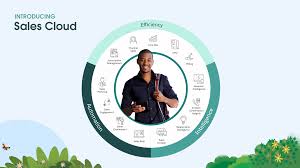
salesforce sales cloud

Case Management in Salesforce Sales Cloud

Does Salesforce provide a case management system? Desk is an all-in-one support application that comes ready-to-use, offering mobile support, case management, multi-channel support, and productivity tools. By integrating with other Salesforce solutions, Desk provides companies with a complete 360-degree view of each customer. Is case management included in Salesforce Sales Cloud? Sales Cloud and Service Cloud are both built on the core Salesforce Platform, sharing critical features like accounts, contacts, and case management (although in a basic form within Sales Cloud compared to Service Cloud). Sales Cloud is Salesforce’s core CRM product designed to help businesses manage their sales processes, including standard case functionality to manage cases, track customer issues, and provide support. Does Salesforce Sales Cloud support cases? Sales Cloud, as Salesforce’s primary CRM product, includes basic case functionality to help customer service teams manage cases, track customer issues, and provide support. A common misconception is that Salesforce customers believe they require Service Cloud licenses (or a separate third-party tool) to manage customer support tickets. If a Salesforce customer has a Sales Cloud license (often the entry point into the Salesforce world), they automatically gain case management features with Sales Cloud. How do I configure case management in Salesforce? Utilize queues and automated rules to assign cases to your team without constant monitoring. Cases can be assigned to a queue where team members can select from a list, helping prioritize work and automatically assign cases based on conditional rules. What is the difference between Salesforce Sales Cloud cases and Service Cloud? The primary distinction is that Sales Cloud focuses on streamlining sales efforts, while Service Cloud assists support agents in delivering exceptional customer service and resolving issues proactively. Is Email-to-Case included in Sales Cloud? Email-to-Case functionality is included in Sales Cloud licenses, providing case management features. It allows you to automatically create cases from incoming emails, which can then be managed within the Sales Cloud system. Essentially, you can have emails from customers turn into cases within Salesforce, streamlining your customer support processes.  What are the limitations of Email-to-Case in Salesforce? Email-to-Case controls the number of cases that can be created within an organization, with a default limit of 2500 cases that cannot be increased.  Daily Email Limits: Sales Cloud includes a range of case management features within its license. The Case object is a standard component that comes ‘out of the box’ with Sales Cloud, alongside Accounts, Contacts, Activities, Leads, and Opportunities. Additionally, Email-to-Case and Web-to-Case are available for self-service case creation, allowing inbound cases to be automatically generated by customers. Salesforce setup time is minimal, with configuration options such as Auto-Response rules to send branded email templates to customers and Case Assignment Rules to allocate cases to support agents or queues. Service Cloud is Salesforce’s customer service platform designed to enhance customer experiences. Adding Service Cloud to your Salesforce org unifies sales and customer service teams on a single platform, providing enhanced functionality and integration compared to standard case management with Sales Cloud. Like Related Posts Who is Salesforce? Who is Salesforce? Here is their story in their own words. From our inception, we’ve proudly embraced the identity of Read more Salesforce Marketing Cloud Transactional Emails Salesforce Marketing Cloud Transactional Emails are immediate, automated, non-promotional messages crucial to business operations and customer satisfaction, such as order Read more Salesforce Unites Einstein Analytics with Financial CRM Salesforce has unveiled a comprehensive analytics solution tailored for wealth managers, home office professionals, and retail bankers, merging its Financial Read more AI-Driven Propensity Scores AI plays a crucial role in propensity score estimation as it can discern underlying patterns between treatments and confounding variables Read more
Read More
gettectonic.com