Opportunities Archives - gettectonic.com - Page 26
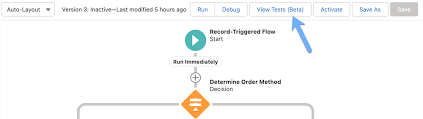
Salesforce Flow Tests

Mastering Salesforce Flows

Mastering Salesforce Flows: The Complete Guide to Process Automation Why Flows Are Every Admin’s Superpower In today’s fast-moving business world, 87% of organizations report that automation is critical to maintaining competitiveness. Salesforce Flows empower admins to automate complex processes that traditionally required developer resources – making you the automation hero your team needs. The Flow Advantage *”After implementing flows, one manufacturing company reduced their quote-to-cash cycle from 5 days to 2 hours.”* Flow Types Demystified: Choose the Right Tool Flow Type Best For Key Features Trigger Examples Screen Flow User-guided processes Interactive UI, data collection Onboarding wizards, service case triage Record-Triggered Auto-processing records Runs on create/update/delete Auto-calculate discounts, update related records Schedule-Triggered Batch operations Runs on cron schedule Daily data cleanup, monthly reports Platform Event System integrations Handles external events Process IoT device alerts, SMS responses Orchestration Multi-step workflows Coordinates teams/systems Complex approvals, onboarding journeys Pro Tip: With Process Builder sunsetting in 2025, all new automation should use flows. Building Your First Flow: Step-by-Step 1. Planning Your Flow 2. Creating in Flow Builder markdown Copy Download 1. Setup > Flows > New Flow 2. Select type (e.g., Record-Triggered) 3. Configure trigger (when to run) 4. Add elements using + button: – Get Records (query data) – Decision (if/then logic) – Action (create/update records) 5. Set fault paths for error handling 3. Testing Like a Pro 4. Deployment Checklist ✅ Sandbox testing complete✅ Error handling implemented✅ Documentation created✅ User training scheduled Advanced Flow Techniques Avoid These Common Pitfalls 🚫 Nested Loops – Use Collection Filter instead🚫 Hardcoding IDs – Create custom labels🚫 Overquerying – Leverage $Record variables🚫 No Null Checks – Always add decision branches Proven Performance Boosters Example: Filtering 10,000 contacts takes: Real-World Flow Examples 1. Lightning-Fast Lead Routing Diagram Code Download EMEA APAC New Lead Region? Assign to London Queue Assign to Sydney Queue Send Welcome Email Create First Task Result: 90% faster lead assignment 2. Automated Renewal Management Impact: 30% increase in renewals 3. Customer Service Escalation Flows vs. Code: When to Choose What Scenario Flow Apex Field updates ✅ Best ⚠ Overkill Complex calculations ✅ Spring ’22+ ✅ Needed pre-2022 External API calls ✅ (Simple) ✅ (Complex) Bulk data (>10k recs) ⚠ Careful ✅ Better Trigger frameworks ❌ Avoid ✅ Required Golden Rule: Start with Flow, escalate to Apex only when limits hit. Flow Orchestration: Next-Level Automation For processes spanning multiple departments: Benefits:✔ End-to-end visibility✔ Automatic handoffs✔ Built-in wait steps Getting Started Resources “The average admin automates 23 hours of work weekly using flows.” – Salesforce ROI Study Ready to transform your processes? Book a flow consultation with our certified experts today! #Salesforce #Flow #CRM #BusinessAutomation #DigitalTransformation Content updated December 2024. Like Related Posts Who is Salesforce? Who is Salesforce? Here is their story in their own words. From our inception, we’ve proudly embraced the identity of Read more Salesforce Marketing Cloud Transactional Emails Salesforce Marketing Cloud Transactional Emails are immediate, automated, non-promotional messages crucial to business operations and customer satisfaction, such as order Read more Salesforce Unites Einstein Analytics with Financial CRM Salesforce has unveiled a comprehensive analytics solution tailored for wealth managers, home office professionals, and retail bankers, merging its Financial Read more AI-Driven Propensity Scores AI plays a crucial role in propensity score estimation as it can discern underlying patterns between treatments and confounding variables Read more

Read More
Sales Cloud Einstein

Salesforce Einstein Explained

Einstein serves as Salesforce’s integrated AI layer, intricately woven into nearly every Salesforce Cloud. Salesforce Einstein Explained. While certain features, like Opportunity Scoring in Salesforce, are now offered at no cost, many Einstein functionalities are premium add-ons for essential Salesforce products like Sales, Service, Commerce, and Marketing Cloud. A notable development came in March 2023 when Salesforce introduced Einstein GPT, an extension of the Einstein product. This groundbreaking application leverages the ChatGPT platform from OpenAI, renowned for its widespread popularity, and is anticipated to be released later this year. Thereby incorporating generative AI into many Salesforce cloud features. Salesforce AI delivers trusted, extensible AI grounded in the fabric of our Platform. Utilize our AI in your customer data to create customizable, predictive, and generative AI experiences to fit all your business needs safely. Bring conversational AI to any workflow, user, department, and industry with Einstein. Salesforce Einstein is the only comprehensive Artificial Intelligence for CRM. It is data ready to work in your Salesforce org and clouds. Einstein is an integrated set of AI technologies that make the Customer Success Platform smarter. Einstein is the only comprehensive AI for CRM. It is: Einstein enables you to become an AI-first company so you can get smarter and more predictive about your customers. What can you do with Einstein? Drive productivity and personalization with predictive and generative AI across the Customer 360 with Salesforce Einstein. Create and deploy assistive AI experiences natively in Salesforce, allowing your customers and employees to converse directly with Einstein to solve issues faster and work smarter. Empower sellers, agents, marketers, and more with AI tools safely grounded in your customer data to make every customer experience more impactful. Build and customize a conversational AI assistant for CRM. Einstein Copilot is a trusted, generative-AI powered assistant built into the user experience of every Salesforce application. Whether employee-facing or customer-facing, Einstein Copilot can automatically reason through tasks based on pre-built skills. Use prompts, APIs, apex, and more to customize your own AI assistant. Like2 Related Posts Who is Salesforce? Who is Salesforce? Here is their story in their own words. From our inception, we’ve proudly embraced the identity of Read more Salesforce Marketing Cloud Transactional Emails Salesforce Marketing Cloud Transactional Emails are immediate, automated, non-promotional messages crucial to business operations and customer satisfaction, such as order Read more Salesforce Unites Einstein Analytics with Financial CRM Salesforce has unveiled a comprehensive analytics solution tailored for wealth managers, home office professionals, and retail bankers, merging its Financial Read more AI-Driven Propensity Scores AI plays a crucial role in propensity score estimation as it can discern underlying patterns between treatments and confounding variables Read more
Read More
10 Essential Email Marketing KPIs to Measure Success

10 Essential Email Marketing KPIs to Measure Success

Is Your Email Strategy Working? These Metrics Tell the Truth Email marketing isn’t a “set it and forget it” channel—it’s a data-driven science. With evolving privacy rules (like Apple’s Mail Privacy Protection) and shifting consumer behaviors, tracking the right KPIs is crucial to optimizing engagement, conversions, and ROI. Here are the 10 most critical email marketing KPIs to measure performance—and how to use them to refine your strategy. 1. Delivery Rate What it measures: Percentage of emails that actually reach inboxes.Formula: (Emails Sent – Bounces) / Emails SentWhy it matters: If your emails aren’t being delivered, nothing else matters. Low delivery rates? Check for spam filters, authentication issues (SPF/DKIM/DMARC), or poor list hygiene. 2. Click-Through Rate (CTR) What it measures: Percentage of recipients who clicked a link in your email.Formula: Unique Clicks / Delivered EmailsWhy it matters: Indicates content relevance and CTA effectiveness. A high CTR means your message resonates; a low CTR suggests weak offers or poor email design. 3. Clicks by Link What it measures: Which links get the most engagement.Why it matters: Not all clicks are equal. If subscribers only click your unsubscribe link or a secondary CTA (instead of your main offer), you need to restructure your email flow. 4. Event Lag (Time-to-Click) What it measures: How quickly recipients engage after receiving your email.Why it matters: Fast clicks = urgent, compelling content. Slow clicks = your email got buried or lacked urgency. Use this to refine subject lines, send times, and preheaders. 5. Bounce Rate (By Type) What it measures: Percentage of emails rejected by the recipient’s server.Types: 6. Unsubscribe & Complaint Rates What they measure: 7. Web Traffic & Conversions What it measures: How many email clicks lead to desired actions (purchases, sign-ups, downloads).Pro tip: Use UTM parameters to track email-driven conversions in Google Analytics.Why it matters: The ultimate measure of ROI. If clicks don’t convert, your landing page or offer may be the issue. 8. Campaign vs. Email Performance What it measures: How individual emails perform within broader campaigns.Why it matters: Some emails (e.g., welcome series) may outperform others (promotional blasts). Compare CTR, conversions, and unsubscribe rates to identify winning templates. 9. List Growth Rate What it measures: How fast your subscriber list is expanding.Formula: (New Subscribers – Unsubscribes) / Total List SizeWhy it matters: Stagnant lists = missed opportunities. Boost growth with lead magnets, opt-in incentives, and cross-channel promotions. 10. Most & Least Engaged Subscribers What it measures: Who opens/clicks regularly vs. who ignores your emails.Why it matters: Key Takeaway: Test, Analyze, Optimize Email success isn’t static—it’s a cycle of testing, measuring, and refining. Start with these 10 KPIs, but always:✅ A/B test subject lines, CTAs, and send times✅ Segment your lists for hyper-relevant messaging✅ Clean your lists regularly to maintain deliverability “Your email metrics are a mirror—they show exactly what’s working (and what’s not). Stop guessing. Start measuring.” Need help tracking these KPIs? Contact Tectonic for marketing measurement assistance. #EmailMarketing #DigitalMarketing #KPIs #MarketingStrategy #ROI Like Related Posts Who is Salesforce? Who is Salesforce? Here is their story in their own words. From our inception, we’ve proudly embraced the identity of Read more Salesforce Marketing Cloud Transactional Emails Salesforce Marketing Cloud Transactional Emails are immediate, automated, non-promotional messages crucial to business operations and customer satisfaction, such as order Read more Salesforce Unites Einstein Analytics with Financial CRM Salesforce has unveiled a comprehensive analytics solution tailored for wealth managers, home office professionals, and retail bankers, merging its Financial Read more AI-Driven Propensity Scores AI plays a crucial role in propensity score estimation as it can discern underlying patterns between treatments and confounding variables Read more
Read More
data cloud and marketing cloud personalization

Data Cloud and Marketing Cloud Personalization

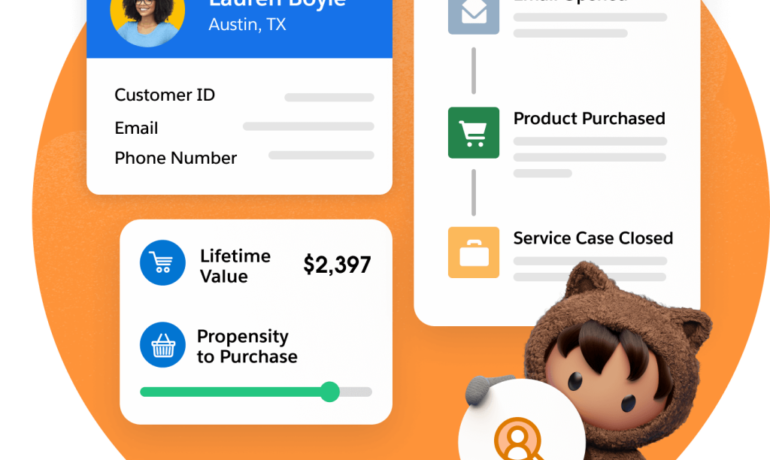
Choosing the correct Customer Data Platform (CDP) for your organization is crucial for adapting to challenges and capitalizing on opportunities in the evolving marketing technology landscape. While AI, behavioral patterns, and infrastructure play pivotal roles in this decision-making process, it’s essential to understand the landscape. However, the same factors, including AI, behavioral habits, and infrastructure, can influence this decision. Data Cloud and Marketing Cloud Personalization together capture and utilize customer data. Selecting the right tools makes it easier to know and cater to your prospects and customers. Without them, you are firing into the darkness. You must understand the necessary infrastructure for a marketing technology team to meet challenges and leverage new opportunities. It integrates four essential AdTech (Advertising Technology) principles applicable to MarTech in the evolving landscape. The external market poses challenges, notably the discontinuation of third-party cookies by major browsers like Google. This shift impacts prospecting and underscores the significance of first-party data. The rise of AI, exemplified by technologies like ChatGPT and integrated into platforms like Salesforce’s Einstein, further complicates the landscape. The AI era raises concerns about data usage and collection, employment risks, and the ethical consideratins. Organizations rush to incorporate AI, with Salesforce introducing Einstein GPT shortly after the emergence of ChatGPT. In this dynamic environment, organizations grapple with managing diverse data sources, implementing AI/ML, and ensuring privacy. AdTech principles become imperative in MarTech for effective targeting, personalization, and measurement. The focus shifts to the role of a Customer Data Platform (CDP) within the MarTech stack. Distinguishing between Data Management Platforms (DMPs), CDPs, Data Warehouses, and Data Lakes sets the stage. The article explores three CDP types: Enterprise, Event-Based, and Real-Time Personalization. The significance of a Customer Data Platform (CDP) like Salesforce’s Data Cloud cannot be stressed enough. Bear in mind there are differences between DMPs, CDPs, Data Warehouses, and Data Lakes, each with their own use cases. And for your situation a DMP, Data Warehouse, or Data Lake might be required. Salesforce’s CDP platform undergoes scrutiny, aligning its features with AdTech principles. Read more about Tectonic’s thoughts on Data Cloud here. The CDP’s contribution to targeting, personalization, and both deterministic and probabilistic measurement is detailed. Salesforce’s Data Cloud and Marketing Cloud Personalization (Interaction Studio) emerge as solutions catering to distinct needs. In conclusion we must underscore the criticality of choosing the right CDP for organizational resilience, superior customer experiences, and addressing privacy concerns. A robust infrastructure facilitates efficient data management, collaboration, and scalability, empowering organizations to make informed decisions with AI/ML and business intelligence. #data-cloud-and-marketing-cloud-personalization Like2 Related Posts Who is Salesforce? Who is Salesforce? Here is their story in their own words. From our inception, we’ve proudly embraced the identity of Read more Salesforce Marketing Cloud Transactional Emails Salesforce Marketing Cloud Transactional Emails are immediate, automated, non-promotional messages crucial to business operations and customer satisfaction, such as order Read more Salesforce Unites Einstein Analytics with Financial CRM Salesforce has unveiled a comprehensive analytics solution tailored for wealth managers, home office professionals, and retail bankers, merging its Financial Read more AI-Driven Propensity Scores AI plays a crucial role in propensity score estimation as it can discern underlying patterns between treatments and confounding variables Read more

Read More
Salesforce Data Cloud

Salesforce Data Cloud – The Ultimate Guide to Unified Customer Intelligence

Why Salesforce Data Cloud is Transforming Business Operations In today’s digital-first economy, customer data is your most valuable asset—if you can harness it effectively. Salesforce Data Cloud revolutionizes how enterprises unify, analyze, and activate customer data across every touchpoint. 5 Key Business Transformations The Data Cloud Advantage: Beyond Traditional CDPs Unlike legacy customer data platforms, Salesforce Data Cloud delivers: Feature Traditional Solutions Salesforce Data Cloud Data Integration Manual ETL processes Real-time harmonization AI Capabilities Basic segmentation Predictive insights & recommendations Activation Limited channel support Native Salesforce app integration Scalability Fixed data models Elastic cloud infrastructure Total Cost Hidden implementation fees Transparent consumption model Proven Results Across Industries Financial Services Healthcare Retail Implementation Roadmap Phase 1: Foundation (Weeks 1-4) Phase 2: Activation (Weeks 5-8) Phase 3: Scaling (Ongoing) Overcoming Common Challenges “Our data is too messy”→ Automated data quality tools clean and standardize information during ingestion “We can’t afford another platform”→ Consumption-based pricing starts at $25K/year with proven 3-5X ROI “Our team isn’t technical enough”→ No-code tools like Flow Builder enable business user configuration The Future of Data-Driven Business As AI reshapes customer expectations, Salesforce Data Cloud provides the essential infrastructure to: Leading organizations are already achieving: Next Steps for Your Data Transformation “Companies using Data Cloud see 47% faster decision-making and 32% higher customer satisfaction scores within 6 months.” – Forrester Consulting Study Unlock your data’s full potential. Contact our specialists today to begin your assessment. Like Related Posts Who is Salesforce? Who is Salesforce? Here is their story in their own words. From our inception, we’ve proudly embraced the identity of Read more Salesforce Marketing Cloud Transactional Emails Salesforce Marketing Cloud Transactional Emails are immediate, automated, non-promotional messages crucial to business operations and customer satisfaction, such as order Read more Salesforce Unites Einstein Analytics with Financial CRM Salesforce has unveiled a comprehensive analytics solution tailored for wealth managers, home office professionals, and retail bankers, merging its Financial Read more AI-Driven Propensity Scores AI plays a crucial role in propensity score estimation as it can discern underlying patterns between treatments and confounding variables Read more
Read More
Salesforce Success Story

Case Study: Salesforce Innovation for Hospitality

Major hospitality management firm, moves to the cloud and adopts Google Cloud and Salesforce to improve operational insights and decision-making. Tectonic assisted them to move to the cloud and obtatin quicker, actionable insights with business intelligence. Salesforce Innovation for Hospitality.

Read More
Row-Level Formulas in Salesforce

Row-Level Formulas in Salesforce

Mastering Row-Level Formulas in Salesforce Reports What Are Row-Level Formulas? Row-level formulas perform calculations on individual records in your report, displaying results for each row. Unlike summary formulas that aggregate data across records, row-level formulas analyze one record at a time. Key Characteristics Creating a Row-Level Formula: Step-by-Step 1. Build Your Base Report 2. Add the Formula Column 3. Writing the Formula 4. Finalize & Save Practical Applications Row-level formulas help answer critical business questions: Important Limitations Be aware of these constraints when working with row-level formulas: Best Practices Troubleshooting Common Issues Problem: Formula Not Calculating Correctly Problem: “Too Many Fields” Error Problem: Formula Validation Fails Advanced Techniques For more sophisticated analysis: Permission Requirements To create and modify row-level formulas: Conclusion Row-level formulas provide powerful, granular analysis capabilities in Salesforce reports. While they have specific limitations, their ability to perform record-by-record calculations makes them indispensable for detailed operational reporting. By mastering these formulas, you can unlock deeper insights into your business processes while maintaining data accuracy and relevance. Like Related Posts Who is Salesforce? Who is Salesforce? Here is their story in their own words. From our inception, we’ve proudly embraced the identity of Read more Salesforce Marketing Cloud Transactional Emails Salesforce Marketing Cloud Transactional Emails are immediate, automated, non-promotional messages crucial to business operations and customer satisfaction, such as order Read more Salesforce Unites Einstein Analytics with Financial CRM Salesforce has unveiled a comprehensive analytics solution tailored for wealth managers, home office professionals, and retail bankers, merging its Financial Read more AI-Driven Propensity Scores AI plays a crucial role in propensity score estimation as it can discern underlying patterns between treatments and confounding variables Read more
Read More
Salesforce Service Cloud

Differences Between Salesforce Sales Cloud and Salesforce Service Cloud Explained

Salesforce Sales Cloud focuses on the sales process, while Salesforce Service Cloud is dedicated to customer service and support. Sales Cloud is designed for managing leads, opportunities, and sales forecasts, whereas Service Cloud is tailored for handling customer inquiries and cases. Both Sales Cloud and Service Cloud share critical features as they are built on the core Salesforce Platform. If your business primarily emphasizes sales, Sales Cloud is the ideal choice. If your focus is more on customer service, then Service Cloud is the preferred option. For businesses involved in both sales and customer service, both Sales Cloud and Service Cloud may be the best Salesforce solution. Difference Between Sales Cloud and Service Cloud: Sales Cloud streamlines sales and marketing efforts, focusing on lead management and increasing sales. Service Cloud helps support agents provide excellent customer service, resolving issues proactively. Functions Included in Service Cloud but not in Sales Cloud: Service Cloud includes specialized functions for customer support, such as omnichannel case routing, Web-to-Case and Email-to-Case conversion, and configurable assignment rules to streamline support agents’ work. Sales Cloud Features: Service Cloud Features: Agent Productivity (Service Cloud): Call Center Management (Service Cloud): Live Chat (Service Cloud): Customer Portal (Service Cloud): Ticket Management (Service Cloud): Like2 Related Posts Who is Salesforce? Who is Salesforce? Here is their story in their own words. From our inception, we’ve proudly embraced the identity of Read more Salesforce Marketing Cloud Transactional Emails Salesforce Marketing Cloud Transactional Emails are immediate, automated, non-promotional messages crucial to business operations and customer satisfaction, such as order Read more Salesforce Unites Einstein Analytics with Financial CRM Salesforce has unveiled a comprehensive analytics solution tailored for wealth managers, home office professionals, and retail bankers, merging its Financial Read more AI-Driven Propensity Scores AI plays a crucial role in propensity score estimation as it can discern underlying patterns between treatments and confounding variables Read more

Read More
Improving Customer Experiences with Salesforce

Improving Customer Experiences with Salesforce

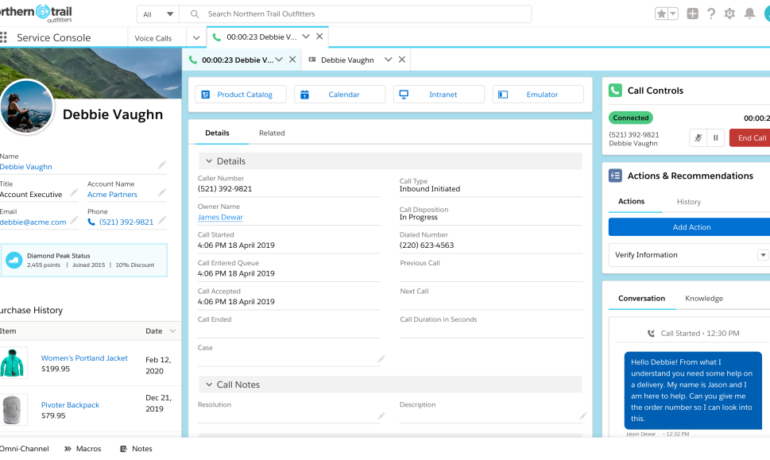
Sustaining competitiveness continues to demand businesses prioritize personalization and agility in their customer experience strategy in 2023. Improved Customer Experiences with Salesforce are attainable. Read on. “You are caller number 10; please stay on the line.” A few years ago, a phone message like this from a company was a standard part of the customer experience. But today, customers expect more. They expect callback options. They expect to open a chat window on your website, send a text message or a tweet, and get a near-instant reply. They expect that you already know who they are when they call, that you’re aware of their most recent order, and that you understand what they need next. They don’t want to repeat their information. And they definitely don’t want to wait. Improved Customer Experiences with Salesforce Here are ways to enhance your customer experience program: Enhancing Customer Experience for Brand Loyalty: Advance Personalized Experiences: By concentrating on these core areas, organizations can navigate the evolving CX landscape, delivering exceptional customer experiences. Tectonic is poised to collaborate, customizing Salesforce tools to craft remarkable customer experiences. CX-Customer experience, gets thrown around a lot. But how is it defined, and what does it mean? “Customer experience and service have converged, it’s more than call centers and successful responses to problems. It is service opportunities in sales, support, and marketing. Delivering great customer experiences now means providing amazing, almost magical service at every opportunity.” Peter Schwartz, Salesforce senior vice president of strategic planning What Does Customer Experience Mean? Customer experience encompasses every interaction a prospect or customer has with a business, spanning various channels and touchpoints. Here’s how to enhance customer experience with Salesforce: Customers have always wanted a consistently good buying experience and the best value they can get. If they’re not happy buying expensive razor blades, they can sign up for inexpensive monthly delivery. If they’re fed up with mediocre hotel chains that don’t offer value, why not try Airbnb? The Good News The good news? Customers are willing to pay a premium for great experiences, and not just great products and services. This means businesses have an opportunity to increase revenue by delighting their customers in a way that no one else can. What are the 3Rs of customer experience? Science shows that customers are looking for 3 things in every interaction. These can be summarized in the 3 service values: be reliable, be responsive and build relationships. What are the six pillars of customer experience excellence? Developed by KPMG Nunwood of the UK following research involving more than one million customers across three continents, the system spotlights six key principles as the building blocks for customer experience success: personalization, integrity, expectations, resolution, time and effort, and empathy. Like2 Related Posts Who is Salesforce? Who is Salesforce? Here is their story in their own words. From our inception, we’ve proudly embraced the identity of Read more Salesforce Marketing Cloud Transactional Emails Salesforce Marketing Cloud Transactional Emails are immediate, automated, non-promotional messages crucial to business operations and customer satisfaction, such as order Read more Salesforce Unites Einstein Analytics with Financial CRM Salesforce has unveiled a comprehensive analytics solution tailored for wealth managers, home office professionals, and retail bankers, merging its Financial Read more AI-Driven Propensity Scores AI plays a crucial role in propensity score estimation as it can discern underlying patterns between treatments and confounding variables Read more
Read More
Connecting Marketing Cloud Account Engagement, Marketing Cloud, and Salesforce

Why Optimize Sales Force

Maximizing Sales Force Productivity: Overcoming Challenges and Reaping Rewards-Why Optimize Sales force? The productivity of a sales force is paramount to the success and growth of any business. A high-performing sales team not only drives revenue but also enhances customer satisfaction. However, organizations often encounter obstacles that hinder the optimization of their sales force. Typical Challenges and Problems Why Optimize Sales force? Approaches to Address These Challenges To effectively tackle these issues, a holistic approach is necessary: Benefits of Enhanced Sales Force Productivity Optimizing sales force productivity is key to driving growth and gaining a competitive edge. By addressing challenges, implementing strategic approaches, and emphasizing continuous improvement, organizations can elevate the effectiveness of their sales teams and enjoy the benefits of increased revenue, customer satisfaction, and employee morale. Implementing Salesforce could be just what your sales team needs. Contact Tectonic today. Like Related Posts Who is Salesforce? Who is Salesforce? Here is their story in their own words. From our inception, we’ve proudly embraced the identity of Read more Salesforce Marketing Cloud Transactional Emails Salesforce Marketing Cloud Transactional Emails are immediate, automated, non-promotional messages crucial to business operations and customer satisfaction, such as order Read more Salesforce Unites Einstein Analytics with Financial CRM Salesforce has unveiled a comprehensive analytics solution tailored for wealth managers, home office professionals, and retail bankers, merging its Financial Read more AI-Driven Propensity Scores AI plays a crucial role in propensity score estimation as it can discern underlying patterns between treatments and confounding variables Read more

Read More
Journey to Data-Driven

Journey to Data-Driven

Data is the new fuel for business, powering your ability to report, analyze, and optimize processes, ultimately unlocking significant value. With the advent of technologies like AI, you can mine your data even more thoroughly, uncovering white space opportunities and identifying new markets. Data empowers you to evolve into a responsive, intelligent enterprise. However, achieving this transformation requires more than just collecting data and pressing play. Becoming a Data-Driven Intelligent Enterprise To truly become a data-driven and data-centric intelligent enterprise, there are several critical steps you must take. First, you need an intelligent platform that integrates your data across the entire value chain, breaking down silos between lines of business (LOBs) and their respective applications. This platform should offer transparency and generate real-time, data-driven insights to support fast decision-making and continuous improvement. It should not only enhance your processes but also predict and improve the quality of your products or services. The journey begins with establishing a powerful platform that integrates business processes and provides a single source of truth. The next step is leveraging cloud technologies to advance your data-driven capabilities. This architecture allows you to quickly adopt and integrate innovative technologies like AI, blockchain, or IoT. To fully realize the potential of an intelligent enterprise, you need an intelligent and automated platform—specifically, a modern data platform that unifies all your data. Why is this important? An integrated data platform enables you to identify cross-references between data sets from diverse sources, uncovering insights that manual analysis might miss. This platform should integrate data from sensors, documents, social media, IT applications, production lines, machinery, external sources, and other media. Integrating data across silos unlocks insights you didn’t know you needed and ensures you maintain high standards for the quality of your processes, products, and services. However, to effectively extract and analyze this wealth of data, you’ll need a robust framework that delivers faster, more precise, and more efficient insights. Our experts are here to help you build this framework and guide your journey toward becoming a truly intelligent enterprise. Like Related Posts Who is Salesforce? Who is Salesforce? Here is their story in their own words. From our inception, we’ve proudly embraced the identity of Read more Salesforce Marketing Cloud Transactional Emails Salesforce Marketing Cloud Transactional Emails are immediate, automated, non-promotional messages crucial to business operations and customer satisfaction, such as order Read more Salesforce Unites Einstein Analytics with Financial CRM Salesforce has unveiled a comprehensive analytics solution tailored for wealth managers, home office professionals, and retail bankers, merging its Financial Read more AI-Driven Propensity Scores AI plays a crucial role in propensity score estimation as it can discern underlying patterns between treatments and confounding variables Read more
Read More
Python Alongside Salesforce

Python Alongside Salesforce

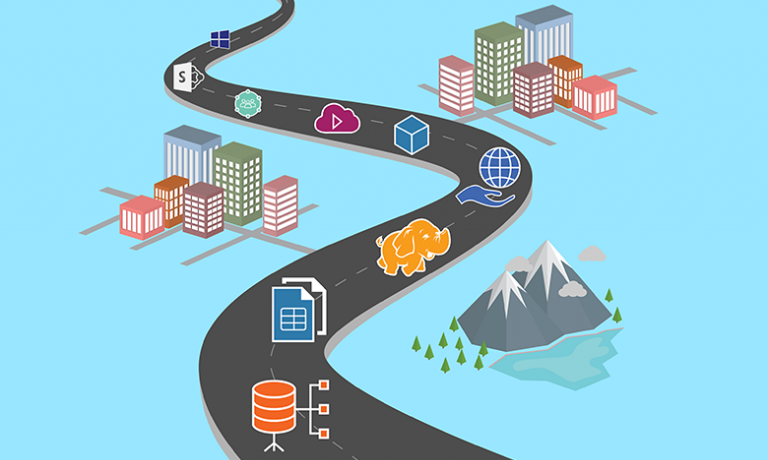
Salesforce can integrate with Python, though the platform primarily relies on its proprietary languages and frameworks for core development. Python, however, plays a crucial role in enhancing Salesforce’s capabilities through integrations, automation, data analysis, and extending functionalities via external applications. Here’s an overview of how Python works within the Salesforce ecosystem: 1. Salesforce’s Core Development Stack Before exploring Python’s use, it’s important to understand the key development tools within Salesforce: These tools are the foundation for Salesforce development. However, Python complements Salesforce by enabling integrations and automation that go beyond these native tools. 2. Python in Salesforce Integrations Python shines when integrating Salesforce with other systems, automating workflows, and extending functionality. Here’s how: a. API Interactions Salesforce’s REST and SOAP APIs allow external systems to communicate with Salesforce data. Python, with its powerful libraries, is excellent for interfacing with these APIs. Key Libraries: Example: Extracting Data via API: pythonCopy codefrom simple_salesforce import Salesforce # Connect to Salesforce sf = Salesforce(username=’your_username’, password=’your_password’, security_token=’your_token’) # Query Salesforce data accounts = sf.query(“SELECT Id, Name FROM Account LIMIT 10”) for account in accounts[‘records’]: print(account[‘Name’]) b. Data Processing and Analysis Python’s data manipulation libraries like Pandas and NumPy make it ideal for processing Salesforce data. Example: Data Cleaning and Analysis: pythonCopy codeimport pandas as pd from simple_salesforce import Salesforce # Connect to Salesforce sf = Salesforce(username=’your_username’, password=’your_password’, security_token=’your_token’) # Fetch data query = “SELECT Id, Name, AnnualRevenue FROM Account” accounts = sf.query_all(query) df = pd.DataFrame(accounts[‘records’]).drop(columns=[‘attributes’]) # Process data df[‘AnnualRevenue’] = df[‘AnnualRevenue’].fillna(0) high_revenue_accounts = df[df[‘AnnualRevenue’] > 1000000] print(high_revenue_accounts) 3. Automation and Scripting Python can automate Salesforce-related tasks, improving productivity and reducing manual effort. This can involve automating data updates, generating reports, or scheduling backups. Example: Automating Data Backup: pythonCopy codeimport schedule import time from simple_salesforce import Salesforce def backup_salesforce_data(): sf = Salesforce(username=’your_username’, password=’your_password’, security_token=’your_token’) query = “SELECT Id, Name, CreatedDate FROM Contact” contacts = sf.query_all(query) df = pd.DataFrame(contacts[‘records’]).drop(columns=[‘attributes’]) df.to_csv(‘contacts_backup.csv’, index=False) print(“Salesforce data backed up successfully.”) # Schedule the backup schedule.every().day.at(“00:00”).do(backup_salesforce_data) while True: schedule.run_pending() time.sleep(1) 4. Building External Applications Using platforms like Heroku, developers can build external applications in Python that integrate with Salesforce, extending its functionality for custom portals or advanced analytics. Example: Web App Integrating with Salesforce: pythonCopy codefrom flask import Flask, request, jsonify from simple_salesforce import Salesforce app = Flask(__name__) @app.route(‘/get_accounts’, methods=[‘GET’]) def get_accounts(): sf = Salesforce(username=’your_username’, password=’your_password’, security_token=’your_token’) accounts = sf.query(“SELECT Id, Name FROM Account LIMIT 10”) return jsonify(accounts[‘records’]) if __name__ == ‘__main__’: app.run(debug=True) 5. Data Integration and ETL Python is commonly used in ETL (Extract, Transform, Load) processes that involve Salesforce data. Tools like Apache Airflow allow you to create complex data pipelines for integrating Salesforce data with external databases. Example: ETL Pipeline with Airflow: pythonCopy codefrom airflow import DAG from airflow.operators.python_operator import PythonOperator from simple_salesforce import Salesforce import pandas as pd from datetime import datetime def extract_salesforce_data(): sf = Salesforce(username=’your_username’, password=’your_password’, security_token=’your_token’) query = “SELECT Id, Name, CreatedDate FROM Opportunity” opportunities = sf.query_all(query) df = pd.DataFrame(opportunities[‘records’]).drop(columns=[‘attributes’]) df.to_csv(‘/path/to/data/opportunities.csv’, index=False) default_args = { ‘owner’: ‘airflow’, ‘start_date’: datetime(2023, 1, 1), ‘retries’: 1, } dag = DAG(‘salesforce_etl’, default_args=default_args, schedule_interval=’@daily’) extract_task = PythonOperator( task_id=’extract_salesforce_data’, python_callable=extract_salesforce_data, dag=dag, ) extract_task 6. Machine Learning and Predictive Analytics Python’s machine learning libraries, such as Scikit-learn and TensorFlow, enable predictive analytics on Salesforce data. This helps in building models for sales forecasting, lead scoring, and customer behavior analysis. Example: Predicting Lead Conversion: pythonCopy codeimport pandas as pd from sklearn.model_selection import train_test_split from sklearn.ensemble import RandomForestClassifier from simple_salesforce import Salesforce # Fetch Salesforce data sf = Salesforce(username=’your_username’, password=’your_password’, security_token=’your_token’) query = “SELECT Id, LeadSource, AnnualRevenue, NumberOfEmployees, Converted FROM Lead” leads = sf.query_all(query) df = pd.DataFrame(leads[‘records’]).drop(columns=[‘attributes’]) # Preprocess and split data df = pd.get_dummies(df, columns=[‘LeadSource’]) X = df.drop(‘Converted’, axis=1) y = df[‘Converted’] X_train, X_test, y_train, y_test = train_test_split(X, y, test_size=0.2, random_state=42) # Train model model = RandomForestClassifier(n_estimators=100, random_state=42) model.fit(X_train, y_train) # Evaluate accuracy accuracy = model.score(X_test, y_test) print(f”Model Accuracy: {accuracy * 100:.2f}%”) 7. Best Practices for Using Python with Salesforce To maximize the efficiency and security of Python with Salesforce: 8. Recommended Learning Resources By leveraging Python alongside Salesforce, organizations can automate tasks, integrate systems, and enhance their data analytics, all while boosting productivity. Content updated August 2024. Like Related Posts Who is Salesforce? Who is Salesforce? Here is their story in their own words. From our inception, we’ve proudly embraced the identity of Read more Salesforce Marketing Cloud Transactional Emails Salesforce Marketing Cloud Transactional Emails are immediate, automated, non-promotional messages crucial to business operations and customer satisfaction, such as order Read more Salesforce Unites Einstein Analytics with Financial CRM Salesforce has unveiled a comprehensive analytics solution tailored for wealth managers, home office professionals, and retail bankers, merging its Financial Read more AI-Driven Propensity Scores AI plays a crucial role in propensity score estimation as it can discern underlying patterns between treatments and confounding variables Read more
Read More
gettectonic.com