Opportunities Archives - gettectonic.com - Page 25
Data Cloud Free Licenses

Data Cloud Free Licenses

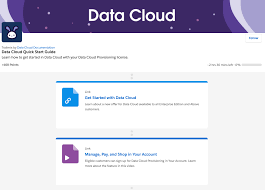
Salesforce Announces Data Cloud Free Licenses at Dreamforce 2023 At Dreamforce 2023, Salesforce announced that free Data Cloud licenses are now included for all Enterprise Edition or above customers to help them familiarize themselves with new capabilities and develop use case ideas. Starting September 19th, 2023, Enterprise Edition and above customers can get started with Data Cloud Provisioning at no cost by signing up under Your Account. Data Cloud Provisioning includes: Unlimited Plus Edition customers will get access to 2,500,000 Data Service credits. Two Tableau Creator licenses are a separate line item and can be quoted by your Salesforce Account Executive. Salesforce has been focusing on large data and AI tools for several years, acquiring Tableau, accelerating their Einstein AI tools, and significantly extending the Data Cloud product. Data Cloud allows you to easily harmonize data, analyze it in Tableau, and make it actionable across marketing, sales, and service. What Can I Do with Data Cloud? Data Cloud enables customers to start with one of three use cases: Across these use cases, customers can ingest data from multiple sources, unify data with identity resolution, calculate insights, visualize data in Tableau (with the provisioning of the Tableau Cloud – Creator for Data Cloud SKU), and view consolidated data on the contact record. Differences Between Data Cloud and Data Cloud Provisioning Functionality: Data Cloud Provisioning includes all the features of the existing Data Cloud offerings, except Segmentation and Activation. Credits for Segmentation and Activation can be purchased as add-ons through Marketing Cloud account teams. Capacity: Both include 1 TB of data storage, 1 Data Cloud admin, 100 internal Data Cloud identity users, 1,000 Data Cloud PSL, and 5 integration users. Entitlement: Data Cloud Provisioning entitlement is the same for all Enterprise Edition and above customers. Additional Information Sandbox Availability: Data Cloud is not available in Sandbox orgs; it can only be provisioned to an existing production org. Professional Edition Access: Data Cloud Provisioning is not available to Professional Edition customers. Existing Data Cloud or CDP Customers: Those with an existing Data Cloud or CDP tenant cannot sign up for Data Cloud Provisioning. Unlimited Edition Plus Bundle Customers: Data Cloud Provisioning is not available, as the bundle includes a Data Cloud tenant. Edition Information: Check your Salesforce org’s edition in Setup > Company Information > Organization Edition. Government Cloud: Data Cloud Provisioning is not available. Non-Profit Customers: Data Cloud Provisioning is available. Industry Cloud Customers: Industry Cloud customers with Enterprise Edition and above are eligible. ISV Partners: Data Cloud Provisioning is not accessible via Your Account in ISV Enterprise Edition orgs. ISV Partners need to create a support case with the Partner Ops team to request provisioning. Existing Tableau Customers: Tableau Cloud – Creator for Data Cloud is intended to provision a new Tableau tenant (aka site). Multiple Instances: Only one Data Cloud Provisioning instance is allowed per account/tenant. Access to Tableau Cloud – Creator for Data Cloud: To get access, you must have or include on the same quote any of the following: Like Related Posts Who is Salesforce? Who is Salesforce? Here is their story in their own words. From our inception, we’ve proudly embraced the identity of Read more Salesforce Marketing Cloud Transactional Emails Salesforce Marketing Cloud Transactional Emails are immediate, automated, non-promotional messages crucial to business operations and customer satisfaction, such as order Read more Salesforce Unites Einstein Analytics with Financial CRM Salesforce has unveiled a comprehensive analytics solution tailored for wealth managers, home office professionals, and retail bankers, merging its Financial Read more AI-Driven Propensity Scores AI plays a crucial role in propensity score estimation as it can discern underlying patterns between treatments and confounding variables Read more

Read More
Salesforce Dedicated Data Model for Public Sector

Salesforce Dedicated Data Model for Public Sector

Public Sector Solutions Data Model Overview The Salesforce Dedicated Data Model for Public Sector leverages a suite of standard Salesforce objects to manage and structure data across various domains such as licensing, permitting, inspections, case management, benefit administration, grantmaking, and more. These objects are designed to facilitate efficient application processing, regulatory compliance, and service delivery within government agencies. Key Features Salesforce Dedicated Data Model for Public Sector Public Sector Solutions Standard Objects The data model includes a comprehensive set of objects tailored to support: Getting Started To implement and utilize the Public Sector Solutions data model effectively: Learn More Discover how Public Sector Solutions empowers government agencies in delivering efficient and effective public services. From automating approval workflows to enhancing constituent engagement, explore the capabilities tailored to meet the diverse needs of public sector organizations. Like Related Posts Who is Salesforce? Who is Salesforce? Here is their story in their own words. From our inception, we’ve proudly embraced the identity of Read more Salesforce Marketing Cloud Transactional Emails Salesforce Marketing Cloud Transactional Emails are immediate, automated, non-promotional messages crucial to business operations and customer satisfaction, such as order Read more Salesforce Unites Einstein Analytics with Financial CRM Salesforce has unveiled a comprehensive analytics solution tailored for wealth managers, home office professionals, and retail bankers, merging its Financial Read more AI-Driven Propensity Scores AI plays a crucial role in propensity score estimation as it can discern underlying patterns between treatments and confounding variables Read more
Read More
SaaS Data Protection from Own

Reporting With Own

In any Salesforce organization, vast amounts of data are generated constantly from sales activities, customer interactions, marketing campaigns, and more. Summarizing and digesting this information quickly is crucial, especially when presenting the big picture to leadership. This is where Salesforce reports come into play. The Salesforce Reports feature enables organizations to analyze, visualize, and summarize data in real time. By pulling data from across your Salesforce environment, reports help consolidate information into easily digestible formats, such as charts, tables, and graphs. Salesforce reports are essential for: How Historical Data Can Improve Reporting in Salesforce While real-time reports are valuable, incorporating historical data can significantly enhance reporting by offering deeper insights into your organization’s long-term performance. Here’s how: Challenges of Reporting with Historical Data in Salesforce While incorporating historical data is smart, Salesforce’s native reporting capabilities impose certain limitations: Don’t Let Salesforce Reporting Limitations Hold You Back With Own Discover, customers can effortlessly generate time-series datasets from any objects and fields over any time period in just a few clicks. These datasets can be accessed using standard query and reporting tools without requiring a data warehouse or the need to enrich existing data warehouses, overcoming Salesforce’s native limitations. Like Related Posts Who is Salesforce? Who is Salesforce? Here is their story in their own words. From our inception, we’ve proudly embraced the identity of Read more Salesforce Marketing Cloud Transactional Emails Salesforce Marketing Cloud Transactional Emails are immediate, automated, non-promotional messages crucial to business operations and customer satisfaction, such as order Read more Salesforce Unites Einstein Analytics with Financial CRM Salesforce has unveiled a comprehensive analytics solution tailored for wealth managers, home office professionals, and retail bankers, merging its Financial Read more AI-Driven Propensity Scores AI plays a crucial role in propensity score estimation as it can discern underlying patterns between treatments and confounding variables Read more

Read More
Salesforce High Velocity Sales

Salesforce High Velocity Sales

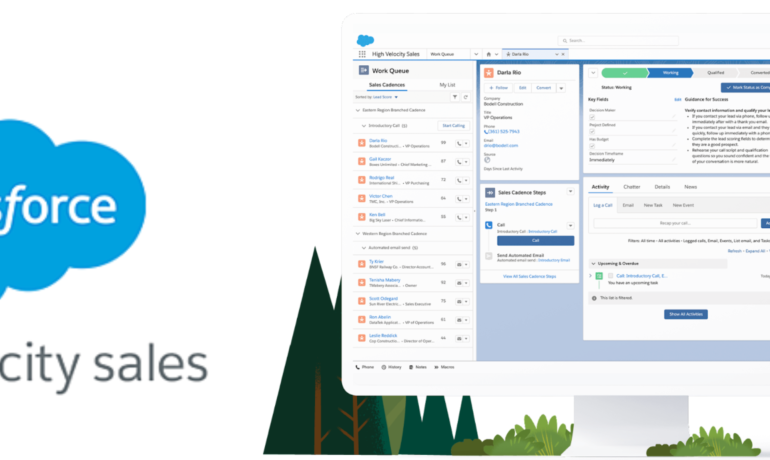
Exploring High Velocity Sales (HVS) in Today’s Business Landscape In the fast-paced world of business, sales departments are constantly seeking strategies to enhance efficiency and boost revenue. One approach gaining significant traction is High Velocity Sales (HVS). This guide offers a comprehensive overview of HVS, its impact on sales processes, and how Salesforce has revolutionized this high-speed approach. Understanding High Velocity Sales High Velocity Sales (HVS) is a Salesforce Sales Cloud extension that enables inside sales teams to prioritize hot leads, boost conversion rates, and build and sustain new business opportunities. Recently renamed to Sales Engagement, this extension includes automation features such as customer engagement tracking, chatbots, cadences, and automated actions. HVS emphasizes speed and efficiency in the sales funnel, leveraging automation and data-driven insights to streamline processes, accelerate lead conversion, and drive revenue growth. As competition intensifies and customer expectations evolve, adopting HVS has become essential for businesses aiming to stay competitive. Key Updates and Features Salesforce’s Role in High Velocity Sales Salesforce, a leading CRM platform, has transformed sales workflows with its HVS capabilities. By integrating HVS into the Salesforce platform, businesses gain access to advanced automation tools, intelligent lead scoring, and personalized engagement at scale. This integration empowers sales teams to identify and prioritize high-quality leads, automate tasks, and optimize sales efforts, driving revenue growth and enhancing sales performance. Benefits of High Velocity Sales Implementing HVS offers numerous benefits to organizations: Challenges and Considerations While HVS provides significant advantages, it may not suit every sales process, especially those with complex, long-term cycles. Adopting HVS can involve a learning curve, and there’s a risk of sacrificing quality interactions with prospects for the sake of speed. Balancing velocity with relationship-building is crucial for long-term success. Alternative Solutions and Integration Exploring alternative sales engagement tools beyond Salesforce HVS can offer unique features tailored to specific business needs. Ensuring seamless integration with existing systems and processes is essential to maximize efficiency and workflow. Choosing Your Sales Engagement Tool When selecting a sales engagement tool, consider factors such as: Evaluating the potential return on investment is critical to making an informed decision. Embracing Innovation in Sales In today’s competitive business environment, embracing innovative sales strategies like High Velocity Sales is crucial. Leveraging automation, data-driven insights, and streamlined workflows, businesses can enhance productivity, increase efficiency, and achieve remarkable sales results. Ready to Revolutionize Your Sales Process? Explore High Velocity Sales and unlock your sales team‘s full potential with Salesforce and other cutting-edge technologies. Reach out to learn how Salesforce HVS can transform your sales process and schedule a consultation with experts at Tectonic to explore comprehensive solutions tailored to your business needs. Content updated March 2024. Like Related Posts Who is Salesforce? Who is Salesforce? Here is their story in their own words. From our inception, we’ve proudly embraced the identity of Read more Salesforce Marketing Cloud Transactional Emails Salesforce Marketing Cloud Transactional Emails are immediate, automated, non-promotional messages crucial to business operations and customer satisfaction, such as order Read more Salesforce Unites Einstein Analytics with Financial CRM Salesforce has unveiled a comprehensive analytics solution tailored for wealth managers, home office professionals, and retail bankers, merging its Financial Read more AI-Driven Propensity Scores AI plays a crucial role in propensity score estimation as it can discern underlying patterns between treatments and confounding variables Read more
Read More
Get to know CPQ

The Impact of CPQ on Sales Performance Metrics

In today’s fast-paced and competitive business environment, companies are continually searching for ways to optimize their sales processes and achieve their revenue targets. Configure, Price, Quote (CPQ) tools have emerged as a game-changing solution, enabling businesses to streamline operations, enhance customer satisfaction, and drive significant revenue growth. By automating manual tasks such as quote generation, pricing calculations, and customer data management, CPQ tools have a profound impact on key sales performance metrics. How CPQ Tools Transform Sales Performance Key Sales Metrics Positively Impacted by CPQ While CPQ tools influence a wide range of sales performance metrics, the following are particularly positively affected: Conclusion CPQ tools are indispensable for businesses looking to enhance their sales performance and achieve their revenue goals. By automating manual processes, providing actionable insights, and delivering a seamless customer experience, CPQ tools significantly improve key sales metrics such as quote turnaround time, accuracy, win rates, average deal size, and team productivity. As the sales landscape continues to evolve, CPQ tools will play an increasingly critical role in driving revenue growth and ensuring long-term success. Businesses that invest in CPQ solutions position themselves to outperform competitors, deliver exceptional customer experiences, and achieve sustainable growth. Like Related Posts Who is Salesforce? Who is Salesforce? Here is their story in their own words. From our inception, we’ve proudly embraced the identity of Read more Salesforce Unites Einstein Analytics with Financial CRM Salesforce has unveiled a comprehensive analytics solution tailored for wealth managers, home office professionals, and retail bankers, merging its Financial Read more AI-Driven Propensity Scores AI plays a crucial role in propensity score estimation as it can discern underlying patterns between treatments and confounding variables Read more Tectonic’s Successful Salesforce Track Record Salesforce Technology Services Integrator – Tectonic has successfully delivered Salesforce in a variety of industries including Public Sector, Hospitality, Manufacturing, Read more

Read More
Scale Data and Analytics in the Cloud

Scale Data and Analytics in the Cloud

Winning in the Data Economy In the rapidly growing data economy, enterprises are eager to gain a competitive edge. This data economy, which revolves around the global supply and demand for data and data-driven applications, continues to expand as more organizations seek critical insights to drive their success. Scale Data and Analytics in the Cloud. The value of data isn’t a new concept. Companies acquired other companies for the sole purpose of obtaining their data – customers, prospects, etc. The value of actionable data is a bit newer. Whereas we once marketed to prospects based primarily on historical data, data-driven applications let us market at the right time on the right channel with the right message. To understand what it takes to excel in the new data economy, Tableau partner Snowflake surveyed business and technology leaders. Their research highlighted the characteristics of the leaders and laggards, emphasizing the importance of a strong data strategy for achieving successful outcomes. Industries like financial services, health and life sciences, and retail are still struggling to fully benefit from the data economy, often finding it challenging to unlock the full value of their data. Here are four key actions that can help organizations win in today’s data economy and achieve tangible results: 1. Create a Strong Data Culture A robust data culture is foundational for realizing the value of data. Organizations that prioritize becoming data-driven see significant benefits: Jennifer Belissent, Principal Data Strategist at Snowflake, emphasizes how a cloud-enabled data culture accelerates time-to-value by breaking down organizational silos. Tableau offers a playbook to help organizations build, expand, and mature their data capabilities. 2. Adopt an AI-Driven, Enterprise-Ready Analytics Platform Data leaders utilize AI-driven enterprise analytics platforms like Tableau, which provide trusted predictions and insights to scale decision-making. Traditional solutions often fall short in delivering speed to insight and self-service capabilities. Tableau, particularly with Tableau Cloud, offers an easy-to-scale solution that manages and analyzes data across various sources, supporting meaningful impact and agility. Tableau Cloud’s Advanced Management capabilities enhance security, usability, and scalability. Additionally, Tableau Accelerators—over 100 ready-to-use, in-product dashboard starters—support various industries, enabling comprehensive analysis and problem-solving. 3. Migrate to the Cloud Cloud adoption is accelerating as organizations pursue data-driven digital transformations. The cloud offers flexibility, agility, scalability, reduced IT overhead, and increased resilience and performance. Key considerations for cloud migration include: Whether opting for on-premise, hybrid, or full cloud migration, Tableau connects to data wherever it resides, fueling insights across the business. Tableau’s own journey to the cloud involved evaluating criteria, enhancing collaboration, and applying new data management processes, resulting in a unified source of truth. 4. Choose the Right Partners to Scale Cloud-Native Analytics Selecting partners that facilitate cloud-native analytics is crucial. Ideal partners should offer: Snowflake and Tableau exemplify these qualities, addressing data and organizational demands. Snowflake provides extensive data storage and processing, while Tableau offers intuitive, self-service analytics. This partnership has helped enterprises like Cart.com achieve significant revenue growth by embedding Tableau analytics in Snowflake’s platform. Embrace the Data Economy with Cloud-Native Analytics Regardless of where your organization stands in the data economy, taking steps to leverage cloud-native analytics can unlock numerous opportunities. Tableau continues to invest in its platform to help organizations thrive with data in the cloud, offering expert advice, solutions, and valuable partnerships. By adopting these strategies, your organization can become a leader in the data economy and achieve remarkable results. Like Related Posts Who is Salesforce? Who is Salesforce? Here is their story in their own words. From our inception, we’ve proudly embraced the identity of Read more Salesforce Marketing Cloud Transactional Emails Salesforce Marketing Cloud Transactional Emails are immediate, automated, non-promotional messages crucial to business operations and customer satisfaction, such as order Read more Salesforce Unites Einstein Analytics with Financial CRM Salesforce has unveiled a comprehensive analytics solution tailored for wealth managers, home office professionals, and retail bankers, merging its Financial Read more AI-Driven Propensity Scores AI plays a crucial role in propensity score estimation as it can discern underlying patterns between treatments and confounding variables Read more
Read More
Migrating from Zoho to Salesforce

Migrating from Zoho to Salesforce

Migrating from Zoho to Salesforce is a major undertaking that can significantly enhance a business’s CRM processes as it scales. To ensure a smooth transition, careful planning, data preparation, and execution are essential for accurate and efficient data transfer. In this guide, we’ll outline a step-by-step approach to migrating from Zoho to Salesforce, covering everything from pre-migration planning to post-migration follow-up. Step 1: Pre-Migration Planning 1. Evaluate Your Business RequirementsBegin by assessing your current and future CRM needs. Identify critical functionalities in Zoho that you depend on and determine which Salesforce features will either replace or enhance them. Consider: This evaluation ensures that Salesforce is configured to align with your business processes during the migration. 2. Assign a Project TeamForming a dedicated project team is crucial for a successful migration. Include stakeholders from various departments, designate a project manager to oversee the migration, and enlist CRM specialists familiar with both Zoho and Salesforce. You might also consider hiring a certified Salesforce consultant or partner to assist with technical aspects. 3. Backup Your DataBefore starting the migration, back up your data from Zoho. Export all relevant information, including: This backup ensures you have a complete copy in case any issues arise during the migration. Step 2: Preparing Salesforce for Migration 1. Customize Salesforce to Fit Your NeedsNow is the time to tailor Salesforce to reflect your existing business processes. Review the custom fields, objects, workflows, and automations in Zoho, replicating or enhancing them in Salesforce. Salesforce’s high customization level allows you to optimize your CRM for your team’s specific needs. 2. Set Up IntegrationsIf you’ve been using third-party tools integrated with Zoho, establish the corresponding integrations in Salesforce. The Salesforce AppExchange offers a range of integrations, from email marketing platforms to accounting systems. Ensure the necessary tools are connected before migrating your data. Step 3: Data Migration 1. Map Data FieldsTo facilitate accurate data transfer between Zoho and Salesforce, map your Zoho data fields to their Salesforce counterparts. For instance, “Account Name” in Zoho should correspond to “Account” in Salesforce. Create equivalent custom fields in Salesforce if they exist in Zoho. 2. Cleanse Your DataData cleansing is vital to ensure only relevant, accurate, and up-to-date information is migrated. Remove duplicates, outdated contacts, and incorrect data from Zoho. This step streamlines the migration process and enhances the quality of your Salesforce database. 3. Choose a Migration ToolSelect an appropriate tool for migrating data between CRMs, such as: Depending on your data’s complexity, choose a tool that provides additional support, such as mapping or automation features. 4. Perform a Test MigrationConduct a test migration using a subset of your data before proceeding with the full migration. This allows you to verify that everything transfers correctly and identify any issues with data formatting, relationships between objects, or custom fields. Adjust your mapping and migration processes based on the test results. Step 4: Full Data Migration Once you’re satisfied with the test migration results, proceed with the complete data migration from Zoho to Salesforce. This process may take time, depending on your data‘s size and complexity, so plan for downtime or staggered migrations to minimize disruptions to your team’s workflow. Step 5: Post-Migration Setup and Testing 1. Validate Your DataAfter the full migration, verify that all data has been transferred accurately. Check for discrepancies between Zoho and Salesforce records, ensuring that relationships (e.g., contacts linked to accounts) remain intact. 2. Recreate Automation and WorkflowsRe-establish any automations, workflows, or triggers that were functioning in Zoho within Salesforce. Utilize Salesforce’s automation tools, like Process Builder or Flow, to replicate these processes. Adjust them as necessary to leverage Salesforce’s advanced capabilities. 3. Train Your TeamSuccessful migration extends beyond data transfer; it’s crucial to ensure your team is equipped to use Salesforce effectively. Conduct training sessions focused on new features and workflows, providing documentation or cheat sheets to facilitate adjustment. 4. Monitor System PerformancePost-migration, monitor your Salesforce instance for any performance issues or data inconsistencies. Make necessary adjustments and ensure that integrations are functioning as expected. Step 6: Post-Migration Follow-Up 1. Run Parallel OperationsConsider operating both systems in parallel for a brief period to confirm Salesforce is fully functional before phasing out Zoho. This allows your team to continue using Zoho if critical issues arise in Salesforce during the transition. 2. Optimize Your Salesforce InstanceOver time, identify opportunities to further customize and optimize Salesforce to meet your evolving needs. Regularly review workflows, automations, and reporting to fully utilize Salesforce’s advanced features. Who Should You Work With A successful migration from Zoho to Salesforce involves key stakeholders from various departments to ensure the new CRM setup aligns with company processes. Typical Migration Timelines The duration of a Zoho to Salesforce migration typically depends on your data’s complexity and the required customizations. For smaller businesses with straightforward CRM setups, the process may take 4 to 6 weeks, encompassing planning, data mapping, testing, and training. However, larger organizations with extensive custom fields, workflows, and third-party integrations may require 3 to 6 months. Allow ample time for thorough testing and validation to ensure data accuracy and system functionality before going live. User training and post-migration follow-up are also critical for a smooth transition. Conclusion Migrating from Zoho to Salesforce is a growth step in enhancing your company’s CRM capabilities and positioning it for future growth. By meticulously planning your migration, cleansing your data, and configuring Salesforce to meet your business requirements, you can facilitate a smooth transition and leverage Salesforce’s powerful features from day one. With the right preparation and support, your business will be well-equipped to scale, streamline operations, and achieve long-term success using Salesforce. If you need assistance with your migration, don’t hesitate to contact Tectonic for a quote. Content updated September 2024. Like Related Posts Who is Salesforce? Who is Salesforce? Here is their story in their own words. From our inception, we’ve proudly embraced the identity of Read more Salesforce Marketing Cloud Transactional Emails Salesforce Marketing Cloud Transactional Emails are immediate, automated, non-promotional messages crucial to business operations

Read More
Flexpricer and Optional Salesforce Line Items

Flexpricer and Optional Salesforce Line Items

If sales users are wasting time with the standard product selector while adding line items on Quotes and Opportunities in Salesforce, but treating them as optional, use Flexpricer’s Optional Line Items interface instead. Flexpricer and Optional Salesforce Line Items let users designate any line item for an opportunity or quote as optional. Flexpricer Benefits Flexpricer and Optional Salesforce Line Items What are Optional Line Items and Why are They Useful? In Sales Cloud, adding products to a Quote or Opportunity using the basic interface can be time-consuming and limited. Sales Cloud doesn’t offer functionality to easily mark products as additional or alternate. Flexpricer enhances Sales Cloud with Optional Line Items for Opportunities and Quotes. Sales Users can: Create Accurate Quotes in Salesforce Without specialized tools, creating quotes with optional line items is challenging and prone to pricing errors. Flexpricer’s Optional Line Items provides: Optional Line Items as Alternates Using the standard product selector in Sales Cloud, users struggle with adding line items for products that can be swapped out with others. With Flexpricer, selecting line items as alternates for upsell or replacements is easy: Standard Sales Cloud Objects Flexpricer uses standard Sales Cloud objects. Your Optional Line Items aren’t locked in custom objects requiring additional licenses. Optional Line Items are commonly used by companies to present alternate or additional line items on Quotes in Salesforce without contributing to the total amount. Like Related Posts Who is Salesforce? Who is Salesforce? Here is their story in their own words. From our inception, we’ve proudly embraced the identity of Read more Salesforce Marketing Cloud Transactional Emails Salesforce Marketing Cloud Transactional Emails are immediate, automated, non-promotional messages crucial to business operations and customer satisfaction, such as order Read more Salesforce Unites Einstein Analytics with Financial CRM Salesforce has unveiled a comprehensive analytics solution tailored for wealth managers, home office professionals, and retail bankers, merging its Financial Read more AI-Driven Propensity Scores AI plays a crucial role in propensity score estimation as it can discern underlying patterns between treatments and confounding variables Read more

Read More
Salesforce Einstein

Customize Forecast Insights

Tailor your forecasts page to align with your specific business requirements by leveraging Lightning App Builder. Craft bespoke forecasts pages that integrate all necessary information crucial for your sales leaders to generate precise forecasts tailored to your unique business demands. Construct pages comprising both standard and custom components meticulously tailored to complement your distinct sales processes. Customize Forecast Insights in Salesforce. For precise forecasting based on the Opportunity, Opportunity Product, or Line Item Schedule objects, utilize a custom number field as a measure. The forecasts grid provides insights into forecasts for individual months or quarters and offers flexibility in defining the range of months or quarters, catering to your preferences. While a default one-month forecast period is established, it can be adjusted as needed to suit your requirements. Forecast categories categorize opportunities within the sales cycle based on their respective opportunity stages. Standard forecast categories such as Pipeline, Best Case, Commit, Omitted (excluded from forecasts), and Closed are available. Salesforce administrators can further enhance forecasting capabilities by introducing a Most Likely category in Lightning Experience and renaming categories for both single category rollups and cumulative category rollup scenarios. Customize Forecast Insights to see the information most important. Different users can have different views. To modify forecast categories in Salesforce: Customize the presentation of standard and custom forecast columns on the forecasts page, allowing for tailored visualization. For instance, arrange a custom Most Likely column to be positioned alongside the Open Pipeline column. For adjusting forecasts in Salesforce: Like Related Posts Who is Salesforce? Who is Salesforce? Here is their story in their own words. From our inception, we’ve proudly embraced the identity of Read more Salesforce Marketing Cloud Transactional Emails Salesforce Marketing Cloud Transactional Emails are immediate, automated, non-promotional messages crucial to business operations and customer satisfaction, such as order Read more Salesforce Unites Einstein Analytics with Financial CRM Salesforce has unveiled a comprehensive analytics solution tailored for wealth managers, home office professionals, and retail bankers, merging its Financial Read more AI-Driven Propensity Scores AI plays a crucial role in propensity score estimation as it can discern underlying patterns between treatments and confounding variables Read more

Read More
process mining salesforce

Unlocking Salesforce Efficiency with Process Mining

The Hidden Power of Your Event Data Every click, field update, and approval in Salesforce leaves a digital footprint. Process mining transforms these breadcrumbs into actionable intelligence, revealing how your organization actually operates versus how you think it operates. Why Leading Enterprises Are Adopting Process Mining How Process Mining Revolutionizes Salesforce 1. Process X-Ray Vision Example: A medical device company discovered their quote approval process had 37 variations, with 68% bypassing compliance checks. 2. AI-Driven Optimization Engine Modern tools like Celonis and Hubbl don’t just diagnose—they prescribe: 3. Closed-Loop Improvement Top Process Mining Solutions for Salesforce Tool Key Strength Best For Celonis Enterprise-scale process intelligence Global deployments Hubbl Native Salesforce integration with AI nudges User adoption Apromore Open-source customization Technical teams Processity Compliance-focused analytics Healthcare/Finance Transformational Use Cases Sales Operations Service Cloud Health Cloud Implementation Roadmap “Process mining is like putting your Salesforce org under an MRI—you finally see all the blockages and irregularities that were invisible before.”— VP of Business Systems, Fortune 500 Tech Company Like Related Posts Who is Salesforce? Who is Salesforce? Here is their story in their own words. From our inception, we’ve proudly embraced the identity of Read more Salesforce Marketing Cloud Transactional Emails Salesforce Marketing Cloud Transactional Emails are immediate, automated, non-promotional messages crucial to business operations and customer satisfaction, such as order Read more Salesforce Unites Einstein Analytics with Financial CRM Salesforce has unveiled a comprehensive analytics solution tailored for wealth managers, home office professionals, and retail bankers, merging its Financial Read more AI-Driven Propensity Scores AI plays a crucial role in propensity score estimation as it can discern underlying patterns between treatments and confounding variables Read more
Read More
Create a Salesforce Approval Process

Create a Salesforce Approval Process

Streamlining Your Salesforce Approval Process: Top Options Create a Salesforce Approval Process – an essential for tasks such as: This insight explores the top methods for implementing a Salesforce approval process in your organization. Option 1: Manually Send Opportunities Over Email or Slack The classic approach is manually sending approval requests via email or Slack, starting with a simple “Hey, can you approve this?” message. This method can be effective if the volume of requests is low. Pros: Cons: Many businesses using this method eventually seek more efficient systems to avoid cluttered inboxes and disorganized processes. Option 2: Use a Google Sheet Another option is to manage the approval process through a Google Sheet. Sales reps and managers add new deal information to the sheet, which acts as a central repository for tracking approval statuses without email chains. Pros: Cons: The manual nature of this method often leads to abandonment, as it can slow down the sales workflow and burden reps with administrative tasks. Option 3: Salesforce Approvals Salesforce offers native approval functions, allowing users to create approval processes involving various stakeholders. Approvals can be managed via email or directly within Salesforce. Pros: Cons: While Salesforce Approvals improve upon manual methods, they still have limitations in notifying stakeholders and tracking responses efficiently. Option 4: Use Rattle Rattle is an automation tool that integrates Salesforce with Slack to streamline the approval process. Custom Slack alerts trigger when deal information in Salesforce changes, notifying sales managers of approval needs. Pros: Cons: Rattle offers a blend of accountability and speed, enabling sales reps to focus on clients while managers receive timely approval notifications and can make decisions quickly. Choosing the Best Option Now that we’ve reviewed several methods for implementing a Salesforce approval process, it’s time to determine the best fit for your organization. Consider the following steps: By selecting a dynamic approval process tailored to your needs, you’ll free up your sales team to focus on bringing in and closing more deals, enhancing overall productivity and efficiency. Like Related Posts Who is Salesforce? Who is Salesforce? Here is their story in their own words. From our inception, we’ve proudly embraced the identity of Read more Salesforce Marketing Cloud Transactional Emails Salesforce Marketing Cloud Transactional Emails are immediate, automated, non-promotional messages crucial to business operations and customer satisfaction, such as order Read more Salesforce Unites Einstein Analytics with Financial CRM Salesforce has unveiled a comprehensive analytics solution tailored for wealth managers, home office professionals, and retail bankers, merging its Financial Read more AI-Driven Propensity Scores AI plays a crucial role in propensity score estimation as it can discern underlying patterns between treatments and confounding variables Read more

Read More

Eloqua Salesforce Integration

About Salesforce integration with Oracle Eloqua Synchronizes accounts, contacts, leads and opportunities in Salesforce with Oracle Eloqua. For more information, see Data imports from Salesforce to Oracle Eloqua. Uses contact data in Oracle Eloqua to update contacts and generate sales leads in Salesforce. However, the integration of Oracle Eloqua with Salesforce comes with certain limitations that can have adverse effects on businesses. In this blog post, we will explore these limitations and how Salesforce Marketing Cloud can serve as a solution. Limitations: 1. Integration Process 2. Flexibility and Customization 3. Data Synchronization 4. User Experience and Interface 5. API Limitations Like Related Posts Who is Salesforce? Who is Salesforce? Here is their story in their own words. From our inception, we’ve proudly embraced the identity of Read more Salesforce Marketing Cloud Transactional Emails Salesforce Marketing Cloud Transactional Emails are immediate, automated, non-promotional messages crucial to business operations and customer satisfaction, such as order Read more Salesforce Unites Einstein Analytics with Financial CRM Salesforce has unveiled a comprehensive analytics solution tailored for wealth managers, home office professionals, and retail bankers, merging its Financial Read more AI-Driven Propensity Scores AI plays a crucial role in propensity score estimation as it can discern underlying patterns between treatments and confounding variables Read more

Read More
IT Pilot Programs

IT Pilot Programs

The Role of IT Pilot Programs in Software Implementation Introducing new technology in a business environment can lead to unexpected challenges. A technology pilot helps mitigate risks by allowing a select group of employees to test the application, provide feedback, and refine the implementation before full deployment. While IT pilot programs can be conducted at different stages of the software purchasing process, this discussion focuses on pilots conducted when implementation is nearly complete. Benefits of an IT Pilot Program A well-executed pilot program offers several advantages: Challenges of an IT Pilot Program Despite its benefits, an IT pilot program can also introduce challenges: Are IT Pilot Programs Worth It? Before launching a pilot, project sponsors should consider: While IT pilot programs require careful execution, they can significantly enhance the success of a software implementation by refining the user experience, reducing risk, and improving adoption. When structured effectively, a pilot program becomes a powerful tool for ensuring a smooth technology rollout. Like Related Posts Who is Salesforce? Who is Salesforce? Here is their story in their own words. From our inception, we’ve proudly embraced the identity of Read more Salesforce Unites Einstein Analytics with Financial CRM Salesforce has unveiled a comprehensive analytics solution tailored for wealth managers, home office professionals, and retail bankers, merging its Financial Read more AI-Driven Propensity Scores AI plays a crucial role in propensity score estimation as it can discern underlying patterns between treatments and confounding variables Read more Tectonic’s Successful Salesforce Track Record Salesforce Technology Services Integrator – Tectonic has successfully delivered Salesforce in a variety of industries including Public Sector, Hospitality, Manufacturing, Read more

Read More
gettectonic.com