Page Layouts Archives - gettectonic.com - Page 2
Can We Customize Manufacturing Cloud For Our Business

Can We Customize Manufacturing Cloud For Our Business?

Yes, Salesforce Manufacturing Cloud Can Be Customized to Meet Your Business Needs Salesforce Manufacturing Cloud is designed to be highly customizable, allowing manufacturing organizations to tailor it to their unique business requirements. Whether it’s adapting the platform to fit specific workflows, integrating with third-party systems, or enhancing reporting capabilities, Salesforce provides robust customization options to meet the specific needs of manufacturers. Here are key ways Salesforce Manufacturing Cloud can be customized: 1. Custom Data Models and Objects Salesforce allows you to create custom objects and fields to track data beyond the standard model. This flexibility enables businesses to manage unique production metrics or product configurations seamlessly within the platform. Customization Options: 2. Sales Agreement Customization Sales Agreements in Salesforce Manufacturing Cloud can be tailored to reflect your business’s specific contract terms and pricing models. You can adjust agreement structures, including the customization of terms, conditions, and rebate tracking. Customization Options: 3. Custom Workflows and Automation Salesforce offers tools like Flow Builder and Process Builder, allowing manufacturers to automate routine tasks and create custom workflows that streamline operations. Customization Options: 4. Integration with Third-Party Systems Salesforce Manufacturing Cloud can integrate seamlessly with ERP systems (like SAP or Oracle), inventory management platforms, and IoT devices to ensure a smooth data flow across departments. Integration Options: 5. Custom Reports and Dashboards With Salesforce’s robust reporting tools, you can create custom reports and dashboards that provide real-time insights into key performance indicators (KPIs) relevant to your manufacturing operations. Customization Options: 6. Custom User Interfaces Salesforce Lightning allows you to customize user interfaces to meet the needs of different roles within your organization, such as production managers or sales teams. This ensures users have quick access to relevant data. Customization Options: Conclusion Salesforce Manufacturing Cloud provides a wide range of customization options to suit the unique needs of your manufacturing business. Whether it’s adjusting data models, automating processes, or integrating with external systems, Manufacturing Cloud can be tailored to meet your operational goals. By leveraging these customizations, manufacturers can optimize their operations, improve data accuracy, and gain real-time insights to boost efficiency. If you need help customizing Salesforce Manufacturing Cloud, Service Cloud, or Sales Cloud for your business, our Salesforce Manufacturing Cloud Services team is here to assist. Like Related Posts Who is Salesforce? Who is Salesforce? Here is their story in their own words. From our inception, we’ve proudly embraced the identity of Read more Salesforce Marketing Cloud Transactional Emails Salesforce Marketing Cloud Transactional Emails are immediate, automated, non-promotional messages crucial to business operations and customer satisfaction, such as order Read more Salesforce Unites Einstein Analytics with Financial CRM Salesforce has unveiled a comprehensive analytics solution tailored for wealth managers, home office professionals, and retail bankers, merging its Financial Read more AI-Driven Propensity Scores AI plays a crucial role in propensity score estimation as it can discern underlying patterns between treatments and confounding variables Read more

Read More
Deep Dive Summer 24 Release

Deep Dive Summer 24 Release

Deep Dive Summer 24 Release Get ready, Salesforce fans! The Summer ’24 release is here, and it’s like Christmas morning for tech geeks. We’re talking about new features, enhancements, and improvements that will make you wonder how you ever lived without them. This Tectonic insight is your ultimate guide to all the exciting updates, changes, and key considerations for this release. So hang on tight to your keyboards and let’s dive into the Christmas treat bag of goodies coming your way! Key Highlights – Deep Dive Summer 24 Release What’s New in Einstein AI? 1. Einstein for Flow Meet your new best friend for building Salesforce workflows, Salesforce Flow. Just describe what you need in plain English, and Einstein will whip up the workflow for you. For example, say “Notify sales reps when a lead converts,” and boom, it’s done. Automation just got a whole lot easier and way cooler. How to: Einstein for Flow makes complex processes feel like a walk in the park, letting you deliver solutions faster than you can say “workflow.” Considerations: 2. Einstein for Formulas No more tearing your hair out over formula syntax errors. Einstein for Formulas will not only tell you what’s wrong but also suggest fixes, saving you from endless hours of debugging. How to: Einstein for Formulas cuts down errors and speeds up formula creation, making your life exponentially easier. Like easier squared. Easier to the nth degree. Considerations: UI/UX Enhancements 1. Add New Custom Fields to Dynamic Forms-Enabled Pages Say goodbye to limitations! You can now add new custom fields directly to Dynamic Forms-enabled pages, aligning fields with your ever-changing business needs. Considerations: 2. Use Blank Spaces to Align Fields on Dynamic Forms-Enabled Pages Finally, a way to make your Dynamic Forms pages look neat and tidy with blank spaces for perfect alignment. Considerations: 3. Set Conditional Visibility for Individual Tabs in Lightning App Builder Now you can make specific tabs visible based on user profiles, record types, or other criteria. Customization just got a whole lot more precise. Considerations: 4. Create Rich Text Headings in Lightning App Builder Make your headings pop with bold, italic, and varied font sizes. Your Lightning pages are about to get a visual upgrade. Considerations: Flow Updates 1. Automation Lightning App A one-stop shop for managing and executing all your automation tools and processes. Considerations: 2. Lock and Unlock Records with Action Gain more control over your processes by locking records during critical stages and unlocking them when done. Considerations: 3. Check for Matching Records (Upsert) When Creating Records Avoid duplicates by checking for existing records before creating new ones. One can never have too many de-dupe tools. Considerations: 4. Transform Your Data in Flows (Generally Available) Now generally available, perform calculations, data transformations, and more with the Transform element in Flow Builder. Considerations: Admin Enhancements 1. Field History Tracking Manage tracked objects and fields more efficiently with a centralized page in “Setup.” Considerations: 2. See What’s Enabled in Permission Sets and Permission Set Groups (Generally Available) Enhanced permission set viewing improves visibility and control over security configurations. Considerations: 3. Get a Summary of User’s Permissions and Access Quickly view user permissions, public groups, and queues from the user’s detail page. Help and Training Community: Salesforce is simplifying Permission Set management by phasing out Profiles. Data Cloud Vector Database Vector search capabilities allow the creation of searchable “vector embeddings” from unstructured data, enhancing AI applications’ understanding of semantic similarities and context. Considerations: Deep Dive Summer 24 Release The Salesforce Summer ’24 release is packed with features designed to enhance your Salesforce experience. From a sleek new interface to powerful automation tools, enhanced analytics, and expanded integration options, this release aims to elevate workflow efficiency and data protection. Jump into the exciting updates, and let’s make automation simpler and more user-friendly together! Like1 Related Posts Who is Salesforce? Who is Salesforce? Here is their story in their own words. From our inception, we’ve proudly embraced the identity of Read more Salesforce Marketing Cloud Transactional Emails Salesforce Marketing Cloud Transactional Emails are immediate, automated, non-promotional messages crucial to business operations and customer satisfaction, such as order Read more Salesforce Unites Einstein Analytics with Financial CRM Salesforce has unveiled a comprehensive analytics solution tailored for wealth managers, home office professionals, and retail bankers, merging its Financial Read more AI-Driven Propensity Scores AI plays a crucial role in propensity score estimation as it can discern underlying patterns between treatments and confounding variables Read more
Read More
Understanding Roles, Profiles, and Permission Sets

Understanding Roles, Profiles, and Permission Sets

Salesforce Access Control: Understanding Roles, Profiles, and Permission Sets Core Concepts of Salesforce Security Salesforce provides three primary mechanisms for controlling user access: 1. Roles (What Users Can See) 2. Profiles (What Users Can Do) 3. Permission Sets (Granular Access Augmentation) How These Components Work Together Component Controls Required? Multiple Assignments? Best For Profile Actions (CRED) Yes No Baseline access Role Data Visibility No No Organizational structure Permission Set Additional Privileges No Yes Specialized access Modern Access Management Best Practices The Problem with Profile Proliferation Many organizations suffer from: The Permission Set Solution Salesforce recommends: Implementation Roadmap Security Considerations “In mature orgs, we often find users with unnecessary edit/delete permissions. Permission sets let you tighten security without disrupting workflows.”— Salesforce Security Architect Tools for Effective Access Management By understanding these fundamental concepts and adopting modern permission strategies, organizations can maintain robust security while enabling productivity across their Salesforce implementation. Content updated June 2025. Like Related Posts Who is Salesforce? Who is Salesforce? Here is their story in their own words. From our inception, we’ve proudly embraced the identity of Read more Salesforce Marketing Cloud Transactional Emails Salesforce Marketing Cloud Transactional Emails are immediate, automated, non-promotional messages crucial to business operations and customer satisfaction, such as order Read more Salesforce Unites Einstein Analytics with Financial CRM Salesforce has unveiled a comprehensive analytics solution tailored for wealth managers, home office professionals, and retail bankers, merging its Financial Read more AI-Driven Propensity Scores AI plays a crucial role in propensity score estimation as it can discern underlying patterns between treatments and confounding variables Read more

Read More

Maximizing Business Efficiency with Salesforce Managed Services

The Importance of Salesforce Optimization In today’s super fast-paced business world, companies rely on Salesforce to streamline operations and reduce costs. As a leading customer relationship management (CRM) platform, Salesforce enables organizations to enhance workflows, improve efficiency, and drive better results. To maximize the value of your Salesforce platform, optimization is essential. This involves fine tuning the system to ensure ease of use, eliminating inefficiencies, and enhancing overall performance. However, managing Salesforce effectively requires significant time and resources—this is where Salesforce Managed Services come in. This Tectonic insight explores how Managed Services can elevate your Salesforce experience, driving improved business performance and maximizing return on investment. What is Salesforce Optimization? Salesforce optimization focuses on refining the platform to better align with your business needs. It involves continuous improvements in system configuration, workflows, and integrations to ensure peak performance. Given that business requirements evolve over time, optimization is an ongoing process rather than a one-time task. Through Managed Services, businesses can fine-tune settings, enhance workflows, and ensure seamless system integrations, leading to increased productivity and efficiency. How to Optimize Salesforce for Maximum Efficiency Optimizing Salesforce involves refining data management, automation, user experience, and security. Key areas of focus include: 1. Data Model Optimization 2. Indexing and Query Optimization 3. Managing Governor Limits 4. Data Loading and Migration 5. UI and Lightning Experience Optimization 6. Reporting and Dashboard Optimization 7. Security and Access Control 8. Performance Monitoring and Analysis Challenges in Salesforce Optimization Optimizing Salesforce can be complex, and failing to manage it properly can hinder performance. Common challenges include: Why Continuous Salesforce Optimization is Essential Ongoing optimization ensures that businesses maximize their Salesforce investment, enabling: Understanding Salesforce Managed Services Salesforce Managed Services offer a proactive approach to CRM optimization. Instead of managing Salesforce in-house, businesses can outsource expert professionals to ensure seamless operations, enhanced security, and continuous improvement. Key Benefits of Managed Services How Managed Services Improve Salesforce Performance Salesforce Managed Services take a proactive approach to optimization, preventing issues before they arise. Key areas of impact include: 1. Proactive Monitoring & Maintenance 2. Customization & Automation 3. Enhanced Data Integrity & Security 4. Seamless Third-Party Integrations Maximizing ROI with Managed Salesforce Services Optimizing Salesforce through Managed Services yields significant business benefits, including cost savings, operational efficiency, and revenue growth. 1. Cost Efficiency 2. Faster Implementation & Deployment 3. Improved User Adoption & Productivity 4. Measurable Business Growth Conclusion Salesforce optimization is crucial for maintaining an efficient and scalable CRM. By leveraging Managed Services, businesses can enhance system performance, improve data security, and increase operational efficiency in a cost-effective manner. A dedicated Salesforce Managed Service Provider like Tectonic ensures streamlined operations, optimized configurations, and enhanced user adoption, ultimately driving business growth. Elevate Your Salesforce Performance As your business grows, managing and optimizing Salesforce becomes increasingly complex. Our Managed Services provide expert support, ensuring that your CRM remains optimized, secure, and scalable. Looking to enhance your Salesforce strategy? Contact us today to optimize your Salesforce instance and unlock its full potential. Like Related Posts Who is Salesforce? Who is Salesforce? Here is their story in their own words. From our inception, we’ve proudly embraced the identity of Read more Salesforce Marketing Cloud Transactional Emails Salesforce Marketing Cloud Transactional Emails are immediate, automated, non-promotional messages crucial to business operations and customer satisfaction, such as order Read more Salesforce Unites Einstein Analytics with Financial CRM Salesforce has unveiled a comprehensive analytics solution tailored for wealth managers, home office professionals, and retail bankers, merging its Financial Read more AI-Driven Propensity Scores AI plays a crucial role in propensity score estimation as it can discern underlying patterns between treatments and confounding variables Read more

Read More
Salesforce User Interface Features

Salesforce User Interface Features

Customizing the Salesforce user interface (UI) can significantly enhance your organization’s experience, offering a swift and cost-effective process that even those new to administration can manage. A well-designed UI is crucial as it can either elevate or hinder a system’s effectiveness. Investing in Salesforce User Interface Features can lead to substantial returns, including higher user adoption rates. Creating an intuitive and cohesive interface that reflects your brand can enhance user satisfaction and encourage greater engagement with Salesforce. The field of user experience design for Salesforce is becoming increasingly important, as highlighted by the availability of certifications in this area. In this insight, we explore essential Salesforce UI features that can benefit every organization, with insights from certified Salesforce Administrator Stacy O’Leary, who notes, “Happy users mean a happy org.” Take Control of Your Salesforce UI Customizing the Salesforce App Users appreciate a personalized Salesforce experience. Start by creating a dedicated Salesforce app for each user group or persona in your organization. This approach allows you to display relevant tabs and name the app after the user group, such as “UC – Human Resources” or “UC – Marketing.” Homepages: Old vs. New Solutions Themes and Branding Personalize Salesforce’s appearance to align with your brand by incorporating logos, default images, and colors. Navigate to Setup → User Interface → Themes and Branding for these settings. Custom Hyperlink Color You can customize the color of hyperlinks in your organization to match your branding. MyDomain Logo and RightFrame URL Customize the Salesforce login page to reflect your company’s identity, either by keeping it standard or adding custom branding elements. Enhancing Page Layouts and Navigation Page Layouts and Lightning Pages Use Lightning App Builder to add, remove, or reorder components on record pages or homepages, creating custom, user-friendly pages. Dynamic Forms further enhance the user experience by simplifying form management. Compact vs. Comfy Navigation Salesforce offers two display densities: Compact Layouts Present key fields concisely in both the Salesforce mobile app and Lightning Experience, providing quick access to essential information. Conditional Lightning Page Components Lightning pages can include conditional components that display based on criteria like field values, record type, user profile, or device, reducing the need for multiple layouts and enhancing customization. Rich Text Components Use rich text components to share messages, include links, or celebrate achievements, enhancing communication and engagement. List Views Organize list views effectively with proper naming conventions and numbering, making it easier for users to find what they need. Assign the Manage Public List Views permission to responsible individuals to oversee list views. Salesforce Path and Guidance Salesforce Path helps guide users through business processes, highlighting key fields and providing guidance at each step. This feature streamlines processes and enhances user experience. Salesforce Celebration Celebrate achievements with Salesforce Celebration, a feature that adds visual effects like confetti when key milestones are reached, enhancing user engagement and morale. Additional Customization Features Keyboard Shortcuts Boost productivity with keyboard shortcuts, especially useful for teams managing multiple cases. Icons and Image Formulas Enhance the user experience by incorporating icons in list views, record pages, and reports. Validation Rule Messages Validation rules ensure data accuracy, and creative error messages can make the experience more engaging. The new Custom Error Flow component in Winter ’24 allows for more sophisticated messaging. Search Layouts and Filters Customize search layouts to optimize search results and use filters to refine searches, improving user efficiency. Einstein Search Einstein Search, now default in Salesforce, offers quick, intuitive search results and supports natural language queries. Letterheads and Email Templates Create consistent branding with custom letterheads and email templates, accessible via Setup → Letterheads. Screen Flows Screen Flows guide users through processes with interactive steps, integrating seamlessly into Lightning pages. Enhanced Dashboards In Salesforce Unlimited and Performance editions, dashboards now support up to 25 components, including text and image widgets, enriching the analytics experience. Inline Editing Inline editing in list views and reports increases productivity by allowing users to make changes directly, reducing the number of clicks needed. In conclusion, a well-designed Salesforce UI is integral to user satisfaction and system success. By tailoring the interface to reflect your brand and meet user needs, you can foster a more engaging and productive Salesforce environment. Like Related Posts Who is Salesforce? Who is Salesforce? Here is their story in their own words. From our inception, we’ve proudly embraced the identity of Read more Salesforce Marketing Cloud Transactional Emails Salesforce Marketing Cloud Transactional Emails are immediate, automated, non-promotional messages crucial to business operations and customer satisfaction, such as order Read more Salesforce Unites Einstein Analytics with Financial CRM Salesforce has unveiled a comprehensive analytics solution tailored for wealth managers, home office professionals, and retail bankers, merging its Financial Read more AI-Driven Propensity Scores AI plays a crucial role in propensity score estimation as it can discern underlying patterns between treatments and confounding variables Read more

Read More
Salesforce Page Design

Compact Page Layouts in Salesforce

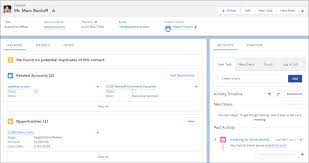
Compact page layouts in Salesforce serve to showcase the essential fields of a record when minimal details are required. They dictate which fields appear in the highlights panel at the top of a record. A compact layout displays a record’s key fields at a glance in the Salesforce mobile app, Lightning Experience, and in the Outlook and Gmail integrations. Lightning Pages For users employing Lightning Pages, ensure that the Highlights Panel Component is included on your page to ensure visibility. Navigate to the Object Manager, select the Object, go to Compact Layouts, and create a new layout. After naming the Compact Layout, add the desired fields for viewing. Note that a compact layout can only include fields from its object or fields that may be utilizing a formula as a cross-object reference to another object. Salesforce fields not present in SOAP API cannot be added to compact layouts in the Salesforce mobile app. Compact Page Layouts in Salesforce Compact layouts also influence how records are displayed in the Salesforce mobile app, helping users quickly recognize pertinent information on mobile screens. These layouts enable a tailored view of records, emphasizing the information users need at a glance. While compact layouts support all field types, it’s worth noting that they exclude text area, long text area, rich text area, and multi-select picklist fields. Like Related Posts Who is Salesforce? Who is Salesforce? Here is their story in their own words. From our inception, we’ve proudly embraced the identity of Read more Salesforce Marketing Cloud Transactional Emails Salesforce Marketing Cloud Transactional Emails are immediate, automated, non-promotional messages crucial to business operations and customer satisfaction, such as order Read more Salesforce Unites Einstein Analytics with Financial CRM Salesforce has unveiled a comprehensive analytics solution tailored for wealth managers, home office professionals, and retail bankers, merging its Financial Read more AI-Driven Propensity Scores AI plays a crucial role in propensity score estimation as it can discern underlying patterns between treatments and confounding variables Read more
Read More
Secure and Compliant Data Sharing With Grantmaking PSS

Secure and Compliant Data Sharing With Grantmaking PSS

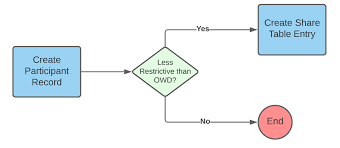
Control and Monitor Data Sharing with Compliant Data Sharing in Salesforce Compliant Data Sharing in Salesforce allows administrators and grant managers to control and monitor data sharing within Experience Cloud and CRM without needing to write complex code. By enabling and configuring this feature for specific objects, CRM and Experience Cloud users can seamlessly share Grantmaking records. Secure and Compliant Data Sharing With Grantmaking PSS. Key Features and Benefits of Secure and Compliant Data Sharing With Grantmaking PSS How to Implement Compliant Data Sharing Compliant Data Sharing Overview Objects and Roles Configuring and Managing Compliant Data Sharing Implementation in Public Sector Solutions Objects Supported by Compliant Data Sharing in Public Sector Solutions Considerations and Limitations Conclusion Compliant Data Sharing in Salesforce provides a robust framework for managing data sharing within Experience Cloud and CRM. By enabling detailed control and monitoring without complex coding, it helps organizations enhance compliance, improve operational efficiency, and streamline collaborative efforts across various departments and processes. Like Related Posts Who is Salesforce? Who is Salesforce? Here is their story in their own words. From our inception, we’ve proudly embraced the identity of Read more Salesforce Marketing Cloud Transactional Emails Salesforce Marketing Cloud Transactional Emails are immediate, automated, non-promotional messages crucial to business operations and customer satisfaction, such as order Read more Salesforce Unites Einstein Analytics with Financial CRM Salesforce has unveiled a comprehensive analytics solution tailored for wealth managers, home office professionals, and retail bankers, merging its Financial Read more AI-Driven Propensity Scores AI plays a crucial role in propensity score estimation as it can discern underlying patterns between treatments and confounding variables Read more
Read More
salesforce asset management

Asset Management Salesforce

Can Salesforce do asset management? You can manage assets in Consumer Goods (desktop) and in the Consumer Goods offline mobile app in Salesforce. Let’s understand the process in detail. Create Asset Templates and Asset Types: Before you create assets, ensure that admins have created asset templates and asset types. Assets are items, such as refrigerators or freezers, that you place at a customer location (retail store) to increase your sales. Assets are also items you use in your business such as vehicles or computers. As an asset’s owner, you’re responsible for the maintenance, repair, or any other services required for the asset. Managing assets efficiently can help reduce customer complaints and, in turn, increase your brand value. By actively tracking your assets’ conditions, you can budget better, reduce losses, and ensure employee safety. What is the use of asset object in Salesforce? So, Assets are used quite frequently by sales, customer service in your back office. Assets are a standard object. It comes out-of-the-box with Salesforce. And being a standard object we can add custom fields, validation rules, record types, multiple page layouts. How do I create an asset for a product in Salesforce? Create an Asset What is the asset state period in Salesforce? An asset state period represents a time span when an asset has the same quantity, amount, and monthly recurring revenue (MRR). An asset has as many asset state periods as there are changes to it (asset actions) during its lifecycle. The dashboard and related pages show the current asset state period. What is the difference between subscription and asset in Salesforce? Use subscriptions to keep records of subscription products you’ve quoted or sold. Use assets to keep records of stand-alone products you’ve quoted or sold. You can use these records later to manage amendments and renewals to your opportunities and orders. How do I enable assets in Salesforce? Enable Asset Scheduling in Salesforce Scheduler How do I create an asset in Salesforce CPQ? Salesforce CPQ creates assets when you click Contracted on an opportunity or order. The asset creation process varies based on your account’s renewal model and the value of the asset conversion field on the product you’re contracting. How do you renew assets in Salesforce CPQ? Select the assets you want to renew, and then click Renew. Salesforce CPQ creates a renewal quote, associates it with a renewal opportunity, and opens the quote line editor. Edit the quantities of the assets from your original quote as needed. You can also add new products. What is an asset state? Asset State denotes the different states of assets in the organization such as assets in Use, In Store, Expired and so on. Apart from the default asset states, you can create custom ones. You can also enable or disable ownership and scan for custom asset states you create. Note that Salesforce also has a Digital Asset Management (DAM) capability. Where is asset library in Salesforce? To view asset files in Files home, select Libraries and then select Asset Library . To view and edit asset files in Setup, enter Asset Files in the Quick Find box, then select Asset Files. For more information on Salesforce Asset Management, contact Tectonic today. Like1 Related Posts Who is Salesforce? Who is Salesforce? Here is their story in their own words. From our inception, we’ve proudly embraced the identity of Read more Salesforce Marketing Cloud Transactional Emails Salesforce Marketing Cloud Transactional Emails are immediate, automated, non-promotional messages crucial to business operations and customer satisfaction, such as order Read more Salesforce Unites Einstein Analytics with Financial CRM Salesforce has unveiled a comprehensive analytics solution tailored for wealth managers, home office professionals, and retail bankers, merging its Financial Read more AI-Driven Propensity Scores AI plays a crucial role in propensity score estimation as it can discern underlying patterns between treatments and confounding variables Read more
Read More
gettectonic.com