RIG Archives - gettectonic.com - Page 44
Salesforce Marketing Cloud

What is the Difference in Lists and a Data Extensions in Salesforce Marketing Cloud

There are two different methods to store and segment subscriber data within Marketing Cloud: Lists and Data Extensions. Lists have limited functionality, whereas Data Extensions provide full flexibility to store and relate subscriber information. Salesforce Marketing Cloud lists and data extensions are the primary ways to manage your subscriber data. What is the difference between data extension and list in Marketing Cloud? In short, lists are best used for specific email sends lacking advanced data or segmentation, whereas data extensions can be used for basically any type of communication or data management need. If the goal is to organize data with simplicity, go for lists. What is data extension in Marketing Cloud? A data extension is a table that contains your data. With Marketing Cloud Connect, push tracking data from the Marketing Cloud back to your Sales or Service Cloud orgs using Salesforce data extensions (SFDEs). Data extensions are also filterable. What are the data extension limits for Marketing Cloud? There is currently no limit for the amount of rows that can exist within a Data Extension. This means that, without Row Based Data Retention, a Data extension can grow exponentially without any real upper limit. What is a list in Marketing Cloud? Lists are a default way of storing data in Marketing Cloud Email Studio. You can set different attributes for your customers by using lists, which represent a collection of customers and provide a simple method for audience segmentation. These attributes are used to store the position of the customer in a given list. List can be configured to send a welcome email when a subscriber opts in, and can have double opt-in. You will also hear groups mentioned. Groups are smaller segments of a list. When to Opt for Marketing Cloud Data Extensions There are two primary scenarios that distinctly indicate the need for utilizing a data extension rather than a list: Fluctuating Values Over Time: Data Relationship via a 3rd Data Point: Like Related Posts Who is Salesforce? Who is Salesforce? Here is their story in their own words. From our inception, we’ve proudly embraced the identity of Read more Salesforce Marketing Cloud Transactional Emails Salesforce Marketing Cloud Transactional Emails are immediate, automated, non-promotional messages crucial to business operations and customer satisfaction, such as order Read more Salesforce Unites Einstein Analytics with Financial CRM Salesforce has unveiled a comprehensive analytics solution tailored for wealth managers, home office professionals, and retail bankers, merging its Financial Read more AI-Driven Propensity Scores AI plays a crucial role in propensity score estimation as it can discern underlying patterns between treatments and confounding variables Read more


Read More
Sending Emails Through Salesforce

Journey Builder or Automation Studio

Both Journey Builder and Automation Studio are robust tools available to Marketing Cloud customers. However, determining when to use each one and how they complement each other can sometimes be confusing. Automation Studio primarily focuses on ETL (Extract, Transform, Load) processes in marketing automation. It enables marketers to integrate data from various systems and automate tasks for segmentation and email campaign deployment. With Automation Studio, marketers can create highly advanced automated segmentation using data filters and queries, making it ideal for repetitive processes. It also allows users to execute SQL queries to retrieve and store data extension information. On the other hand, Journey Builder is a user-friendly, drag-and-drop tool designed for creating personalized, engagement-based customer journeys. It facilitates individualized, multi-channel communications at scale and provides goal and success measurements for monitoring and management. Unlike Automation, Journey Builder offers more opportunities for testing strategies and optimizing messages based on real-time engagement and interaction. One key difference between the two tools is that Journey Builder offers built-in goal reporting, providing real-time insights into campaign performance and customer engagement. Another distinction is that while Automation Studio relies on batch processing, Journey Builder allows individuals to enter journeys on an individual level, enabling real-time monitoring and action based on customer behavior. To decide which tool to use, consider the following questions: In many cases, it’s not a matter of choosing between Journey Builder vs Automation Studio but rather leveraging both tools together. By combining the powerful segmentation capabilities of Automation Studio with the personalized journey creation features of Journey Builder, marketers can deliver highly targeted and personalized messaging to their customers. Automation Studio is best for complex segmentation at scale, while Journey Builder guides customers through customized journeys based on Marketing Cloud data. Ultimately, using both tools together allows marketers to create seamless, personalized experiences for their customers. Like1 Related Posts Who is Salesforce? Who is Salesforce? Here is their story in their own words. From our inception, we’ve proudly embraced the identity of Read more Salesforce Marketing Cloud Transactional Emails Salesforce Marketing Cloud Transactional Emails are immediate, automated, non-promotional messages crucial to business operations and customer satisfaction, such as order Read more Salesforce Unites Einstein Analytics with Financial CRM Salesforce has unveiled a comprehensive analytics solution tailored for wealth managers, home office professionals, and retail bankers, merging its Financial Read more AI-Driven Propensity Scores AI plays a crucial role in propensity score estimation as it can discern underlying patterns between treatments and confounding variables Read more
Read More
Salesforce BI

Protecting Your Salesforce Data

The landscape of Salesforce has undergone significant growth beyond its humble CRM origins, yet assumptions about the data within Salesforce orgs often remain unchanged.  This is crazy when you think about the original Customer Relationship Management system and how many apps it had to connect to in order to actually manage your customer relationships.   Protecting your Salesforce data is everyone’s responsibility. It is good to rethink how Salesforce data is used, especially considering its increasing indispensability in tandem with the platform’s expansion into diverse business processes and industries. The discontinuation of Salesforce’s data recovery service further creates the need for an updated perspective. Protecting Your Salesforce Data Salesforce Backup. Protect your enterprise against data loss and corruption. Contact Tectonic today. Like1 Related Posts Who is Salesforce? Who is Salesforce? Here is their story in their own words. From our inception, we’ve proudly embraced the identity of Read more Salesforce Marketing Cloud Transactional Emails Salesforce Marketing Cloud Transactional Emails are immediate, automated, non-promotional messages crucial to business operations and customer satisfaction, such as order Read more Salesforce Unites Einstein Analytics with Financial CRM Salesforce has unveiled a comprehensive analytics solution tailored for wealth managers, home office professionals, and retail bankers, merging its Financial Read more AI-Driven Propensity Scores AI plays a crucial role in propensity score estimation as it can discern underlying patterns between treatments and confounding variables Read more

Read More
Talkdesk Dialer for Salesforce

Talkdesk Dialer for Salesforce

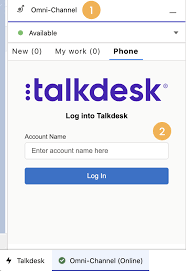
Forge Meaningful Customer Connections with Talkdesk Proactive Outbound Engagement™-Talkdesk Dialer for Salesforce Talkdesk Proactive Outbound Engagement™ is a comprehensive suite of outbound voice and digital capabilities integrated into the Talkdesk CX Cloud™ contact center platform. This suite includes versatile dialing modes tailored for every scenario, such as Talkdesk Preview Dialer, Talkdesk Dialer, Advanced Dialer, Talkdesk Dialer for Salesforce, and Automated Notifications. Maximize contact rates by reaching customers when and how they prefer to be contacted while ensuring high-quality interactions that reflect the level of service your customers deserve. Enhance Agent Productivity to Maximize Outbound Success Tools like the Talkdesk Preview Dialer can significantly increase outbound call volume, driving connect rates from 5 to 15 or more per hour and boosting revenue by up to 200-300%. Intelligently manage outbound call pacing to filter out unproductive calls like voicemails, busy signals, and no answers, optimizing agent productivity. Launch Strategic Campaigns Effortlessly Leverage highly configurable dialing options and advanced campaign management tools to maximize contact rates through precise targeting and segmentation. The Advanced Dialer supports customizable campaign and dialing configurations to accommodate virtually any outreach and retry strategy. Empower Agents with Smart Dialing Modes Equip agents with predictive, power, progressive, preview, and agentless dialing modes, complemented by a patented AI-driven answering machine detection algorithm. Salesforce Quick Campaign, part of the Talkdesk Dialer for Salesforce™ product, allows manual selection of Salesforce records for dialing using preview or power dialing modes. Streamlined List Management for Seamless Operations Set up calling lists effortlessly by uploading a CSV file or pushing records from Salesforce, other CRMs, or business systems via an API. Web leads can be seamlessly integrated into ongoing campaigns for immediate dialing, ensuring every hot lead is promptly engaged. Ensure Quality Connections with Talkdesk Dialer for Salesforce™ Talkdesk Dialer, fully embedded within the Salesforce UI, offers power and preview dialing to balance productivity with call quality and personalized customer interactions. Deliver Efficient and Proactive Notifications Go beyond voice calls with Talkdesk Automated Notifications, anticipating customer needs through automated event-triggered SMS notifications. Configure rules and content for each notification to deliver highly personalized messages that enhance efficiency and customer satisfaction. Robust Reporting and Insights While pre-set out-of-the-box reporting tools are currently unavailable for Talkdesk Dialer for Salesforce, Salesforce users can leverage standard Salesforce reporting functionality to create custom reports. Talkdesk Dialer™ is designed to automate the dialing process, maximize outbound call volume, and facilitate meaningful connections with customers while ensuring compliance with regulatory requirements. Learn more about our solutions crafted to optimize every customer interaction at talkdesk.com. Like1 Related Posts Who is Salesforce? Who is Salesforce? Here is their story in their own words. From our inception, we’ve proudly embraced the identity of Read more Salesforce Marketing Cloud Transactional Emails Salesforce Marketing Cloud Transactional Emails are immediate, automated, non-promotional messages crucial to business operations and customer satisfaction, such as order Read more Salesforce Unites Einstein Analytics with Financial CRM Salesforce has unveiled a comprehensive analytics solution tailored for wealth managers, home office professionals, and retail bankers, merging its Financial Read more AI-Driven Propensity Scores AI plays a crucial role in propensity score estimation as it can discern underlying patterns between treatments and confounding variables Read more
Read More

AI in Sales Enablement

automation, and personalization to enhance sales processes, increase customer engagement, and drive revenue growth. Companies are working with AI to improve analysis of all customer contact points to both identify leads and weigh lead quality. That includes ingesting information from web pages, email campaigns, phone calls, and much more.

Read More
Causes of Data Loss

Causes of Data Loss

Amidst the unprecedented challenges faced by organizations worldwide, many are swiftly enacting their business continuity plans to mitigate operational disruptions. Unquestionably, a cornerstone of these plans is data protection and recovery, especially for companies reliant on Salesforce for critical data storage. The potential impact of data loss or compromise on business operations cannot be overstated and could reverberate throughout the entire organization. Despite the current global situation, it’s essential to recognize that the majority of Salesforce data loss incidents aren’t tied to major disasters. Instead, they often stem from everyday mishaps. The key is to anticipate these incidents and implement robust recovery strategies. Let’s examine the top four causes of data loss in Salesforce, as revealed by insights gathered from 2,000 Salesforce customers: Human Error: Integration Errors: Migration Errors: Bad Code: The repercussions of data loss within an organization are far-reaching, encompassing increased labor costs, reputational damage, revenue loss, and compliance fines. Moreover, the longer Salesforce data remains inaccessible, the greater the risk and costs associated with data loss. To safeguard against such risks, a comprehensive backup and recovery solution is imperative. While native options like the Recycle Bin or Weekly Export offer limited capabilities, a proactive approach, such as leveraging Salesforce AppExchange partner solutions like Own, significantly enhances data protection and recovery readiness. In conclusion, while Salesforce ensures robust platform security and availability, data protection ultimately rests with the end user. As Salesforce discontinues its last-resort data recovery service, organizations must prioritize proactive backup and recovery practices to safeguard critical data and maintain business continuity effectively. Explore comprehensive solutions like Own to bolster your data protection efforts and mitigate the impact of potential data loss incidents. Like Related Posts Who is Salesforce? Who is Salesforce? Here is their story in their own words. From our inception, we’ve proudly embraced the identity of Read more Salesforce Marketing Cloud Transactional Emails Salesforce Marketing Cloud Transactional Emails are immediate, automated, non-promotional messages crucial to business operations and customer satisfaction, such as order Read more Salesforce Unites Einstein Analytics with Financial CRM Salesforce has unveiled a comprehensive analytics solution tailored for wealth managers, home office professionals, and retail bankers, merging its Financial Read more AI-Driven Propensity Scores AI plays a crucial role in propensity score estimation as it can discern underlying patterns between treatments and confounding variables Read more
Read More
Salesforce Health Cloud

Salesforce Health Cloud Information

Since its inception in 2016, Salesforce Health Cloud has evolved significantly, adapting to the intricacies of the sensitive and dynamic health industry. The latest addition to its offerings, Customer 360 for Health, represents a strategic move towards more empathetic care, bolstering patient trust and fostering team collaboration.

Read More
Salesforce Scheduler

Salesforce Scheduler

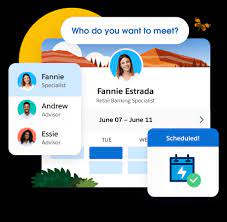
Salesforce Scheduler provides the objects required for appointment scheduling and an app that makes it easy to set up Scheduler. It provides preconfigured, customizable flows and rules that provide appointment booking experience. It also provides business APIs to create appointment booking experiences.

Read More
salesforce integrations

Salesforce Integrations

How do you make Salesforce even better? Integrate it with all the third party apps you already use. From productivity to marketing to collaboration and beyond, now you can connect your Salesforce to the other tools you need to run your business. MuleSoft is Salesforce’s integration and automation technology and offers connectivity solutions for all of your apps. Learn more about Salesforce integrations. Streamline your team’s workflow and increase productivity by syncing G Suite by Google Cloud with Salesforce. Increase team collaboration and efficiency with the Slack and Salesforce integration. Increase sales while generating accurate financial data by integrating Quickbooks and Salesforce. Make it easier to manage email lists and contact records by connecting directly MailChimp to Salesforce. Target and engage the right buyers and save valuable time with the LinkedIn and Salesforce integration. Connect DocuSign to Salesforce and send, sign and track agreements and approvals on any device. Integrate Jira and Salesforce and make it easier to monitor the progress of your projects. Use the HelloSign integration to simplify the process for preparing and tracking e-signature documents. Build customer apps lightning fast, with the Salesforce and CodeScience integration. Connect ActiveCampaign and Salesforce to accelerate business growth with automated one to one experiences that connect across all channels and through the entire customer lifecycle. Sync documents to keep files updated and organized, with the Dropbox and Salesforce integration. This is just the beginning of the ways that integrating Salesforce with your other systems can increase employee productivity, automate data transfer, reduce human error, and make everyone happier. If you have questions about integrating your systems with Salesforce, contact Tectonic today. Like1 Related Posts Who is Salesforce? Who is Salesforce? Here is their story in their own words. From our inception, we’ve proudly embraced the identity of Read more Salesforce Marketing Cloud Transactional Emails Salesforce Marketing Cloud Transactional Emails are immediate, automated, non-promotional messages crucial to business operations and customer satisfaction, such as order Read more Salesforce Unites Einstein Analytics with Financial CRM Salesforce has unveiled a comprehensive analytics solution tailored for wealth managers, home office professionals, and retail bankers, merging its Financial Read more AI-Driven Propensity Scores AI plays a crucial role in propensity score estimation as it can discern underlying patterns between treatments and confounding variables Read more

Read More
Salesforce analytics insurance

Cool Ways to Use Surveys With Salesforce

Leveraging survey forms is an effective way to gather real-life insights from individuals crucial to your organization. Salesforce facilitates survey integration either through Salesforce Surveys and Feedback Management (add-on license) or by seamlessly integrating web forms with Salesforce. Storing feedback in your CRM, linked to comprehensive contact information, is an obvious advantage. Salesforce surveys give you real-time feedback.  However, adopting an integrated web form approach offers additional benefits. Here are seven ideas to enhance your survey integration with Salesforce, ensuring valuable customer insights: Integrating survey forms with Salesforce is a strategic move to enhance customer experience and internal processes. Implementing these tips will not only improve the effectiveness of your Salesforce surveys but also align internal practices with best standards. Choose a tip that fits your needs and contributes to the success of your Salesforce surveys. Like Related Posts Who is Salesforce? Who is Salesforce? Here is their story in their own words. From our inception, we’ve proudly embraced the identity of Read more Salesforce Marketing Cloud Transactional Emails Salesforce Marketing Cloud Transactional Emails are immediate, automated, non-promotional messages crucial to business operations and customer satisfaction, such as order Read more Salesforce Unites Einstein Analytics with Financial CRM Salesforce has unveiled a comprehensive analytics solution tailored for wealth managers, home office professionals, and retail bankers, merging its Financial Read more AI-Driven Propensity Scores AI plays a crucial role in propensity score estimation as it can discern underlying patterns between treatments and confounding variables Read more
Read More
gettectonic.com