Sales Archives - gettectonic.com - Page 102
salesforce sales cloud

Case Management in Salesforce Sales Cloud

Does Salesforce provide a case management system? Desk is an all-in-one support application that comes ready-to-use, offering mobile support, case management, multi-channel support, and productivity tools. By integrating with other Salesforce solutions, Desk provides companies with a complete 360-degree view of each customer. Is case management included in Salesforce Sales Cloud? Sales Cloud and Service Cloud are both built on the core Salesforce Platform, sharing critical features like accounts, contacts, and case management (although in a basic form within Sales Cloud compared to Service Cloud). Sales Cloud is Salesforce’s core CRM product designed to help businesses manage their sales processes, including standard case functionality to manage cases, track customer issues, and provide support. Does Salesforce Sales Cloud support cases? Sales Cloud, as Salesforce’s primary CRM product, includes basic case functionality to help customer service teams manage cases, track customer issues, and provide support. A common misconception is that Salesforce customers believe they require Service Cloud licenses (or a separate third-party tool) to manage customer support tickets. If a Salesforce customer has a Sales Cloud license (often the entry point into the Salesforce world), they automatically gain case management features with Sales Cloud. How do I configure case management in Salesforce? Utilize queues and automated rules to assign cases to your team without constant monitoring. Cases can be assigned to a queue where team members can select from a list, helping prioritize work and automatically assign cases based on conditional rules. What is the difference between Salesforce Sales Cloud cases and Service Cloud? The primary distinction is that Sales Cloud focuses on streamlining sales efforts, while Service Cloud assists support agents in delivering exceptional customer service and resolving issues proactively. Is Email-to-Case included in Sales Cloud? Email-to-Case functionality is included in Sales Cloud licenses, providing case management features. It allows you to automatically create cases from incoming emails, which can then be managed within the Sales Cloud system. Essentially, you can have emails from customers turn into cases within Salesforce, streamlining your customer support processes.  What are the limitations of Email-to-Case in Salesforce? Email-to-Case controls the number of cases that can be created within an organization, with a default limit of 2500 cases that cannot be increased.  Daily Email Limits: Sales Cloud includes a range of case management features within its license. The Case object is a standard component that comes ‘out of the box’ with Sales Cloud, alongside Accounts, Contacts, Activities, Leads, and Opportunities. Additionally, Email-to-Case and Web-to-Case are available for self-service case creation, allowing inbound cases to be automatically generated by customers. Salesforce setup time is minimal, with configuration options such as Auto-Response rules to send branded email templates to customers and Case Assignment Rules to allocate cases to support agents or queues. Service Cloud is Salesforce’s customer service platform designed to enhance customer experiences. Adding Service Cloud to your Salesforce org unifies sales and customer service teams on a single platform, providing enhanced functionality and integration compared to standard case management with Sales Cloud. Like Related Posts Who is Salesforce? Who is Salesforce? Here is their story in their own words. From our inception, we’ve proudly embraced the identity of Read more Salesforce Marketing Cloud Transactional Emails Salesforce Marketing Cloud Transactional Emails are immediate, automated, non-promotional messages crucial to business operations and customer satisfaction, such as order Read more Salesforce Unites Einstein Analytics with Financial CRM Salesforce has unveiled a comprehensive analytics solution tailored for wealth managers, home office professionals, and retail bankers, merging its Financial Read more AI-Driven Propensity Scores AI plays a crucial role in propensity score estimation as it can discern underlying patterns between treatments and confounding variables Read more


Read More
Implications for the DMP Landscape

Implications for the DMP Landscape

Salesforce Sunsets Audience Studio: Implications for the DMP Landscape Salesforce recently announced the discontinuation of Audience Studio, their Data Management Platform (DMP) acquired five years ago as Krux. This move raises questions about the future of DMPs in the evolving digital landscape. Implications for the DMP Landscape. Current State of DMPs Understanding the context and future of DMPs requires examining their current functionality and limitations: Inherent DMP Limitations Salesforce’s decision to sunset their DMP highlights several critical limitations inherent to the technology: DMP Strengths Despite these limitations, DMPs still offer value in certain areas: Uncertain Future of DMPs The future of DMPs is uncertain as they primarily serve media optimization reliant on third-party cookies. While evolution in the post-cookie world is possible, it requires significant changes in technology and adtech provider support. Advantages of CDPs CDPs address many of the shortcomings of DMPs and offer several advantages: Challenges and Future Developments The quest for a comprehensive view of the customer journey remains challenging due to data silos within major platforms like Google, Facebook, and Amazon. However, emerging technologies like Google’s Federated Learning of Cohorts (FLoC) offer potential solutions for privacy-preserving data sharing. Strategies for Marketers Marketers need to focus on building first-party data sets and quantifying their value. This involves: Transitioning from DMP to CDP For brands transitioning from DMPs to CDPs, selecting the right CDP is crucial. Key features to look for include: Conclusion The discontinuation of Salesforce’s Audience Studio reflects broader trends and challenges within the DMP category. As the digital landscape evolves, CDPs are emerging as a more effective and future-proof solution for managing and leveraging customer data. Brands must adapt by investing in robust CDP solutions that offer comprehensive, customer-centric data management and engagement capabilities. Like Related Posts Who is Salesforce? Who is Salesforce? Here is their story in their own words. From our inception, we’ve proudly embraced the identity of Read more Salesforce Marketing Cloud Transactional Emails Salesforce Marketing Cloud Transactional Emails are immediate, automated, non-promotional messages crucial to business operations and customer satisfaction, such as order Read more Salesforce Unites Einstein Analytics with Financial CRM Salesforce has unveiled a comprehensive analytics solution tailored for wealth managers, home office professionals, and retail bankers, merging its Financial Read more AI-Driven Propensity Scores AI plays a crucial role in propensity score estimation as it can discern underlying patterns between treatments and confounding variables Read more

Read More
Salesforce Marketing Cloud Social Studio

Topic Profiles in Salesforce Marketing Cloud Social Studio

Follow these recommended practices to optimize your topic profiles in Social Studio effectively: Like Related Posts Who is Salesforce? Who is Salesforce? Here is their story in their own words. From our inception, we’ve proudly embraced the identity of Read more Salesforce Marketing Cloud Transactional Emails Salesforce Marketing Cloud Transactional Emails are immediate, automated, non-promotional messages crucial to business operations and customer satisfaction, such as order Read more Salesforce Unites Einstein Analytics with Financial CRM Salesforce has unveiled a comprehensive analytics solution tailored for wealth managers, home office professionals, and retail bankers, merging its Financial Read more AI-Driven Propensity Scores AI plays a crucial role in propensity score estimation as it can discern underlying patterns between treatments and confounding variables Read more
Read More
Quest to be Data-Driven

Quest to be Data-Driven

“Data-driven” is a business term that refers to the utilization of data to inform or enhance processes, decision making, and even the revenue model. The quest to be data-driven is afoot. In recent years, a data-driven business approach has gained a great deal of traction. It is true that every business deals with data — however, data-driven businesses systematically and methodically use data to power business decisions. Incorporating the notion of being a data-driven enterprise enriches the understanding of how data can profoundly impact business operations. Leveraging data not only offers valuable insights but also enhances adaptability, thereby sharpening the competitive edge of an organization. These insights serve as a foundation for making market predictions and adapting business strategies accordingly, often leading to revenue growth. While data may not provide solutions to all organizational challenges, embracing a data-driven approach lays a solid groundwork for achieving organizational goals. Data-driven contrasts with decision making that may be driven by emotions, external pressure, or instinct. So, what exactly constitutes a data-driven enterprise? It transcends mere number-crunching; it involves creating sustainable value for customers and innovating efficiently in the digital economy. Encouraging a data-driven approach across all facets of the business is paramount to success. Gaining data insights from data is invaluable. It allows organizations to reshape customer interactions, provided the data is accurate, accessible, and integrated into existing processes. However, many struggle to extract value from their data due to the complexity of transforming raw data into actionable insights. Understanding the hierarchy of data, information, and insights is crucial, as actionable insights drive data-driven success. Furthermore, adaptability emerges as a crucial factor in today’s rapidly evolving landscape. The ability to swiftly respond to changes and leverage data for informed decision-making is paramount. Data-driven insights serve as powerful tools for facilitating change and fostering agility, ensuring organizations remain competitive. Moreover, data serves as a catalyst for revenue generation through various business models such as Data as a Service (DaaS), Information as a Service (IaaS), and Answer as a Service (AaaS). By putting customer satisfaction at the forefront and leveraging data-driven insights, organizations can evolve their products proactively and drive growth. Building a data-driven enterprise involves a strategic approach encompassing nine key steps, including defining end goals, setting tangible KPIs, and fostering a data-driven culture across the organization. However, challenges such as deciding what to track, lack of tools or time for data collation, and turning data into meaningful insights may arise. Overcoming these challenges requires a cultural shift towards data-driven decision-making and the adoption of modern data architectures. Walking (or perhaps running) the data-driven journey with Tectonic involves connecting and integrating various data sources to ensure seamless data flow. By embracing a data-driven approach, organizations can unlock the full potential of their data, driving innovation, enhancing customer experiences, and achieving long-term success in today’s dynamic, rapidly evolving business landscape. Expanding upon this foundation, let’s go deeper into the transformative power of data-driven enterprises across various industry sectors. Consider, for instance, the retail industry, where data-driven insights revolutionize customer experiences and optimize operational efficiency. In the retail sector, understanding consumer behavior and preferences iscrucial to daily, quarterly, and annual success. By harnessing data analytics, retailers can analyze purchasing patterns, demographic information, and social media interactions to tailor marketing strategies and product offerings. For example, through personalized recommendations based on past purchases and browsing history, retailers can enhance customer engagement and drive sales. Moreover, data-driven insights enable retailers to optimize inventory management and supply chain operations. By analyzing historical sales data and demand forecasts, retailers can anticipate fluctuations in demand, minimize stockouts, and reduce excess inventory. This not only improves operational efficiency but also enhances customer satisfaction by ensuring products are readily available when needed. Furthermore, in the healthcare industry, data-driven approaches revolutionize patient care and treatment outcomes. Electronic health records (EHRs) and medical imaging technologies generate vast amounts of data, providing healthcare professionals with valuable insights into patient health and treatment efficacy. By leveraging predictive analytics and machine learning algorithms, healthcare providers can identify patients at risk of developing chronic conditions, enabling early intervention and preventive care. Additionally, data-driven approaches facilitate personalized treatment plans tailored to each patient’s unique medical history, genetic makeup, and lifestyle factors, improving treatment outcomes and patient satisfaction. In the manufacturing sector, data-driven strategies optimize production processes, enhance product quality, and reduce operational costs. By implementing Internet of Things (IoT) sensors and connected devices on the factory floor, manufacturers can collect real-time data on equipment performance, energy consumption, and production efficiency. Analyzing this data enables manufacturers to identify inefficiencies, minimize downtime, and proactively schedule maintenance to prevent costly equipment failures. Moreover, data-driven insights inform process improvements and product innovations, enabling manufacturers to stay competitive in an increasingly globalized market. The ultimately transformative impact of data-driven enterprises extends across various industry sectors, revolutionizing business operations, enhancing customer experiences, and driving innovation. By embracing a data-driven approach and leveraging advanced analytics technologies, organizations can unlock new opportunities for growth, efficiency, and competitive advantage in today’s data-loaded digital economy. Becoming data-driven requires harnessing the full potential of your data, transforming it into actionable insights, and iteratively refining your processes. Remember, data itself is not the ultimate goal but rather a powerful tool to drive informed decision-making and organizational growth. To establish a truly data-driven organization, consider the following nine steps: By following these steps, your organization can effectively harness the power of data to drive innovation, improve decision-making, and achieve sustainable growth in today’s data-driven landscape. Tectonic recognizes the challenges in the quest to be data-driven. We’ve launched a Data Cloud Salesforce Implementation Solution to help you. Content updated May 2024. Like Related Posts Who is Salesforce? Who is Salesforce? Here is their story in their own words. From our inception, we’ve proudly embraced the identity of Read more Salesforce Marketing Cloud Transactional Emails Salesforce Marketing Cloud Transactional Emails are immediate, automated, non-promotional messages crucial to business operations and customer satisfaction, such as order Read more Salesforce Unites Einstein Analytics with Financial CRM

Read More

Migrate to Salesforce

How is data migrated to Salesforce? You can migrate data by importing or inserting records from another Salesforce legacy source, organization, or other external source into a new target organization. It’s important to import object data in a particular order to maintain record relationships. Salesforce Data Migration Tools. The tools that perform data migration are of the ETL type (extract, transform and load) and there are a wide variety available. Some are suitable for beginners or non-programmers, while others may be preferred by developers. How long does Salesforce migration take? Based on our previous experiences, the typical timeframe for a Salesforce data migration process ranges from 20 days to approximately 2.5 months. Automated data migration tools are available to import and export data between different Salesforce orgs. How difficult is Salesforce data migration? In the grand scheme of things migration is a more challenging project and will vary greatly depending on the format, accuracy, and size of the data source or sources. What are the phases of Salesforce data migration? The three general phases of the migration project are preparation, migration, and user acceptance testing. Preparation is the most critical step. First off you have to develop a data migration plan complete with timelines, dependencies, and milestones. Preparation of the data and cleansing and mapping to Salesforce are topics for an entire additional article. Then the migration itself begins and everyone involved must be aware of any downtime this could create. Finally once the data has been migrated to Salesforce you have to ensure it is transferred correctly and check it for accuracy. You can migrate data by importing or inserting records from another Salesforce legacy source organization or other external source into a new org as well. If this primer has you concerned about your Salesforce data migration project, contact Tectonic today. Like Related Posts Who is Salesforce? Who is Salesforce? Here is their story in their own words. From our inception, we’ve proudly embraced the identity of Read more Salesforce Marketing Cloud Transactional Emails Salesforce Marketing Cloud Transactional Emails are immediate, automated, non-promotional messages crucial to business operations and customer satisfaction, such as order Read more Salesforce Unites Einstein Analytics with Financial CRM Salesforce has unveiled a comprehensive analytics solution tailored for wealth managers, home office professionals, and retail bankers, merging its Financial Read more AI-Driven Propensity Scores AI plays a crucial role in propensity score estimation as it can discern underlying patterns between treatments and confounding variables Read more
Read More
Visualize Your Task List With Salesforce and Wrike

Visualize Your Task List With Salesforce and Wrike

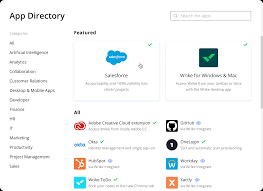
Streamlining Collaboration with Wrike and Salesforce Integration If your team uses Wrike and your sales team operates in Salesforce, seamless collaboration is now within reach without the hassle of switching between platforms or relying on excessive email communication. Visualize Your Task List With Salesforce and Wrike. Account administrators can integrate Wrike with Salesforce, a widely used CRM solution. This integration allows you to manage client projects directly within Salesforce, enhancing collaboration between sales and other customer-facing teams using Wrike. This setup facilitates faster, more transparent work processes. More information on Salesforce can be found here. How the Integration Works Once the integration is in place, you can monitor task status from within Salesforce. You can link any Salesforce object to a Wrike project or folder, ensuring that changes in Wrike are immediately reflected in Salesforce. This integration supports both Salesforce Classic and Salesforce Lightning. Key Benefits of Wrike-Salesforce Integration: Utilizing the Integration Every record page in Salesforce (where the integration is enabled) includes a Wrike widget. This widget lets you select or change the project or folder displayed, access tasks, and monitor their status. If a project or folder hasn’t been set up for a Salesforce record, you can create it directly from the widget using templates provided by the admin. The integration’s customization options allow you to select which Salesforce objects (such as Leads, Opportunities, Accounts, or Subscriptions) you want to link with Wrike. On enabled objects, record pages will feature the Wrike widget for easy access to related tasks. Setting Up the Wrike Widget To set up the Wrike widget on your Salesforce pages: Practical Applications Common Use Cases: Getting Started – Visualize Your Task List With Salesforce and Wrike Wrike’s Salesforce Integration is available to Wrike Enterprise accounts. If you are ready to implement this integration, contact Wrike’s Support team for the installation package. Please note that List view is not available for accounts created on or after June 9, 2023; we recommend using the Table view instead. This integration not only simplifies workflow management but also enhances collaboration and accountability across your teams, making it an invaluable tool for organizations using both Salesforce and Wrike. Like Related Posts Who is Salesforce? Who is Salesforce? Here is their story in their own words. From our inception, we’ve proudly embraced the identity of Read more Salesforce Marketing Cloud Transactional Emails Salesforce Marketing Cloud Transactional Emails are immediate, automated, non-promotional messages crucial to business operations and customer satisfaction, such as order Read more Salesforce Unites Einstein Analytics with Financial CRM Salesforce has unveiled a comprehensive analytics solution tailored for wealth managers, home office professionals, and retail bankers, merging its Financial Read more AI-Driven Propensity Scores AI plays a crucial role in propensity score estimation as it can discern underlying patterns between treatments and confounding variables Read more

Read More

How Do I Check for Duplicates in Salesforce

Run a Duplicate Job to find existing duplicate Contacts based on your Matching Rules. How do i check for duplicates in salesforce? How do i check for duplicates in salesforce? Other Salesforce resources. A matching rule defines how duplicate records are identified in duplicate rules and duplicate jobs. Salesforce provides standard matching rules for business and person accounts, contacts, and leads. You can also create custom matching rules. REQUIRED EDITIONS Available in: Lightning Experience and Salesforce Classic (not available in all orgs) Available in: Essentials, Professional, Enterprise, Performance, Unlimited, and Developer Editions SEE ALSO Like Related Posts Who is Salesforce? Who is Salesforce? Here is their story in their own words. From our inception, we’ve proudly embraced the identity of Read more Salesforce Marketing Cloud Transactional Emails Salesforce Marketing Cloud Transactional Emails are immediate, automated, non-promotional messages crucial to business operations and customer satisfaction, such as order Read more Salesforce Unites Einstein Analytics with Financial CRM Salesforce has unveiled a comprehensive analytics solution tailored for wealth managers, home office professionals, and retail bankers, merging its Financial Read more AI-Driven Propensity Scores AI plays a crucial role in propensity score estimation as it can discern underlying patterns between treatments and confounding variables Read more

Read More
Tectonic Salesforce Services

Merging Duplicate Sales Cloud Leads in Lightning Experience

Considerations when merging duplicate leads in Sales Cloud: Campaigns When merging duplicate leads in Sales Cloud associated with different campaigns, Salesforce preserves the campaign Member Status Updated date for each campaign to which the merged lead belongs. Related Items, Chatter Feeds, and Attachments In the case of merging duplicate Sales Cloud, leads, records linked to items like campaigns or activities, Salesforce establishes connections with the merged record, with certain exceptions. Chatter feeds are maintained solely from the master record. Salesforce Files attached in the Chatter feed or listed under Files are preserved in the merged record. Hidden and Read-Only Fields Salesforce retains data in hidden or read-only fields, including sharing settings, from the master record. These hidden fields remain concealed during the merging process. The merged record preserves the Created By user and Created Date from the oldest merged record, regardless of which record serves as the master. The Last Modified By date reflects the merge date. Non-Master Leads Non-master leads are relocated to the Recycle Bin after the merge process. One tool for duplicate management is Cloudingo. Improve and better manage Salesforce data with Cloudingo. From deduping to importing and even migrating data, Cloudingo makes it easier to manage your Salesforce org. Find duplicates within your existing records and easily merge them. The Salesforce AppExchange offers multiple tools for duplicate record management. Like Related Posts Who is Salesforce? Who is Salesforce? Here is their story in their own words. From our inception, we’ve proudly embraced the identity of Read more Salesforce Marketing Cloud Transactional Emails Salesforce Marketing Cloud Transactional Emails are immediate, automated, non-promotional messages crucial to business operations and customer satisfaction, such as order Read more Salesforce Unites Einstein Analytics with Financial CRM Salesforce has unveiled a comprehensive analytics solution tailored for wealth managers, home office professionals, and retail bankers, merging its Financial Read more AI-Driven Propensity Scores AI plays a crucial role in propensity score estimation as it can discern underlying patterns between treatments and confounding variables Read more
Read More
Improving customer experiences with Marketing Cloud Personalization

Understanding Marketing Cloud List

Understanding Marketing Cloud Lists: A Guide for Email Studio Users If you use Salesforce Marketing Cloud (SFMC) Email Studio, you may wonder: This guide explains lists, their types, and best practices for managing subscriber data. What Is a Marketing Cloud List? Lists are the default way to store subscriber data in Email Studio. They help: Key Considerations for Lists ✔ Best for small datasets (under 500,000 subscribers).✔ Not ideal for complex data (use Data Extensions instead).✔ Use cases: Preference centers, opt-outs, basic segmentation. Types of Email Studio Lists Marketing Cloud has two main list types: 1. Publication Lists 📍 Where to find them:Email Studio » Subscribers » Lists 2. Suppression Lists 📍 How to manage: When to Use Lists vs. Data Extensions Feature Lists Data Extensions Max Records 500,000 Unlimited Data Complexity Simple (subscriber status, preferences) Complex (transactional, relational data) Use Case Opt-outs, basic segmentation Advanced segmentation, dynamic content Performance Slower for large datasets Optimized for scalability 💡 Best Practice: How Admins Can Improve Data Quality Final Thoughts Marketing Cloud lists are great for basic subscriber management, but Data Extensions offer more flexibility for advanced use cases. By understanding the differences, you can optimize your email strategy for better deliverability and segmentation. 🚀 Next Steps: Need help? Check Salesforce’s official documentation or consult a Tectonic Marketing Cloud expert. Like Related Posts Who is Salesforce? Who is Salesforce? Here is their story in their own words. From our inception, we’ve proudly embraced the identity of Read more Salesforce Marketing Cloud Transactional Emails Salesforce Marketing Cloud Transactional Emails are immediate, automated, non-promotional messages crucial to business operations and customer satisfaction, such as order Read more Salesforce Unites Einstein Analytics with Financial CRM Salesforce has unveiled a comprehensive analytics solution tailored for wealth managers, home office professionals, and retail bankers, merging its Financial Read more AI-Driven Propensity Scores AI plays a crucial role in propensity score estimation as it can discern underlying patterns between treatments and confounding variables Read more
Read More
public sector and tribal governent

What is BI in Salesforce?

Salesforce BI helps to create fast, digestible reports to help you make informed decisions at the right time. Salesforce Einstein is a leading business intelligence software solution that will help streamline your operations. Read on in this insight to learn how Salesforce BI capabilities including Tableau rank in the Gartner Magic Quadrant. Make the right decision every time using analytics that go beyond business intelligence software. See why Gartner named Salesforce (Tableau) a Leader in the Gartner® Magic Quadrant™ for Analytics and Business Intelligence Platforms for the 11th consecutive year. Data and analytics leaders must use analytics and BI platforms to support the needs of IT, analysts, consumers and data scientists. While integration with cloud ecosystems and business applications is a key selection requirement, buyers also need platforms to support openness and interoperability. Analytics and business intelligence (ABI) platforms enable less technical users, including business people, to model, analyze, explore, share and manage data, and collaborate and share findings, enabled by IT and augmented by artificial intelligence (AI). For several years, the Magic Quadrant for Analytic and Business Intelligence Platforms has emphasized visual self-service for end users augmented by AI to deliver automated insights. While this remains a significant use case, the ABI platform market will increasingly need to focus on the needs of the analytic content consumer and business decision makers. To achieve this, automated insights must be relevant in context of a user’s goals, actions and workflow. Many platforms are adding capabilities for users to easily compose low-code or no-code automation workflows and applications. This blend of capabilities is helping to expand the vision for analytics beyond simply delivering datasets and presenting dashboards. Today’s ABI platforms can deliver enriched contextualized insights, refocus attention on decision-making processes and ultimately take actions that will deliver business value. In addition to the increasing consumer design focus trend, we see other key market trends, including the need for improved governance of analytic content creation and dissemination, and the demand for a headless, open architecture. For example, a headless ABI platform would decouple the metrics store from the front-end presentation layer, enabling more interoperability with competitive products. ABI platform functionality includes the following 12 critical capabilities, which have been updated to reflect areas of market change, differentiation and customer demand: Gartner added three new critical capabilities as part of our metrics store evaluation criteria this year:  ABI platforms have always been about measurement. For decades, the slicing and dicing of measures by their dimensional attributes was synonymous with the act of performing business intelligence. However, over the last decade, the focus on metrics and measurement was overshadowed by data visualization. As data visualization became the most conspicuous capability, some business executives began to conflate ABI platforms with data visualization — as if ABI platforms are glorified chart wizards. This misconception minimizes much of the work performed and the business value delivered by ABI platforms. Establishing metrics stores as a critical capability to execute makes it clear that defining and communicating performance measures throughout an organization is one of the key purposes of an ABI platform. Analytics collaboration is a combination of many features (such as Slack/Teams integration, action frameworks) that collectively improve an organization’s ability to make decisions with consensus. Data science integration reflects the increasing likelihood that a business analyst may want to use data science to test certain hypotheses, and that data scientists will need to leverage features such as data prep and data visualization. In addition, Gartner is changing “catalogs” to “analytic catalogs” to emphasize a set of requirements that are not being met by ABI platform vendors today. Most large enterprises have thousands of reports built across multiple ABI platforms, but consumers in these organizations have no easy way to access these reports. The name change to analytic catalogs reflects the need for ABI platform vendors to deliver analytic content with the consumer in mind. Three critical capabilities were removed from our evaluation criteria: security, natural language generation (NLG; rolled into data storytelling) and cloud analytics (which will no longer be considered a platform capability, but instead a go-to-market strategy covered in the Magic Quadrant). And one of the security sub-criteria, about the granularity of authorization (e.g., row-based security) has been moved to the enterprise reporting capability. Salesforce (Tableau) Tableau, a Salesforce company, is a Leader in this Magic Quadrant. Its products are mainly focused on visual-based exploration that enables business users to access, prepare, analyze and present findings in their data. CRM Analytics, formerly Tableau CRM, provides augmented analytics capabilities for analysts and citizen data scientists. Tableau has global operations and serves clients of all sizes. In 2022, Tableau reinforced its augmented consumer vision to provide contextualized insights with deeper integration with Salesforce Data Cloud. IT also improved decision intelligence by bringing domain-aware insights into action with Revenue Intelligence and other Salesforce-native apps. The extensible design and x-platform integrations (Salesforce Flow, MuleSoft, UiPath and Looker) further enable composable analytics to bring insights into workflow with agility. Strengths Cautions Like Related Posts Who is Salesforce? Who is Salesforce? Here is their story in their own words. From our inception, we’ve proudly embraced the identity of Read more Salesforce Marketing Cloud Transactional Emails Salesforce Marketing Cloud Transactional Emails are immediate, automated, non-promotional messages crucial to business operations and customer satisfaction, such as order Read more Salesforce Unites Einstein Analytics with Financial CRM Salesforce has unveiled a comprehensive analytics solution tailored for wealth managers, home office professionals, and retail bankers, merging its Financial Read more AI-Driven Propensity Scores AI plays a crucial role in propensity score estimation as it can discern underlying patterns between treatments and confounding variables Read more

Read More
Customer Satisfaction

10 Essential Customer Service Skills & How to Master Them

At Tectonic, we focus heavily on Salesforce tools—but technology alone isn’t enough. Exceptional customer service hinges on the right mix of human skills and smart automation. Ever called customer support only to be met with indifference or incompetence? Poor service doesn’t just frustrate—it erodes trust and drives customers away. In today’s competitive market, outstanding service is a differentiator. It boosts satisfaction, retention, and revenue while building brand loyalty. Whether you’re a leader refining your team or an agent honing your craft, mastering both hard and soft skills is key. What Is Customer Service? Customer service is the support businesses provide before, during, and after a purchase. It includes:✔ Resolving issues✔ Answering questions✔ Offering guidance✔ Ensuring satisfaction The goal? Stronger relationships, happier customers, and business growth. Why Do Customer Service Skills Matter? It’s not just about fixing problems—it’s about listening, empathizing, and exceeding expectations. Top Customer Service Skills 1. Continuity 2. Omnichannel Support 3. Automation How to Improve Customer Service Skills For Teams: For Agents: Hard Skills Every Agent Needs 🔹 Product Knowledge – Know features, fixes, and FAQs inside out.🔹 Technical Expertise – Navigate service consoles & CRMs with ease.🔹 AI Proficiency – Leverage chatbots and automation smartly.🔹 Omnichannel Etiquette – Adjust tone for email, chat, and phone.🔹 Multilingual Ability – Serve diverse customers better. Soft Skills That Build Trust 🔸 Effective Communication – Be clear, concise, and customer-focused.🔸 Active Listening – Hear the real issue behind complaints.🔸 Empathy – Show genuine care (e.g., “I understand how frustrating this must be.”).🔸 Adaptability – Stay calm under pressure and pivot when needed.🔸 Time Management – Balance speed and quality. Mastering Customer Service in the AI Era Customer service is evolving fast. The best teams combine:✅ Human touch (empathy, problem-solving)✅ Smart tech (AI, automation, CRM insights) For leaders: Use this checklist when hiring and training.For agents: Sharpen these skills to deliver standout experiences—and grow your career. Pro Tip: Pair skills with the right tools. Salesforce’s My Service Journey helps align service with business goals. Final Thought Great service isn’t just about solving issues—it’s about making customers feel valued. Invest in these skills, and your team (and bottom line) will thrive. 🚀 Like Related Posts Who is Salesforce? Who is Salesforce? Here is their story in their own words. From our inception, we’ve proudly embraced the identity of Read more Salesforce Marketing Cloud Transactional Emails Salesforce Marketing Cloud Transactional Emails are immediate, automated, non-promotional messages crucial to business operations and customer satisfaction, such as order Read more Salesforce Unites Einstein Analytics with Financial CRM Salesforce has unveiled a comprehensive analytics solution tailored for wealth managers, home office professionals, and retail bankers, merging its Financial Read more AI-Driven Propensity Scores AI plays a crucial role in propensity score estimation as it can discern underlying patterns between treatments and confounding variables Read more

Read More
gettectonic.com