Sales Archives - gettectonic.com - Page 105
Salesforce Marketing Cloud

What is the Difference in Lists and a Data Extensions in Salesforce Marketing Cloud

There are two different methods to store and segment subscriber data within Marketing Cloud: Lists and Data Extensions. Lists have limited functionality, whereas Data Extensions provide full flexibility to store and relate subscriber information. Salesforce Marketing Cloud lists and data extensions are the primary ways to manage your subscriber data. What is the difference between data extension and list in Marketing Cloud? In short, lists are best used for specific email sends lacking advanced data or segmentation, whereas data extensions can be used for basically any type of communication or data management need. If the goal is to organize data with simplicity, go for lists. What is data extension in Marketing Cloud? A data extension is a table that contains your data. With Marketing Cloud Connect, push tracking data from the Marketing Cloud back to your Sales or Service Cloud orgs using Salesforce data extensions (SFDEs). Data extensions are also filterable. What are the data extension limits for Marketing Cloud? There is currently no limit for the amount of rows that can exist within a Data Extension. This means that, without Row Based Data Retention, a Data extension can grow exponentially without any real upper limit. What is a list in Marketing Cloud? Lists are a default way of storing data in Marketing Cloud Email Studio. You can set different attributes for your customers by using lists, which represent a collection of customers and provide a simple method for audience segmentation. These attributes are used to store the position of the customer in a given list. List can be configured to send a welcome email when a subscriber opts in, and can have double opt-in. You will also hear groups mentioned. Groups are smaller segments of a list. When to Opt for Marketing Cloud Data Extensions There are two primary scenarios that distinctly indicate the need for utilizing a data extension rather than a list: Fluctuating Values Over Time: Data Relationship via a 3rd Data Point: Like Related Posts Who is Salesforce? Who is Salesforce? Here is their story in their own words. From our inception, we’ve proudly embraced the identity of Read more Salesforce Marketing Cloud Transactional Emails Salesforce Marketing Cloud Transactional Emails are immediate, automated, non-promotional messages crucial to business operations and customer satisfaction, such as order Read more Salesforce Unites Einstein Analytics with Financial CRM Salesforce has unveiled a comprehensive analytics solution tailored for wealth managers, home office professionals, and retail bankers, merging its Financial Read more AI-Driven Propensity Scores AI plays a crucial role in propensity score estimation as it can discern underlying patterns between treatments and confounding variables Read more


Read More
Sending Emails Through Salesforce

Journey Builder or Automation Studio

Both Journey Builder and Automation Studio are robust tools available to Marketing Cloud customers. However, determining when to use each one and how they complement each other can sometimes be confusing. Automation Studio primarily focuses on ETL (Extract, Transform, Load) processes in marketing automation. It enables marketers to integrate data from various systems and automate tasks for segmentation and email campaign deployment. With Automation Studio, marketers can create highly advanced automated segmentation using data filters and queries, making it ideal for repetitive processes. It also allows users to execute SQL queries to retrieve and store data extension information. On the other hand, Journey Builder is a user-friendly, drag-and-drop tool designed for creating personalized, engagement-based customer journeys. It facilitates individualized, multi-channel communications at scale and provides goal and success measurements for monitoring and management. Unlike Automation, Journey Builder offers more opportunities for testing strategies and optimizing messages based on real-time engagement and interaction. One key difference between the two tools is that Journey Builder offers built-in goal reporting, providing real-time insights into campaign performance and customer engagement. Another distinction is that while Automation Studio relies on batch processing, Journey Builder allows individuals to enter journeys on an individual level, enabling real-time monitoring and action based on customer behavior. To decide which tool to use, consider the following questions: In many cases, it’s not a matter of choosing between Journey Builder vs Automation Studio but rather leveraging both tools together. By combining the powerful segmentation capabilities of Automation Studio with the personalized journey creation features of Journey Builder, marketers can deliver highly targeted and personalized messaging to their customers. Automation Studio is best for complex segmentation at scale, while Journey Builder guides customers through customized journeys based on Marketing Cloud data. Ultimately, using both tools together allows marketers to create seamless, personalized experiences for their customers. Like1 Related Posts Who is Salesforce? Who is Salesforce? Here is their story in their own words. From our inception, we’ve proudly embraced the identity of Read more Salesforce Marketing Cloud Transactional Emails Salesforce Marketing Cloud Transactional Emails are immediate, automated, non-promotional messages crucial to business operations and customer satisfaction, such as order Read more Salesforce Unites Einstein Analytics with Financial CRM Salesforce has unveiled a comprehensive analytics solution tailored for wealth managers, home office professionals, and retail bankers, merging its Financial Read more AI-Driven Propensity Scores AI plays a crucial role in propensity score estimation as it can discern underlying patterns between treatments and confounding variables Read more
Read More
Sales Pipeline

The Seven Stages of Sales Pipelines Explained

Customers embark on a journey from initial discovery to becoming repeat buyers, progressing through seven essential sales pipeline stages: Throughout the sales pipeline stages, sales leaders can identify opportunities to better engage customers and enhance the likelihood of successful purchases. Contact Tectonic today to discover how Salesforce can help fill your sales pipeline. Like Related Posts Who is Salesforce? Who is Salesforce? Here is their story in their own words. From our inception, we’ve proudly embraced the identity of Read more Salesforce Marketing Cloud Transactional Emails Salesforce Marketing Cloud Transactional Emails are immediate, automated, non-promotional messages crucial to business operations and customer satisfaction, such as order Read more Salesforce Unites Einstein Analytics with Financial CRM Salesforce has unveiled a comprehensive analytics solution tailored for wealth managers, home office professionals, and retail bankers, merging its Financial Read more AI-Driven Propensity Scores AI plays a crucial role in propensity score estimation as it can discern underlying patterns between treatments and confounding variables Read more

Read More
Salesforce and Marketo

Marketo and Salesforce Integration

Marketo Engage and Salesforce integration forms a seamless email marketing partnership, ensuring synchronization of your sales and marketing data. Marketo constantly syncs with Salesforce, operating throughout the day. The synchronization process involves periodic intervals with a 5-minute pause before resuming. During a single sync session, Marketo makes 25 API calls to check if your Salesforce objects need updating. This bidirectional sync between Salesforce and Marketo pertains exclusively to leads, contacts, and Salesforce campaigns. Any changes made in either Salesforce or Marketo in these categories are mirrored in both systems. However, all other syncs occur solely from Salesforce to Marketo. To sync a Marketo field to Salesforce, follow these steps: For optimal syncing between Salesforce and Marketo, adhere to best practices: Marketo and Salesforce Marketing Cloud catered to different marketer needs initially, with Marketo primarily designed for Business to Business (B2B) solutions and Marketing Cloud positioned as a Business to Consumer (B2C) platform. Integrating Marketo with Salesforce enhances the sales process, streamlining the work of the sales team to identify and channel leads more efficiently through the sales funnel. Marketo is one of many marketing automation platforms that can be integrated with Salesforce. Like1 Related Posts Who is Salesforce? Who is Salesforce? Here is their story in their own words. From our inception, we’ve proudly embraced the identity of Read more Salesforce Marketing Cloud Transactional Emails Salesforce Marketing Cloud Transactional Emails are immediate, automated, non-promotional messages crucial to business operations and customer satisfaction, such as order Read more Salesforce Unites Einstein Analytics with Financial CRM Salesforce has unveiled a comprehensive analytics solution tailored for wealth managers, home office professionals, and retail bankers, merging its Financial Read more AI-Driven Propensity Scores AI plays a crucial role in propensity score estimation as it can discern underlying patterns between treatments and confounding variables Read more
Read More
Salesforce Einstein and Einstein Automate

Say Hello to Einstein Automate

Einstein Automate is a robust end-to-end automation solution within Salesforce, offering increased productivity benefits for individuals, account executives, and businesses alike. A central element, Salesforce Flow, transforms business processes by facilitating seamless interactions for both customers and employees. The incorporation of Flow Builder ensures the creation of automated business processes is both easy and efficient, enabling streamlined enterprise-scale automation from testing to monitoring. With low to no code potential. Salesforce Flow distinguishes itself with user-friendly features, employing easy-to-use visual elements and reusable building blocks. Combined with Automate, enables the creation of large-scale automations within Salesforce. The solution bridges disconnected systems and integrates siloed data sources into a cohesive workflow, leading to improved customer experiences and enhanced business agility through guided interactions for the sales team. Sales reps are engaged in non-selling activities up to 66% of the work day. That’s totally no bueno. Get them back on track and shorten sales cycles with Einstein Automate. The introduction of Einstein Automate from Salesforce brings notable benefits. Studies reveal that automating manual processes with tools like Salesforce Flow and Automate saves employees four hours per week, enabling a shift of focus toward higher-value, deal closing tasks. Einstein Automate facilitates the automation of repetitive tasks, provides self-service portals, guides employee workflows, and activates intelligent recommendations for next-best actions on leads and accounts. The platform offers reusable building blocks, including logic, data, action, and screen components, which can be employed to construct business logic. Automate enables the creation of workflows across Salesforce and external systems, utilizing platform events, External Services, and MuleSoft. Screen flows can be designed to guide user interactions and collect user inputs. Einstein Automate streamlines process lifecycle management, encompassing low-code debugging, troubleshooting, performance monitoring, and usage analysis. Businesses can benefit from pre-built automation components and configure industry best practices through Salesforce’s AppExchange of pre-built solutions. One great feature is Einstein Automated Contacts. As a comprehensive add-on solution for Salesforce, Einstein Automate empowers businesses to improve productivity, efficiency, and customer experiences by seamlessly automating manual processes. For a deeper understanding of how Salesforce’s Einstein Automate and Flow can optimize your Salesforce instance, connect with Tectonic. We predict there are great things on the Salesforce road map for Einstein Automate and Flow. Content updated June 2025, Shannan Hearne. Like Related Posts Who is Salesforce? Who is Salesforce? Here is their story in their own words. From our inception, we’ve proudly embraced the identity of Read more Salesforce Marketing Cloud Transactional Emails Salesforce Marketing Cloud Transactional Emails are immediate, automated, non-promotional messages crucial to business operations and customer satisfaction, such as order Read more Salesforce Unites Einstein Analytics with Financial CRM Salesforce has unveiled a comprehensive analytics solution tailored for wealth managers, home office professionals, and retail bankers, merging its Financial Read more AI-Driven Propensity Scores AI plays a crucial role in propensity score estimation as it can discern underlying patterns between treatments and confounding variables Read more

Read More
Salesforce CPQ

Salesforce for Government and Public Sector Solutions

Transform your system of record into a system of engagement to manage mission-critical programs effectively. Achieve superior long-term outcomes by incorporating apps that seamlessly connect EHR data, treatment plans, and patient preferences. Utilize top-tier commercial CRM capabilities while adhering to compliance standards such as FedRAMP, DoD IL2/4, SOC, and more. Ensure stakeholders have secure access to critical information on any device, allowing IT to focus on innovation and employees to engage with collaborative tools.

Read More
Marketing Cloud Filters

Marketing Cloud Filters

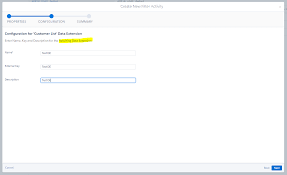
When crafting a filter, you establish conditions that the system assesses for each subscriber or data extension row to determine qualification for the segment. For each condition, you can choose the profile attribute, field column, or measure to evaluate, specify the operator for comparing values, and define the value for comparison.

Read More
Salesforce

Salesforce Platform Explained

The Salesforce Platform, formerly known as Force.com, serves as the foundational framework that spans the Sales and Service Clouds, offering robust capabilities for tailoring standard Salesforce products. Within this platform, you have the flexibility to construct custom data tables using custom objects, initiate automation through Flow, and design personalized user interfaces utilizing the Lightning App Builder. Salesforce is a CRM platform and also a centralized platform for managing customer accounts, sales leads, activities, customer support cases, and more. Users can access Salesforce through a web browser, mobile app, or desktop application. Salesforce provides users comprehensive tools to manage customer data, automate processes, analyze data and insights, and create personalized customer experiences. Salesforce also offers a variety of solutions for customer service, marketing automation, commerce, app development, and more. For those seeking a wholly unique experience, the option to acquire Salesforce Platform licenses, considerably more economical than, for instance, Sales Cloud licenses, allows you to develop entirely customized applications on the Salesforce platform. What is Salesforce used for? Salesforce is used for streamlining sales, service, and marketing activities via industry-specific products. With seamless software integration. It offers solutions for various needs such as Sales Cloud, Service Cloud, Marketing Cloud, Community Cloud, Field Services, CPQ and Billing etc. Is the Salesforce platform just CRM? Salesforce has completely changed the idea of traditional CRM. It merged all the features of a traditional CRM with a bunch of new unique tools and capabilities. Thus offering its users MUCH more than ever before. Top Salesforce customers in the USA are U.S. Bank, Amazon Web Services, American Express, Walmart, and T-Mobile. Overall, more than 59% of Salesforce clients come from the USA, as for the end of 2022. Salesforce Platform Pricing – click here. The Salesforce Platform is now Einstein 1. The bold new future of enterprise AI requires a new type of platform. One that can handle terabytes of disconnected data, have the freedom to choose your AI models, and connect directly into the flow of work, all while maintaining customer trust. The Einstein 1 Platform unifies your data, AI, CRM, development, and security into a single, comprehensive platform. It empowers IT, admins, and developers with an extensible AI platform, facilitating fast development of generative apps and automation. Accelerate development and maximize your developers and admins time across workflows, app customization and configurations. Keep your data safe and sound by securing your Salesforce org with Salesforce’s portfolio of security and privacy products. Activate all your customer data across Salesforce applications at every touch point using relevant insights and contextual data in the flow of work. Content updated December 2023. Like1 Related Posts Who is Salesforce? Who is Salesforce? Here is their story in their own words. From our inception, we’ve proudly embraced the identity of Read more Salesforce Marketing Cloud Transactional Emails Salesforce Marketing Cloud Transactional Emails are immediate, automated, non-promotional messages crucial to business operations and customer satisfaction, such as order Read more Salesforce Unites Einstein Analytics with Financial CRM Salesforce has unveiled a comprehensive analytics solution tailored for wealth managers, home office professionals, and retail bankers, merging its Financial Read more AI-Driven Propensity Scores AI plays a crucial role in propensity score estimation as it can discern underlying patterns between treatments and confounding variables Read more

Read More
Salesforce BI

Protecting Your Salesforce Data

The landscape of Salesforce has undergone significant growth beyond its humble CRM origins, yet assumptions about the data within Salesforce orgs often remain unchanged.  This is crazy when you think about the original Customer Relationship Management system and how many apps it had to connect to in order to actually manage your customer relationships.   Protecting your Salesforce data is everyone’s responsibility. It is good to rethink how Salesforce data is used, especially considering its increasing indispensability in tandem with the platform’s expansion into diverse business processes and industries. The discontinuation of Salesforce’s data recovery service further creates the need for an updated perspective. Protecting Your Salesforce Data Salesforce Backup. Protect your enterprise against data loss and corruption. Contact Tectonic today. Like1 Related Posts Who is Salesforce? Who is Salesforce? Here is their story in their own words. From our inception, we’ve proudly embraced the identity of Read more Salesforce Marketing Cloud Transactional Emails Salesforce Marketing Cloud Transactional Emails are immediate, automated, non-promotional messages crucial to business operations and customer satisfaction, such as order Read more Salesforce Unites Einstein Analytics with Financial CRM Salesforce has unveiled a comprehensive analytics solution tailored for wealth managers, home office professionals, and retail bankers, merging its Financial Read more AI-Driven Propensity Scores AI plays a crucial role in propensity score estimation as it can discern underlying patterns between treatments and confounding variables Read more
Read More
gettectonic.com