Salesforce AppExchange Archives - gettectonic.com - Page 3

Salesforce and WithSecure

How does a Chief Information Security Officer (CISO) safeguard their organization against malware using Salesforce as an entry point into the corporate network? WithSecure™’s CISO faced this exact challenge in 2017 when transitioning from an alternate CRM application to Salesforce. How to secure data with Salesforce and WithSecure? During a security audit, our team discovered that content entering and exiting Salesforce was not being scanned, leaving the system vulnerable to cyber threats like malware. Unable to find a suitable solution on the market, we developed our own. WithSecure™ is a leading cybersecurity company in Europe with over 35 years of experience in IT security. Formerly known as F-Secure. We offer a robust portfolio of security products, including an end-to-end cybersecurity suite and dedicated threat hunting and consulting divisions. With ISO 27001 and ISAE 3000 (SOC 2 Type 2) certifications, our technology, cybersecurity laboratories, and scanning engines are world-class. Our experts traveled to San Francisco and partnered with Salesforce to develop a security solution that addressed the identified gap. After internal use for several years, we launched WithSecure™ Cloud Protection for Salesforce globally in 2020. Salesforce and WithSecure, Secure Your Enterprise WithSecure™ Cloud Protection for Salesforce is a Salesforce-native security tool. It operates within the Salesforce platform, requiring no special customizations, complex integrations, or external portals. This plug-in solution can be easily downloaded from the Salesforce AppExchange and deployed in under 20 minutes. As an ISV partner for Salesforce, WithSecure™’s tool is fully compatible and monitored by Salesforce. Our code undergoes regular review by Salesforce to ensure it meets the safety standards for all customers. WithSecure™ Cloud Protection for Salesforce operates efficiently in the cloud without performance overheads. It scans files and URLs uploaded to your company’s Salesforce cloud storage areas, providing real-time protection tailored for Salesforce environments. When suspicious content is detected, the tool quarantines the file or link while alerting administrators. As your Salesforce project expands, our solution scales seamlessly to offer continuous, real-time visibility into file and URL activity within the evolving ecosystem. Our tool checks link validity in real-time to halt even morphing malicious URLs. We provide advanced security analytics with comprehensive audit trails, empowering your security team to investigate incidents efficiently. Integration with SIEM and other third-party security systems is straightforward, allowing seamless metadata, alert, and workflow integration. Discover how leading organizations leverage WithSecure™ Cloud Protection for Salesforce. To learn more, download our latest ebook: “Securing Salesforce: Know Your Responsibilities, Protect Your Data.“ Think your Salesforce data is secure? Think again. Learn more about your security responsibilities and how to safeguard your valuable data. Salesforce and WithSecure. Like Related Posts Who is Salesforce? Who is Salesforce? Here is their story in their own words. From our inception, we’ve proudly embraced the identity of Read more Salesforce Marketing Cloud Transactional Emails Salesforce Marketing Cloud Transactional Emails are immediate, automated, non-promotional messages crucial to business operations and customer satisfaction, such as order Read more Salesforce Unites Einstein Analytics with Financial CRM Salesforce has unveiled a comprehensive analytics solution tailored for wealth managers, home office professionals, and retail bankers, merging its Financial Read more AI-Driven Propensity Scores AI plays a crucial role in propensity score estimation as it can discern underlying patterns between treatments and confounding variables Read more

Read More
Salesforce Certified Healthcare Technology

Salesforce Certified Healthcare Technology

As a Salesforce Certified healthcare technology consultant, Tectonic brings extensive experience across both large and small healthcare settings, witnessing firsthand the transformative impact of Salesforce Health Cloud. Having contributed to the development of an EHR and RCM application on Salesforce, Tectonic understands the substantial benefits this platform offers when integrated with existing technologies such as Electronic Health Records (EHR), claims data sources, and Patient Population Health Management systems. Enhanced Patient Population Health Management: Salesforce Health Cloud equips healthcare providers with tools to effectively manage Patient Population Health by gathering, analyzing, and acting on health data. Providers can leverage these insights to identify at-risk populations, design targeted interventions, and improve patient outcomes. Optimized Provider Referral Patterning: By integrating Salesforce Health Cloud with claims data, Tectonic enables providers to analyze referral patterns. This helps healthcare organizations collaborate more effectively with physicians based on their specialties, insurance networks, and common CPT codes, ultimately enhancing patient care and strengthening provider networks. AI-Enabled Contact Service Centers for Better Patient Care: Integrating Generative AI with Salesforce Health Cloud allows healthcare providers to deliver personalized, responsive services. By connecting Billing, EHR, and Patient Population Health Management platforms, Tectonic reduces administrative burdens, streamlines communication, and improves patient satisfaction in contact service centers. Business Development Liaison Route Planning: Using Salesforce Maps combined with 1st and 3rd party claims data, Tectonic enables business development teams to generate optimized, daily route plans within seconds. These plans allow healthcare representatives to visit the right providers based on location, specialty, referral volumes, and other key preferences. Strategic Territory Expansion and Planning: Salesforce Health Cloud empowers healthcare organizations to strategically plan for territory expansion. Through analyzing geographic claims data and patient demographics, Tectonic helps organizations make data-driven decisions on resource allocation and service growth. Extending Functionality with Salesforce AppExchange and Salesforce Health Cloud: The Salesforce AppExchange offers a wide array of applications that expand Health Cloud’s core capabilities. These apps can boost patient engagement, care coordination, and advanced analytics. In addition, Tectonic leverages multiple health and life sciences process, which integrates Revenue Cycle Management (RCM) and EHR functionalities, enabling providers to manage billing, claims, and clinical data seamlessly within one platform, among many other features. Conclusion: Salesforce Health Cloud, when combined with Tectonic‘s expertise and solutions like payer and provider processes, becomes a powerful asset for healthcare providers. By integrating Health Cloud into existing technology stacks and utilizing AppExchange apps, healthcare organizations can improve patient care, streamline operations, and strategically plan for growth in the ever-evolving healthcare landscape. Content updated September 2024. Like Related Posts Who is Salesforce? Who is Salesforce? Here is their story in their own words. From our inception, we’ve proudly embraced the identity of Read more Salesforce Marketing Cloud Transactional Emails Salesforce Marketing Cloud Transactional Emails are immediate, automated, non-promotional messages crucial to business operations and customer satisfaction, such as order Read more Salesforce Unites Einstein Analytics with Financial CRM Salesforce has unveiled a comprehensive analytics solution tailored for wealth managers, home office professionals, and retail bankers, merging its Financial Read more AI-Driven Propensity Scores AI plays a crucial role in propensity score estimation as it can discern underlying patterns between treatments and confounding variables Read more

Read More
Salesforce Automation Guide

Salesforce Automation Guide

Salesforce Automation Guide. I cannot lie. There was a time when I thought the greatest thing about Salesforce was that it prevented leads from falling through the cracks. I was a marketing opps person. There was a time I thought readily available information at your fingertips and integration with an email platform was the greatest thing. I was in sales management. Today, as a Solutions Architect, I think Salesforce Automation Guide is the best. Automation provides the tools necessary to automate repetitive processes and daily tasks for your business, such as creating follow-up tasks, sending reminder emails, or updating records. Automations help users save critical time and reduce errors by creating automated processes to complete repetitive tasks. Below, you’ll find resources to help you decide which automations to use depending on your needs. An Intro to Salesforce Automation Before determining which automation best suits your business’s needs, you must first understand what automation means. These resources will help paint a clear picture of what the automation of processes, approvals, and tasks can look like for your organization. They aren’t just time savers. They can be game changers. Why Should You Love Automation?Check out this article highlighting the positive global impact of automation across different industries and countries. Review the customer story on how automation helped digitize an approval process during a time of especially high-volume requests. After reading this, you will understand why automation is so beneficial! Intro to AutomationExplore this documentation to get a high-level overview of the different automation methods. Automation Tools Salesforce provides multiple automation tools depending on the level of complexity needed to achieve your goals. These resources will help you understand which automation tool will best help you reach your business objectives. Automation Tool: FeaturesScroll down within this article to check out the matrix for a breakdown of all the features and actions supported within each automation tool: Approvals, Flow Builder, Einstein Next Best Action, and Apex. Automation Tool: Which One to UseView this video from one of the leading cloud experts that walks you through each automation tool and when and why to use each one. Architect Decision GuideThe Architect Decision Guide will help you evaluate the pros and cons of the different automation tools. Get recommendations from Salesforce product teams on which tools best address different use cases. Automation Implementation A hands-on approach is the best way to learn how to implement automation tools. Dig right in by exploring guided Trailhead modules that will help you understand the steps to enable these tools. Flow BasicsGet to know Flow Builder, the primary tool for creating flows. Learn when to use flows to automate business processes. Automate ApprovalsLearn how you can automate simple approval processes using Flow Builder. Automation Deep Dive As you begin to think about your automation journey, it is useful to study use cases to help guide your automation strategy and energy. Check out these resources to learn how to take your automations even further than you imagined to streamline your business processes. Building a Simple FlowExplore this video to learn how to build a simple visual flow using Flow Builder for a donation request example via an input screen, fields, and choices to collect required customer information. Five Pro Tips for Salesforce FlowFollow these quick tips to get up and running with Salesforce Flow. Troubleshooting Resources Before rolling out your automations to users, make sure you validate and test them just like any other customization. Should you encounter a bug while validating, don’t worry! These resources will guide you through troubleshooting tips if you run into any blockers during the validation process. Troubleshooting Flow Errors Using the Debug ButtonCheck out this helpful Salesforce video on how to fix errors using the Debug button in Flow Builder. Flow TroubleshootingFurther your education with this Trailhead module to learn how to diagnose and fix common flow issues. Go Further with Automation Manage ProductivityDetermine how much time you’re saving your team with the Process Automation Tracker in Salesforce AppExchange. Flow OrchestrationStreamline complex workflows with Flow Orchestration. Our experts will guide you on rolling out multi-step processes that interact with multiple users. Join the Customer Success CommunityConnect with Salesforce experts and other Trailblazers like you. The community is a great place to ask questions, get answers, and share your experiences. Become a TrailblazerConsider blazing your own trail by completing the Trailhead superbadge on process automation. Automation Use Case StridePride makes comfortable sneakers, designed and customized for its customers. The company’s online retail business has grown rapidly in the past year domestically; as a result, they have decided to use Salesforce to help launch their sneakers in international markets. Linda Rosenson, StridePride’s admin, needed to quickly set up Salesforce to create sales processes for all of the additional international markets. As Linda was creating these processes, the Sales Leaders asked her to include a discount on the sneakers if certain criteria were met to help promote sales for the new markets. The tricky part was, each market had its unique set of criteria and rules before the discount could be applied. After mapping out each region’s unique criteria for the discounts, Linda determined that tracking this all manually or on a document for sales reps would be a logistical nightmare. Linda began thinking of automation. She was determined to find a more efficient way to automatically apply the discounts if criteria were met, lessening the chance for human error or missteps. Her goal was to make the process as seamless and efficient as possible. Because Linda had already reviewed the resources on choosing the right automation tool, she knew that Salesforce Flow made the most sense for her use case. This flow would help automate the discount by evaluating criteria based on customer inputs and then automatically applying the discount if applicable. She could even create or update records, create quotes, and send emails through flow elements. She teamed up with StridePride’s business analyst to create a Salesforce Flow. Together, they had it up and running

Read More
Migrating from Zoho to Salesforce

Migrating from Zoho to Salesforce

Migrating from Zoho to Salesforce is a major undertaking that can significantly enhance a business’s CRM processes as it scales. To ensure a smooth transition, careful planning, data preparation, and execution are essential for accurate and efficient data transfer. In this guide, we’ll outline a step-by-step approach to migrating from Zoho to Salesforce, covering everything from pre-migration planning to post-migration follow-up. Step 1: Pre-Migration Planning 1. Evaluate Your Business RequirementsBegin by assessing your current and future CRM needs. Identify critical functionalities in Zoho that you depend on and determine which Salesforce features will either replace or enhance them. Consider: This evaluation ensures that Salesforce is configured to align with your business processes during the migration. 2. Assign a Project TeamForming a dedicated project team is crucial for a successful migration. Include stakeholders from various departments, designate a project manager to oversee the migration, and enlist CRM specialists familiar with both Zoho and Salesforce. You might also consider hiring a certified Salesforce consultant or partner to assist with technical aspects. 3. Backup Your DataBefore starting the migration, back up your data from Zoho. Export all relevant information, including: This backup ensures you have a complete copy in case any issues arise during the migration. Step 2: Preparing Salesforce for Migration 1. Customize Salesforce to Fit Your NeedsNow is the time to tailor Salesforce to reflect your existing business processes. Review the custom fields, objects, workflows, and automations in Zoho, replicating or enhancing them in Salesforce. Salesforce’s high customization level allows you to optimize your CRM for your team’s specific needs. 2. Set Up IntegrationsIf you’ve been using third-party tools integrated with Zoho, establish the corresponding integrations in Salesforce. The Salesforce AppExchange offers a range of integrations, from email marketing platforms to accounting systems. Ensure the necessary tools are connected before migrating your data. Step 3: Data Migration 1. Map Data FieldsTo facilitate accurate data transfer between Zoho and Salesforce, map your Zoho data fields to their Salesforce counterparts. For instance, “Account Name” in Zoho should correspond to “Account” in Salesforce. Create equivalent custom fields in Salesforce if they exist in Zoho. 2. Cleanse Your DataData cleansing is vital to ensure only relevant, accurate, and up-to-date information is migrated. Remove duplicates, outdated contacts, and incorrect data from Zoho. This step streamlines the migration process and enhances the quality of your Salesforce database. 3. Choose a Migration ToolSelect an appropriate tool for migrating data between CRMs, such as: Depending on your data’s complexity, choose a tool that provides additional support, such as mapping or automation features. 4. Perform a Test MigrationConduct a test migration using a subset of your data before proceeding with the full migration. This allows you to verify that everything transfers correctly and identify any issues with data formatting, relationships between objects, or custom fields. Adjust your mapping and migration processes based on the test results. Step 4: Full Data Migration Once you’re satisfied with the test migration results, proceed with the complete data migration from Zoho to Salesforce. This process may take time, depending on your data‘s size and complexity, so plan for downtime or staggered migrations to minimize disruptions to your team’s workflow. Step 5: Post-Migration Setup and Testing 1. Validate Your DataAfter the full migration, verify that all data has been transferred accurately. Check for discrepancies between Zoho and Salesforce records, ensuring that relationships (e.g., contacts linked to accounts) remain intact. 2. Recreate Automation and WorkflowsRe-establish any automations, workflows, or triggers that were functioning in Zoho within Salesforce. Utilize Salesforce’s automation tools, like Process Builder or Flow, to replicate these processes. Adjust them as necessary to leverage Salesforce’s advanced capabilities. 3. Train Your TeamSuccessful migration extends beyond data transfer; it’s crucial to ensure your team is equipped to use Salesforce effectively. Conduct training sessions focused on new features and workflows, providing documentation or cheat sheets to facilitate adjustment. 4. Monitor System PerformancePost-migration, monitor your Salesforce instance for any performance issues or data inconsistencies. Make necessary adjustments and ensure that integrations are functioning as expected. Step 6: Post-Migration Follow-Up 1. Run Parallel OperationsConsider operating both systems in parallel for a brief period to confirm Salesforce is fully functional before phasing out Zoho. This allows your team to continue using Zoho if critical issues arise in Salesforce during the transition. 2. Optimize Your Salesforce InstanceOver time, identify opportunities to further customize and optimize Salesforce to meet your evolving needs. Regularly review workflows, automations, and reporting to fully utilize Salesforce’s advanced features. Who Should You Work With A successful migration from Zoho to Salesforce involves key stakeholders from various departments to ensure the new CRM setup aligns with company processes. Typical Migration Timelines The duration of a Zoho to Salesforce migration typically depends on your data’s complexity and the required customizations. For smaller businesses with straightforward CRM setups, the process may take 4 to 6 weeks, encompassing planning, data mapping, testing, and training. However, larger organizations with extensive custom fields, workflows, and third-party integrations may require 3 to 6 months. Allow ample time for thorough testing and validation to ensure data accuracy and system functionality before going live. User training and post-migration follow-up are also critical for a smooth transition. Conclusion Migrating from Zoho to Salesforce is a growth step in enhancing your company’s CRM capabilities and positioning it for future growth. By meticulously planning your migration, cleansing your data, and configuring Salesforce to meet your business requirements, you can facilitate a smooth transition and leverage Salesforce’s powerful features from day one. With the right preparation and support, your business will be well-equipped to scale, streamline operations, and achieve long-term success using Salesforce. If you need assistance with your migration, don’t hesitate to contact Tectonic for a quote. Content updated September 2024. Like Related Posts Who is Salesforce? Who is Salesforce? Here is their story in their own words. From our inception, we’ve proudly embraced the identity of Read more Salesforce Marketing Cloud Transactional Emails Salesforce Marketing Cloud Transactional Emails are immediate, automated, non-promotional messages crucial to business operations

Read More
Marketing Cloud Admins

Generating PDFs of Marketing Cloud Emails

Rendering Emails as PDFs in Salesforce Marketing Cloud Converting Salesforce Marketing Cloud Engagement emails into PDFs can be a required step for documentation, compliance, and archiving. While Salesforce provides various solutions for PDF rendering, not all are fully compatible with Salesforce Marketing Cloud (SFMC). This insight explores different methods to convert emails into PDFs and automate the process wherever possible. Manual PDF Rendering For users who need a straightforward approach, saving an email as a PDF manually is an option: Using Chrome Extensions Several Chrome extensions can facilitate PDF conversion, including: Using Sejda for PDF Conversion Sejda is a free online tool that preserves links and other embedded elements while converting emails to PDFs. It can be an excellent solution for one-off conversions where maintaining interactivity is important. Email Archiving in Salesforce Salesforce offers an Email Archiving Add-On that can store emails for compliance and retrieval. However, this solution is more focused on archiving than rendering emails into PDFs. Automating PDF Rendering in SFMC For those looking to automate PDF generation, a structured approach using AWS services and SFMC data extensions is possible. Steps to Automate PDF Rendering Alternative AppExchange Solutions For those looking for pre-built solutions, Salesforce AppExchange offers various options, such as Sercante, which specializes in PDF generation and marketing automation integrations. Conclusion Converting emails to PDFs in SFMC can be done manually, with browser extensions, or through automated solutions using AWS services. The right choice depends on your needs, whether it’s one-time conversion, compliance archiving, or a fully automated workflow. Content updated February 2025. Like Related Posts Who is Salesforce? Who is Salesforce? Here is their story in their own words. From our inception, we’ve proudly embraced the identity of Read more Salesforce Marketing Cloud Transactional Emails Salesforce Marketing Cloud Transactional Emails are immediate, automated, non-promotional messages crucial to business operations and customer satisfaction, such as order Read more Salesforce Unites Einstein Analytics with Financial CRM Salesforce has unveiled a comprehensive analytics solution tailored for wealth managers, home office professionals, and retail bankers, merging its Financial Read more AI-Driven Propensity Scores AI plays a crucial role in propensity score estimation as it can discern underlying patterns between treatments and confounding variables Read more

Read More
salesforce marketing cloud interaction studio

Salesforce and Marketing Cloud

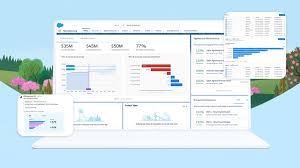
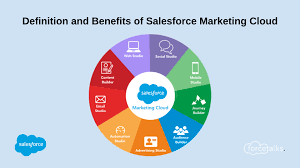
Salesforce Marketing Cloud is a customer relationship management (CRM) platform for marketers that allows them to create and manage marketing relationships and campaigns with customers. Salesforce Marketing Cloud (SFMC) is the name of Salesforce’s platform for multi-channel engagement, digital marketing, marketing automation, analytics, and personalization. The platform is a set of software as a service (SaaS) products with different types of functionality and additional add-on features provided by Salesforce and other vendors via the Salesforce AppExchange to further increase their capabilities. Salesforce Marketing Cloud is Salesforce’s “umbrella” brand name for a family of related products capable of supporting many marketing processes, including multi-channel campaign execution, dynamic customer journeys, marketing performance analysis, personalization, digital advertising, and data management. Marketing Cloud Connect.  Keep customer data in sync across marketing, sales, and service interactions. Trigger journeys and messages as customers interact with any department across your company to deliver one seamless experience. Journey Builder Use marketing automation to build customer journeys across email, mobile, advertising, your website, and the internet of things to deliver a seamless experience across marketing, sales, and service. Audience Builder Create a single view of each customer with information from any source. Then, target specific audiences and segments across the customer journey. Go from managing data to building relationships. Personalization Builder Power personalization using Einstein’s predictive intelligence capabilities. Pair customer profiles with machine learning algorithms to automatically show the right content to each individual. Content Builder Manage all of your content and assets in a single location. Easily handle assets with advanced search and tagging capabilities. Share and approve content in a secure fashion for use throughout the enterprise. Analytics Builder Track and measure the performance of your campaigns and journeys. Uncover new insights about your customers through rich reporting and predictive analytics. Like Related Posts Who is Salesforce? Who is Salesforce? Here is their story in their own words. From our inception, we’ve proudly embraced the identity of Read more Salesforce Marketing Cloud Transactional Emails Salesforce Marketing Cloud Transactional Emails are immediate, automated, non-promotional messages crucial to business operations and customer satisfaction, such as order Read more Salesforce Unites Einstein Analytics with Financial CRM Salesforce has unveiled a comprehensive analytics solution tailored for wealth managers, home office professionals, and retail bankers, merging its Financial Read more AI-Driven Propensity Scores AI plays a crucial role in propensity score estimation as it can discern underlying patterns between treatments and confounding variables Read more

Read More
Salesforce Integration

Salesforce Integrations for Sales and Marketing Teams

First Understand Salesforce Integrations Salesforce integrations involve establishing seamless connections between Salesforce and diverse third-party applications. These applications range from marketing automation tools and customer service software to accounting programs. The purpose is to facilitate a smooth exchange of data, ultimately enhancing Salesforce’s overall functionality. Salesforce integrations for sales and marketing teams brings all the applications needed for the relationship with prospects into one place. Salesforce’s Integration Ecosystem While Salesforce boasts a robust integration ecosystem, featuring over 3,000 integrations available on its AppExchange marketplace. Users can leverage various integration approaches: Salesforce Integrations for Sales and Marketing While there’s no complete universal list of essential Salesforce integrations for sales and marketing, several widely-used integrations cater to diverse needs: No-code Data Automation Integrations: Analytics and Reporting Integrations: Email Marketing Automation Integration: Data Storage Integration: Communications Apps Integrations: Project Management Tools Integration: Account Management Integration: CRM Tools Integration: Helpdesk Integrations: Feedback Tools Integration: These integrations facilitate efficient data handling, analytics, communication, project management, and more within sales and marketing teams. Integrations for Sales and Marketing Tools Salesforce seamlessly integrates with various tools relevant to Sales and Marketing teams, including but not limited to: Salesforce Integration with Teams and Workday The Salesforce AppExchange Salesforce’s Role in Sales and Marketing Salesforce Marketing Cloud Salesforce and ERP Integration Digital Marketing and Salesforce Salesforce’s Role in Marketing Automation Content updated November 2023. Like Related Posts Who is Salesforce? Who is Salesforce? Here is their story in their own words. From our inception, we’ve proudly embraced the identity of Read more Salesforce Marketing Cloud Transactional Emails Salesforce Marketing Cloud Transactional Emails are immediate, automated, non-promotional messages crucial to business operations and customer satisfaction, such as order Read more Salesforce Unites Einstein Analytics with Financial CRM Salesforce has unveiled a comprehensive analytics solution tailored for wealth managers, home office professionals, and retail bankers, merging its Financial Read more AI-Driven Propensity Scores AI plays a crucial role in propensity score estimation as it can discern underlying patterns between treatments and confounding variables Read more

Read More
Project Management With Asana and Salesforce

Project Management With Asana and Salesforce

Introducing the Revolutionary Asana Salesforce Integration Elevate Your Business with An Enhanced Workflow Efficiency Welcome to the world of a revolutionary blend of CRM and project management—the Asana Salesforce Integration. Opting for this intelligent integration sets your business on the path to unprecedented workflow efficiency. Ever wondered how to further streamline your workflows, intensify team synchronization, and deliver exceptional customer service? The answer lies in integrating your Asana project management tool with Salesforce’s CRM capabilities. Unleashing New Avenues for Business Operations The seamless integration of Asana and Salesforce brings the best of both worlds onto a single platform. Direct communication with your team becomes effortless, and vital business information is transmitted with precision and speed. This means deals progress faster, teams stay informed, and crucial workflows run without a hitch. Making significant business decisions requires hard data, and this powerful integration provides exactly that. Connecting Salesforce with Asana Goals delivers valuable insights that can propel your business forward. Key Takeaways Understanding the Asana Salesforce Integration In today’s fast-paced digital world, CRM software and project management tools evolve rapidly to enhance business efficiency and foster stronger customer connections. Navigating this evolution requires a deep understanding of these tools and their potential synergy. This piece focuses on Salesforce, a formidable player in cloud-based CRM software, and how its integration with Asana, a popular project management tool, can revolutionize your business operations and customer relationship management. What Is Salesforce? Salesforce is a pioneering force in CRM software, providing an exceptional cloud-based platform aimed at enhancing customer interaction and service quality. It serves as a comprehensive tool for managing customer data, tracking sales, and delivering targeted marketing campaigns. Salesforce focuses on forging deeper customer connections, finding prospects, and improving overall customer service. Why Integrate Your CRM with Asana? Integrating CRM software with a platform like Asana enhances its project management potential. Asana, designed to aid in planning, organizing, and executing projects, seamlessly links with Salesforce. This integration eliminates bottlenecks, streamlines internal processes, and improves communication between teams, allowing for easier data and idea exchanges that lead to effective, fast decision-making. The Unification of Sales and Project Management Business success hinges on acquiring and retaining customers. The integration of Salesforce’s CRM capabilities with Asana’s project management utilities results in a unified, powerful tool that optimizes workflows—from tracking sales progress to managing projects. The clear mapping of deal progress linked to strategic business goals creates a data-driven path forward. The Benefits of Combining Asana with Salesforce Integrating Asana and Salesforce unlocks new levels of efficiency and organization within your business. Individually renowned for their capabilities in project management and CRM, the combined strengths of these platforms significantly enhance productivity and streamline operations. Streamlining Your Sales Pipeline Integrating Asana and Salesforce enhances team efficiency and redefines sales pipeline management. This integration leads to improved deal cycles, automated workflows, and informed business decision-making. How to Set Up the Asana Salesforce Integration Setting up the Asana Salesforce integration is straightforward with the right guidance. Navigate to the Salesforce AppExchange, search for Asana for Salesforce, and click ‘Get It Now’. Customize the integration to best serve your organization’s needs, optimizing it for Salesforce’s Lightning Component or Salesforce Classic. Optimizing CRM Operations with Asana Projects Integrating Asana’s project management capabilities with Salesforce provides a new vista for CRM optimization. This coupling enables centralized access to contacts, opportunities, and deal information within Asana, enhancing visibility and operational efficiency. Fostering Team Collaboration Integrating Asana and Salesforce bridges the gap between task management and customer management systems, enhancing teamwork, communication, and project alignment. This synergy results in improved operational excellence and productivity. Enhancing the Customer Experience The Asana Salesforce combo delivers a phenomenal customer experience by improving customer handoff efficiency and enabling smooth transitions with customizable templates and automated workflows. This integration strengthens customer relationships through personalized interactions and efficient service. Automating Tasks for Streamlined Workflows The Asana Salesforce integration simplifies project handoffs and leverages Salesforce’s Process Builder to customize and automate workflows, enhancing cooperation between sales and service teams and maintaining real-time data alignment between platforms. Advanced Integration Options For businesses with complex integration needs, General Automation Platforms (GAP) offer a solution. These low-code platforms facilitate the creation of robust, tailored integrations, automating multistep processes and ensuring smooth data flow. Learning Resources Expand your understanding of the Asana Salesforce integration through resources like the Asana Help Center, Asana Academy’s demo videos, and personalized support from Asana’s dedicated team. The convergence of project management and CRM systems through integrations like Asana and Salesforce is reshaping business operations. This powerful combination enhances client experiences, refines operations, and drives substantial growth, offering a glimpse into the future of business productivity and success. Like Related Posts Who is Salesforce? Who is Salesforce? Here is their story in their own words. From our inception, we’ve proudly embraced the identity of Read more Salesforce Marketing Cloud Transactional Emails Salesforce Marketing Cloud Transactional Emails are immediate, automated, non-promotional messages crucial to business operations and customer satisfaction, such as order Read more Salesforce Unites Einstein Analytics with Financial CRM Salesforce has unveiled a comprehensive analytics solution tailored for wealth managers, home office professionals, and retail bankers, merging its Financial Read more AI-Driven Propensity Scores AI plays a crucial role in propensity score estimation as it can discern underlying patterns between treatments and confounding variables Read more

Read More
Tectonic Salesforce Services

Merging Duplicate Sales Cloud Leads in Lightning Experience

Considerations when merging duplicate leads in Sales Cloud: Campaigns When merging duplicate leads in Sales Cloud associated with different campaigns, Salesforce preserves the campaign Member Status Updated date for each campaign to which the merged lead belongs. Related Items, Chatter Feeds, and Attachments In the case of merging duplicate Sales Cloud, leads, records linked to items like campaigns or activities, Salesforce establishes connections with the merged record, with certain exceptions. Chatter feeds are maintained solely from the master record. Salesforce Files attached in the Chatter feed or listed under Files are preserved in the merged record. Hidden and Read-Only Fields Salesforce retains data in hidden or read-only fields, including sharing settings, from the master record. These hidden fields remain concealed during the merging process. The merged record preserves the Created By user and Created Date from the oldest merged record, regardless of which record serves as the master. The Last Modified By date reflects the merge date. Non-Master Leads Non-master leads are relocated to the Recycle Bin after the merge process. One tool for duplicate management is Cloudingo. Improve and better manage Salesforce data with Cloudingo. From deduping to importing and even migrating data, Cloudingo makes it easier to manage your Salesforce org. Find duplicates within your existing records and easily merge them. The Salesforce AppExchange offers multiple tools for duplicate record management. Like Related Posts Who is Salesforce? Who is Salesforce? Here is their story in their own words. From our inception, we’ve proudly embraced the identity of Read more Salesforce Marketing Cloud Transactional Emails Salesforce Marketing Cloud Transactional Emails are immediate, automated, non-promotional messages crucial to business operations and customer satisfaction, such as order Read more Salesforce Unites Einstein Analytics with Financial CRM Salesforce has unveiled a comprehensive analytics solution tailored for wealth managers, home office professionals, and retail bankers, merging its Financial Read more AI-Driven Propensity Scores AI plays a crucial role in propensity score estimation as it can discern underlying patterns between treatments and confounding variables Read more

Read More
gettectonic.com