scalability Archives - gettectonic.com - Page 13
Salesforce Data Cloud

Salesforce Data Cloud – The Ultimate Guide to Unified Customer Intelligence

Why Salesforce Data Cloud is Transforming Business Operations In today’s digital-first economy, customer data is your most valuable asset—if you can harness it effectively. Salesforce Data Cloud revolutionizes how enterprises unify, analyze, and activate customer data across every touchpoint. 5 Key Business Transformations The Data Cloud Advantage: Beyond Traditional CDPs Unlike legacy customer data platforms, Salesforce Data Cloud delivers: Feature Traditional Solutions Salesforce Data Cloud Data Integration Manual ETL processes Real-time harmonization AI Capabilities Basic segmentation Predictive insights & recommendations Activation Limited channel support Native Salesforce app integration Scalability Fixed data models Elastic cloud infrastructure Total Cost Hidden implementation fees Transparent consumption model Proven Results Across Industries Financial Services Healthcare Retail Implementation Roadmap Phase 1: Foundation (Weeks 1-4) Phase 2: Activation (Weeks 5-8) Phase 3: Scaling (Ongoing) Overcoming Common Challenges “Our data is too messy”→ Automated data quality tools clean and standardize information during ingestion “We can’t afford another platform”→ Consumption-based pricing starts at $25K/year with proven 3-5X ROI “Our team isn’t technical enough”→ No-code tools like Flow Builder enable business user configuration The Future of Data-Driven Business As AI reshapes customer expectations, Salesforce Data Cloud provides the essential infrastructure to: Leading organizations are already achieving: Next Steps for Your Data Transformation “Companies using Data Cloud see 47% faster decision-making and 32% higher customer satisfaction scores within 6 months.” – Forrester Consulting Study Unlock your data’s full potential. Contact our specialists today to begin your assessment. Like Related Posts Who is Salesforce? Who is Salesforce? Here is their story in their own words. From our inception, we’ve proudly embraced the identity of Read more Salesforce Marketing Cloud Transactional Emails Salesforce Marketing Cloud Transactional Emails are immediate, automated, non-promotional messages crucial to business operations and customer satisfaction, such as order Read more Salesforce Unites Einstein Analytics with Financial CRM Salesforce has unveiled a comprehensive analytics solution tailored for wealth managers, home office professionals, and retail bankers, merging its Financial Read more AI-Driven Propensity Scores AI plays a crucial role in propensity score estimation as it can discern underlying patterns between treatments and confounding variables Read more

Read More

Maximizing Business Efficiency with Salesforce Managed Services

The Importance of Salesforce Optimization In today’s super fast-paced business world, companies rely on Salesforce to streamline operations and reduce costs. As a leading customer relationship management (CRM) platform, Salesforce enables organizations to enhance workflows, improve efficiency, and drive better results. To maximize the value of your Salesforce platform, optimization is essential. This involves fine tuning the system to ensure ease of use, eliminating inefficiencies, and enhancing overall performance. However, managing Salesforce effectively requires significant time and resources—this is where Salesforce Managed Services come in. This Tectonic insight explores how Managed Services can elevate your Salesforce experience, driving improved business performance and maximizing return on investment. What is Salesforce Optimization? Salesforce optimization focuses on refining the platform to better align with your business needs. It involves continuous improvements in system configuration, workflows, and integrations to ensure peak performance. Given that business requirements evolve over time, optimization is an ongoing process rather than a one-time task. Through Managed Services, businesses can fine-tune settings, enhance workflows, and ensure seamless system integrations, leading to increased productivity and efficiency. How to Optimize Salesforce for Maximum Efficiency Optimizing Salesforce involves refining data management, automation, user experience, and security. Key areas of focus include: 1. Data Model Optimization 2. Indexing and Query Optimization 3. Managing Governor Limits 4. Data Loading and Migration 5. UI and Lightning Experience Optimization 6. Reporting and Dashboard Optimization 7. Security and Access Control 8. Performance Monitoring and Analysis Challenges in Salesforce Optimization Optimizing Salesforce can be complex, and failing to manage it properly can hinder performance. Common challenges include: Why Continuous Salesforce Optimization is Essential Ongoing optimization ensures that businesses maximize their Salesforce investment, enabling: Understanding Salesforce Managed Services Salesforce Managed Services offer a proactive approach to CRM optimization. Instead of managing Salesforce in-house, businesses can outsource expert professionals to ensure seamless operations, enhanced security, and continuous improvement. Key Benefits of Managed Services How Managed Services Improve Salesforce Performance Salesforce Managed Services take a proactive approach to optimization, preventing issues before they arise. Key areas of impact include: 1. Proactive Monitoring & Maintenance 2. Customization & Automation 3. Enhanced Data Integrity & Security 4. Seamless Third-Party Integrations Maximizing ROI with Managed Salesforce Services Optimizing Salesforce through Managed Services yields significant business benefits, including cost savings, operational efficiency, and revenue growth. 1. Cost Efficiency 2. Faster Implementation & Deployment 3. Improved User Adoption & Productivity 4. Measurable Business Growth Conclusion Salesforce optimization is crucial for maintaining an efficient and scalable CRM. By leveraging Managed Services, businesses can enhance system performance, improve data security, and increase operational efficiency in a cost-effective manner. A dedicated Salesforce Managed Service Provider like Tectonic ensures streamlined operations, optimized configurations, and enhanced user adoption, ultimately driving business growth. Elevate Your Salesforce Performance As your business grows, managing and optimizing Salesforce becomes increasingly complex. Our Managed Services provide expert support, ensuring that your CRM remains optimized, secure, and scalable. Looking to enhance your Salesforce strategy? Contact us today to optimize your Salesforce instance and unlock its full potential. Like Related Posts Who is Salesforce? Who is Salesforce? Here is their story in their own words. From our inception, we’ve proudly embraced the identity of Read more Salesforce Marketing Cloud Transactional Emails Salesforce Marketing Cloud Transactional Emails are immediate, automated, non-promotional messages crucial to business operations and customer satisfaction, such as order Read more Salesforce Unites Einstein Analytics with Financial CRM Salesforce has unveiled a comprehensive analytics solution tailored for wealth managers, home office professionals, and retail bankers, merging its Financial Read more AI-Driven Propensity Scores AI plays a crucial role in propensity score estimation as it can discern underlying patterns between treatments and confounding variables Read more

Read More

Can Marketing Cloud Be Used For B2B?

Elevate Your B2B Marketing with Salesforce Marketing CloudB2B marketing is a dynamic and intricate field, but with the right tools and strategies, your efforts can yield exceptional results. Salesforce Marketing Cloud stands out as one of the most powerful solutions for B2B marketers. As a trusted Salesforce consulting company and ISV partner, Tectonic empowers businesses to harness the unmatched efficiency and capabilities of this CRM platform to dominate their market. Key Benefits of Salesforce Marketing Cloud for B2B Marketing Salesforce Marketing Cloud offers a wealth of advantages to elevate your B2B marketing efforts: Optimizing Salesforce Marketing Cloud for B2B Success To fully leverage Salesforce Marketing Cloud, consider these strategies: Key Features of Salesforce Marketing Cloud for B2B Marketing Automation Salesforce Marketing Cloud is packed with features designed to streamline and enhance your B2B marketing efforts: Conclusion Salesforce Marketing Cloud is a game-changing tool for B2B marketers, offering a robust suite of automation, personalization, analytics, and collaboration features. By leveraging its capabilities, businesses can streamline their marketing efforts, deliver exceptional customer experiences, and achieve measurable success. With Salesforce Marketing Cloud, you can take your B2B marketing strategies to new heights and drive sustainable growth. Ready to transform your B2B marketing? Partner with Tectonic, a leading Salesforce consulting company, to unlock the full potential of Salesforce Marketing Cloud and elevate your business to the next level. Like Related Posts Who is Salesforce? Who is Salesforce? Here is their story in their own words. From our inception, we’ve proudly embraced the identity of Read more Salesforce Marketing Cloud Transactional Emails Salesforce Marketing Cloud Transactional Emails are immediate, automated, non-promotional messages crucial to business operations and customer satisfaction, such as order Read more Salesforce Unites Einstein Analytics with Financial CRM Salesforce has unveiled a comprehensive analytics solution tailored for wealth managers, home office professionals, and retail bankers, merging its Financial Read more AI-Driven Propensity Scores AI plays a crucial role in propensity score estimation as it can discern underlying patterns between treatments and confounding variables Read more

Read More
salesforce private lending

Private Lending Simplified

Private Lending Simplified: Unlocking Success with Salesforce In the dynamic world of private lending, technology is transforming the way lenders operate. Salesforce stands out as a powerful platform, enabling private lenders to optimize processes, enhance borrower relationships, and drive sustainable growth. Let’s explore how Salesforce can simplify private lending and boost efficiency. The Landscape of Private Lending and Its Challenges Private lending refers to providing loans to individuals or businesses outside of traditional banks. While this approach offers flexibility and faster approvals, it also comes with challenges such as: Given these complexities, lenders need robust tools to manage the entire loan lifecycle effectively. The Role of Loan Management Software in Private Lending Loan management software is indispensable for automating and streamlining lending operations. Salesforce, with its flexible loan management capabilities, is particularly well-suited for private lenders. Key functionalities include: 1. Automated Underwriting Salesforce enables automated underwriting by using predefined rules and algorithms to evaluate borrower eligibility. This speeds up decision-making, reduces manual errors, and ensures consistency. 2. Loan Processing A centralized system in Salesforce allows lenders to track applications, manage documentation, and communicate with borrowers, ensuring no step in the process is overlooked. 3. Loan Servicing Post-loan disbursement, Salesforce’s integration capabilities support repayment tracking, automated reminders, and delinquency management, ensuring seamless loan servicing. Why Private Lenders Turn to Salesforce Salesforce empowers private lenders with tools designed to optimize every stage of the lending process. 1. Customizable Solutions Salesforce’s flexibility allows lenders to create workflows tailored to different loan types, whether it’s mortgage servicing or merchant cash advance (MCA) underwriting. 2. Advanced Data Management With secure, cloud-based infrastructure, Salesforce ensures easy access to data anytime, anywhere. This not only enhances decision-making through analytics but also supports regulatory compliance. 3. Enhanced Customer Relationship Management (CRM) Strong borrower relationships are key to private lending success. Salesforce’s CRM tools help lenders manage interactions from initial inquiries to post-loan follow-ups, ensuring clients feel supported throughout their journey. 4. Seamless Integration Salesforce integrates effortlessly with other financial tools, such as microfinance platforms and construction loan management software, creating a unified ecosystem for managing diverse loan portfolios. Choosing the Right Loan Management Solution When adopting Salesforce or similar platforms for private lending, consider the following: For private lenders, specialized solutions like Fundingo, built on Salesforce, can take operational efficiency to the next level. Conclusion Salesforce is transforming private lending by simplifying operations and strengthening lender-borrower relationships. With tools to manage the entire loan lifecycle—from underwriting to servicing—private lenders can increase efficiency, maintain compliance, and enhance customer satisfaction. Adopting advanced technologies like Salesforce positions private lenders for long-term success in an increasingly competitive market. Are you ready to harness the power of Salesforce for your private lending business? Let’s connect and explore how Tectonic can streamline your processes. Like Related Posts Who is Salesforce? Who is Salesforce? Here is their story in their own words. From our inception, we’ve proudly embraced the identity of Read more Salesforce Marketing Cloud Transactional Emails Salesforce Marketing Cloud Transactional Emails are immediate, automated, non-promotional messages crucial to business operations and customer satisfaction, such as order Read more Salesforce Unites Einstein Analytics with Financial CRM Salesforce has unveiled a comprehensive analytics solution tailored for wealth managers, home office professionals, and retail bankers, merging its Financial Read more AI-Driven Propensity Scores AI plays a crucial role in propensity score estimation as it can discern underlying patterns between treatments and confounding variables Read more

Read More
Zendesk Launches AI Agent Builder

Scaling Your Salesforce Team with Staff Augmentation

As the demand for Salesforce experts continues to grow, businesses face challenges such as long hiring cycles, high recruitment costs, and skill shortages. These make it difficult to build a high-performing Salesforce team. However, there’s a smarter way to access top talent without the complexities of permanent hiring. The Power of Staff Augmentation Rather than relying on traditional Salesforce staffing firms, businesses can leverage staff augmentation to bring in experienced Salesforce professionals for short-term projects or ongoing support. This flexible approach helps organizations scale efficiently, reduce costs, and remain competitive. In this insight, we’ll explore how Salesforce staff augmentation enables businesses to build elite Salesforce teams and best practices for managing an augmented workforce. What Is Salesforce Staff Augmentation? Salesforce staff augmentation is a strategic staffing solution where companies hire external professionals to fill skill gaps temporarily or for specific projects. Instead of enduring lengthy hiring processes, firms can quickly onboard experienced Salesforce experts who match their project needs. Unlike outsourcing, which delegates entire projects to external agencies, staff augmentation keeps you in control—augmented professionals work alongside your internal team, ensuring seamless collaboration. Why Businesses Choose Staff Augmentation for Salesforce Teams Salesforce implementations, migrations, and customizations require specialized expertise. Companies are turning to staff augmentation because it offers a faster, more flexible alternative to traditional staffing agencies. Key Benefits: ✔ Immediate access to experts – No months-long recruitment process.✔ Cost efficiency – Avoid full-time salaries, benefits, and training expenses.✔ Scalability – Expand or reduce your team based on demand.✔ Expertise on demand – Get access to specialized skills without long-term commitments.✔ Seamless integration – Augmented staff work within your team, ensuring continuity. This model is ideal for companies facing fluctuating workloads, large-scale Salesforce projects, or critical skill gaps. Building a High-Performing Salesforce Team with Staff Augmentation Step 1: Identify the Skills You Need Before bringing in Salesforce professionals, define your requirements: By outlining these needs, you can ensure a smooth augmentation process and find professionals who align with your goals. Step 2: Choose the Right Staff Augmentation Partner Selecting a trusted staff augmentation provider is essential. Instead of relying on Salesforce staffing agencies, which often lack flexibility, choose a partner that provides on-demand Salesforce talent for both short-term and long-term projects. When evaluating partners, look for:✔ Salesforce talent expertise✔ Proven track record in placements✔ Flexible engagement models (short-term, long-term, or project-based)✔ Seamless onboarding and integration support By collaborating with a seasoned provider like Tectonic, companies can easily tap into pre-screened Salesforce professionals who match their project needs. Step 3: Ensure a Smooth Onboarding Process Once you’ve hired augmented staff, an effective onboarding process ensures smooth teamwork:✅ Provide access to essential tools and systems.✅ Define roles, responsibilities, and expectations.✅ Foster collaboration between in-house and augmented staff.✅ Assign mentors or key contacts for guidance. Structured onboarding enables augmented professionals to quickly contribute and stay aligned with your business objectives. Step 4: Continuously Evaluate and Optimize To maximize effectiveness, companies should regularly assess augmented professionals’ performance and impact: Optimizing your staff augmentation strategy over time ensures a high-performing Salesforce team that adapts to evolving business needs. Best Practices for Managing an Augmented Salesforce Team Unlike traditional Salesforce staffing firms, staff augmentation integrates professionals into daily operations rather than just placing hires. Encourage Collaboration Between In-House and Augmented Staff To ensure smooth communication and team cohesion:✔ Use collaboration tools like Slack, Microsoft Teams, or Salesforce Chatter.✔ Hold daily or weekly stand-ups to align goals.✔ Foster an inclusive culture where augmented staff feel valued.✔ Maintain clear guidelines for data access and security. Utilize Training and Upskilling Opportunities To maximize value, provide augmented staff with:✔ Salesforce training sessions and learning resources.✔ Opportunities to participate in internal knowledge-sharing.✔ Updates on new Salesforce features and releases. Upskilling both in-house and augmented professionals ensures your team remains highly skilled and adaptable. Overcoming Common Challenges in Staff Augmentation 1. Ensuring Smooth Team Integration 💡 Solution: Encourage open communication and structured onboarding to help new professionals integrate seamlessly. 2. Managing Security and Compliance Risks 💡 Solution: Implement Salesforce security best practices, such as role-based access control and Salesforce Shield to protect sensitive data. 3. Keeping External Talent Engaged and Motivated 💡 Solution: Provide incentives, involvement in key meetings, and professional development opportunities. 4. Addressing Communication Barriers 💡 Solution: Use structured meetings, clear guidelines, and collaboration tools to ensure seamless coordination. By leveraging Salesforce Shield, businesses can enhance security while ensuring compliance for external staff. Final Thoughts: Is Staff Augmentation Right for You? If your business needs immediate access to Salesforce expertise without long-term commitments, Salesforce staff augmentation is the perfect solution. By: …you can build a high-performing Salesforce team that drives your business forward. 💡 Need Salesforce specialists? Tectonic is a trusted Salesforce staff augmentation provider helping businesses scale efficiently and affordably. 📩 Ready to augment your Salesforce team? Contact us today to see how staff augmentation can transform your business! Like Related Posts Who is Salesforce? Who is Salesforce? Here is their story in their own words. From our inception, we’ve proudly embraced the identity of Read more Salesforce Marketing Cloud Transactional Emails Salesforce Marketing Cloud Transactional Emails are immediate, automated, non-promotional messages crucial to business operations and customer satisfaction, such as order Read more Salesforce Unites Einstein Analytics with Financial CRM Salesforce has unveiled a comprehensive analytics solution tailored for wealth managers, home office professionals, and retail bankers, merging its Financial Read more AI-Driven Propensity Scores AI plays a crucial role in propensity score estimation as it can discern underlying patterns between treatments and confounding variables Read more

Read More
Salesforce Logo

What is Salesforce and Why is it so Popular?

What is Salesforce and Why is it so Popular? Salesforce, a software company specializing in Customer Relationship Management (CRM), has emerged as a dominant force in business technology since its establishment in 1999. It encompasses both a software package and a complete ecosystem designed to enhance and modernize various business processes. The widespread popularity of Salesforce can be attributed to its all-encompassing CRM solutions, user-friendly interface, cloud-based platform, scalability, and the robust ecosystem it has fostered. Offering comprehensive tools for managing customer data, automating processes, analyzing data and insights, and creating personalized customer experiences, Salesforce extends its reach to various solutions such as customer service, marketing automation, commerce, app development, and more. What sets Salesforce apart is its highly customizable platform, allowing users to tailor CRM according to specific requirements. Renowned for its flexibility, Salesforce offers a plethora of customizable features and functionalities, making it stand out in the business technology landscape. Many companies opt for Salesforce due to its role as a customer relationship management solution, effectively bringing together companies and customers. Positioned as an integrated CRM platform, Salesforce provides all departments, including marketing, sales, commerce, and services, with a unified view of each customer. This capability to foster collaboration and coherence across diverse business functions contributes to the widespread adoption of Salesforce by numerous companies. Like Related Posts Who is Salesforce? Who is Salesforce? Here is their story in their own words. From our inception, we’ve proudly embraced the identity of Read more Salesforce Marketing Cloud Transactional Emails Salesforce Marketing Cloud Transactional Emails are immediate, automated, non-promotional messages crucial to business operations and customer satisfaction, such as order Read more Salesforce Unites Einstein Analytics with Financial CRM Salesforce has unveiled a comprehensive analytics solution tailored for wealth managers, home office professionals, and retail bankers, merging its Financial Read more AI-Driven Propensity Scores AI plays a crucial role in propensity score estimation as it can discern underlying patterns between treatments and confounding variables Read more
Read More
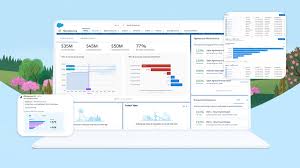
Salesforce Experience Cloud

Is Salesforce Experience Cloud Salesforce Communities?

The Salesforce ecosystem is in a constant state of evolution, and the introduction of the Salesforce Experience Cloud is a significant development aimed at delivering connected digital experiences to consumers rapidly. Is Salesforce Experience Cloud Salesforce Communities? In a recent update, Salesforce announced that the Community Cloud will now be rebranded as the Salesforce Experience Cloud. This renaming reflects the platform’s evolution to meet the diverse needs of consumers and highlights Salesforce’s commitment to creating exceptional digital experiences. The Salesforce Experience Cloud serves as a digital experience platform, enabling organizations to create scalable digital experiences for partners, consumers, and employees. Leveraging features from Salesforce CRM, Experience Builder, and CMS, the platform empowers organizations to swiftly develop websites, portals, and personalized content, all with just a few clicks. So, why did Salesforce decide to rename the Community Cloud to the Experience Cloud? The renaming signifies Salesforce’s dedication to enhancing people’s lives and transforming businesses. By shifting the focus from building communities to creating community experiences, Salesforce aims to underscore the importance of data-powered digital experiences that foster collaboration, automation, and real business value. The transition from Community to Experience Cloud represents a step into the future, where the platform integrates data and content seamlessly to provide meaningful solutions. This evolution brings added flexibility and efficiency to user journeys, enhancing the overall digital experience. But how does the Salesforce Experience differ from the Salesforce Community? With the rebranding, you’ll notice changes and improvements in the tools used to design sites. For instance, the Site built using the Experience Cloud, formerly known as the Community, can now be developed using either Visualforce or Experience Builder. This change in terminology signifies a broader shift in the platform’s capabilities. Moreover, other components within the Digital Experiences menu have been simplified and replaced, emphasizing the evolution from the Community Cloud to the Experience Cloud. Understanding the transition from Community to Experience Cloud is necessary for anyone embarking on the journey as an Experience Cloud Consultant. Whether you’re an existing user or a newcomer, grasping the significant differences between the two platforms is crucial. And to further explore the impact of this transition on your organization, consider joining industry-led courses like those offered by saasguru. Frequently Asked Questions (FAQ): Content updated March 2024. Like1 Related Posts Who is Salesforce? Who is Salesforce? Here is their story in their own words. From our inception, we’ve proudly embraced the identity of Read more Salesforce Marketing Cloud Transactional Emails Salesforce Marketing Cloud Transactional Emails are immediate, automated, non-promotional messages crucial to business operations and customer satisfaction, such as order Read more Salesforce Unites Einstein Analytics with Financial CRM Salesforce has unveiled a comprehensive analytics solution tailored for wealth managers, home office professionals, and retail bankers, merging its Financial Read more AI-Driven Propensity Scores AI plays a crucial role in propensity score estimation as it can discern underlying patterns between treatments and confounding variables Read more
Read More
Salesforce Quickstart

Advantages and Disadvantages of a Salesforce Quickstart

What is Quickstart in Salesforce? Quickstarts packages are great for individual departments or small sales & customer services teams who want to get the most out of their Salesforce experience from day one. Who is it for? Small to medium-sized businesses who are looking for quick deployment and want to get started with Salesforce as soon as possible. The Quickstart Advantage: Fast, Affordable, and Proven Salesforce Quickstart packages provide a streamlined path to CRM adoption, ideal for businesses that need rapid deployment without extensive customization. Key Benefits ✔ Weeks, Not Months – Pre-configured setups reduce implementation time by 60-70%✔ Cost Savings – Up to 50% lower than custom builds (initial TCO)✔ Built-in Best Practices – Leverages Salesforce’s 2M+ deployments of proven configurations✔ Faster User Adoption – Includes role-specific training for immediate productivity✔ Scalable Foundation – Designed to grow with modular add-ons When Quickstart Makes Sense Ideal Use Cases Industries Well-Suited for Quickstart Critical Limitations to Consider 1. Customization Constraints 2. Hidden Cost Drivers Potential Add-on Costs Typical Price Range Data migration services $5k-$25k Third-party integrations $10k-$50k Advanced reporting $3k-$15k 3. Scalability Challenges Strategic Decision Framework Choose Quickstart if:✅ You need core CRM functionality fast✅ Your processes align with standard Salesforce models✅ Budget is constrained (<$50k implementation) Opt for Custom if:❌ You require deep industry-specific workflows❌ You anticipate complex integrations (ERP, legacy systems)❌ You expect >50% customization of standard objects Implementation Best Practices *”Quickstart gets you 80% of the way there at 50% of the cost—but that last 20% determines long-term success.”*— Implementation Playbook The Bottom Line Salesforce Quickstart delivers speed-to-value for standardized deployments, but growing enterprises should plan for eventual re-platforming. Companies that: Achieve 3x faster breakeven compared to custom builds while maintaining flexibility for future scaling. Like Related Posts Who is Salesforce? Who is Salesforce? Here is their story in their own words. From our inception, we’ve proudly embraced the identity of Read more Salesforce Marketing Cloud Transactional Emails Salesforce Marketing Cloud Transactional Emails are immediate, automated, non-promotional messages crucial to business operations and customer satisfaction, such as order Read more Salesforce Unites Einstein Analytics with Financial CRM Salesforce has unveiled a comprehensive analytics solution tailored for wealth managers, home office professionals, and retail bankers, merging its Financial Read more AI-Driven Propensity Scores AI plays a crucial role in propensity score estimation as it can discern underlying patterns between treatments and confounding variables Read more
Read More

What is Salesforce Field Service?

Salesforce Field Service (formerly known as Salesforce Field Service Lightning or FSL) is a comprehensive solution designed to help businesses manage and optimize their field service operations. It enables organizations to schedule, dispatch, and track field service technicians, ensuring efficient service delivery and improved customer satisfaction. Salesforce Field Service is part of the broader Salesforce Service Cloud ecosystem and integrates seamlessly with other Salesforce products to provide a unified platform for managing customer service and field operations. Key Features of Salesforce Field Service Benefits of Salesforce Field Service Use Cases for Salesforce Field Service How Salesforce Field Service Works Integration with Salesforce Ecosystem Salesforce Field Service integrates seamlessly with other Salesforce products, such as: Conclusion Salesforce Field Service is a powerful tool for businesses that rely on field operations to deliver services to customers. By optimizing scheduling, enhancing technician productivity, and improving customer communication, it helps organizations streamline their field service operations and deliver exceptional customer experiences. Whether you’re managing a small team or a large workforce, Salesforce Field Service provides the tools and insights needed to succeed in today’s competitive landscape. Content updated November 2024. Like Related Posts Who is Salesforce? Who is Salesforce? Here is their story in their own words. From our inception, we’ve proudly embraced the identity of Read more Salesforce Marketing Cloud Transactional Emails Salesforce Marketing Cloud Transactional Emails are immediate, automated, non-promotional messages crucial to business operations and customer satisfaction, such as order Read more Salesforce Unites Einstein Analytics with Financial CRM Salesforce has unveiled a comprehensive analytics solution tailored for wealth managers, home office professionals, and retail bankers, merging its Financial Read more AI-Driven Propensity Scores AI plays a crucial role in propensity score estimation as it can discern underlying patterns between treatments and confounding variables Read more
Read More
Database Sharding

Database Sharding

Database Sharding: A Scalability Technique What is Sharding? Sharding is a database scaling technique that distributes data across multiple machines (or “shards”) to handle large datasets and high traffic loads that a single server may struggle to manage. The Problem: Single Database Limitations The Solution: Sharding Benefits of Sharding ✅ Horizontal Scaling – Add more servers instead of upgrading a single one (vertical scaling).✅ Improved Performance – Workload distribution reduces query response times.✅ Increased Storage Capacity – Supports much larger datasets than a single server.✅ Easier Data Management – Individual shards can be maintained, updated, and backed up independently.✅ Fault Tolerance – If one shard fails, the rest remain operational. How Sharding Works When to Use Sharding? Sharding vs. Partitioning Challenges of Sharding ⚠ Increased Complexity ⚠ Data Distribution Difficulties ⚠ Transactional & Query Challenges ⚠ Data Consistency Issues ⚠ Maintenance Overhead ⚠ Higher Costs Conclusion Sharding is a powerful solution for large-scale, high-traffic applications, but it introduces complexity and operational challenges. Success depends on: Before implementing sharding, evaluate whether its benefits outweigh the trade-offs for your use case. Like Related Posts Who is Salesforce? Who is Salesforce? Here is their story in their own words. From our inception, we’ve proudly embraced the identity of Read more Salesforce Unites Einstein Analytics with Financial CRM Salesforce has unveiled a comprehensive analytics solution tailored for wealth managers, home office professionals, and retail bankers, merging its Financial Read more AI-Driven Propensity Scores AI plays a crucial role in propensity score estimation as it can discern underlying patterns between treatments and confounding variables Read more Tectonic’s Successful Salesforce Track Record Salesforce Technology Services Integrator – Tectonic has successfully delivered Salesforce in a variety of industries including Public Sector, Hospitality, Manufacturing, Read more

Read More
Understanding Salesforce Integration

Understanding Salesforce Integration

What is Salesforce Integration? Salesforce Integration is the process of connecting two or more systems to streamline workflows and enhance data consistency across platforms. Consider situations where vital information is stored in one system but also needed in another. By integrating these systems, you ensure seamless data flow, improve efficiency, and enable smooth business processes. Why is Integration Important? In today’s digital landscape, businesses must continuously enhance efficiency and customer experience to stay competitive. Operating in isolation is no longer an option. Effective system integration ensures faster, scalable, and more reliable operations. What is an API? An API (Application Programming Interface) enables different applications to communicate with each other. For instance, when you use a mobile app, it connects to the internet, retrieves data from a server, and displays it in a readable format. The right API ensures this process runs smoothly and efficiently. Different types of APIs will be discussed later in the Salesforce Integration Capabilities section. Types of Salesforce Integration Architectures Each integration architecture has advantages and drawbacks. Here are the three main types: 1. Point-to-Point Integration This is a one-to-one integration model where each system has a direct connection to another. For example, a sales application sends order details separately to a billing system, a shipping application, and a tracking system. However, this approach is costly to maintain and lacks scalability, as adding new integrations requires extensive modifications. 2. Hub-and-Spoke Integration With this model, a central hub facilitates communication between systems. Instead of creating multiple direct integrations, each system only connects to the hub. This setup simplifies management and scalability compared to point-to-point integration. 3. Enterprise Service Bus (ESB) Integration An evolution of the hub-and-spoke model, ESB uses an integration engine to connect various applications. ESB provides: Each system connects through an adapter, making it easy to scale integrations as business needs evolve. Salesforce Integration Capabilities Understanding APIs and integration capabilities is crucial. Here are key Salesforce integration tools: 1. REST API Best for web or mobile applications, REST API operates using: It uses JSON or XML and functions synchronously, meaning it waits for a response before proceeding. 2. SOAP API SOAP API is suited for back-end system integrations requiring structured payloads. It uses XML and supports asynchronous communication, meaning it can process requests without waiting for immediate responses. 3. Bulk API Designed for handling large data volumes, Bulk API efficiently processes up to 100 million records within a 24-hour period. It is asynchronous, making it ideal for initial data migrations and batch processing. 4. Streaming API Built on the publish/subscribe model, Streaming API supports near real-time data updates. It includes: This API is essential for event-driven architectures. 5. Outbound Messages This declarative option sends messages to external systems when triggered by workflow rules or approval processes. It is asynchronous but requires acknowledgment from the receiving system. 6. Web Service Callouts Salesforce can initiate outbound requests to external systems for data validation or process execution. These callouts require Apex coding and can be synchronous or asynchronous. 7. Salesforce Connect Salesforce Connect enables real-time data access from external systems without storing the data in Salesforce. This “data virtualization” reduces storage costs and ensures up-to-date information is available when needed. 8. Heroku Connect Heroku Connect synchronizes data between Salesforce and Postgres databases, making it ideal for high-volume applications where not all data needs to reside in Salesforce. Salesforce Integration Patterns Integration patterns define how systems interact. Consider: 1. Remote Call-In External systems retrieve, update, or delete Salesforce data (e.g., an order management system updating Salesforce records). 2. Request and Reply Salesforce calls an external system and waits for a response before proceeding (e.g., address validation services). 3. Fire and Forget Salesforce sends a request but does not wait for a response (e.g., outbound messages and platform events). 4. Batch Data Synchronization Data is periodically synchronized between Salesforce and external systems in bulk (e.g., nightly updates to a data warehouse). 5. UI Update Based on Data Changes Salesforce UI updates dynamically when backend data changes (e.g., real-time case status updates for support agents). 6. Data Virtualization Salesforce displays external data in real time without storing it, reducing storage costs and improving efficiency (e.g., Salesforce Connect). Conclusion Salesforce integration streamlines business processes, enhances efficiency, and improves data consistency. Understanding integration architectures, capabilities, and patterns helps businesses select the right approach for their needs. By leveraging Salesforce’s integration tools, organizations can achieve seamless connectivity across their technology ecosystem. Like Related Posts Who is Salesforce? Who is Salesforce? Here is their story in their own words. From our inception, we’ve proudly embraced the identity of Read more Salesforce Marketing Cloud Transactional Emails Salesforce Marketing Cloud Transactional Emails are immediate, automated, non-promotional messages crucial to business operations and customer satisfaction, such as order Read more Salesforce Unites Einstein Analytics with Financial CRM Salesforce has unveiled a comprehensive analytics solution tailored for wealth managers, home office professionals, and retail bankers, merging its Financial Read more AI-Driven Propensity Scores AI plays a crucial role in propensity score estimation as it can discern underlying patterns between treatments and confounding variables Read more

Read More
gettectonic.com