
SSL Archives - gettectonic.com - Page 25
Salesforce Einstein and Einstein Automate

Einstein Trust

Generative AI, Salesforce, and the Commitment to Trust The excitement surrounding generative AI is palpable as it unlocks new dimensions of creativity for individuals and promises significant productivity gains for businesses. Engaging with generative AI can be a great experience, whether creating superhero versions of your pets with Midjourney or crafting pirate-themed poems using ChatGPT. According to Salesforce research, employees anticipate saving an average of 5 hours per week through the adoption of generative AI, translating to a substantial monthly time gain for full-time workers. Whether designing content for sales and marketing or creating a cute version of a beloved story, generative AI is a tool that helps users create content faster. However, amidst the enthusiasm, questions arise, including concerns about the security and privacy of data. Users ponder how to leverage generative AI tools while safeguarding their own and their customers’ data. Questions also revolve around the transparency of data collection practices by different generative AI providers and ensuring that personal or company data is not inadvertently used to train AI models. Additionally, there’s a need for assurance regarding the accuracy, impartiality, and reliability of AI-generated responses. Salesforce has been at the forefront of addressing these concerns, having embraced artificial intelligence for nearly a decade. The Einstein platform, introduced in 2016, marked Salesforce’s foray into predictive AI, followed by investments in large language models (LLMs) in 2018. The company has diligently worked on generative AI solutions to enhance data utilization and productivity for their customers. The Einstein Trust Layer is designed with private, zero-retention architecture. Emphasizing the value of Trust, Salesforce aims to deliver not just technological capabilities but also a responsible, accountable, transparent, empowering, and inclusive approach. The Einstein Trust Layer represents a pivotal development in ensuring the security of generative AI within Salesforce’s offerings. The Einstein Trust Layer is designed to enhance the security of generative AI by seamlessly integrating data and privacy controls into the end-user experience. These controls, forming gateways and retrieval mechanisms, enable the delivery of AI securely grounded in customer and company data, mitigating potential security risks. The Trust Layer incorporates features such as secure data retrieval, dynamic grounding, data masking, zero data retention, toxic language detection, and an audit trail, all aimed at protecting data and ensuring the appropriateness and accuracy of AI-generated content. Salesforce proactively provided the ability for any admin to control how prompt inputs and outputs are generated, including reassurance over data privacy and reducing toxicity. This innovative approach allows customers to leverage the benefits of generative AI without compromising data security and privacy controls. The Trust Layer acts as a safeguard, facilitating secure access to various LLMs, both within and outside Salesforce, for diverse business use cases, including sales emails, work summaries, and service replies in contact centers. Through these measures, Salesforce underscores its commitment to building the most secure generative AI in the industry. Generating content within Salesforce can be achieved through three methods: CRM Solutions: Einstein Copilot Studio: Einstein LLM Generations API: An overarching feature of these AI capabilities is that every Language Model (LLM) generation is meticulously crafted through the Trust Layer, ensuring reliability and security. At Tectonic, we look forward to helping you embrace and utilize generative AI with Einstein save time. Like1 Related Posts Who is Salesforce? Who is Salesforce? Here is their story in their own words. From our inception, we’ve proudly embraced the identity of Read more Salesforce Marketing Cloud Transactional Emails Salesforce Marketing Cloud Transactional Emails are immediate, automated, non-promotional messages crucial to business operations and customer satisfaction, such as order Read more Salesforce Unites Einstein Analytics with Financial CRM Salesforce has unveiled a comprehensive analytics solution tailored for wealth managers, home office professionals, and retail bankers, merging its Financial Read more AI-Driven Propensity Scores AI plays a crucial role in propensity score estimation as it can discern underlying patterns between treatments and confounding variables Read more
Read More
Slack and Salesforce

Flow Core Actions for Slack: Send Slack Message

Effortlessly send messages to Slack channels, direct messages, or the Messages tab of a Slack app using the Send Slack Message Flow Core Action. Required Editions Prerequisite: Ensure Salesforce for Slack integrations are enabled before using this action. Steps to Send a Slack Message in Flow 1. Add an Action to the Flow Set Connection Values for Slack Input Parameter Description Slack App Required. Specify the Slack app to execute the action. Only Slack apps installed in your org are available. The input value corresponds to the Slack app ID. Slack Workspace Required. Identify the Slack workspace where the app is installed. You can select a value or resource. The input value corresponds to the Slack workspace ID. Execute Action As Specify the entity executing the action: Set Slack Message Details Input Parameter Description Slack Conversation ID Required. The ID of the Slack channel, direct message, or user to send the message. Store Output Values Output Parameter Description Slack Message Timestamp The timestamp of the sent message. Use this for starting threads or as a resource in subsequent actions. Usage Notes By configuring the Send Slack Message Flow Core Action, you can streamline communication workflows and enhance collaboration directly from Salesforce to Slack. Like Related Posts Who is Salesforce? Who is Salesforce? Here is their story in their own words. From our inception, we’ve proudly embraced the identity of Read more Salesforce Marketing Cloud Transactional Emails Salesforce Marketing Cloud Transactional Emails are immediate, automated, non-promotional messages crucial to business operations and customer satisfaction, such as order Read more Salesforce Unites Einstein Analytics with Financial CRM Salesforce has unveiled a comprehensive analytics solution tailored for wealth managers, home office professionals, and retail bankers, merging its Financial Read more AI-Driven Propensity Scores AI plays a crucial role in propensity score estimation as it can discern underlying patterns between treatments and confounding variables Read more

Read More
The Evolution of Salesforce Data Cloud

The Evolution of Salesforce Data Cloud

The Evolution of Salesforce Data Cloud Salesforce’s journey to Data Cloud started with its acquisition of Krux in 2016, which was later rebranded as Salesforce DMP. This transformation gained momentum in 2019 when Salesforce introduced its customer data platform (CDP), incorporating Salesforce DMP. Subsequent acquisitions of Datorama, MuleSoft, Tableau, and Evergage (now Interaction Studio) enriched Salesforce CDP’s functionality, creating today’s robust Data Cloud. Understanding Customer Data Platforms (CDPs) A customer data platform (CDP) aggregates customer data from multiple channels to create a unified customer profile, enabling deeper insights and real-time personalization. A CDP serves as a centralized customer data repository, merging isolated databases from marketing, service, and ecommerce to enable easy access to customer insights. Salesforce’s “State of Marketing” report highlights the impact of CDPs, noting that 78% of high-performing businesses use CDPs, compared to 58% of underperformers. This analysis explores the evolution of CDPs and their role in transforming customer relationship management (CRM) and the broader tech ecosystem, turning customer data into real-time interactions. Key Functions of a Customer Data Platform (CDP) CDPs perform four main functions: data collection, data harmonization, data activation, and data insights. Origins of Customer Data Platforms (CDPs) CDPs evolved as the latest advancement in customer data management, driven by the need for a unified marketing data repository. Unlike earlier tools that were often limited to specific channels, CDPs enable real-time data synchronization and cross-platform engagement. Advances in AI, automation, and machine learning have made this level of segmentation and personalization attainable. The Future of Customer Data Platforms (CDPs) The next generation of CDPs, like Salesforce’s Data Cloud, supports real-time engagement across all organizational functions—sales, service, marketing, and commerce. Data Cloud continuously harmonizes and updates customer data, integrating seamlessly with Salesforce products to process over 100 billion records daily. With Data Cloud, organizations gain: Benefits of a Customer Data Platform (CDP) CDPs provide comprehensive insights into customer interactions, supporting personalization and cross-selling. Beyond segmentation, they serve as user-friendly platforms for audience analysis and data segmentation, simplifying day-to-day data management. Data Cloud allows organizations to transform customer data into personalized, seamless experiences across every customer touchpoint. Leading brands like Ford and L’Oréal utilize Data Cloud to deliver connected, real-time interactions that enhance customer engagement. The Need for Customer Data Platforms (CDPs) CDPs address critical data management challenges by unifying disjointed data sources, resolving customer identities, and enabling seamless segmentation. These capabilities empower companies to maximize the potential of their customer data. CDP vs. CRM CDPs are an evolution of traditional CRM, focusing on real-time, highly personalized interactions. While CRMs store known customer data, CDPs like Data Cloud enable real-time engagement, making it the world’s first real-time CRM by powering Salesforce’s Customer 360. Selecting the Right CDP When choosing a CDP, the focus often falls into two areas: insights and engagement. An insights-oriented CDP prioritizes data integration and management, while an engagement-focused CDP leverages data for real-time personalization. Data Cloud combines both, integrating real-time CDP capabilities to deliver unmatched insights and engagement across digital platforms. Content updated October 2024. Like Related Posts Who is Salesforce? Who is Salesforce? Here is their story in their own words. From our inception, we’ve proudly embraced the identity of Read more Salesforce Marketing Cloud Transactional Emails Salesforce Marketing Cloud Transactional Emails are immediate, automated, non-promotional messages crucial to business operations and customer satisfaction, such as order Read more Salesforce Unites Einstein Analytics with Financial CRM Salesforce has unveiled a comprehensive analytics solution tailored for wealth managers, home office professionals, and retail bankers, merging its Financial Read more AI-Driven Propensity Scores AI plays a crucial role in propensity score estimation as it can discern underlying patterns between treatments and confounding variables Read more
Read More
Salesforce AI

Salesforce Einstein and Social Studio

The digital era (sometimes considered the third industrial revolution) has transformed the dynamics of customer-business interactions, demanding a proactive approach to customer engagement across diverse channels. Navigating this ever-evolving world is essential for business success, and Social Studio is a valuable asset in this endeavor. Social Studio, in conjunction with Einstein AI, plays a pivotal role in achieving social media success. Recognizing the significance of social media in shaping brand identity and fostering customer relationships, marketers are tasked with maintaining an active and responsive presence across various social media platforms. This challenge is met by Social Studio, offering a centralized hub for comprehensive social media management. This platform facilitates content planning and publication, team collaboration, content approval, audience engagement, and performance analysis. Equipped with advanced scheduling tools, user-friendly content creation features, and customizable approval rules, Social Studio ensures the safeguarding of your brand’s integrity across multiple platforms and messaging. Notably, Social Studio seamlessly integrates with Salesforce Marketing Cloud, providing an all-encompassing solution for efficient social media management. Its capabilities extend to user role management, image classification through Einstein Vision, and process automation using macros. With Social Studio, users gain access to a unified platform for content creation, scheduling, and monitoring, audience interaction, and performance analysis. Whether collaborating within a team or managing multiple accounts, Social Studio streamlines social media efforts, empowering users to achieve their goals. Embrace the advantages of this robust tool for an enhanced social media experience! Social Studio is a one-stop solution to manage, schedule, create, and monitor posts. You can organize posts by brand, region, or multiple teams and individuals in a unified interface. Social Studio offers powerful real-time publishing and engagement. Social Studio offers powerful real-time publishing and engagement platform for content marketers, plus the comprehensive content performance by social network and time frame. A single interface offers a fully customizable team-based collaboration platform that analyzes channel and content performance. Analyze current trends and recommend new content ideas. With Social Studio you can: Social Studio Components Social Studio is made up of these components: Note: Salesforce will sundown Social Studio on November 18, 2024, but some users will lose access before then if their contract expires sooner.  Salesforce recommends retrieving your Social Studio data at least 90 days before the Order End Date of your Marketing Cloud Social Studio Product(s) or November 18, 2024, whichever is sooner.  The digital, or third industrial revolution is the shift from mechanical and analogue electronic technologies from the Industrial Revolution towards digital electronics which began in the latter half of the 20th century.  This was prompted with the adoption and evolution of digital computers. (source) Like Related Posts Who is Salesforce? Who is Salesforce? Here is their story in their own words. From our inception, we’ve proudly embraced the identity of Read more Salesforce Marketing Cloud Transactional Emails Salesforce Marketing Cloud Transactional Emails are immediate, automated, non-promotional messages crucial to business operations and customer satisfaction, such as order Read more Salesforce Unites Einstein Analytics with Financial CRM Salesforce has unveiled a comprehensive analytics solution tailored for wealth managers, home office professionals, and retail bankers, merging its Financial Read more AI-Driven Propensity Scores AI plays a crucial role in propensity score estimation as it can discern underlying patterns between treatments and confounding variables Read more
Read More
Salesforce Marketing Cloud Journey Builder

Journey Builder Explained

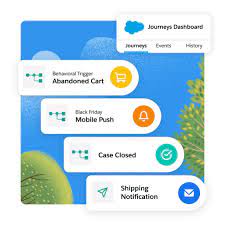
In B2C marketing, the focus on Journey Builder within the Marketing Cloud framework is essential to take customers on journeys with personalized interactions depending on where they are at in the buying cycle. This tool empowers marketers to craft intricate marketing journeys that deliver personalized experiences to customers. Operating within Marketing Cloud, the journey tool orchestrates comprehensive customer journeys, facilitating interactions across multiple platforms such as email, mobile, advertising, and websites. It stands as a foundational element of Marketing Cloud, primarily tailored for B2C initiatives. Salesforce Journey Builder facilitates a deeper understanding of customers by triggering actions based on their unique behaviors and ensuring consistent messaging across channels. As consumers navigate seamlessly between platforms and devices, brands must offer personalized and seamless journeys to maximize customer lifetime value. To achieve this, marketers must address key questions: Answering these questions requires a comprehensive view of the customer journey, with actions aligned to evolving customer expectations. With Salesforce Marketing Cloud Journey Builder, marketers can attain a unified view of all customer interactions, optimizing end-to-end journeys. Journey Builder provides visibility into consumer interactions across marketing channels, including email, mobile, social ads, and more. By connecting these interactions, marketers gain insights for improved message crafting, campaign design, and automation, fostering seamless customer experiences and fostering loyalty. Interactions a customer may have with the brand throughout their journey include clicking on an ad, opening an email, making a purchase, conversing with customer support, and more. Journey Builder, as an event-driven tool, initiates conversations based on customer history, preferences, and real-time behavior, supporting visual mapping of simple or complex journeys. However, Journey Builder operates within Marketing Cloud and utilizes content and audiences from Email Studio, Mobile Studio, Advertising Studio, Content Builder, and Audience Builder. It leverages event-driven triggers to react to customer actions, such as downloading an app or leaving a shopping cart abandoned, thus enabling timely and relevant responses. Key features of Journey Builder include a user-friendly drag-and-drop interface, entry and filter criteria for swift actions, and powerful add-ons for enhanced functionality. Ultimately, Salesforce Journey Builder facilitates a seamless customer experience by guiding journeys, ensuring consistent messaging, adapting to evolving needs, and maintaining brand consistency across channels. Like1 Related Posts Who is Salesforce? Who is Salesforce? Here is their story in their own words. From our inception, we’ve proudly embraced the identity of Read more Salesforce Marketing Cloud Transactional Emails Salesforce Marketing Cloud Transactional Emails are immediate, automated, non-promotional messages crucial to business operations and customer satisfaction, such as order Read more Salesforce Unites Einstein Analytics with Financial CRM Salesforce has unveiled a comprehensive analytics solution tailored for wealth managers, home office professionals, and retail bankers, merging its Financial Read more AI-Driven Propensity Scores AI plays a crucial role in propensity score estimation as it can discern underlying patterns between treatments and confounding variables Read more
Read More
Salesforce Automation Guide

Salesforce Automation Guide

Salesforce Automation Guide. I cannot lie. There was a time when I thought the greatest thing about Salesforce was that it prevented leads from falling through the cracks. I was a marketing opps person. There was a time I thought readily available information at your fingertips and integration with an email platform was the greatest thing. I was in sales management. Today, as a Solutions Architect, I think Salesforce Automation Guide is the best. Automation provides the tools necessary to automate repetitive processes and daily tasks for your business, such as creating follow-up tasks, sending reminder emails, or updating records. Automations help users save critical time and reduce errors by creating automated processes to complete repetitive tasks. Below, you’ll find resources to help you decide which automations to use depending on your needs. An Intro to Salesforce Automation Before determining which automation best suits your business’s needs, you must first understand what automation means. These resources will help paint a clear picture of what the automation of processes, approvals, and tasks can look like for your organization. They aren’t just time savers. They can be game changers. Why Should You Love Automation?Check out this article highlighting the positive global impact of automation across different industries and countries. Review the customer story on how automation helped digitize an approval process during a time of especially high-volume requests. After reading this, you will understand why automation is so beneficial! Intro to AutomationExplore this documentation to get a high-level overview of the different automation methods. Automation Tools Salesforce provides multiple automation tools depending on the level of complexity needed to achieve your goals. These resources will help you understand which automation tool will best help you reach your business objectives. Automation Tool: FeaturesScroll down within this article to check out the matrix for a breakdown of all the features and actions supported within each automation tool: Approvals, Flow Builder, Einstein Next Best Action, and Apex. Automation Tool: Which One to UseView this video from one of the leading cloud experts that walks you through each automation tool and when and why to use each one. Architect Decision GuideThe Architect Decision Guide will help you evaluate the pros and cons of the different automation tools. Get recommendations from Salesforce product teams on which tools best address different use cases. Automation Implementation A hands-on approach is the best way to learn how to implement automation tools. Dig right in by exploring guided Trailhead modules that will help you understand the steps to enable these tools. Flow BasicsGet to know Flow Builder, the primary tool for creating flows. Learn when to use flows to automate business processes. Automate ApprovalsLearn how you can automate simple approval processes using Flow Builder. Automation Deep Dive As you begin to think about your automation journey, it is useful to study use cases to help guide your automation strategy and energy. Check out these resources to learn how to take your automations even further than you imagined to streamline your business processes. Building a Simple FlowExplore this video to learn how to build a simple visual flow using Flow Builder for a donation request example via an input screen, fields, and choices to collect required customer information. Five Pro Tips for Salesforce FlowFollow these quick tips to get up and running with Salesforce Flow. Troubleshooting Resources Before rolling out your automations to users, make sure you validate and test them just like any other customization. Should you encounter a bug while validating, don’t worry! These resources will guide you through troubleshooting tips if you run into any blockers during the validation process. Troubleshooting Flow Errors Using the Debug ButtonCheck out this helpful Salesforce video on how to fix errors using the Debug button in Flow Builder. Flow TroubleshootingFurther your education with this Trailhead module to learn how to diagnose and fix common flow issues. Go Further with Automation Manage ProductivityDetermine how much time you’re saving your team with the Process Automation Tracker in Salesforce AppExchange. Flow OrchestrationStreamline complex workflows with Flow Orchestration. Our experts will guide you on rolling out multi-step processes that interact with multiple users. Join the Customer Success CommunityConnect with Salesforce experts and other Trailblazers like you. The community is a great place to ask questions, get answers, and share your experiences. Become a TrailblazerConsider blazing your own trail by completing the Trailhead superbadge on process automation. Automation Use Case StridePride makes comfortable sneakers, designed and customized for its customers. The company’s online retail business has grown rapidly in the past year domestically; as a result, they have decided to use Salesforce to help launch their sneakers in international markets. Linda Rosenson, StridePride’s admin, needed to quickly set up Salesforce to create sales processes for all of the additional international markets. As Linda was creating these processes, the Sales Leaders asked her to include a discount on the sneakers if certain criteria were met to help promote sales for the new markets. The tricky part was, each market had its unique set of criteria and rules before the discount could be applied. After mapping out each region’s unique criteria for the discounts, Linda determined that tracking this all manually or on a document for sales reps would be a logistical nightmare. Linda began thinking of automation. She was determined to find a more efficient way to automatically apply the discounts if criteria were met, lessening the chance for human error or missteps. Her goal was to make the process as seamless and efficient as possible. Because Linda had already reviewed the resources on choosing the right automation tool, she knew that Salesforce Flow made the most sense for her use case. This flow would help automate the discount by evaluating criteria based on customer inputs and then automatically applying the discount if applicable. She could even create or update records, create quotes, and send emails through flow elements. She teamed up with StridePride’s business analyst to create a Salesforce Flow. Together, they had it up and running

Read More
Salesforce Field Service

Understanding Salesforce Field Service

Salesforce Field Service is an expansive addition to Salesforce Service Cloud, offering a 360 degree perspective on workforce management, especially in scenarios where services extend beyond the office or work site into the field. This typically involves mobile employees such as service technicians, alongside service agents, dispatchers, and service managers. Let’s dive into the nuances of Salesforce Field Service, addressing key aspects like its definition, user roles, reporting, scheduling, optimization, and more. Salesforce Field Service is also a popular tool in public sector solutioning. Understanding Salesforce Field Service will help to decide if it is right for your service teams. Understanding Salesforce Field Service: Salesforce Field Service, formerly known as Field Service Lightning (FSL), is an extension of Service Cloud designed to provide a comprehensive workforce management view. It seamlessly manages services delivered in the field, such as a electrical installer arriving to fulfill a customer’s order. Field Service Lightning evolves with each Salesforce release, continually enhancing functionality. Salesforce Field Service enhances customer engagement with real-time personalization, optimization of field teams with a scheduling engine, and access to offline data. Components of Salesforce Field Service: Field Service comprises various components, including Service Appointments, Salesforce Service Cloud integration, Territory and Scheduling functionalities, the Field Service Dispatcher Console, and the Field Service Mobile App for Android and iOS with offline capabilities. A detailed data model diagram illustrates the relationship between Service Cloud and Field Service. Users of Salesforce Field Service: Salesforce Field Service is particularly valuable for organizations with mobile field technicians supporting customers. It excels in scenarios with intricate service delivery involving multiple individuals like dispatchers, field technicians, service agents, and service managers. Each user persona interacts with Salesforce Field Service in distinct ways, utilizing tools like the Dispatcher Console or Field Service Mobile App tailored to their roles. Use Cases for Salesforce Field Service: Field Service proves beneficial in diverse service scenarios, including repairs, maintenance, sales visits, and healthcare care visits. It facilitates efficient coordination among dispatchers, field technicians, service agents, and service managers, streamlining processes and enhancing customer satisfaction. Key Terms in Salesforce Field Service: Understanding key terms such as Work Orders, Service Appointments, Contracts, Entitlements, Work Types, Service Territories, Operating Hours, Resources, and Scheduling Policies is essential. These terms collectively form the foundation of Salesforce Field Service’s robust data model and optimized usability. Scheduling and Optimization: Scheduling in Salesforce Field Service is managed through the Dispatcher Console, empowering dispatchers to make informed decisions. Various methods, from manual to fully automated, enable the creation of service appointments, optimizing resource allocation and ensuring efficient service delivery. Forecasting and Planning: Use real-time data to quickly assess the impact of global or in-day optimization on travel time and resource utilization. Refine scheduling policies, get an instant view of optimization results, and KPI changes. Asset Service Management: Move from reactive to proactive service with real-time asset tracking. Monitor service outcomes and create preventive maintenance plans based on asset use, condition, age, and specific criteria. Service Territory Design: Service Territories, categorized as Primary, Secondary, and Relocation Territories, define where teams can perform work. Well-defined territories are crucial for efficient dispatcher satisfaction, requiring thoughtful initial design and ongoing maintenance. Field Service Mobile App: The Salesforce Field Service Mobile app is essential for on-the-move workforces, offering technicians essential information to optimize job execution. Offline capabilities ensure uninterrupted work, and the Visual Remote Assistant feature enables two-way video and audio communication between agents, technicians, and customers. Slack for Field Service: Empower your mobile workforce with seamless connectivity and timely assistance whenever it is needed. Mobilize for service appoints and tap into the expertise of colleagues throughout the organization with the user-friendly Slack interface. Reporting in Salesforce Field Service: Monitoring service efficiency and success involves leveraging Salesforce reports, list views, and other platform analytics. Work Order List Views and Field Service Report Types provide insights into service call-outs and overall performance. Enabling Field Service Lightning: Setting up Salesforce Field Service involves installing it as a Managed Package, assigning licenses to users, and configuring standard objects like Products, Assets, Service Contracts, and Entitlements. Creating records for Service Territories, Service Resources, and Operating Hours establishes the framework for the service model. Field Service Deployments: Deployments in Salesforce Field Service can be time-consuming due to its reliance on object data. Considerations for complex relational data movement between environments and potential risks, such as resistance to automation, require careful attention. Tectonic, as a Salesforce Consulting Partner, can assist your company in deploying Salesforce Field Service. Salesforce Field Service projects, while intricate, can be highly valuable when executed correctly providing a large ROI. Adequate planning, phased implementations, and a long-term perspective contribute to the success of organizations leveraging the capabilities of Salesforce Field Service. If you are looking for a more robust solution, consider Field Service Plus combining dispatch and technician functionality along with Service Cloud and Sales Cloud. Tectonic looks forward to helping your field service team utilize this Salesforce tool. Tectonic is please to announce Salesforce Service Cloud Implementation Solutions. Like2 Related Posts Who is Salesforce? Who is Salesforce? Here is their story in their own words. From our inception, we’ve proudly embraced the identity of Read more Salesforce Marketing Cloud Transactional Emails Salesforce Marketing Cloud Transactional Emails are immediate, automated, non-promotional messages crucial to business operations and customer satisfaction, such as order Read more Salesforce Unites Einstein Analytics with Financial CRM Salesforce has unveiled a comprehensive analytics solution tailored for wealth managers, home office professionals, and retail bankers, merging its Financial Read more AI-Driven Propensity Scores AI plays a crucial role in propensity score estimation as it can discern underlying patterns between treatments and confounding variables Read more

Read More
Accounting Software That Integrates With Salesforce

Accounting Software Integration With Salesforce

Integrating accounting software with Salesforce streamlines financial processes and improves data visibility across departments. This integration allows for a more efficient flow of information, reducing manual data entry and potential errors, ultimately leading to better decision-making and a healthier bottom line.  Benefits and popular options: Benefits of Salesforce Accounting Integration: Popular Accounting Software Integrated with Salesforce: How it Works: Salesforce integrations with accounting software typically involve: By integrating accounting software with Salesforce, businesses can create a more efficient and streamlined workflow, leading to better financial management and improved business outcomes.  Like Related Posts Who is Salesforce? Who is Salesforce? Here is their story in their own words. From our inception, we’ve proudly embraced the identity of Read more Salesforce Marketing Cloud Transactional Emails Salesforce Marketing Cloud Transactional Emails are immediate, automated, non-promotional messages crucial to business operations and customer satisfaction, such as order Read more Salesforce Unites Einstein Analytics with Financial CRM Salesforce has unveiled a comprehensive analytics solution tailored for wealth managers, home office professionals, and retail bankers, merging its Financial Read more AI-Driven Propensity Scores AI plays a crucial role in propensity score estimation as it can discern underlying patterns between treatments and confounding variables Read more

Read More
Salesforce Sales Cloud

Salesforce Sales Cloud GPT

What is Salesforce Sales Cloud GPT? Salesforce’s Einstein GPT is a robust AI tool that seamlessly integrates both public and private AI models with CRM data. This unique synergy allows users to articulate natural-language queries directly within the Salesforce CRM environment, resulting in continuously adapted AI-generated content tailored to evolving customer information and requirements. Salesforce Sales Cloud GPT The suite encompasses a suite of powerful Artificial Intelligence (AI) products, including the Einstein service, the workplace-messaging app Slack, and the data analysis software Tableau. Notably, it unveils a compelling array of natural language tools slated for release in 2023, such as Sales GPT for personalized emails, Service GPT for service messages and chatbots, and Marketing GPT for refined audience targeting. Furthermore, the AI Cloud is meticulously crafted to host extensive language models from various providers such as AWS, Anthropic, and Cohere. Salesforce’s commitment to AI startups is further underscored by a substantial $500 million injection into its venture capital fund. Impact on Sales Cloud with AI and EinsteinGPT: Sales Cloud undergoes a transformative impact through AI, notably EinsteinGPT. Anchored in principles of Trust, Security, and Privacy, Salesforce introduces the Einstein Trust Layer within its AI Cloud offering to assuage privacy concerns. This layer ensures adaptability and transparency while upholding stringent standards for data privacy, security, and compliance. EinsteinGPT for Sales Cloud emerges as a game-changing innovation, serving as a personalized assistant within Salesforce CRM to streamline sales processes. Leveraging Generative AI, it transcends mere data analysis by generating novel content, ideas, and approaches. Key features encompass Einstein GPT, Einstein Conversation Insights, and Einstein Relationship Insights. Industries Experience Tangible Impact: Salesforce’s substantial investments in AI are reshaping the landscape of sales and customer engagement. As EinsteinGPT becomes an integral part of the platform, the anticipation of new and innovative use cases signals a significant leap forward in AI accessibility. Tectonic is please to announce our Sales Cloud Implementation Solutions. Like1 Related Posts Who is Salesforce? Who is Salesforce? Here is their story in their own words. From our inception, we’ve proudly embraced the identity of Read more Salesforce Marketing Cloud Transactional Emails Salesforce Marketing Cloud Transactional Emails are immediate, automated, non-promotional messages crucial to business operations and customer satisfaction, such as order Read more Salesforce Unites Einstein Analytics with Financial CRM Salesforce has unveiled a comprehensive analytics solution tailored for wealth managers, home office professionals, and retail bankers, merging its Financial Read more AI-Driven Propensity Scores AI plays a crucial role in propensity score estimation as it can discern underlying patterns between treatments and confounding variables Read more

Read More

Race to AI for CX

AI emerges as a transformative force revolutionizing the customer experience (CX) landscape in the dynamic world of global e-commerce. Its ability to handle extensive data and facilitate large-scale automation empowers brands to offer tailored and seamless CX journeys, fostering customer loyalty and satisfaction. The great race to AI for CX is upon us. In the era of rapid technological advancements, organizations worldwide are in a race to integrate AI-driven capabilities across their operations. The widespread adoption of AI is fueled by its recognition not just as a technological advancement but as a strategic imperative. Businesses invest in AI to enhance operational productivity, reduce costs, elevate customer experiences, and maintain competitiveness. AI’s impact on customer experience extends to substantial improvements in Customer Relationship Management (CRM) systems. Automation of tasks like data entry, lead scoring, and follow-up reminders, coupled with intelligent insights such as predicting high-converting leads, empowers sales teams to optimize their efforts. Considering the pivotal role customers play for every business, CRM has become a launchpad for AI-led transformations throughout enterprises. Businesses swiftly integrate AI-powered experiences into sales, marketing, service, and e-commerce use cases. However, for AI investments to meet expectations, they must be built on robust data practices and trust. Data readiness, reflecting an organization’s preparedness to access and use quality data across its business, is crucial for successful AI outcomes. Ensuring trust in AI, free from data-security concerns or incorrect outcomes, is equally essential. Many companies, lacking mature data practices for advanced AI capabilities like generative AI (genAI), express significant trust concerns; nevertheless, the imperative to progress prompts continued AI investments. The deployment of AI-powered chatbots enables customer service teams to deliver convenient, 24/7 support. These chatbots, exemplified by Zendesk bots, operate round the clock, offering real-time assistance even when support agents are offline. Generative AI-powered conversational bots enhance customer self-service, reduce resolution times, and improve satisfaction by maintaining case-specific tonality and context in real time. Personalized marketing, beyond being a trend, has become a cornerstone strategy for businesses aiming to establish profound connections with their audiences. Crafting messages that resonate personally not only captures attention but also cultivates conversations and fosters lasting brand loyalty. In a digital age where user experience can make or break a brand, strategic partnerships become crucial. The race to AI for CX is on and you can’t afford to be left behind. Enhancing digital user experiences often requires collaboration with specialized partners. Regpack, a versatile payment and registration solution, exemplifies this approach by collaborating with Webeo, specialists in B2B website personalization. This partnership resulted in a 565% increase in site conversion, a 302% rise in average time spent on the site, and a significant 30% drop in bounce rates. Webeo’s personalization software enabled Regpack to identify and adapt to the diverse needs of its clientele through advanced behavioral personalization techniques. Race to AI for CX AI’s impact on marketing extends beyond being an add-on tool, serving as a fundamental game-changer for crafting bespoke customer experiences. AI seamlessly bridges the digital and physical realms, particularly in ecommerce and retail sectors, dynamically adapting products and content based on consumer behavior. AI-driven technologies interpret vast data points, allowing brands to offer hyper-personalized interactions. Real-time data analysis and pattern recognition capabilities make AI a powerful tool for creating engaging and emotionally resonant personalized experiences. In essence, AI architects a new era in marketing, where experiences are not merely personalized but dynamically respond to evolving consumer desires and expectations. Leveraging AI, brands can create narratives that consumers feel intrinsically part of, fostering profound connections. For instance, Calian IT & Cyber Solutions employs personalized marketing tactics to understand and address the unique challenges and needs of each business they serve, fostering strong, long-term relationships with clients. The key takeaway for marketers is clear – the era of generic messaging is fading. A more nuanced, data-driven, and empathetic approach is emerging. Brands that embrace this shift, continuously innovate, and create experiences that customers feel a part of will thrive. As technology advances and consumer expectations evolve, mastering the art of personalization becomes crucial to redefine the marketing landscape. Key Strategies for Exceptional Customer Experience with AI: AI and Customer Experience (CX): AI impacts the entire customer journey, from predictive and prescriptive analytics to sentiment analysis, journey mapping assistance, orchestration, dynamic pricing, virtual try-ons, and augmented reality, providing an interactive and engaging shopping experience. AI and Employee Experience (EX): Efficiencies introduced by AI in employee tasks directly benefit customers. When repetitive tasks are automated, employees gain time for critical and value-added tasks, leading to increased productivity, reduced workload, fewer errors, and improved job satisfaction. Delivering Exceptional Customer Experience with AI: As customer expectations evolve, AI offers a scalable approach for brands to exceed expectations, resulting in memorable customer experiences shaped by clear communication, seamless journeys, and engaging personalized interactions. The transformative potential of AI for CX success is evident in its ability to reshape the marketing landscape. Like1 Related Posts Who is Salesforce? Who is Salesforce? Here is their story in their own words. From our inception, we’ve proudly embraced the identity of Read more Salesforce Marketing Cloud Transactional Emails Salesforce Marketing Cloud Transactional Emails are immediate, automated, non-promotional messages crucial to business operations and customer satisfaction, such as order Read more Salesforce Unites Einstein Analytics with Financial CRM Salesforce has unveiled a comprehensive analytics solution tailored for wealth managers, home office professionals, and retail bankers, merging its Financial Read more AI-Driven Propensity Scores AI plays a crucial role in propensity score estimation as it can discern underlying patterns between treatments and confounding variables Read more
Read More
gettectonic.com