

Technology Archives - gettectonic.com - Page 43
Salesforce Sales Enablement

Salesforce Enablement Team Roles and Responsibilities

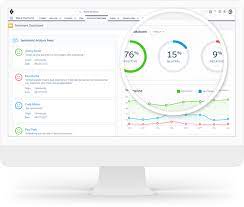
When implementing Salesforce Enablement to better equip teams with skills, content, and context it is important to set up the right users with the right permissions. Having a complete Sales Enablement team in place produces the most effective training programs. Accelerate business outcomes with enablement programs delivered to users through the Guidance Center in Salesforce. Create programs that are unique to your company, and assign programs to users who can complete exercises and measurable milestones in their flow of work.  Sales enablement is about people and technology, and strategically aligning them both behind a common goal: sales success. Sales enablement helps organizations streamline and shorten sales cycles by improving buyer interactions with relevant sales content that is tailored and personalized. Sales Enablement Platform A sales enablement platform provides sales teams with coaching, resources, and tools to help them effectively engage with customers and close deals. Identify who at your company can perform each role. In some cases, one person is ideal for all these responsibilities. Other companies require a team. Likewise, some of these roles aren’t required to use Enablement. But it can be nice to rely on these folks if they’re available. Roles and Responsibilities ROLE RESPONSIBILITIES REQUIRED TO USE ENABLEMENT? REQUIRED PERMISSIONS? Salesforce admin This person can access Setup and customize Salesforce for your company. To get your company started with Enablement, a Salesforce admin must give access to Enablement team members according to the required permissions listed on this page. Salesforce admins can also bring their Salesforce experience to help you define outcomes and milestones using Salesforce objects and fields. If you want to introduce new ways of tracking data in Salesforce to include those processes in a program, Salesforce admins can also help enable other features or customize settings. Yes For permissions required for Salesforce admins, search Salesforce Help for the specific task. Enablement admin A person who gets full access to create, edit, delete, publish, and unpublish Enablement programs in Salesforce. Enablement admins can also assign or unassign programs to Enablement users, view all Enablement analytics, customize the Enablement reports and dashboard, and create reports and dashboards using Enablement report types. Yes The Manage Enablement Essentials default permission set, which is included in the Enablement Admin permission set group. See Enablement Permission Set Groups, Permission Sets, and Permissions and Assign Permissions to Your Enablement Team. Content creator or manager This person adds your company’s training content to Salesforce. At some companies, this person is also the Enablement admin. Yes The Content Manager contributor role in the Enablement workspace of the Digital Experiences app. See Assign a Contributor Role in the Enablement Workspace. Enablement resources manager The person who manages resources related to Enablement other than training content that Enablement users directly consume as part of programs, such as these items. Surveys sent to peers and managers for gathering feedback on user performancePrompts and walkthroughs that guide users through Salesforce features and walkthroughs outside of programs No Manage Assessment Surveys and Manage In-App Guidance default permission sets, which are included in the Enablement Resources Manager permission set group. See Enablement Permission Set Groups, Permission Sets, and Permissions and Assign Permissions to Your Enablement Team. Business operations expert This person can help identify the business outcomes that your company wants to focus on and work with you to establish how certain job roles can contribute to your bottom line. No Your call. You can assign Enablement permissions to this person as needed. Enablement user The person at your company who takes the programs that you build and assign to them. Yes Use Enablement Programs default permission set, which is included in the Enablement User permission set group. Enablement admins, or users with the Manage Enablement Essentials default permission set, can also take programs that are assigned to them. See Enablement Permission Set Groups, Permission Sets, and Permissions and Assign Permissions to Your Enablement Team. Like Related Posts Who is Salesforce? Who is Salesforce? Here is their story in their own words. From our inception, we’ve proudly embraced the identity of Read more Salesforce Marketing Cloud Transactional Emails Salesforce Marketing Cloud Transactional Emails are immediate, automated, non-promotional messages crucial to business operations and customer satisfaction, such as order Read more Salesforce Unites Einstein Analytics with Financial CRM Salesforce has unveiled a comprehensive analytics solution tailored for wealth managers, home office professionals, and retail bankers, merging its Financial Read more AI-Driven Propensity Scores AI plays a crucial role in propensity score estimation as it can discern underlying patterns between treatments and confounding variables Read more

Read More
Salesforce and Healthcare

What is Healthcare Technology?

What is the role of healthcare technology? Healthtech companies play a crucial role in elevating patient care and outcome. Within the health and life sciences industry technology plays an important role. Leveraging innovative technologies and digital solutions, these companies contribute to the enhancement of diagnostic accuracy, treatment planning, and monitoring efficiency for healthcare providers. How is technology defined in healthcare? Healthtech encompasses a broad spectrum of technologies, including medical devices, information technology (IT) systems, algorithms, artificial intelligence (AI), cloud computing, and blockchain. The purpose is to provide support to healthcare organizations, facilitating improved services and patient care. CRM in healthcare not only stores patients’ contact information. It also gives a comprehensive overview of their medical history, appointments, and prescriptions. Using a healthcare CRM system, providers can customize their patient management plans so that each patient gets precisely the amount of care they need. How does HealthTech differ from MedTech? HealthTech is implemented through diverse technologies like wearables, applications, or databases. MedTech primarily involves medical equipment, prosthesis, and tools. Despite their distinct differences, both HealthTech and MedTech share a common goal of integrating technology into healthcare. What is healthcare management and technology? Health information management and healthtech professionals are engaged in comprehending healthcare dat. The intricacies of which require in-depth knowledge of the software and systems that govern its utilization. The convergence of these fields aims to enhance the quality of life for medical patients by integrating technology into healthcare practices. The global healthcare CRM market size was estimated at USD 14.3 billion in 2021 and is expected to reach USD 16.0 billion in 2022. The value is predicted to grow at a CAGR of 8.4% from 2022 to 2030. North America remained the largest market for medical CRM in 2021. Health Cloud is one of the Salesforce Industry Clouds: a solution tailored to meet the unique needs of specific industries. It combines the best of Salesforce’s CRM capabilities with advanced features tailored for healthcare providers, payers, medical device companies, and pharmaceutical manufacturers. What is a Hipaa compliant CRM? HIPAA regulations require this information be protected and kept confidential… A HIPAA-compliant CRM ensures that the information is handled securely and that the organization is in compliance with the law. Like1 Related Posts Who is Salesforce? Who is Salesforce? Here is their story in their own words. From our inception, we’ve proudly embraced the identity of Read more Salesforce Marketing Cloud Transactional Emails Salesforce Marketing Cloud Transactional Emails are immediate, automated, non-promotional messages crucial to business operations and customer satisfaction, such as order Read more Salesforce Unites Einstein Analytics with Financial CRM Salesforce has unveiled a comprehensive analytics solution tailored for wealth managers, home office professionals, and retail bankers, merging its Financial Read more AI-Driven Propensity Scores AI plays a crucial role in propensity score estimation as it can discern underlying patterns between treatments and confounding variables Read more

Read More
Does Salesforce Have Artificial Intelligence?

Does Salesforce Have Artificial Intelligence?

Is Salesforce Equipped with Artificial Intelligence Capabilities? Salesforce Einstein is an intelligent layer built into the Lightning Platform, offering robust AI technologies that are seamlessly integrated into the user work environment. The Einstein Platform also provides a comprehensive set of platform services for administrators and developers, enabling the creation of intelligent applications and tailored AI solutions for businesses. Key Einstein Features: Salesforce Einstein is considered genuine artificial intelligence, providing a comprehensive AI solution specifically tailored for Customer Relationship Management (CRM). It eliminates the need for extensive data preparation or model management, seamlessly integrating with Salesforce data. According to Gartner, businesses in Sales, Marketing, Customer Experience, and Digital Commerce express significant interest in AI and Predictive Analytics. Salesforce, holding a substantial 19.5% share in the CRM Vendor Market, has been an early adopter of AI capabilities and technology. For Salesforce developers, embracing AI is crucial to staying relevant. It’s not AI itself that poses a threat but individuals proficient in utilizing AI tools who may replace those who are not. To remain competitive, becoming well-versed in prompt engineering and AI tools is highly recommended. Like Related Posts Who is Salesforce? Who is Salesforce? Here is their story in their own words. From our inception, we’ve proudly embraced the identity of Read more Salesforce Marketing Cloud Transactional Emails Salesforce Marketing Cloud Transactional Emails are immediate, automated, non-promotional messages crucial to business operations and customer satisfaction, such as order Read more Salesforce Unites Einstein Analytics with Financial CRM Salesforce has unveiled a comprehensive analytics solution tailored for wealth managers, home office professionals, and retail bankers, merging its Financial Read more AI-Driven Propensity Scores AI plays a crucial role in propensity score estimation as it can discern underlying patterns between treatments and confounding variables Read more
Read More
Understanding Salesforce Integration

Understanding Salesforce Integration

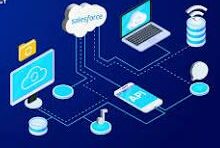
What is Salesforce Integration? Salesforce Integration is the process of connecting two or more systems to streamline workflows and enhance data consistency across platforms. Consider situations where vital information is stored in one system but also needed in another. By integrating these systems, you ensure seamless data flow, improve efficiency, and enable smooth business processes. Why is Integration Important? In today’s digital landscape, businesses must continuously enhance efficiency and customer experience to stay competitive. Operating in isolation is no longer an option. Effective system integration ensures faster, scalable, and more reliable operations. What is an API? An API (Application Programming Interface) enables different applications to communicate with each other. For instance, when you use a mobile app, it connects to the internet, retrieves data from a server, and displays it in a readable format. The right API ensures this process runs smoothly and efficiently. Different types of APIs will be discussed later in the Salesforce Integration Capabilities section. Types of Salesforce Integration Architectures Each integration architecture has advantages and drawbacks. Here are the three main types: 1. Point-to-Point Integration This is a one-to-one integration model where each system has a direct connection to another. For example, a sales application sends order details separately to a billing system, a shipping application, and a tracking system. However, this approach is costly to maintain and lacks scalability, as adding new integrations requires extensive modifications. 2. Hub-and-Spoke Integration With this model, a central hub facilitates communication between systems. Instead of creating multiple direct integrations, each system only connects to the hub. This setup simplifies management and scalability compared to point-to-point integration. 3. Enterprise Service Bus (ESB) Integration An evolution of the hub-and-spoke model, ESB uses an integration engine to connect various applications. ESB provides: Each system connects through an adapter, making it easy to scale integrations as business needs evolve. Salesforce Integration Capabilities Understanding APIs and integration capabilities is crucial. Here are key Salesforce integration tools: 1. REST API Best for web or mobile applications, REST API operates using: It uses JSON or XML and functions synchronously, meaning it waits for a response before proceeding. 2. SOAP API SOAP API is suited for back-end system integrations requiring structured payloads. It uses XML and supports asynchronous communication, meaning it can process requests without waiting for immediate responses. 3. Bulk API Designed for handling large data volumes, Bulk API efficiently processes up to 100 million records within a 24-hour period. It is asynchronous, making it ideal for initial data migrations and batch processing. 4. Streaming API Built on the publish/subscribe model, Streaming API supports near real-time data updates. It includes: This API is essential for event-driven architectures. 5. Outbound Messages This declarative option sends messages to external systems when triggered by workflow rules or approval processes. It is asynchronous but requires acknowledgment from the receiving system. 6. Web Service Callouts Salesforce can initiate outbound requests to external systems for data validation or process execution. These callouts require Apex coding and can be synchronous or asynchronous. 7. Salesforce Connect Salesforce Connect enables real-time data access from external systems without storing the data in Salesforce. This “data virtualization” reduces storage costs and ensures up-to-date information is available when needed. 8. Heroku Connect Heroku Connect synchronizes data between Salesforce and Postgres databases, making it ideal for high-volume applications where not all data needs to reside in Salesforce. Salesforce Integration Patterns Integration patterns define how systems interact. Consider: 1. Remote Call-In External systems retrieve, update, or delete Salesforce data (e.g., an order management system updating Salesforce records). 2. Request and Reply Salesforce calls an external system and waits for a response before proceeding (e.g., address validation services). 3. Fire and Forget Salesforce sends a request but does not wait for a response (e.g., outbound messages and platform events). 4. Batch Data Synchronization Data is periodically synchronized between Salesforce and external systems in bulk (e.g., nightly updates to a data warehouse). 5. UI Update Based on Data Changes Salesforce UI updates dynamically when backend data changes (e.g., real-time case status updates for support agents). 6. Data Virtualization Salesforce displays external data in real time without storing it, reducing storage costs and improving efficiency (e.g., Salesforce Connect). Conclusion Salesforce integration streamlines business processes, enhances efficiency, and improves data consistency. Understanding integration architectures, capabilities, and patterns helps businesses select the right approach for their needs. By leveraging Salesforce’s integration tools, organizations can achieve seamless connectivity across their technology ecosystem. Like Related Posts Who is Salesforce? Who is Salesforce? Here is their story in their own words. From our inception, we’ve proudly embraced the identity of Read more Salesforce Marketing Cloud Transactional Emails Salesforce Marketing Cloud Transactional Emails are immediate, automated, non-promotional messages crucial to business operations and customer satisfaction, such as order Read more Salesforce Unites Einstein Analytics with Financial CRM Salesforce has unveiled a comprehensive analytics solution tailored for wealth managers, home office professionals, and retail bankers, merging its Financial Read more AI-Driven Propensity Scores AI plays a crucial role in propensity score estimation as it can discern underlying patterns between treatments and confounding variables Read more

Read More
Salesforce Integration

Salesforce Integrations Explained

Introducing Salesforce Integration – Fundamental Concepts Before diving deep into more the complex aspects, let’s explore the basics of Salesforce Integrations, encompassing three key areas: integration types, integration capabilities, and integration patterns. When we talk about integration, it means to create a connection between a specific Salesforce instance and another database, third party product, or system. The connection can be inbound, outbound, or bi-directional, and you may be connecting to another database, another Salesforce instance, or another cloud-based data source. What is Integration? Salesforce Integration involves bringing together two or more systems to streamline distinct processes, enabling the efficient management of information across various business processes that span multiple systems.  Salesforce Integration is a process of connecting two or more applications. This provides both a sharing of data between systems and end user improved efficiency. Enterprise systems use many applications, many or most of which are not designed to work with one another out of the box. How many integrations does Salesforce have? Salesforce has over 3,000 integrations available on its AppExchange marketplace alone. Apart from those, you can use: low-code and no-code integrations like Coupler.io or Zapier for data automation. Why is Integration Important with Salesforce? In our digital era, enhancing efficiency and customer experience is crucial for competitiveness and user adoption. Integration ensures that systems work seamlessly together by fostering a scalable and faster collaborative environment. How do you make Salesforce even better? Integrate it with the apps you already use. From productivity to marketing to collaboration and beyond, now you can connect your Salesforce to the other tools you need to run your business. MuleSoft is Salesforce’s integration and automation technology and offers connectivity solutions for all of your apps. What is an API? API, or Application Programming Interface, facilitates communication between two applications. It enables the smooth exchange of data, ensuring processes occur without interruptions. Different API types will be covered in the ‘Salesforce Integration Capabilities’ section. Types of Salesforce Integration Architectures Three integration architectures come with both their benefits and drawbacks: Salesforce Integration Capabilities Consider the following aspects for efficient Salesforce integration: Understanding integration involves recognizing its fundamental concepts, including types, architectures, and capabilities.  Like Related Posts Who is Salesforce? Who is Salesforce? Here is their story in their own words. From our inception, we’ve proudly embraced the identity of Read more Salesforce Marketing Cloud Transactional Emails Salesforce Marketing Cloud Transactional Emails are immediate, automated, non-promotional messages crucial to business operations and customer satisfaction, such as order Read more Salesforce Unites Einstein Analytics with Financial CRM Salesforce has unveiled a comprehensive analytics solution tailored for wealth managers, home office professionals, and retail bankers, merging its Financial Read more AI-Driven Propensity Scores AI plays a crucial role in propensity score estimation as it can discern underlying patterns between treatments and confounding variables Read more

Read More
Optimizing AI Agent Performance Through Strategic Data Management

Salesforce Consultant

The Salesforce Consultant: Your Guide to CRM Transformation What Does a Salesforce Consultant Do? A Salesforce Consultant is a strategic problem-solver who bridges the gap between business needs and technology. They work either in-house or as external advisors, helping organizations maximize Salesforce to improve efficiency, customer relationships, and revenue growth. Core Responsibilities ✅ Business Analysis – Identify pain points and align Salesforce solutions with company goals.✅ Process Optimization – Map workflows and automate tasks to boost productivity.✅ Solution Design & Configuration – Customize Salesforce to fit unique business needs.✅ Change Management – Train teams and ensure smooth adoption of new systems.✅ Project Leadership – Oversee implementations, integrations, and migrations. Why Businesses Need Them Many companies invest in Salesforce CRM but lack the expertise to fully leverage it. A consultant ensures:🔹 Faster ROI – Avoid costly misconfigurations.🔹 Scalability – Build systems that grow with the business.🔹 User Adoption – Drive engagement through training and support. Why Become a Salesforce Consultant? Impact & Rewards 💡 Transform Businesses – Help companies cut costs, boost revenue, and improve customer satisfaction.💡 Empower Teams – Simplify workflows so employees focus on meaningful work.💡 High Earning Potential – Skilled consultants command K–0K+ (varies by experience & certs). Career Flexibility 🌍 Work Anywhere – Remote, freelance, or in-house roles available.🚀 Growth Path – Advance to Solution Architect, Product Manager, or CTO. How to Become a Salesforce Consultant 1. Build Core Skills ✔ Business Acumen – Understand sales, marketing, or service operations.✔ Technical Proficiency – Master Salesforce Admin, Flows, and integrations.✔ Soft Skills – Communication, leadership, and Agile project management. 2. Earn Certifications Start with: 3. Gain Experience 🔹 Start as a Salesforce Admin🔹 Volunteer for non-profits (via Salesforce.org)🔹 Work on freelance projects (Upwork, Toptal) 4. Expand Your Toolkit 📌 Business Analysis – Learn requirements gathering.📌 Change Management – Study ADKAR or Prosci methodologies.📌 DevOps Basics – Understand CI/CD for Salesforce deployments. Final Thoughts Salesforce Consultants are change agents—combining tech expertise with business strategy to drive real impact. If you love problem-solving and want a dynamic, high-paying career, this path offers unlimited growth. Like Related Posts Who is Salesforce? Who is Salesforce? Here is their story in their own words. From our inception, we’ve proudly embraced the identity of Read more Salesforce Marketing Cloud Transactional Emails Salesforce Marketing Cloud Transactional Emails are immediate, automated, non-promotional messages crucial to business operations and customer satisfaction, such as order Read more Salesforce Unites Einstein Analytics with Financial CRM Salesforce has unveiled a comprehensive analytics solution tailored for wealth managers, home office professionals, and retail bankers, merging its Financial Read more AI-Driven Propensity Scores AI plays a crucial role in propensity score estimation as it can discern underlying patterns between treatments and confounding variables Read more
Read More
Salesforce Field Service

Salesforce Field Service Explained

As an expansion of Service Cloud, Salesforce Field Service offers an all-encompassing perspective on workforce management. In straightforward terms, when a customer requests a new cable service, the cable installer will be on-site. The coordination of their current location, destination, and the quantity of cable in their vehicle is seamlessly handled through Field Service Lightning. Key features encompass appointment scheduling, dispatching technology, territory management, and a mobile app designed to assist field service technicians. Power the future of field service with the #1 AI platform for field service. Enhance customer engagement with real-time personalization, optimize field teams with our best in class scheduling engine and access to offline data, and improve field visits with the help of trusted AI built on the Einstein 1 Platform. Salesforce Field Service provides optimal access to and for field service agents. Prework Brief Accelerate service delivery, enhance customer satisfaction, and boost overall efficiency by giving your mobile workers vital customer data, asset history, and service records prior to each job. With summarized insights that include equipment maintenance and past customer interactions, prework briefs help mobile workers prioritize onsite tasks and grasp the broader context for meeting contract terms. Onsite Knowledge Search Field challenges can be daunting when you’re on your own. That’s why our Field Service mobile app gives contractors and employees with the power to search both internal and external knowledge bases instantly. Powered by AI summarization, users get the precise information necessary to improve first-time fix rates — boosting confidence and credibility in real-time. Post-Work Summary Say goodbye to time-consuming and error-prone service reports at the end of each job. Our intelligent summary generation feature ensures accurate and comprehensive reports while also reducing visit duration. Boost customer satisfaction significantly with Service Reports enriched with real-time customer and asset data, updates from mobile workers, and job images. Field Service Mobile App Our field service mobile app — available on Android and iOS — is the ultimate all-in-one tool tailored for the demands of today’s mobile workforce. Designed as an offline-first application, it enables your front line to work and seamlessly save changes even without Wi-Fi. Plus, the app offers extensive customization options, so it aligns perfectly with your unique business requirements. Mobile App Extensibility Empower your mobile app users with offline-capable experiences through Lightning Web Components (LWCs). Use standard components to build a tailored interface that aligns perfectly with your company’s requirements. Unleash your creativity by designing custom components that boost productivity and bring your innovative ideas to life for your workforce. Slack for Field Service Empower your mobile workforce with seamless connectivity and timely assistance whenever they need it. Swiftly mobilize for service appointments and tap into the expertise of colleagues throughout your organization. Our user-friendly interface ensures intuitive and accessible collaboration — keeping your team connected and responsive. Dispatch Management Boost your dispatchers’ productivity with our Dispatch Console. Easily create and update resource absences directly in the console. Efficiently organize candidates by availability and skill to identify the ideal candidates for each appointment. Experience an enhanced user interface that maximizes the potential of your Gantt chart for improved scheduling efficiency. Scheduling and Optimization Elevate your field service operations with our best-in-class scheduling and optimization engine. Built on the Hyperforce platform, Enhanced Scheduling and Optimization automates scheduling while aligning with priorities and constraints. It ensures efficient resource allocation, minimizes travel time, and complies with service-level agreements. Forecasting and Planning with Salesforce Field Service Use real-time data to quickly assess the impact of global or in-day optimization on travel time and resource utilization. When refining your scheduling policy, get an instant view of optimization results and KPI changes. Asset Service Management Shift from reactive to proactive service with real-time asset tracking. Monitor service outcomes and create preventive maintenance plans based on asset use, condition, and specific criteria. For example, you can schedule service if an asset’s temperature exceeds a set threshold — ensuring smooth operations and preventing downtime. Work Order Management Simplify the entire work order management process to seamlessly create, assign, execute, and debrief work orders. Empower your team to stay agile, improve customer satisfaction, and drive growth by eliminating manual paperwork and digitizing the entire work order lifecycle. Content updated February 2024. Like Related Posts Who is Salesforce? Who is Salesforce? Here is their story in their own words. From our inception, we’ve proudly embraced the identity of Read more Salesforce Marketing Cloud Transactional Emails Salesforce Marketing Cloud Transactional Emails are immediate, automated, non-promotional messages crucial to business operations and customer satisfaction, such as order Read more Salesforce Unites Einstein Analytics with Financial CRM Salesforce has unveiled a comprehensive analytics solution tailored for wealth managers, home office professionals, and retail bankers, merging its Financial Read more AI-Driven Propensity Scores AI plays a crucial role in propensity score estimation as it can discern underlying patterns between treatments and confounding variables Read more

Read More
Connected Culture

Creating a Connected Workplace Culture

Creating a Connected Workplace Culture: Bridging the Physical and Digital Divide In today’s workplace, fostering genuine employee connection is no longer a luxury—it’s a critical business imperative. With the widespread adoption of remote and hybrid work models, organizations face mounting challenges in creating meaningful employee experiences and cultivating team cohesion. Yet, the need for connection has never been more urgent. The Cost of Disconnection Recent findings reveal a stark reality: over half of U.S. employees report feeling disconnected. This issue extends beyond personal dissatisfaction, becoming a crisis for organizations striving to attract, engage, and retain top talent. Employees who feel connected to their workplace culture are: The Challenge of Distance and Distraction Physical Separation Remote and hybrid work environments have minimized the spontaneous interactions and informal conversations that naturally foster camaraderie. This lack of face-to-face contact can lead to feelings of isolation and fragmented workplace cultures. Technology Overload At the same time, the explosion of workplace apps has created a disorganized digital landscape. With countless tools for HR, benefits, payroll, learning, and more, employees often struggle to navigate an overwhelming maze of applications. This fragmentation not only hinders productivity but also amplifies cognitive overload and decision fatigue, further diminishing the employee experience. So, how can organizations overcome these barriers and build a connected workplace culture in an age of physical distance and digital distractions? Building a Connected Workplace Strategy Connection doesn’t happen by chance. It requires deliberate planning, adaptability, and a deep understanding of the evolving workplace dynamic. Here’s how organizations can take intentional steps toward fostering meaningful connections: 1. Act with Purpose 2. Leverage the Right Tools 3. Prioritize Clear and Open Communication 4. Embrace Feedback 5. Commit to Continuous Improvement Moving Forward: Connection as a Competitive Advantage A connected workplace culture isn’t just about improving employee satisfaction—it’s a strategic advantage that drives engagement, productivity, and retention. By bridging the physical and digital divide with intentional actions and meaningful tools, organizations can foster stronger, more connected teams prepared to thrive in a modern, dynamic work environment. Like Related Posts Who is Salesforce? Who is Salesforce? Here is their story in their own words. From our inception, we’ve proudly embraced the identity of Read more Salesforce Unites Einstein Analytics with Financial CRM Salesforce has unveiled a comprehensive analytics solution tailored for wealth managers, home office professionals, and retail bankers, merging its Financial Read more AI-Driven Propensity Scores AI plays a crucial role in propensity score estimation as it can discern underlying patterns between treatments and confounding variables Read more Tectonic’s Successful Salesforce Track Record Salesforce Technology Services Integrator – Tectonic has successfully delivered Salesforce in a variety of industries including Public Sector, Hospitality, Manufacturing, Read more
Read More
Salesforce Sales Enablement

Customers Re-Evaluate Their Priorities

Compounding factors such as inflation and technological advancements are prompting individuals to reconsider their priorities. While impacting how and where they allocate their finances, it directly impacts businesses as well.. A substantial 62% of consumers have recently reevaluated their priorities, with the cost of living ranking as the primary influencer and obtaining better deals being the most common reason for brand switches. Customers Re-Evaluate Their Priorities and vote with their money. While financial considerations remain a focal point, customers are not solely driven by the pursuit of cost-effectiveness. Other crucial factors include product quality and the overall customer experience. Remarkably, 80% of customers emphasize that the experience provided by a company is as significant as the products and services offered. While companies are burdened by this trend it also emphasizes the need for technology. Marketing automation and personalization. Knowing enough about your customer to reach them with the right message at the right time on the right channel. Enter Salesforce Salesforce Omnichannel is a flexible and customizable Salesforce feature. It helps businesses to seamlessly connect with customers across multiple channels, be they physical stores, email, chat, social media, phone, or SMS. And best of all, anyone can implement the omnichannel approach without coding knowledge! Salesforce Personalization learns everything about your customer and presents them with personalized offers and messaging how they want it when they want it where they want it. Salesforce Marketing Cloud provides marketing automation power. Salesforce Sales Cloud serves customers with ease. Salesforce Data Cloud stores the customer information from all business sources and drives interaction powered by AI. Attitudes Shift Over two years into the global pandemic, a shift in attitudes towards work, home, spending, interactions, and well-being is evident among many Americans. The majority now express a preference for spending on experiences rather than products, with a focus on home-centered activities. Additionally, there is a notable inclination towards in-person interactions rather than substituting them with digital services. This “great rethink” emphasizes that post-pandemic society is unlikely to revert to its previous state. A pivotal aspect of this great rethink is the evolving attitude towards work. While the initial stages of the pandemic saw individuals deprioritizing work due to stress, burnout, and remote work, new economic realities have set in. Customers Re-Evaluate Their Priorities Rising living costs and the possibility of a recession are causing a shift in sentiment, with fewer Americans viewing deprioritizing work as an affordable luxury anymore. Consumer sentiment regarding an improved work-life balance is showing signs of reversal, with the percentage of those feeling they have more time to enjoy today decreasing from nearly 70% in September 2021 to 51% in May 2022. A recent survey conducted by Accenture, encompassing 25,000 consumers across 22 countries, sheds light on how the pandemic has prompted a reevaluation of consumer purchasing behavior. Accenture identifies a segment of consumers called “Reimagined,” representing those who have changed their buying habits across various industries. These consumers expect companies to understand and address their changing needs during disruptive times, with a significant portion expressing disappointment in companies that have not provided adequate support. Considering these insights, Accenture identifies five purchasing motivations that align with consumers’ desires for improved well-being and confidence in the products, services, and companies they engage with. These motivations – health and safety, service and personal care, ease and convenience, product origin, and trust and reputation – carry implications for businesses, including those in the events industry. Impact on Events Applying these motivations to the context of business events, event organizers must prioritize safety protocols, personalize communications, provide digital and hybrid event options, incorporate sustainability practices, and build trust through consistent alignment with organizational values and mission statements. As consumers remain open to new experiences, now is an opportune time for experimentation and innovation within the events landscape. Salesforce to the Rescue If amidst this great re-think you are re-thinking how you do business, contact Tectonic today to learn how Salesforce could be the solution you need. Content updated November 2023. Like Related Posts Who is Salesforce? Who is Salesforce? Here is their story in their own words. From our inception, we’ve proudly embraced the identity of Read more Salesforce Marketing Cloud Transactional Emails Salesforce Marketing Cloud Transactional Emails are immediate, automated, non-promotional messages crucial to business operations and customer satisfaction, such as order Read more Salesforce Unites Einstein Analytics with Financial CRM Salesforce has unveiled a comprehensive analytics solution tailored for wealth managers, home office professionals, and retail bankers, merging its Financial Read more AI-Driven Propensity Scores AI plays a crucial role in propensity score estimation as it can discern underlying patterns between treatments and confounding variables Read more

Read More
Salesforce Updates Sustainability Cloud with Slack

Salesforce Updates Sustainability Cloud with Slack

Salesforce has unveiled its updated Sustainability Cloud, integrating the newly acquired Slack, alongside the achievement of net zero emissions across its entire value chain and the transition to 100% renewable energy for its operations. Salesforce Updates Sustainability Cloud with Slack. The company’s climate action plan sets out priorities for advancing towards a 1.5°C future, highlighted by the launch of Sustainability Cloud 2.0. This updated platform empowers organizations to monitor and mitigate carbon emissions effectively. Sustainability Cloud is now known as Netzero Cloud. Marc Benioff, CEO and Chair of Salesforce, emphasized the urgent need to address climate change, underscoring Salesforce’s pride in achieving net zero emissions and renewable energy utilization. However, Benioff stressed the importance of continued efforts to engage all businesses in sustainable practices. These initiatives build upon Salesforce’s ongoing sustainability commitments, including the integration of climate obligations into supplier contracts and the introduction of tools to streamline supply chain emissions tracking. Salesforce also advocates for science-based climate policies and calls for mandatory climate reporting by companies. What is the Net Zero policy? Net Zero policy is that you reduce greenhouse gas emissions as much as possible. Then, any remaining emissions will be re-absorbed by things like the ocean or forests. What is Sustainability Cloud? Initially launched in 2019, Sustainability Cloud offers businesses a comprehensive view of their environmental impact, facilitating data-driven strategies to minimize carbon footprints. With the release of Sustainability Cloud 2.0, Salesforce integrates Slack, enhancing collaboration with suppliers post its acquisition. The updated platform includes features such as a carbon-offset ecosystem and tailored climate action plans. Salesforce credits its own net zero milestone to Sustainability Cloud, which identified impactful opportunities to reduce emissions effectively. Suzanne DiBianca, Chief Impact Officer and EVP of Corporate Relations, emphasized the transformative potential of Sustainability Cloud in empowering customers to combat climate change and reduce carbon emissions. UN Sustainable Development Goals To overcome the challenges and achieve the UN Sustainable Development Goals (SDGs) related to climate change, several key obstacles must be addressed: By addressing these obstacles through collective efforts and innovative approaches, we can accelerate progress towards achieving the UN SDGs related to climate action and sustainable development, securing a more sustainable and resilient future for all. Salesforce Updates Sustainability Cloud with Slack The Net Zero by Salesforce initiative helps customers manage their environmental footprints and track progress toward net zero. Organizations of all sizes can use this platform to achieve their sustainability goals. The Net Zero Cloud by Salesforce is a powerful cloud-based platform designed to assist organizations in managing their environmental impacts and achieving net zero goals. Here’s an overview of its features and potential uses: Key Features: Tools Offered: Pros: Cons: Overall, the Net Zero Cloud offers a comprehensive suite of tools to support organizations in their sustainability journeys, from emissions reduction to waste management. While it has notable benefits, such as advanced data management and supplier engagement, potential users should consider the associated costs and support limitations before implementation. Content updated November 2023. Like Related Posts Who is Salesforce? Who is Salesforce? Here is their story in their own words. From our inception, we’ve proudly embraced the identity of Read more Salesforce Marketing Cloud Transactional Emails Salesforce Marketing Cloud Transactional Emails are immediate, automated, non-promotional messages crucial to business operations and customer satisfaction, such as order Read more Salesforce Unites Einstein Analytics with Financial CRM Salesforce has unveiled a comprehensive analytics solution tailored for wealth managers, home office professionals, and retail bankers, merging its Financial Read more AI-Driven Propensity Scores AI plays a crucial role in propensity score estimation as it can discern underlying patterns between treatments and confounding variables Read more

Read More
Implications for the DMP Landscape

Implications for the DMP Landscape

Salesforce Sunsets Audience Studio: Implications for the DMP Landscape Salesforce recently announced the discontinuation of Audience Studio, their Data Management Platform (DMP) acquired five years ago as Krux. This move raises questions about the future of DMPs in the evolving digital landscape. Implications for the DMP Landscape. Current State of DMPs Understanding the context and future of DMPs requires examining their current functionality and limitations: Inherent DMP Limitations Salesforce’s decision to sunset their DMP highlights several critical limitations inherent to the technology: DMP Strengths Despite these limitations, DMPs still offer value in certain areas: Uncertain Future of DMPs The future of DMPs is uncertain as they primarily serve media optimization reliant on third-party cookies. While evolution in the post-cookie world is possible, it requires significant changes in technology and adtech provider support. Advantages of CDPs CDPs address many of the shortcomings of DMPs and offer several advantages: Challenges and Future Developments The quest for a comprehensive view of the customer journey remains challenging due to data silos within major platforms like Google, Facebook, and Amazon. However, emerging technologies like Google’s Federated Learning of Cohorts (FLoC) offer potential solutions for privacy-preserving data sharing. Strategies for Marketers Marketers need to focus on building first-party data sets and quantifying their value. This involves: Transitioning from DMP to CDP For brands transitioning from DMPs to CDPs, selecting the right CDP is crucial. Key features to look for include: Conclusion The discontinuation of Salesforce’s Audience Studio reflects broader trends and challenges within the DMP category. As the digital landscape evolves, CDPs are emerging as a more effective and future-proof solution for managing and leveraging customer data. Brands must adapt by investing in robust CDP solutions that offer comprehensive, customer-centric data management and engagement capabilities. Like Related Posts Who is Salesforce? Who is Salesforce? Here is their story in their own words. From our inception, we’ve proudly embraced the identity of Read more Salesforce Marketing Cloud Transactional Emails Salesforce Marketing Cloud Transactional Emails are immediate, automated, non-promotional messages crucial to business operations and customer satisfaction, such as order Read more Salesforce Unites Einstein Analytics with Financial CRM Salesforce has unveiled a comprehensive analytics solution tailored for wealth managers, home office professionals, and retail bankers, merging its Financial Read more AI-Driven Propensity Scores AI plays a crucial role in propensity score estimation as it can discern underlying patterns between treatments and confounding variables Read more
Read More
Quest to be Data-Driven

Quest to be Data-Driven

“Data-driven” is a business term that refers to the utilization of data to inform or enhance processes, decision making, and even the revenue model. The quest to be data-driven is afoot. In recent years, a data-driven business approach has gained a great deal of traction. It is true that every business deals with data — however, data-driven businesses systematically and methodically use data to power business decisions. Incorporating the notion of being a data-driven enterprise enriches the understanding of how data can profoundly impact business operations. Leveraging data not only offers valuable insights but also enhances adaptability, thereby sharpening the competitive edge of an organization. These insights serve as a foundation for making market predictions and adapting business strategies accordingly, often leading to revenue growth. While data may not provide solutions to all organizational challenges, embracing a data-driven approach lays a solid groundwork for achieving organizational goals. Data-driven contrasts with decision making that may be driven by emotions, external pressure, or instinct. So, what exactly constitutes a data-driven enterprise? It transcends mere number-crunching; it involves creating sustainable value for customers and innovating efficiently in the digital economy. Encouraging a data-driven approach across all facets of the business is paramount to success. Gaining data insights from data is invaluable. It allows organizations to reshape customer interactions, provided the data is accurate, accessible, and integrated into existing processes. However, many struggle to extract value from their data due to the complexity of transforming raw data into actionable insights. Understanding the hierarchy of data, information, and insights is crucial, as actionable insights drive data-driven success. Furthermore, adaptability emerges as a crucial factor in today’s rapidly evolving landscape. The ability to swiftly respond to changes and leverage data for informed decision-making is paramount. Data-driven insights serve as powerful tools for facilitating change and fostering agility, ensuring organizations remain competitive. Moreover, data serves as a catalyst for revenue generation through various business models such as Data as a Service (DaaS), Information as a Service (IaaS), and Answer as a Service (AaaS). By putting customer satisfaction at the forefront and leveraging data-driven insights, organizations can evolve their products proactively and drive growth. Building a data-driven enterprise involves a strategic approach encompassing nine key steps, including defining end goals, setting tangible KPIs, and fostering a data-driven culture across the organization. However, challenges such as deciding what to track, lack of tools or time for data collation, and turning data into meaningful insights may arise. Overcoming these challenges requires a cultural shift towards data-driven decision-making and the adoption of modern data architectures. Walking (or perhaps running) the data-driven journey with Tectonic involves connecting and integrating various data sources to ensure seamless data flow. By embracing a data-driven approach, organizations can unlock the full potential of their data, driving innovation, enhancing customer experiences, and achieving long-term success in today’s dynamic, rapidly evolving business landscape. Expanding upon this foundation, let’s go deeper into the transformative power of data-driven enterprises across various industry sectors. Consider, for instance, the retail industry, where data-driven insights revolutionize customer experiences and optimize operational efficiency. In the retail sector, understanding consumer behavior and preferences iscrucial to daily, quarterly, and annual success. By harnessing data analytics, retailers can analyze purchasing patterns, demographic information, and social media interactions to tailor marketing strategies and product offerings. For example, through personalized recommendations based on past purchases and browsing history, retailers can enhance customer engagement and drive sales. Moreover, data-driven insights enable retailers to optimize inventory management and supply chain operations. By analyzing historical sales data and demand forecasts, retailers can anticipate fluctuations in demand, minimize stockouts, and reduce excess inventory. This not only improves operational efficiency but also enhances customer satisfaction by ensuring products are readily available when needed. Furthermore, in the healthcare industry, data-driven approaches revolutionize patient care and treatment outcomes. Electronic health records (EHRs) and medical imaging technologies generate vast amounts of data, providing healthcare professionals with valuable insights into patient health and treatment efficacy. By leveraging predictive analytics and machine learning algorithms, healthcare providers can identify patients at risk of developing chronic conditions, enabling early intervention and preventive care. Additionally, data-driven approaches facilitate personalized treatment plans tailored to each patient’s unique medical history, genetic makeup, and lifestyle factors, improving treatment outcomes and patient satisfaction. In the manufacturing sector, data-driven strategies optimize production processes, enhance product quality, and reduce operational costs. By implementing Internet of Things (IoT) sensors and connected devices on the factory floor, manufacturers can collect real-time data on equipment performance, energy consumption, and production efficiency. Analyzing this data enables manufacturers to identify inefficiencies, minimize downtime, and proactively schedule maintenance to prevent costly equipment failures. Moreover, data-driven insights inform process improvements and product innovations, enabling manufacturers to stay competitive in an increasingly globalized market. The ultimately transformative impact of data-driven enterprises extends across various industry sectors, revolutionizing business operations, enhancing customer experiences, and driving innovation. By embracing a data-driven approach and leveraging advanced analytics technologies, organizations can unlock new opportunities for growth, efficiency, and competitive advantage in today’s data-loaded digital economy. Becoming data-driven requires harnessing the full potential of your data, transforming it into actionable insights, and iteratively refining your processes. Remember, data itself is not the ultimate goal but rather a powerful tool to drive informed decision-making and organizational growth. To establish a truly data-driven organization, consider the following nine steps: By following these steps, your organization can effectively harness the power of data to drive innovation, improve decision-making, and achieve sustainable growth in today’s data-driven landscape. Tectonic recognizes the challenges in the quest to be data-driven. We’ve launched a Data Cloud Salesforce Implementation Solution to help you. Content updated May 2024. Like Related Posts Who is Salesforce? Who is Salesforce? Here is their story in their own words. From our inception, we’ve proudly embraced the identity of Read more Salesforce Marketing Cloud Transactional Emails Salesforce Marketing Cloud Transactional Emails are immediate, automated, non-promotional messages crucial to business operations and customer satisfaction, such as order Read more Salesforce Unites Einstein Analytics with Financial CRM

Read More
safeguarding personal information

Be Careful With My Data

Aware of the escalating significance of data protection in the digital age, customers are becoming increasingly vigilant about safeguarding their personal information. However, amidst this heightened awareness, companies have an opportunity to earn and maintain trust by providing clear and transparent explanations of how they intend to use customer data. Gone are the days when customers passively accept vague assurances buried within lengthy user agreements. Today, they demand transparency and accountability regarding data usage, driven partly by a general sense of skepticism towards companies that may not always prioritize customer benefits when leveraging data. Indeed, not all data is perceived equally by customers. While there’s a growing comfort level with companies collecting first-party data directly from their platforms, such as website clicks or interactions, there’s often greater apprehension about third-party data sourced from external data brokers. This disparity in perception underscores the importance of companies being mindful of the origin and nature of the data they collect, respecting customer preferences, and ensuring transparent data practices. Amidst the evolving landscape of data protection, the imperative for securing sensitive personal information has never been more critical. What was once solely a concern for businesses has now become a shared responsibility for consumers and individuals alike. With an abundance of information available on data protection measures, ranging from safeguarding passwords and financial details to protecting devices from hackers and malware, individuals are inundated with advice. Yet, navigating this sea of information can be daunting, especially for those less technologically savvy. In response to this challenge, we’ve compiled a comprehensive list of 32 simple and practical tips for enhancing data security and protecting personal information. These tips encompass a wide array of measures, including encrypting data, backing up data regularly, ensuring the permanent deletion of old computer hard drives, securing wireless networks, using firewalls, and encrypting data on removable storage devices like USB drives and SIM cards. Furthermore, our list provides guidance on protecting data while working remotely, covering topics such as using virtual private networks (VPNs), maintaining physical control over devices, employing personal hotspots, separating personal and work devices, and implementing cybersecurity policies. Additionally, it delves into security best practices for video conferencing, identifying and avoiding phishing emails, installing antivirus and malware protection, and securely disposing of old IT equipment and records. By adopting these practical measures, individuals and businesses can fortify their defenses against cyber threats and data breaches, thereby safeguarding personal information and preserving trust with customers. In an era where data privacy is paramount, proactive steps towards data protection not only mitigate risks but also demonstrate a commitment to ethical and responsible data practices. As technology continues to evolve, cultivating a culture of data security and privacy awareness remains essential for fostering trust and confidence in the digital ecosystem. Keeping your passwords, financial, and other personal information safe and protected from outside intruders has long been a priority of businesses, but it’s increasingly critical for consumers and individuals to heed data protection advice and use sound practices to keep your sensitive personal information safe and secure. There’s an abundance of information out there for consumers, families, and individuals on protecting passwords, adequately protecting desktop computers, laptops, and mobile devices from hackers, malware, and other threats, and best practices for using the Internet safely. But there’s so much information, from using a virtual private network (VPN) to using unique and strong passwords or an antivirus software, it’s easy to get confused, particularly if you’re not tech-savvy. We’ve compiled a list of 101 simple, straightforward best practices and tips for keeping your family’s personal information private and protecting your devices from threats. Securing Your Devices and Networks 1. Encrypt your data Data encryption isn’t just for technology geeks; modern tools make it possible for anyone to encrypt emails and other information. “Encryption used to be the sole province of geeks and mathematicians, but a lot has changed in recent years. In particular, various publicly available tools have taken the rocket science out of encrypting (and decrypting) email and files. GPG for Mail, for example, is an open source plug-in for the Apple Mail program that makes it easy to encrypt, decrypt, sign and verify emails using the OpenPGP standard. And for protecting files, newer versions of Apple’s OS X operating system come with FileVault, a program that encrypts the hard drive of a computer. Those running Microsoft Windows have a similar program. This software will scramble your data, but won’t protect you from government authorities demanding your encryption key under the Regulation of Investigatory Powers Act (2000), which is why some aficionados recommend TrueCrypt, a program with some very interesting facilities,” explains John Naughton in an article for The Guardian. Twitter: @guardian 2. Backup your data One of the most basic, yet often overlooked, data protection tips is backing up your data. Basically, this creates a duplicate copy of your data so that if a device is lost, stolen, or compromised, you don’t also lose your important information. As the U.S. Chamber of Commerce and insurance company Nationwide points out, “According to Nationwide, 68% of small businesses don’t have a disaster recovery plan. The problem with this is the longer it takes you to restore your data, the more money you’ll lose. Gartner found that this downtime can cost companies as much as $300,000 an hour.” Twitter: @growwithco 3. Make your old computers’ hard drives unreadable Much information can be gleaned through old computing devices, but you can protect your personal data by making hard drives unreadable before disposing of them. “Make old computers’ hard-drives unreadable. After you back up your data and transfer the files elsewhere, you should sanitize by disk shredding, magnetically cleaning the disk, or using software to wipe the disk clean. Destroy old computer disks and backup tapes,” according to the Florida Office of the Attorney General. Twitter: @AGPamBondi 4. Secure your wireless network at your home or business A valuable tip for both small business owners and individuals or families, it’s always recommended to secure your

Read More
public sector and tribal governent

What is BI in Salesforce?

Salesforce BI helps to create fast, digestible reports to help you make informed decisions at the right time. Salesforce Einstein is a leading business intelligence software solution that will help streamline your operations. Read on in this insight to learn how Salesforce BI capabilities including Tableau rank in the Gartner Magic Quadrant. Make the right decision every time using analytics that go beyond business intelligence software. See why Gartner named Salesforce (Tableau) a Leader in the Gartner® Magic Quadrant™ for Analytics and Business Intelligence Platforms for the 11th consecutive year. Data and analytics leaders must use analytics and BI platforms to support the needs of IT, analysts, consumers and data scientists. While integration with cloud ecosystems and business applications is a key selection requirement, buyers also need platforms to support openness and interoperability. Analytics and business intelligence (ABI) platforms enable less technical users, including business people, to model, analyze, explore, share and manage data, and collaborate and share findings, enabled by IT and augmented by artificial intelligence (AI). For several years, the Magic Quadrant for Analytic and Business Intelligence Platforms has emphasized visual self-service for end users augmented by AI to deliver automated insights. While this remains a significant use case, the ABI platform market will increasingly need to focus on the needs of the analytic content consumer and business decision makers. To achieve this, automated insights must be relevant in context of a user’s goals, actions and workflow. Many platforms are adding capabilities for users to easily compose low-code or no-code automation workflows and applications. This blend of capabilities is helping to expand the vision for analytics beyond simply delivering datasets and presenting dashboards. Today’s ABI platforms can deliver enriched contextualized insights, refocus attention on decision-making processes and ultimately take actions that will deliver business value. In addition to the increasing consumer design focus trend, we see other key market trends, including the need for improved governance of analytic content creation and dissemination, and the demand for a headless, open architecture. For example, a headless ABI platform would decouple the metrics store from the front-end presentation layer, enabling more interoperability with competitive products. ABI platform functionality includes the following 12 critical capabilities, which have been updated to reflect areas of market change, differentiation and customer demand: Gartner added three new critical capabilities as part of our metrics store evaluation criteria this year:  ABI platforms have always been about measurement. For decades, the slicing and dicing of measures by their dimensional attributes was synonymous with the act of performing business intelligence. However, over the last decade, the focus on metrics and measurement was overshadowed by data visualization. As data visualization became the most conspicuous capability, some business executives began to conflate ABI platforms with data visualization — as if ABI platforms are glorified chart wizards. This misconception minimizes much of the work performed and the business value delivered by ABI platforms. Establishing metrics stores as a critical capability to execute makes it clear that defining and communicating performance measures throughout an organization is one of the key purposes of an ABI platform. Analytics collaboration is a combination of many features (such as Slack/Teams integration, action frameworks) that collectively improve an organization’s ability to make decisions with consensus. Data science integration reflects the increasing likelihood that a business analyst may want to use data science to test certain hypotheses, and that data scientists will need to leverage features such as data prep and data visualization. In addition, Gartner is changing “catalogs” to “analytic catalogs” to emphasize a set of requirements that are not being met by ABI platform vendors today. Most large enterprises have thousands of reports built across multiple ABI platforms, but consumers in these organizations have no easy way to access these reports. The name change to analytic catalogs reflects the need for ABI platform vendors to deliver analytic content with the consumer in mind. Three critical capabilities were removed from our evaluation criteria: security, natural language generation (NLG; rolled into data storytelling) and cloud analytics (which will no longer be considered a platform capability, but instead a go-to-market strategy covered in the Magic Quadrant). And one of the security sub-criteria, about the granularity of authorization (e.g., row-based security) has been moved to the enterprise reporting capability. Salesforce (Tableau) Tableau, a Salesforce company, is a Leader in this Magic Quadrant. Its products are mainly focused on visual-based exploration that enables business users to access, prepare, analyze and present findings in their data. CRM Analytics, formerly Tableau CRM, provides augmented analytics capabilities for analysts and citizen data scientists. Tableau has global operations and serves clients of all sizes. In 2022, Tableau reinforced its augmented consumer vision to provide contextualized insights with deeper integration with Salesforce Data Cloud. IT also improved decision intelligence by bringing domain-aware insights into action with Revenue Intelligence and other Salesforce-native apps. The extensible design and x-platform integrations (Salesforce Flow, MuleSoft, UiPath and Looker) further enable composable analytics to bring insights into workflow with agility. Strengths Cautions Like Related Posts Who is Salesforce? Who is Salesforce? Here is their story in their own words. From our inception, we’ve proudly embraced the identity of Read more Salesforce Marketing Cloud Transactional Emails Salesforce Marketing Cloud Transactional Emails are immediate, automated, non-promotional messages crucial to business operations and customer satisfaction, such as order Read more Salesforce Unites Einstein Analytics with Financial CRM Salesforce has unveiled a comprehensive analytics solution tailored for wealth managers, home office professionals, and retail bankers, merging its Financial Read more AI-Driven Propensity Scores AI plays a crucial role in propensity score estimation as it can discern underlying patterns between treatments and confounding variables Read more

Read More
gettectonic.com