Trailhead Archives - gettectonic.com - Page 2
Salesforce Marketing Cloud Distributed Marketing

Salesforce Marketing Cloud Distributed Marketing

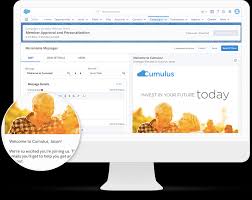
Salesforce Marketing Cloud Distributed Marketing does leverage Salesforce CMS for content management. Distributed Marketing allows central marketing teams to create and deliver content to non-marketers (distributed marketers) using the Customer Success Platform. This includes accessing content, like email templates and marketing materials, through Salesforce CMS.  Here’s How: Like Related Posts Who is Salesforce? Who is Salesforce? Here is their story in their own words. From our inception, we’ve proudly embraced the identity of Read more Salesforce Marketing Cloud Transactional Emails Salesforce Marketing Cloud Transactional Emails are immediate, automated, non-promotional messages crucial to business operations and customer satisfaction, such as order Read more Salesforce Unites Einstein Analytics with Financial CRM Salesforce has unveiled a comprehensive analytics solution tailored for wealth managers, home office professionals, and retail bankers, merging its Financial Read more AI-Driven Propensity Scores AI plays a crucial role in propensity score estimation as it can discern underlying patterns between treatments and confounding variables Read more

Read More
Salesforce Flow Tests

Mastering Salesforce Flows

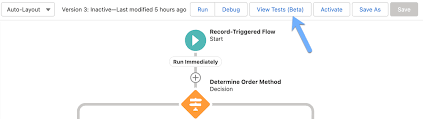
Mastering Salesforce Flows: The Complete Guide to Process Automation Why Flows Are Every Admin’s Superpower In today’s fast-moving business world, 87% of organizations report that automation is critical to maintaining competitiveness. Salesforce Flows empower admins to automate complex processes that traditionally required developer resources – making you the automation hero your team needs. The Flow Advantage *”After implementing flows, one manufacturing company reduced their quote-to-cash cycle from 5 days to 2 hours.”* Flow Types Demystified: Choose the Right Tool Flow Type Best For Key Features Trigger Examples Screen Flow User-guided processes Interactive UI, data collection Onboarding wizards, service case triage Record-Triggered Auto-processing records Runs on create/update/delete Auto-calculate discounts, update related records Schedule-Triggered Batch operations Runs on cron schedule Daily data cleanup, monthly reports Platform Event System integrations Handles external events Process IoT device alerts, SMS responses Orchestration Multi-step workflows Coordinates teams/systems Complex approvals, onboarding journeys Pro Tip: With Process Builder sunsetting in 2025, all new automation should use flows. Building Your First Flow: Step-by-Step 1. Planning Your Flow 2. Creating in Flow Builder markdown Copy Download 1. Setup > Flows > New Flow 2. Select type (e.g., Record-Triggered) 3. Configure trigger (when to run) 4. Add elements using + button: – Get Records (query data) – Decision (if/then logic) – Action (create/update records) 5. Set fault paths for error handling 3. Testing Like a Pro 4. Deployment Checklist ✅ Sandbox testing complete✅ Error handling implemented✅ Documentation created✅ User training scheduled Advanced Flow Techniques Avoid These Common Pitfalls 🚫 Nested Loops – Use Collection Filter instead🚫 Hardcoding IDs – Create custom labels🚫 Overquerying – Leverage $Record variables🚫 No Null Checks – Always add decision branches Proven Performance Boosters Example: Filtering 10,000 contacts takes: Real-World Flow Examples 1. Lightning-Fast Lead Routing Diagram Code Download EMEA APAC New Lead Region? Assign to London Queue Assign to Sydney Queue Send Welcome Email Create First Task Result: 90% faster lead assignment 2. Automated Renewal Management Impact: 30% increase in renewals 3. Customer Service Escalation Flows vs. Code: When to Choose What Scenario Flow Apex Field updates ✅ Best ⚠ Overkill Complex calculations ✅ Spring ’22+ ✅ Needed pre-2022 External API calls ✅ (Simple) ✅ (Complex) Bulk data (>10k recs) ⚠ Careful ✅ Better Trigger frameworks ❌ Avoid ✅ Required Golden Rule: Start with Flow, escalate to Apex only when limits hit. Flow Orchestration: Next-Level Automation For processes spanning multiple departments: Benefits:✔ End-to-end visibility✔ Automatic handoffs✔ Built-in wait steps Getting Started Resources “The average admin automates 23 hours of work weekly using flows.” – Salesforce ROI Study Ready to transform your processes? Book a flow consultation with our certified experts today! #Salesforce #Flow #CRM #BusinessAutomation #DigitalTransformation Content updated December 2024. Like Related Posts Who is Salesforce? Who is Salesforce? Here is their story in their own words. From our inception, we’ve proudly embraced the identity of Read more Salesforce Marketing Cloud Transactional Emails Salesforce Marketing Cloud Transactional Emails are immediate, automated, non-promotional messages crucial to business operations and customer satisfaction, such as order Read more Salesforce Unites Einstein Analytics with Financial CRM Salesforce has unveiled a comprehensive analytics solution tailored for wealth managers, home office professionals, and retail bankers, merging its Financial Read more AI-Driven Propensity Scores AI plays a crucial role in propensity score estimation as it can discern underlying patterns between treatments and confounding variables Read more
Read More

Salesforce Reports Explained

Salesforce Reports: A Complete Guide to Data Analysis & Insights What Are Salesforce Reports? Salesforce Reports empower users to access, analyze, and share critical business data stored in Salesforce. They transform raw data into actionable insights, helping teams track performance, identify trends, and make data-driven decisions. Reports can be customized, visualized in dashboards, and shared across teams for better collaboration. Key Types of Salesforce Reports Salesforce offers four main report types, each suited for different analytical needs: 1. Tabular Reports 2. Summary Reports 3. Matrix Reports 4. Joined Reports How to Create & Customize Reports Step 1: Navigate to the Reports Tab Step 2: Customize Your Report Step 3: Save & Share Advanced Analysis with Salesforce Reports Einstein Analytics Dynamic Filters Scheduled Reports Best Practices for Effective Reporting ✅ Define a Clear Purpose – What decision will this report drive?✅ Keep It User-Friendly – Use charts, summaries, and clear labels.✅ Ensure Data Accuracy – Regularly review filters & formulas.✅ Share Strategically – Grant access only to relevant stakeholders.✅ Automate Where Possible – Schedule reports to save time. Conclusion: Unlock the Power of Salesforce Reports Salesforce Reports turn raw data into strategic insights, helping businesses track performance, optimize processes, and drive growth. By mastering report types, customization, and sharing, teams can make faster, smarter decisions. Need help? Explore Salesforce’s Report Builder or check out Trailhead for hands-on training! Like Related Posts Who is Salesforce? Who is Salesforce? Here is their story in their own words. From our inception, we’ve proudly embraced the identity of Read more Salesforce Marketing Cloud Transactional Emails Salesforce Marketing Cloud Transactional Emails are immediate, automated, non-promotional messages crucial to business operations and customer satisfaction, such as order Read more Salesforce Unites Einstein Analytics with Financial CRM Salesforce has unveiled a comprehensive analytics solution tailored for wealth managers, home office professionals, and retail bankers, merging its Financial Read more AI-Driven Propensity Scores AI plays a crucial role in propensity score estimation as it can discern underlying patterns between treatments and confounding variables Read more

Read More
Customer Satisfaction

10 Essential Customer Service Skills & How to Master Them

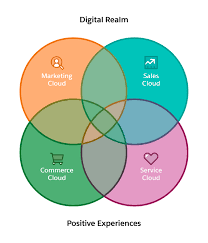
At Tectonic, we focus heavily on Salesforce tools—but technology alone isn’t enough. Exceptional customer service hinges on the right mix of human skills and smart automation. Ever called customer support only to be met with indifference or incompetence? Poor service doesn’t just frustrate—it erodes trust and drives customers away. In today’s competitive market, outstanding service is a differentiator. It boosts satisfaction, retention, and revenue while building brand loyalty. Whether you’re a leader refining your team or an agent honing your craft, mastering both hard and soft skills is key. What Is Customer Service? Customer service is the support businesses provide before, during, and after a purchase. It includes:✔ Resolving issues✔ Answering questions✔ Offering guidance✔ Ensuring satisfaction The goal? Stronger relationships, happier customers, and business growth. Why Do Customer Service Skills Matter? It’s not just about fixing problems—it’s about listening, empathizing, and exceeding expectations. Top Customer Service Skills 1. Continuity 2. Omnichannel Support 3. Automation How to Improve Customer Service Skills For Teams: For Agents: Hard Skills Every Agent Needs 🔹 Product Knowledge – Know features, fixes, and FAQs inside out.🔹 Technical Expertise – Navigate service consoles & CRMs with ease.🔹 AI Proficiency – Leverage chatbots and automation smartly.🔹 Omnichannel Etiquette – Adjust tone for email, chat, and phone.🔹 Multilingual Ability – Serve diverse customers better. Soft Skills That Build Trust 🔸 Effective Communication – Be clear, concise, and customer-focused.🔸 Active Listening – Hear the real issue behind complaints.🔸 Empathy – Show genuine care (e.g., “I understand how frustrating this must be.”).🔸 Adaptability – Stay calm under pressure and pivot when needed.🔸 Time Management – Balance speed and quality. Mastering Customer Service in the AI Era Customer service is evolving fast. The best teams combine:✅ Human touch (empathy, problem-solving)✅ Smart tech (AI, automation, CRM insights) For leaders: Use this checklist when hiring and training.For agents: Sharpen these skills to deliver standout experiences—and grow your career. Pro Tip: Pair skills with the right tools. Salesforce’s My Service Journey helps align service with business goals. Final Thought Great service isn’t just about solving issues—it’s about making customers feel valued. Invest in these skills, and your team (and bottom line) will thrive. 🚀 Like Related Posts Who is Salesforce? Who is Salesforce? Here is their story in their own words. From our inception, we’ve proudly embraced the identity of Read more Salesforce Marketing Cloud Transactional Emails Salesforce Marketing Cloud Transactional Emails are immediate, automated, non-promotional messages crucial to business operations and customer satisfaction, such as order Read more Salesforce Unites Einstein Analytics with Financial CRM Salesforce has unveiled a comprehensive analytics solution tailored for wealth managers, home office professionals, and retail bankers, merging its Financial Read more AI-Driven Propensity Scores AI plays a crucial role in propensity score estimation as it can discern underlying patterns between treatments and confounding variables Read more
Read More
Salesforce Quickstart

Salesforce Quickstarts Explained

What is a Salesforce Quickstart? Salesforce Quickstarts are great for individual departments or small sales & customer service teams who want to get the most out of their Salesforce investment from day one. Tectonic refers to these as Salesforce Implementation Solutions. Small to medium-sized businesses who are looking for quick deployment and want to get started with Salesforce as soon as possible benefit greatly from Salesforce quickstarts. Quickstart packages have also been called Salesforce Jumpstarts, a program to help businesses quickly and efficiently implement Salesforce. In either case, these programs are an all-in-one solution including everything from initial setup and configuration to training and support. What is a Salesforce Quickstart Package from Tectonic? A Salesforce Quickstart Package is a streamlined implementation process designed for companies seeking swift implementation of Salesforce. This limited engagement focuses on crucial planning, decision-making, standard and custom configurations, and essential user and admin training. It is tailored for small to medium-sized businesses aiming for a prompt Salesforce deployment, covering sales, marketing, service, and more. A QuickStart Implementation is the fastest way to get your organization using Salesforce. It is a limited engagement that provides immediate benefits and a foundation for future digital transformation. Key Benefits What you’ll receive .Partner Assistance in Implementing Salesforce with Quickstart A Salesforce consulting partner, like Tectonic, can assist in assessing needs, configuring Quickstart packages, providing training and support, adopting best practices, and optimizing the Salesforce environment. Tectonic offers ready-to-launch Quickstart packages and Accelerators, ensuring faster system fulfillment, cost reduction, secure scaling, and enhanced customer experience. How do I use trailhead to learn Salesforce after a quickstart? In Trailhead, learning topics are broken down into modules and each module contains units. At the end of a unit, you’ll complete a quiz or hands-on challenge that will earn you points. Once you’ve completed all the units in a module, you’ll get a badge that is displayed on your profile.  Salesforce Trailhead is your first, free choice for Salesforce training.  Trailhead is a fantastic learning platform for new Trailblazers coming into the Salesforce ecosystem and existing Salesforce professionals who want to improve their skills and knowledge. Tectonic is please to announce Salesforce Service Cloud Implementation Solutions. Content updated April 2024. Like1 Related Posts Who is Salesforce? Who is Salesforce? Here is their story in their own words. From our inception, we’ve proudly embraced the identity of Read more Salesforce Marketing Cloud Transactional Emails Salesforce Marketing Cloud Transactional Emails are immediate, automated, non-promotional messages crucial to business operations and customer satisfaction, such as order Read more Salesforce Unites Einstein Analytics with Financial CRM Salesforce has unveiled a comprehensive analytics solution tailored for wealth managers, home office professionals, and retail bankers, merging its Financial Read more AI-Driven Propensity Scores AI plays a crucial role in propensity score estimation as it can discern underlying patterns between treatments and confounding variables Read more

Read More
Salesforce Quickstart

Step By Step Guide to a Salesforce Quickstart

Salesforce Implementation with a Tectonic Quickstart: Step-by-Step Salesforce Quickstart Guide. Step 1: Define Your Business Requirements Step 2: Choose the Appropriate Salesforce Products Step 3: Choose the Right Salesforce Quickstart Package Step 4: Prepare Your Data Step 5: Customize Your Quickstart Package Step 6: Train Your Users Step 7: Monitor and Optimize Your Processes Benefits of Salesforce Implementation with QuickStart Package Is it time for your business to get up and running on Salesforce? Contact Tectonic about our Salesforce Quickstart solutions today. Salesforce quickstarts are also known as Salesforce Implementation Solutions. Content updated December 2024. Like1 Related Posts Who is Salesforce? Who is Salesforce? Here is their story in their own words. From our inception, we’ve proudly embraced the identity of Read more Salesforce Marketing Cloud Transactional Emails Salesforce Marketing Cloud Transactional Emails are immediate, automated, non-promotional messages crucial to business operations and customer satisfaction, such as order Read more Salesforce Unites Einstein Analytics with Financial CRM Salesforce has unveiled a comprehensive analytics solution tailored for wealth managers, home office professionals, and retail bankers, merging its Financial Read more AI-Driven Propensity Scores AI plays a crucial role in propensity score estimation as it can discern underlying patterns between treatments and confounding variables Read more
Read More
gettectonic.com