
Trigger Archives - gettectonic.com - Page 13
Slack's Next Gen Platform Released

Slack’s Next Gen Platform Released

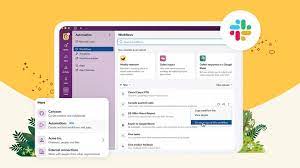
The Salesforce Slack platform lets you extend, expand, and automate your workspaces all while collaborating. Slacks Next Gen Platform Released. Slacks Next Gen Platform Released Slack’s advanced platform, initially in the beta phase for developers, is now progressively rolling out to all teams. Following nearly three years of community-driven experimentation, development, and testing, Slack is excited for you to explore the possibilities it unlocks for your teams: Modular Architecture: Introduce yourself to a new modular architecture rooted in building blocks like functions, triggers, and workflows. These elements are remixable, reusable, and seamlessly connect to the data flow within Slack. Enhanced Developer Experience: Enjoy a faster, more intuitive developer interface with new tools such as the Slack CLI and TypeScript SDK. These tools simplify and clarify the often tedious aspects of building atop the Slack platform. Secure Infrastructure: Benefit from secure deployment, data storage, and authentication powered by Slack-managed serverless infrastructure. The fast Deno-based TypeScript runtime keeps your focus on coding and user experience. Flexible User Experience: Experience a flexible user interface that facilitates easy sharing of your creations within Slack. Introduce a link trigger to make your workflow portable—share it in messages, add it to bookmarks, incorporate it into a canvas, and more. Slack Seeks Feedback Acknowledging the importance of feedback from developers, admins, and users, Slack understands the challenges encountered while building custom integrations. From ensuring enterprise readiness to keeping integrations up-to-date with new Slack features, your input has guided every decision, leading them to this point. The platform’s distinction lies in its extensive options and robust support, offering a fluid and expansive development experience. This approach has allowed Salesforce and Slack to explore innovative ways to integrate support structures directly within Slack, as echoed by Tyler Beckett, SaaS Operations Engineer at Workiva. Slacks Next Gen Platform Released to Include More Automation Slack’s platform is also designed to make workflows automatically extensible to the Slack surfaces of today and tomorrow. Focus on business logic, and Slack will ensure your functions and workflows seamlessly work in any new experience introduced in Slack. For example, the canvas is a new persistent surface where teams can create, curate, and share essential information like text, files, link unfurls, and more in a single view. From day one, you can embed workflows too, making it easy to discover and use them in a relevant context, such as adding an IT request workflow to an onboarding canvas. Talk to Tectonic today about adding Salesforce Slack to your Salesforce ecosystem. Like Related Posts Who is Salesforce? Who is Salesforce? Here is their story in their own words. From our inception, we’ve proudly embraced the identity of Read more Salesforce Marketing Cloud Transactional Emails Salesforce Marketing Cloud Transactional Emails are immediate, automated, non-promotional messages crucial to business operations and customer satisfaction, such as order Read more Salesforce Unites Einstein Analytics with Financial CRM Salesforce has unveiled a comprehensive analytics solution tailored for wealth managers, home office professionals, and retail bankers, merging its Financial Read more AI-Driven Propensity Scores AI plays a crucial role in propensity score estimation as it can discern underlying patterns between treatments and confounding variables Read more
Read More
revenue cloud

CPQ Revenue Cloud Billing Salesforce

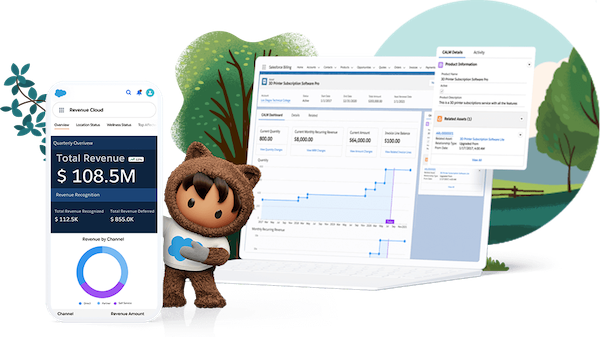
Unleash the Power of Salesforce CPQ for Seamless Product Configuration: CPQ Revenue Cloud Billing Salesforce Maximize the potential of Salesforce CPQ to effortlessly configure all your products. Empower sales representatives with the knowledge to provide accurate quotes through guided product discovery, solution selling, and advanced configuration logic. Boost sales productivity by seamlessly integrating configure, price, and quote capabilities into your CRM system. Quickly generate quotes with guided selling flows, product bundles, and discounting rules while ensuring business risk mitigation through built-in controls, approval workflows, and compliance measures. CPQ Revenue Cloud Billing Salesforce: Elevate your sales operations with Salesforce CPQ and Revenue Cloud, driving growth and efficiency across all sales channels while ensuring seamless customer interactions and comprehensive revenue management. Like1 Related Posts Who is Salesforce? Who is Salesforce? Here is their story in their own words. From our inception, we’ve proudly embraced the identity of Read more Salesforce Marketing Cloud Transactional Emails Salesforce Marketing Cloud Transactional Emails are immediate, automated, non-promotional messages crucial to business operations and customer satisfaction, such as order Read more Salesforce Unites Einstein Analytics with Financial CRM Salesforce has unveiled a comprehensive analytics solution tailored for wealth managers, home office professionals, and retail bankers, merging its Financial Read more AI-Driven Propensity Scores AI plays a crucial role in propensity score estimation as it can discern underlying patterns between treatments and confounding variables Read more

Read More
ChatGPT and Einstein GPT

ChatGPT and Einstein GPT

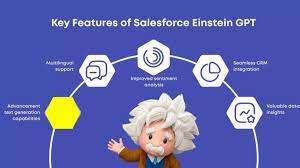
Artificial intelligence (AI) has been rapidly advancing globally, with breakthroughs captivating professionals across various sectors. One milestone that has gained significant attention is the emergence of ChatGPT, a cutting-edge language model revolutionizing the tech landscape. This development has profoundly impacted businesses relying on Salesforce for their customer relationship management (CRM) needs. In March 2023, Salesforce unveiled its latest AI innovation, Einstein GPT, promising to transform how companies engage with their clientele. In this article, we explore what Salesforce Einstein GPT entails and how it can benefit teams across diverse industries. When OpenAI introduced ChatGPT in November 2022, they didn’t expect the overwhelming response it received. Initially positioned as a “research preview,” this AI chatbot aimed to refine existing technology while soliciting feedback from users. However, ChatGPT quickly became a viral sensation, surpassing OpenAI’s expectations and prompting them to adapt to its newfound popularity. Developed on the foundation of the GPT-3.5 language model, ChatGPT was specifically tailored to facilitate engaging and accessible conversations, distinguishing it from its predecessors. Its launch attracted a diverse user base keen to explore its capabilities, prompting OpenAI to prioritize addressing potential misuse and enhancing its safety features. As ChatGPT gained traction, it caught the attention of Salesforce, a leading CRM provider. In March 2023, Salesforce unveiled Einstein GPT, its own AI innovation, poised to transform customer engagement. Built on the GPT-3 architecture and seamlessly integrated into Salesforce Clouds, Einstein GPT promised to revolutionize how businesses interact with their clientele. Einstein GPT boasts a range of features designed to personalize customer experiences and streamline workflows. From generating natural language responses to crafting personalized content and automating tasks, Einstein GPT offers versatility and value across industries. By leveraging both Einstein AI and GPT technology, businesses can unlock unprecedented efficiency and deliver superior customer experiences. Despite its success, OpenAI acknowledges the need for ongoing refinement and vigilance, emphasizing the importance of responsible deployment and transparency in the development of AI technology. Exploring Einstein GPT Salesforce presents Einstein GPT as the premier generative AI tool for CRM worldwide. Utilizing the advanced GPT-3 architecture, Einstein GPT seamlessly integrates into all Salesforce Clouds, including Tableau, MuleSoft, and Slack. This groundbreaking technology empowers users to generate natural language responses to customer inquiries, craft personalized content, and compose entire email messages on behalf of sales personnel. With its high degree of customization, Einstein GPT can be finely tuned to meet the specific needs of various industries, use cases, and customer requirements, delivering significant value to businesses of all sizes and sectors. Objectives of Salesforce AI Einstein GPT Salesforce AI Einstein GPT is designed to achieve several key objectives: Distinguishing Einstein GPT from Einstein AI Einstein GPT represents the latest evolution of Salesforce’s Einstein artificial intelligence technology. Unlike its predecessors, Einstein GPT integrates proprietary Einstein AI models with ChatGPT and other leading large language models. This integration enables users to interact with CRM data using natural language prompts, resulting in highly personalized, AI-generated content and triggering powerful automations that enhance workflows and productivity. By leveraging both Einstein AI and GPT technology, businesses can achieve unparalleled efficiency and deliver exceptional customer experiences. Features of Einstein GPT in Salesforce CRM Key features and capabilities of Salesforce Einstein chatbot GPT include: Utilizing Einstein GPT for Business Improvement Einstein GPT can be leveraged across various domains to enhance business operations: Integration with Salesforce Data Cloud Salesforce Data Cloud, a cloud-based data management system, enables real-time data aggregation from diverse sources. Einstein GPT utilizes unified customer data profiles from the Salesforce Data Cloud to personalize interactions throughout the customer journey. OpenAI on ChatGPT Methods We trained this model using Reinforcement Learning from Human Feedback (RLHF), using the same methods as InstructGPT, but with slight differences in the data collection setup. We trained an initial model using supervised fine-tuning: human AI trainers provided conversations in which they played both sides—the user and an AI assistant. We gave the trainers access to model-written suggestions to help them compose their responses. We mixed this new dialogue dataset with the InstructGPT dataset, which we transformed into a dialogue format. To create a reward model for reinforcement learning, we needed to collect comparison data, which consisted of two or more model responses ranked by quality. To collect this data, we took conversations that AI trainers had with the chatbot. We randomly selected a model-written message, sampled several alternative completions, and had AI trainers rank them. Using these reward models, we can fine-tune the model using Proximal Policy Optimization. We performed several iterations of this process. ChatGPT is fine-tuned from a model in the GPT-3.5 series, which finished training in early 2022. You can learn more about the 3.5 series here. ChatGPT and GPT-3.5 were trained on an Azure AI supercomputing infrastructure. Limitations ChatGPT and Einstein GPT Salesforce Einstein GPT signifies a significant advancement in AI technology, empowering businesses to deliver tailored customer experiences and streamline operations. With its integration into Salesforce CRM and other platforms, Einstein GPT offers unprecedented capabilities for personalized engagement and automated insights, ensuring organizations remain competitive in today’s dynamic market landscape. When OpenAI quietly launched ChatGPT in late November 2022, the San Francisco-based AI company didn’t anticipate the viral sensation it would become. Initially viewed as a “research preview,” it was meant to showcase a refined version of existing technology while gathering feedback from the public to address its flaws. However, the overwhelming success of ChatGPT caught OpenAI off guard, leading to a scramble to capitalize on its newfound popularity. ChatGPT, based on the GPT-3.5 language model, was fine-tuned to be more conversational and accessible, setting it apart from previous iterations. Its release marked a significant milestone, attracting millions of users eager to test its capabilities. OpenAI quickly realized the need to address potential misuse and improve the model’s safety features. Since its launch, ChatGPT has undergone several updates, including the implementation of adversarial training to prevent users from exploiting it (known as “jailbreaking”). This technique involves pitting multiple chatbots against each other to identify and neutralize malicious behavior. Additionally,

Read More
Salesforce Genie

Genie Salesforce

Salesforce Genie is a real-time platform that synthesizes customer data, enabling organizations to meet their customer requirements and expectations as and when they change. What is the difference between Salesforce Genie and CDP? Data activation protocols are followed by the Salesforce Customer Data Platform. This helps in order to segment the audience and activate the data. With Genie, you are able to unify your data and resolve customer identity issues. What is the Genie platform? Genie is an online sales platform that allows you to leverage the strengths of traditional marketing. With online marketing and direct mail into successful multi-channel campaigns. Combine data, marketing and tracking in one place. Always with a team of data marketing experts only a phone call away for support. It makes it easier for businesses to decode and make sense of all their data from all systems, channels, or data streams. It also integrates data from each step in the customer’s experience into a unified customer profile record. Therefore helping create one single view of the customer. Have you ever called a support line and spent unnecessary time talking the agent through your purchase history to get the right level of support? Or when an ecommerce site states the shirts that you have been eyeing for are finally in stock, but they’re still out of stock when you get to the store? These are familiar scenarios for most of us. We expect every experience to be connected and updated in real time. When they aren’t, we’re disappointed. Salesforce Genie was first announced by Salesforce at Dreamforce ‘22. Like1 Related Posts Who is Salesforce? Who is Salesforce? Here is their story in their own words. From our inception, we’ve proudly embraced the identity of Read more Salesforce Marketing Cloud Transactional Emails Salesforce Marketing Cloud Transactional Emails are immediate, automated, non-promotional messages crucial to business operations and customer satisfaction, such as order Read more Salesforce Unites Einstein Analytics with Financial CRM Salesforce has unveiled a comprehensive analytics solution tailored for wealth managers, home office professionals, and retail bankers, merging its Financial Read more AI-Driven Propensity Scores AI plays a crucial role in propensity score estimation as it can discern underlying patterns between treatments and confounding variables Read more
Read More
Mastering Salesforce SOQL

Mastering Salesforce SOQL

Mastering SOQL: A Guide to Querying Salesforce Data Understanding SOQL Basics Salesforce Object Query Language (SOQL) is the powerful tool you’ll use to retrieve specific records from your Salesforce database. Similar to SQL’s SELECT statement but optimized for Salesforce, SOQL follows this basic structure: sql Copy Download SELECT Field1, Field2 FROM ObjectName WHERE conditions ORDER BY Field1 For quick reference to standard fields, consult the Salesforce Fields Reference. Crafting Effective WHERE Clauses Comparison Operators SOQL provides robust filtering capabilities with these operators: Example: sql Copy Download SELECT Name FROM Account WHERE AnnualRevenue > 1000000 AND Industry = ‘Technology’ Logical Operators Combine conditions with: Example: sql Copy Download SELECT Id, Name FROM Contact WHERE (Department = ‘Sales’ OR Department = ‘Marketing’) AND NOT Title LIKE ‘%Intern%’ Advanced Query Techniques Result Limiting Date Handling For date fields (YYYY-MM-DD format): sql Copy Download SELECT Id FROM Opportunity WHERE CloseDate = 2023-12-31 For datetime fields: sql Copy Download SELECT Id FROM Case WHERE CreatedDate = 2023-01-15T14:30:00Z Use .to_date() for date conversion and .strftime() for datetime formatting in formulas. Practical Implementation Triggers and Actions Workato provides specialized triggers and actions for SOQL: Basic queries: Full query support: Remember: Always include the ID field in SELECT statements for triggers. Setting Up Scheduled Queries Example scheduled query: sql Copy Download SELECT Id, Name, Status__c FROM Custom_Object__c WHERE LastModifiedDate = TODAY ORDER BY CreatedDate DESC LIMIT 200 Key Differences from SQL By mastering these SOQL techniques, you’ll efficiently extract exactly the data you need from your Salesforce org while working within the platform’s unique architecture. Like Related Posts Who is Salesforce? Who is Salesforce? Here is their story in their own words. From our inception, we’ve proudly embraced the identity of Read more Salesforce Marketing Cloud Transactional Emails Salesforce Marketing Cloud Transactional Emails are immediate, automated, non-promotional messages crucial to business operations and customer satisfaction, such as order Read more Salesforce Unites Einstein Analytics with Financial CRM Salesforce has unveiled a comprehensive analytics solution tailored for wealth managers, home office professionals, and retail bankers, merging its Financial Read more AI-Driven Propensity Scores AI plays a crucial role in propensity score estimation as it can discern underlying patterns between treatments and confounding variables Read more

Read More
Salesforce Manufacturing Cloud

Benefits of Salesforce Manufacturing Cloud

Salesforce Manufacturing Cloud is a custom, industry specific solutions platform that helps you manage your entire book-of-business and customer service lifecycle, while increasing collaboration and visibility between sales, operations, and partners. Here are the Benefits of Salesforce Manufacturing Cloud. Salesforce Manufacturing Cloud offers numerous benefits that contribute to the efficient and seamless operation of your manufacturing businesses. One key advantage is the streamlining of business operations. By connecting different departments, the platform facilitates instant and automatic order submission, significantly improving overall efficiency. Manufacturing Cloud Salesforce Manufacturing Cloud provides a comprehensive view of operations, offering valuable insights into company and market changes. This visibility enables quick reactions to emerging trends, ensuring your business stays agile and responsive in a dynamic market environment. The time saved will help you stay ahead of market changes that may slow your competition down, improving your competitive advantage. The platform also plays a crucial role in improving sales forecasting. By providing visibility into all your customer interactions, Salesforce Manufacturing Cloud enables robust sales forecasts, empowering businesses to make informed decisions about their sales strategies. Moreover, the platform encourages the adoption of modernized processes, bridging costly gaps in traditional manufacturing operations. This modernization not only improves operational efficiency but also contributes to market responsiveness. Connected and streamlined operations facilitate quick responses to market changes, allowing businesses to adapt swiftly to evolving conditions.  Salesforce Manufacturing Cloud keeps your business moving forward, adopting modern and automated processes that save time and money. Automation Automation within Salesforce Manufacturing Cloud eliminates costly manual steps, reducing the risk of simple human errors. This is particularly crucial in scenarios where simple data entry mistakes, such as adding an extra zero to a fulfillment order, can lead to significant financial losses. The platform ensures reliable data, enabling seamless collaboration between Sales and Operations. Not only does this create smooth internal operations, but it also increases customer satisfaction. Instant access to reporting within the Manufacturing Cloud platform provides valuable insights into product performance, allowing businesses to create accurate predictions. Manufacturers can identify top-selling products, address underperforming items, and stay abreast of market trends. This information enables effective resource allocation and prompt issue resolution, preventing prolonged and costly production problems. Accurately tracking customer demand within Salesforce Manufacturing Cloud ensures optimal production levels. A 360-degree customer view of operations prevents overproduction or underproduction, striking a balance that avoids financial losses and customer dissatisfaction. The platform helps maintain an optimal level of stock on hand. The automated digital processes for contract management offered by Salesforce Manufacturing Cloud enable instant updates to client agreements. This eliminates version-control chaos caused by separate updates from various parties. A Salesforce single source of truth ensures unified operations, reduces legal liability, and ensures that all departments adhere to the same specifications. Implementing an automated system to track leads throughout the sales process is another benefit of Salesforce Manufacturing Cloud. Automating lead tracking provides valuable insights into the effectiveness of your sales strategies. Identification of attrition points triggers alerts, allowing manufacturers to address issues promptly. Sales teams can adjust strategies to prevent prospects from falling out of the pipeline, ultimately boosting sales and adding revenue to the bottom line. If your manufacturing operations could benefit from Salesforce Manufacturing Cloud, contact Tectonic to learn more. Like2 Related Posts Who is Salesforce? Who is Salesforce? Here is their story in their own words. From our inception, we’ve proudly embraced the identity of Read more Salesforce Marketing Cloud Transactional Emails Salesforce Marketing Cloud Transactional Emails are immediate, automated, non-promotional messages crucial to business operations and customer satisfaction, such as order Read more Salesforce Unites Einstein Analytics with Financial CRM Salesforce has unveiled a comprehensive analytics solution tailored for wealth managers, home office professionals, and retail bankers, merging its Financial Read more AI-Driven Propensity Scores AI plays a crucial role in propensity score estimation as it can discern underlying patterns between treatments and confounding variables Read more
Read More
Exploring Salesforce Journey Builder

Exploring Salesforce Journey Builder

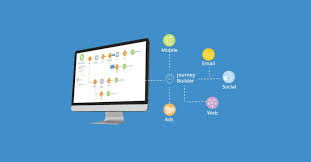
Exploring Salesforce Journey Builder Salesforce Journey Builder, a feature within Salesforce Marketing Cloud, is designed to give marketers a comprehensive view of customer interactions across multiple channels, including email, mobile, and social ads. It enables the creation and automation of personalized customer journeys that can be tailored based on specific behaviors, preferences, and demographics. Key Features of Journey Builder Types of Customer Journeys Journey Builder supports various journey types, offering flexibility in campaign design: Benefits of Using Journey Builder Connecting Marketing Cloud Journeys to Salesforce To link Marketing Cloud journeys with Salesforce campaigns, navigate to the relevant campaign in Salesforce, then select “Connect Campaign” from the Campaign Messages component. From there, choose the appropriate Marketing Cloud business unit and select an active journey. Differentiating Journey Builder from Other Salesforce Tools Conclusion Salesforce Journey Builder empowers marketers to automate and personalize customer journeys across various channels. By leveraging its capabilities, organizations can boost customer engagement, drive conversions, and remain agile in response to evolving market trends. Like Related Posts Who is Salesforce? Who is Salesforce? Here is their story in their own words. From our inception, we’ve proudly embraced the identity of Read more Salesforce Marketing Cloud Transactional Emails Salesforce Marketing Cloud Transactional Emails are immediate, automated, non-promotional messages crucial to business operations and customer satisfaction, such as order Read more Salesforce Unites Einstein Analytics with Financial CRM Salesforce has unveiled a comprehensive analytics solution tailored for wealth managers, home office professionals, and retail bankers, merging its Financial Read more AI-Driven Propensity Scores AI plays a crucial role in propensity score estimation as it can discern underlying patterns between treatments and confounding variables Read more

Read More
Marketing Cloud Journeys and Automations

Marketing Cloud Journeys and Automations

Creating Engaging Marketing Campaigns with Journeys and Automations in Marketing Cloud-Marketing Cloud Journeys and Automations In Marketing Cloud, design and automate campaigns that lead customers through their interaction with a brand. Execute various marketing and data management tasks promptly, triggered by specific actions, or on a scheduled basis. Addressing Email Client Privacy and Non-Subscriber Activity Certain email client providers are implementing privacy changes that can affect open metrics and calculations. At Salesforce, trust is paramount, and we prioritize privacy and security. In response to evolving digital landscapes, we aim to provide solutions that enable you to adapt and succeed. While email opens traditionally signal customer interest, evolving privacy options may diminish their reliability as engagement indicators. Leveraging Automation Studio Utilize Automation Studio to streamline email sends, queries, imports, and more within Marketing Cloud Engagement. Craft workflows, simple or intricate, to automate marketing and data management tasks based on your specified criteria. Harnessing Journeys and Messages Journey Builder, a pivotal campaign planning tool in Marketing Cloud Engagement, empowers you to design and automate campaigns guiding customers along their brand journey. At its core lies the journey, serving as your communication blueprint. Canvas activities within Journey Builder dictate communication methods and guide contacts through the journey. Contacts enter via entry sources, and the journey continuously evaluates them to progress to the next activity. Utilizing Behavioral Triggers Employ Marketing Cloud Engagement to target customers who abandon items or services before purchase. Configure the flow of behavioral data into data extensions for email sends and journeys, a strategy known as Behavioral Triggers. This approach leverages behavioral data to engage customers effectively throughout their journey. Like Related Posts Who is Salesforce? Who is Salesforce? Here is their story in their own words. From our inception, we’ve proudly embraced the identity of Read more Salesforce Marketing Cloud Transactional Emails Salesforce Marketing Cloud Transactional Emails are immediate, automated, non-promotional messages crucial to business operations and customer satisfaction, such as order Read more Salesforce Unites Einstein Analytics with Financial CRM Salesforce has unveiled a comprehensive analytics solution tailored for wealth managers, home office professionals, and retail bankers, merging its Financial Read more AI-Driven Propensity Scores AI plays a crucial role in propensity score estimation as it can discern underlying patterns between treatments and confounding variables Read more

Read More
Salesforce Marketing Cloud Advertising Studio

Salesforce Advertising Studio Platforms

Are you looking to take your advertising and marketing campaigns to new heights? Look no further than Salesforce Advertising Studio. In this insight, we will provide an overview of Salesforce Advertising Studio and its crucial role in driving successful advertising and marketing endeavors. Engage prospects across every channel. Connect third-party webinar, survey, and SMS apps directly to your marketing programs. Trigger webinar and event registrations, survey sends, and SMS sends in your automated journeys. Connect engagement data, like third-party webinar, survey, and SMS data, for easy segmentation and campaign maintenance. One of the key advantages of Salesforce Advertising Studio is its seamless integration with other Salesforce platforms such as Customer 360 and Marketing Cloud. This integration allows businesses to harness the power of unified customer data, enabling highly personalized and targeted advertising campaigns. By leveraging the wealth of insights and information stored within Customer 360 and Marketing Cloud, advertisers can create more impactful and relevant messaging that resonates with their audience. An upscale solution of Salesforce Marketing Cloud (SFMC), Advertising Studio helps marketers digitize their efforts at scale and target the right audiences to reach business goals effectively. It allows you to create unique experiences for customers while displaying ads to your target audience. Leverage Salesforce Advertising Studio to effortlessly plan and execute advertising campaigns across multiple channels. This powerful tool provides marketers with efficient features for designing personalized ads, creating compelling content, scheduling campaigns, and automating processes. Furthermore, Advertising Studio smoothly integrates with popular advertising networks and platforms, such as Facebook, Google Ads, Instagram, and Twitter. Benefits Of Advertising Studio Marketing Cloud Advertising helps you engage and advertise to your customers and prospects. Use it to coordinate campaigns with social, mobile, sales, and customer service efforts and enhance your email marketing goals with advertising. You can engage with existing customers, find new prospects with lookalikes, and re-engage inactive users within the customer journey across digital advertising. NOTE: Salesforce Advertising Studio is now called Marketing Cloud Advertising. Use Marketing Cloud Advertising to: Marketing Cloud Advertising helps you target your digital advertising campaigns across various platforms with Advertising Audiences. These platforms include Facebook, Instagram, Google Ads, LinkedIn, X (Twitter), Pinterest, and Snapchat. Use Advertising Audiences to: You can also configure audiences to refresh automatically. If you discontinue your Ad Studio license, you must delete all audiences and authorized accounts. As a Marketing Cloud Advertising customer with a Marketing Cloud Intelligence license, you have access to deeper audience and campaign analytics with Audience Insights for Marketing Cloud Advertising. The application is available in the Marketing Cloud Intelligence Marketplace. Advertising Studio is now called Marketing Cloud Advertising. During this transition, you may see references to Advertising Studio. To empower your advertising with Marketing Cloud Advertising, contact Tectonic today. Content updated November 2023. Like1 Related Posts Who is Salesforce? Who is Salesforce? Here is their story in their own words. From our inception, we’ve proudly embraced the identity of Read more Salesforce Marketing Cloud Transactional Emails Salesforce Marketing Cloud Transactional Emails are immediate, automated, non-promotional messages crucial to business operations and customer satisfaction, such as order Read more Salesforce Unites Einstein Analytics with Financial CRM Salesforce has unveiled a comprehensive analytics solution tailored for wealth managers, home office professionals, and retail bankers, merging its Financial Read more AI-Driven Propensity Scores AI plays a crucial role in propensity score estimation as it can discern underlying patterns between treatments and confounding variables Read more
Read More
marketing cloud utm parameters

UTM Parameter FAQs

How to Retrieve UTM Data Using Google Tag Manager Retrieving UTM data in Google Tag Manager involves a straightforward process to enhance tracking and analytics. Follow these steps: By following these steps, you can effectively retrieve and utilize UTM data in Google Tag Manager, enhancing your tracking capabilities and improving data accuracy for marketing campaigns. Content updated March 2024. Like Related Posts Who is Salesforce? Who is Salesforce? Here is their story in their own words. From our inception, we’ve proudly embraced the identity of Read more Salesforce Marketing Cloud Transactional Emails Salesforce Marketing Cloud Transactional Emails are immediate, automated, non-promotional messages crucial to business operations and customer satisfaction, such as order Read more Salesforce Unites Einstein Analytics with Financial CRM Salesforce has unveiled a comprehensive analytics solution tailored for wealth managers, home office professionals, and retail bankers, merging its Financial Read more AI-Driven Propensity Scores AI plays a crucial role in propensity score estimation as it can discern underlying patterns between treatments and confounding variables Read more
Read More
Different Ways to Create Cases in Salesforce

Salesforce Email to Case

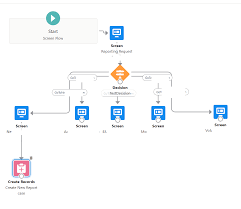
Configure your Email to Case settings to tailor Salesforce’s handling and case creation from incoming emails. If you’ve completed the Guided Setup flow, some settings may already be populated. Salesforce email to case provides a quick creation of cases when emails are sent in. Salesforce employs logic to match the ‘From’ field email address in incoming emails to a Contact’s email address. If a match is found, the system associates the created Case with the corresponding Contact record. To enable Email-to-Case, follow these steps: Click on Setup, enter “Email-To-Case” in Quick Find, select Email-to-Case, and click the edit button. By default, Email-to-Case creates Cases and associates them with a Contact if the sender’s email address exists on one Contact. However, automatic association doesn’t occur if the email exists on multiple Contacts. Benefits of Email-to-Case in Salesforce include faster response times, allowing organizations to prioritize and promptly assign cases. Case assignment rules based on specific criteria help automate assignments to appropriate support agents or teams. Access Email-to-Case settings through Setup, then enter “Email-to-Case” in the Quick Find box. We recommend selecting all settings. Some key settings include enabling Email-to-Case, notifying case owners on new email, enabling HTML email, setting case source to email, and more. Configure additional settings like saving Email-to-Case attachments as Salesforce files, eliminating duplicate email attachments, invoking triggers on status change, and replying with new content only. Enable on-demand service to allow Salesforce to process incoming emails unless using a custom solution. Set actions for emails exceeding the organization’s daily processing limit and unauthorized sender actions. Customize Email-to-Case in Salesforce from Setup by entering “Email-to-Case” in the Quick Find box. In the Routing Addresses list, edit the routing address created in the Email-to-Case guided setup flow and select the case record type. Limitations of Email-to-Case include a default limit of 2500 cases created within an organization, which cannot be increased and resets at midnight GMT. Email-to-Case in Salesforce is unique to each instance, and when a sandbox is refreshed, the email service addresses in the Email-to-Case section must be manually enabled and created again. Like Related Posts Who is Salesforce? Who is Salesforce? Here is their story in their own words. From our inception, we’ve proudly embraced the identity of Read more Salesforce Marketing Cloud Transactional Emails Salesforce Marketing Cloud Transactional Emails are immediate, automated, non-promotional messages crucial to business operations and customer satisfaction, such as order Read more Salesforce Unites Einstein Analytics with Financial CRM Salesforce has unveiled a comprehensive analytics solution tailored for wealth managers, home office professionals, and retail bankers, merging its Financial Read more AI-Driven Propensity Scores AI plays a crucial role in propensity score estimation as it can discern underlying patterns between treatments and confounding variables Read more
Read More
Salesforce Sales Enablement

Modern Sales Enablemen

The Ultimate Guide to Modern Sales Enablement: Driving Revenue Through Strategic Enablement Why Sales Enablement Matters More Than Ever In today’s competitive landscape, sales teams face unprecedented challenges: Sales enablement has evolved from basic training to a strategic revenue driver that:✔ Accelerates ramp time for new reps✔ Increases win rates by 20-30%✔ Boosts deal sizes through value-selling✔ Shortens sales cycles with battle-tested playbooks The 4 Pillars of High-Impact Enablement 1. Goal-Driven Enablement Stop generic training. Start with one revenue-critical KPI: Example: A SaaS company increased deal size 22% by training reps to lead with ROI calculators instead of discounts. 2. Behavior-Based Coaching Leverage AI and data to target specific skill gaps: 3. Technology Stack Integration Essential tools for measurable impact: Tool Key Benefit CRM Tracks enablement progress to revenue outcomes Conversation AI Surfaces coaching moments from calls/emails Enablement Platform Delivers contextual training in workflow Learning LMS Gamifies certifications & skill development Pro Tip: Integrate tools so reps learn while selling (e.g., Salesforce Sales Enablement auto-suggests battle cards during opp stages). 4. Continuous Optimization Quarterly enablement health checks: Best Practices for 2024 For Enablement Leaders For Sales Reps The Future: AI-Powered Enablement Leading organizations now deploy:🤖 Autonomous Coaching Agents – Real-time deal guidance📊 Predictive Content Recommendations – AI suggests optimal assets per stage🎯 Skill Gap Analytics – Prescriptive training based on deal outcomes “Enablement isn’t about training—it’s about engineering revenue behaviors.”– Sales Enablement Leader, Fortune 500 Tech Company Get Started Template Quarter 1 Enablement Plan markdown 1. **Goal**: Increase win rate by 15% 2. **Behavior Focus**: Executive stakeholder alignment 3. **Actions**: – Build “C-Suite Messaging” playbook – Train on discovery questioning frameworks – Implement call tracking for “business outcome” language 4. **Tools**: Salesforce Enablement + Gong 5. **Success Metrics**: – 25% more exec-level meetings booked – 10% higher win rate on deals with CFO engagement Content updated February 2025. Like Related Posts Who is Salesforce? Who is Salesforce? Here is their story in their own words. From our inception, we’ve proudly embraced the identity of Read more Salesforce Marketing Cloud Transactional Emails Salesforce Marketing Cloud Transactional Emails are immediate, automated, non-promotional messages crucial to business operations and customer satisfaction, such as order Read more Salesforce Unites Einstein Analytics with Financial CRM Salesforce has unveiled a comprehensive analytics solution tailored for wealth managers, home office professionals, and retail bankers, merging its Financial Read more AI-Driven Propensity Scores AI plays a crucial role in propensity score estimation as it can discern underlying patterns between treatments and confounding variables Read more

Read More
Salesforce Slack Integration

Workflows for Salesforce Slack

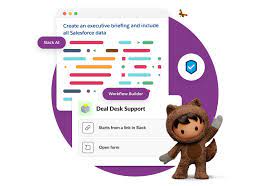
We all rely on processes to keep our teams organized and propel work forward. However, manual processes can be cumbersome, with work often getting lost in the chaos of Slack DMs or crowded team channels. Imagine if there were a way to structure processes into forms within Slack, allowing people to fill them out and automatically route requests to the appropriate individuals for follow-up. This is where Slack workflows come into play. What are Workflows for Salesforce Slack? A workflow is a multi-step process within your company, representing the sequence of tasks undertaken to achieve a business objective. Examples of Workflows for Salesforce Slack include: Workflows have a sequence of steps: Each workflow consists of multiple stages that typically occur in a specific order. Workflow Automation: Workflow automation is the use of software to streamline multi-step, multi-team workflows, ensuring the correct steps are followed, and tasks are completed efficiently. Types of Workflow Automation: Benefits of Workflow Automation in Slack: By incorporating workflow automation into Slack, teams can enhance efficiency, maintain structure, and reduce the risk of tasks getting lost or delayed. Contact Tectonic to learn more about Slack integration. Like1 Related Posts Who is Salesforce? Who is Salesforce? Here is their story in their own words. From our inception, we’ve proudly embraced the identity of Read more Salesforce Marketing Cloud Transactional Emails Salesforce Marketing Cloud Transactional Emails are immediate, automated, non-promotional messages crucial to business operations and customer satisfaction, such as order Read more Salesforce Unites Einstein Analytics with Financial CRM Salesforce has unveiled a comprehensive analytics solution tailored for wealth managers, home office professionals, and retail bankers, merging its Financial Read more AI-Driven Propensity Scores AI plays a crucial role in propensity score estimation as it can discern underlying patterns between treatments and confounding variables Read more
Read More
salesforce marketing cloud interaction studio

Salesforce and Marketing Cloud

Salesforce Marketing Cloud is a customer relationship management (CRM) platform for marketers that allows them to create and manage marketing relationships and campaigns with customers. Salesforce Marketing Cloud (SFMC) is the name of Salesforce’s platform for multi-channel engagement, digital marketing, marketing automation, analytics, and personalization. The platform is a set of software as a service (SaaS) products with different types of functionality and additional add-on features provided by Salesforce and other vendors via the Salesforce AppExchange to further increase their capabilities. Salesforce Marketing Cloud is Salesforce’s “umbrella” brand name for a family of related products capable of supporting many marketing processes, including multi-channel campaign execution, dynamic customer journeys, marketing performance analysis, personalization, digital advertising, and data management. Marketing Cloud Connect.  Keep customer data in sync across marketing, sales, and service interactions. Trigger journeys and messages as customers interact with any department across your company to deliver one seamless experience. Journey Builder Use marketing automation to build customer journeys across email, mobile, advertising, your website, and the internet of things to deliver a seamless experience across marketing, sales, and service. Audience Builder Create a single view of each customer with information from any source. Then, target specific audiences and segments across the customer journey. Go from managing data to building relationships. Personalization Builder Power personalization using Einstein’s predictive intelligence capabilities. Pair customer profiles with machine learning algorithms to automatically show the right content to each individual. Content Builder Manage all of your content and assets in a single location. Easily handle assets with advanced search and tagging capabilities. Share and approve content in a secure fashion for use throughout the enterprise. Analytics Builder Track and measure the performance of your campaigns and journeys. Uncover new insights about your customers through rich reporting and predictive analytics. Like Related Posts Who is Salesforce? Who is Salesforce? Here is their story in their own words. From our inception, we’ve proudly embraced the identity of Read more Salesforce Marketing Cloud Transactional Emails Salesforce Marketing Cloud Transactional Emails are immediate, automated, non-promotional messages crucial to business operations and customer satisfaction, such as order Read more Salesforce Unites Einstein Analytics with Financial CRM Salesforce has unveiled a comprehensive analytics solution tailored for wealth managers, home office professionals, and retail bankers, merging its Financial Read more AI-Driven Propensity Scores AI plays a crucial role in propensity score estimation as it can discern underlying patterns between treatments and confounding variables Read more
Read More
gettectonic.com