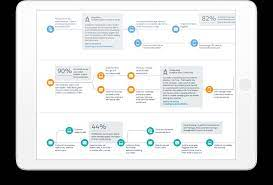
Trigger a personalized journey with events, or choose a specific audience. Trigger a Journey by Event or Audience Segment.
Examples of events include:
- User joins a site
- Case creation
- User buys a product (depending on configuration)
- New Chatter group membership
- New Chatter post creation
- Chatter question and answer activity
- Create or update any custom object and most standard objects
Examples of audiences include:
- All users of the site
- Users who own a certain product (depending on configuration)
- Users with the highest number of reputation points
- Users in the same geographic region
- Users who belong to the same Chatter group
- Users who haven’t contributed in the last number of days
The two clouds integrate through Marketing Cloud Connect (available on AppExchange). When it’s set up, you’re ready to go. The process and email creation is all handled in Journey Builder. The See Also links guide you to those steps.
A few things to do and consider before you get started:
- Make sure that you have both Marketing Cloud and at least one site set up.
- Install the Marketing Cloud Connect package.
- Decide whether to use contact or user data.
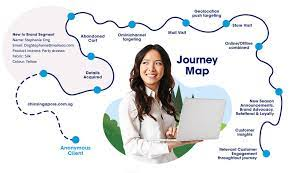
Trigger a Journey by Event or Audience Segment
When you create a Journey Builder email, a triggered send is created automatically. Activating the journey creates the triggered send definition that the journey’s email activity uses.
When you create a journey version, the previous triggered send continues to run. Activating a new version defines a new triggered send. Also, you can stop the triggered send that is associated to a Journey Builder email activity. You can modify the email’s content, then restart the triggered send to re-enable sending within the journey. The triggered send name is a system-generated value and cannot be modified. If an external key is not provided at the time of creation, the system adds a key.

Salesforce Marketing Cloud Transactional Emails are immediate, automated, non-promotional messages crucial to business operations and customer satisfaction, such as order Read more

In an ideal world, you effortlessly conquer the lead generation challenges with one creative arm tied behind your back, craft Read more

Salesforce Content Builder empowers you to craft compelling emails and landing page templates, complete with reusable and interactive content blocks. Read more
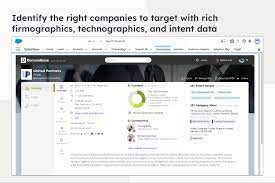
The integration of Demandbase with Salesforce creates a seamless connection between Demandbase One and your Salesforce CRM, establishing a bidirectional Read more