Google Analytics Archives - gettectonic.com - Page 2
Connect your Marketing Cloud Account to GA4

Connect your Marketing Cloud Account to GA4 by June 30, 2024

Starting on June 30, 2024, Google will no longer support its Google Universal Analytics (UA) service. As a result, after this date, Marketing Cloud Google Audiences and Journey Analytics are available only via Google Analytics 4 (GA4). Connect your Marketing Cloud Account to GA4. What you need to do If you haven’t yet migrated to GA4, complete the migration process by June 30, 2024 to maintain functionality. To learn more about the migration process and benefits of migrating to GA4, review Update to Google Analytics 4 Before July 1. If you’ve already migrated your Google Analytics account from UA to GA4, you can access the GA4 solutions available within Marketing Cloud Engagement today. By June 30, complete the following steps to ensure that your org’s journeys remain uninterrupted: Where can I get more information? For more details, see Google Analytics for Marketing Cloud Engagement. If you have questions or need help, open a case with support via Salesforce Help. Google Analytics Integration for Marketing Cloud Engagement Integrate Google Analytics with Marketing Cloud Engagement to use Google Analytics capabilities to track and analyze journey activity. You can also view the resulting metrics directly in Marketing Cloud Engagement. Google’s native authentication creates a secure link between your Marketing Cloud Engagement instance and your Google Analytics account. To use this integration, your Marketing Cloud Engagement account must have the Google Analytics Audiences SKU. You must also have at least a Marketing Cloud Engagement Enterprise 2.0 account. For more information about these requirements, contact your Salesforce account representative. This integration supports Google Analytics properties that are created using the latest version of the Google Analytics platform, known as Google Analytics 4 or GA4. It supports both the free version and the paid Google Analytics 360 enterprise version. You can revoke the integration from a Google Analytics account. For the integration, Google recommends that you designate a primary company account to track all your properties and views. For more information, see the Google Hierarchy of organizations, accounts, users, properties, and views. Before you configure the Google Analytics Integration for Marketing Cloud Engagement: Like1 Related Posts Who is Salesforce? Who is Salesforce? Here is their story in their own words. From our inception, we’ve proudly embraced the identity of Read more Salesforce Marketing Cloud Transactional Emails Salesforce Marketing Cloud Transactional Emails are immediate, automated, non-promotional messages crucial to business operations and customer satisfaction, such as order Read more Salesforce Unites Einstein Analytics with Financial CRM Salesforce has unveiled a comprehensive analytics solution tailored for wealth managers, home office professionals, and retail bankers, merging its Financial Read more AI-Driven Propensity Scores AI plays a crucial role in propensity score estimation as it can discern underlying patterns between treatments and confounding variables Read more

Read More
BERT and GPT

BERT and GPT

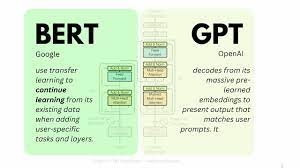
Breakthroughs in Language Models: From Word2Vec to Transformers Language models have rapidly evolved since 2018, driven by advancements in neural network architectures for text representation. This journey began with Word2Vec and N-Grams in 2013, followed by the emergence of Recurrent Neural Networks (RNNs) and Long Short-Term Memory (LSTM) networks in 2014. The pivotal moment came with the introduction of the Attention Mechanism, which paved the way for large pre-trained models and transformers. BERT and GPT. From Word Embedding to Transformers The story of language models begins with word embedding. What is Word Embedding? Word embedding is a technique in natural language processing (NLP) where words are represented as vectors in a continuous vector space. These vectors capture semantic meanings, allowing words with similar meanings to have similar representations. For instance, in a word embedding model, “king” and “queen” would have vectors close to each other, reflecting their related meanings. Similarly, “car” and “truck” would be near each other, as would “cat” and “dog.” However, “car” and “dog” would not have close vectors due to their different meanings. A notable example of word embedding is Word2Vec. Word2Vec: Neural Network Model Using N-Grams Introduced by Mahajan, Patil, and Sankar in 2013, Word2Vec is a neural network model that uses n-grams by training on context windows of words. It has two main approaches: Both methods help capture semantic relationships, providing meaningful word embeddings that facilitate various NLP tasks like sentiment analysis and machine translation. Recurrent Neural Networks (RNNs) RNNs are designed for sequential data, processing inputs sequentially and maintaining a hidden state that captures information about previous inputs. This makes them suitable for tasks like time series prediction and natural language processing. The concept of RNNs can be traced back to 1925 with the Ising model, used to simulate magnetic interactions analogous to RNNs’ state transitions for sequence learning. Long Short-Term Memory (LSTM) Networks LSTMs, introduced by Hochreiter and Schmidhuber in 1997, are a specialized type of RNN designed to overcome the limitations of standard RNNs, particularly the vanishing gradient problem. They use gates (input, output, and forget gates) to regulate information flow, enabling them to maintain long-term dependencies and remember important information over long sequences. Comparing Word2Vec, RNNs, and LSTMs The Attention Mechanism and Its Impact The attention mechanism, introduced in the paper “Attention Is All You Need” by Vaswani et al., is a key component in transformers and large pre-trained language models. It allows models to focus on specific parts of the input sequence when generating output, assigning different weights to different words or tokens, and enabling the model to prioritize important information and handle long-range dependencies effectively. Transformers: Revolutionizing Language Models Transformers use self-attention mechanisms to process input sequences in parallel, capturing contextual relationships between all tokens in a sequence simultaneously. This improves handling of long-term dependencies and reduces training time. The self-attention mechanism identifies the relevance of each token to every other token within the input sequence, enhancing the model’s ability to understand context. Large Pre-Trained Language Models: BERT and GPT Both BERT (Bidirectional Encoder Representations from Transformers) and GPT (Generative Pre-trained Transformer) are based on the transformer architecture. BERT Introduced by Google in 2018, BERT pre-trains deep bidirectional representations from unlabeled text by jointly conditioning on both left and right context in all layers. This enables BERT to create state-of-the-art models for tasks like question answering and language inference without substantial task-specific architecture modifications. GPT Developed by OpenAI, GPT models are known for generating human-like text. They are pre-trained on large corpora of text and fine-tuned for specific tasks. GPT is majorly generative and unidirectional, focusing on creating new text content like poems, code, scripts, and more. Major Differences Between BERT and GPT In conclusion, while both BERT and GPT are based on the transformer architecture and are pre-trained on large corpora of text, they serve different purposes and excel in different tasks. The advancements from Word2Vec to transformers highlight the rapid evolution of language models, enabling increasingly sophisticated NLP applications. Like Related Posts Who is Salesforce? Who is Salesforce? Here is their story in their own words. From our inception, we’ve proudly embraced the identity of Read more Salesforce Unites Einstein Analytics with Financial CRM Salesforce has unveiled a comprehensive analytics solution tailored for wealth managers, home office professionals, and retail bankers, merging its Financial Read more AI-Driven Propensity Scores AI plays a crucial role in propensity score estimation as it can discern underlying patterns between treatments and confounding variables Read more Tectonic’s Successful Salesforce Track Record Salesforce Technology Services Integrator – Tectonic has successfully delivered Salesforce in a variety of industries including Public Sector, Hospitality, Manufacturing, Read more

Read More
AWS Salesforce

AWS AppFabric Supports Salesforce

Today, AWS AppFabric announces support for three new data sources: Salesforce, Azure Monitor, and Google Analytics. Starting now, IT administrators and security analysts can use AppFabric to quickly integrate with 29 supported SaaS applications, aggregate enriched and normalized SaaS audit logs, and audit end-user access across their SaaS apps.  AWS AppFabric Supports Salesforce. AWS AppFabric quickly connects SaaS applications with security tools like Barracuda XDR, Dynatrace, Logz.io, Netskope, NetWitness, Rapid7, and Splunk, or data lakes like Amazon Security Lake. With AppFabric, IT and security teams can more easily manage and secure SaaS applications by aggregating and normalizing log data into a central repository, and employees can soon complete everyday tasks faster using generative artificial intelligence (AI). With today’s announcement, IT and security analysts can improve their SaaS security posture across 29 SaaS applications without managing application specific API integrations. AWS AppFabric is generally available in the following AWS Regions: US East (N. Virginia), Asia Pacific (Tokyo), and Europe (Ireland). AWS AppFabric Supports Salesforce What is AWS AppFabric? AppFabric quickly connects software-as-a-service (SaaS) applications across your organization. IT and security teams can then easily manage and secure applications using a standard schema, and employees can complete everyday tasks faster using generative artificial intelligence (AI). The core of the data fabric architecture is a data management platform that enables the full breadth of integrated data management capabilities including discovery, governance, curation, and orchestration . Like Related Posts Who is Salesforce? Who is Salesforce? Here is their story in their own words. From our inception, we’ve proudly embraced the identity of Read more Salesforce Marketing Cloud Transactional Emails Salesforce Marketing Cloud Transactional Emails are immediate, automated, non-promotional messages crucial to business operations and customer satisfaction, such as order Read more Salesforce Unites Einstein Analytics with Financial CRM Salesforce has unveiled a comprehensive analytics solution tailored for wealth managers, home office professionals, and retail bankers, merging its Financial Read more AI-Driven Propensity Scores AI plays a crucial role in propensity score estimation as it can discern underlying patterns between treatments and confounding variables Read more

Read More
Big Marketing Strategies for Small Businesses

Big Marketing Strategies for Small Businesses

Smart Marketing Strategies for SMBs and Startups on a Budget Running a small or medium-sized business (SMB) or startup means finding creative ways to attract customers while maximizing limited resources. While marketing on a tight budget may seem challenging, the right approach can turn constraints into opportunities. Read on to discover great big tactics for little businesses. With a mix of technology and creativity, you can effectively grow your business without overspending. In fact, 76% of SMBs are investing more in technology this year than last. With a strategic mindset and the right tools, budget-conscious marketing can be just as impactful as big-budget campaigns. Build a Cost-Effective Website Start your marketing journey with a free or low-cost website—your business’s digital storefront. You don’t need a massive investment to make your site engaging and effective. With easy-to-use ecommerce platforms, you can create a clean, user-friendly site that connects with your audience. How to Make Your Website Shine: Leverage SEO and Content Marketing Search engine optimization (SEO) and content marketing are your best allies in boosting online visibility without high costs. A well-optimized website with valuable content can drive organic traffic and increase engagement. SEO Tips for SMBs: Maximize Google My Business (GMB) Google My Business is a free tool that enhances your visibility in local searches. Keep your profile updated with accurate contact details, business hours, and engaging photos to build credibility and attract local customers. How to Optimize GMB: Personalize Email Marketing Campaigns Email marketing is a cost-effective way to stay connected with customers. A well-crafted email strategy fosters engagement and brand loyalty. Email Marketing Best Practices: Invest in a CRM System A customer relationship management (CRM) tool helps streamline communication, track leads, and improve customer interactions. Platforms like Starter Suite make it easy to follow up with potential customers and create targeted marketing campaigns. Why Use a CRM? Optimize Social Media Marketing Social media is a powerful and free tool for brand awareness, but success depends on consistency and strategy. Focus on platforms where your target audience is most active. Social Media Best Practices: Leverage Video and Podcasts Encourage Customer Testimonials Nothing builds trust like genuine customer reviews and testimonials. Positive feedback can influence potential buyers and reinforce credibility. How to Gather Great Testimonials: Pro Tip: Use AI-powered tools to generate surveys, craft follow-up emails, and request reviews efficiently. Track Progress with Analytics Marketing efforts should be data-driven. Tools like Google Analytics and CRM platforms provide insights into customer behavior, traffic sources, and campaign effectiveness. How to Use Analytics: Market Your SMB Like a Pro—Without a Big Budget Effective marketing doesn’t require a massive budget—just smart strategies and the right tools. By building a strong online presence, leveraging cost-effective marketing channels, and connecting with customers personally, you can make a lasting impact. Get started with Starter Suite today to streamline your marketing and grow your business with ease. If you have read this far, you may be concerned you don’t have the manpower to make these changes. Tectonic is here to help. Contact us today! Like Related Posts Who is Salesforce? Who is Salesforce? Here is their story in their own words. From our inception, we’ve proudly embraced the identity of Read more Salesforce Marketing Cloud Transactional Emails Salesforce Marketing Cloud Transactional Emails are immediate, automated, non-promotional messages crucial to business operations and customer satisfaction, such as order Read more Salesforce Unites Einstein Analytics with Financial CRM Salesforce has unveiled a comprehensive analytics solution tailored for wealth managers, home office professionals, and retail bankers, merging its Financial Read more AI-Driven Propensity Scores AI plays a crucial role in propensity score estimation as it can discern underlying patterns between treatments and confounding variables Read more

Read More
Salesforce Logo

Spring ’24 Enhancements to Salesforce Analytics, Data Cloud, Einstein, and Net Zero Cloud

Discover the Spring ’24 Enhancements to Analytics Data Cloud Einstein and Net Zero Cloud Enhancements to Salesforce Analytics, Data Cloud, Einstein, and Net Zero Cloud in Spring’24. Reports and Dashboards for Data Cloud Enhancements Analytics Create custom report types, more core semantics, calculated insights, and date and time formulas. Analytics Collection Components Analytics Curate related analytics assets for better organization and easier consumption. Embed a specific collection directly into Lightning pages to easily access the insights you need right in your workflow. Enhanced Dashboard Customization Analytics Easily create and remember custom colors for widgets. Save hours in development time by applying layouts and colors to all widgets in a dashboard with just a few clicks. Revenue Intelligence Enhancements Analytics A new streamlined setup helps you get started even faster, and a library of KPI components lets you further customize Forecast Insights. To better understand conversation rates, use the new Win Rate Funnel view. Data Graphs Data Cloud Combine multiple data model objects and calculated insights into a unified view. New Profile API improves query performance to power near real-time use cases across Customer 360. Bring Your Own Lake with Snowflake Data Cloud Share data between Data Cloud and Snowflake with zero-ETL. With Data Federation, you can now share your data bidirectionally and access Snowflake datasets in Salesforce to enrich your unified customer profiles and unlock new insights. Bring Your Own Lake with Google BigQuery Data Cloud Share data between Data Cloud and Google BigQuery with zero-ETL. With seamless data access, you can enrich your unified customer profiles with BigQuery datasets, helping you unlock new insights and better power your Google Analytics and AI models. Streaming Data Ingest for Salesforce CRM Connector Data Cloud Ingest changes to Salesforce standard and custom objects in near real-time with streaming data ingest for the Salesforce CRM Connector. Now, existing batch ingestion checks for more frequent updates to your Salesforce objects. Einstein Copilot Einstein Embed Einstein Copilot—a conversational AI assistant—across all Salesforce applications to help teams be more productive. Automate steps or tasks with out-of-the-box actions, or create custom actions that call flows, Apex, or MuleSoft APIs. Prompt Builder Einstein Create, test, and refine prompt templates easily without code. Ground prompts with dynamic CRM data, including merge fields and flows. Invoke prompted workflows across the Einstein 1 Platform through Flow, Lightning Web Components, and Apex. ESG (Environmental, Social, and Governance) Disclosure Authoring with Generative AI Net Zero Cloud Use Einstein to generate more efficient Corporate Sustainability Reporting Directive (CSRD), Global Reporting Initiative (GRI), and Carbon Disclosure Project (CDP) reports. Einstein can access and use the internal information you’ve uploaded to Net Zero Cloud to write and answer specific questions required for these reporting standards. Disclosure and Compliance Hub Plugin for Microsoft Word Net Zero Cloud Net Zero Cloud now provides sustainability managers more flexibility to support multiple authoring formats using Microsoft Word Office 365. Multiuser collaboration, easy navigation, and rich text support create a cleaner and easier experience. Marginal Abatement Cost Visualizations Net Zero Cloud With marginal abatement cost visualizations, customers can gain insights into required investments for various programs and forecast future emissions based on the cost to offset carbon. Sustainability Program Visualizations Net Zero Cloud Visualize the combined effects of multiple environmental, social, and corporate governance (ESG) initiatives and gain a deeper understanding into different ESG projects and specific metrics within these projects. Improved Emissions Factors Management Net Zero Cloud Automatically integrate emissions factors from Net Zero Marketplace into Net Zero Cloud to easily manage and apply the data, for improved transparency and visibility in one location. Stay tuned to Tectonic’s Insights for more details and news from Salesforce. Enhancements to Salesforce Analytics, Data Cloud, Einstein, and Net Zero Cloud. Like1 Related Posts Who is Salesforce? Who is Salesforce? Here is their story in their own words. From our inception, we’ve proudly embraced the identity of Read more Salesforce Marketing Cloud Transactional Emails Salesforce Marketing Cloud Transactional Emails are immediate, automated, non-promotional messages crucial to business operations and customer satisfaction, such as order Read more Salesforce Unites Einstein Analytics with Financial CRM Salesforce has unveiled a comprehensive analytics solution tailored for wealth managers, home office professionals, and retail bankers, merging its Financial Read more AI-Driven Propensity Scores AI plays a crucial role in propensity score estimation as it can discern underlying patterns between treatments and confounding variables Read more

Read More
catch initial traffic source with Google Analytics

Integrate Google Analytics 4 and Salesforce Marketing Cloud

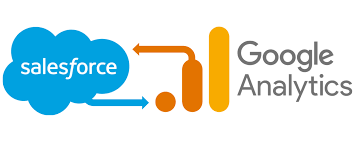
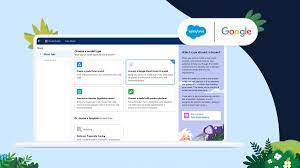
Connecting Google Analytics 4 Properties to Salesforce Marketing Cloud Now, Google Analytics 4 properties can seamlessly integrate with Salesforce Marketing Cloud using the Sales Marketing Cloud interface. This integration is available for both GA4 standard and 360 properties, extending to users who previously utilized a similar setup with Universal Analytics 360. The significance of this integration lies in its ability to synchronize audiences from Google Analytics to Salesforce Marketing Cloud. By linking these platforms, you can leverage Analytics audiences in Salesforce email and SMS direct-marketing campaigns, enabling targeted and efficient audience engagement. Here’s how it works: Integrate Google Analytics 4 and Salesforce Marketing Cloud Requirements for Integration: Google outlines specific criteria for enabling integration between Salesforce Marketing Cloud and GA4 properties: This integration streamlines audience management across platforms, empowering marketers to leverage Google Analytics insights effectively within Salesforce Marketing Cloud campaigns for enhanced audience targeting and engagement. Like1 Related Posts Who is Salesforce? Who is Salesforce? Here is their story in their own words. From our inception, we’ve proudly embraced the identity of Read more Salesforce Marketing Cloud Transactional Emails Salesforce Marketing Cloud Transactional Emails are immediate, automated, non-promotional messages crucial to business operations and customer satisfaction, such as order Read more Salesforce Unites Einstein Analytics with Financial CRM Salesforce has unveiled a comprehensive analytics solution tailored for wealth managers, home office professionals, and retail bankers, merging its Financial Read more AI-Driven Propensity Scores AI plays a crucial role in propensity score estimation as it can discern underlying patterns between treatments and confounding variables Read more

Read More
Account Planning With Salesforce

CRM Analytics Limits

When using CRM Analytics, keep these limits in mind. API Call Limits These limits apply to all supported editions. API Call Limit Maximum concurrent CRM Analytics API calls per org 100 Maximum CRM Analytics API calls per user per hour 10,000 Dataset Row Storage Allocations per License In Salesforce org, your total row storage limit for all registered datasets combined depends on your license combination. Each license allocates a different number of rows. Baseline Row Allocation Allocated Rows CRM Analytics Plus 10 billion CRM Analytics Growth 100 million Sales Analytics 25 million Service Analytics 25 million Event Monitoring Analytics 50 million B2B Marketing Analytics 25 million CRM Analytics for Financial Services Cloud 25 million CRM Analytics for Health Cloud 25 million Extra Data Rows license 100 million Your total row storage limit is a combination of your active licenses. For example: Because the CRM Analytics Plus license includes the Sales Analytics and Service Analytics licenses, your total row allocation remains 10 billion. Similarly, the CRM Analytics Growth license includes the Sales Analytics and the Service Analytics licenses, so your total row allocation remains 100 million. However, if you obtain another Sales Analytics or Services Analytics license, your row limit increases by 25 million for each added license. Dataset Row Limits Each dataset supports up to 2 billion rows. If your Salesforce org has less than 2 billion allocated rows, each dataset supports up to your org’s allocated rows. Dataset Field Limits Value Limit Maximum number of fields in a dataset 5,000 (including up to 1,000 date fields) Maximum number of decimal places for each value in a numeric field in a dataset (overflow limit) 17 decimal placesWhen a value exceeds the maximum number of decimal places, it overflows. Both 100,000,000,000,000,000 and 10,000,000,000,000,000.0 overflow because they use more than 17 decimal places. A number also overflows if it’s greater (or less) than the maximum (or minimum) supported value. 36,028,797,018,963,968 overflows because its value is greater than 36,028,797,018,963,967. -36,028,797,018,963,968 overflows because it’s less than -36,028,797,018,963,967.When a number overflows, the resulting behavior in CRM Analytics is unpredictable. Sometimes CRM Analytics throws an error. Sometimes it replaces a numeric value with a null value. And sometimes mathematical calculations, such as sums or averages, return incorrect results. Occasionally, CRM Analytics handles numbers up to 19 digits without overflowing because they are within the maximum value for a 64-bit signed integer (263 – 1). But numbers of these lengths aren’t guaranteed to process.As a best practice, stick with numbers that are 17 decimal places or fewer. If numbers that would overflow are necessary, setting lower precision and scale on the dataset containing the large numbers sometimes prevents overflow. If your org hasn’t enabled the handling of numeric values, the maximum number of decimal places for each value in a numeric field in a dataset is 16. All orgs created after Spring ’17 have Null Measure Handling enabled. Maximum value for each numeric field in a dataset, including decimal places 36,028,797,018,963,967For example, if three decimal places are used, the maximum value is 36,028,797,018,963.967 Minimum value for each numeric field in a dataset, including decimal places -36,028,797,018,963,968For example, if five decimal places are used, the minimum value is -36,028,797,018,9.63968 Maximum number of characters in a field 32,000 Data Sync Limits If you extract more than 100 objects in your dataflows, contact Salesforce Customer Support before you enable data sync. Value Limit Maximum number of concurrent data sync runs 3 Maximum number of objects that can be enabled for data sync, including local and remote objects 100 Maximum amount of time each data sync job can run for local objects 24 hours Maximum amount of time each data sync job can run for remote objects 12 hours Data sync limits for each job:Marketo Connector (Beta)NetSuite ConnectorZendesk Connector Up to 100,000 rows or 500 MB per object, whichever limit is reached first Data sync limits for each job:Amazon Athena ConnectorAWS RDS Oracle ConnectorDatabricks ConnectorGoogle Analytics ConnectorGoogle Analytics Core Reporting V4 ConnectorOracle Eloqua ConnectorSAP HANA Cloud ConnectorSAP HANA Connector Up to 10 million rows or 5 GB per object, whichever limit is reached first Data sync limits for each job*:AWS RDS Aurora MySQL ConnectorAWS RDS Aurora PostgresSQL ConnectorAWS RDS MariaDB ConnectorAWS RDS MySQL ConnectorAWS RDS PostgreSQL ConnectorAWS RDS SQL Server ConnectorGoogle Cloud Spanner ConnectorMicrosoft Azure Synapse Analytics ConnectorMicrosoft Dynamics CRM ConnectorSalesforce External ConnectorSalesforce Contacts Connector for Marketing Cloud EngagementSalesforce OAuth 2.0 Connector for Marketing Cloud Engagement Up to 20 million rows or 10 GB per object, whichever limit is reached first Data sync limits for each job*:Amazon Redshift ConnectorAmazon S3 ConnectorCustomer 360 Global Profile Data Connector (Beta)Google BigQuery for Legacy SQL ConnectorGoogle BigQuery Standard SQL ConnectorHeroku Postgres ConnectorMicrosoft Azure SQL Database ConnectorSnowflake Input Connector Up to 100 million rows or 50 GB per object, whichever limit is reached first *When using these connectors, Salesforce Government Cloud org data is protected in transit with advanced encryption and can sync up to 10 million rows or 5 GB for each connected object, whichever limit is reached first. Note When using a Salesforce local input connection, CRM Analytics bulk API usage doesn’t count towards Salesforce bulk API limits. Use of the external Salesforce connection and output connection impacts your limits. The dataflow submits a separate bulk API call to extract data from each Salesforce object. The dataflow uses a batch size of 100,000–250,000, depending on whether the dataflow or the bulk API chunks the data. As a result, to extract 1 million rows from an object, the dataflow creates 4–10 batches. Recipe and Dataflow Limits Important In Winter ‘24, recipe runs over 2 minutes are counted against the limit. Previously, the recipe run counts weren’t correct. For more information, see Known Issue – Recipe runs are not counting towards the daily maximum run limit. Value Limit Maximum amount of time each recipe or dataflow can run 48 hours Maximum number of recipes 1,000 Maximum number of dataflows definitions (with data sync enabled) 100 Maximum number of dataflow and recipe runs in a rolling

Read More
Bring Your Own Lake With Google BigQuery

Bring Your Own Lake With Google BigQuery

Can BigQuery Function as a Data Lake? Why you should Bring Your Own Lake With Google BigQuery. Google BigQuery serves as a fully-managed, petabyte-scale data warehouse, utilizing Google’s infrastructure’s processing power. The combination of Google Cloud Storage and BigQuery transforms Google Cloud Platform into a scalable data lake capable of storing both structured and unstructured data. Why Embrace BigQuery’s Serverless Model? In a serverless model, processing is automatically distributed across numerous machines operating in parallel. BigQuery’s serverless model allows data engineers and database administrators to concentrate less on infrastructure and more on server provisioning and deriving insights from data. Advantages of Using BigQuery as a Data Warehouse: BigQuery is a completely serverless and cost-effective cloud data warehouse designed to work across clouds, scaling seamlessly with your data. With integrated business intelligence, machine learning, and AI features, BigQuery provides a unified data platform for storing, analyzing, and sharing insights effortlessly. The Relevance of Data Lakes: Data Lakes and Data Warehouses are complementary components of data processing and reporting infrastructure, each serving distinct purposes rather than being alternatives. Data Lakes in the Evolving Landscape: Data lakes, once immensely popular, are gradually being supplanted by more advanced storage solutions like data warehouses. Data Lake Content Formats: A data lake encompasses structured data from relational databases (rows and columns), semi-structured data (CSV, logs, XML, JSON), unstructured data (emails, documents, PDFs), and binary data (images, audio, video). Building a Data Lake on GCP: Constructing a Data Lake: Introduction to Google Big Lake: BigLake serves as a storage engine, offering a unified interface for analytics and AI engines to query multiformat, multicloud, and multimodal data securely, efficiently, and in a governed manner. It aspires to create a single-copy AI lakehouse, minimizing the need for custom data infrastructure management. Data Extraction from a Data Lake: Distinguishing BigQuery as a Data Warehouse: BigQuery stands out as a serverless and cost-effective enterprise data warehouse, functioning across clouds and seamlessly scaling with data. It incorporates built-in ML/AI and BI for scalable insights. Data Lake Implementation Time: Building a fully productive data lake involves several steps, including workflow creation, security mapping, and tool and service configuration. As a result, a comprehensive data lake implementation can take several months. Acquiring a Data Lake: One option is to buy a Data Lake through a decentralized exchange (DEX) supporting the blockchain where the Data Lake resides. Connecting a crypto wallet to a DEX and utilizing a Binance account to purchase the base currency is outlined in a guide for this purpose. Like Related Posts Capture Initial Traffic Source With Google Analytics To ensure the proper sequencing of Tags, modify the Tag sequencing in the Google Analytics preview Tag settings. The custom Read more Persist Campaign Data This tag stores data in both the page referrer and URL parameters within a browser cookie. This cookie proves useful, Read more Snowflake and Salesforce with Embed Snowflake has deepened its partnership with investor Salesforce by introducing two tools that seamlessly connect their cloud-native systems. Snowflake and Read more What Are UTM Parameters in Marketing Cloud What Are UTM Parameters in Marketing Cloud? UTM parameters are essential for tracking the effectiveness of your marketing messages by Read more

Read More
Google Analytics 4 UTM Codes

Google Analytics 4 UTM Codes

How to Generate UTM Codes Generating Google Analytics 4 UTM Codes can be done in several ways. A common method is using Google’s Campaign URL Builder, where you enter your original URL and add the desired UTM parameters. Alternatively, tools like Measureschool’s UTM Tool in Google Sheets or other free online tools can also be used to create UTM codes. Viewing UTM Data in Google Analytics 4 In Google Analytics 4 (GA4), UTM data is found in the standard Acquisition reports. Specifically, you can view this data in the Acquisition Overview, User Acquisition: First User Default Channel Grouping, and Traffic Acquisition reports. Additionally, the Explore section in GA4 allows for the creation of custom reports using UTM data. Best Practices for UTM Tagging When using UTM tags, consider the following best practices: Google Analytics 4 UTM Codes allows you to better track your customer journeys and measure ROI on your advertising and search engine optimization efforts. Like1 Related Posts Who is Salesforce? Who is Salesforce? Here is their story in their own words. From our inception, we’ve proudly embraced the identity of Read more Salesforce Marketing Cloud Transactional Emails Salesforce Marketing Cloud Transactional Emails are immediate, automated, non-promotional messages crucial to business operations and customer satisfaction, such as order Read more Salesforce Unites Einstein Analytics with Financial CRM Salesforce has unveiled a comprehensive analytics solution tailored for wealth managers, home office professionals, and retail bankers, merging its Financial Read more AI-Driven Propensity Scores AI plays a crucial role in propensity score estimation as it can discern underlying patterns between treatments and confounding variables Read more

Read More
Google Analytics and Salesforce Integration

Google Analytics and Salesforce Integration

Syncing Google Analytics Data to CRM Analytics To integrate Google Analytics and Salesforce Integration using the Google Analytics connector, follow these steps: Important Note: As of July 1, 2023, the main product Google Analytics has been decommissioned and replaced with the new product Google Analytics 4 (GA4). The Salesforce announcement GA4 Set to Replace Universal Analytics gives an overview on this. Creating a Connection Required Settings: Google Analytics 4 Integration To sync Google Analytics 4 data to Salesforce Data Pipelines: Connector Considerations: Google Analytics Salesforce Sales Cloud Integration User Identification Analytics provides two methods to identify users: Required Salesforce Sales Cloud Objects and Fields: Integration Steps: Testing and Viewing Imported Data: Notes: Google Data Studio and Salesforce Integration Connecting Salesforce with Google Data Studio allows for powerful visualizations that combine sales and marketing data. This integration helps in understanding which channels generate the most leads and income. Google Analytics 4 Connection Setup: Connection Details: Advanced Properties: Considerations: By following these steps, you can seamlessly integrate Google Analytics data into your CRM Analytics and Salesforce Data Pipelines, ensuring robust data analysis and informed decision-making. Decide How to Identify Your Users: Analytics offers two ways to programmatically identify your users: Client ID and User-ID. To support Data Import for Salesforce Sales Cloud, you must implement Client ID. You may optionally choose to also implement User-ID. Client ID pseudonymously identifies a browser instance and is best suited for businesses focused on lead generation and new customer acquisition. User-ID enables the analysis of groups of sessions, across devices, using a unique, persistent, and non-personally identifiable ID string representing a user. This option is best for businesses with high rates of logged-in users. How to Import CRM/ERP Data with Google Analytics 4 Using a CSV File: Transitioning to Google Analytics 4: As of March 2023, Google has automatically created GA4 properties for users unless they opt-out. Until July 1, 2023, you can continue to use and collect new data in your Universal Analytics properties. After this date, you must export your historical reports as Universal Analytics will be phased out. How Does Google Help Salesforce Marketing Cloud Users? Google Analytics provides invaluable insights into user behavior, helping Salesforce Marketing Cloud users optimize campaigns and understand customer journeys. Integration with the Google platform allows businesses to combine offline sales data with digital analytics, optimizing digital marketing strategies and improving campaign effectiveness. Additional Integration: Using datasets from Google Analytics and Google BigQuery, businesses can create interactive Tableau CRM dashboards to visualize campaign activities and performance metrics. By following these guidelines, organizations can leverage Google Analytics data effectively within their Salesforce ecosystem, enhancing decision-making and strategic planning. Content updated July 2024. Like1 Related Posts Who is Salesforce? Who is Salesforce? Here is their story in their own words. From our inception, we’ve proudly embraced the identity of Read more Salesforce Marketing Cloud Transactional Emails Salesforce Marketing Cloud Transactional Emails are immediate, automated, non-promotional messages crucial to business operations and customer satisfaction, such as order Read more Salesforce Unites Einstein Analytics with Financial CRM Salesforce has unveiled a comprehensive analytics solution tailored for wealth managers, home office professionals, and retail bankers, merging its Financial Read more AI-Driven Propensity Scores AI plays a crucial role in propensity score estimation as it can discern underlying patterns between treatments and confounding variables Read more

Read More
gettectonic.com