Salesforce Archives - gettectonic.com - Page 158
Talkdesk Dialer for Salesforce

Talkdesk Dialer for Salesforce

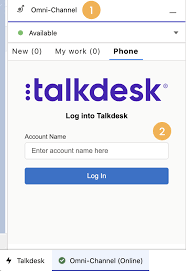
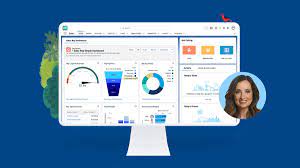
Forge Meaningful Customer Connections with Talkdesk Proactive Outbound Engagement™-Talkdesk Dialer for Salesforce Talkdesk Proactive Outbound Engagement™ is a comprehensive suite of outbound voice and digital capabilities integrated into the Talkdesk CX Cloud™ contact center platform. This suite includes versatile dialing modes tailored for every scenario, such as Talkdesk Preview Dialer, Talkdesk Dialer, Advanced Dialer, Talkdesk Dialer for Salesforce, and Automated Notifications. Maximize contact rates by reaching customers when and how they prefer to be contacted while ensuring high-quality interactions that reflect the level of service your customers deserve. Enhance Agent Productivity to Maximize Outbound Success Tools like the Talkdesk Preview Dialer can significantly increase outbound call volume, driving connect rates from 5 to 15 or more per hour and boosting revenue by up to 200-300%. Intelligently manage outbound call pacing to filter out unproductive calls like voicemails, busy signals, and no answers, optimizing agent productivity. Launch Strategic Campaigns Effortlessly Leverage highly configurable dialing options and advanced campaign management tools to maximize contact rates through precise targeting and segmentation. The Advanced Dialer supports customizable campaign and dialing configurations to accommodate virtually any outreach and retry strategy. Empower Agents with Smart Dialing Modes Equip agents with predictive, power, progressive, preview, and agentless dialing modes, complemented by a patented AI-driven answering machine detection algorithm. Salesforce Quick Campaign, part of the Talkdesk Dialer for Salesforce™ product, allows manual selection of Salesforce records for dialing using preview or power dialing modes. Streamlined List Management for Seamless Operations Set up calling lists effortlessly by uploading a CSV file or pushing records from Salesforce, other CRMs, or business systems via an API. Web leads can be seamlessly integrated into ongoing campaigns for immediate dialing, ensuring every hot lead is promptly engaged. Ensure Quality Connections with Talkdesk Dialer for Salesforce™ Talkdesk Dialer, fully embedded within the Salesforce UI, offers power and preview dialing to balance productivity with call quality and personalized customer interactions. Deliver Efficient and Proactive Notifications Go beyond voice calls with Talkdesk Automated Notifications, anticipating customer needs through automated event-triggered SMS notifications. Configure rules and content for each notification to deliver highly personalized messages that enhance efficiency and customer satisfaction. Robust Reporting and Insights While pre-set out-of-the-box reporting tools are currently unavailable for Talkdesk Dialer for Salesforce, Salesforce users can leverage standard Salesforce reporting functionality to create custom reports. Talkdesk Dialer™ is designed to automate the dialing process, maximize outbound call volume, and facilitate meaningful connections with customers while ensuring compliance with regulatory requirements. Learn more about our solutions crafted to optimize every customer interaction at talkdesk.com. Like1 Related Posts Who is Salesforce? Who is Salesforce? Here is their story in their own words. From our inception, we’ve proudly embraced the identity of Read more Salesforce Marketing Cloud Transactional Emails Salesforce Marketing Cloud Transactional Emails are immediate, automated, non-promotional messages crucial to business operations and customer satisfaction, such as order Read more Salesforce Unites Einstein Analytics with Financial CRM Salesforce has unveiled a comprehensive analytics solution tailored for wealth managers, home office professionals, and retail bankers, merging its Financial Read more AI-Driven Propensity Scores AI plays a crucial role in propensity score estimation as it can discern underlying patterns between treatments and confounding variables Read more
Read More
Salesforce Marketing Cloud

Marketing Cloud Connector

Marketing Cloud Connect is an API integration that connects Marketing Cloud with other Salesforce systems, such as Sales Cloud and Service Cloud. The Salesforce Marketing Cloud Connector brings connectivity between the Salesforce cloud platforms. What are the prerequisites for Marketing Cloud connector? Marketing Cloud Connect requires a relationship between a single Marketing Cloud account and one or more Salesforce orgs. Your Marketing Cloud account must be provisioned and enabled for use with Marketing cloud Connect before connection. Subscriber Key is required for Marketing Cloud Connect. You can’t have multiple Sales or Service Cloud orgs connecting to one Marketing Cloud account. But you can have multiple business units connected to multiple different Sales or Service Cloud orgs. How does MC Connect work? Marketing Cloud Connect combines the digital marketing capabilities of Marketing Cloud with the data management, segmentation, and campaign management tools in Salesforce. Create powerful customer relationships with more data-driven, personalized conversations and the ability to automate the customer journey. What do users need for most Marketing Cloud connect functionality? To use most Marketing Cloud Connect functionality, users need a license for the Marketing Cloud and a license for Sales or Service Cloud. Understanding the user types and permissions associated with Marketing Cloud Connect is essential to configuration and they are referenced throughout the Salesforce documentation. What is the contact key in Marketing Cloud connect? The contact key is a unique subscriber defined by a customer-provided Contact Key. Each time a subscriber is added to Marketing Cloud, it must have a Contact Key defined. This key is used to identify a single person across multiple channels inside of Marketing Cloud. So if John Smith has two email addresses, one mobile number, and two physical addresses, the contact key unifies the data into a single record. Like Related Posts Salesforce Marketing Cloud Transactional Emails Salesforce Marketing Cloud Transactional Emails are immediate, automated, non-promotional messages crucial to business operations and customer satisfaction, such as order Read more Perfect Drip Campaign In an ideal world, you effortlessly conquer the lead generation challenges with one creative arm tied behind your back, craft Read more Salesforce Content Builder Salesforce Content Builder empowers you to craft compelling emails and landing page templates, complete with reusable and interactive content blocks. Read more Demandbase Salesforce Integration The integration of Demandbase with Salesforce creates a seamless connection between Demandbase One and your Salesforce CRM, establishing a bidirectional Read more

Read More
Salesforce Trailheads

Salesforce Trailheads

Salesforce (or “sforce”) is open to all, whether you’re an admin, user, or developer, with dedicated learning paths available for each role. Salesforce Trailheads Trails are curated learning journeys consisting of modules and projects, designed to guide users through various topics, develop relevant skills, and gain hands-on experience with Salesforce products. Modules break down complex subjects into manageable units, offering insights into features, their functionalities, and step-by-step instructions. Interactive challenges provide opportunities to test your comprehension. Salesforce Trailheads are an integral part of the company’s free online learning platform. This resource assists developers in transitioning from Salesforce Classic to Salesforce Lightning Experience, a modern development platform that utilizes declarative code, making it accessible to individuals with limited coding knowledge. Trailhead’s guided learning paths are freely available, aligning with Salesforce’s commitment to democratize industry knowledge. While some specialized courses are offered through Trailhead Academy for a fee, the majority of content is accessible at no cost. Salesforce’s official learning platform, Trailhead, offers comprehensive interactive learning paths called “trails.” Covering basic to advanced topics, these trails are free and often include hands-on practice through projects and challenges. The time required to learn Salesforce varies based on the area of focus. For Admin skills, it may take three to four months, while Salesforce Developer and Consultant skills may require five-plus months and six or more months, respectively. Trailhead, utilized by over 3 million individuals, is a recommended platform to embark on this learning journey. Trailhead is accessible to anyone with an internet connection, regardless of background, age, gender, or beliefs. Creating a free Trailhead account (no Salesforce CRM account required) is quick and easy at Trailhead.com. Operating on a gamification model, Trailhead awards badges and points to users as they progress through ranks. Achieving the highest rank, ‘Ranger,’ requires earning 100 badges and accumulating 50,000 points, signifying a significant accomplishment for Trailblazers. Trailhead empowers individuals to become Trailblazers by providing in-demand skills for career transformation, globally recognized credentials, and opportunities for connection within the vibrant Trailblazer Community. Learning is made flexible with the Trailhead mobile app, enabling users to upskill anytime and connect from anywhere. Content updated November 2023. Like Related Posts Who is Salesforce? Who is Salesforce? Here is their story in their own words. From our inception, we’ve proudly embraced the identity of Read more Salesforce Marketing Cloud Transactional Emails Salesforce Marketing Cloud Transactional Emails are immediate, automated, non-promotional messages crucial to business operations and customer satisfaction, such as order Read more Salesforce Unites Einstein Analytics with Financial CRM Salesforce has unveiled a comprehensive analytics solution tailored for wealth managers, home office professionals, and retail bankers, merging its Financial Read more AI-Driven Propensity Scores AI plays a crucial role in propensity score estimation as it can discern underlying patterns between treatments and confounding variables Read more
Read More
Summary Formulas and Row Level Formulas

Summary Formulas and Row Level Formulas

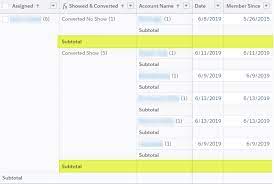
Salesforce report formulas serve various purposes, from grouping records to performing calculations and comparing data. In the Salesforce Report Builder, you’ll encounter two distinct types of formulas: Summary Formulas and Row-Level Formulas. Although they may sound similar, they serve different functions. Summary Formulas operate across multiple records, displaying their results at the bottom of a column. Conversely, Row-Level Formulas pertain to a single record and display their results directly on the corresponding row. Let’s dip into examples of both Row-Level and Summary Formulas to understand their applications in Salesforce reports. Example 1: Total Opportunity Amount Suppose your boss requests a report showing the total Opportunity Amount broken down by Country. In this scenario, you wouldn’t require a Summary Formula field. Instead, simply select the Opportunity Amount field and check the SUM checkbox. If you include a grouping based on Country, the report will automatically generate a summary line. Example 2: Average Monthly Case Volume for a Specific Product Now, imagine the support team asks for a report indicating the monthly average of Cases for a specific Product over the past year. Here, you’d utilize a Summary Formula. Ensure the Product field is set as a ‘Group By Row’ field, then select Summary Formula from the Columns drop-down. Create the formula by dividing the Record Count by 12 (the number of months in a year), and assign a column name, such as “Monthly Avg Cases.” Example 3: Checking Field Value Matches For another scenario, let’s say you’re tasked with verifying that at the Case level, the Billing State matches the Shipping State of the associated Account. With Row-Level formulas, you can accomplish this without creating a new field. Add a Row-Level Formula from the Columns drop-down, then create an IF statement comparing the Billing State to the Shipping State, resulting in either 0 (not matching) or 1 (matching). It’s valuable to note some considerations regarding Row-Level formulas, such as the limitation of one Row-Level formula per report and a maximum of five referenced fields. Additionally, Row-Level formulas cannot be used for cross-filters or buckets. Refer to Salesforce documentation for more details on restrictions. In conclusion, understanding the distinction between Row-Level and Summary Formulas empowers you to leverage the appropriate formula type effectively in Salesforce reports, optimizing your data analysis and decision-making processes. Like Related Posts Who is Salesforce? Who is Salesforce? Here is their story in their own words. From our inception, we’ve proudly embraced the identity of Read more Salesforce Marketing Cloud Transactional Emails Salesforce Marketing Cloud Transactional Emails are immediate, automated, non-promotional messages crucial to business operations and customer satisfaction, such as order Read more Salesforce Unites Einstein Analytics with Financial CRM Salesforce has unveiled a comprehensive analytics solution tailored for wealth managers, home office professionals, and retail bankers, merging its Financial Read more AI-Driven Propensity Scores AI plays a crucial role in propensity score estimation as it can discern underlying patterns between treatments and confounding variables Read more

Read More

AI in Sales Enablement

automation, and personalization to enhance sales processes, increase customer engagement, and drive revenue growth. Companies are working with AI to improve analysis of all customer contact points to both identify leads and weigh lead quality. That includes ingesting information from web pages, email campaigns, phone calls, and much more.

Read More
Secure and Compliant Data Sharing With Grantmaking PSS

Secure and Compliant Data Sharing With Grantmaking PSS

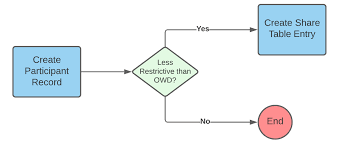
Control and Monitor Data Sharing with Compliant Data Sharing in Salesforce Compliant Data Sharing in Salesforce allows administrators and grant managers to control and monitor data sharing within Experience Cloud and CRM without needing to write complex code. By enabling and configuring this feature for specific objects, CRM and Experience Cloud users can seamlessly share Grantmaking records. Secure and Compliant Data Sharing With Grantmaking PSS. Key Features and Benefits of Secure and Compliant Data Sharing With Grantmaking PSS How to Implement Compliant Data Sharing Compliant Data Sharing Overview Objects and Roles Configuring and Managing Compliant Data Sharing Implementation in Public Sector Solutions Objects Supported by Compliant Data Sharing in Public Sector Solutions Considerations and Limitations Conclusion Compliant Data Sharing in Salesforce provides a robust framework for managing data sharing within Experience Cloud and CRM. By enabling detailed control and monitoring without complex coding, it helps organizations enhance compliance, improve operational efficiency, and streamline collaborative efforts across various departments and processes. Like Related Posts Who is Salesforce? Who is Salesforce? Here is their story in their own words. From our inception, we’ve proudly embraced the identity of Read more Salesforce Marketing Cloud Transactional Emails Salesforce Marketing Cloud Transactional Emails are immediate, automated, non-promotional messages crucial to business operations and customer satisfaction, such as order Read more Salesforce Unites Einstein Analytics with Financial CRM Salesforce has unveiled a comprehensive analytics solution tailored for wealth managers, home office professionals, and retail bankers, merging its Financial Read more AI-Driven Propensity Scores AI plays a crucial role in propensity score estimation as it can discern underlying patterns between treatments and confounding variables Read more
Read More
Talkdesk Dialer for Salesforce

Talkdesk Dialer for Salesforce

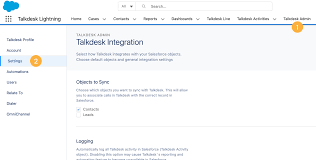
Talkdesk Dialer for Salesforce™ Guide Compatibility and ConfigurationTalkdesk Dialer for Salesforce™ is fully compatible with the Conversations app. It is crucial for the dialer to recognize the agent’s login session in the Salesforce Connector, also known as Salesforce’s phone widget or phone CTI. Ensure this connection is correctly configured by following the instructions in the article Please login in Salesforce Connector. Features and Dialing ModesTalkdesk Dialer for Salesforce enables agents and salespeople to automatically dial a list of Salesforce records, including Contacts, Leads, Accounts, Cases, and Opportunities. It offers two dialing modes: Preview Mode: Agents can review records before calls are initiated and choose to start the call or skip to another record.Power Mode: Calls are launched automatically one after the other, with a defined delay between calls.Getting StartedTo start using the dialer, follow these steps: Create a dialer list.Create a Talkdesk campaign.Add the dialer lists you want to call to the Talkdesk campaign.Start dialing.Creating a Dialer ListGo to Dialer Lists and click New.Select a Salesforce object (Contacts, Leads, Accounts, Cases, Opportunities) and choose multiple list views of that object to be part of the same dialer list.Set the following attributes:Type: Dialing or Do Not Call.Priority: Determines the order of calls when multiple lists are part of a campaign.Sorting Order: Choose any field from the Salesforce object to order the records.For more details, refer to How to use Salesforce Dialer Lists. Creating a Talkdesk CampaignEnsure you have Talkdesk Dialer for Salesforce creation permission. If not, follow the instructions in Setting up and Configuring Talkdesk Dialer for Salesforce. Navigate to the Talkdesk Campaigns tab in the Talkdesk Lightning app or click the Dialer button in a record list view. Click New Talkdesk Campaign and follow the wizard steps: Name and Description: Provide a name and description for your campaign.Dialing Mode: Choose either Preview or Power mode and configure the behavior.Preview Time: Set the time agents have to review record information before dialing.Delay Between Calls: In Power mode, set the time between the end of one call and the start of the next.When a Call Starts: Decide if the modal with record information should be open.Set the campaign’s start and end dates, time range, timezone, retry attempts for failed calls, and assign agents. Add up to 10,000 records from Dialing and Do Not Call lists. The records will be deduplicated based on phone numbers. Any records in both lists will not be added to the campaign. Configure campaign settings to reflect updates to dialer lists as long as the campaign status is not Finished. Editing a CampaignGo to the Talkdesk Campaigns list and click the edit button next to the campaign you want to edit.You can edit all attributes, except the object type, for campaigns that are Ready or Incomplete.Dialing Through a CampaignGo to the Talkdesk Campaigns page via the Dialer button in a list view or the Talkdesk Campaigns tab.Click the campaign name and then Start Dialing.Agents can pause and resume the campaign. The campaign ends for all agents when a user with permission clicks Finish.General Notes and ConsiderationsPermissions: Agents see campaign records based on their Salesforce permissions. Talkdesk permissions for creating and editing campaigns only apply on the Talkdesk Campaigns page.Campaign Statuses:Scheduled: Ready to start, not yet reached Start Date.Incomplete: Missing agents or dialer lists, cannot be dialed.Ready: Ready to be started by assigned agents.Running: Currently running, cannot be edited.Expired: Passed End Date but can be edited and rerun.Finished: Completed, cannot be edited or rerun.By following these guidelines, you can effectively use Talkdesk Dialer for Salesforce to enhance your dialing campaigns and improve sales and customer service efficiency. Like Related Posts Who is Salesforce? Who is Salesforce? Here is their story in their own words. From our inception, we’ve proudly embraced the identity of Read more Salesforce Marketing Cloud Transactional Emails Salesforce Marketing Cloud Transactional Emails are immediate, automated, non-promotional messages crucial to business operations and customer satisfaction, such as order Read more Salesforce Unites Einstein Analytics with Financial CRM Salesforce has unveiled a comprehensive analytics solution tailored for wealth managers, home office professionals, and retail bankers, merging its Financial Read more AI-Driven Propensity Scores AI plays a crucial role in propensity score estimation as it can discern underlying patterns between treatments and confounding variables Read more
Read More
Salesforce Marketing Cloud Journey Builder

Entry Sources in Salesforce Journey Builder

Journey Builder in Salesforce Marketing Cloud serves as a tool enabling digital marketers to craft personalized customer journeys by triggering specific actions based on individual customer behavior. Entry sources in Salesforce Journey Builder send customers on a customized journey. The entry source within Journey Builder signifies the starting point of a customer’s journey, determining how customers enter it. This entry source can be a sendable data extension, a Journey Builder Audience, or an entry event. It’s important to recognize that once a journey is activated, it utilizes a snapshot of the entry source data extension. Any modifications made to the data extension (or the recipients in it) after activation will not be recognized by the ongoing journey. To incorporate new fields or changes to the entry source data extension, creating a new version of the journey is necessary. An entry event, the trigger prompting one or more contacts to enter a journey, is recorded in a data source monitored by Journey Builder at a schedule set by the user. Entry events can be specific to a particular journey or reused across multiple journeys. Journey Builder configuration allows the initiation of a journey based on any event configured in the Marketing Cloud instance. Editing or reviewing the entry source configuration is possible before activating a journey; however, active entry sources cannot be edited. To make changes, a new version of the journey needs to be created. Remember if you create a new version of an existing journey, recipients already in the journey will continue through the previous version by default. When opting for a sendable data extension as an entry source, it is best to include fields essential for personalization or dynamic content. It’s also recommended to use a single entry source data extension created through a query if the journey’s data is stored in multiple extensions. Pre-filtering the audience data extension can expedite processing. Using synchronized data extensions to populate an entry source data extension in journeys involving Sales Cloud or Service Cloud data alongside Marketing Cloud data is considered a best practice. Tectonic, as your Salesforce implementation partner, ensures a tailored Salesforce solution aligning with your business needs and models through our comprehensive discovery process. Like Related Posts Who is Salesforce? Who is Salesforce? Here is their story in their own words. From our inception, we’ve proudly embraced the identity of Read more Salesforce Marketing Cloud Transactional Emails Salesforce Marketing Cloud Transactional Emails are immediate, automated, non-promotional messages crucial to business operations and customer satisfaction, such as order Read more Salesforce Unites Einstein Analytics with Financial CRM Salesforce has unveiled a comprehensive analytics solution tailored for wealth managers, home office professionals, and retail bankers, merging its Financial Read more AI-Driven Propensity Scores AI plays a crucial role in propensity score estimation as it can discern underlying patterns between treatments and confounding variables Read more
Read More
Salesforce IT consulting methodologies

IT Consulting Methodologies

In the domain of IT consulting project management and IT consulting methodologies, the selection of a project management methodology tailored to the project type, size, and complexity is pivotal. Various methodologies, including waterfall, agile, scrum, kanban, and hybrid, bring their own set of advantages and disadvantages.

Read More
iot and salesforce einstein

What is the IoT?

What are the 4 types of IoT? AI Overview The four main types of IoT are Consumer IoT, Commercial IoT, Industrial IoT, and Infrastructure IoT, each serving distinct purposes, from enhancing everyday life to optimizing industrial processes and managing urban infrastructure.  Detailed breakdown:  Like Related Posts Who is Salesforce? Who is Salesforce? Here is their story in their own words. From our inception, we’ve proudly embraced the identity of Read more Salesforce Marketing Cloud Transactional Emails Salesforce Marketing Cloud Transactional Emails are immediate, automated, non-promotional messages crucial to business operations and customer satisfaction, such as order Read more Salesforce Unites Einstein Analytics with Financial CRM Salesforce has unveiled a comprehensive analytics solution tailored for wealth managers, home office professionals, and retail bankers, merging its Financial Read more AI-Driven Propensity Scores AI plays a crucial role in propensity score estimation as it can discern underlying patterns between treatments and confounding variables Read more

Read More

Manage Your Postman Assets With the Postman API

Postman assets Salesforce: The Postman API Platform empowers users to generate a diverse array of resources for building and utilizing APIs. These include: These Postman resources, along with users, permissions, and Flows, can be managed manually through the Postman desktop or web app. Alternatively, users can leverage the Postman API to programmatically handle these resources, enabling the automation of various API-related workflows. Postman Assets Salesforce Endpoints for All Plans For all users, irrespective of their Postman plan, the following endpoints are available: Workspaces: Collections: Variables and Environments: APIs: Mock Servers: Monitors: User and Usage Information: APIs for Enterprise or Professional Plans Exclusive endpoints for Enterprise or Professional plan users include: Private API Network: Tags: Secret Scanner: SCIM User Management: API Security and Governance: Audit Logs: As one Salesforce integration tool, the Postman API provides a comprehensive set of endpoints to programmatically manage Postman resources, allowing for the automation of organizational processes. Like Related Posts Who is Salesforce? Who is Salesforce? Here is their story in their own words. From our inception, we’ve proudly embraced the identity of Read more Salesforce Marketing Cloud Transactional Emails Salesforce Marketing Cloud Transactional Emails are immediate, automated, non-promotional messages crucial to business operations and customer satisfaction, such as order Read more Salesforce Unites Einstein Analytics with Financial CRM Salesforce has unveiled a comprehensive analytics solution tailored for wealth managers, home office professionals, and retail bankers, merging its Financial Read more AI-Driven Propensity Scores AI plays a crucial role in propensity score estimation as it can discern underlying patterns between treatments and confounding variables Read more
Read More
Causes of Data Loss

Causes of Data Loss

Amidst the unprecedented challenges faced by organizations worldwide, many are swiftly enacting their business continuity plans to mitigate operational disruptions. Unquestionably, a cornerstone of these plans is data protection and recovery, especially for companies reliant on Salesforce for critical data storage. The potential impact of data loss or compromise on business operations cannot be overstated and could reverberate throughout the entire organization. Despite the current global situation, it’s essential to recognize that the majority of Salesforce data loss incidents aren’t tied to major disasters. Instead, they often stem from everyday mishaps. The key is to anticipate these incidents and implement robust recovery strategies. Let’s examine the top four causes of data loss in Salesforce, as revealed by insights gathered from 2,000 Salesforce customers: Human Error: Integration Errors: Migration Errors: Bad Code: The repercussions of data loss within an organization are far-reaching, encompassing increased labor costs, reputational damage, revenue loss, and compliance fines. Moreover, the longer Salesforce data remains inaccessible, the greater the risk and costs associated with data loss. To safeguard against such risks, a comprehensive backup and recovery solution is imperative. While native options like the Recycle Bin or Weekly Export offer limited capabilities, a proactive approach, such as leveraging Salesforce AppExchange partner solutions like Own, significantly enhances data protection and recovery readiness. In conclusion, while Salesforce ensures robust platform security and availability, data protection ultimately rests with the end user. As Salesforce discontinues its last-resort data recovery service, organizations must prioritize proactive backup and recovery practices to safeguard critical data and maintain business continuity effectively. Explore comprehensive solutions like Own to bolster your data protection efforts and mitigate the impact of potential data loss incidents. Like Related Posts Who is Salesforce? Who is Salesforce? Here is their story in their own words. From our inception, we’ve proudly embraced the identity of Read more Salesforce Marketing Cloud Transactional Emails Salesforce Marketing Cloud Transactional Emails are immediate, automated, non-promotional messages crucial to business operations and customer satisfaction, such as order Read more Salesforce Unites Einstein Analytics with Financial CRM Salesforce has unveiled a comprehensive analytics solution tailored for wealth managers, home office professionals, and retail bankers, merging its Financial Read more AI-Driven Propensity Scores AI plays a crucial role in propensity score estimation as it can discern underlying patterns between treatments and confounding variables Read more
Read More
gettectonic.com