Salesforce Public Sector Solutions Archives - gettectonic.com - Page 6
Salesforce Integration

Salesforce Integrations for Sales and Marketing Teams

First Understand Salesforce Integrations Salesforce integrations involve establishing seamless connections between Salesforce and diverse third-party applications. These applications range from marketing automation tools and customer service software to accounting programs. The purpose is to facilitate a smooth exchange of data, ultimately enhancing Salesforce’s overall functionality. Salesforce integrations for sales and marketing teams brings all the applications needed for the relationship with prospects into one place. Salesforce’s Integration Ecosystem While Salesforce boasts a robust integration ecosystem, featuring over 3,000 integrations available on its AppExchange marketplace. Users can leverage various integration approaches: Salesforce Integrations for Sales and Marketing While there’s no complete universal list of essential Salesforce integrations for sales and marketing, several widely-used integrations cater to diverse needs: No-code Data Automation Integrations: Analytics and Reporting Integrations: Email Marketing Automation Integration: Data Storage Integration: Communications Apps Integrations: Project Management Tools Integration: Account Management Integration: CRM Tools Integration: Helpdesk Integrations: Feedback Tools Integration: These integrations facilitate efficient data handling, analytics, communication, project management, and more within sales and marketing teams. Integrations for Sales and Marketing Tools Salesforce seamlessly integrates with various tools relevant to Sales and Marketing teams, including but not limited to: Salesforce Integration with Teams and Workday The Salesforce AppExchange Salesforce’s Role in Sales and Marketing Salesforce Marketing Cloud Salesforce and ERP Integration Digital Marketing and Salesforce Salesforce’s Role in Marketing Automation Content updated November 2023. Like Related Posts Who is Salesforce? Who is Salesforce? Here is their story in their own words. From our inception, we’ve proudly embraced the identity of Read more Salesforce Marketing Cloud Transactional Emails Salesforce Marketing Cloud Transactional Emails are immediate, automated, non-promotional messages crucial to business operations and customer satisfaction, such as order Read more Salesforce Unites Einstein Analytics with Financial CRM Salesforce has unveiled a comprehensive analytics solution tailored for wealth managers, home office professionals, and retail bankers, merging its Financial Read more AI-Driven Propensity Scores AI plays a crucial role in propensity score estimation as it can discern underlying patterns between treatments and confounding variables Read more
Read More
Salesforce and Calendly

Calendly and Salesforce Integration

The Salesforce integration helps you close deals faster than the competition by scheduling high-value leads on the spot. Calendly Routing works with your marketing forms and Salesforce records to qualify, route, and schedule meetings. Integration with Calendly provides extra power to your CRM. Salesforce and Calendly can be integrated using Zapier, Boomi, or other integration tools. When scheduling meetings with new prospects when using Calendly, right inside Salesforce create a new lead, contact or opportunity.  Or update an existing Salesforce record. Your reps will love using the Calendly integration to get back more selling time, and management will love that Salesforce data is always accurate without having to chase down their reps for updates. Instantly schedule leads that come in via marketing forms based on real time Salesforce assignment status, filtering by deal stage, territory, or other fields in Salesforce as needed. To map Calendly data to fields in Salesforce objects What is the purpose of Calendly Scheduling Integration? Calendly is a virtual availability and booking app used to schedule meetings, appointments, and events for individuals and organizations. Calendly takes the work out of updating Salesforce so you can sell more. With this powerful integration you get to marry your Salesforce calendar and tasks with your actual availability providing easier scheduling for your prospects and customers. For teams on Calendly’s Enterprise plan, keep data more manageable in Salesforce by syncing Calendly data for specific groups only, like your Sales group. All other meeting and user information stays in Calendly so you don’t have to worry about non-revenue team data in the CRM. Schedule meetings for your team without leaving your CRM using Calendly, and view your upcoming and past meetings from your activities. Like Related Posts Who is Salesforce? Who is Salesforce? Here is their story in their own words. From our inception, we’ve proudly embraced the identity of Read more Salesforce Marketing Cloud Transactional Emails Salesforce Marketing Cloud Transactional Emails are immediate, automated, non-promotional messages crucial to business operations and customer satisfaction, such as order Read more Salesforce Unites Einstein Analytics with Financial CRM Salesforce has unveiled a comprehensive analytics solution tailored for wealth managers, home office professionals, and retail bankers, merging its Financial Read more AI-Driven Propensity Scores AI plays a crucial role in propensity score estimation as it can discern underlying patterns between treatments and confounding variables Read more

Read More
Salesforce Partner Platform Experience Cloud

Manage Customer Relationships with Experience Cloud

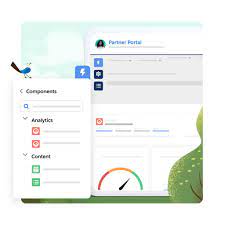
Offer your customers a secure and exclusive platform for managing their account details through the Experience Cloud’s Customer Account Portal solution. Enhance customer relationships with Experience Cloud. Better interactions and reduced service-related expenses by implementing Salesforce Experience Cloud granting customers the ability to view and settle invoices. They canupdate account information and access your knowledge base for answers to common queries. Tailored for effective account management, the Customer Account Portal empowers you to: The Customer Account Portal maintains the flexibility and extensibility you’ve come to expect with other Lightning sites, enabling you to: Salesforce Experience Cloud’s Customer Portal is a perfect solution for the public sector, government, manufacturing industry, and financial services sector. The primary distinction between customer experience and customer relationships lies in their scope. Improved customer relationships with Experience Cloud grow over time. Customer experience encompasses a broader, more comprehensive perspective on individuals’ emotions during interactions with your business. In contrast, customer relationships specifically pertain to your company’s enduring connections with customers. Like1 Related Posts Who is Salesforce? Who is Salesforce? Here is their story in their own words. From our inception, we’ve proudly embraced the identity of Read more Salesforce Marketing Cloud Transactional Emails Salesforce Marketing Cloud Transactional Emails are immediate, automated, non-promotional messages crucial to business operations and customer satisfaction, such as order Read more Salesforce Unites Einstein Analytics with Financial CRM Salesforce has unveiled a comprehensive analytics solution tailored for wealth managers, home office professionals, and retail bankers, merging its Financial Read more AI-Driven Propensity Scores AI plays a crucial role in propensity score estimation as it can discern underlying patterns between treatments and confounding variables Read more
Read More
Salesforce and Checkmarx

What is Checkmarx in Salesforce?

Checkmarx SCA is a tool designed to provide a comprehensive scan of all open source components used within the Salesforce deployment. As a public sector and education solution, Checkmarx is highly rated. Checkmarx CxSAST is a highly accurate and flexible Static Code Analysis Tool that allows organizations to automatically scan un-compiled / un-built code and identify hundreds of security vulnerabilities in the most prevalent coding languages. Checkmarx is an accurate static analysis solution that helps identify different types of security vulnerabilities in your code. Developers can use it in the early stages of the SDLC as it identifies bugs and errors and provides practical solutions on how to address them. From the Checkmarx Site: Checkmarx for Salesforce is the leading application security provider, offering the industry’s most comprehensive cloud-native platform, Checkmarx One™, and services. With Checkmarx One™ you can reduce risk across all components of modern software — proprietary code, open source code, APIs, and infrastructure as code. Checkmarx takes pride in innovating comprehensive application security solutions to protect American public-sector organizations. Federal, state and local U.S. government agencies and educational institutions fortify their security, streamline DevSecOps methodologies, meet deadlines and compliance requirements, and accelerate ATO with Checkmarx’s developer-centric, unified Application Security Platform™. Civilian, DoD, and intelligence agencies can uphold compliance requirements while strengthening their software security posture throughout the SDLC to mitigate cyber supply chain risks. Federal customers can use Checkmarx unified platform to scan early and often in both legacy and next-gen cloud native application development tools. Checkmarx industry-leading application security platform enables agencies to consolidate and optimize DevSecOps. Quickly deliver secure digital services to constituents, manage cybersecurity risks, and develop scalable cloud strategies for modern application development, all while working within budget constraints. Like Related Posts Who is Salesforce? Who is Salesforce? Here is their story in their own words. From our inception, we’ve proudly embraced the identity of Read more Salesforce Marketing Cloud Transactional Emails Salesforce Marketing Cloud Transactional Emails are immediate, automated, non-promotional messages crucial to business operations and customer satisfaction, such as order Read more Salesforce Unites Einstein Analytics with Financial CRM Salesforce has unveiled a comprehensive analytics solution tailored for wealth managers, home office professionals, and retail bankers, merging its Financial Read more AI-Driven Propensity Scores AI plays a crucial role in propensity score estimation as it can discern underlying patterns between treatments and confounding variables Read more
Read More
Salesforce Action Plans

Salesforce Action Plans Explained

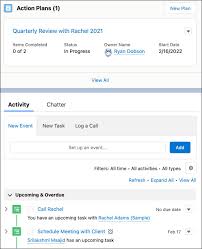
An action plan defines the tasks and other items needed to complete a business process. Each task has a priority, a number of days in which it must be completed, and a person who is responsible for its completion. Action plans are created from action plan templates, which allow you to capture repeatable tasks. Users see the tasks assigned to them through task lists and views in Salesforce. Users record task status information using the standard interfaces for tasks or the Action Plan details view. Target records, such as accounts or contacts, also show lists of related action plans. For example, in Financial Services Cloud, you can create an action plan template for financial plan review meetings with clients. For such engagements, wealth managers need to set up a meeting in advance, collect financial documentation, and review the documentation. You set up this Salesforce action plan template once, and update it as your understanding of the repeatable tasks improves over time. Then as wealth managers need review meetings with clients, you can create an action plan based on the template. You don’t have to worry about all the appropriate tasks getting created because those tasks are defined in the template. Salesforce action plans defines the tasks and other items needed to complete a business process. Each task has a priority, a number of days in which it must be completed. What is included in a Salesforce Action Plan? Salesforce action plans generally include “what,” “who,” and “when.” They outline the action steps (the “what”) your program will take to achieve your goals and objectives, the person(s) responsible (the “who”), and the projected completion dates (the “when”). You can create an action plan template and its generated action plans for various objects, depending on the products and licenses available in your org. You can also create them for custom objects that have Activities enabled. Here are some examples of use cases for action plans: Action Plan Data Model The types of items that can be included in an action plan template and its generated action plans include: Target objects are: In an action plan template, assign each task or other item to a person, a role, a queue, or the action plan creator. When creating templates with the UI, the plan creator becomes the plan owner. When creating templates using the API, you can designate a plan owner different from the plan creator. Action plan template is a reusable framework that you can use to schedule visits where the set of activities to be performed in each visit remains constant. How do you create an action plan in Salesforce? Create Action Plans Buttons Navigate to Setup > Object Manager > Account > Search Layouts for Salesforce Classic. Click on “Edit” from the menu near “List View.” Move the “Create Account Action Plans” button from “Available Buttons” to “Selected Buttons.” Click “Save.” Salesforce admins enable users to edit and delete action plan details by giving them permissions for the Action Plans, Action Plan Templates, and Recurrence Schedule objects. Your users interact with action plans using standard features. The following standard Salesforce features are supported. Like1 Related Posts Who is Salesforce? Who is Salesforce? Here is their story in their own words. From our inception, we’ve proudly embraced the identity of Read more Salesforce Marketing Cloud Transactional Emails Salesforce Marketing Cloud Transactional Emails are immediate, automated, non-promotional messages crucial to business operations and customer satisfaction, such as order Read more Salesforce Unites Einstein Analytics with Financial CRM Salesforce has unveiled a comprehensive analytics solution tailored for wealth managers, home office professionals, and retail bankers, merging its Financial Read more AI-Driven Propensity Scores AI plays a crucial role in propensity score estimation as it can discern underlying patterns between treatments and confounding variables Read more

Read More

Salesforce Sales Acronyms

Here is a helpful glossary of sales terminology you may hear when discussing Salesforce sales. Salesforce Sales Acronyms Acronym Meaning Defintion BANT Budget, Authority, Need, Time A framework that helps sales reps judge how qualified a lead is/their propensity to purchase (how likely they are to purchase). From there, sales reps can focus their attention on the most promising prospects. This is more closely related to sales qualified leads than marketing qualified leads. CQ Calendar Quarter A period of three months that is used by organizations in order to calculate their budgets, profits, losses, and sales quotas. The calendar quarters start in January/April/July/October, whereas the fiscal quarters can start at any month (according to the organization), for example, Salesforce themselves start their fiscal year in February, which means their second fiscal quarter starts in May. Salesforce Admins and users will come across this when filtering date fields in the Salesforce report builder. CY Calendar Year A period of twelve months that is used by organizations in order to calculate their budgets, profits, losses, and sales quotas. The calendar year starts in January, whereas the fiscal year can start at any month (according to the organization). ECC Einstein Call Coaching Einstein Call Coaching gives users insights and trends from sales calls – taking the rich fabric of a conversation and splicing it into key moments. ECC is ‘product within a product’ of High Velocity Sales (HVS). ECI Einstein Conversation Insights Gives users insights and trends from sales calls – taking the rich fabric of a conversation and splicing it into key moments. Never before have sales managers and reps been able to analyze their conversations like this – at scale and at speed – which would be impossible without the help of AI. (Formerly known as Einstein Call Coaching). EEI Einstein Email Insights Einstein will surface contextual sales information while writing emails, so you ultimately send the best response, at the best time.Available with Sales Cloud Einstein, Inbox, High Velocity Sales, or Revenue Intelligence, which come at an additional cost. It’s available (at an extra cost) for Salesforce Enterprise, Performance, and Unlimited editions. FQ Fiscal Quarter A period of three months that is used by organizations in order to calculate their budgets, profits, losses, and sales quotas. Salesforce Admins and users will come across this when filtering date fields in the Salesforce report builder. FY Fiscal Year “A period of twelve months, used by organizations in order to calculate their budgets, profits, and losses.” (and sales quotas)(source).Salesforce Admins and users will come across this when filtering date fields in the Salesforce report builder. HVS High-velocity Sales High-velocity Sales was developed for inside sales/sales development teams that process a high-volume of activities, especially calls. Now called Sales Engagement, the product includes: Sales Cadences, Work Queue, Einstein Lead Score, Salesforce Inbox, Call Scripts and Einstein Call Coaching. YOY Year-on-year Comparing the performance in one period of time with the same time period the previous year. For example, comparing January 2022 to January 2021 to see if trends have increased or decreased. Like Related Posts Who is Salesforce? Who is Salesforce? Here is their story in their own words. From our inception, we’ve proudly embraced the identity of Read more Salesforce Marketing Cloud Transactional Emails Salesforce Marketing Cloud Transactional Emails are immediate, automated, non-promotional messages crucial to business operations and customer satisfaction, such as order Read more Salesforce Unites Einstein Analytics with Financial CRM Salesforce has unveiled a comprehensive analytics solution tailored for wealth managers, home office professionals, and retail bankers, merging its Financial Read more AI-Driven Propensity Scores AI plays a crucial role in propensity score estimation as it can discern underlying patterns between treatments and confounding variables Read more

Read More
Business Card Scanner App for Salesforce

Business Card Scanner App for Salesforce

Can I Scan a Business Card into Salesforce? Yes, you can scan a business card into Salesforce if your scanning system can create a CSV file or import data into Excel, which can then be saved as a .csv file. This resulting file can be uploaded to Salesforce. And there are several Business Card Scanner App for Salesforce solutions. Business Card Scanner App for Salesforce Does Salesforce Have a Business Card Scanner? Yes, Salesforce can utilize CamCard for Salesforce, a top OCR software that allows you to batch scan and digitize multiple business cards with unrivaled accuracy. Does CamCard Sync with Salesforce? Yes, CamCard perfectly integrates with customized Salesforce fields, making lead and contact management easier and more efficient on mobile. With a standard subscription, you can save unlimited cards to your Salesforce account. Is the CamCard App Free? CamCard offers many features, such as dating when you received a card, grouping cards received at one location, writing notes on each card, and searching by keywords, locations, or dates. The app is free, which is an added benefit. Is Scan to Salesforce Free? Yes, Scan to Salesforce allows you to instantly and accurately scan business cards and upload data to Salesforce for free. You can keep contacts in the iOS/Android app or sync them to your phone. How Do I Install Scan to Salesforce? Other Business Card Scanning Solutions: Using Outlook for Business Card Scanning: If you prefer more tools, consider those that import to Outlook and then use Salesforce’s Outlook integration tool to sync with Salesforce. This adds an extra step but offers more flexibility in choosing business card scanning software. Direct Integration with Salesforce: These options provide a variety of ways to seamlessly integrate business card data into Salesforce, ensuring efficient and accurate data management. Content updated March 2025. Like1 Related Posts Who is Salesforce? Who is Salesforce? Here is their story in their own words. From our inception, we’ve proudly embraced the identity of Read more Salesforce Marketing Cloud Transactional Emails Salesforce Marketing Cloud Transactional Emails are immediate, automated, non-promotional messages crucial to business operations and customer satisfaction, such as order Read more Salesforce Unites Einstein Analytics with Financial CRM Salesforce has unveiled a comprehensive analytics solution tailored for wealth managers, home office professionals, and retail bankers, merging its Financial Read more AI-Driven Propensity Scores AI plays a crucial role in propensity score estimation as it can discern underlying patterns between treatments and confounding variables Read more
Read More
Salesforce CPQ

Salesforce for Government and Public Sector Solutions

Transform your system of record into a system of engagement to manage mission-critical programs effectively. Achieve superior long-term outcomes by incorporating apps that seamlessly connect EHR data, treatment plans, and patient preferences. Utilize top-tier commercial CRM capabilities while adhering to compliance standards such as FedRAMP, DoD IL2/4, SOC, and more. Ensure stakeholders have secure access to critical information on any device, allowing IT to focus on innovation and employees to engage with collaborative tools.

Read More
Salesforce Order Management

Salesforce Order Management Explained

What is Salesforce Order Management? It’s a platform for managing orders, customer records, fulfillment, inventory visibility, payments and invoicing, and customer care.

Read More
Cloud First

A Salesforce Architect’s Thoughts on User Experience

The intersection of Salesforce User Experience (UX) Design and Architecture in the Salesforce ecosystem is making traction. As User Experience Designer and Strategy Designer certifications were launched by Salesforce, architects are increasingly venturing into UX to create comprehensive and well thought out solutions. This collaboration, emphasizing the importance of user experience, has the potential to increase project success through efficient, scalable, and sustainable designs, particularly for Certified Technical Architects (CTAs). User Interaction and Adoption are important considerations for architects, requiring a focus on understanding user interactions to guide effective decisions. The method of creating a user story, showing what the user needs to accomplish, assists the designers in creating solutions that are user friendly By mapping the user journey and data flow through process and journey mapping, architects gain insights into necessary objects, relationships, and high-touchpoint objects influencing Large Data Volumes (LDV). Understanding user expectations informs architects about necessary record ownership changes, conversions, security, and data visibility requirements. Salesforce UX Certifications The recent emphasis on UX design in Salesforce, marked by certifications like Strategy Designer and User Experience Designer, has prompted useful discussions within the Salesforce architect community. Personal experience completing these certifications underscores the importance of architects embracing UX design, especially on the path to becoming a Certified Technical Architect. The incorporation of journey mapping into solution design, as discovered through creating process and journey maps from CTA scenarios, has proven invaluable. The synergy between architects and UX designers manifests as they collaborate to seamlessly integrate visual and technical elements. Thus resulting in cohesive, user-friendly solutions. Despite distinct areas of expertise, both roles converge on considering user needs, business requirements, and personas, fostering pivotal collaboration that ensures functional and aesthetically pleasing systems. A user-centric approach is crucial for architects in solving problems and ensuring holistic solutions. Process mapping facilitates identifying record ownership changes, conversions, security, and data visibility requirements. Higher Probability of Success is achieved by considering the users’ interactions. Building solutions that prioritize simplicity, reducing project complexity and enhancing user understanding. Performance, Scalability, and Usage must be factored into architectural considerations. Architects need to understand system usage, scalability needs, and performance to create efficient systems capable of handling increased usage. Additionally, architects should prioritize efficiency by identifying large data volume objects and designing for scalability. Return on Investment (ROI) through Sustainability is a key factor for project success. Architects should consider both adoption and sustainable design, ensuring long-term value. ROI-driven decisions should permeate the design process. Minimizing potential rework and supporting evolving technology and business requirements. Salesforce UX in Design Process Incorporating user experience design early in the design process enhances project success by avoiding costly redesigns and ensuring the final product meets user needs. Architects must prioritize sustainability. Then they can create designs that maximize ROI and provide long-term value to the organization. User experience design is integral for architects. While providing a framework for understanding user interactions and optimizing the Salesforce solutions the arcitects design and build. Embracing UX design and collaborating effectively, architects can create systems that are not only functional and efficient but also intuitive and enjoyable to use. When designing custom Salesforce solutions, the architect should always consider the end user. At Tectonic, our entire team of Salesforce consultants focus on delivering an application that meets everyone’s expectations. Contact us today. Like1 Related Posts Who is Salesforce? Who is Salesforce? Here is their story in their own words. From our inception, we’ve proudly embraced the identity of Read more Salesforce Marketing Cloud Transactional Emails Salesforce Marketing Cloud Transactional Emails are immediate, automated, non-promotional messages crucial to business operations and customer satisfaction, such as order Read more Salesforce Unites Einstein Analytics with Financial CRM Salesforce has unveiled a comprehensive analytics solution tailored for wealth managers, home office professionals, and retail bankers, merging its Financial Read more AI-Driven Propensity Scores AI plays a crucial role in propensity score estimation as it can discern underlying patterns between treatments and confounding variables Read more

Read More
Salesforce Health Cloud

Salesforce Health Cloud Information

Since its inception in 2016, Salesforce Health Cloud has evolved significantly, adapting to the intricacies of the sensitive and dynamic health industry. The latest addition to its offerings, Customer 360 for Health, represents a strategic move towards more empathetic care, bolstering patient trust and fostering team collaboration.

Read More
Salesforce Scheduler

Salesforce Scheduler

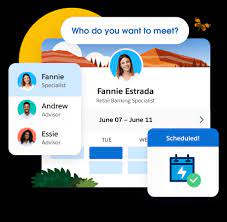
Salesforce Scheduler provides the objects required for appointment scheduling and an app that makes it easy to set up Scheduler. It provides preconfigured, customizable flows and rules that provide appointment booking experience. It also provides business APIs to create appointment booking experiences.

Read More
salesforce asset management

Asset Management Salesforce

Can Salesforce do asset management? You can manage assets in Consumer Goods (desktop) and in the Consumer Goods offline mobile app in Salesforce. Let’s understand the process in detail. Create Asset Templates and Asset Types: Before you create assets, ensure that admins have created asset templates and asset types. Assets are items, such as refrigerators or freezers, that you place at a customer location (retail store) to increase your sales. Assets are also items you use in your business such as vehicles or computers. As an asset’s owner, you’re responsible for the maintenance, repair, or any other services required for the asset. Managing assets efficiently can help reduce customer complaints and, in turn, increase your brand value. By actively tracking your assets’ conditions, you can budget better, reduce losses, and ensure employee safety. What is the use of asset object in Salesforce? So, Assets are used quite frequently by sales, customer service in your back office. Assets are a standard object. It comes out-of-the-box with Salesforce. And being a standard object we can add custom fields, validation rules, record types, multiple page layouts. How do I create an asset for a product in Salesforce? Create an Asset What is the asset state period in Salesforce? An asset state period represents a time span when an asset has the same quantity, amount, and monthly recurring revenue (MRR). An asset has as many asset state periods as there are changes to it (asset actions) during its lifecycle. The dashboard and related pages show the current asset state period. What is the difference between subscription and asset in Salesforce? Use subscriptions to keep records of subscription products you’ve quoted or sold. Use assets to keep records of stand-alone products you’ve quoted or sold. You can use these records later to manage amendments and renewals to your opportunities and orders. How do I enable assets in Salesforce? Enable Asset Scheduling in Salesforce Scheduler How do I create an asset in Salesforce CPQ? Salesforce CPQ creates assets when you click Contracted on an opportunity or order. The asset creation process varies based on your account’s renewal model and the value of the asset conversion field on the product you’re contracting. How do you renew assets in Salesforce CPQ? Select the assets you want to renew, and then click Renew. Salesforce CPQ creates a renewal quote, associates it with a renewal opportunity, and opens the quote line editor. Edit the quantities of the assets from your original quote as needed. You can also add new products. What is an asset state? Asset State denotes the different states of assets in the organization such as assets in Use, In Store, Expired and so on. Apart from the default asset states, you can create custom ones. You can also enable or disable ownership and scan for custom asset states you create. Note that Salesforce also has a Digital Asset Management (DAM) capability. Where is asset library in Salesforce? To view asset files in Files home, select Libraries and then select Asset Library . To view and edit asset files in Setup, enter Asset Files in the Quick Find box, then select Asset Files. For more information on Salesforce Asset Management, contact Tectonic today. Like1 Related Posts Who is Salesforce? Who is Salesforce? Here is their story in their own words. From our inception, we’ve proudly embraced the identity of Read more Salesforce Marketing Cloud Transactional Emails Salesforce Marketing Cloud Transactional Emails are immediate, automated, non-promotional messages crucial to business operations and customer satisfaction, such as order Read more Salesforce Unites Einstein Analytics with Financial CRM Salesforce has unveiled a comprehensive analytics solution tailored for wealth managers, home office professionals, and retail bankers, merging its Financial Read more AI-Driven Propensity Scores AI plays a crucial role in propensity score estimation as it can discern underlying patterns between treatments and confounding variables Read more
Read More
gettectonic.com