

Apex Archives - gettectonic.com - Page 6
Custom Copilot Actions

Custom Copilot Actions

How to Create a Custom Copilot Action Custom Copilot Actions allow you to extend Copilot’s functionality within Salesforce, enabling users to perform tasks specific to your business needs. By utilizing invocable Apex classes, autolaunched flows, and prompt templates, you can build custom actions tailored to your organization’s requirements. Extend your unified copilot with custom actions. Before You Begin: Steps to Create a Custom Copilot Action: Testing and Deployment: Understanding Einstein Copilot Einstein Copilot is Salesforce’s AI assistant designed to enhance productivity and user experience across various applications and departments. Admins can configure and deploy Copilots to empower users with AI capabilities, streamlining workflows and increasing efficiency. Out-of-the-Box Actions: In the Spring ’24 release, Einstein Copilot offers several out-of-the-box actions, including: Customization and Future Development: Admins can create custom actions to tailor Copilot’s capabilities to their organization’s specific requirements. Custom actions enable tasks such as updating records and integrating with external systems, enhancing productivity and efficiency. When you create a custom action, you build it on top of platform functionality you want to make available in Einstein Copilot, such as invocable Apex classes, autolaunched flows, or prompt templates. Adding custom actions lets you customize your copilot and get more mileage out of your current Salesforce platform capabilities. Access to a custom copilot action depends on the type of Salesforce action it references. For example, if a custom action was built using a flow, the custom action adheres to the permissions, field-level security, and sharing settings configured in the flow. Use Cases and Considerations: Typical Use Cases: Considerations: Building Custom Copilot Actions: Power of Custom Actions: Custom actions extend Copilot’s capabilities, offering a wide range of use cases and functionalities. Actions can be built using flows, prompts, or Apex, providing flexibility and customization options. Descriptive Instructions: Accurate descriptions of actions, inputs, and outputs are essential for Copilot’s understanding and execution. Clear instructions provide context and improve response accuracy. Best Practices: Einstein Copilot, coupled with custom actions, empowers organizations to optimize workflows and drive efficiency. By following best practices and leveraging the full potential of Copilot, Salesforce admins can enhance user experiences and unlock new levels of productivity. Explore these features within your organization to realize the benefits of Salesforce Einstein Copilot Custom Actions. Assign an action to your copilot from the Copilot Actions page, the record page for an action, or the Copilot Action Library tab of the actions panel in the Copilot Builder. Your copilot must be deactivated. To test your action and preview how the output appears in a copilot conversation, open the copilot in the Copilot Builder and start a preview conversation. Enter utterances that you expect to trigger your action, and then make adjustments to the copilot action instructions based on your results. What powers Einstein Copilot custom actions? By facilitating the flow of work through smart, AI-driven actions, Einstein Copilot enhances efficiency and decision-making. Here’s how organizations can harness its power through the design of custom actions, ensuring their operations are as streamlined and effective as possible. Like1 Related Posts Who is Salesforce? Who is Salesforce? Here is their story in their own words. From our inception, we’ve proudly embraced the identity of Read more Salesforce Marketing Cloud Transactional Emails Salesforce Marketing Cloud Transactional Emails are immediate, automated, non-promotional messages crucial to business operations and customer satisfaction, such as order Read more Salesforce Unites Einstein Analytics with Financial CRM Salesforce has unveiled a comprehensive analytics solution tailored for wealth managers, home office professionals, and retail bankers, merging its Financial Read more AI-Driven Propensity Scores AI plays a crucial role in propensity score estimation as it can discern underlying patterns between treatments and confounding variables Read more


Read More
Customized Conversational AI Assistant

Customized Conversational AI Assistant

Create and Customize a Conversational AI Assistant for CRM Einstein Copilot is your all-in-one CRM AI assistant, seamlessly integrated into every Salesforce application. It empowers teams to accelerate tasks with intelligent actions, deploy conversational AI with built-in trust, and easily scale a unified copilot across your organization. Customized Conversational AI Assistant. Einstein 1 Studio Customize and Enhance AI for CRM:Einstein 1 Studio allows you to tailor Einstein Copilot to your specific business needs. Configure actions, prompts, and models to create a personalized AI experience. Users can interact with the AI using natural language, making task execution more intuitive and efficient. Copilot Builder Expand Einstein Copilot with Advanced Features:Enhance Einstein Copilot by integrating actions with familiar Salesforce platform features like Flows, Apex code, and Mulesoft APIs. Convert workflows into copilot actions and test these interactions within a user-friendly interface, enabling you to monitor and refine your copilot’s performance. Prompt Builder Accelerate Employee Task Completion:Design prompt templates that quickly summarize and generate content, helping employees complete tasks faster. Create prompts that draw from CRM data, Data Cloud, and external sources to make every business task more relevant. Develop prompts once and deploy them across Einstein Copilot, Lightning pages, and flows. Model Builder Integrate and Manage AI Models:Incorporate your predictive AI models and large language models (LLMs) within Salesforce through the Einstein Trust Layer. Utilize no-code ML models in Data Cloud, and manage all your AI models from a centralized control platform, ensuring seamless operation and integration. Deploy Trustworthy AI Leverage Generative AI with Built-In Safeguards:Einstein Copilot is designed to ensure the privacy and security of your data, while improving result accuracy and promoting responsible AI use across your organization. Built directly into the Salesforce Platform, the Einstein Trust Layer offers top-tier features and safeguards to ensure your AI deployments are trustworthy. “The combination of AI, data, and CRM allows us to help busy parents solve the ‘what’s for dinner’ dilemma with personalized recipe recommendations their family will love.”— Heather Conneran, Director, Brand Experience Platforms, General Mills Like1 Related Posts Who is Salesforce? Who is Salesforce? Here is their story in their own words. From our inception, we’ve proudly embraced the identity of Read more Salesforce Marketing Cloud Transactional Emails Salesforce Marketing Cloud Transactional Emails are immediate, automated, non-promotional messages crucial to business operations and customer satisfaction, such as order Read more Salesforce Unites Einstein Analytics with Financial CRM Salesforce has unveiled a comprehensive analytics solution tailored for wealth managers, home office professionals, and retail bankers, merging its Financial Read more AI-Driven Propensity Scores AI plays a crucial role in propensity score estimation as it can discern underlying patterns between treatments and confounding variables Read more

Read More
New ChatGPT-4o

ChatGPT and Salesforce Explained

Supercharge Salesforce with ChatGPT: AI-Powered CRM Enhancements Integrating ChatGPT with Salesforce unlocks transformative potential across sales, service, marketing, and development—boosting efficiency, personalization, and decision-making. Here’s how businesses can harness generative AI to elevate their CRM strategy. 1. Automating Workflows & Boosting Productivity Workflow Optimization Accelerated Development AI-Generated Content 2. Smarter Customer Engagement Intelligent Lead Management Hyper-Personalized Communication Instant Customer Support 3. Data-Driven Sales & Marketing Predictive Sales Insights Laser-Targeted Campaigns AI-Powered Sales Forecasting 4. Seamless Salesforce Integration Einstein GPT + OpenAI Lightning Web Components (LWC) API Configuration 5. Real-World Use Cases Scenario AI Solution Outcome Case Summarization ChatGPT auto-generates case notes for agents. 50% faster resolution times. Dynamic Email Drafting AI crafts personalized responses in <10 seconds. 35% higher reply rates. Automated Reporting “Show me Q2 pipeline trends” → Instant dashboard. No-code analytics for all users. The Bottom Line By integrating ChatGPT with Salesforce, businesses can:✅ Reduce manual work with AI automation.✅ Enhance customer experiences through hyper-personalization.✅ Drive revenue growth with predictive insights. With Einstein GPT and custom LWC integrations, Salesforce users can deploy generative AI without complex coding—unlocking smarter, faster, and more scalable CRM operations. Ready to transform your Salesforce workflows? Start with a pilot in lead scoring, service automation, or sales forecasting today. Content updated June 2025. Like Related Posts Who is Salesforce? Who is Salesforce? Here is their story in their own words. From our inception, we’ve proudly embraced the identity of Read more Salesforce Marketing Cloud Transactional Emails Salesforce Marketing Cloud Transactional Emails are immediate, automated, non-promotional messages crucial to business operations and customer satisfaction, such as order Read more Salesforce Unites Einstein Analytics with Financial CRM Salesforce has unveiled a comprehensive analytics solution tailored for wealth managers, home office professionals, and retail bankers, merging its Financial Read more AI-Driven Propensity Scores AI plays a crucial role in propensity score estimation as it can discern underlying patterns between treatments and confounding variables Read more

Read More
Salesforce prompt builder

Create Test and Refine Prompt Templates With Prompt Builder

Salesforce has introduced Prompt Builder, a revolutionary tool powered by generative AI, designed to enhance business tasks by seamlessly integrating prompts into workflows. This article delves into the core AI concepts underlying Prompt Builder, offering insights into creating, managing, testing, and refining prompt templates for optimal performance. Before digging into the intricacies of this new innovation, let’s first explore what generative AI means for administrators. Create Test and Refine Prompt Templates With Prompt Builder. Understanding Key Terms: Key Features of Prompt Builder: Utilizing Prompt Templates: Testing and Refining Prompt Templates: Deploying Prompts: Designing Effective Prompt Templates: Embracing Generative AI with Prompt Builder: As Prompt Builder prepares for its general availability in Spring ’24, businesses can anticipate a paradigm shift in how they harness AI to propel their operations forward. Whether seasoned Salesforce Admins or newcomers to AI integration, Prompt Builder offers a gateway to unlocking the myriad possibilities of generative AI within Salesforce. Create Test and Refine Prompt Templates With Prompt Builder. Like1 Related Posts Who is Salesforce? Who is Salesforce? Here is their story in their own words. From our inception, we’ve proudly embraced the identity of Read more Salesforce Marketing Cloud Transactional Emails Salesforce Marketing Cloud Transactional Emails are immediate, automated, non-promotional messages crucial to business operations and customer satisfaction, such as order Read more Salesforce Unites Einstein Analytics with Financial CRM Salesforce has unveiled a comprehensive analytics solution tailored for wealth managers, home office professionals, and retail bankers, merging its Financial Read more AI-Driven Propensity Scores AI plays a crucial role in propensity score estimation as it can discern underlying patterns between treatments and confounding variables Read more
Read More
Apex

Data Types in Salesforce

Apex assigns a data type in Salesforce to all variables and expressions, such as sObject, primitive, or enum. We use these data types as required depending on the condition. Integer, Double, Long, Date, Datetime, String, ID, or Boolean are examples of primitives. Data types in Salesforce. Salesforce Data Type Range and Description Transformation Data Type AnyType Polymorphic data type that returns string, picklist, reference, boolean, currency, integer, double, percent, ID, date, datetime, URL, or email data String Base64 Base64 encoded binary data String Boolean Boolean (true/false) values Integer Byte A set of bits String Combobox Enumerated values String Currency Currency values Decimal DataCategoryGroupReference Types of category groups and unique category names String Date Date values Date/Time DateTime Date and time values Date/Time Double Double values Decimal Email Email addresses String Encrypted String Encrypted text fields contain any combination of letters, numbers, or symbols that are stored in encrypted form String ID Primary key field for a Salesforce object String Int Fields of this type contain numbers with no fraction portion Integer Master record ID of the merged record String Multipicklist Multiple-selection picklists, which provide a set of enumerated values from which you can select multiple values String Percent Percentage values Decimal Phone Phone numbers String Picklist Single-selection picklists, which provide a set of enumerated values that you can select one value from String Reference Cross-references to another Salesforce object String String Character strings String Textarea String that appears as a multiple-line text field String Time Time values Date/Time URL URL values String Data Types in Salesforce Fields come in various types, including text, number, picklist, date, and more, and they are employed to house data that pertains to a particular object. Like Related Posts Who is Salesforce? Who is Salesforce? Here is their story in their own words. From our inception, we’ve proudly embraced the identity of Read more Salesforce Marketing Cloud Transactional Emails Salesforce Marketing Cloud Transactional Emails are immediate, automated, non-promotional messages crucial to business operations and customer satisfaction, such as order Read more Salesforce Unites Einstein Analytics with Financial CRM Salesforce has unveiled a comprehensive analytics solution tailored for wealth managers, home office professionals, and retail bankers, merging its Financial Read more AI-Driven Propensity Scores AI plays a crucial role in propensity score estimation as it can discern underlying patterns between treatments and confounding variables Read more
Read More
Einstein Advancement

Einstein Advancement

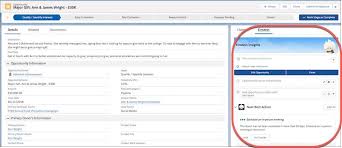
Salesforce, the enterprise software giant, announced on Tuesday the latest Einstein advancement in its artificial intelligence (AI) technology, unveiling a new generative AI tool called Einstein Copilot. This tool is set to revolutionize its suite of applications, including popular platforms like Slack and Tableau. What Happened: Einstein Copilot is introduced as a conversational AI assistant, seamlessly integrated within every Salesforce application. This integration aims to enhance user productivity by enabling interactions through natural language queries and providing responses based on proprietary company data. Unlike previous AI copilots, which often operated as separate, non-integrated applications, Einstein Copilot can access data from any Salesforce app, ensuring more accurate AI-powered recommendations and content generation. Einstein Copilot offers a wide range of functionalities, from summarizing video calls to automatically drafting sales emails tailored to individual customer contexts. It assists service teams by providing generative answers to customer concerns and helps marketers craft email content for campaigns. Developers can also benefit from its ability to convert natural language prompts directly into Apex code. Salesforce highlighted that 45% of executives are increasing their AI investments, with some already experiencing benefits, such as a 30% release of employee time. The San Francisco-based company mentioned that Einstein Copilot would leverage a vast pool of data, including customer information, enterprise content, and Slack conversations, to provide reliable and relevant recommendations. These recommendations can aid in tasks such as constructing digital storefronts or providing actionable insights for sales associates. Einstein Advancement This move aligns Salesforce with tech giants like Microsoft Corp and Alphabet Inc, which are capitalizing on the growing demand for generative AI. With previous initiatives such as the Einstein GPT genAI product launch in March and the expansion of its AI venture capital fund to 0 million in June, Salesforce is positioned to redefine the enterprise software landscape with its AI-driven initiatives. Like Related Posts Who is Salesforce? Who is Salesforce? Here is their story in their own words. From our inception, we’ve proudly embraced the identity of Read more Salesforce Marketing Cloud Transactional Emails Salesforce Marketing Cloud Transactional Emails are immediate, automated, non-promotional messages crucial to business operations and customer satisfaction, such as order Read more Salesforce Unites Einstein Analytics with Financial CRM Salesforce has unveiled a comprehensive analytics solution tailored for wealth managers, home office professionals, and retail bankers, merging its Financial Read more AI-Driven Propensity Scores AI plays a crucial role in propensity score estimation as it can discern underlying patterns between treatments and confounding variables Read more

Read More
Einstein in Salesforce

Einstein in Salesforce

Salesforce AI and CRM Evolution Salesforce has long been a leader in customer relationship management (CRM) by pioneering cloud technologies. Recently, the platform has significantly advanced with the integration of generative artificial intelligence (AI) and AI-powered features, thanks to its Einstein technology. Einstein in Salesforce is like a super smart computer overseeing and analyzing the data in your CRM. This guide explores Salesforce’s AI strategy, exploring its specific products and features to help business teams understand and benefit from this technology. Exploring Salesforce’s Advanced AI Features Einstein, Salesforce’s AI technology, powers various advanced features within the platform. This guide will cover these capabilities, provide real-life adoption examples, and discuss their benefits. Additionally, it offers best practices, solutions, and services to facilitate your Einstein implementation. Salesforce’s Comprehensive CRM Solution Salesforce remains a number one in the CRM software world, offering robust solutions for managing relationships across various departments. Specific clouds within Salesforce enable teams to handle marketing, sales, customer service, e-commerce, and more. The platform focuses on customer experience and provides robust data analytics to support decision-making. Enhancements Through Generative AI Salesforce’s generative AI has rapidly enhanced the platform’s automation, workflow management, data analytics, and assistive capabilities for customer management. A prime example is Salesforce Copilot, which aids internal users with outreach and analysis tasks while improving the external user experience. What is Salesforce Einstein? Salesforce Einstein is the first comprehensive AI for CRM, integrating AI technologies to enhance the Customer Success Platform and bring AI to users everywhere. It is seamlessly integrated into many Salesforce products, offering generative AI built specifically for CRM. Key Features of Salesforce Einstein Comprehensive AI Capabilities of Salesforce Einstein Einstein extends its capabilities across the Salesforce CRM platform under the Customer 360 umbrella, enhancing intelligence and providing personalized customer experiences. Key Benefits of Salesforce Einstein Salesforce Einstein helps close deals faster, personalize customer service, understand customer behaviors, target audience segments better, and create personalized shopping experiences. It ensures data protection and privacy through the Einstein Trust Layer, maintaining strong data governance controls. Responsible AI Principles Salesforce is committed to responsible AI principles, ensuring Einstein is trustworthy and safe for every organization. Organizations can select from various principles to ensure ethical AI use in their operations. Implementation of Salesforce Einstein Salesforce Einstein is a powerful AI solution transforming how businesses interact with customers. By leveraging machine learning and data analysis, it personalizes experiences, predicts customer behavior, and automates tasks, boosting sales, enhancing service, and driving growth. As AI evolves, its impact on CRM will continue to grow, making it an indispensable tool for businesses aiming to stay competitive in today’s data-driven landscape. Top 4 Benefits of Salesforce Einstein in an Organization Einstein Essentials Salesforce Einstein and GPT (Generative Pretrained Transformer) technologies represent significant advancements in AI, particularly in CRM and natural language processing. Here’s a brief overview of their relevance and potential intersection: Data Handling and Ethics in Salesforce Salesforce manages a vast amount of customer data, and the ethical handling of this data is crucial. Key considerations include data privacy, secure storage, access controls, compliance with regulations like GDPR and CCPA, and the ethical use of AI and machine learning. It’s important to maintain transparency, avoid biases, and ensure AI models are making ethical decisions. Newest Einstein Features for 2024 In the rapidly evolving ecosystem of Salesforce, AI offers a suite of tools to spark innovation, streamline operations, and provide richer business insights. Explore these potentials and let Einstein AI reshape your work in 2024. Content updated June 2024. Like1 Related Posts Who is Salesforce? Who is Salesforce? Here is their story in their own words. From our inception, we’ve proudly embraced the identity of Read more Salesforce Marketing Cloud Transactional Emails Salesforce Marketing Cloud Transactional Emails are immediate, automated, non-promotional messages crucial to business operations and customer satisfaction, such as order Read more Salesforce Unites Einstein Analytics with Financial CRM Salesforce has unveiled a comprehensive analytics solution tailored for wealth managers, home office professionals, and retail bankers, merging its Financial Read more AI-Driven Propensity Scores AI plays a crucial role in propensity score estimation as it can discern underlying patterns between treatments and confounding variables Read more

Read More
Salesforce Einstein and Einstein Automate

Einstein Trust

Generative AI, Salesforce, and the Commitment to Trust The excitement surrounding generative AI is palpable as it unlocks new dimensions of creativity for individuals and promises significant productivity gains for businesses. Engaging with generative AI can be a great experience, whether creating superhero versions of your pets with Midjourney or crafting pirate-themed poems using ChatGPT. According to Salesforce research, employees anticipate saving an average of 5 hours per week through the adoption of generative AI, translating to a substantial monthly time gain for full-time workers. Whether designing content for sales and marketing or creating a cute version of a beloved story, generative AI is a tool that helps users create content faster. However, amidst the enthusiasm, questions arise, including concerns about the security and privacy of data. Users ponder how to leverage generative AI tools while safeguarding their own and their customers’ data. Questions also revolve around the transparency of data collection practices by different generative AI providers and ensuring that personal or company data is not inadvertently used to train AI models. Additionally, there’s a need for assurance regarding the accuracy, impartiality, and reliability of AI-generated responses. Salesforce has been at the forefront of addressing these concerns, having embraced artificial intelligence for nearly a decade. The Einstein platform, introduced in 2016, marked Salesforce’s foray into predictive AI, followed by investments in large language models (LLMs) in 2018. The company has diligently worked on generative AI solutions to enhance data utilization and productivity for their customers. The Einstein Trust Layer is designed with private, zero-retention architecture. Emphasizing the value of Trust, Salesforce aims to deliver not just technological capabilities but also a responsible, accountable, transparent, empowering, and inclusive approach. The Einstein Trust Layer represents a pivotal development in ensuring the security of generative AI within Salesforce’s offerings. The Einstein Trust Layer is designed to enhance the security of generative AI by seamlessly integrating data and privacy controls into the end-user experience. These controls, forming gateways and retrieval mechanisms, enable the delivery of AI securely grounded in customer and company data, mitigating potential security risks. The Trust Layer incorporates features such as secure data retrieval, dynamic grounding, data masking, zero data retention, toxic language detection, and an audit trail, all aimed at protecting data and ensuring the appropriateness and accuracy of AI-generated content. Salesforce proactively provided the ability for any admin to control how prompt inputs and outputs are generated, including reassurance over data privacy and reducing toxicity. This innovative approach allows customers to leverage the benefits of generative AI without compromising data security and privacy controls. The Trust Layer acts as a safeguard, facilitating secure access to various LLMs, both within and outside Salesforce, for diverse business use cases, including sales emails, work summaries, and service replies in contact centers. Through these measures, Salesforce underscores its commitment to building the most secure generative AI in the industry. Generating content within Salesforce can be achieved through three methods: CRM Solutions: Einstein Copilot Studio: Einstein LLM Generations API: An overarching feature of these AI capabilities is that every Language Model (LLM) generation is meticulously crafted through the Trust Layer, ensuring reliability and security. At Tectonic, we look forward to helping you embrace and utilize generative AI with Einstein save time. Like1 Related Posts Who is Salesforce? Who is Salesforce? Here is their story in their own words. From our inception, we’ve proudly embraced the identity of Read more Salesforce Marketing Cloud Transactional Emails Salesforce Marketing Cloud Transactional Emails are immediate, automated, non-promotional messages crucial to business operations and customer satisfaction, such as order Read more Salesforce Unites Einstein Analytics with Financial CRM Salesforce has unveiled a comprehensive analytics solution tailored for wealth managers, home office professionals, and retail bankers, merging its Financial Read more AI-Driven Propensity Scores AI plays a crucial role in propensity score estimation as it can discern underlying patterns between treatments and confounding variables Read more
Read More
Slack and Salesforce

Flow Core Actions for Slack: Send Slack Message

Effortlessly send messages to Slack channels, direct messages, or the Messages tab of a Slack app using the Send Slack Message Flow Core Action. Required Editions Prerequisite: Ensure Salesforce for Slack integrations are enabled before using this action. Steps to Send a Slack Message in Flow 1. Add an Action to the Flow Set Connection Values for Slack Input Parameter Description Slack App Required. Specify the Slack app to execute the action. Only Slack apps installed in your org are available. The input value corresponds to the Slack app ID. Slack Workspace Required. Identify the Slack workspace where the app is installed. You can select a value or resource. The input value corresponds to the Slack workspace ID. Execute Action As Specify the entity executing the action: Set Slack Message Details Input Parameter Description Slack Conversation ID Required. The ID of the Slack channel, direct message, or user to send the message. Store Output Values Output Parameter Description Slack Message Timestamp The timestamp of the sent message. Use this for starting threads or as a resource in subsequent actions. Usage Notes By configuring the Send Slack Message Flow Core Action, you can streamline communication workflows and enhance collaboration directly from Salesforce to Slack. Like Related Posts Who is Salesforce? Who is Salesforce? Here is their story in their own words. From our inception, we’ve proudly embraced the identity of Read more Salesforce Marketing Cloud Transactional Emails Salesforce Marketing Cloud Transactional Emails are immediate, automated, non-promotional messages crucial to business operations and customer satisfaction, such as order Read more Salesforce Unites Einstein Analytics with Financial CRM Salesforce has unveiled a comprehensive analytics solution tailored for wealth managers, home office professionals, and retail bankers, merging its Financial Read more AI-Driven Propensity Scores AI plays a crucial role in propensity score estimation as it can discern underlying patterns between treatments and confounding variables Read more
Read More
Salesforce Privacy Center for Customer Preferences

Salesforce Privacy Center for Customer Preferences

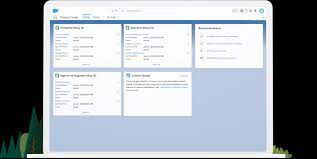
Managing Customer Privacy and Preferences with Salesforce In today’s inter-connected world, consumers are increasingly aware of the data collected about them. They want better control over their communication preferences, such as email, texts, and phone calls. Enter Salesforce Privacy Center for Customer Preferences. Organizations collecting this data must properly manage their customers’ privacy and preferences, adhere to privacy laws like the GDPR and CPRA, and stay compliant with the evolving landscape of US state and federal laws. Managing the complexity of communications, privacy, and compliance can be daunting, but Salesforce offers tools within its platform to help you stay compliant and meet your customers’ needs for preference management. Utilizing the Individual Object in Salesforce The first step is to use the Individual object in the Salesforce platform. When a customer shows interest in your products or services, you enter their information as a lead. Once they make a purchase, you convert that lead into a Contact Object, or store their information in a Person Account. Often, the same person’s information might be stored in multiple objects. For example, someone named Johnathan Smith might also be entered as John or Johnny, leading to multiple contacts with the same email but different names. The Individual Object helps manage preferences for that person across various objects or a single user record. It also enables: The Salesforce Consent Data Model The Individual Object is a key component of the Salesforce Consent Data Model, which forms the foundation of Salesforce’s long-term view of consent. This model considers the individual’s entire experience, not just a single contact point. Scenario Example: An individual wishes to be contacted via email (ContactPointTypeConsent) but only using their personal email address (ContactPointConsent) for promotional emails (Data Use Purpose). Later, they opt for SMS texting (ContactPointTypeConsent) for shipping notifications (Data Use Purpose). The data model allows managing multiple types of consent across different brands for various data use purposes, with the Individual Object linking all scenarios to a single person. This capability helps manage compliance with consent management requirements. Managing Customer Preferences with Privacy Center Once the Individual Object is enabled and the model understood, the next step is to enable customers to manage their preferences. Before configuring the Salesforce platform, you should plan for implementation by considering: With policies and procedures in place, you can start implementing the technology. Salesforce Privacy Center helps configure preference management and track the process. It allows you to create user-friendly forms for websites or emails, enabling secure capture of customer preferences for contact methods, reasons, and timing. Starting with Privacy Center To manage preferences, launch Privacy Center and set up consent templates in Privacy Preference Manager. Customize your contact point types (e.g., phone, web, social) using Apex or the Privacy Center interface. These templates ensure consistent forms across multiple brands and business lines, tailored to your specific business and compliance needs. After creating a form using a template, you can drag and drop it into Experience Builder or embed it into your site, ensuring a consistent user experience across sites and brands. Additional Privacy Center Functions Privacy Center also supports: These tools help manage your data, ensure regulatory compliance, and provide customers with an integrated and easy experience. By utilizing the Individual Object along with Privacy Center, you can track and monitor customer preferences effectively and ensure compliance. Like Related Posts Who is Salesforce? Who is Salesforce? Here is their story in their own words. From our inception, we’ve proudly embraced the identity of Read more Salesforce Marketing Cloud Transactional Emails Salesforce Marketing Cloud Transactional Emails are immediate, automated, non-promotional messages crucial to business operations and customer satisfaction, such as order Read more Salesforce Unites Einstein Analytics with Financial CRM Salesforce has unveiled a comprehensive analytics solution tailored for wealth managers, home office professionals, and retail bankers, merging its Financial Read more AI-Driven Propensity Scores AI plays a crucial role in propensity score estimation as it can discern underlying patterns between treatments and confounding variables Read more
Read More
Salesforce Automation Guide

Salesforce Automation Guide

Salesforce Automation Guide. I cannot lie. There was a time when I thought the greatest thing about Salesforce was that it prevented leads from falling through the cracks. I was a marketing opps person. There was a time I thought readily available information at your fingertips and integration with an email platform was the greatest thing. I was in sales management. Today, as a Solutions Architect, I think Salesforce Automation Guide is the best. Automation provides the tools necessary to automate repetitive processes and daily tasks for your business, such as creating follow-up tasks, sending reminder emails, or updating records. Automations help users save critical time and reduce errors by creating automated processes to complete repetitive tasks. Below, you’ll find resources to help you decide which automations to use depending on your needs. An Intro to Salesforce Automation Before determining which automation best suits your business’s needs, you must first understand what automation means. These resources will help paint a clear picture of what the automation of processes, approvals, and tasks can look like for your organization. They aren’t just time savers. They can be game changers. Why Should You Love Automation?Check out this article highlighting the positive global impact of automation across different industries and countries. Review the customer story on how automation helped digitize an approval process during a time of especially high-volume requests. After reading this, you will understand why automation is so beneficial! Intro to AutomationExplore this documentation to get a high-level overview of the different automation methods. Automation Tools Salesforce provides multiple automation tools depending on the level of complexity needed to achieve your goals. These resources will help you understand which automation tool will best help you reach your business objectives. Automation Tool: FeaturesScroll down within this article to check out the matrix for a breakdown of all the features and actions supported within each automation tool: Approvals, Flow Builder, Einstein Next Best Action, and Apex. Automation Tool: Which One to UseView this video from one of the leading cloud experts that walks you through each automation tool and when and why to use each one. Architect Decision GuideThe Architect Decision Guide will help you evaluate the pros and cons of the different automation tools. Get recommendations from Salesforce product teams on which tools best address different use cases. Automation Implementation A hands-on approach is the best way to learn how to implement automation tools. Dig right in by exploring guided Trailhead modules that will help you understand the steps to enable these tools. Flow BasicsGet to know Flow Builder, the primary tool for creating flows. Learn when to use flows to automate business processes. Automate ApprovalsLearn how you can automate simple approval processes using Flow Builder. Automation Deep Dive As you begin to think about your automation journey, it is useful to study use cases to help guide your automation strategy and energy. Check out these resources to learn how to take your automations even further than you imagined to streamline your business processes. Building a Simple FlowExplore this video to learn how to build a simple visual flow using Flow Builder for a donation request example via an input screen, fields, and choices to collect required customer information. Five Pro Tips for Salesforce FlowFollow these quick tips to get up and running with Salesforce Flow. Troubleshooting Resources Before rolling out your automations to users, make sure you validate and test them just like any other customization. Should you encounter a bug while validating, don’t worry! These resources will guide you through troubleshooting tips if you run into any blockers during the validation process. Troubleshooting Flow Errors Using the Debug ButtonCheck out this helpful Salesforce video on how to fix errors using the Debug button in Flow Builder. Flow TroubleshootingFurther your education with this Trailhead module to learn how to diagnose and fix common flow issues. Go Further with Automation Manage ProductivityDetermine how much time you’re saving your team with the Process Automation Tracker in Salesforce AppExchange. Flow OrchestrationStreamline complex workflows with Flow Orchestration. Our experts will guide you on rolling out multi-step processes that interact with multiple users. Join the Customer Success CommunityConnect with Salesforce experts and other Trailblazers like you. The community is a great place to ask questions, get answers, and share your experiences. Become a TrailblazerConsider blazing your own trail by completing the Trailhead superbadge on process automation. Automation Use Case StridePride makes comfortable sneakers, designed and customized for its customers. The company’s online retail business has grown rapidly in the past year domestically; as a result, they have decided to use Salesforce to help launch their sneakers in international markets. Linda Rosenson, StridePride’s admin, needed to quickly set up Salesforce to create sales processes for all of the additional international markets. As Linda was creating these processes, the Sales Leaders asked her to include a discount on the sneakers if certain criteria were met to help promote sales for the new markets. The tricky part was, each market had its unique set of criteria and rules before the discount could be applied. After mapping out each region’s unique criteria for the discounts, Linda determined that tracking this all manually or on a document for sales reps would be a logistical nightmare. Linda began thinking of automation. She was determined to find a more efficient way to automatically apply the discounts if criteria were met, lessening the chance for human error or missteps. Her goal was to make the process as seamless and efficient as possible. Because Linda had already reviewed the resources on choosing the right automation tool, she knew that Salesforce Flow made the most sense for her use case. This flow would help automate the discount by evaluating criteria based on customer inputs and then automatically applying the discount if applicable. She could even create or update records, create quotes, and send emails through flow elements. She teamed up with StridePride’s business analyst to create a Salesforce Flow. Together, they had it up and running

Read More
Salesforce JSON

Salesforce JSON

Today we are diving into JSON (JavaScript Object Notation) and exploring why it’s a crucial concept for you to understand. JSON is a data representation format widely used across the internet for APIs, configuration files, and various applications JSON Class Contains methods for serializing Apex objects into JSON format and deserializing JSON content that was serialized using the serialize method in this class. Usage Use the methods in the System.JSON class to perform round-trip JSON serialization and deserialization of Apex objects. Roundtrip Serialization and Deserialization Use the JSON class methods to perform roundtrip serialization and deserialization of your JSON content. These methods enable you to serialize objects into JSON-formatted strings and to deserialize JSON strings back into objects. What does JSON serialize do in Salesforce? JSON. serialize() accepts both Apex collections and objects, in any combination that’s convertible to legal JSON. String jsonString = JSON. What is the difference between JSON parse and JSON deserialize? The parser converts the JSON data into a data structure that can be easily processed by the programming language. On the other hand, JSON Deserialization is the process of converting JSON data into an object in a programming language. What is the difference between JSON and XML in Salesforce? JSON supports numbers, objects, strings, and Boolean arrays. XML supports all JSON data types and additional types like Boolean, dates, images, and namespaces. JSON has smaller file sizes and faster data transmission. XML tag structure is more complex to write and read and results in bulky files. Which is more secure XML or JSON? Generally speaking, JSON is more suitable for simple and small data, more readable and maintainable for web developers, faster and more efficient for web applications or APIs, supports native data types but lacks a standard schema language, and is more compatible with web technologies but less secure than XML. What is Salesforce JSON heap size limit? Salesforce enforces an Apex Heap Size Limit of 6MB for synchronous transactions and 12MB for asynchronous transactions. How to store JSON data in Salesforce object? If you need to store the actual JSON payload in Salesforce for audit purposes, Tectonic would recommend just using a Long Text Area field to store JSON content. You wouldn’t have any performance impacts when interacting with records, and if required you could add this to the layout of the child object storing this data. Like Related Posts Who is Salesforce? Who is Salesforce? Here is their story in their own words. From our inception, we’ve proudly embraced the identity of Read more Salesforce Marketing Cloud Transactional Emails Salesforce Marketing Cloud Transactional Emails are immediate, automated, non-promotional messages crucial to business operations and customer satisfaction, such as order Read more Salesforce Unites Einstein Analytics with Financial CRM Salesforce has unveiled a comprehensive analytics solution tailored for wealth managers, home office professionals, and retail bankers, merging its Financial Read more AI-Driven Propensity Scores AI plays a crucial role in propensity score estimation as it can discern underlying patterns between treatments and confounding variables Read more
Read More
Salesforce Flow Tests

Mastering Salesforce Flows

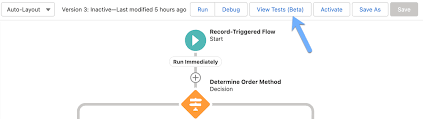
Mastering Salesforce Flows: The Complete Guide to Process Automation Why Flows Are Every Admin’s Superpower In today’s fast-moving business world, 87% of organizations report that automation is critical to maintaining competitiveness. Salesforce Flows empower admins to automate complex processes that traditionally required developer resources – making you the automation hero your team needs. The Flow Advantage *”After implementing flows, one manufacturing company reduced their quote-to-cash cycle from 5 days to 2 hours.”* Flow Types Demystified: Choose the Right Tool Flow Type Best For Key Features Trigger Examples Screen Flow User-guided processes Interactive UI, data collection Onboarding wizards, service case triage Record-Triggered Auto-processing records Runs on create/update/delete Auto-calculate discounts, update related records Schedule-Triggered Batch operations Runs on cron schedule Daily data cleanup, monthly reports Platform Event System integrations Handles external events Process IoT device alerts, SMS responses Orchestration Multi-step workflows Coordinates teams/systems Complex approvals, onboarding journeys Pro Tip: With Process Builder sunsetting in 2025, all new automation should use flows. Building Your First Flow: Step-by-Step 1. Planning Your Flow 2. Creating in Flow Builder markdown Copy Download 1. Setup > Flows > New Flow 2. Select type (e.g., Record-Triggered) 3. Configure trigger (when to run) 4. Add elements using + button: – Get Records (query data) – Decision (if/then logic) – Action (create/update records) 5. Set fault paths for error handling 3. Testing Like a Pro 4. Deployment Checklist ✅ Sandbox testing complete✅ Error handling implemented✅ Documentation created✅ User training scheduled Advanced Flow Techniques Avoid These Common Pitfalls 🚫 Nested Loops – Use Collection Filter instead🚫 Hardcoding IDs – Create custom labels🚫 Overquerying – Leverage $Record variables🚫 No Null Checks – Always add decision branches Proven Performance Boosters Example: Filtering 10,000 contacts takes: Real-World Flow Examples 1. Lightning-Fast Lead Routing Diagram Code Download EMEA APAC New Lead Region? Assign to London Queue Assign to Sydney Queue Send Welcome Email Create First Task Result: 90% faster lead assignment 2. Automated Renewal Management Impact: 30% increase in renewals 3. Customer Service Escalation Flows vs. Code: When to Choose What Scenario Flow Apex Field updates ✅ Best ⚠ Overkill Complex calculations ✅ Spring ’22+ ✅ Needed pre-2022 External API calls ✅ (Simple) ✅ (Complex) Bulk data (>10k recs) ⚠ Careful ✅ Better Trigger frameworks ❌ Avoid ✅ Required Golden Rule: Start with Flow, escalate to Apex only when limits hit. Flow Orchestration: Next-Level Automation For processes spanning multiple departments: Benefits:✔ End-to-end visibility✔ Automatic handoffs✔ Built-in wait steps Getting Started Resources “The average admin automates 23 hours of work weekly using flows.” – Salesforce ROI Study Ready to transform your processes? Book a flow consultation with our certified experts today! #Salesforce #Flow #CRM #BusinessAutomation #DigitalTransformation Content updated December 2024. Like Related Posts Who is Salesforce? Who is Salesforce? Here is their story in their own words. From our inception, we’ve proudly embraced the identity of Read more Salesforce Marketing Cloud Transactional Emails Salesforce Marketing Cloud Transactional Emails are immediate, automated, non-promotional messages crucial to business operations and customer satisfaction, such as order Read more Salesforce Unites Einstein Analytics with Financial CRM Salesforce has unveiled a comprehensive analytics solution tailored for wealth managers, home office professionals, and retail bankers, merging its Financial Read more AI-Driven Propensity Scores AI plays a crucial role in propensity score estimation as it can discern underlying patterns between treatments and confounding variables Read more
Read More
Technical Debt

Don’t Let Salesforce Technical Debt Derail Your Next Upgrade!

A well-optimized Salesforce org is the foundation of a smooth upgrade and long-term success. But like any powerful, customizable platform, Salesforce naturally accumulates technical debt—especially as your business evolves. The good news? It’s manageable—if you take the right approach. Is Your Salesforce Org Carrying Hidden Technical Debt? Just like financial debt, unchecked technical debt can slow your growth, reduce agility, and frustrate users. Partnering with a Salesforce expert can help you quickly identify and resolve issues before they escalate—saving time, money, and headaches. Signs Your Salesforce Org Has Technical Debt You don’t need to be a developer to spot the symptoms. Technical debt often impacts users first, then spreads across your business. Watch for: Behind the Scenes: Developer & Admin Struggles Admins and developers face their own battles with tech debt, including: These issues don’t just slow performance—they make every future change harder, delaying releases and limiting your ability to leverage new Salesforce features. How Does Salesforce Technical Debt Happen? Even with a skilled team, tech debt creeps in through: The result? Your team spends more time patching problems than driving innovation—whether that’s streamlining quotes, improving service, or scaling operations. How to Manage (and Reduce) Salesforce Technical Debt A structured, three-phase approach keeps your org healthy: Start with a Salesforce Health Check A technical debt assessment from a trusted Salesforce partner can uncover hidden risks and create a clear roadmap for optimization. Real-World Impact: When Technical Debt Holds You Back Imagine you’re a fast-growing outdoor retailer. Salesforce helped you scale—but now, it’s slowing you down. Your Challenges: The Solution? A Strategic Optimization Plan The Results? Keep Your Org Healthy for the Long Haul Technical debt never disappears completely—but with the right partner, you can control it, reduce it, and prevent it from derailing your growth. Why Partner with Us? At Tectonic, we don’t just fix Salesforce—we transform it into a growth engine. Our mission is to simplify processes, empower teams, and drive measurable success. Ready to optimize your Salesforce org? Let’s talk. Like Related Posts Who is Salesforce? Who is Salesforce? Here is their story in their own words. From our inception, we’ve proudly embraced the identity of Read more Salesforce Marketing Cloud Transactional Emails Salesforce Marketing Cloud Transactional Emails are immediate, automated, non-promotional messages crucial to business operations and customer satisfaction, such as order Read more Salesforce Unites Einstein Analytics with Financial CRM Salesforce has unveiled a comprehensive analytics solution tailored for wealth managers, home office professionals, and retail bankers, merging its Financial Read more AI-Driven Propensity Scores AI plays a crucial role in propensity score estimation as it can discern underlying patterns between treatments and confounding variables Read more

Read More
gettectonic.com