Apex Archives - gettectonic.com - Page 7
Sales Cloud Einstein

Salesforce Einstein Explained

Einstein serves as Salesforce’s integrated AI layer, intricately woven into nearly every Salesforce Cloud. Salesforce Einstein Explained. While certain features, like Opportunity Scoring in Salesforce, are now offered at no cost, many Einstein functionalities are premium add-ons for essential Salesforce products like Sales, Service, Commerce, and Marketing Cloud. A notable development came in March 2023 when Salesforce introduced Einstein GPT, an extension of the Einstein product. This groundbreaking application leverages the ChatGPT platform from OpenAI, renowned for its widespread popularity, and is anticipated to be released later this year. Thereby incorporating generative AI into many Salesforce cloud features. Salesforce AI delivers trusted, extensible AI grounded in the fabric of our Platform. Utilize our AI in your customer data to create customizable, predictive, and generative AI experiences to fit all your business needs safely. Bring conversational AI to any workflow, user, department, and industry with Einstein. Salesforce Einstein is the only comprehensive Artificial Intelligence for CRM. It is data ready to work in your Salesforce org and clouds. Einstein is an integrated set of AI technologies that make the Customer Success Platform smarter. Einstein is the only comprehensive AI for CRM. It is: Einstein enables you to become an AI-first company so you can get smarter and more predictive about your customers. What can you do with Einstein? Drive productivity and personalization with predictive and generative AI across the Customer 360 with Salesforce Einstein. Create and deploy assistive AI experiences natively in Salesforce, allowing your customers and employees to converse directly with Einstein to solve issues faster and work smarter. Empower sellers, agents, marketers, and more with AI tools safely grounded in your customer data to make every customer experience more impactful. Build and customize a conversational AI assistant for CRM. Einstein Copilot is a trusted, generative-AI powered assistant built into the user experience of every Salesforce application. Whether employee-facing or customer-facing, Einstein Copilot can automatically reason through tasks based on pre-built skills. Use prompts, APIs, apex, and more to customize your own AI assistant. Like2 Related Posts Who is Salesforce? Who is Salesforce? Here is their story in their own words. From our inception, we’ve proudly embraced the identity of Read more Salesforce Marketing Cloud Transactional Emails Salesforce Marketing Cloud Transactional Emails are immediate, automated, non-promotional messages crucial to business operations and customer satisfaction, such as order Read more Salesforce Unites Einstein Analytics with Financial CRM Salesforce has unveiled a comprehensive analytics solution tailored for wealth managers, home office professionals, and retail bankers, merging its Financial Read more AI-Driven Propensity Scores AI plays a crucial role in propensity score estimation as it can discern underlying patterns between treatments and confounding variables Read more


Read More
Custom List Views With LWC and Apex

Custom List Views With LWC and Apex

Creating a Custom List View in Salesforce Using LWC and Apex In this blog post, we’ll guide you through the process of creating a custom list view in Salesforce using Lightning Web Components (LWC) and Apex. This will enable you to fetch, display, and print Task records based on specific filters. We’ll cover the step-by-step development of the Apex controller, LWC component, and the creation of a list layout button to enhance your Salesforce interface. Prerequisites Step 1: Create a Visualforce Page Start by creating a Visualforce page that connects to the LWC, named ListviewPage. htmlCopy code<apex:page standardController=”Task” recordSetVar=”tasks” extensions=”CustomListViewInLwcCtrl”> <apex:includeLightning /> <style> #lightning { height: 100vh; } @media print { #lightning { height: auto; overflow: visible; } .print-section { height: auto; overflow: visible; } } </style> <div id=”lightning”></div> <script> console.log(‘work6’); var filterId = ‘{!filterId}’; console.log(‘Filter ID:’, filterId); $Lightning.use( “c:ExampleLWCApp”, function() { $Lightning.createComponent( “c:listviewpage”, { ‘filterId’: filterId }, “lightning” ); } ); </script> </apex:page> Step 2: Create an Aura Component htmlCopy code<aura:application extends=”ltng:outApp”> <aura:dependency resource=”listviewpage” /> </aura:application> Step 3: Create an Apex Controller Next, you’ll need an Apex controller to manage the fetching of list views and their associated records. apexCopy codepublic with sharing class CustomListViewInLwcCtrl { private String filterId; public CustomListViewInLwcCtrl(ApexPages.StandardSetController controller) { filterId = controller.getFilterId(); System.debug(‘FilterId–> ‘ + filterId); } public String getFilterId() { return filterId; } @AuraEnabled(cacheable = true) public static List<ListView> fetchTaskListView(String objectApiName) { try { return [ SELECT Id, Name, DeveloperName FROM ListView WHERE SObjectType = :objectApiName ORDER BY DeveloperName ASC ]; } catch (Exception e) { System.debug(‘Error fetching list views: ‘ + e.getMessage()); return new List<ListView>(); } } @AuraEnabled(cacheable = true) public static List<sObject> getTaskListviewRecord(String objectName, String listViewId, String limitsize, String offsize) { // Logic to fetch Task records } @AuraEnabled(cacheable = true) public static List<Map<String, String>> getTaskListviewLabel(String objectName, String listViewId) { // Logic to fetch Task record labels } } Step 4: Create a Lightning Web Component Create the LWC listviewPage that will interact with the Apex controller. HTML Template htmlCopy code<template> <div class=”slds-grid slds-wrap” style=”width: 280px;”> <div class=”slds-m-around_medium”> <lightning-combobox name=”listViewSelect” label=”Select List View” value={selectedListView} placeholder=”Select a List View” options={listViewOptions} onchange={handleListViewChange}> </lightning-combobox> </div> </div> <br> <div class=”slds-grid slds-wrap”> <div class=”slds-col slds-size_1-of-4″></div> <div class=”slds-col slds-size_3-of-4 slds-text-align_right”> <lightning-button variant=”brand” label=”Print” onclick={handlePrint}></lightning-button> </div> </div> <br> <div if:true={isLoading}> <lightning-spinner alternative-text=”Loading”></lightning-spinner> </div> <template if:false={isLoading}> <div class=”print-section”> <template if:true={records.length}> <lightning-datatable key-field=”Id” data={records} columns={columns} hide-checkbox-column></lightning-datatable> <div class=”slds-m-top_medium slds-text-align_center”> <lightning-button-group> <lightning-button class=”previous” label=”Previous” onclick={handlePrevious} disabled={disablePrevious}></lightning-button> <lightning-button class=”next” label=”Next” onclick={handleNext} disabled={disableNext}></lightning-button> </lightning-button-group> </div> </template> <template if:false={records.length}> <div class=”slds-text-align_center”> No records to display </div> </template> </div> </template> </template> JavaScript Controller javascriptCopy codeimport { LightningElement, track, wire, api } from ‘lwc’; import fetchListView from ‘@salesforce/apex/CustomListViewInLwcCtrl.fetchTaskListView’; import getTaskListviewRecord from ‘@salesforce/apex/CustomListViewInLwcCtrl.getTaskListviewRecord’; import getTaskListviewLabel from ‘@salesforce/apex/CustomListViewInLwcCtrl.getTaskListviewLabel’; const PAGE_SIZE = 100; export default class ListviewPage extends LightningElement { @api filterId; @track listViewOptions = []; @track selectedListView = ”; @track records = []; @track columns = []; @track isLoading = true; @track limitsize = PAGE_SIZE; @track offset = 0; connectedCallback() { console.log(‘Filter ID:’, this.filterId); } @wire(fetchListView, { objectApiName: ‘Task’ }) fetchListViewHandler({ data, error }) { if (data) { this.listViewOptions = data.map(listView => ({ label: listView.Name, value: listView.Id })); this.selectedListView = this.filterId || this.listViewOptions[0].value; this.fetchRecords(); } else if (error) { console.error(‘Error fetching list views:’, error); } } fetchRecords() { this.isLoading = true; getTaskListviewRecord({ objectName: ‘Task’, listViewId: this.selectedListView, limitsize: this.limitsize.toString(), offsize: this.offset.toString() }) .then(result => { console.log(`${result.length} records`, result); this.records = this.formatRecords(result); this.fetchLabels(); }) .catch(error => { console.error(‘Error fetching records:’, error); this.records = []; this.isLoading = false; }); } formatRecords(records) { return records.map((record, index) => ({ …record, Count: this.offset + index + 1, // Additional field mappings })); } fetchLabels() { getTaskListviewLabel({ objectName: ‘Task’, listViewId: this.selectedListView }) .then(labels => { this.columns = [ { label: ‘ ‘, fieldName: ‘Count’, type: ‘number’ }, …labels.map(labelInfo => ({ label: labelInfo.label, fieldName: labelInfo.fieldApiName, type: ‘text’ })) ]; this.isLoading = false; }) .catch(error => { console.error(‘Error fetching labels:’, error); this.isLoading = false; }); } handleListViewChange(event) { this.selectedListView = event.detail.value; this.offset = 0; this.fetchRecords(); } handlePrint() { if (confirm(‘Are you sure you want to print?’)) { window.print(); } } handlePrevious() { if (this.offset >= PAGE_SIZE) { this.offset -= PAGE_SIZE; this.fetchRecords(); } } handleNext() { this.offset += PAGE_SIZE; this.fetchRecords(); } get disablePrevious() { return this.offset === 0; } get disableNext() { return this.records.length < PAGE_SIZE; } } Step 5: Handle Remote Site Settings To allow your Apex class to make callouts, add your Salesforce org’s URL to the Remote Site Settings: Step 6: Create a List Layout Button To create a button that opens your custom list view Visualforce page: Conclusion This custom list view component in Salesforce allows for enhanced record handling, display, and printing, offering greater flexibility than the standard list views. By leveraging LWC and Apex, you can create a tailored experience for your users, improving their efficiency and overall satisfaction. If this was tl;dr, contact Tectonic for assistance today. Like1 Related Posts Who is Salesforce? Who is Salesforce? Here is their story in their own words. From our inception, we’ve proudly embraced the identity of Read more Salesforce Marketing Cloud Transactional Emails Salesforce Marketing Cloud Transactional Emails are immediate, automated, non-promotional messages crucial to business operations and customer satisfaction, such as order Read more Salesforce Unites Einstein Analytics with Financial CRM Salesforce has unveiled a comprehensive analytics solution tailored for wealth managers, home office professionals, and retail bankers, merging its Financial Read more AI-Driven Propensity Scores AI plays a crucial role in propensity score estimation as it can discern underlying patterns between treatments and confounding variables Read more
Read More
Einstein GPT and AI-Powered CRM

Einstein GPT and AI-Powered CRM

As many of you are already aware, ChatGPT has become a prominent term in AI chatbot systems. It leverages predictive computing to respond to user questions and queries, spanning from recipes for favorite dishes to new song lyrics or even code writing assistance. It’s quite thrilling, isn’t it? Einstein GPT and AI-Powered CRM bring forth the world’s first generative AI tool for customer relationship management. In this insight, we’ll introduce you to Einstein GPT, a fusion of proprietary Einstein AI models with ChatGPT or other leading large language models. We’ll dig into its applications across sales, service, marketing, and development. Firstly, GPT stands for Generative Pre-Trained Transformer, an AI framework that generates text from datasets and offers human-like responses to user queries. Einstein GPT and AI-Powered CRM. Einstein GPT marks the world’s inaugural implementation of generative AI CRM technology, delivering AI-generated content across sales, service, marketing, commerce, and IT interactions, at scale. Although currently in a closed pilot phase, it’s set to transition to the BETA phase soon. Now, let’s explore how Einstein GPT can assist sales representatives in composing emails. How Einstein GPT Can Enhance Sales?Imagine you’re an Account Executive (AE) charged with engaging the prospect account, Escape LTD. You can kickstart by asking Einstein Assistant to provide an overview of the account, including recent news. It furnishes details instantly, eliminating the need for manual research (Time saver#1). Based on the information provided, it appears they are expanding operations to the US. You can delve deeper by exploring top contacts for the US expansion initiative. Mara Williams, the VP of sales, emerges as a key contact. Einstein has already identified the corresponding contact record for you (Time saver#2) and conveniently offers a “Compose Email” button to draft a personalized email to Mara instantly. Clicking on it generates a tailored email for you, ready to be copied into the email composer (Time saver#3). If you prefer a less formal tone, you can request Einstein to adjust accordingly (Time saver#4). You can also instruct Einstein to create a private Slack channel for real-time communication with Mara. Notably, it not only generates the link but also includes it in the email (Time saver#5). Once satisfied with the email, simply hit “Send,” and it’s on its way. We’ve added “Time saver#” just for fun, but truthfully, these are genuine time savers that you’ll appreciate when using Einstein GPT. As we know, an AE’s time is better spent interacting with customers than on email composition, meeting scheduling, or CRM data entry. As demonstrated above, composing emails is a breeze, showcasing how Einstein GPT streamlines sales processes. There’s much more Einstein GPT can do for Sales: Retrieve information on top contacts.Integrate sign-up forms.Extract insights about new accounts.Generate leads, and much more. As mentioned earlier, Einstein GPT extends its benefits to Service, Marketing, and Developers too: Einstein GPT for Service: Generate knowledge articles from past case notes, and auto-generate personalized agent chat replies for enhanced customer satisfaction. Einstein GPT for Marketing: Dynamically generate personalized content to engage customers across various channels. Einstein GPT for Developers: Boost developer productivity by generating code and addressing queries in languages like Apex. Pretty cool, right? We’re equally excited at Tectonic to witness Einstein GPT’s general availability. If you’re eager to learn more or need additional information about Einstein GPT, feel free to reach out— Tectonic is here to assist. Like1 Related Posts Who is Salesforce? Who is Salesforce? Here is their story in their own words. From our inception, we’ve proudly embraced the identity of Read more Salesforce Marketing Cloud Transactional Emails Salesforce Marketing Cloud Transactional Emails are immediate, automated, non-promotional messages crucial to business operations and customer satisfaction, such as order Read more Salesforce Unites Einstein Analytics with Financial CRM Salesforce has unveiled a comprehensive analytics solution tailored for wealth managers, home office professionals, and retail bankers, merging its Financial Read more AI-Driven Propensity Scores AI plays a crucial role in propensity score estimation as it can discern underlying patterns between treatments and confounding variables Read more

Read More
Salesforce Automation

Using Automation Tools in Salesforce

Automation streamlines repetitive tasks in your business, such as creating follow-up messages or sending reminder emails, saving critical time and reducing errors. Salesforce offers four main automation tools to help businesses optimize their processes and enhance efficiency: Workflow Rules, Process Builder, Flow, and Apex. While these tools can significantly improve productivity, there are additional resources to further enhance automation capabilities. Salesforce Automation Tools Overview Salesforce provides multiple automation tools to streamline business processes and save time. Here’s an overview of some of these tools: Workflow Rules: These rules automate simple business processes by setting criteria and actions based on record changes in Salesforce. Process Builder: This tool allows you to create more complex automated processes using a graphical interface, including triggering actions based on multiple criteria. Flow: Flow enables you to automate even more sophisticated processes by guiding users through screens and automating complex logic, similar to building a program. Apex: For developers, Apex provides a powerful programming language to create custom automation solutions tailored to specific business needs. Each of these tools has its strengths and use cases, allowing businesses to choose the most appropriate tool for their requirements. Salesforce Workflow Automation To automate workflows in Salesforce, you can utilize several options: Process Builder: This tool enables you to create automated processes triggered by various Salesforce events, allowing for more advanced workflow automation. Salesforce Automation Rules Automation rules in Salesforce are criteria-based rules that identify matching prospects and apply predefined actions to them. These rules help streamline and automate lead management processes, ensuring timely actions are taken based on prospect criteria. Automating Tasks in Salesforce Salesforce Macros provide a way to automate repetitive tasks for your team, allowing you to solve customer issues with a single click. The Macro Builder enables you to define the logic behind these automated tasks, improving efficiency and productivity. Choosing the Right Automation in Salesforce Flow Builder is a versatile tool for automating repetitive business processes in Salesforce. Additional features such as approval processes, Flow Orchestration, Einstein Next Best Action, and Apex can further enhance automation capabilities based on specific business requirements. Salesforce Automation Technology Overview Salesforce automation technology encompasses tools and software platforms designed to automate various tasks expected of sales teams, such as data entry and email communication. By reducing manual workload, these technologies help sales teams focus more on revenue-generating activities. The Power of Automation in Salesforce Salesforce offers a comprehensive suite of automation tools that empower users to automate processes and approvals without writing any code. These tools provide guided visual experiences and behind-the-scenes automation, enabling businesses to streamline operations efficiently. In conclusion, Salesforce provides a range of automation tools and technologies to help businesses streamline processes, save time, and improve productivity. Understanding the capabilities of these tools and choosing the right ones for your specific requirements can greatly enhance your automation efforts. Like Related Posts Who is Salesforce? Who is Salesforce? Here is their story in their own words. From our inception, we’ve proudly embraced the identity of Read more Salesforce Marketing Cloud Transactional Emails Salesforce Marketing Cloud Transactional Emails are immediate, automated, non-promotional messages crucial to business operations and customer satisfaction, such as order Read more Salesforce Unites Einstein Analytics with Financial CRM Salesforce has unveiled a comprehensive analytics solution tailored for wealth managers, home office professionals, and retail bankers, merging its Financial Read more AI-Driven Propensity Scores AI plays a crucial role in propensity score estimation as it can discern underlying patterns between treatments and confounding variables Read more
Read More
Salesforce Managed Services

Automation Tools in Salesforce

What are the types of automation in Salesforce? What are the Automation Tools in Salesforce? The automation capabilities offered by Salesforce are based on two main categories: process automation (workflows) and data operations (data loading and cleansing). There are four main automation tools that Salesforce offers, each tailored to a specific purpose. What is an automation tool in Salesforce? Automation provides the tools necessary to automate repetitive processes and tasks for your business, such as creating a follow-up task, sending a reminder email, or updating a record. Automations can help users save critical time and reduce errors by creating processes to complete repetitive tasks. The Top 8 Best Salesforce Automation Tools What is data automation in Salesforce? Healthy automation enables users to focus on high-value work and reduces time spent on repetitive, manual tasks or complex data entry. Most often, automation means translating business processes from one form to another: from paper-based form to digital form, from an old system to a new one. What is the power of automation in Salesforce? By adopting Salesforce automation, you save time and resources, which can be redirected to more productive tasks. Sales automation can reduce daily administrative time by 14%. Moreover, it significantly enhances deal closure rates by 30% and boosts sales productivity by 14.5%. Why is Salesforce difficult to automate? Here are some of the reasons why Salesforce is difficult to automate from a technical perspective: Frequent system updates: Salesforce regularly update their platform to enhance user experiences or fix underlying issues. Unfortunately, these changes can impact user customizations and even standard uses of the platform. This is one reason many Salesforce customers opt to have a Salesforce Managed Service Provider. Disadvantages of Salesforce Flow Limited Customization and Complexity: While Salesforce Flow is considered user-friendly, it may not offer the customization and complexity required for some advanced automation tasks. Businesses with highly specific needs might find Flow somewhat restrictive. Which three components are used to automate a process in Salesforce? Use Flow Builder to automate most of your organization’s repetitive business processes. More features can provide further automation functionality, including approval processes, Flow Orchestration, Einstein Next Best Action, and Apex. Note: Use Flow Builder instead of Process Builder and workflow rules. Content updated January 2024. Like2 Related Posts Who is Salesforce? Who is Salesforce? Here is their story in their own words. From our inception, we’ve proudly embraced the identity of Read more Salesforce Marketing Cloud Transactional Emails Salesforce Marketing Cloud Transactional Emails are immediate, automated, non-promotional messages crucial to business operations and customer satisfaction, such as order Read more Salesforce Unites Einstein Analytics with Financial CRM Salesforce has unveiled a comprehensive analytics solution tailored for wealth managers, home office professionals, and retail bankers, merging its Financial Read more AI-Driven Propensity Scores AI plays a crucial role in propensity score estimation as it can discern underlying patterns between treatments and confounding variables Read more

Read More
Batch Job Behavior

Batch Job Behavior

By automating specific actions  that you’d normally have to manually initiate, batch jobs make processing large amount of data less tedious and time consuming. If you’ve ever noticed data from batch jobs processes ‘out of order,’ we’ll go over why that’s the case.  Inconsistent Batch Job Behavior Resolution Inconsistent behavior of batches is because batch Apex is an asynchronous process with no SLA, and many customers are sharing the resources, causing it to be slow.  Being an asynchronous process, the system will process the batches only when the system resources are available. There’s no way to prioritize a process, and we don’t provide a SLA for the execution.  Asynchronous Apex In a nutshell, asynchronous Apex is used to run processes in a separate thread, at a later time. An asynchronous process is a process or function that executes a task “in the background” without the user having to wait for the task to finish. You’ll typically use Asynchronous Apex for callouts to external systems, operations that require higher limits, and code that needs to run at a certain time. The key benefits of asynchronous processing include: User efficiency Let’s say you have a process that makes many calculations on a custom object whenever an Opportunity is created. The time needed to execute these calculations could range from a minor annoyance to a productivity blocker for the user. Since these calculations don’t affect what the user is currently doing, making them wait for a long running process is not an efficient use of their time. With asynchronous processing the user can get on with their work, the processing can be done in the background and the user can see the results at their convenience. Scalability By allowing some features of the platform to execute when resources become available at some point in the future, resources can be managed and scaled quickly. This allows the platform to handle more jobs using parallel processing. Higher Limits Asynchronous processes are started in a new thread, with higher governor and execution limits. And to be honest, doesn’t everyone want higher governor and execution limits? Asynchronous Apex comes in a number of different flavors. We’ll get into more detail for each one shortly, but here’s a high level overview. Type Overview Common Scenarios Future Methods Run in their own thread, and do not start until resources are available. Web service callout. Batch Apex Run large jobs that would exceed normal processing limits. Data cleansing or archiving of records. Queueable Apex Similar to future methods, but provide additional job chaining and allow more complex data types to be used. Performing sequential processing operations with external Web services. Scheduled Apex Schedule Apex to run at a specified time. Daily or weekly tasks. It’s also worth noting that these different types of asynchronous operations are not mutually exclusive. For instance, a common pattern is to kick off a Batch Apex job from a Scheduled Apex job. Increased Governor and Execution Limits One of the main benefits of running asynchronous Apex is higher governor and execution limits. For example, the number of SOQL queries is doubled from 100 to 200 queries when using asynchronous calls. The total heap size and maximum CPU time are similarly larger for asynchronous calls. Not only do you get higher limits with async, but also those governor limits are independent of the limits in the synchronous request that queued the async request initially. That’s a mouthful, but essentially, you have two separate Apex invocations, and more than double the processing capability. This comes in handy for instances when you want to do as much processing as you can in the current transaction but when you start to get close to governor limits, continue asynchronously. How Asynchronous Processing Works Asynchronous processing, in a multitenant environment, presents some challenges: Ensure fairness of processing Make sure every customer gets a fair share of processing resources. Ensure fault tolerance Make sure no asynchronous requests are lost due to equipment or software failures. The platform uses a queue-based asynchronous processing framework. This framework is used to manage asynchronous requests for multiple organizations within each instance. The request lifecycle is made up of three parts: Enqueue The request gets put into the queue. This could be an Apex batch request, future Apex request or one of many others. The platform will enqueue requests along with the appropriate data to process that request. Persistence The enqueued request is persisted. Requests are stored in persistent storage for failure recovery and to provide transactional capabilities. Dequeue The enqueued request is removed from the queue and processed. If the processing fails, transaction control ensures that requests are not lost. Each request is processed by a handler. The handler is the code that performs functions for a specific request type. Handlers are executed by a finite number of worker threads on each of the application servers that make up an instance. The threads request work from the queuing framework and when received, start a specific handler to do the work. Resource Conservation Asynchronous processing has lower priority than real-time interaction via the browser and API. To ensure there are sufficient resources to handle an increase in computing resources, the queuing framework monitors system resources such as server memory and CPU usage and reduce asynchronous processing when thresholds are exceeded. This is a fancy way of saying that the multitenant system protects itself. If an org tries to “gobble up” more than its share of resources, asynchronous processing is suspended until a normal threshold is reached. The long and short of it is that there’s no guarantee on processing time, but it’ll all work out in the end. Like Related Posts Who is Salesforce? Who is Salesforce? Here is their story in their own words. From our inception, we’ve proudly embraced the identity of Read more Salesforce Unites Einstein Analytics with Financial CRM Salesforce has unveiled a comprehensive analytics solution tailored for wealth managers, home office professionals, and retail bankers, merging its Financial Read more AI-Driven Propensity

Read More
Python Alongside Salesforce

Python Alongside Salesforce

Salesforce can integrate with Python, though the platform primarily relies on its proprietary languages and frameworks for core development. Python, however, plays a crucial role in enhancing Salesforce’s capabilities through integrations, automation, data analysis, and extending functionalities via external applications. Here’s an overview of how Python works within the Salesforce ecosystem: 1. Salesforce’s Core Development Stack Before exploring Python’s use, it’s important to understand the key development tools within Salesforce: These tools are the foundation for Salesforce development. However, Python complements Salesforce by enabling integrations and automation that go beyond these native tools. 2. Python in Salesforce Integrations Python shines when integrating Salesforce with other systems, automating workflows, and extending functionality. Here’s how: a. API Interactions Salesforce’s REST and SOAP APIs allow external systems to communicate with Salesforce data. Python, with its powerful libraries, is excellent for interfacing with these APIs. Key Libraries: Example: Extracting Data via API: pythonCopy codefrom simple_salesforce import Salesforce # Connect to Salesforce sf = Salesforce(username=’your_username’, password=’your_password’, security_token=’your_token’) # Query Salesforce data accounts = sf.query(“SELECT Id, Name FROM Account LIMIT 10”) for account in accounts[‘records’]: print(account[‘Name’]) b. Data Processing and Analysis Python’s data manipulation libraries like Pandas and NumPy make it ideal for processing Salesforce data. Example: Data Cleaning and Analysis: pythonCopy codeimport pandas as pd from simple_salesforce import Salesforce # Connect to Salesforce sf = Salesforce(username=’your_username’, password=’your_password’, security_token=’your_token’) # Fetch data query = “SELECT Id, Name, AnnualRevenue FROM Account” accounts = sf.query_all(query) df = pd.DataFrame(accounts[‘records’]).drop(columns=[‘attributes’]) # Process data df[‘AnnualRevenue’] = df[‘AnnualRevenue’].fillna(0) high_revenue_accounts = df[df[‘AnnualRevenue’] > 1000000] print(high_revenue_accounts) 3. Automation and Scripting Python can automate Salesforce-related tasks, improving productivity and reducing manual effort. This can involve automating data updates, generating reports, or scheduling backups. Example: Automating Data Backup: pythonCopy codeimport schedule import time from simple_salesforce import Salesforce def backup_salesforce_data(): sf = Salesforce(username=’your_username’, password=’your_password’, security_token=’your_token’) query = “SELECT Id, Name, CreatedDate FROM Contact” contacts = sf.query_all(query) df = pd.DataFrame(contacts[‘records’]).drop(columns=[‘attributes’]) df.to_csv(‘contacts_backup.csv’, index=False) print(“Salesforce data backed up successfully.”) # Schedule the backup schedule.every().day.at(“00:00”).do(backup_salesforce_data) while True: schedule.run_pending() time.sleep(1) 4. Building External Applications Using platforms like Heroku, developers can build external applications in Python that integrate with Salesforce, extending its functionality for custom portals or advanced analytics. Example: Web App Integrating with Salesforce: pythonCopy codefrom flask import Flask, request, jsonify from simple_salesforce import Salesforce app = Flask(__name__) @app.route(‘/get_accounts’, methods=[‘GET’]) def get_accounts(): sf = Salesforce(username=’your_username’, password=’your_password’, security_token=’your_token’) accounts = sf.query(“SELECT Id, Name FROM Account LIMIT 10”) return jsonify(accounts[‘records’]) if __name__ == ‘__main__’: app.run(debug=True) 5. Data Integration and ETL Python is commonly used in ETL (Extract, Transform, Load) processes that involve Salesforce data. Tools like Apache Airflow allow you to create complex data pipelines for integrating Salesforce data with external databases. Example: ETL Pipeline with Airflow: pythonCopy codefrom airflow import DAG from airflow.operators.python_operator import PythonOperator from simple_salesforce import Salesforce import pandas as pd from datetime import datetime def extract_salesforce_data(): sf = Salesforce(username=’your_username’, password=’your_password’, security_token=’your_token’) query = “SELECT Id, Name, CreatedDate FROM Opportunity” opportunities = sf.query_all(query) df = pd.DataFrame(opportunities[‘records’]).drop(columns=[‘attributes’]) df.to_csv(‘/path/to/data/opportunities.csv’, index=False) default_args = { ‘owner’: ‘airflow’, ‘start_date’: datetime(2023, 1, 1), ‘retries’: 1, } dag = DAG(‘salesforce_etl’, default_args=default_args, schedule_interval=’@daily’) extract_task = PythonOperator( task_id=’extract_salesforce_data’, python_callable=extract_salesforce_data, dag=dag, ) extract_task 6. Machine Learning and Predictive Analytics Python’s machine learning libraries, such as Scikit-learn and TensorFlow, enable predictive analytics on Salesforce data. This helps in building models for sales forecasting, lead scoring, and customer behavior analysis. Example: Predicting Lead Conversion: pythonCopy codeimport pandas as pd from sklearn.model_selection import train_test_split from sklearn.ensemble import RandomForestClassifier from simple_salesforce import Salesforce # Fetch Salesforce data sf = Salesforce(username=’your_username’, password=’your_password’, security_token=’your_token’) query = “SELECT Id, LeadSource, AnnualRevenue, NumberOfEmployees, Converted FROM Lead” leads = sf.query_all(query) df = pd.DataFrame(leads[‘records’]).drop(columns=[‘attributes’]) # Preprocess and split data df = pd.get_dummies(df, columns=[‘LeadSource’]) X = df.drop(‘Converted’, axis=1) y = df[‘Converted’] X_train, X_test, y_train, y_test = train_test_split(X, y, test_size=0.2, random_state=42) # Train model model = RandomForestClassifier(n_estimators=100, random_state=42) model.fit(X_train, y_train) # Evaluate accuracy accuracy = model.score(X_test, y_test) print(f”Model Accuracy: {accuracy * 100:.2f}%”) 7. Best Practices for Using Python with Salesforce To maximize the efficiency and security of Python with Salesforce: 8. Recommended Learning Resources By leveraging Python alongside Salesforce, organizations can automate tasks, integrate systems, and enhance their data analytics, all while boosting productivity. Content updated August 2024. Like Related Posts Who is Salesforce? Who is Salesforce? Here is their story in their own words. From our inception, we’ve proudly embraced the identity of Read more Salesforce Marketing Cloud Transactional Emails Salesforce Marketing Cloud Transactional Emails are immediate, automated, non-promotional messages crucial to business operations and customer satisfaction, such as order Read more Salesforce Unites Einstein Analytics with Financial CRM Salesforce has unveiled a comprehensive analytics solution tailored for wealth managers, home office professionals, and retail bankers, merging its Financial Read more AI-Driven Propensity Scores AI plays a crucial role in propensity score estimation as it can discern underlying patterns between treatments and confounding variables Read more

Read More
Crucial Role of Data and Integration in AI at Dreamforce

Salesforce Data Integration

Salesforce Data Integration: A Comprehensive Guide Introduction Salesforce offers numerous tools to access, synchronize, and share data with external systems. However, selecting the right tool for your project is critical. This guide explores Salesforce’s data integration landscape, providing recommendations based on specific use cases—along with guidance on which tools to avoid. Scope of This Guide This decision guide focuses on data-level integrations involving Salesforce, covering: While these are just a subset of integration challenges faced by Salesforce Architects, future guides will address: Note: Many tools discussed here can also solve enterprise-wide integration challenges, but those use cases are beyond this guide’s scope. Key Takeaways Common Considerations for Choosing Data Integration Tools Before selecting a tool, evaluate these key factors: Area to Consider Key Questions Existing Tools & Landscape Is an ESB/ETL solution already in place? Are there compliance requirements? Are systems cloud or on-premise? Data Flow Does data need to move synchronously, asynchronously, or in batches? Should data be replicated? Which system is the source of truth? Implementation What’s the effort for non-Salesforce systems? Which teams will deliver integrations? What tools do they prefer? Maintainability Who will maintain the integration? What skills do they have (or need)? What’s the total cost of ownership? Data Volume Is it a large data volume (LDV) scenario? How frequent are bulk changes? What’s the impact of singleton updates? Limits Are complex transformations needed? Will data be combined from multiple sources? How often will integrations run per user? Overview of Data Integration Tools Tool Salesforce → External External → Salesforce Execution License Required? Apex Actions ✅ Yes ✅ Yes Server-side ❌ No Change Data Capture ✅ Yes ❌ No Server-side ❌ No* Custom Apex (REST/SOAP) ✅ Yes ✅ Yes Server-side ❌ No External Services ✅ Yes ❌ No Server-side ❌ No Generic Events (Legacy) ✅ Yes ❌ No Server-side ❌ No** Heroku Connect ✅ Yes ✅ Yes Server-side ✅ Yes MuleSoft Anypoint ✅ Yes ✅ Yes Server-side ✅ Yes MuleSoft Composer ✅ Yes ✅ Yes Server-side ✅ Yes Native Salesforce APIs ❌ No ✅ Yes Server-side ❌ No OmniScript ✅ Yes ✅ Yes Client-side**** ✅ Yes OmniStudio Integration ✅ Yes ✅ Yes Server-side ✅ Yes Outbound Messaging ⚠️ Not Ideal ❌ No Server-side ❌ No Platform Events ✅ Yes ✅ Yes Server-side ❌ No*** PushTopic (Legacy) ⚠️ Not Ideal ❌ No Server-side ❌ No** Salesforce Connect ✅ Yes ✅ Yes Server-side ✅ Yes ✅ = Recommended | ⚠️ = Possible but consider alternatives | ❌ = Not supported Notes: Other Tools (Not Primary Integration Solutions) While these tools support aspects of data movement, they should not be the foundation of an integration strategy: Final Recommendations By aligning the right tool with your use case, you can optimize performance, reduce technical debt, and ensure scalable integrations. Content updated April 2025. Like Related Posts Who is Salesforce? Who is Salesforce? Here is their story in their own words. From our inception, we’ve proudly embraced the identity of Read more Salesforce Marketing Cloud Transactional Emails Salesforce Marketing Cloud Transactional Emails are immediate, automated, non-promotional messages crucial to business operations and customer satisfaction, such as order Read more Salesforce Unites Einstein Analytics with Financial CRM Salesforce has unveiled a comprehensive analytics solution tailored for wealth managers, home office professionals, and retail bankers, merging its Financial Read more AI-Driven Propensity Scores AI plays a crucial role in propensity score estimation as it can discern underlying patterns between treatments and confounding variables Read more
Read More
Salesforce Einstein

Connect Salesforce to an External API with No Code

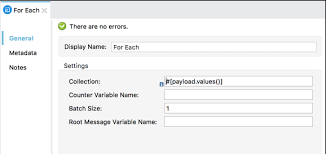
Effortlessly establish seamless integration between your Salesforce org and an external API, all without writing a single line of code. Harness the capabilities of declarative tools in conjunction with OpenAPI specifications to define the functionality of the external API. Connect Salesforce to an external API for increased productivity. External Services will autonomously generate invocable actions directly within Salesforce. Whether you prefer low-code, process-driven integrations or aim to enhance your Apex integrations, External Services efficiently handles outbound integrations from Salesforce. Invoke these actions seamlessly from Apex, integrate them into flows, or include them in Einstein bots for smooth interaction with the external API source. Connect Salesforce to an external API to access these benefits. To begin, register OpenAPI 2.0 or OpenAPI 3.0 schemas within External Services. The operations imported from your registered schema effortlessly transform into invocable actions, accessible in Apex or as External Services action types within user-friendly automation tools like Flow Builder, Orchestrator, Einstein bots, or OmniStudio Assets. External Services particularly excels in handling RESTful services hosted externally, especially when the API specification aligns with OpenAPI 2.0 or OpenAPI 3.0 JSON schema formats. Low-code and no-code solutions for Salesforce allow you to build and deploy applications without needing extensive or any coding knowledge. These tools can help to save your business time and money when it comes to software development as well as allow non-technical users to create and customize applications. Like Related Posts Who is Salesforce? Who is Salesforce? Here is their story in their own words. From our inception, we’ve proudly embraced the identity of Read more Salesforce Marketing Cloud Transactional Emails Salesforce Marketing Cloud Transactional Emails are immediate, automated, non-promotional messages crucial to business operations and customer satisfaction, such as order Read more Salesforce Unites Einstein Analytics with Financial CRM Salesforce has unveiled a comprehensive analytics solution tailored for wealth managers, home office professionals, and retail bankers, merging its Financial Read more AI-Driven Propensity Scores AI plays a crucial role in propensity score estimation as it can discern underlying patterns between treatments and confounding variables Read more
Read More
Salesforce Certifications

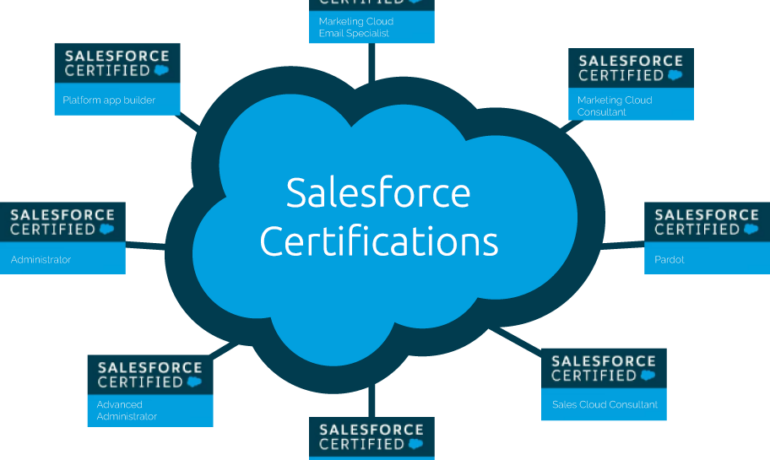
Writing Apex Code

Apex is a strongly typed, object-oriented programming language. Apex allows developers to execute flow and transaction control statements on the Lightning platform server in conjunction with calls to the Lightning Platform​ API. Writing Apex code makes valuable Salesforce tools available. Using syntax that looks like Java and acts like database stored procedures, Apex enables developers to add business logic to most system events, including button clicks, related record updates, and Visualforce pages. Apex code can be initiated by Web service requests and from triggers on objects. Writing Apex Code Apex is more similar to Java than javascript. There are different types of tools are available to write the code in Apex: How do you open the Apex code? Click Debug | Open Execute Anonymous Window to open the Enter Apex Code window and to open the code editor in a new browser window. To automatically open the resulting debug log when execution is complete, select Open Log. Note You can’t use the keyword static in anonymous code. The Developer Console There are several development environments for developing Apex code. The Developer Console and the Salesforce extensions for Visual Studio Code allow you to write, test, and debug your Apex code. The code editor in the user interface enables only writing code and doesn’t support debugging. The Developer Console is an integrated development environment with a collection of tools you can use to create, debug, and test applications in your Salesforce organization. The Developer Console supports these tasks: Like Related Posts Who is Salesforce? Who is Salesforce? Here is their story in their own words. From our inception, we’ve proudly embraced the identity of Read more Salesforce Marketing Cloud Transactional Emails Salesforce Marketing Cloud Transactional Emails are immediate, automated, non-promotional messages crucial to business operations and customer satisfaction, such as order Read more Salesforce Unites Einstein Analytics with Financial CRM Salesforce has unveiled a comprehensive analytics solution tailored for wealth managers, home office professionals, and retail bankers, merging its Financial Read more AI-Driven Propensity Scores AI plays a crucial role in propensity score estimation as it can discern underlying patterns between treatments and confounding variables Read more
Read More
Understanding Salesforce Integration

Understanding Salesforce Integration

What is Salesforce Integration? Salesforce Integration is the process of connecting two or more systems to streamline workflows and enhance data consistency across platforms. Consider situations where vital information is stored in one system but also needed in another. By integrating these systems, you ensure seamless data flow, improve efficiency, and enable smooth business processes. Why is Integration Important? In today’s digital landscape, businesses must continuously enhance efficiency and customer experience to stay competitive. Operating in isolation is no longer an option. Effective system integration ensures faster, scalable, and more reliable operations. What is an API? An API (Application Programming Interface) enables different applications to communicate with each other. For instance, when you use a mobile app, it connects to the internet, retrieves data from a server, and displays it in a readable format. The right API ensures this process runs smoothly and efficiently. Different types of APIs will be discussed later in the Salesforce Integration Capabilities section. Types of Salesforce Integration Architectures Each integration architecture has advantages and drawbacks. Here are the three main types: 1. Point-to-Point Integration This is a one-to-one integration model where each system has a direct connection to another. For example, a sales application sends order details separately to a billing system, a shipping application, and a tracking system. However, this approach is costly to maintain and lacks scalability, as adding new integrations requires extensive modifications. 2. Hub-and-Spoke Integration With this model, a central hub facilitates communication between systems. Instead of creating multiple direct integrations, each system only connects to the hub. This setup simplifies management and scalability compared to point-to-point integration. 3. Enterprise Service Bus (ESB) Integration An evolution of the hub-and-spoke model, ESB uses an integration engine to connect various applications. ESB provides: Each system connects through an adapter, making it easy to scale integrations as business needs evolve. Salesforce Integration Capabilities Understanding APIs and integration capabilities is crucial. Here are key Salesforce integration tools: 1. REST API Best for web or mobile applications, REST API operates using: It uses JSON or XML and functions synchronously, meaning it waits for a response before proceeding. 2. SOAP API SOAP API is suited for back-end system integrations requiring structured payloads. It uses XML and supports asynchronous communication, meaning it can process requests without waiting for immediate responses. 3. Bulk API Designed for handling large data volumes, Bulk API efficiently processes up to 100 million records within a 24-hour period. It is asynchronous, making it ideal for initial data migrations and batch processing. 4. Streaming API Built on the publish/subscribe model, Streaming API supports near real-time data updates. It includes: This API is essential for event-driven architectures. 5. Outbound Messages This declarative option sends messages to external systems when triggered by workflow rules or approval processes. It is asynchronous but requires acknowledgment from the receiving system. 6. Web Service Callouts Salesforce can initiate outbound requests to external systems for data validation or process execution. These callouts require Apex coding and can be synchronous or asynchronous. 7. Salesforce Connect Salesforce Connect enables real-time data access from external systems without storing the data in Salesforce. This “data virtualization” reduces storage costs and ensures up-to-date information is available when needed. 8. Heroku Connect Heroku Connect synchronizes data between Salesforce and Postgres databases, making it ideal for high-volume applications where not all data needs to reside in Salesforce. Salesforce Integration Patterns Integration patterns define how systems interact. Consider: 1. Remote Call-In External systems retrieve, update, or delete Salesforce data (e.g., an order management system updating Salesforce records). 2. Request and Reply Salesforce calls an external system and waits for a response before proceeding (e.g., address validation services). 3. Fire and Forget Salesforce sends a request but does not wait for a response (e.g., outbound messages and platform events). 4. Batch Data Synchronization Data is periodically synchronized between Salesforce and external systems in bulk (e.g., nightly updates to a data warehouse). 5. UI Update Based on Data Changes Salesforce UI updates dynamically when backend data changes (e.g., real-time case status updates for support agents). 6. Data Virtualization Salesforce displays external data in real time without storing it, reducing storage costs and improving efficiency (e.g., Salesforce Connect). Conclusion Salesforce integration streamlines business processes, enhances efficiency, and improves data consistency. Understanding integration architectures, capabilities, and patterns helps businesses select the right approach for their needs. By leveraging Salesforce’s integration tools, organizations can achieve seamless connectivity across their technology ecosystem. Like Related Posts Who is Salesforce? Who is Salesforce? Here is their story in their own words. From our inception, we’ve proudly embraced the identity of Read more Salesforce Marketing Cloud Transactional Emails Salesforce Marketing Cloud Transactional Emails are immediate, automated, non-promotional messages crucial to business operations and customer satisfaction, such as order Read more Salesforce Unites Einstein Analytics with Financial CRM Salesforce has unveiled a comprehensive analytics solution tailored for wealth managers, home office professionals, and retail bankers, merging its Financial Read more AI-Driven Propensity Scores AI plays a crucial role in propensity score estimation as it can discern underlying patterns between treatments and confounding variables Read more

Read More
Salesforce Service Cloud

Improved Agent Efficiency With Salesforce Service Cloud Customization

Are your service representatives finding the Lightning Service Console too cluttered? Salesforce Service Cloud customization to the rescue! Whether you’re planning to optimize your Service Cloud or seeking quick enhancements for your service team, there’s a plethora of features and tips available to boost the efficiency of your Service Cloud. If you haven’t implemented a console app for your customer service teams yet, you’re overlooking valuable time-saving functionalities. Console features differ slightly between Lightning and Classic. This guide focuses on the Service Cloud Lightning Console – for Classic feature details, refer to Salesforce Help or contact Tectonic. Split View with Salesforce Service Cloud Customization: Console Navigation: Workspace Tabs and Subtabs: Utility Bar Features: Like2 Related Posts Who is Salesforce? Who is Salesforce? Here is their story in their own words. From our inception, we’ve proudly embraced the identity of Read more Salesforce Marketing Cloud Transactional Emails Salesforce Marketing Cloud Transactional Emails are immediate, automated, non-promotional messages crucial to business operations and customer satisfaction, such as order Read more Salesforce Unites Einstein Analytics with Financial CRM Salesforce has unveiled a comprehensive analytics solution tailored for wealth managers, home office professionals, and retail bankers, merging its Financial Read more AI-Driven Propensity Scores AI plays a crucial role in propensity score estimation as it can discern underlying patterns between treatments and confounding variables Read more

Read More
gettectonic.com