
Integrations Archives - gettectonic.com - Page 9
GoTo Adds AI Integration

GoTo Adds AI Integration

GoTo Adds AI-Powered Integrations to GoTo Connect for Enhanced CRM Connectivity GoTo has introduced advanced AI-driven integrations between its GoTo Connect platform and major CRM systems to deliver seamless connectivity and improve customer experience (CX) across various channels. GoTo Connect’s newly integrated CRM platforms include Salesforce, HubSpot, Zoho, ServiceNow, MS Dynamics, Freshdesk, Zendesk, and more, enabling businesses to manage customer interactions more effectively. Enhanced Customer Relationship Management Olga Lagunova, Chief Product and Technology Officer at GoTo, emphasized the impact of these integrations on customer relationships:“Working across multiple systems can be inefficient and time-consuming, detracting from valuable customer service time. Our new GoTo Connect integrations enhance how businesses interact with customers by centralizing workflows within the platform,” Lagunova noted. “Our AI capabilities, like call summaries and recordings stored directly in CRMs, empower teams to work smarter within their preferred tools.” New AI-Driven Features With this update, GoTo Connect automatically generates and stores AI-based call summaries and transcriptions within CRM contact records. This streamlined process gives teams faster access to comprehensive customer profiles, reducing manual tasks and increasing efficiency. The system also stores call and message details automatically in the CRM, maintaining a full history of interactions to support a seamless customer journey. A recent Zendesk study cited by GoTo revealed that over 70% of customers are frustrated by needing to repeat information to different service agents. GoTo Connect addresses this by providing agents with a unified view of customer data and current conversations, helping reduce silos and improve service quality. Streamlined Workflows and Insights Beyond call summaries, GoTo Connect’s integration offers screen pop-ups displaying customer details for agents, contact syncing, click-to-call features, call and messaging logs, and voicemail transcriptions. These features help teams respond more promptly and accurately to customer inquiries. Expanding on GoTo Connect CX In related news, GoTo recently launched GoTo Connect CX, combining its virtual phone system with AI-powered tools to create enhanced, efficient CX solutions for businesses of all sizes, while reducing operational costs. The new integrations and GoTo Connect CX are now available to all GoTo Connect customers, reflecting GoTo’s commitment to unifying customer service tools for a better, more connected experience. Like1 Related Posts Who is Salesforce? Who is Salesforce? Here is their story in their own words. From our inception, we’ve proudly embraced the identity of Read more Salesforce Marketing Cloud Transactional Emails Salesforce Marketing Cloud Transactional Emails are immediate, automated, non-promotional messages crucial to business operations and customer satisfaction, such as order Read more Salesforce Unites Einstein Analytics with Financial CRM Salesforce has unveiled a comprehensive analytics solution tailored for wealth managers, home office professionals, and retail bankers, merging its Financial Read more AI-Driven Propensity Scores AI plays a crucial role in propensity score estimation as it can discern underlying patterns between treatments and confounding variables Read more


Read More
Collaborative Business Intelligence

Collaborative Business Intelligence

Collaborative BI combines BI tools with collaboration platforms, enabling users to connect data insights directly within their existing workflows. This integration enhances decision-making by reducing misunderstandings and fostering teamwork through real-time or asynchronous discussions about data. In traditional BI, data analysis was handled by data scientists and statisticians who translated insights for business users. However, the rise of self-service BI tools has democratized data access, allowing users of varying technical skills to create and share visualizations. Collaborative BI takes this a step further by embedding BI functions into collaboration platforms like Slack and Microsoft Teams. This setup allows users to ask questions, clarify context, and share reports within the same applications they already use, enhancing data-driven decisions across the organization. One real-life time saver in my experience is being able as a marketer to dig in to our BI and generate lists myself, without depending upon a team of data scientists. Benefits of Collaborative BI Leading Collaborative BI Platforms Several vendors offer collaborative BI solutions, each with unique integrations for communication and data sharing: Collaborative BI bridges data analysis with organizational collaboration, creating an agile environment for informed decision-making and effective knowledge sharing across all levels. Like Related Posts Who is Salesforce? Who is Salesforce? Here is their story in their own words. From our inception, we’ve proudly embraced the identity of Read more Salesforce Marketing Cloud Transactional Emails Salesforce Marketing Cloud Transactional Emails are immediate, automated, non-promotional messages crucial to business operations and customer satisfaction, such as order Read more Salesforce Unites Einstein Analytics with Financial CRM Salesforce has unveiled a comprehensive analytics solution tailored for wealth managers, home office professionals, and retail bankers, merging its Financial Read more AI-Driven Propensity Scores AI plays a crucial role in propensity score estimation as it can discern underlying patterns between treatments and confounding variables Read more

Read More
iot and salesforce einstein

IoT and Salesforce Einstein

IoT and Salesforce Einstein: Revolutionizing Data-Driven Decision Making The combination of Internet of Things (IoT) and Salesforce Einstein is transforming how businesses collect, analyze, and act on data. By integrating IoT devices with Salesforce’s AI-powered Einstein platform, organizations can unlock real-time insights, automate processes, and deliver personalized customer experiences. Let’s dive into how IoT and Salesforce Einstein work together and the benefits they bring to businesses. What is IoT? The Internet of Things (IoT) refers to a network of physical devices (e.g., sensors, wearables, smart appliances, industrial machines) that are connected to the internet and can collect, share, and act on data. These devices generate vast amounts of data, which can be used to monitor performance, predict issues, and optimize operations. What is Salesforce Einstein? Salesforce Einstein is an AI layer integrated into the Salesforce platform. It uses machine learning, predictive analytics, and natural language processing to provide intelligent insights, automate tasks, and enhance decision-making. Einstein powers features like predictive lead scoring, personalized recommendations, and automated workflows. How IoT and Salesforce Einstein Work Together When IoT devices are connected to Salesforce Einstein, the data they generate can be analyzed in real-time to drive actionable insights. Here’s how the integration works: Key Use Cases of IoT and Salesforce Einstein 1. Predictive Maintenance 2. Smart Customer Service 3. Personalized Marketing 4. Supply Chain Optimization 5. Smart Cities and Utilities Benefits of Combining IoT and Salesforce Einstein 1. Real-Time Insights 2. Proactive Problem Solving 3. Enhanced Customer Experiences 4. Operational Efficiency 5. Competitive Advantage How to Get Started with IoT and Salesforce Einstein The Future of IoT and Salesforce Einstein As IoT and AI technologies continue to evolve, their integration will become even more powerful. Future trends include: Conclusion The combination of IoT and Salesforce Einstein is a game-changer for businesses looking to harness the power of data. By integrating IoT devices with Einstein’s AI capabilities, organizations can gain real-time insights, automate processes, and deliver exceptional customer experiences. Whether you’re in manufacturing, retail, healthcare, or any other industry, IoT and Salesforce Einstein can help you stay ahead of the curve and drive innovation. Start exploring the possibilities today and unlock the full potential of IoT and Salesforce Einstein! Like Related Posts Who is Salesforce? Who is Salesforce? Here is their story in their own words. From our inception, we’ve proudly embraced the identity of Read more Salesforce Marketing Cloud Transactional Emails Salesforce Marketing Cloud Transactional Emails are immediate, automated, non-promotional messages crucial to business operations and customer satisfaction, such as order Read more Salesforce Unites Einstein Analytics with Financial CRM Salesforce has unveiled a comprehensive analytics solution tailored for wealth managers, home office professionals, and retail bankers, merging its Financial Read more AI-Driven Propensity Scores AI plays a crucial role in propensity score estimation as it can discern underlying patterns between treatments and confounding variables Read more

Read More
Salesforce Data Migration Tools

Salesforce Data Migration Tools

In the current age of digital transformation, effective data migration is essential, especially as cloud adoption accelerates. Research from Foundry reveals that 63% of IT leaders have increased their cloud migrations, but 90% face challenges—primarily budgetary constraints. This highlights the importance of thoughtful planning and strategic execution. In this context, we’ll explore the significance of successful Salesforce data migration and present a nine-step roadmap to ensure a seamless transition. Additionally, we’ll cover solutions for data preparation and the top five Salesforce data migration tools that can help turn migration challenges into growth opportunities. Salesforce Data Migration ChecklistDownload our e-book to quickly and efficiently migrate data from Excel spreadsheets and CRM systems to Salesforce. Why is Data Migration Important?In 2010, I bought my first smartphone and struggled to transfer data from my outdated phone. My contacts were vital, but the old phone lacked proper data transfer options. Determined not to re-enter everything manually, I searched for a solution. Eventually, I found a method to extract data into a CSV file, which I converted to vCard format to transfer successfully. This experience reinforced how essential data migration is—not only for businesses but also for everyday situations. For organizations looking to modernize, data migration is a crucial step in upgrading IT infrastructure. It enables smooth transitions from legacy systems to modern platforms like Salesforce, enhancing efficiency, scalability, and data accessibility. Effective data migration improves data management, reduces costs tied to outdated systems, and supports better decision-making through improved analytics. It also ensures data integrity and security, aligning IT capabilities with evolving business needs, fostering innovation, and keeping a competitive edge. What is Data Migration in Salesforce?Whether you are already using Salesforce or considering adoption, one common question arises: “How do I migrate my data to Salesforce?” Salesforce data migration involves moving information from external systems like legacy CRMs or local databases into Salesforce. This process is critical not only for protecting data integrity but also for enabling better decision-making, improving customer service, and promoting organizational growth. A well-planned data migration strategy ensures a smooth transition to Salesforce, maximizing its potential and enhancing business efficiency. 9-Step Salesforce Data Migration PlanPreparing for a Salesforce data migration? Follow these nine essential steps for a seamless process: Need Help with Data Migration to Salesforce?We offer consulting services to guide you through the data migration process, from auditing data sources to executing the migration strategy. Tectonic is here to help. Top 5 Salesforce Data Migration ToolsHere’s a quick comparison of five Salesforce data migration tools to help you choose the right solution: For hassle-free data migration, reach out to Tectonic for a tailored plan that minimizes downtime and maximizes operational efficiency. Like Related Posts Who is Salesforce? Who is Salesforce? Here is their story in their own words. From our inception, we’ve proudly embraced the identity of Read more Salesforce Marketing Cloud Transactional Emails Salesforce Marketing Cloud Transactional Emails are immediate, automated, non-promotional messages crucial to business operations and customer satisfaction, such as order Read more Salesforce Unites Einstein Analytics with Financial CRM Salesforce has unveiled a comprehensive analytics solution tailored for wealth managers, home office professionals, and retail bankers, merging its Financial Read more AI-Driven Propensity Scores AI plays a crucial role in propensity score estimation as it can discern underlying patterns between treatments and confounding variables Read more
Read More
NetSuite Salesforce Collaboration

NetSuite Salesforce Collaboration

NetSuite Bets on Strategic Growth and Embraces Collaboration with Salesforce Growing on All Fronts At SuiteWorld 2024, the theme, “All Systems Grow,” reflected a pivotal moment for NetSuite. While the event lacked groundbreaking announcements, it showcased a fulfillment of past promises and a notable strategic shift toward openness and collaboration. Oracle and NetSuite are now welcoming competitors as partners, signaling a move toward interoperability that could redefine their market positioning. With over 40,000 customers, NetSuite continues its strong growth in the ERP space, particularly among SMBs. The company’s Q3 sales surged 20% year-over-year, underlining its momentum in the mid-market. Beyond traditional ERP capabilities, NetSuite’s expanded suite of solutions positions it as more than just an ERP provider. Delivering on AI Innovations While there were no splashy acquisitions, NetSuite made significant strides by rolling out 170 new modules and features, many leveraging AI. These enhancements blend predictive AI and generative AI to increase accuracy and user productivity. These updates aim to elevate both the platform’s quality and the efficiency of its users. Redwood Design: A Transformative User Experience NetSuite is adopting Oracle’s Redwood design language, promising a more intuitive and user-friendly interface. While Redwood is not new, its phased rollout within NetSuite is a significant step forward. Notable Additions: SuiteProcurement and Salesforce Integration SuiteProcurement: NetSuite’s new procurement automation solution integrates directly with Amazon Business and Staples Business Advantage, automating ordering, invoicing, approvals, and deliveries. Plans are underway to expand vendor support, offering broader applicability in the future. Salesforce Partnership: NetSuite’s most significant announcement was its strategic partnership with Salesforce, enabling real-time data exchange between the platforms. Evan Goldberg, NetSuite’s founder and EVP, explained the rationale:“It’s up to the customer to decide what software they want to use.” The partnership reflects NetSuite’s commitment to addressing customer needs, with more SaaS integrations expected in the future. Expanding Field Service Management (FSM) NetSuite’s Field Service Management (FSM) capabilities, acquired last year, are now better integrated into its platform. While development progress has been slower than anticipated, significant enhancements are expected in the coming year, leveraging Oracle technology to extend FSM’s functionality across industries. And Field Service Management is available in Salesforce, as well. Positioned for Continued SMB Growth NetSuite’s investments are yielding results, as demonstrated by its rapid growth and deeper integration of Oracle technology. The NetSuite Analytics Data Warehouse and Enterprise Performance Management are driving adoption among existing users, showcasing the platform’s scalability. NetSuite’s ability to quickly integrate Oracle updates into its infrastructure gives it a competitive edge, ensuring customers benefit from the latest innovations without delays. With its robust feature set, AI-powered tools, and strategic partnerships like the one with Salesforce, NetSuite has strengthened its position as a go-to ERP platform for SMBs. Its consistent 20% year-over-year growth indicates a bright future, making it an increasingly attractive option for mid-market businesses. Like Related Posts Who is Salesforce? Who is Salesforce? Here is their story in their own words. From our inception, we’ve proudly embraced the identity of Read more Salesforce Marketing Cloud Transactional Emails Salesforce Marketing Cloud Transactional Emails are immediate, automated, non-promotional messages crucial to business operations and customer satisfaction, such as order Read more Salesforce Unites Einstein Analytics with Financial CRM Salesforce has unveiled a comprehensive analytics solution tailored for wealth managers, home office professionals, and retail bankers, merging its Financial Read more AI-Driven Propensity Scores AI plays a crucial role in propensity score estimation as it can discern underlying patterns between treatments and confounding variables Read more
Read More

Customization and Configuration in Salesforce

Salesforce Customization vs. Configuration: Choosing the Right Approach for Your Business Salesforce has become a top choice for businesses aiming to strengthen customer relationships and achieve their goals. Its flexibility to adapt to diverse needs through customization and configuration makes it stand out. While both approaches aim to tailor your Salesforce Org to meet specific business requirements, they differ in methodology and use cases. This insight will help you understand their differences and provide insights into when and how to choose between them. Let’s get the insight! What is Salesforce Customization? Salesforce customization involves enhancing your Salesforce Org by introducing tailored features, functionalities, and applications through coding. It goes beyond the out-of-the-box capabilities, enabling you to extend your platform to meet unique and complex business requirements. This approach requires expertise from a Salesforce developer who leverages tools such as Apex, Lightning Components, and the Salesforce Code Builder to create custom solutions. Examples of Customization: What is Salesforce Configuration? Salesforce configuration refers to adapting Salesforce’s native features to meet business needs without modifying the underlying code. By using tools such as drag-and-drop builders, configuration allows users—even those without technical expertise—to optimize the platform’s functionality. Examples of Configuration: Key Differences Between Customization and Configuration Basis Customization Configuration Level of Personalization High personalization, tailored to unique needs Limited to Salesforce’s native capabilities Implementation Requires coding expertise and detailed development Simpler, relies on drag-and-drop tools Time to Deploy Longer development cycles Faster implementation and deployment Maintenance Can require ongoing updates and compatibility adjustments during Salesforce upgrades Easier to maintain, as it aligns with standard platform updates Cost Higher costs due to skilled developer involvement Cost-effective; can be handled by in-house admins Risk Higher risks due to potential code conflicts or errors Lower risks, but over-configuration can lead to complexity Best Practices for Customization and Configuration Choosing the Right Approach The decision to opt for customization or configuration depends on factors like business requirements, budget, timeline, and project complexity. Sometimes, a hybrid approach that combines customization and configuration is the best solution, providing flexibility while optimizing costs and implementation speed. Why Partner with Salesforce Experts? Partnering with experienced Salesforce consultants at Tectonic ensures your Org is tailored to meet your specific business needs. They analyze your workflows, processes, and challenges to recommend the most effective approach—whether it’s customization, configuration, or a blend of both. At Tectonic, our team of 200+ Salesforce experts specializes in delivering tailored solutions that maximize ROI. From development to ongoing maintenance, we ensure your Salesforce Org aligns with your long-term goals. Ready to transform your Salesforce platform? Let’s discuss how we can help. Like Related Posts Who is Salesforce? Who is Salesforce? Here is their story in their own words. From our inception, we’ve proudly embraced the identity of Read more Salesforce Marketing Cloud Transactional Emails Salesforce Marketing Cloud Transactional Emails are immediate, automated, non-promotional messages crucial to business operations and customer satisfaction, such as order Read more Salesforce Unites Einstein Analytics with Financial CRM Salesforce has unveiled a comprehensive analytics solution tailored for wealth managers, home office professionals, and retail bankers, merging its Financial Read more AI-Driven Propensity Scores AI plays a crucial role in propensity score estimation as it can discern underlying patterns between treatments and confounding variables Read more

Read More
user q and a

Handling Duplicate Phone Numbers in Salesforce Automations

I’m working with a list of customers in Salesforce, where duplicate detection is enabled for the phone field. When manually creating a new customer with an existing phone number, Salesforce displays a warning prompt asking if I want to proceed. The warning doesn’t block the save; it simply alerts me to the duplicate. However, when attempting to insert a record with the same phone number using MAKE, I encounter the following error: RuntimeError[400]: A duplicate record was found. Are you sure you want to create the record? This indicates that the automation is being blocked due to the duplicate detection rules. Solution Options Here are a few strategies to address this and allow the record to be inserted: Best Practices If you need help setting up any of these solutions, let Tectonic know! Like Related Posts Who is Salesforce? Who is Salesforce? Here is their story in their own words. From our inception, we’ve proudly embraced the identity of Read more Salesforce Marketing Cloud Transactional Emails Salesforce Marketing Cloud Transactional Emails are immediate, automated, non-promotional messages crucial to business operations and customer satisfaction, such as order Read more Salesforce Unites Einstein Analytics with Financial CRM Salesforce has unveiled a comprehensive analytics solution tailored for wealth managers, home office professionals, and retail bankers, merging its Financial Read more AI-Driven Propensity Scores AI plays a crucial role in propensity score estimation as it can discern underlying patterns between treatments and confounding variables Read more

Read More
Tectonic Salesforce Customization

Salesforce Customization Requests

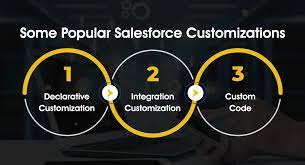
The Most Commonly Requested Salesforce Customizations Salesforce’s flexibility is one of its biggest strengths, allowing businesses to tailor the platform to meet their unique needs. Here are the most frequently requested types of customizations: 1. Declarative Customization Make adjustments using Salesforce’s built-in tools—no coding required. Examples: Ideal For:Businesses looking for straightforward changes to enhance usability without requiring programming expertise. 2. Integration Customization Connect Salesforce with third-party systems to streamline workflows and centralize data. Examples: Benefits:Boost operational efficiency by enabling seamless communication between systems. 3. Custom Code Development Go beyond standard functionality with tailored solutions using Apex, Visualforce, or Lightning Web Components. Examples: Best For:Organizations with advanced or highly specific requirements that declarative tools can’t fulfill. 4. User Interface (UI) Customization Adapt the look and feel of Salesforce to improve user experience and align with your brand. Examples: Goal:Create an intuitive, visually appealing interface that boosts productivity and user adoption. 5. Workflow Automation Save time by automating repetitive tasks and processes. Examples: Impact:Streamline operations, reduce manual workloads, and improve efficiency. 6. Reporting and Analytics Customization Provide actionable insights with tailored reports and dashboards. Examples: Advantage:Empower teams to make data-driven decisions with clear, relevant insights. 7. Mobile Optimization Ensure a seamless Salesforce experience for users on mobile devices. Examples: Purpose:Keep teams connected and productive, regardless of location. Conclusion Salesforce customization goes beyond CRM—it transforms the platform into a tailored solution that aligns with your unique business processes. Whether you’re looking for simple adjustments or advanced integrations, these customizations unlock Salesforce’s full potential to drive operational success. Ready to Get Started?Discover how our Salesforce customization services can help tailor the platform to your specific needs. Let’s work together to maximize your investment and achieve your business goals! Like Related Posts Who is Salesforce? Who is Salesforce? Here is their story in their own words. From our inception, we’ve proudly embraced the identity of Read more Salesforce Marketing Cloud Transactional Emails Salesforce Marketing Cloud Transactional Emails are immediate, automated, non-promotional messages crucial to business operations and customer satisfaction, such as order Read more Salesforce Unites Einstein Analytics with Financial CRM Salesforce has unveiled a comprehensive analytics solution tailored for wealth managers, home office professionals, and retail bankers, merging its Financial Read more AI-Driven Propensity Scores AI plays a crucial role in propensity score estimation as it can discern underlying patterns between treatments and confounding variables Read more
Read More
Mulesoft

MuleSoft Empowering AI Agents

Empowering AI Agents with Real-Time Data: MuleSoft’s Full Lifecycle AsyncAPI Support MuleSoft has officially launched full lifecycle AsyncAPI support, providing organizations with the tools to connect real-time data to AI agents via event-driven architectures (EDAs). This integration empowers businesses to deploy AI agents that can autonomously act on dynamic, real-time events across various operations. MuleSoft Empowering AI Agents. AI Agents in Action with AsyncAPI The integration of Agentforce, Salesforce’s AI agent suite, with AsyncAPI takes automation to a new level. By utilizing real-time data streams, businesses can create AI agents capable of immediate, autonomous decision-making. Why AsyncAPI Matters Event-driven architectures are critical for real-time data processing, yet 43% of IT leaders struggle to integrate existing systems with their EDAs. AsyncAPI provides a scalable, standardized way to connect applications and AI agents, overcoming these challenges. Key Features of MuleSoft’s AsyncAPI Support Why It’s a Game-Changer for AI Agents AsyncAPI integration enables AI agents to function asynchronously within EDAs, meaning they can process tasks without waiting for updates. For example: Driving Innovation Across Industries Organizations in sectors like retail, IT, and financial services can leverage these capabilities: Expert Insights Andrew Comstock, VP of Product, Integration at Salesforce:“AI is reshaping how we think about modern architectures, but connectivity remains foundational. By supporting AsyncAPI, we’re empowering businesses to build event-driven, autonomous systems on a flexible and robust platform.” Maksim Kogan, Solution Architect, OBI Group Holding:“Integrating AsyncAPI into Anypoint Platform simplifies the developer experience and increases resilience, enabling real-time services that directly enhance customer satisfaction.” Availability MuleSoft’s full lifecycle AsyncAPI support is now available via the Anypoint Platform, with compatibility for Kafka, Solace, Anypoint MQ, and Salesforce Platform Events. Tools like Anypoint Code Builder and Anypoint Exchange further streamline the development process. MuleSoft Empowering AI Agents With full AsyncAPI support, MuleSoft unlocks the potential for AI agents to operate seamlessly within real-time event-driven systems. From improving customer experiences to enhancing operational efficiency, this innovation positions businesses to thrive in today’s fast-paced digital landscape. Learn more about empowering your AI agents with MuleSoft’s AsyncAPI capabilities today. Like Related Posts Who is Salesforce? Who is Salesforce? Here is their story in their own words. From our inception, we’ve proudly embraced the identity of Read more Salesforce Marketing Cloud Transactional Emails Salesforce Marketing Cloud Transactional Emails are immediate, automated, non-promotional messages crucial to business operations and customer satisfaction, such as order Read more Salesforce Unites Einstein Analytics with Financial CRM Salesforce has unveiled a comprehensive analytics solution tailored for wealth managers, home office professionals, and retail bankers, merging its Financial Read more AI-Driven Propensity Scores AI plays a crucial role in propensity score estimation as it can discern underlying patterns between treatments and confounding variables Read more
Read More
Cohere-Powered Slack Agents

Cohere-Powered Slack Agents

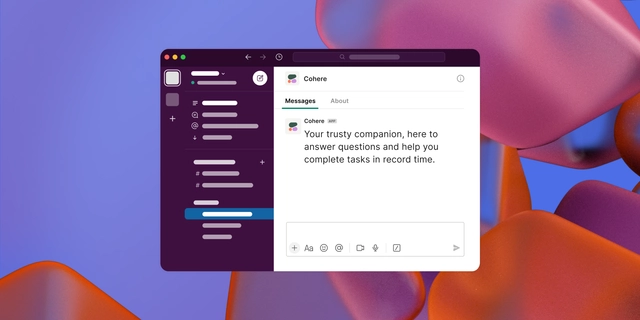
Salesforce AI and Cohere-Powered Slack Agents: Seamless CRM Data Interaction and Enhanced Productivity Slack agents, powered by Salesforce AI and integrated with Cohere, enable seamless interaction with CRM data within the Slack platform. These agents allow teams to use natural language to surface data insights and take action, simplifying workflows. With Slack’s AI Workflow Builder and support for third-party AI agents, including Cohere, productivity is further enhanced through automated processes and customizable AI assistants. By leveraging these technologies, Slack agents provide users with direct access to CRM data and AI-powered insights, improving efficiency and collaboration. Key Features of Slack Agents: Salesforce AI and Cohere Productivity Enhancements with Slack Agents: Salesforce AI and Cohere AI Agent Capabilities in Slack: Salesforce and Cohere Data Security and Compliance for Slack Agents FAQ What are Slack agents, and how do they integrate with Salesforce AI and Cohere?Slack agents are AI-powered assistants that enable teams to interact with CRM data directly within Slack. Salesforce AI agents allow natural language data interactions, while Cohere’s integration enhances productivity with customizable AI assistants and automated workflows. How do Salesforce AI agents in Slack improve team productivity?Salesforce AI agents enable users to interact with both CRM and conversational data, update records, and analyze opportunities using natural language. This integration improves workflow efficiency, leading to a reported 47% productivity boost. What features does the Cohere integration with Slack AI offer?Cohere integration offers customizable AI assistants that can help generate workflows, summarize channel content, and provide intelligent responses to user queries within Slack. How do Slack agents handle data security and compliance?Slack agents leverage cloud-native DLP solutions, automatically detecting sensitive data across different file types and setting up automated remediation processes for enhanced security and compliance. Can Slack agents work with AI providers beyond Salesforce and Cohere?Yes, Slack supports AI agents from various providers. In addition to Salesforce AI and Cohere, integrations include Adobe Express, Anthropic, Perplexity, IBM, and Amazon Q Business, offering users a wide array of AI-powered capabilities. Like Related Posts Who is Salesforce? Who is Salesforce? Here is their story in their own words. From our inception, we’ve proudly embraced the identity of Read more Salesforce Marketing Cloud Transactional Emails Salesforce Marketing Cloud Transactional Emails are immediate, automated, non-promotional messages crucial to business operations and customer satisfaction, such as order Read more Salesforce Unites Einstein Analytics with Financial CRM Salesforce has unveiled a comprehensive analytics solution tailored for wealth managers, home office professionals, and retail bankers, merging its Financial Read more AI-Driven Propensity Scores AI plays a crucial role in propensity score estimation as it can discern underlying patterns between treatments and confounding variables Read more

Read More
How Skechers Solved Its Ecommerce Challenges

How Skechers Solved Its Ecommerce Challenges

Skechers Boosts Direct-to-Consumer Sales with Ecommerce Platform Upgrades Skechers, now a global brand in 2024, credits its recent ecommerce platform upgrades for saving time and increasing direct-to-consumer sales. However, it wasn’t always equipped with the right technology to support its massive growth. During Salesforce’s Dreamforce conference in San Francisco, Eric Cheng, Skechers USA Inc.’s director of ecommerce architecture, shared insights into how key technology decisions helped the brand expand and enhance its website and content capabilities. “Today, we’re present in over 180 countries worldwide,” Cheng said, speaking on stage at the Moscone Center. Skechers’ journey began in 1992, and its expansion has taken the brand across borders, reaching millions of customers worldwide. “We connect hundreds of millions of customers through our retail stores and ecommerce platform to deliver a unique experience,” Cheng noted, emphasizing the need to meet the diverse demands of each market. Skechers ranks No. 273 in the Top 1000, Digital Commerce 360’s ranking of the largest North American e-retailers by online sales, where it is categorized as an Apparel & Accessories retailer. Digital Commerce 360 projects that Skechers will reach 0.65 million in online sales by 2024. Ecommerce Platform Challenges Cheng acknowledged that Skechers’ digital transformation wasn’t immediate: “The journey did not just happen overnight; it took time and effort.” Skechers faced challenges in three key areas: content management, scalability, and customer experience. The legacy system was inadequate, lacking robust tools for efficient content delivery, previewing scheduled content, and handling localization. As Cheng described, launching a marketing page often required the content team to be on standby at midnight—an unsustainable approach for 17 countries. How Skechers Solved Its Ecommerce Challenges To overcome these hurdles, Skechers partnered with Astound Digital. Together, they implemented Salesforce Service Cloud and Manhattan Active Omni for order management. Kyle Montgomery, senior vice president of commerce at Astound Digital, joined Cheng on stage and highlighted the goal: “Their vision was to unify, supply, and scale.” This transformation enabled Skechers to bring 17 countries in Europe, Japan, and North America onto a single platform. Jennifer Lane, Salesforce’s director of success guides, also emphasized the flexibility achieved using Salesforce’s Page Designer and localization solutions from Salesforce’s AppExchange. Integrations with Thomson Reuters for tax, CyberSource for payments, and Salesforce Marketing Cloud for personalization further enhanced Skechers’ capabilities. The Results Cheng highlighted three key improvements after the ecommerce overhaul. First, content creation and localization tools improved operational efficiency by over 500%. The time to launch in new markets was dramatically reduced from five months to just a few weeks. Additionally, Skechers saw a notable sales boost, with a 24.5% increase in its direct-to-consumer segment during Q1 2023. Skechers’ success demonstrates the significant impact of a well-executed ecommerce platform upgrade, allowing the brand to scale globally while improving customer experience and operational efficiency. Contact Tectonic to learn what Salesforce can do for you. Like Related Posts Who is Salesforce? Who is Salesforce? Here is their story in their own words. From our inception, we’ve proudly embraced the identity of Read more Salesforce Marketing Cloud Transactional Emails Salesforce Marketing Cloud Transactional Emails are immediate, automated, non-promotional messages crucial to business operations and customer satisfaction, such as order Read more Salesforce Unites Einstein Analytics with Financial CRM Salesforce has unveiled a comprehensive analytics solution tailored for wealth managers, home office professionals, and retail bankers, merging its Financial Read more AI-Driven Propensity Scores AI plays a crucial role in propensity score estimation as it can discern underlying patterns between treatments and confounding variables Read more
Read More
gettectonic.com