KPIs Archives - gettectonic.com - Page 6
Marketing Cloud Admins

Marketing Cloud Admins

Salesforce Marketing Cloud Administrators play a key role in ensuring the success of an organization’s marketing efforts. Their responsibilities span system configuration, data management, campaign development, and execution. These professionals need a blend of technical expertise, strategic thinking, and keen attention to detail to effectively manage and optimize the Marketing Cloud environment. System Configuration and AdministrationMarketing Cloud Admins are responsible for setting up and configuring user accounts, defining roles and permissions, and customizing the system to meet specific organizational needs. They stay current on Salesforce updates, conducting system audits to maintain security and performance. Admins also oversee platform customization, aligning it with business goals. Data Management and SegmentationEffective data management is crucial for personalized marketing. Admins manage data imports, exports, and integration with other systems, ensuring data cleanliness and compliance with privacy regulations. They create audience segments based on specific criteria to enable targeted campaigns. Campaign Development and ExecutionAdmins work closely with marketing teams to develop and execute email, SMS, and social media campaigns. They set up customer journeys, implement automation, and ensure campaigns are delivered as planned. Monitoring performance and analyzing metrics allows admins to optimize campaigns and provide insights for future strategies. Integration and AutomationAdmins integrate Marketing Cloud with CRM systems, e-commerce platforms, and third-party apps. They streamline workflows by automating processes through tools like Journey Builder and Automation Studio, ensuring data consistency and efficiency. Troubleshooting and SupportAdmins provide technical support and troubleshoot issues related to system errors, data synchronization, and campaign delivery. They collaborate with Salesforce support to resolve complex problems, ensuring smooth operations and minimal downtime. Training and DocumentationTraining users on Marketing Cloud tools and developing comprehensive documentation are also key responsibilities. Admins ensure users are well-versed in the platform’s features and best practices, helping maintain consistent performance across teams. Monitoring and ReportingAdmins track key performance indicators (KPIs) and generate reports to analyze campaign success. By using tools like Analytics Builder, they offer data-driven insights that help improve marketing strategies and align them with business objectives. Skills Required for Salesforce Marketing Cloud AdminsAdmins must have strong technical aptitude, familiarity with Salesforce tools like Email Studio and Journey Builder, and proficiency in SQL, HTML, and APIs for system integration. Problem-solving skills are critical for diagnosing and resolving issues, and data management expertise is essential for organizing and analyzing marketing data. FAQs: If you are in need of Marketing Cloud assistance, contact Tectonic today. Content updated September 2024. Like Related Posts Who is Salesforce? Who is Salesforce? Here is their story in their own words. From our inception, we’ve proudly embraced the identity of Read more Salesforce Marketing Cloud Transactional Emails Salesforce Marketing Cloud Transactional Emails are immediate, automated, non-promotional messages crucial to business operations and customer satisfaction, such as order Read more Salesforce Unites Einstein Analytics with Financial CRM Salesforce has unveiled a comprehensive analytics solution tailored for wealth managers, home office professionals, and retail bankers, merging its Financial Read more AI-Driven Propensity Scores AI plays a crucial role in propensity score estimation as it can discern underlying patterns between treatments and confounding variables Read more
Read More
Salesforce Automation

Salesforce Automation

In today’s fast-paced business landscape, efficiency reigns supreme, and the optimization of processes is paramount for success. Salesforce automation tools stand as indispensable allies in this pursuit, empowering businesses to automate repetitive tasks, eliminate errors, and liberate valuable time for employees to focus on mission-critical endeavors. From sales to marketing and customer service, Salesforce offers a comprehensive suite of automation tools designed to enhance efficiency, productivity, and ultimately, profitability. This insight serves as a guide to the value and various components of Salesforce automation. At the core of Salesforce’s effectiveness lies its sophisticated suite of automation tools, reshaping how organizations manage and streamline their sales operations. For administrators entrusted with overseeing the Salesforce environment, mastering these automation tools transcends mere skill; it’s a strategic necessity. Salesforce Automation Tools empower administrators to craft and deploy intricate workflows, facilitating seamless coordination of tasks and processes within the CRM platform. From lead generation to deal closure, these tools offer a comprehensive array of features that can metamorphose manual, time-consuming tasks into streamlined, automated processes. As businesses aspire for agility and efficiency in their operations, administrators assume the role of architects, leveraging Salesforce automation tools to erect a robust foundation for success. This deep dive into Salesforce Automation Tools aims to arm administrators with the knowledge and insights required to navigate the platform’s intricacies adeptly. We will dive into the fundamental components of automation, including workflow rules, process builder, and flow builder, unraveling their functionalities and showcasing how they can be tailored to suit specific business requirements. Through real-world examples and practical guidance, this exploration seeks to empower administrators to unleash the full potential of Salesforce Automation Tools, transforming them into proficient conductors of the CRM symphony. As we embark on this journey, administrators will cultivate a comprehensive understanding of Salesforce’s automation capabilities, enabling them to optimize processes, enhance productivity, and elevate the overall user experience. Whether you’re a seasoned Salesforce administrator or a newcomer to the platform, this deep dive promises invaluable insights and hands-on expertise to navigate the dynamic realm of Salesforce automation with confidence and proficiency. What is Salesforce Automation? Salesforce automation represents a sophisticated sales management solution that automates pivotal sales components such as lead management, sales forecasting, and team performance management. Leveraging Software-as-a-Service (SaaS) products enables the automation of repetitive and redundant tasks and processes. Workflow rules enable organizations to design and enforce business processes systematically. For example, as leads progress through the sales pipeline, workflow rules can automatically assign tasks to sales representatives, update opportunity stages, and notify relevant stakeholders. By establishing these rules, administrators lay the groundwork for a more streamlined and error-resistant workflow, allowing teams to focus on high-impact activities while the system handles routine, rule-based tasks. Understanding the foundations of Salesforce automation through workflow rules is crucial for administrators seeking to optimize their CRM environment. As businesses evolve, the ability to adapt and scale automation becomes paramount. This foundational knowledge not only empowers administrators to create efficient workflows but also sets the stage for exploring more advanced automation tools within the Salesforce ecosystem, ensuring a robust and responsive foundation for the dynamic world of CRM. Centralized Data Storage and Enhanced Lead Tracking Centralizing customer-related data stands as one of the most significant advantages of Salesforce automation. This consolidation facilitates streamlined lead tracking, performance monitoring, and revenue prediction. By automating non-revenue-generating tasks, which can consume up to two-thirds of a sales representative’s time, sales teams can redirect their efforts towards high-impact, revenue-generating activities, thereby fostering overall business growth. Automated Sales Processes: Boosting Productivity The automation of repetitive sales processes emerges as a direct response to research indicating the imperative to enhance sales productivity. Through automation, sales representatives can leverage their time more effectively, focusing on tasks that directly contribute to revenue generation and organizational success. Understanding the Crucial Role of Salesforce Automation The importance of Salesforce automation cannot be overstated in the realm of sales management. By offering centralized data storage, streamlined lead tracking, and enhanced performance monitoring, Salesforce automation revolutionizes the sales landscape. Discover – Controllers in Salesforce: What It Is, Types and Features. Key Benefits of Salesforce Automation The benefits of Salesforce automation are manifold. Firstly, it facilitates the consolidation of customer-related data, enabling efficient lead tracking, reminder setting, and performance monitoring. Additionally, automation saves time and minimizes errors, allowing sales representatives to concentrate on revenue-generating activities such as deal closure and client relationship building. Moreover, Salesforce automation ensures a personalized and consistent customer experience, empowering sales reps to tailor interactions based on customer preferences and behaviors. Furthermore, Salesforce automation fosters efficient collaboration and communication within sales teams, providing a centralized platform for accessing essential information and insights. Additionally, it offers valuable analytics and insights to optimize sales strategies, analyzing customer behavior, sales performance, and market trends to drive revenue growth. Components of Salesforce Automation Lead Management: Involves collecting, tracking, and analyzing customer data and interactions to streamline the sales pipeline and convert leads into customers. Sales Forecasting: Enables organizations to make educated decisions and prepare for future development by forecasting sales revenue based on market analysis and demands. Team Performance Management: Involves monitoring sales team performance, identifying areas for improvement, and providing feedback and coaching to enhance team performance. Email and Social Media Marketing: Automates marketing platforms to communicate better with consumers and prospects, customizing campaigns based on customer preferences and behaviors. Workflow and Approval Processes: Ensures that sales processes follow established procedures and workflows, reducing manual errors and enhancing organizational performance. Data and Analytics: Tracks key performance indicators (KPIs) and provides actionable insights to inform decision-making and drive revenue growth. Streamlining Appointment Scheduling: Assists in scheduling sales appointments efficiently, mitigating the risk of double-booking meetings. Prioritizing Leads: Analyzes leads based on various metrics to maximize sales and productivity. Salesforce automation has revolutionized sales operations, fostering efficiency, effectiveness, and customer-centricity. As technology continues to evolve, Salesforce automation remains a critical tool for businesses striving to stay ahead of the competition and achieve their sales goals. In the dynamic world of Salesforce, administrators

Read More

Salesforce Reports Explained

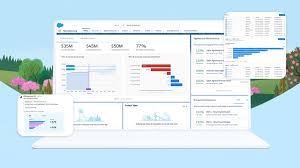
Salesforce Reports: A Complete Guide to Data Analysis & Insights What Are Salesforce Reports? Salesforce Reports empower users to access, analyze, and share critical business data stored in Salesforce. They transform raw data into actionable insights, helping teams track performance, identify trends, and make data-driven decisions. Reports can be customized, visualized in dashboards, and shared across teams for better collaboration. Key Types of Salesforce Reports Salesforce offers four main report types, each suited for different analytical needs: 1. Tabular Reports 2. Summary Reports 3. Matrix Reports 4. Joined Reports How to Create & Customize Reports Step 1: Navigate to the Reports Tab Step 2: Customize Your Report Step 3: Save & Share Advanced Analysis with Salesforce Reports Einstein Analytics Dynamic Filters Scheduled Reports Best Practices for Effective Reporting ✅ Define a Clear Purpose – What decision will this report drive?✅ Keep It User-Friendly – Use charts, summaries, and clear labels.✅ Ensure Data Accuracy – Regularly review filters & formulas.✅ Share Strategically – Grant access only to relevant stakeholders.✅ Automate Where Possible – Schedule reports to save time. Conclusion: Unlock the Power of Salesforce Reports Salesforce Reports turn raw data into strategic insights, helping businesses track performance, optimize processes, and drive growth. By mastering report types, customization, and sharing, teams can make faster, smarter decisions. Need help? Explore Salesforce’s Report Builder or check out Trailhead for hands-on training! Like Related Posts Who is Salesforce? Who is Salesforce? Here is their story in their own words. From our inception, we’ve proudly embraced the identity of Read more Salesforce Marketing Cloud Transactional Emails Salesforce Marketing Cloud Transactional Emails are immediate, automated, non-promotional messages crucial to business operations and customer satisfaction, such as order Read more Salesforce Unites Einstein Analytics with Financial CRM Salesforce has unveiled a comprehensive analytics solution tailored for wealth managers, home office professionals, and retail bankers, merging its Financial Read more AI-Driven Propensity Scores AI plays a crucial role in propensity score estimation as it can discern underlying patterns between treatments and confounding variables Read more
Read More

Digital Marketing Roadmap

Digital transformation is becoming a mantra in business, but how do you embark on this journey? What is the goal? What does it look like? Begin with a digital marketing roadmap. What is the roadmap for digital marketing? A digital marketing roadmap lays out your major areas of focus and ensures iterations stay grounded in that strategy. As you build your digital marketing roadmap, remember the goal is to facilitate: Alignment: A strategy-driven roadmap rallies the team around the work that needs to be done. What are the four phases of digital marketing? Awareness – Content focused on educating your audience. Evaluation – Customers determine whether they need your product. Conversion – Reasons to buy your product. Delight – Keeping your audience engaged. The initial draft is likely straightforward, conceived by visionaries in your organization, outlining the roadmap’s initial steps: This initial draft is a good start but needs refinement before presentation to management for buy-in. The key is to make metrics SMART, following the framework proposed by management theorist Peter F. Drucker: Now, let’s transform the draft into a presentation-worthy strategic roadmap: Strategic Plan Vision Statement: Provide a seamless omnichannel customer experience to become the number 1 seller of our industry. This refined roadmap is more achievable, being both measurable and time-bound. For added effectiveness, consider SMARTER goals, where “E” stands for engagement evaluator and “R” stands for reward. Have an evaluator determine goal achievement and showcase how it impacts the organization in the long run. What are the 5 key elements of digital marketing? The five most important elements of a digital campaign consist of mobile considerations, organic search, social media marketing, content marketing and lead nurturing. All of these elements combined make up a cohesive digital marketing strategy. What is 4Ps vs the 4Cs of digital marketing? 4Ps is Product, Price, Place, and Promotion. On other hand 4Cs is Customer Value, Cost, Conveniece, and Communication. 4Ps is more company centered in other hand 4Cs is more customer focused. Note: For expert assistance with your assessment and strategic roadmap, contact your account executive at Tectonic to explore how our Salesforce team can assist with your planning. Once completed, revisit and tweak your roadmap to ensure customer experience is at its core and goals are SMARTER. Like Related Posts Who is Salesforce? Who is Salesforce? Here is their story in their own words. From our inception, we’ve proudly embraced the identity of Read more Salesforce Marketing Cloud Transactional Emails Salesforce Marketing Cloud Transactional Emails are immediate, automated, non-promotional messages crucial to business operations and customer satisfaction, such as order Read more Salesforce Unites Einstein Analytics with Financial CRM Salesforce has unveiled a comprehensive analytics solution tailored for wealth managers, home office professionals, and retail bankers, merging its Financial Read more AI-Driven Propensity Scores AI plays a crucial role in propensity score estimation as it can discern underlying patterns between treatments and confounding variables Read more
Read More
Order Management Enhancements Commerce Cloud

Order Management Enhancements Commerce Cloud

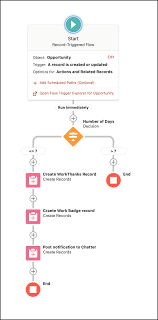
Salesforce Order Management Enhancements stands out for its scalability, catering to both small startups and large enterprises by offering customization to meet specific needs. Its adaptability facilitates seamless integration with other systems, presenting a comprehensive solution for e-commerce requirements. Explore the latest features in Salesforce Order Management and Lightning B2B Commerce, including process exception management, return merchandise authorizations, and various enhancements. Salesforce Order Management now provides tools to identify and address process exceptions during order processing interruptions. The addition of a new return order data model aids in managing return merchandise authorizations. Further updates include improved order summary flows, customization of payment methods, and the creation of order summaries with custom numbers and statuses. Enhancements to Lightning B2B Commerce introduce new components for deliveries and order summaries, improved searchability, an integration dashboard, and the Price Book Workspace. The integration dashboard consolidates management of integrations, providing a centralized overview. Order Management serves as the central hub for handling the entire order lifecycle, covering order capture, fulfillment, shipping, payment processing, and service. Customers can submit orders through any commerce channel, and merchants can efficiently manage fulfillment, shipping, invoicing, and service using integrated and customizable workflows. Salesforce Mobile App allows easy access to data on the go, although certain console features are not available. Order Management offers various resources, including preconfigured permission sets, Salesforce Payments integration for seamless payment processing, and extensive documentation for setup, administration, and extension. Salesforce Order Management utilizes Einstein Generative AI to enhance the overall experience, providing smarter service to customers. High-scale orders are supported on Hyperforce, offering increased capacity for order processing. For post-implementation monitoring and optimization, tracking key performance indicators (KPIs) such as order processing time, customer satisfaction, and inventory levels is crucial. Salesforce analytics aid in making data-driven improvements, and troubleshooting tools are available for resolving common issues like order discrepancies and payment failures. The Salesforce Order Management Implementation Guide outlines steps from initial setup and data migration to workflow customization, payment, and shipping integrations. Real-world case studies demonstrate successful implementations, showcasing the platform’s benefits, scalability, and advanced features. The retirement of Commerce Cloud Order Management is announced, with Salesforce Order Management positioned as the new product built within the Salesforce core platform. For further details or assistance, users are advised to contact their account manager or refer to Salesforce Order Management Help documentation. Like Related Posts Who is Salesforce? Who is Salesforce? Here is their story in their own words. From our inception, we’ve proudly embraced the identity of Read more Salesforce Marketing Cloud Transactional Emails Salesforce Marketing Cloud Transactional Emails are immediate, automated, non-promotional messages crucial to business operations and customer satisfaction, such as order Read more Salesforce Unites Einstein Analytics with Financial CRM Salesforce has unveiled a comprehensive analytics solution tailored for wealth managers, home office professionals, and retail bankers, merging its Financial Read more AI-Driven Propensity Scores AI plays a crucial role in propensity score estimation as it can discern underlying patterns between treatments and confounding variables Read more
Read More
Salesforce Gamification in 2022

Salesforce Gamification in 2022

Salesforce Gamification: Key Elements to Boost User Adoption Many companies struggle with people-centric challenges when implementing Salesforce—high training costs, frequent employee turnover, and skills gaps can all contribute to a lower return on investment (ROI). One powerful strategy to address these issues is gamification, which enhances adoption and boosts employee engagement. Research shows that gamified training leads to a 30% increase in knowledge retention, with 83% of employees feeling more motivated. This insight will explore how Salesforce gamification improves employee performance and drives Salesforce adoption. What is Salesforce Gamification? Salesforce gamification applies gameplay techniques to influence employee behavior and drive better business outcomes. It turns learning into a fun, engaging experience, making the adoption of Salesforce easier and more effective. One great example is Trailhead, Salesforce’s learning platform. Trailhead gamifies learning by awarding points and badges as users progress, allowing them to climb the ranks and compete with others, all while mastering Salesforce. Six Essential Elements of Salesforce Gamification Salesforce gamification uses various elements to engage users. Here are six key components that can help drive success: How Salesforce Gamification Improves User Adoption Gamification is a proven method for driving user adoption, engagement, and retention across internal tools and customer-facing applications. For instance, Autodesk increased free trial usage by 40%, and Extraco Bank boosted customer acquisition by over 700% through gamification. Here are five ways gamification can improve Salesforce adoption: How Digital Adoption Platforms Elevate Gamification Digital adoption platforms (DAPs) like Whatfix enhance Salesforce gamification by providing in-app guidance, interactive walkthroughs, and task lists. These features reduce the time employees spend searching for information, improving their productivity and Salesforce proficiency. For example, Experian used Whatfix to increase Salesforce adoption by 72% in just one year. Final Thoughts Salesforce gamification drives user adoption by using gameplay elements—such as badges, leaderboards, and real-time feedback—to reinforce key performance indicators (KPIs) and engage employees at all levels. By incorporating gamification into Salesforce training and daily workflows, businesses can improve employee productivity, automate repetitive tasks, and increase their ROI. Using gamification tools can transform your Salesforce experience and help your teams get more out of their investment. Like Related Posts Who is Salesforce? Who is Salesforce? Here is their story in their own words. From our inception, we’ve proudly embraced the identity of Read more Salesforce Marketing Cloud Transactional Emails Salesforce Marketing Cloud Transactional Emails are immediate, automated, non-promotional messages crucial to business operations and customer satisfaction, such as order Read more Salesforce Unites Einstein Analytics with Financial CRM Salesforce has unveiled a comprehensive analytics solution tailored for wealth managers, home office professionals, and retail bankers, merging its Financial Read more AI-Driven Propensity Scores AI plays a crucial role in propensity score estimation as it can discern underlying patterns between treatments and confounding variables Read more

Read More
Salesforce Quickstart

Salesforce Quickstarts

What are Salesforce Quickstarts from Tectonic? A Salesforce Quickstart Package is a streamlined implementation process designed for companies seeking swift implementation of Salesforce. This limited engagement focuses on crucial planning, decision-making, standard and custom configurations, and essential user and admin training. It is tailored for small to medium-sized businesses aiming for a prompt Salesforce deployment, covering sales, marketing, service, and more. Who is it for? Key Benefits What you’ll receive . Partner Assistance in Implementing Salesforce with Quickstart A Salesforce consulting partner, like Tectonic, can assist in assessing needs, configuring Quickstart packages, providing training and support, adopting best practices, and optimizing the Salesforce environment. Tectonic offers ready-to-launch Quickstart packages and Accelerators, ensuring faster system fulfillment, cost reduction, secure scaling, and enhanced customer experience. Salesforce Quickstarts – also referred to as Salesforce Implementation Solutions Like1 Related Posts Who is Salesforce? Who is Salesforce? Here is their story in their own words. From our inception, we’ve proudly embraced the identity of Read more Salesforce Marketing Cloud Transactional Emails Salesforce Marketing Cloud Transactional Emails are immediate, automated, non-promotional messages crucial to business operations and customer satisfaction, such as order Read more Salesforce Unites Einstein Analytics with Financial CRM Salesforce has unveiled a comprehensive analytics solution tailored for wealth managers, home office professionals, and retail bankers, merging its Financial Read more AI-Driven Propensity Scores AI plays a crucial role in propensity score estimation as it can discern underlying patterns between treatments and confounding variables Read more
Read More
Salesforce Marketing Cloud Journey Builder

Things to Keep in Mind When Mapping a Customer Journey

To begin mapping the customer journey, first develop the characteristics of your user personas. To start the process, answer some questions. You can then start asking some questions about the customer journey to detail the sequence of customers’ key activities on your site and other web properties. Where possible, seek input from your support, sales, and marketing teams. Trying to convince a prospect to become a customer without knowing where they are in the buying journey is like putting on a blindfold, throwing a dart, and hoping it hits the bullseye. Another way to think of the journey map is to picture the funnel it is directing customers through: These three steps generally make up most journeys: Awareness, Consideration, and Conversion. These customer journey stages are most suitable for offline purchases. With the progress of digital platforms, two critical additions appear in the customer experience: Retention and Advocacy. Like1 Related Posts Who is Salesforce? Who is Salesforce? Here is their story in their own words. From our inception, we’ve proudly embraced the identity of Read more Salesforce Marketing Cloud Transactional Emails Salesforce Marketing Cloud Transactional Emails are immediate, automated, non-promotional messages crucial to business operations and customer satisfaction, such as order Read more Salesforce Unites Einstein Analytics with Financial CRM Salesforce has unveiled a comprehensive analytics solution tailored for wealth managers, home office professionals, and retail bankers, merging its Financial Read more AI-Driven Propensity Scores AI plays a crucial role in propensity score estimation as it can discern underlying patterns between treatments and confounding variables Read more
Read More
Marketing Cloud Intelligence

Salesforce Marketing Cloud Intelligence Explained

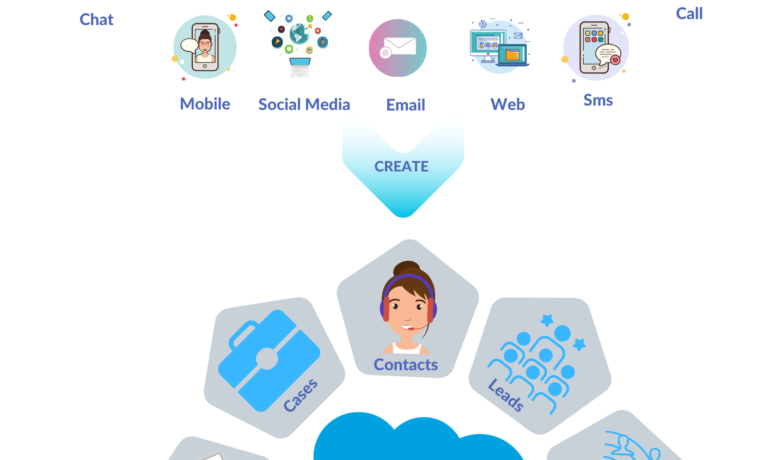
What is Marketing Cloud Intelligence? Salesforce’s Marketing Cloud Intelligence, formerly known as Datorama, is an analytics tool designed to integrate and visualize marketing performance data across various platforms. It caters to analytically driven marketers and seasoned analysts, providing an easy-to-use interface while offering connections to traditional BI tools like Tableau. Marketing efforts generate extensive data across multiple platforms, and Marketing Cloud Intelligence consolidates all these marketing tools into a centralized source. It serves as a comprehensive solution for reporting, measurement, and optimization. Market intelligence involves gathering real-time data from the market to understand customers, trends, behaviors, and more, enabling a company to stay competitive and meet market demands. By leveraging out-of-the-box connections, Marketing Cloud Intelligence seamlessly links platforms like Google, YouTube, Instagram, and others without the need for complex coding. The tool, now known as Marketing Cloud Intelligence, reveals trends, tracks progress against goals, and quantifies the ROI of marketing initiatives once connected. The system features a connected library of over 170 connectors for acquiring data from major advertising, commerce, CRM, and database vendors. The unique universal connector, powered by AI, allows effortless connection of any data stream within minutes, even from sources lacking an API connection. Marketing Cloud Intelligence addresses the challenge of data consistency by providing an out-of-the-box marketing data model. It helps organize data into a clear and consistent taxonomy, enriching it with naming conventions, data classification, and automated maintenance alerts for trustworthy decision-making. Beyond reporting and dashboards, Marketing Cloud Intelligence, with the assistance of Einstein, provides actionable insights. Marketers can select a KPI to improve and create a perpetual pipeline of AI insights, addressing overarching questions or specific areas like reducing spend or analyzing creative impacts. What can marketers do with Marketing Cloud Intelligence? Marketers can efficiently compile multiple sources of data in Marketing Cloud using various KPIs, creating at-a-glance and visually appealing dashboards and reports. Marketing Cloud Intelligence, powered by Datorama, facilitates the organization and analysis of diverse data within Marketing Cloud. What does Marketing Cloud Intelligence do? Marketing Cloud Intelligence integrates data from marketing and advertising platforms, web analytics, CRM, e-commerce, and more. It offers a unified view for optimizing campaign performance and real-time insights. The tool optimizes marketing spend and customer engagement with unified performance data, automated reporting, and AI-driven insights. Why is marketing intelligence important in Salesforce? Marketing intelligence tools help businesses gather and analyze market data. CRM and CDP tools, such as Salesforce Marketing Cloud Intelligence, unite data from disparate sources to provide a fuller picture of their customers and the marketplace. Like Related Posts Who is Salesforce? Who is Salesforce? Here is their story in their own words. From our inception, we’ve proudly embraced the identity of Read more Salesforce Marketing Cloud Transactional Emails Salesforce Marketing Cloud Transactional Emails are immediate, automated, non-promotional messages crucial to business operations and customer satisfaction, such as order Read more Salesforce Unites Einstein Analytics with Financial CRM Salesforce has unveiled a comprehensive analytics solution tailored for wealth managers, home office professionals, and retail bankers, merging its Financial Read more AI-Driven Propensity Scores AI plays a crucial role in propensity score estimation as it can discern underlying patterns between treatments and confounding variables Read more
Read More
What is Omni-Channel Salesforce

What is Omni-Channel Salesforce?

What is Omni-Channel Salesforce? Omni-Channel is a Salesforce feature designed for Customer Service and Console applications that automates the routing of various work items, such as Leads and Cases, to agents. It ensures that work items are assigned to agents based on their capacity, priority, skill set, and other criteria. Features of Omni-Channel Benefits Omni-Channel in Salesforce Enhanced Omni-Channel Setting Up and Using Omni-Channel Key Differences: Multichannel vs. Omni-Channel Route Work with Omni-Channel Omni-Channel is a flexible, customizable feature, and you can configure it declaratively—that is, without writing code. Use Omni-Channel to manage the priority of work items, which makes it a cinch to route important work items to agents quickly. Manage your agents’ capacity to take on work items so that they’re given only the number of assignments that they can handle. You can also define which agents can work on different types of assignments. For example, you can create one group of agents to respond to leads and sales inquiries, and another group that helps customers with support questions. Omni-Channel routes work requests to the most available and qualified support agents in the app. You can also provide real-time operational intelligence to support supervisors with Omni Supervisor. Agents no longer have to pick and choose work assignments manually from a queue, which saves everyone in your call center time, effort, and brainpower. Because it’s easier for agents to work on their assignments, they can assist your customers faster and more effectively and close assignments more quickly. Routing logic is applied when work is assigned to an owner. If field values on the work item are changed after the item is routed, the routing logic isn’t reapplied. Omni-Channel is supported in both Lightning Experience (recommended) and Salesforce Classic. You can run Omni-Channel in both standard and console apps. Route Work with Omni-Channel Use Omni-Channel to route work items to queues, agents, skills, and even Einstein Bots (on supported channels). Depending on your business needs, you can use different ways to route work, including Omni-Channel flows. Omni-Channel routes work based on the defined routing logic. When an agent is assigned a work item, they can accept it to begin working on it or decline it. When a work item is declined, Omni-Channel releases the agent’s capacity consumed by the work item. But the declined work item remains owned by the declining agent until the work is routed again. If the agent declines a work item or doesn’t accept the work item in the specified time period, Omni-Channel doesn’t try to route that work item to that agent again. If an agent accepts the work, they can transfer the work to another agent. NOTE We recommend using Enhanced Omni-Channel. Enhanced Omni-Channel features better and more extensive experiences for agents and supervisors than Standard Omni-Channel, and future Omni-Channel features are developed on Enhanced Omni-Channel. See Compare Standard and Enhanced Omni-Channel and Enable Omni-Channel. Set Up Omni-Channel Set up Omni-Channel to route any type of incoming work item to the most qualified, available support agents in your call center. Omni-Channel integrates seamlessly into both console and standard apps. NOTE We recommend using Enhanced Omni-Channel. Enhanced Omni-Channel features better and more extensive experiences for agents and supervisors than Standard Omni-Channel, and future Omni-Channel features are developed on Enhanced Omni-Channel. See Compare Standard and Enhanced Omni-Channel and Enable Omni-Channel. Test Your Omni-Channel Implementation Now that you’ve got Omni-Channel set up and enabled, test your implementation to make sure it’s working correctly. To test your implementation, route a work item to yourself. Sit back and relax. You’ll see an incoming request notification in Omni-Channel within a few seconds. Manage Agents, Queues, and Skills with Omni Supervisor Manage agents, queues, and skills in Omni Supervisor. Get to Know the Omni Supervisor TabsSupervisors can check the health of their call center in real time using the Agents, Queues Backlog, Assigned Work, and Skills Backlog tabs in Omni Supervisor. These tabs let supervisors see which work items are open and active, who’s assigned to what, and other details such as open capacities and average wait times for customers. Provide Customer Support for Real-Time Channels with Omni-Channel Service customers using their preferred means of real-time communication, including phone, messaging, or chat in standard and enhanced channels. You can accept and manage these types of support requests in Omni-Channel. If needed, while helping a customer, you can reach out to your supervisor to get support. Use the Omni-Channel Component to Work with CustomersTo begin receiving inbound requests from customers or to make outbound contacts, log in to the Omni-Channel component and update your status to indicate that you’re available. If you don’t see the Omni-Channel component in your app, check with your admin. Use the Omni-Channel Component to Work with Customers To begin receiving inbound requests from customers or to make outbound contacts, log in to the Omni-Channel component and update your status to indicate that you’re available. If you don’t see the Omni-Channel component in your app, check with your admin. When you mark your status as available in Omni-Channel, you begin receiving work requests, like phone calls. Work items assigned to you appear in Omni-Channel until you complete, transfer, or decline them. TIP By default, phone calls are taken through the same speakers and microphone your system device uses. To take calls through different audio devices, click the Settings icon on the Omni-Channel component and choose your preferred devices under Input and Output. The devices you choose are only set only for your current browser. For example, if you choose a device for Google Chrome, that device isn’t set for Mozilla Firefox. This feature isn’t available in Apple Safari browser. If you set up a service channel to use the tab-based capacity model, Omni-Channel determines agent capacity based on the open tabs. Each tab is a session for a specific work item. To close the work item and remove it from your Omni-Channel instance, close the tab for that item. The tab-based capacity model releases an agent’s capacity

Read More
Salesforce Success Story

Case Study: Automated CRM for Fundraising Development and Grants

The largest integrated, not-for-profit group practice in the world. Physicians and scientists from every medical specialty work in collaborative teams to advance discovery and translational research on behalf of patients. Client is a single institution located at three main campuses and over 70 smaller hospitals, laboratories and other facilities. Client’s unique, team-based approach to science is supported by world class resources, core facilities, and computing and other infrastructure. Automated CRM for Fundraising Development and Grants.

Read More
Salesforce Digital Transformation

Track Your Digital Transformation Progress With These Important KPIs

Effective digital transformation progress has the potential to enhance the competitiveness and agility of enterprises in today’s and the future dynamic market. Most CIOs acknowledge that implementing digital transformation is a challenging endeavor and not a task achievable within a day or a week. It demands a significant commitment from business leaders, comprehensive training, financial investment, adept change management, a well-articulated strategy, and diligent monitoring of Key Performance Indicators (KPIs). A concerning statistic reveals that over 70 percent of digital initiatives fail, primarily due to unclear goals and the inability to monitor progress. Surprisingly, 50 percent of businesses do not define metrics or Key Performance Indicators (KPIs) to measure the success of their digital transformation progress. This lack of measurement makes substantial investments counterproductive. Assessing the right metrics is essential, as it allows businesses to determine whether they are implementing best practices and deriving the intended value from the process. Considering the broad scope of potential transformations within a business, creating KPIs for digital transformation progress to measure success can be challenging. However, identifying and monitoring specific digital transformation KPIs is crucial for gauging progress towards digitization goals. The following are key digital transformation KPIs that can contribute to tracking the journey and drawing closer to achieving digitization objectives: Keeping a vigilant eye on these important digital transformation process KPIs will enable businesses to navigate their digital journey effectively and strive towards achieving successful digitization. Like Related Posts Who is Salesforce? Who is Salesforce? Here is their story in their own words. From our inception, we’ve proudly embraced the identity of Read more Salesforce Marketing Cloud Transactional Emails Salesforce Marketing Cloud Transactional Emails are immediate, automated, non-promotional messages crucial to business operations and customer satisfaction, such as order Read more Salesforce Unites Einstein Analytics with Financial CRM Salesforce has unveiled a comprehensive analytics solution tailored for wealth managers, home office professionals, and retail bankers, merging its Financial Read more AI-Driven Propensity Scores AI plays a crucial role in propensity score estimation as it can discern underlying patterns between treatments and confounding variables Read more

Read More
Quest to be Data-Driven

Quest to be Data-Driven

“Data-driven” is a business term that refers to the utilization of data to inform or enhance processes, decision making, and even the revenue model. The quest to be data-driven is afoot. In recent years, a data-driven business approach has gained a great deal of traction. It is true that every business deals with data — however, data-driven businesses systematically and methodically use data to power business decisions. Incorporating the notion of being a data-driven enterprise enriches the understanding of how data can profoundly impact business operations. Leveraging data not only offers valuable insights but also enhances adaptability, thereby sharpening the competitive edge of an organization. These insights serve as a foundation for making market predictions and adapting business strategies accordingly, often leading to revenue growth. While data may not provide solutions to all organizational challenges, embracing a data-driven approach lays a solid groundwork for achieving organizational goals. Data-driven contrasts with decision making that may be driven by emotions, external pressure, or instinct. So, what exactly constitutes a data-driven enterprise? It transcends mere number-crunching; it involves creating sustainable value for customers and innovating efficiently in the digital economy. Encouraging a data-driven approach across all facets of the business is paramount to success. Gaining data insights from data is invaluable. It allows organizations to reshape customer interactions, provided the data is accurate, accessible, and integrated into existing processes. However, many struggle to extract value from their data due to the complexity of transforming raw data into actionable insights. Understanding the hierarchy of data, information, and insights is crucial, as actionable insights drive data-driven success. Furthermore, adaptability emerges as a crucial factor in today’s rapidly evolving landscape. The ability to swiftly respond to changes and leverage data for informed decision-making is paramount. Data-driven insights serve as powerful tools for facilitating change and fostering agility, ensuring organizations remain competitive. Moreover, data serves as a catalyst for revenue generation through various business models such as Data as a Service (DaaS), Information as a Service (IaaS), and Answer as a Service (AaaS). By putting customer satisfaction at the forefront and leveraging data-driven insights, organizations can evolve their products proactively and drive growth. Building a data-driven enterprise involves a strategic approach encompassing nine key steps, including defining end goals, setting tangible KPIs, and fostering a data-driven culture across the organization. However, challenges such as deciding what to track, lack of tools or time for data collation, and turning data into meaningful insights may arise. Overcoming these challenges requires a cultural shift towards data-driven decision-making and the adoption of modern data architectures. Walking (or perhaps running) the data-driven journey with Tectonic involves connecting and integrating various data sources to ensure seamless data flow. By embracing a data-driven approach, organizations can unlock the full potential of their data, driving innovation, enhancing customer experiences, and achieving long-term success in today’s dynamic, rapidly evolving business landscape. Expanding upon this foundation, let’s go deeper into the transformative power of data-driven enterprises across various industry sectors. Consider, for instance, the retail industry, where data-driven insights revolutionize customer experiences and optimize operational efficiency. In the retail sector, understanding consumer behavior and preferences iscrucial to daily, quarterly, and annual success. By harnessing data analytics, retailers can analyze purchasing patterns, demographic information, and social media interactions to tailor marketing strategies and product offerings. For example, through personalized recommendations based on past purchases and browsing history, retailers can enhance customer engagement and drive sales. Moreover, data-driven insights enable retailers to optimize inventory management and supply chain operations. By analyzing historical sales data and demand forecasts, retailers can anticipate fluctuations in demand, minimize stockouts, and reduce excess inventory. This not only improves operational efficiency but also enhances customer satisfaction by ensuring products are readily available when needed. Furthermore, in the healthcare industry, data-driven approaches revolutionize patient care and treatment outcomes. Electronic health records (EHRs) and medical imaging technologies generate vast amounts of data, providing healthcare professionals with valuable insights into patient health and treatment efficacy. By leveraging predictive analytics and machine learning algorithms, healthcare providers can identify patients at risk of developing chronic conditions, enabling early intervention and preventive care. Additionally, data-driven approaches facilitate personalized treatment plans tailored to each patient’s unique medical history, genetic makeup, and lifestyle factors, improving treatment outcomes and patient satisfaction. In the manufacturing sector, data-driven strategies optimize production processes, enhance product quality, and reduce operational costs. By implementing Internet of Things (IoT) sensors and connected devices on the factory floor, manufacturers can collect real-time data on equipment performance, energy consumption, and production efficiency. Analyzing this data enables manufacturers to identify inefficiencies, minimize downtime, and proactively schedule maintenance to prevent costly equipment failures. Moreover, data-driven insights inform process improvements and product innovations, enabling manufacturers to stay competitive in an increasingly globalized market. The ultimately transformative impact of data-driven enterprises extends across various industry sectors, revolutionizing business operations, enhancing customer experiences, and driving innovation. By embracing a data-driven approach and leveraging advanced analytics technologies, organizations can unlock new opportunities for growth, efficiency, and competitive advantage in today’s data-loaded digital economy. Becoming data-driven requires harnessing the full potential of your data, transforming it into actionable insights, and iteratively refining your processes. Remember, data itself is not the ultimate goal but rather a powerful tool to drive informed decision-making and organizational growth. To establish a truly data-driven organization, consider the following nine steps: By following these steps, your organization can effectively harness the power of data to drive innovation, improve decision-making, and achieve sustainable growth in today’s data-driven landscape. Tectonic recognizes the challenges in the quest to be data-driven. We’ve launched a Data Cloud Salesforce Implementation Solution to help you. Content updated May 2024. Like Related Posts Who is Salesforce? Who is Salesforce? Here is their story in their own words. From our inception, we’ve proudly embraced the identity of Read more Salesforce Marketing Cloud Transactional Emails Salesforce Marketing Cloud Transactional Emails are immediate, automated, non-promotional messages crucial to business operations and customer satisfaction, such as order Read more Salesforce Unites Einstein Analytics with Financial CRM

Read More
Salesforce Quickstart

Salesforce Quickstarts Explained

What is a Salesforce Quickstart? Salesforce Quickstarts are great for individual departments or small sales & customer service teams who want to get the most out of their Salesforce investment from day one. Tectonic refers to these as Salesforce Implementation Solutions. Small to medium-sized businesses who are looking for quick deployment and want to get started with Salesforce as soon as possible benefit greatly from Salesforce quickstarts. Quickstart packages have also been called Salesforce Jumpstarts, a program to help businesses quickly and efficiently implement Salesforce. In either case, these programs are an all-in-one solution including everything from initial setup and configuration to training and support. What is a Salesforce Quickstart Package from Tectonic? A Salesforce Quickstart Package is a streamlined implementation process designed for companies seeking swift implementation of Salesforce. This limited engagement focuses on crucial planning, decision-making, standard and custom configurations, and essential user and admin training. It is tailored for small to medium-sized businesses aiming for a prompt Salesforce deployment, covering sales, marketing, service, and more. A QuickStart Implementation is the fastest way to get your organization using Salesforce. It is a limited engagement that provides immediate benefits and a foundation for future digital transformation. Key Benefits What you’ll receive .Partner Assistance in Implementing Salesforce with Quickstart A Salesforce consulting partner, like Tectonic, can assist in assessing needs, configuring Quickstart packages, providing training and support, adopting best practices, and optimizing the Salesforce environment. Tectonic offers ready-to-launch Quickstart packages and Accelerators, ensuring faster system fulfillment, cost reduction, secure scaling, and enhanced customer experience. How do I use trailhead to learn Salesforce after a quickstart? In Trailhead, learning topics are broken down into modules and each module contains units. At the end of a unit, you’ll complete a quiz or hands-on challenge that will earn you points. Once you’ve completed all the units in a module, you’ll get a badge that is displayed on your profile.  Salesforce Trailhead is your first, free choice for Salesforce training.  Trailhead is a fantastic learning platform for new Trailblazers coming into the Salesforce ecosystem and existing Salesforce professionals who want to improve their skills and knowledge. Tectonic is please to announce Salesforce Service Cloud Implementation Solutions. Content updated April 2024. Like1 Related Posts Who is Salesforce? Who is Salesforce? Here is their story in their own words. From our inception, we’ve proudly embraced the identity of Read more Salesforce Marketing Cloud Transactional Emails Salesforce Marketing Cloud Transactional Emails are immediate, automated, non-promotional messages crucial to business operations and customer satisfaction, such as order Read more Salesforce Unites Einstein Analytics with Financial CRM Salesforce has unveiled a comprehensive analytics solution tailored for wealth managers, home office professionals, and retail bankers, merging its Financial Read more AI-Driven Propensity Scores AI plays a crucial role in propensity score estimation as it can discern underlying patterns between treatments and confounding variables Read more
Read More
gettectonic.com