Own Archives - gettectonic.com - Page 52
Salesforce Mobilepush

Salesforce Mobilepush

Salesforce MobilePush is included in Corporate and Enterprise editions. Salesforce Marketing Cloud’s MobilePush feature powers the creation and delivery of notifications to encourage app usage. To effectively target your notifications, leverage user data from various channels. Push notifications, resembling SMS text messages and mobile alerts, are exclusive to users who have installed your app. Each mobile platform – iOS, Android, Fire OS, Windows, and BlackBerry – has its own services supporting push functionality. To send a push notification in Salesforce Marketing Cloud (SFMC), utilize the Outbound Message template in MobilePush. You can send push messages to mobile devices based on demographic attributes, including rich media content like images or videos. Push notifications operate as brief messages sent directly from app publishers to users’ mobile devices. Users don’t need to actively use the app or their phones to receive these notifications. They serve as a prompt and efficient means for brands to convey important information. In Salesforce, you can employ push notifications to notify sales managers of changes in opportunities or alert service agents to cases requiring immediate attention. These notifications can be configured for any object based on criteria set up in Salesforce Flow automation. The key distinction between a push notification and an app notification lies in their impact on users. A push notification brings users to the application, initiating engagement, while an in-app notification guides users within the app. The working principle is that push notifications can be received at any time, while in-app notifications are effective only when the application is open. Like1 Related Posts Who is Salesforce? Who is Salesforce? Here is their story in their own words. From our inception, we’ve proudly embraced the identity of Read more Salesforce Marketing Cloud Transactional Emails Salesforce Marketing Cloud Transactional Emails are immediate, automated, non-promotional messages crucial to business operations and customer satisfaction, such as order Read more Salesforce Unites Einstein Analytics with Financial CRM Salesforce has unveiled a comprehensive analytics solution tailored for wealth managers, home office professionals, and retail bankers, merging its Financial Read more AI-Driven Propensity Scores AI plays a crucial role in propensity score estimation as it can discern underlying patterns between treatments and confounding variables Read more
Read More
Salesforce Order Management

Salesforce Order Management Explained

What is Salesforce Order Management? It’s a platform for managing orders, customer records, fulfillment, inventory visibility, payments and invoicing, and customer care.

Read More

AI in Sales Enablement

automation, and personalization to enhance sales processes, increase customer engagement, and drive revenue growth. Companies are working with AI to improve analysis of all customer contact points to both identify leads and weigh lead quality. That includes ingesting information from web pages, email campaigns, phone calls, and much more.

Read More
Salesforce IT consulting methodologies

IT Consulting Methodologies

In the domain of IT consulting project management and IT consulting methodologies, the selection of a project management methodology tailored to the project type, size, and complexity is pivotal. Various methodologies, including waterfall, agile, scrum, kanban, and hybrid, bring their own set of advantages and disadvantages.

Read More
iot and salesforce einstein

What is the IoT?

What are the 4 types of IoT? AI Overview The four main types of IoT are Consumer IoT, Commercial IoT, Industrial IoT, and Infrastructure IoT, each serving distinct purposes, from enhancing everyday life to optimizing industrial processes and managing urban infrastructure.  Detailed breakdown:  Like Related Posts Who is Salesforce? Who is Salesforce? Here is their story in their own words. From our inception, we’ve proudly embraced the identity of Read more Salesforce Marketing Cloud Transactional Emails Salesforce Marketing Cloud Transactional Emails are immediate, automated, non-promotional messages crucial to business operations and customer satisfaction, such as order Read more Salesforce Unites Einstein Analytics with Financial CRM Salesforce has unveiled a comprehensive analytics solution tailored for wealth managers, home office professionals, and retail bankers, merging its Financial Read more AI-Driven Propensity Scores AI plays a crucial role in propensity score estimation as it can discern underlying patterns between treatments and confounding variables Read more

Read More
Causes of Data Loss

Causes of Data Loss

Amidst the unprecedented challenges faced by organizations worldwide, many are swiftly enacting their business continuity plans to mitigate operational disruptions. Unquestionably, a cornerstone of these plans is data protection and recovery, especially for companies reliant on Salesforce for critical data storage. The potential impact of data loss or compromise on business operations cannot be overstated and could reverberate throughout the entire organization. Despite the current global situation, it’s essential to recognize that the majority of Salesforce data loss incidents aren’t tied to major disasters. Instead, they often stem from everyday mishaps. The key is to anticipate these incidents and implement robust recovery strategies. Let’s examine the top four causes of data loss in Salesforce, as revealed by insights gathered from 2,000 Salesforce customers: Human Error: Integration Errors: Migration Errors: Bad Code: The repercussions of data loss within an organization are far-reaching, encompassing increased labor costs, reputational damage, revenue loss, and compliance fines. Moreover, the longer Salesforce data remains inaccessible, the greater the risk and costs associated with data loss. To safeguard against such risks, a comprehensive backup and recovery solution is imperative. While native options like the Recycle Bin or Weekly Export offer limited capabilities, a proactive approach, such as leveraging Salesforce AppExchange partner solutions like Own, significantly enhances data protection and recovery readiness. In conclusion, while Salesforce ensures robust platform security and availability, data protection ultimately rests with the end user. As Salesforce discontinues its last-resort data recovery service, organizations must prioritize proactive backup and recovery practices to safeguard critical data and maintain business continuity effectively. Explore comprehensive solutions like Own to bolster your data protection efforts and mitigate the impact of potential data loss incidents. Like Related Posts Who is Salesforce? Who is Salesforce? Here is their story in their own words. From our inception, we’ve proudly embraced the identity of Read more Salesforce Marketing Cloud Transactional Emails Salesforce Marketing Cloud Transactional Emails are immediate, automated, non-promotional messages crucial to business operations and customer satisfaction, such as order Read more Salesforce Unites Einstein Analytics with Financial CRM Salesforce has unveiled a comprehensive analytics solution tailored for wealth managers, home office professionals, and retail bankers, merging its Financial Read more AI-Driven Propensity Scores AI plays a crucial role in propensity score estimation as it can discern underlying patterns between treatments and confounding variables Read more
Read More
Salesforce Quickstart

Salesforce Quickstarts Explained

What is a Salesforce Quickstart? Salesforce Quickstarts are great for individual departments or small sales & customer service teams who want to get the most out of their Salesforce investment from day one. Tectonic refers to these as Salesforce Implementation Solutions. Small to medium-sized businesses who are looking for quick deployment and want to get started with Salesforce as soon as possible benefit greatly from Salesforce quickstarts. Quickstart packages have also been called Salesforce Jumpstarts, a program to help businesses quickly and efficiently implement Salesforce. In either case, these programs are an all-in-one solution including everything from initial setup and configuration to training and support. What is a Salesforce Quickstart Package from Tectonic? A Salesforce Quickstart Package is a streamlined implementation process designed for companies seeking swift implementation of Salesforce. This limited engagement focuses on crucial planning, decision-making, standard and custom configurations, and essential user and admin training. It is tailored for small to medium-sized businesses aiming for a prompt Salesforce deployment, covering sales, marketing, service, and more. A QuickStart Implementation is the fastest way to get your organization using Salesforce. It is a limited engagement that provides immediate benefits and a foundation for future digital transformation. Key Benefits What you’ll receive .Partner Assistance in Implementing Salesforce with Quickstart A Salesforce consulting partner, like Tectonic, can assist in assessing needs, configuring Quickstart packages, providing training and support, adopting best practices, and optimizing the Salesforce environment. Tectonic offers ready-to-launch Quickstart packages and Accelerators, ensuring faster system fulfillment, cost reduction, secure scaling, and enhanced customer experience. How do I use trailhead to learn Salesforce after a quickstart? In Trailhead, learning topics are broken down into modules and each module contains units. At the end of a unit, you’ll complete a quiz or hands-on challenge that will earn you points. Once you’ve completed all the units in a module, you’ll get a badge that is displayed on your profile.  Salesforce Trailhead is your first, free choice for Salesforce training.  Trailhead is a fantastic learning platform for new Trailblazers coming into the Salesforce ecosystem and existing Salesforce professionals who want to improve their skills and knowledge. Tectonic is please to announce Salesforce Service Cloud Implementation Solutions. Content updated April 2024. Like1 Related Posts Who is Salesforce? Who is Salesforce? Here is their story in their own words. From our inception, we’ve proudly embraced the identity of Read more Salesforce Marketing Cloud Transactional Emails Salesforce Marketing Cloud Transactional Emails are immediate, automated, non-promotional messages crucial to business operations and customer satisfaction, such as order Read more Salesforce Unites Einstein Analytics with Financial CRM Salesforce has unveiled a comprehensive analytics solution tailored for wealth managers, home office professionals, and retail bankers, merging its Financial Read more AI-Driven Propensity Scores AI plays a crucial role in propensity score estimation as it can discern underlying patterns between treatments and confounding variables Read more

Read More
Salesforce Scheduler

Salesforce Scheduler

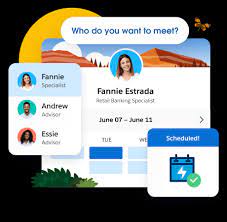
Salesforce Scheduler provides the objects required for appointment scheduling and an app that makes it easy to set up Scheduler. It provides preconfigured, customizable flows and rules that provide appointment booking experience. It also provides business APIs to create appointment booking experiences.

Read More
Salesforce Contact Key

What is the Contact Key in Salesforce?

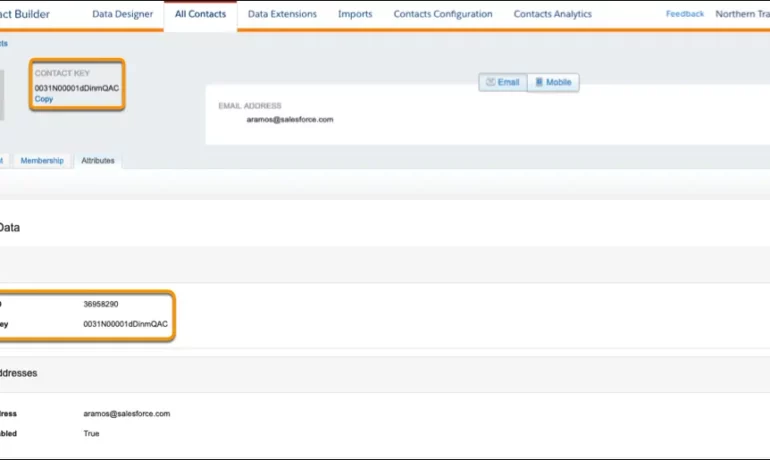
The contact key in Salesforce, also known as a subscriber key, is a unique identifier for a contact in Marketing Cloud MobilePush. Use this value to associate cross-channel addresses and subscriptions for a single contact. You can use the same key for a contact across multiple channels, such as email, SMS, and push messaging. What are contact keys? An immutable object that stores information about a single contact, such as the contact’s first name, phone numbers, and addresses. What is a Salesforce Subscriber key? A subscriber key is a text field that contains a value that uniquely identifies a subscriber in your Marketing Cloud account. A subscriber key is limited to 254 English characters. Avoid using email addresses as subscriber keys. What is the difference between subscriber key and contact key? This key is used to identify a single person across multiple channels inside of Marketing Cloud. In Email Studio, that key is called the “Subscriber Key”. In other channels, such as Mobile Connect or Mobile Push, that value is called “Contact Key”. What is the difference between contacts and subscribers? A subscriber in SFMC primarily represents an individual’s email communication preferences and is associated with email campaigns, while a contact represents a broader customer profile that includes information beyond email, allowing you to engage with customers across various channels. What is the difference between contact ID and contact key? The Contact Key gives you this ability and consistence. Existence of the contact key gives you the consistence of sending messages thru multiple channels and identify your contacts. Email and Text Message channels in our case. Contact ID is a unique number for your contacts in Salesforce Marketing Cloud. What is a subscriber key in Marketing Cloud? A subscriber is a person who has opted to receive communications from your organization. You can track information about subscribers using profile and preference attributes. Use the subscriber key to identify your subscribers in Marketing Cloud. Create lists or data extensions to store your subscribers. What is the difference between contact and subscriber in Marketing Cloud? Key Differences: Purpose: Contacts store customer data and facilitate segmentation and personalization efforts. Subscribers represent individuals who have subscribed to receive communications from your organization. Primary key is  a column or set of columns that uniquely identifies the record in the table. When a primary key is defined using multiple columns, the data from each column is used to determine whether a record/row is unique. Like Related Posts Who is Salesforce? Who is Salesforce? Here is their story in their own words. From our inception, we’ve proudly embraced the identity of Read more Salesforce Marketing Cloud Transactional Emails Salesforce Marketing Cloud Transactional Emails are immediate, automated, non-promotional messages crucial to business operations and customer satisfaction, such as order Read more Salesforce Unites Einstein Analytics with Financial CRM Salesforce has unveiled a comprehensive analytics solution tailored for wealth managers, home office professionals, and retail bankers, merging its Financial Read more AI-Driven Propensity Scores AI plays a crucial role in propensity score estimation as it can discern underlying patterns between treatments and confounding variables Read more

Read More
Salesforce AI Einstein Next Best Action

Salesforce AI Einstein Next Best Action

Salesforce AI Einstein Next Best Action is a feature designed to identify the most effective actions available to agents and customers in real-time. Operating as a recommendation engine powered by extensive data analysis, it facilitates a dynamic workflow aimed at optimizing the customer pipeline. Tailoring recommendations to specific individuals at opportune moments is made effortless with Einstein Next Best Action. This Salesforce Platform feature enables the configuration of business rules and filters to present the most suitable course of action for any user. It offers a diverse range of recommended actions directly accessible within Salesforce, enhancing decision-making processes. Salesforce AI Einstein Next Best Action for Personalization Personalizing the customer experience: Next Best Action (NBA) empowers organizations to customize their interactions with customers based on individual preferences, behaviors, and historical data. This fosters a more personalized and pertinent experience, ultimately boosting customer satisfaction and fostering loyalty. What is Einstein’s Next Best Action for upselling? NBA continuously evaluates real-time customer data to deliver personalized recommendations for the most effective actions to take, whether it involves cross-selling, upselling, or addressing a customer concern. These recommendations consider various factors such as customer history, product usage, and behavioral patterns. Salesforce AI Einstein Next Best Action Cost Is Einstein Next Best Action free? Einstein Next Best Action operates on a usage-based entitlement model. Every organization receives a monthly allotment of free Next Best Action requests. If usage exceeds this free allowance or any purchased entitlements, Salesforce communicates with the organization to discuss additional options for their contract. Next Best Action is a paid Salesforce product but also offers free usage for up to 5000 requests each month. What is the Next Best Action strategy? Next-best-action marketing, also known as best next action or recommended action, is a customer-centric marketing approach that assesses various actions applicable to a specific customer and determines the most favorable course of action. It’s a subset of next-best-action decision-making focused on optimizing customer interactions. The Salesforce Einstein feature is being renamed Agentforce. Conent editingd June 2025, Shannan Hearne. Like1 Related Posts Who is Salesforce? Who is Salesforce? Here is their story in their own words. From our inception, we’ve proudly embraced the identity of Read more Salesforce Marketing Cloud Transactional Emails Salesforce Marketing Cloud Transactional Emails are immediate, automated, non-promotional messages crucial to business operations and customer satisfaction, such as order Read more Salesforce Unites Einstein Analytics with Financial CRM Salesforce has unveiled a comprehensive analytics solution tailored for wealth managers, home office professionals, and retail bankers, merging its Financial Read more AI-Driven Propensity Scores AI plays a crucial role in propensity score estimation as it can discern underlying patterns between treatments and confounding variables Read more
Read More
Salesforce Supports Babies and Their Families

Set Up Record Alerts

Set up the components required for Record Alerts, including OmniStudio FlexCard components and integration procedures, custom severity values, and alert categories. Like Related Posts Who is Salesforce? Who is Salesforce? Here is their story in their own words. From our inception, we’ve proudly embraced the identity of Read more Salesforce Marketing Cloud Transactional Emails Salesforce Marketing Cloud Transactional Emails are immediate, automated, non-promotional messages crucial to business operations and customer satisfaction, such as order Read more Salesforce Unites Einstein Analytics with Financial CRM Salesforce has unveiled a comprehensive analytics solution tailored for wealth managers, home office professionals, and retail bankers, merging its Financial Read more AI-Driven Propensity Scores AI plays a crucial role in propensity score estimation as it can discern underlying patterns between treatments and confounding variables Read more

Read More
gettectonic.com