RAG Archives - gettectonic.com - Page 102
Value-Based Messaging

Value-Based Messaging

93% of Marketers Say Their Messaging Reflects Corporate Values—But Do Customers Agree? Today’s customers are more value-driven than ever, seeking brands that align with their ethical, social, and environmental priorities. In fact, 66% of consumers have stopped purchasing from companies whose values didn’t resonate with their own. With 88% of customers expecting brands to take a clear stance on important issues, marketers see an opportunity to differentiate through values-based messaging. This approach is a key factor in marketing success—93% of high-performing marketers say their external messaging aligns with their company’s values, compared to just 70% of underperforming competitors. How Salesforce, Matthew McConaughey, and Team USA United Around #TeamEarth What do Salesforce, actor Matthew McConaughey, and Team USA at the 2022 Olympic Winter Games have in common? They each played a pivotal role in the global values-driven marketing campaign, #TeamEarth. Salesforce has rapidly expanded over the years, growing its product portfolio and market presence. This evolution created an opportunity to reinforce the foundation of the company—its core values. Enter #TeamEarth, a campaign designed not to promote Salesforce products but to inspire businesses to use their influence for a more equitable and sustainable future. The Risk and Reward of Values-Based Marketing Unlike traditional marketing efforts focused on driving sales, #TeamEarth took a different approach—advocating for a higher purpose. It was a bold move, shifting the conversation from software solutions to corporate responsibility. While the campaign carried risks, it demonstrated that authentic, values-driven storytelling can engage global audiences and strengthen brand loyalty. As more companies recognize the power of values-based marketing, the question remains: Does your brand’s messaging truly reflect what your customers expect? Content updated January 2025. Like Related Posts Who is Salesforce? Who is Salesforce? Here is their story in their own words. From our inception, we’ve proudly embraced the identity of Read more Salesforce Marketing Cloud Transactional Emails Salesforce Marketing Cloud Transactional Emails are immediate, automated, non-promotional messages crucial to business operations and customer satisfaction, such as order Read more Salesforce Unites Einstein Analytics with Financial CRM Salesforce has unveiled a comprehensive analytics solution tailored for wealth managers, home office professionals, and retail bankers, merging its Financial Read more AI-Driven Propensity Scores AI plays a crucial role in propensity score estimation as it can discern underlying patterns between treatments and confounding variables Read more


Read More
Optimizing AI Agent Performance Through Strategic Data Management

Salesforce Consultant

The Salesforce Consultant: Your Guide to CRM Transformation What Does a Salesforce Consultant Do? A Salesforce Consultant is a strategic problem-solver who bridges the gap between business needs and technology. They work either in-house or as external advisors, helping organizations maximize Salesforce to improve efficiency, customer relationships, and revenue growth. Core Responsibilities ✅ Business Analysis – Identify pain points and align Salesforce solutions with company goals.✅ Process Optimization – Map workflows and automate tasks to boost productivity.✅ Solution Design & Configuration – Customize Salesforce to fit unique business needs.✅ Change Management – Train teams and ensure smooth adoption of new systems.✅ Project Leadership – Oversee implementations, integrations, and migrations. Why Businesses Need Them Many companies invest in Salesforce CRM but lack the expertise to fully leverage it. A consultant ensures:🔹 Faster ROI – Avoid costly misconfigurations.🔹 Scalability – Build systems that grow with the business.🔹 User Adoption – Drive engagement through training and support. Why Become a Salesforce Consultant? Impact & Rewards 💡 Transform Businesses – Help companies cut costs, boost revenue, and improve customer satisfaction.💡 Empower Teams – Simplify workflows so employees focus on meaningful work.💡 High Earning Potential – Skilled consultants command K–0K+ (varies by experience & certs). Career Flexibility 🌍 Work Anywhere – Remote, freelance, or in-house roles available.🚀 Growth Path – Advance to Solution Architect, Product Manager, or CTO. How to Become a Salesforce Consultant 1. Build Core Skills ✔ Business Acumen – Understand sales, marketing, or service operations.✔ Technical Proficiency – Master Salesforce Admin, Flows, and integrations.✔ Soft Skills – Communication, leadership, and Agile project management. 2. Earn Certifications Start with: 3. Gain Experience 🔹 Start as a Salesforce Admin🔹 Volunteer for non-profits (via Salesforce.org)🔹 Work on freelance projects (Upwork, Toptal) 4. Expand Your Toolkit 📌 Business Analysis – Learn requirements gathering.📌 Change Management – Study ADKAR or Prosci methodologies.📌 DevOps Basics – Understand CI/CD for Salesforce deployments. Final Thoughts Salesforce Consultants are change agents—combining tech expertise with business strategy to drive real impact. If you love problem-solving and want a dynamic, high-paying career, this path offers unlimited growth. Like Related Posts Who is Salesforce? Who is Salesforce? Here is their story in their own words. From our inception, we’ve proudly embraced the identity of Read more Salesforce Marketing Cloud Transactional Emails Salesforce Marketing Cloud Transactional Emails are immediate, automated, non-promotional messages crucial to business operations and customer satisfaction, such as order Read more Salesforce Unites Einstein Analytics with Financial CRM Salesforce has unveiled a comprehensive analytics solution tailored for wealth managers, home office professionals, and retail bankers, merging its Financial Read more AI-Driven Propensity Scores AI plays a crucial role in propensity score estimation as it can discern underlying patterns between treatments and confounding variables Read more
Read More
Salesforce Health Cloud

12 Transformative Benefits of Salesforce Health Cloud for Healthcare Organizations

Why Health Cloud Leads the Healthcare CRM Market Recognized as the #1 healthcare CRM by KLAS and Forrester, Salesforce Health Cloud is revolutionizing how providers, payers, biotech/pharma, and medical device companies deliver care and manage operations. This powerful platform unifies patient data, streamlines workflows, and enables personalized engagement at scale. Key Advantages by Healthcare Sector For Healthcare Providers For Health Plans & Payers For Biotech & Pharmaceutical Companies For Medical Device Companies Implementation Success Factors Critical Capabilities ROI Drivers ✅ 30% faster care coordination✅ 25% improvement in patient adherence✅ 40% reduction in manual data entry Why Partner with Tectonic? As a certified Salesforce partner with deep healthcare expertise, Tectonic helps organizations: “Health Cloud users report 125% ROI through reduced administrative costs and improved patient outcomes.” – Forrester TEI Study Ready to transform your healthcare operations?Contact us today! Elevate patient care, streamline operations, and drive growth with the healthcare CRM leader—powered by Tectonic’s implementation excellence. Like Related Posts Who is Salesforce? Who is Salesforce? Here is their story in their own words. From our inception, we’ve proudly embraced the identity of Read more Salesforce Marketing Cloud Transactional Emails Salesforce Marketing Cloud Transactional Emails are immediate, automated, non-promotional messages crucial to business operations and customer satisfaction, such as order Read more Salesforce Unites Einstein Analytics with Financial CRM Salesforce has unveiled a comprehensive analytics solution tailored for wealth managers, home office professionals, and retail bankers, merging its Financial Read more AI-Driven Propensity Scores AI plays a crucial role in propensity score estimation as it can discern underlying patterns between treatments and confounding variables Read more

Read More

Salesforce Integration: Enhancing Your CRM Capabilities

Salesforce is the world’s leading CRM platform, empowering businesses to streamline operations, enhance customer relationships, and drive growth. However, to maximize its potential, integrating Salesforce with third-party applications is essential. By connecting Salesforce with various external tools—such as MailChimp, QuickBooks, WhatsApp, and LinkedIn—organizations can improve efficiency, automate workflows, and unify data across departments. But how can businesses successfully integrate these applications into their Salesforce environment, and what challenges might they face? Let’s explore. What is Salesforce Integration? Salesforce integration refers to the process of connecting Salesforce with third-party applications to facilitate seamless data flow and process automation. These integrations leverage APIs to establish communication between systems, ensuring a unified experience across different business functions such as HR, finance, marketing, and sales. Why is Salesforce Integration Important? Integrating Salesforce with other systems offers several advantages, including: Common Salesforce Integrations and Use Cases Salesforce can be integrated with a variety of platforms to enhance functionality. Some key use cases include: Challenges in Salesforce App Integration While Salesforce integrations bring numerous benefits, they also come with challenges: Tools for Successful Salesforce Integration To facilitate smooth integrations, businesses can leverage the following tools: 1. Salesforce Native Tools These tools enable direct integrations with Salesforce products. Examples include: 2. App-Native Tools Many external applications offer built-in integrations with Salesforce, such as: 3. Third-Party Middleware For more complex integrations, middleware platforms help bridge gaps between systems: Best Practices for Salesforce Integration To ensure a smooth and successful integration, businesses should follow these best practices: Final Thoughts: Should You Integrate Salesforce with Third-Party Apps? Absolutely. Integrating Salesforce with external applications enhances its capabilities, drives efficiency, and unlocks new business opportunities. However, it’s crucial to implement these integrations through a certified Salesforce partner to minimize risks and ensure seamless execution. By following best practices and using the right tools, businesses can maximize their CRM investment and drive long-term success. FAQs Have more questions about Salesforce integration? Get in touch with our certified Salesforce consultants to explore the best integration solutions for your business. Like Related Posts Who is Salesforce? Who is Salesforce? Here is their story in their own words. From our inception, we’ve proudly embraced the identity of Read more Salesforce Marketing Cloud Transactional Emails Salesforce Marketing Cloud Transactional Emails are immediate, automated, non-promotional messages crucial to business operations and customer satisfaction, such as order Read more Salesforce Unites Einstein Analytics with Financial CRM Salesforce has unveiled a comprehensive analytics solution tailored for wealth managers, home office professionals, and retail bankers, merging its Financial Read more AI-Driven Propensity Scores AI plays a crucial role in propensity score estimation as it can discern underlying patterns between treatments and confounding variables Read more
Read More
Salesforce Einstein and Einstein Automate

Lead Conversion at the Speed of Einstein

The primary challenges faced by businesses today revolve around lead generation and conversion. Lead conversion with Einstein is fast. Tectonic proudly offers comprehensive solutions for both challenges through the implementation and customization of Salesforce Einstein Lead Scoring. Salesforce Einstein Lead Scoring, a pivotal feature within Sales Cloud Einstein, leverages artificial intelligence to empower sales representatives in converting leads more efficiently. By analyzing historical sales data, Einstein Lead Scoring determines the likelihood of a lead converting into an opportunity. This predictive intelligence enables sales teams to segment and prioritize leads for faster conversion. Tectonic and Lead Conversion with Einstein Let Tectonic’s’ customization and implementation services ensure that your company maximizes the value derived from Sales Cloud Einstein, setting your sales representatives up for success. The factors influencing lead conversion, as predicted by Einstein Lead Scoring, are conveniently displayed on each lead record in Salesforce, aiding sales reps in quick preparation for calls and interactions. Lead Conversion with Einstein Einstein Lead Scoring models are uniquely built for each customer and organization, analyzing standard and custom fields through various predictive models. The machine learning behind Einstein continuously improves accuracy by updating models monthly. This ensures that leads are scored every hour using the latest model, promptly adapting to any changes in lead data. Truly, the power of Einstein Lead Scoring lies in its ability to discover insights, predict lead conversion likelihood, and provide automatic insights into the newly determined score. Studies indicate that AI-powered companies spend less time prospecting and more time actively growing revenue. Einstein Lead Scoring allows your company to focus more on selling and less on prospecting, leading to faster lead conversion and shorter sales cycles. Tectonic assists in automating sales and marketing processes, integrating the capabilities of Einstein Lead Scoring into your business. With zero setup requirements, custom lead score-driven workflows, and smart lead lists. Einstein Lead Scoring ensures that your sales teams work smarter and faster. The Lead Score Your Lead Score field added by Einstein Lead Scoring in your Salesforce org lets sales and marketing teams prioritize leads. This is based on similarities to prior converted leads. Through data science and machine learning, Einstein Lead Scoring offers a faster and more accurate solution. When compared to traditional rules-based lead scoring. Your Salesforce admin, or Tectonic’s Salesforce team, can set up Einstein Lead Scoring to score all leads together. Or group them into segments based on field criteria. The dashboard provides key lead score metrics. By offering insights into average lead score by lead source, conversion rate by lead score, and lead score distribution across converted and lost opportunities. Sales Cloud Einstein Sales Cloud Einstein, with Einstein Lead Scoring, is a ready-to-use set of tools that learn from Salesforce CRM data and activities, continuously enhancing its predictions. Because Sales Cloud Einstein includes additional features such as Salesforce Inbox and Einstein Activity Capture. Einstein Opportunity Insights offers smart reminders or tasks for nurturing customer relationships. Einstein Lead Scoring helps prioritize leads for conversion. Incorporating Sales Cloud Einstein and Einstein Lead Scoring into your sales and marketing strategy can yield a great return. Your Salesforce investment will fill your opportunity pipeline. Contact Tectonic for a free consultation to explore how Sales Cloud Einstein can accelerate lead conversion for your business. Like1 Related Posts Who is Salesforce? Who is Salesforce? Here is their story in their own words. From our inception, we’ve proudly embraced the identity of Read more Salesforce Marketing Cloud Transactional Emails Salesforce Marketing Cloud Transactional Emails are immediate, automated, non-promotional messages crucial to business operations and customer satisfaction, such as order Read more Salesforce Unites Einstein Analytics with Financial CRM Salesforce has unveiled a comprehensive analytics solution tailored for wealth managers, home office professionals, and retail bankers, merging its Financial Read more AI-Driven Propensity Scores AI plays a crucial role in propensity score estimation as it can discern underlying patterns between treatments and confounding variables Read more

Read More
Salesforce and Wrike

Wrike Salesforce Integration

Seamless Wrike-Salesforce Integration for Real-Time Collaboration Easily integrate Wrike with Salesforce (SFDC) to sync data bidirectionally and in real time. With a single Unito flow, keep information aligned across platforms—no manual updates required. Why Integrate Wrike with Salesforce? Salesforce is a leading CRM solution used by teams worldwide, while Wrike streamlines project management. By integrating the two, sales and customer-facing teams can seamlessly collaborate with project teams, improving speed, transparency, and efficiency. Key Benefits: ✅ Work Within Salesforce – Salesforce users can manage Wrike tasks directly, eliminating the need to switch between platforms.✅ Real-Time Task Sync – Any changes in Wrike instantly update in Salesforce, ensuring consistency across both systems.✅ Improved Visibility & Accountability – Easily check task statuses in either platform, reducing the need for follow-ups.✅ Automated Project & Task Creation – Use templates or Wrike Integrate to generate tasks for Salesforce records automatically. How It Works: Customizable to Fit Your Needs With Wrike-Salesforce integration, teams can collaborate effortlessly, stay aligned, and keep projects moving forward—without ever leaving Salesforce. Get started in just a few clicks! Like Related Posts Who is Salesforce? Who is Salesforce? Here is their story in their own words. From our inception, we’ve proudly embraced the identity of Read more Salesforce Marketing Cloud Transactional Emails Salesforce Marketing Cloud Transactional Emails are immediate, automated, non-promotional messages crucial to business operations and customer satisfaction, such as order Read more Salesforce Unites Einstein Analytics with Financial CRM Salesforce has unveiled a comprehensive analytics solution tailored for wealth managers, home office professionals, and retail bankers, merging its Financial Read more AI-Driven Propensity Scores AI plays a crucial role in propensity score estimation as it can discern underlying patterns between treatments and confounding variables Read more
Read More
Salesforce Field Service

Salesforce Field Service Explained

As an expansion of Service Cloud, Salesforce Field Service offers an all-encompassing perspective on workforce management. In straightforward terms, when a customer requests a new cable service, the cable installer will be on-site. The coordination of their current location, destination, and the quantity of cable in their vehicle is seamlessly handled through Field Service Lightning. Key features encompass appointment scheduling, dispatching technology, territory management, and a mobile app designed to assist field service technicians. Power the future of field service with the #1 AI platform for field service. Enhance customer engagement with real-time personalization, optimize field teams with our best in class scheduling engine and access to offline data, and improve field visits with the help of trusted AI built on the Einstein 1 Platform. Salesforce Field Service provides optimal access to and for field service agents. Prework Brief Accelerate service delivery, enhance customer satisfaction, and boost overall efficiency by giving your mobile workers vital customer data, asset history, and service records prior to each job. With summarized insights that include equipment maintenance and past customer interactions, prework briefs help mobile workers prioritize onsite tasks and grasp the broader context for meeting contract terms. Onsite Knowledge Search Field challenges can be daunting when you’re on your own. That’s why our Field Service mobile app gives contractors and employees with the power to search both internal and external knowledge bases instantly. Powered by AI summarization, users get the precise information necessary to improve first-time fix rates — boosting confidence and credibility in real-time. Post-Work Summary Say goodbye to time-consuming and error-prone service reports at the end of each job. Our intelligent summary generation feature ensures accurate and comprehensive reports while also reducing visit duration. Boost customer satisfaction significantly with Service Reports enriched with real-time customer and asset data, updates from mobile workers, and job images. Field Service Mobile App Our field service mobile app — available on Android and iOS — is the ultimate all-in-one tool tailored for the demands of today’s mobile workforce. Designed as an offline-first application, it enables your front line to work and seamlessly save changes even without Wi-Fi. Plus, the app offers extensive customization options, so it aligns perfectly with your unique business requirements. Mobile App Extensibility Empower your mobile app users with offline-capable experiences through Lightning Web Components (LWCs). Use standard components to build a tailored interface that aligns perfectly with your company’s requirements. Unleash your creativity by designing custom components that boost productivity and bring your innovative ideas to life for your workforce. Slack for Field Service Empower your mobile workforce with seamless connectivity and timely assistance whenever they need it. Swiftly mobilize for service appointments and tap into the expertise of colleagues throughout your organization. Our user-friendly interface ensures intuitive and accessible collaboration — keeping your team connected and responsive. Dispatch Management Boost your dispatchers’ productivity with our Dispatch Console. Easily create and update resource absences directly in the console. Efficiently organize candidates by availability and skill to identify the ideal candidates for each appointment. Experience an enhanced user interface that maximizes the potential of your Gantt chart for improved scheduling efficiency. Scheduling and Optimization Elevate your field service operations with our best-in-class scheduling and optimization engine. Built on the Hyperforce platform, Enhanced Scheduling and Optimization automates scheduling while aligning with priorities and constraints. It ensures efficient resource allocation, minimizes travel time, and complies with service-level agreements. Forecasting and Planning with Salesforce Field Service Use real-time data to quickly assess the impact of global or in-day optimization on travel time and resource utilization. When refining your scheduling policy, get an instant view of optimization results and KPI changes. Asset Service Management Shift from reactive to proactive service with real-time asset tracking. Monitor service outcomes and create preventive maintenance plans based on asset use, condition, and specific criteria. For example, you can schedule service if an asset’s temperature exceeds a set threshold — ensuring smooth operations and preventing downtime. Work Order Management Simplify the entire work order management process to seamlessly create, assign, execute, and debrief work orders. Empower your team to stay agile, improve customer satisfaction, and drive growth by eliminating manual paperwork and digitizing the entire work order lifecycle. Content updated February 2024. Like Related Posts Who is Salesforce? Who is Salesforce? Here is their story in their own words. From our inception, we’ve proudly embraced the identity of Read more Salesforce Marketing Cloud Transactional Emails Salesforce Marketing Cloud Transactional Emails are immediate, automated, non-promotional messages crucial to business operations and customer satisfaction, such as order Read more Salesforce Unites Einstein Analytics with Financial CRM Salesforce has unveiled a comprehensive analytics solution tailored for wealth managers, home office professionals, and retail bankers, merging its Financial Read more AI-Driven Propensity Scores AI plays a crucial role in propensity score estimation as it can discern underlying patterns between treatments and confounding variables Read more
Read More
Salesforce Partner Platform Experience Cloud

Manage Customer Relationships with Experience Cloud

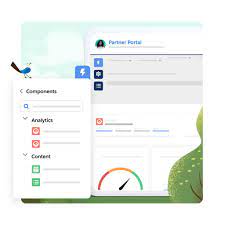
Offer your customers a secure and exclusive platform for managing their account details through the Experience Cloud’s Customer Account Portal solution. Enhance customer relationships with Experience Cloud. Better interactions and reduced service-related expenses by implementing Salesforce Experience Cloud granting customers the ability to view and settle invoices. They canupdate account information and access your knowledge base for answers to common queries. Tailored for effective account management, the Customer Account Portal empowers you to: The Customer Account Portal maintains the flexibility and extensibility you’ve come to expect with other Lightning sites, enabling you to: Salesforce Experience Cloud’s Customer Portal is a perfect solution for the public sector, government, manufacturing industry, and financial services sector. The primary distinction between customer experience and customer relationships lies in their scope. Improved customer relationships with Experience Cloud grow over time. Customer experience encompasses a broader, more comprehensive perspective on individuals’ emotions during interactions with your business. In contrast, customer relationships specifically pertain to your company’s enduring connections with customers. Like1 Related Posts Who is Salesforce? Who is Salesforce? Here is their story in their own words. From our inception, we’ve proudly embraced the identity of Read more Salesforce Marketing Cloud Transactional Emails Salesforce Marketing Cloud Transactional Emails are immediate, automated, non-promotional messages crucial to business operations and customer satisfaction, such as order Read more Salesforce Unites Einstein Analytics with Financial CRM Salesforce has unveiled a comprehensive analytics solution tailored for wealth managers, home office professionals, and retail bankers, merging its Financial Read more AI-Driven Propensity Scores AI plays a crucial role in propensity score estimation as it can discern underlying patterns between treatments and confounding variables Read more
Read More

Event Consumers: The Responsive Core of Event-Driven Architecture Fundamentals of Event Consumers Event consumers are the reactive components in event-driven architecture (EDA) that subscribe to event channels and execute actions when state changes occur. These can be: They monitor for business-critical occurrences like: How Event-Driven Architecture Works Core EDA Characteristics ![EDA Architecture Diagram showing event flow from producers through routers to consumers] The Event Consumer Ecosystem Component Role Examples Event Producers Generate state change notifications POS systems, IoT sensors, API gateways Event Routers Channel events to appropriate consumers Kafka, AWS EventBridge, Azure Service Bus Event Consumers Execute business logic in response CRM systems, fraud detection services Event Processors Transform and analyze event streams AWS Lambda, Azure Functions Key Benefits of Event Consumers Event Delivery Models Publish-Subscribe (Pub/Sub) Event Streaming Industry-Specific Implementations E-Commerce Financial Services Healthcare Manufacturing Implementation Best Practices Future Evolution Emerging patterns in event consumption: “Event consumers are becoming the central nervous system of digital business,” says Gartner VP Analyst Mark Beyer. “Organizations that master event-driven patterns achieve 3-5x faster response to market changes compared to traditional architectures.” Like Related Posts Who is Salesforce? Who is Salesforce? Here is their story in their own words. From our inception, we’ve proudly embraced the identity of Read more Salesforce Unites Einstein Analytics with Financial CRM Salesforce has unveiled a comprehensive analytics solution tailored for wealth managers, home office professionals, and retail bankers, merging its Financial Read more AI-Driven Propensity Scores AI plays a crucial role in propensity score estimation as it can discern underlying patterns between treatments and confounding variables Read more Tectonic’s Successful Salesforce Track Record Salesforce Technology Services Integrator – Tectonic has successfully delivered Salesforce in a variety of industries including Public Sector, Hospitality, Manufacturing, Read more

Read More
Salesforce Advanced Reporting

Salesforce Advanced Reporting

Data Is EverywhereIt’s no exaggeration to say that data is omnipresent. With 2.5 quintillion bytes of digital data generated every day, it’s clear that the modern world runs on information. For businesses, this data surge presents immense opportunities. By capturing, organizing, analyzing, and interpreting it effectively, organizations have enhanced their processes and targeted their marketing efforts with precision. Tools That Communicate InsightsHowever, finding data is only the first step. Even actionable insights must be presented clearly to decision-makers, or they risk being overlooked. A staggering 48% of employees report struggling with data that is not optimized for their needs. This issue spans industries, highlighting the critical role that reporting tools play in business success. Effective tools rely on data visualization to make complex information easy to comprehend. Visual displays allow for faster digestion of data, turning raw information into actionable insights. Modern dashboards and visualization software combine reporting and clarity, ensuring accessibility for all users, regardless of technical expertise. Ease of Use Is CriticalThe best data reporting tools aren’t just powerful—they’re user-friendly. Tools that are overly complex risk becoming ongoing IT projects, diminishing their value to leaders and decision-makers. An intuitive interface, coupled with automation and compatibility across all devices, minimizes reliance on IT support. Real-time reporting is one of the most valuable features advanced tools offer. In today’s fast-paced world, outdated information—even by a few days—can lead to costly mistakes. Real-time data ensures decisions are based on the most current insights, while intuitive tools empower users to access these insights independently. One Tool, Unlimited CompatibilityThe rise of mobile work environments means employees increasingly rely on their personal devices for business tasks. High-performing teams are 3.5 times more likely to use mobile reporting tools to analyze data on the go. Cloud-based, platform-agnostic reporting tools ensure no user is ever limited by their location or device. Additionally, customizable and scalable tools provide businesses the flexibility to adapt as they grow, delivering a seamless reporting experience tailored to their unique needs. By researching available tools, leveraging online reviews, and utilizing free trials, businesses can find reporting solutions that align with their goals. Turning Data Into ActionData is only as valuable as its application. The right reporting tools provide organizations with reliable insights, empowering informed decision-making. As businesses increasingly recognize the power of data, investing in the right tools can drive efficiency, productivity, and smarter strategies. Advanced Reporting in Salesforce Salesforce reporting is one of its most powerful features, enabling users to gain insights into their data while allowing admins to demonstrate Salesforce’s impact on productivity. With the Lightning Report Builder, a drag-and-drop interface, admins can quickly create reports that meet complex requirements. Here’s a closer look at Salesforce’s advanced reporting capabilities: 1. Custom Report Types Salesforce provides out-of-the-box report types for standard objects and relationships (e.g., Contacts & Accounts). Custom Report Types go beyond these by allowing reports on: Admins can define up to four objects and specify relationships to tailor reports to their needs. A bonus? New fields can now be auto-added to Custom Report Types. 2. Cross Filters (Exception Reports) Cross Filters identify records with or without related records, perfect for “exception reports.” For example: Admins can add sub-filters for even more precision. 3. Summary Formulas Summary Formulas handle complex calculations across grouping levels, providing deeper insights. Example: Calculate each account’s contribution to pipeline by opportunity type. 4. Row-Level Formulas These formulas apply to individual records and are displayed on the row itself. For example, compare two fields on the same record to check for matching values. 5. Reporting Snapshots Snapshots “freeze” Salesforce data at specific moments for future reference, such as tracking Opportunity Pipeline changes over time. 6. Historical Trend Reporting Trend reports track historical field values for specific dates, such as Opportunities’ pipeline values for a given week. 7. Field-to-Field Filters These filters compare values across fields in a report. For instance, display only Contacts whose donations this year exceed last year’s. 8. Stacked Summaries Stacked Summaries condense large datasets into digestible visualizations, ideal for quick comparisons. 9. Joined Reports Combine multiple report types into a single view for holistic insights. Each “block” has its own filters, offering flexibility in data presentation. 10. Report URL Hacks URL hacks allow dynamic filtering of reports based on record data. For example, launch a filtered Opportunities report directly from an Account record. SummarySalesforce’s advanced reporting features empower admins to create scalable, efficient reports, even with challenging data models. By leveraging these tools, businesses can maximize the value of their Salesforce investment and transform raw data into actionable insights. Like Related Posts Who is Salesforce? Who is Salesforce? Here is their story in their own words. From our inception, we’ve proudly embraced the identity of Read more Salesforce Marketing Cloud Transactional Emails Salesforce Marketing Cloud Transactional Emails are immediate, automated, non-promotional messages crucial to business operations and customer satisfaction, such as order Read more Salesforce Unites Einstein Analytics with Financial CRM Salesforce has unveiled a comprehensive analytics solution tailored for wealth managers, home office professionals, and retail bankers, merging its Financial Read more AI-Driven Propensity Scores AI plays a crucial role in propensity score estimation as it can discern underlying patterns between treatments and confounding variables Read more

Read More
Salesforce Webhooks

What Are Salesforce Webhooks?

Salesforce webhooks are a real-time communication method that allows Salesforce to send notifications to external applications when specific events occur: Webhooks are event-driven, meaning they are sent automatically when an event is triggered in the source system. They can be used to: Integrate data in real-time, Send data back into Salesforce, Facilitate data flowing into Salesforce, and Trigger actions and workflows in external systems. Webhooks can streamline business processes and reduce the need for manual intervention. They can be set up using Salesforce Sites or Experience Cloud.  To set up webhooks in Salesforce, you can: Content updated November 2024. Like Related Posts Who is Salesforce? Who is Salesforce? Here is their story in their own words. From our inception, we’ve proudly embraced the identity of Read more Salesforce Marketing Cloud Transactional Emails Salesforce Marketing Cloud Transactional Emails are immediate, automated, non-promotional messages crucial to business operations and customer satisfaction, such as order Read more Salesforce Unites Einstein Analytics with Financial CRM Salesforce has unveiled a comprehensive analytics solution tailored for wealth managers, home office professionals, and retail bankers, merging its Financial Read more AI-Driven Propensity Scores AI plays a crucial role in propensity score estimation as it can discern underlying patterns between treatments and confounding variables Read more

Read More
Tableau vs Datorama

Datorama vs Tableau – What About Both?

Datorama vs Tableau – What about both for your Salesforce org? When comparing Datorama vs Tableau it becomes clear they each have compelling reasons for their use. Datorama Tableau What’s the difference between Datorama and Tableau? Tableau is primarily a data visualization and reporting tool, while Datorama is a marketing analytics platform. “So it’s not surprising that their functions are somewhat different, ”explains the business development manager. Selecting a BI tool that meets all your business goals can be a very complicated task. There are many aspects to take into account, and there will be some cases that would make you lean towards one solution or another. Datorama (currently Marketing Cloud Intelligence) and Tableau, both solutions from Salesforce, are available on the market for companies that want to incorporate BI into their management. In the following, we will describe some of their main characteristics and a comparison of two, taking into account factors that can help you decide on their use according to the needs or possibilities of your company. Did you know that Datorama and Tableau can work together? Benefits of Datorama and Tableau Integration Datorama’s integration with Tableau powers results in the unified analysis of both business and marketing data, enabling the following: Like2 Related Posts Who is Salesforce? Who is Salesforce? Here is their story in their own words. From our inception, we’ve proudly embraced the identity of Read more Salesforce Marketing Cloud Transactional Emails Salesforce Marketing Cloud Transactional Emails are immediate, automated, non-promotional messages crucial to business operations and customer satisfaction, such as order Read more Salesforce Unites Einstein Analytics with Financial CRM Salesforce has unveiled a comprehensive analytics solution tailored for wealth managers, home office professionals, and retail bankers, merging its Financial Read more AI-Driven Propensity Scores AI plays a crucial role in propensity score estimation as it can discern underlying patterns between treatments and confounding variables Read more
Read More
Connected Culture

Creating a Connected Workplace Culture

Creating a Connected Workplace Culture: Bridging the Physical and Digital Divide In today’s workplace, fostering genuine employee connection is no longer a luxury—it’s a critical business imperative. With the widespread adoption of remote and hybrid work models, organizations face mounting challenges in creating meaningful employee experiences and cultivating team cohesion. Yet, the need for connection has never been more urgent. The Cost of Disconnection Recent findings reveal a stark reality: over half of U.S. employees report feeling disconnected. This issue extends beyond personal dissatisfaction, becoming a crisis for organizations striving to attract, engage, and retain top talent. Employees who feel connected to their workplace culture are: The Challenge of Distance and Distraction Physical Separation Remote and hybrid work environments have minimized the spontaneous interactions and informal conversations that naturally foster camaraderie. This lack of face-to-face contact can lead to feelings of isolation and fragmented workplace cultures. Technology Overload At the same time, the explosion of workplace apps has created a disorganized digital landscape. With countless tools for HR, benefits, payroll, learning, and more, employees often struggle to navigate an overwhelming maze of applications. This fragmentation not only hinders productivity but also amplifies cognitive overload and decision fatigue, further diminishing the employee experience. So, how can organizations overcome these barriers and build a connected workplace culture in an age of physical distance and digital distractions? Building a Connected Workplace Strategy Connection doesn’t happen by chance. It requires deliberate planning, adaptability, and a deep understanding of the evolving workplace dynamic. Here’s how organizations can take intentional steps toward fostering meaningful connections: 1. Act with Purpose 2. Leverage the Right Tools 3. Prioritize Clear and Open Communication 4. Embrace Feedback 5. Commit to Continuous Improvement Moving Forward: Connection as a Competitive Advantage A connected workplace culture isn’t just about improving employee satisfaction—it’s a strategic advantage that drives engagement, productivity, and retention. By bridging the physical and digital divide with intentional actions and meaningful tools, organizations can foster stronger, more connected teams prepared to thrive in a modern, dynamic work environment. Like Related Posts Who is Salesforce? Who is Salesforce? Here is their story in their own words. From our inception, we’ve proudly embraced the identity of Read more Salesforce Unites Einstein Analytics with Financial CRM Salesforce has unveiled a comprehensive analytics solution tailored for wealth managers, home office professionals, and retail bankers, merging its Financial Read more AI-Driven Propensity Scores AI plays a crucial role in propensity score estimation as it can discern underlying patterns between treatments and confounding variables Read more Tectonic’s Successful Salesforce Track Record Salesforce Technology Services Integrator – Tectonic has successfully delivered Salesforce in a variety of industries including Public Sector, Hospitality, Manufacturing, Read more

Read More
gettectonic.com