RAG Archives - gettectonic.com - Page 99
salesforce data model

Salesforce Data Model

The entity relationship diagrams (ERDs) featured in this insight elucidate significant connections among standard Salesforce objects, utilizing crow’s foot notation as part of Salesforce’s data modeling framework. The Salesforce Data Model shows the connection between fields, objects, and data. The Salesforce data model is essentially a composition of objects and fields. Data modeling involves structuring data using objects, fields, and relationships. In Salesforce, the database adopts a relational structure, storing data in tables referred to as Objects. These tables consist of columns representing types and rows denoting records, with entries named fields or data records. In Salesforce, objects play a pivotal role as they enable data storage, akin to tables in a database. Each object comprises multiple fields designed to house data effectively. Salesforce’s Data Model shows how each object relates to the others. The core architecture of Salesforce is characterized by a multi-tenant structure, where a common application serves multiple groups or clients. This architecture ensures the security and isolation of data for each client, even though they share the same server. Fields in the Salesforce data model are fundamental units of data storage, encompassing various types such as text, number, picklist, and date. These fields are utilized to store data specific to a particular object. For example, the Account object incorporates fields like Account Name, Account Number, and Phone. Like1 Related Posts Who is Salesforce? Who is Salesforce? Here is their story in their own words. From our inception, we’ve proudly embraced the identity of Read more Salesforce Marketing Cloud Transactional Emails Salesforce Marketing Cloud Transactional Emails are immediate, automated, non-promotional messages crucial to business operations and customer satisfaction, such as order Read more Salesforce Unites Einstein Analytics with Financial CRM Salesforce has unveiled a comprehensive analytics solution tailored for wealth managers, home office professionals, and retail bankers, merging its Financial Read more AI-Driven Propensity Scores AI plays a crucial role in propensity score estimation as it can discern underlying patterns between treatments and confounding variables Read more

Read More
marketing cloud utm parameters

UTM Parameter FAQs

How to Retrieve UTM Data Using Google Tag Manager Retrieving UTM data in Google Tag Manager involves a straightforward process to enhance tracking and analytics. Follow these steps: By following these steps, you can effectively retrieve and utilize UTM data in Google Tag Manager, enhancing your tracking capabilities and improving data accuracy for marketing campaigns. Content updated March 2024. Like Related Posts Who is Salesforce? Who is Salesforce? Here is their story in their own words. From our inception, we’ve proudly embraced the identity of Read more Salesforce Marketing Cloud Transactional Emails Salesforce Marketing Cloud Transactional Emails are immediate, automated, non-promotional messages crucial to business operations and customer satisfaction, such as order Read more Salesforce Unites Einstein Analytics with Financial CRM Salesforce has unveiled a comprehensive analytics solution tailored for wealth managers, home office professionals, and retail bankers, merging its Financial Read more AI-Driven Propensity Scores AI plays a crucial role in propensity score estimation as it can discern underlying patterns between treatments and confounding variables Read more

Read More
Tableau vs Datorama

What is the Difference Between Datorama and Tableau?

In the current business environment, customer and prospect data serve as the driving force in most everything we do, emphasizing the importance of analyzing, understanding, and acting on accurate data for informed decision-making. Business Intelligence (BI) tools like Datorama and Tableau play an important role in facilitating these processes. This insight conducts a comparative analysis of Datorama vs. Tableau, covering features, capabilities, pricing, support, and training options. Tectonic’s goal is to assist businesses in making informed decisions aligned with their specific needs. If you are choosing between these two tools, contact Tectonic for assistance. Overview of Datorama: Datorama, a cloud-based BI platform, specializes in providing insights into data across a variety of marketing channels. Offering real-time analytics and pre-built connectors for various marketing platforms, Datorama serves as a comprehensive tool for marketing analytics. Its dashboard provides a centralized view of marketing data, automates real-time processing, and incorporates AI-powered insights generated by Salesforce Einstein. Overview of Tableau: Tableau, a widely used BI platform, facilitates easy data connection and visualization. With a user-friendly interface, it allows users to build interactive dashboards and visualizations without coding expertise. Tableau’s adaptability enables it to connect to various data sources, create interactive visualizations, offer data blending, and include forecasting capabilities. Key Features of Datorama and Tableau: Datorama Features: Tableau Features: Pricing Models: Datorama: Custom plans with varying costs based on specific business needs, starting at $3,000 USD per month. Tableau: Tiered plans with pricing ranging from $12 to $70 per user per month. Support and Training: Datorama: Knowledge base, community forums, training courses, and a certification program. Tableau: 24/7 support, online courses, and live training sessions. Choosing the Right BI Solution: Datorama: Suited for businesses with complex data integration needs, ideal for multi-channel marketing analytics and forecasting, offers advanced AI-powered insights. Tableau: Suited for businesses with data visualization and reporting needs, ideal for ad-hoc data analysis and dashboarding, offers powerful visualization capabilities. Benefits of Integration: Final Thoughts: Both Datorama and Tableau excel as BI tools, offering unique strengths. Datorama is tailored for marketing analytics with real-time insights, while Tableau provides versatility in connecting and visualizing data from various sources. Choosing the right solution depends on specific business needs, goals, and budget considerations. Contact Tectonic today for assistance. Like2 Related Posts Who is Salesforce? Who is Salesforce? Here is their story in their own words. From our inception, we’ve proudly embraced the identity of Read more Salesforce Marketing Cloud Transactional Emails Salesforce Marketing Cloud Transactional Emails are immediate, automated, non-promotional messages crucial to business operations and customer satisfaction, such as order Read more Salesforce Unites Einstein Analytics with Financial CRM Salesforce has unveiled a comprehensive analytics solution tailored for wealth managers, home office professionals, and retail bankers, merging its Financial Read more AI-Driven Propensity Scores AI plays a crucial role in propensity score estimation as it can discern underlying patterns between treatments and confounding variables Read more

Read More
Marketing Cloud Intelligence

Salesforce Marketing Cloud Intelligence Explained

What is Marketing Cloud Intelligence? Salesforce’s Marketing Cloud Intelligence, formerly known as Datorama, is an analytics tool designed to integrate and visualize marketing performance data across various platforms. It caters to analytically driven marketers and seasoned analysts, providing an easy-to-use interface while offering connections to traditional BI tools like Tableau. Marketing efforts generate extensive data across multiple platforms, and Marketing Cloud Intelligence consolidates all these marketing tools into a centralized source. It serves as a comprehensive solution for reporting, measurement, and optimization. Market intelligence involves gathering real-time data from the market to understand customers, trends, behaviors, and more, enabling a company to stay competitive and meet market demands. By leveraging out-of-the-box connections, Marketing Cloud Intelligence seamlessly links platforms like Google, YouTube, Instagram, and others without the need for complex coding. The tool, now known as Marketing Cloud Intelligence, reveals trends, tracks progress against goals, and quantifies the ROI of marketing initiatives once connected. The system features a connected library of over 170 connectors for acquiring data from major advertising, commerce, CRM, and database vendors. The unique universal connector, powered by AI, allows effortless connection of any data stream within minutes, even from sources lacking an API connection. Marketing Cloud Intelligence addresses the challenge of data consistency by providing an out-of-the-box marketing data model. It helps organize data into a clear and consistent taxonomy, enriching it with naming conventions, data classification, and automated maintenance alerts for trustworthy decision-making. Beyond reporting and dashboards, Marketing Cloud Intelligence, with the assistance of Einstein, provides actionable insights. Marketers can select a KPI to improve and create a perpetual pipeline of AI insights, addressing overarching questions or specific areas like reducing spend or analyzing creative impacts. What can marketers do with Marketing Cloud Intelligence? Marketers can efficiently compile multiple sources of data in Marketing Cloud using various KPIs, creating at-a-glance and visually appealing dashboards and reports. Marketing Cloud Intelligence, powered by Datorama, facilitates the organization and analysis of diverse data within Marketing Cloud. What does Marketing Cloud Intelligence do? Marketing Cloud Intelligence integrates data from marketing and advertising platforms, web analytics, CRM, e-commerce, and more. It offers a unified view for optimizing campaign performance and real-time insights. The tool optimizes marketing spend and customer engagement with unified performance data, automated reporting, and AI-driven insights. Why is marketing intelligence important in Salesforce? Marketing intelligence tools help businesses gather and analyze market data. CRM and CDP tools, such as Salesforce Marketing Cloud Intelligence, unite data from disparate sources to provide a fuller picture of their customers and the marketplace. Like Related Posts Who is Salesforce? Who is Salesforce? Here is their story in their own words. From our inception, we’ve proudly embraced the identity of Read more Salesforce Marketing Cloud Transactional Emails Salesforce Marketing Cloud Transactional Emails are immediate, automated, non-promotional messages crucial to business operations and customer satisfaction, such as order Read more Salesforce Unites Einstein Analytics with Financial CRM Salesforce has unveiled a comprehensive analytics solution tailored for wealth managers, home office professionals, and retail bankers, merging its Financial Read more AI-Driven Propensity Scores AI plays a crucial role in propensity score estimation as it can discern underlying patterns between treatments and confounding variables Read more

Read More
Why BANT Isn’t Always Enough

BANT

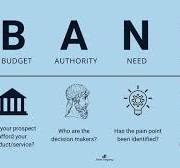
Why BANT Isn’t Always Enough: Rethinking Lead Qualification for Modern Sales In the world of sales, the BANT framework (Budget, Authority, Need, Timing) has long been a go-to method for qualifying leads. For companies selling familiar or low-complexity products where price is the primary differentiator, BANT can be an effective tool for identifying prospects ready for aggressive sales pursuit. However, in today’s rapidly evolving business landscape—particularly for B2B tech companies offering innovative or paradigm-shifting solutions—relying solely on BANT can actually do more harm than good. In this article, we’ll explore the limitations of the BANT framework, why it falls short in certain scenarios, and how you can adapt your lead qualification process to better align with modern sales challenges. What is BANT, and Why is it Popular? BANT, a framework popularized by companies like IBM, is designed to help sales teams quickly assess whether a prospect is worth pursuing. The acronym stands for: For straightforward sales scenarios, BANT works well. It helps sales teams prioritize leads that are most likely to convert, saving time and resources. However, as sales environments become more complex—especially in B2B tech—the limitations of BANT become increasingly apparent. The Limitations of BANT in Modern Sales While BANT is a useful starting point, it has several inherent limitations that can hinder your sales efforts, particularly when selling innovative or high-complexity solutions. Here’s why: When BANT Falls Short: Real-World Scenarios Let’s look at a few scenarios where BANT might not be the best fit: How to Overcome BANT’s Limitations The good news is that you don’t have to abandon BANT entirely. Instead, you can augment it with additional strategies to create a more holistic lead qualification process. Here’s how: Conclusion: Evolving Beyond BANT While BANT remains a useful tool for certain sales scenarios, it’s not a one-size-fits-all solution. For B2B tech companies selling innovative or high-complexity offerings, a more nuanced approach to lead qualification is essential. By addressing the limitations of BANT and incorporating strategies like value-based selling, stakeholder mapping, and relationship building, you can better align your sales process with the realities of modern B2B buying. In a world where customer needs and decision-making processes are constantly evolving, the ability to adapt and think beyond traditional frameworks like BANT will set you apart from the competition. So, the next time you’re qualifying leads, ask yourself: Is BANT enough, or is it time to rethink your approach? Like Related Posts Who is Salesforce? Who is Salesforce? Here is their story in their own words. From our inception, we’ve proudly embraced the identity of Read more Salesforce Unites Einstein Analytics with Financial CRM Salesforce has unveiled a comprehensive analytics solution tailored for wealth managers, home office professionals, and retail bankers, merging its Financial Read more AI-Driven Propensity Scores AI plays a crucial role in propensity score estimation as it can discern underlying patterns between treatments and confounding variables Read more Tectonic’s Successful Salesforce Track Record Salesforce Technology Services Integrator – Tectonic has successfully delivered Salesforce in a variety of industries including Public Sector, Hospitality, Manufacturing, Read more

Read More
Different Ways to Create Cases in Salesforce

Salesforce Email to Case

Configure your Email to Case settings to tailor Salesforce’s handling and case creation from incoming emails. If you’ve completed the Guided Setup flow, some settings may already be populated. Salesforce email to case provides a quick creation of cases when emails are sent in. Salesforce employs logic to match the ‘From’ field email address in incoming emails to a Contact’s email address. If a match is found, the system associates the created Case with the corresponding Contact record. To enable Email-to-Case, follow these steps: Click on Setup, enter “Email-To-Case” in Quick Find, select Email-to-Case, and click the edit button. By default, Email-to-Case creates Cases and associates them with a Contact if the sender’s email address exists on one Contact. However, automatic association doesn’t occur if the email exists on multiple Contacts. Benefits of Email-to-Case in Salesforce include faster response times, allowing organizations to prioritize and promptly assign cases. Case assignment rules based on specific criteria help automate assignments to appropriate support agents or teams. Access Email-to-Case settings through Setup, then enter “Email-to-Case” in the Quick Find box. We recommend selecting all settings. Some key settings include enabling Email-to-Case, notifying case owners on new email, enabling HTML email, setting case source to email, and more. Configure additional settings like saving Email-to-Case attachments as Salesforce files, eliminating duplicate email attachments, invoking triggers on status change, and replying with new content only. Enable on-demand service to allow Salesforce to process incoming emails unless using a custom solution. Set actions for emails exceeding the organization’s daily processing limit and unauthorized sender actions. Customize Email-to-Case in Salesforce from Setup by entering “Email-to-Case” in the Quick Find box. In the Routing Addresses list, edit the routing address created in the Email-to-Case guided setup flow and select the case record type. Limitations of Email-to-Case include a default limit of 2500 cases created within an organization, which cannot be increased and resets at midnight GMT. Email-to-Case in Salesforce is unique to each instance, and when a sandbox is refreshed, the email service addresses in the Email-to-Case section must be manually enabled and created again. Like Related Posts Who is Salesforce? Who is Salesforce? Here is their story in their own words. From our inception, we’ve proudly embraced the identity of Read more Salesforce Marketing Cloud Transactional Emails Salesforce Marketing Cloud Transactional Emails are immediate, automated, non-promotional messages crucial to business operations and customer satisfaction, such as order Read more Salesforce Unites Einstein Analytics with Financial CRM Salesforce has unveiled a comprehensive analytics solution tailored for wealth managers, home office professionals, and retail bankers, merging its Financial Read more AI-Driven Propensity Scores AI plays a crucial role in propensity score estimation as it can discern underlying patterns between treatments and confounding variables Read more

Read More
Salesforce Sales Enablement

Modern Sales Enablemen

The Ultimate Guide to Modern Sales Enablement: Driving Revenue Through Strategic Enablement Why Sales Enablement Matters More Than Ever In today’s competitive landscape, sales teams face unprecedented challenges: Sales enablement has evolved from basic training to a strategic revenue driver that:✔ Accelerates ramp time for new reps✔ Increases win rates by 20-30%✔ Boosts deal sizes through value-selling✔ Shortens sales cycles with battle-tested playbooks The 4 Pillars of High-Impact Enablement 1. Goal-Driven Enablement Stop generic training. Start with one revenue-critical KPI: Example: A SaaS company increased deal size 22% by training reps to lead with ROI calculators instead of discounts. 2. Behavior-Based Coaching Leverage AI and data to target specific skill gaps: 3. Technology Stack Integration Essential tools for measurable impact: Tool Key Benefit CRM Tracks enablement progress to revenue outcomes Conversation AI Surfaces coaching moments from calls/emails Enablement Platform Delivers contextual training in workflow Learning LMS Gamifies certifications & skill development Pro Tip: Integrate tools so reps learn while selling (e.g., Salesforce Sales Enablement auto-suggests battle cards during opp stages). 4. Continuous Optimization Quarterly enablement health checks: Best Practices for 2024 For Enablement Leaders For Sales Reps The Future: AI-Powered Enablement Leading organizations now deploy:🤖 Autonomous Coaching Agents – Real-time deal guidance📊 Predictive Content Recommendations – AI suggests optimal assets per stage🎯 Skill Gap Analytics – Prescriptive training based on deal outcomes “Enablement isn’t about training—it’s about engineering revenue behaviors.”– Sales Enablement Leader, Fortune 500 Tech Company Get Started Template Quarter 1 Enablement Plan markdown 1. **Goal**: Increase win rate by 15% 2. **Behavior Focus**: Executive stakeholder alignment 3. **Actions**: – Build “C-Suite Messaging” playbook – Train on discovery questioning frameworks – Implement call tracking for “business outcome” language 4. **Tools**: Salesforce Enablement + Gong 5. **Success Metrics**: – 25% more exec-level meetings booked – 10% higher win rate on deals with CFO engagement Content updated February 2025. Like Related Posts Who is Salesforce? Who is Salesforce? Here is their story in their own words. From our inception, we’ve proudly embraced the identity of Read more Salesforce Marketing Cloud Transactional Emails Salesforce Marketing Cloud Transactional Emails are immediate, automated, non-promotional messages crucial to business operations and customer satisfaction, such as order Read more Salesforce Unites Einstein Analytics with Financial CRM Salesforce has unveiled a comprehensive analytics solution tailored for wealth managers, home office professionals, and retail bankers, merging its Financial Read more AI-Driven Propensity Scores AI plays a crucial role in propensity score estimation as it can discern underlying patterns between treatments and confounding variables Read more

Read More
What is Omni-Channel Salesforce

What is Omni-Channel Salesforce?

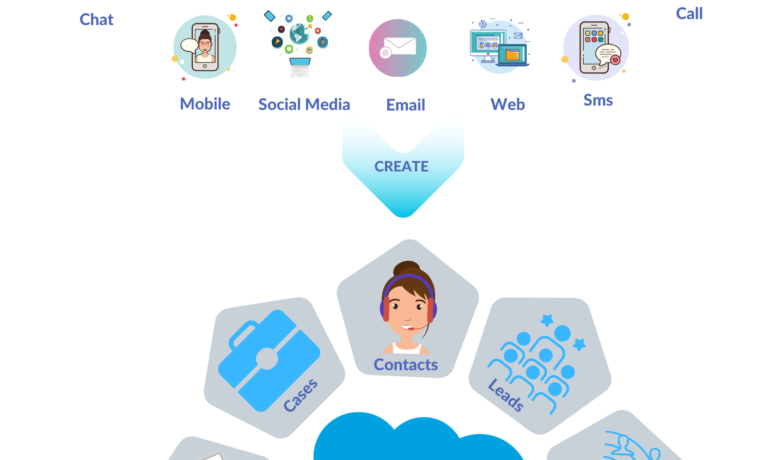
What is Omni-Channel Salesforce? Omni-Channel is a Salesforce feature designed for Customer Service and Console applications that automates the routing of various work items, such as Leads and Cases, to agents. It ensures that work items are assigned to agents based on their capacity, priority, skill set, and other criteria. Features of Omni-Channel Benefits Omni-Channel in Salesforce Enhanced Omni-Channel Setting Up and Using Omni-Channel Key Differences: Multichannel vs. Omni-Channel Route Work with Omni-Channel Omni-Channel is a flexible, customizable feature, and you can configure it declaratively—that is, without writing code. Use Omni-Channel to manage the priority of work items, which makes it a cinch to route important work items to agents quickly. Manage your agents’ capacity to take on work items so that they’re given only the number of assignments that they can handle. You can also define which agents can work on different types of assignments. For example, you can create one group of agents to respond to leads and sales inquiries, and another group that helps customers with support questions. Omni-Channel routes work requests to the most available and qualified support agents in the app. You can also provide real-time operational intelligence to support supervisors with Omni Supervisor. Agents no longer have to pick and choose work assignments manually from a queue, which saves everyone in your call center time, effort, and brainpower. Because it’s easier for agents to work on their assignments, they can assist your customers faster and more effectively and close assignments more quickly. Routing logic is applied when work is assigned to an owner. If field values on the work item are changed after the item is routed, the routing logic isn’t reapplied. Omni-Channel is supported in both Lightning Experience (recommended) and Salesforce Classic. You can run Omni-Channel in both standard and console apps. Route Work with Omni-Channel Use Omni-Channel to route work items to queues, agents, skills, and even Einstein Bots (on supported channels). Depending on your business needs, you can use different ways to route work, including Omni-Channel flows. Omni-Channel routes work based on the defined routing logic. When an agent is assigned a work item, they can accept it to begin working on it or decline it. When a work item is declined, Omni-Channel releases the agent’s capacity consumed by the work item. But the declined work item remains owned by the declining agent until the work is routed again. If the agent declines a work item or doesn’t accept the work item in the specified time period, Omni-Channel doesn’t try to route that work item to that agent again. If an agent accepts the work, they can transfer the work to another agent. NOTE We recommend using Enhanced Omni-Channel. Enhanced Omni-Channel features better and more extensive experiences for agents and supervisors than Standard Omni-Channel, and future Omni-Channel features are developed on Enhanced Omni-Channel. See Compare Standard and Enhanced Omni-Channel and Enable Omni-Channel. Set Up Omni-Channel Set up Omni-Channel to route any type of incoming work item to the most qualified, available support agents in your call center. Omni-Channel integrates seamlessly into both console and standard apps. NOTE We recommend using Enhanced Omni-Channel. Enhanced Omni-Channel features better and more extensive experiences for agents and supervisors than Standard Omni-Channel, and future Omni-Channel features are developed on Enhanced Omni-Channel. See Compare Standard and Enhanced Omni-Channel and Enable Omni-Channel. Test Your Omni-Channel Implementation Now that you’ve got Omni-Channel set up and enabled, test your implementation to make sure it’s working correctly. To test your implementation, route a work item to yourself. Sit back and relax. You’ll see an incoming request notification in Omni-Channel within a few seconds. Manage Agents, Queues, and Skills with Omni Supervisor Manage agents, queues, and skills in Omni Supervisor. Get to Know the Omni Supervisor TabsSupervisors can check the health of their call center in real time using the Agents, Queues Backlog, Assigned Work, and Skills Backlog tabs in Omni Supervisor. These tabs let supervisors see which work items are open and active, who’s assigned to what, and other details such as open capacities and average wait times for customers. Provide Customer Support for Real-Time Channels with Omni-Channel Service customers using their preferred means of real-time communication, including phone, messaging, or chat in standard and enhanced channels. You can accept and manage these types of support requests in Omni-Channel. If needed, while helping a customer, you can reach out to your supervisor to get support. Use the Omni-Channel Component to Work with CustomersTo begin receiving inbound requests from customers or to make outbound contacts, log in to the Omni-Channel component and update your status to indicate that you’re available. If you don’t see the Omni-Channel component in your app, check with your admin. Use the Omni-Channel Component to Work with Customers To begin receiving inbound requests from customers or to make outbound contacts, log in to the Omni-Channel component and update your status to indicate that you’re available. If you don’t see the Omni-Channel component in your app, check with your admin. When you mark your status as available in Omni-Channel, you begin receiving work requests, like phone calls. Work items assigned to you appear in Omni-Channel until you complete, transfer, or decline them. TIP By default, phone calls are taken through the same speakers and microphone your system device uses. To take calls through different audio devices, click the Settings icon on the Omni-Channel component and choose your preferred devices under Input and Output. The devices you choose are only set only for your current browser. For example, if you choose a device for Google Chrome, that device isn’t set for Mozilla Firefox. This feature isn’t available in Apple Safari browser. If you set up a service channel to use the tab-based capacity model, Omni-Channel determines agent capacity based on the open tabs. Each tab is a session for a specific work item. To close the work item and remove it from your Omni-Channel instance, close the tab for that item. The tab-based capacity model releases an agent’s capacity


Read More
ABM

Scaling Account-Based Marketing in Financial Services

Scaling Account-Based Marketing in Financial Services Account-Based Marketing (ABM) is a powerful strategy for financial services firms looking to deepen client relationships and drive growth in a competitive, trust-driven industry. However, achieving long-term success requires scaling ABM effectively. The Impact of ABM on Client Growth ABM delivers tangible results where it matters most—expanding existing client relationships. According to our research, 34% of financial services (FS) marketers report growth in existing accounts due to ABM. In an industry where relationships develop over decades, this advantage is significant. At a recent Momentum ITSMA roundtable in London, senior FS marketers discussed the challenges of embedding ABM as a strategic growth driver. They identified several key roadblocks: Our Global Account-Based Marketing Benchmark reveals that while 93% of FS marketers use ABM, many remain in the early stages, struggling to scale effectively. Pitfalls in Scaling ABM Despite initial pilot successes, expanding ABM presents challenges. Many firms rush to scale without addressing foundational issues, which can undermine long-term results. Common pitfalls include: The Path to Best-in-Class ABM Despite these challenges, FS firms are making significant strides in performance optimization and personalization. Our research shows: To scale effectively, firms need a structured approach. The Momentum ITSMA ABM Adoption Framework provides a roadmap with four stages, seven foundational pillars, and 21 success factors. By following this framework, organizations can move from experimentation to best-in-class execution—turning ABM into a sustainable growth driver. Content updated January 2025. Like1 Related Posts Who is Salesforce? Who is Salesforce? Here is their story in their own words. From our inception, we’ve proudly embraced the identity of Read more Salesforce Marketing Cloud Transactional Emails Salesforce Marketing Cloud Transactional Emails are immediate, automated, non-promotional messages crucial to business operations and customer satisfaction, such as order Read more Salesforce Unites Einstein Analytics with Financial CRM Salesforce has unveiled a comprehensive analytics solution tailored for wealth managers, home office professionals, and retail bankers, merging its Financial Read more AI-Driven Propensity Scores AI plays a crucial role in propensity score estimation as it can discern underlying patterns between treatments and confounding variables Read more

Read More
Salesforce Slack Integration

Workflows for Salesforce Slack

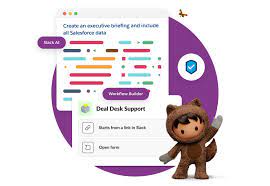
We all rely on processes to keep our teams organized and propel work forward. However, manual processes can be cumbersome, with work often getting lost in the chaos of Slack DMs or crowded team channels. Imagine if there were a way to structure processes into forms within Slack, allowing people to fill them out and automatically route requests to the appropriate individuals for follow-up. This is where Slack workflows come into play. What are Workflows for Salesforce Slack? A workflow is a multi-step process within your company, representing the sequence of tasks undertaken to achieve a business objective. Examples of Workflows for Salesforce Slack include: Workflows have a sequence of steps: Each workflow consists of multiple stages that typically occur in a specific order. Workflow Automation: Workflow automation is the use of software to streamline multi-step, multi-team workflows, ensuring the correct steps are followed, and tasks are completed efficiently. Types of Workflow Automation: Benefits of Workflow Automation in Slack: By incorporating workflow automation into Slack, teams can enhance efficiency, maintain structure, and reduce the risk of tasks getting lost or delayed. Contact Tectonic to learn more about Slack integration. Like1 Related Posts Who is Salesforce? Who is Salesforce? Here is their story in their own words. From our inception, we’ve proudly embraced the identity of Read more Salesforce Marketing Cloud Transactional Emails Salesforce Marketing Cloud Transactional Emails are immediate, automated, non-promotional messages crucial to business operations and customer satisfaction, such as order Read more Salesforce Unites Einstein Analytics with Financial CRM Salesforce has unveiled a comprehensive analytics solution tailored for wealth managers, home office professionals, and retail bankers, merging its Financial Read more AI-Driven Propensity Scores AI plays a crucial role in propensity score estimation as it can discern underlying patterns between treatments and confounding variables Read more

Read More
salesforce marketing cloud interaction studio

Salesforce and Marketing Cloud

Salesforce Marketing Cloud is a customer relationship management (CRM) platform for marketers that allows them to create and manage marketing relationships and campaigns with customers. Salesforce Marketing Cloud (SFMC) is the name of Salesforce’s platform for multi-channel engagement, digital marketing, marketing automation, analytics, and personalization. The platform is a set of software as a service (SaaS) products with different types of functionality and additional add-on features provided by Salesforce and other vendors via the Salesforce AppExchange to further increase their capabilities. Salesforce Marketing Cloud is Salesforce’s “umbrella” brand name for a family of related products capable of supporting many marketing processes, including multi-channel campaign execution, dynamic customer journeys, marketing performance analysis, personalization, digital advertising, and data management. Marketing Cloud Connect.  Keep customer data in sync across marketing, sales, and service interactions. Trigger journeys and messages as customers interact with any department across your company to deliver one seamless experience. Journey Builder Use marketing automation to build customer journeys across email, mobile, advertising, your website, and the internet of things to deliver a seamless experience across marketing, sales, and service. Audience Builder Create a single view of each customer with information from any source. Then, target specific audiences and segments across the customer journey. Go from managing data to building relationships. Personalization Builder Power personalization using Einstein’s predictive intelligence capabilities. Pair customer profiles with machine learning algorithms to automatically show the right content to each individual. Content Builder Manage all of your content and assets in a single location. Easily handle assets with advanced search and tagging capabilities. Share and approve content in a secure fashion for use throughout the enterprise. Analytics Builder Track and measure the performance of your campaigns and journeys. Uncover new insights about your customers through rich reporting and predictive analytics. Like Related Posts Who is Salesforce? Who is Salesforce? Here is their story in their own words. From our inception, we’ve proudly embraced the identity of Read more Salesforce Marketing Cloud Transactional Emails Salesforce Marketing Cloud Transactional Emails are immediate, automated, non-promotional messages crucial to business operations and customer satisfaction, such as order Read more Salesforce Unites Einstein Analytics with Financial CRM Salesforce has unveiled a comprehensive analytics solution tailored for wealth managers, home office professionals, and retail bankers, merging its Financial Read more AI-Driven Propensity Scores AI plays a crucial role in propensity score estimation as it can discern underlying patterns between treatments and confounding variables Read more

Read More
salesforce form builde4r

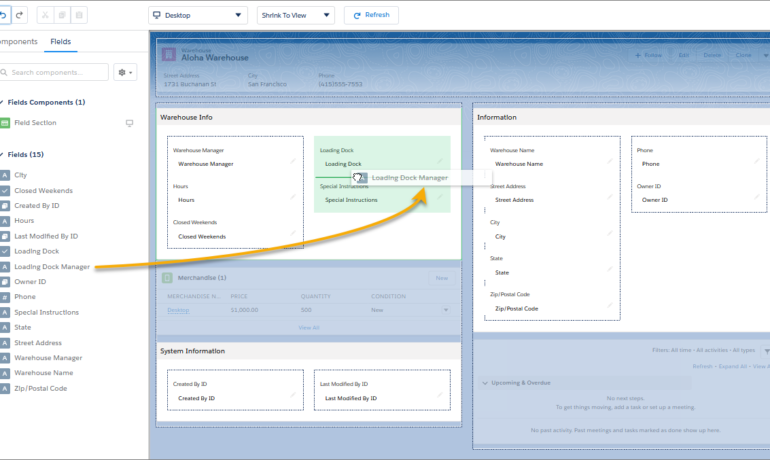
Salesforce Form Builder

Is it possible to create forms within Salesforce? Salesforce provides a web-to-case feature, allowing the creation of basic customer support forms. Once you activate and configure this feature, you can generate your web form as HTML code for embedding on your website. Similar to the web-to-lead feature, this is a straightforward, use-case-specific option. Here are some notable forms that integrate with Salesforce: Is there a native form builder in Salesforce? Yes, Forms for Salesforce is a 100% native Salesforce form builder. What is the recommended form app for Salesforce? Native Forms is an excellent tool for streamlining customer engagement. With its user-friendly drag-and-drop form builder, you can swiftly create custom forms to capture customer data and update Salesforce records. Can Google Forms be integrated with Salesforce? Integrating Google Forms with Salesforce is a popular choice for creating versatile web forms, quizzes, surveys, and more to collect data. If you’re seeking a reliable app for creating web forms, Google Forms is highly recommended. Does Jotform work seamlessly with Salesforce? Jotform seamlessly connects with Salesforce, ensuring your forms automatically sync with the platform, keeping your account up to date with every new submission. Data security is a top priority with Jotform. Another Tool available from the Salesforce AppExhange is Formstack. And the Salesforce Lighting App Builder has added a form building functionality. Content updated January 2024. Like1 Related Posts Who is Salesforce? Who is Salesforce? Here is their story in their own words. From our inception, we’ve proudly embraced the identity of Read more Salesforce Marketing Cloud Transactional Emails Salesforce Marketing Cloud Transactional Emails are immediate, automated, non-promotional messages crucial to business operations and customer satisfaction, such as order Read more Salesforce Unites Einstein Analytics with Financial CRM Salesforce has unveiled a comprehensive analytics solution tailored for wealth managers, home office professionals, and retail bankers, merging its Financial Read more AI-Driven Propensity Scores AI plays a crucial role in propensity score estimation as it can discern underlying patterns between treatments and confounding variables Read more

Read More
Salesforce Experience Cloud

Is Salesforce Experience Cloud Salesforce Communities?

The Salesforce ecosystem is in a constant state of evolution, and the introduction of the Salesforce Experience Cloud is a significant development aimed at delivering connected digital experiences to consumers rapidly. Is Salesforce Experience Cloud Salesforce Communities? In a recent update, Salesforce announced that the Community Cloud will now be rebranded as the Salesforce Experience Cloud. This renaming reflects the platform’s evolution to meet the diverse needs of consumers and highlights Salesforce’s commitment to creating exceptional digital experiences. The Salesforce Experience Cloud serves as a digital experience platform, enabling organizations to create scalable digital experiences for partners, consumers, and employees. Leveraging features from Salesforce CRM, Experience Builder, and CMS, the platform empowers organizations to swiftly develop websites, portals, and personalized content, all with just a few clicks. So, why did Salesforce decide to rename the Community Cloud to the Experience Cloud? The renaming signifies Salesforce’s dedication to enhancing people’s lives and transforming businesses. By shifting the focus from building communities to creating community experiences, Salesforce aims to underscore the importance of data-powered digital experiences that foster collaboration, automation, and real business value. The transition from Community to Experience Cloud represents a step into the future, where the platform integrates data and content seamlessly to provide meaningful solutions. This evolution brings added flexibility and efficiency to user journeys, enhancing the overall digital experience. But how does the Salesforce Experience differ from the Salesforce Community? With the rebranding, you’ll notice changes and improvements in the tools used to design sites. For instance, the Site built using the Experience Cloud, formerly known as the Community, can now be developed using either Visualforce or Experience Builder. This change in terminology signifies a broader shift in the platform’s capabilities. Moreover, other components within the Digital Experiences menu have been simplified and replaced, emphasizing the evolution from the Community Cloud to the Experience Cloud. Understanding the transition from Community to Experience Cloud is necessary for anyone embarking on the journey as an Experience Cloud Consultant. Whether you’re an existing user or a newcomer, grasping the significant differences between the two platforms is crucial. And to further explore the impact of this transition on your organization, consider joining industry-led courses like those offered by saasguru. Frequently Asked Questions (FAQ): Content updated March 2024. Like1 Related Posts Who is Salesforce? Who is Salesforce? Here is their story in their own words. From our inception, we’ve proudly embraced the identity of Read more Salesforce Marketing Cloud Transactional Emails Salesforce Marketing Cloud Transactional Emails are immediate, automated, non-promotional messages crucial to business operations and customer satisfaction, such as order Read more Salesforce Unites Einstein Analytics with Financial CRM Salesforce has unveiled a comprehensive analytics solution tailored for wealth managers, home office professionals, and retail bankers, merging its Financial Read more AI-Driven Propensity Scores AI plays a crucial role in propensity score estimation as it can discern underlying patterns between treatments and confounding variables Read more

Read More
Employ Marketing Cloud Data with Datorama

Employ Marketing Cloud Data with Datorama

Unlocking the Power of Salesforce Marketing Cloud with Dataorama-Employ Marketing Cloud Data with Datorama (now Salesforce Marketing Cloud Intelligence) In the realm of modern marketing, success hinges on data-driven insights rather than creative chaos. Salesforce Marketing Cloud’s Dataorama tackles the challenges associated with marketing data, offering a robust platform to store, visualize, and leverage data from diverse sources. What is Datorama? Originally developed to streamline reporting for advertising technology companies, Datorama is now a pivotal feature within Salesforce Marketing Cloud. It caters not only to advertising but also to industries spanning automotive to publishing. Datorama empowers marketers to consolidate marketing spend, campaign results, and trends into a unified and accessible platform. Key Features and Use Cases of Dataorama (now Salesforce Marketing Cloud Intelligence): Advantages and Limitations of Datorama-Marketing Cloud Intelligence: Implementation and Adoption: To implement Datorama-Marketing Cloud Intelligence within your organization: Salesforce Marketing Cloud’s Intelligence empowers marketers to shift focus from mundane reporting tasks to creative and strategic endeavors. By harnessing the power of data integration, visualization, and AI-driven insights, organizations can elevate their marketing performance and drive business growth effectively. Employ Marketing Cloud Data with Datorama Content updated September 2023. Like1 Related Posts Who is Salesforce? Who is Salesforce? Here is their story in their own words. From our inception, we’ve proudly embraced the identity of Read more Salesforce Marketing Cloud Transactional Emails Salesforce Marketing Cloud Transactional Emails are immediate, automated, non-promotional messages crucial to business operations and customer satisfaction, such as order Read more Salesforce Unites Einstein Analytics with Financial CRM Salesforce has unveiled a comprehensive analytics solution tailored for wealth managers, home office professionals, and retail bankers, merging its Financial Read more AI-Driven Propensity Scores AI plays a crucial role in propensity score estimation as it can discern underlying patterns between treatments and confounding variables Read more

Read More
gettectonic.com