
Salesforce Integration Archives - gettectonic.com - Page 6
New ChatGPT-4o

ChatGPT and Salesforce Explained

Supercharge Salesforce with ChatGPT: AI-Powered CRM Enhancements Integrating ChatGPT with Salesforce unlocks transformative potential across sales, service, marketing, and development—boosting efficiency, personalization, and decision-making. Here’s how businesses can harness generative AI to elevate their CRM strategy. 1. Automating Workflows & Boosting Productivity Workflow Optimization Accelerated Development AI-Generated Content 2. Smarter Customer Engagement Intelligent Lead Management Hyper-Personalized Communication Instant Customer Support 3. Data-Driven Sales & Marketing Predictive Sales Insights Laser-Targeted Campaigns AI-Powered Sales Forecasting 4. Seamless Salesforce Integration Einstein GPT + OpenAI Lightning Web Components (LWC) API Configuration 5. Real-World Use Cases Scenario AI Solution Outcome Case Summarization ChatGPT auto-generates case notes for agents. 50% faster resolution times. Dynamic Email Drafting AI crafts personalized responses in <10 seconds. 35% higher reply rates. Automated Reporting “Show me Q2 pipeline trends” → Instant dashboard. No-code analytics for all users. The Bottom Line By integrating ChatGPT with Salesforce, businesses can:✅ Reduce manual work with AI automation.✅ Enhance customer experiences through hyper-personalization.✅ Drive revenue growth with predictive insights. With Einstein GPT and custom LWC integrations, Salesforce users can deploy generative AI without complex coding—unlocking smarter, faster, and more scalable CRM operations. Ready to transform your Salesforce workflows? Start with a pilot in lead scoring, service automation, or sales forecasting today. Content updated June 2025. Like Related Posts Who is Salesforce? Who is Salesforce? Here is their story in their own words. From our inception, we’ve proudly embraced the identity of Read more Salesforce Marketing Cloud Transactional Emails Salesforce Marketing Cloud Transactional Emails are immediate, automated, non-promotional messages crucial to business operations and customer satisfaction, such as order Read more Salesforce Unites Einstein Analytics with Financial CRM Salesforce has unveiled a comprehensive analytics solution tailored for wealth managers, home office professionals, and retail bankers, merging its Financial Read more AI-Driven Propensity Scores AI plays a crucial role in propensity score estimation as it can discern underlying patterns between treatments and confounding variables Read more


Read More
Which Industries Use Salesforce

Which Industries Use Salesforce?

Salesforce’s comprehensive industry solutions cater to specific needs across a wide array of business sectors, making it a crucial tool for businesses seeking tailored CRM solutions. Its adaptability and industry-focused approach have contributed to its widespread adoption across various domains.

Read More
Zapier for Salesforce

Salesforce and Zapier and Anything You Can Imagine

Zapier enables you to connect Salesforce with thousands of the most popular third-party apps, so you can automate your work and have more time for what matters most—no code required. Providing easy automation for busy Salesforce users. Zapier transfers info between your web apps automatically, so you can focus on your most important work. Zapier is “middleware” that sits between two other services. It allows software services to create Triggers and Actions. Each combination of a Trigger and an Action is called a Zap. Triggers are how your app’s users can start automated workflows whenever an item is added or updated in your app. There are two types of triggers in Zapier: Actions are how your app’s use the data. The action is the effect of the cause (trigger). What is the difference between actions and triggers in Zapier? Every Zap starts with a single trigger that watches for new or updated data, starting the user’s workflow. Action steps then make use of that data. Zapier actions create or update a single item in your app through API calls that include multiple details from user customized input fields. Is Zapier considered an API? Yes, Zapier is an API tool. Zapier is a web-based automation tool that allows you to connect and automate different web services and applications without the need for any coding. It uses APIs (Application Programming Interfaces) to communicate with the different services and applications that it connects to. About AI by Zapier Smart task and text handling powered by a flexible AI. Create text prompts to perform standard tasks like extracting lead (or other) data or answering discrete questions like “where should this message be routed?”. Or, create your own! What coding language does Zapier use? Zapier is a monolithic application built on Python and Django. There’s a lot of momentum with Python and it is very difficult changing course to another programming language while the service is running. Why is Zapier so popular? Zapier is a powerful tool for automating workflows and combining different business applications without requiring any additional coding skills. Is Zapier actually useful? Users have found that Zapier is a versatile automation tool that simplifies complex problems and enhances efficiency in various industries. With its easy-to-use interface, users can create automation workflows and connect different apps and platforms seamlessly. Around the world in 2024, over 9973 companies have started using Zapier as Integration tool. Netflix, Inc. PayPal Holdings, Inc. Trimble, Inc. If you need assistance connecting apps to Salesforce with Zapier, contact Tectonic today. Like Related Posts Who is Salesforce? Who is Salesforce? Here is their story in their own words. From our inception, we’ve proudly embraced the identity of Read more Salesforce Marketing Cloud Transactional Emails Salesforce Marketing Cloud Transactional Emails are immediate, automated, non-promotional messages crucial to business operations and customer satisfaction, such as order Read more Salesforce Unites Einstein Analytics with Financial CRM Salesforce has unveiled a comprehensive analytics solution tailored for wealth managers, home office professionals, and retail bankers, merging its Financial Read more AI-Driven Propensity Scores AI plays a crucial role in propensity score estimation as it can discern underlying patterns between treatments and confounding variables Read more

Read More
Salesforce for Energy and Utilities

Salesforce for Energy and Utilities

The Energy & Utilities Cloud (E&U Cloud) integrates and extends the comprehensive capabilities of Salesforce Sales and Service Cloud. Integrated with the Salesforce Platform to provide an industry-specific solution tailored for utilities, retail energy, and modern energy services companies. Align your business with the future of energy through personalized service, unified customer and asset data, and enhanced business agility. Key Features: By Tectonic’s Salesforce Marketing Consultant, Shannan Hearne Like2 Related Posts Who is Salesforce? Who is Salesforce? Here is their story in their own words. From our inception, we’ve proudly embraced the identity of Read more Salesforce Marketing Cloud Transactional Emails Salesforce Marketing Cloud Transactional Emails are immediate, automated, non-promotional messages crucial to business operations and customer satisfaction, such as order Read more Salesforce Unites Einstein Analytics with Financial CRM Salesforce has unveiled a comprehensive analytics solution tailored for wealth managers, home office professionals, and retail bankers, merging its Financial Read more AI-Driven Propensity Scores AI plays a crucial role in propensity score estimation as it can discern underlying patterns between treatments and confounding variables Read more

Read More
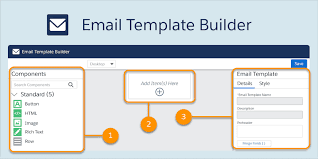
Salesforce Marketing Cloud Account Engagement

Salesforce Marketing Cloud Engagement for Industries

Customer and stakeholder expectations for communication have reached unprecedented levels in 2024. Every message now demands personalization, targeting, and relevance to foster enduring and meaningful relationships. How can you ensure that you meet these heightened expectations and cultivate lifelong connections with your customers? With Salesforce Marketing Cloud Engagement for Industries. Enter Marketing Cloud Engagement for Industries, a solution crafted by Salesforce to assist companies and organizations of any size in crafting personalized customer and stakeholder experiences through scalable email campaigns and data-driven insights. This robust offering provides a foundational framework for leveraging Marketing Cloud, offering pre-built tools, templates, and assets customized for your specific industry. The result? The ability to engage with your customers and stakeholders swiftly and effectively. This suite of outreach marketing tools helps you communicate with and engage your supporters, customers, contacts, and prospects. With Marketing Cloud Engagement for Industries, you receive a tailored package that includes: Additional tools are at your disposal to expedite the implementation of Marketing Cloud Engagement and minimize setup time. A user-friendly Get Started page walks you through the configuration process, and industry-specific assets—such as sample email templates and journeys—empower you to extract greater value from Marketing Cloud more efficiently. And Tectonic is ready to be your implementation partner. Contact Tectonic today for more information. If you are already using Marketing Cloud you can still add the Get Started page and pre-built assets. Note that to use Marketing Cloud Engagement for Industries does require the implementation of Salesforce Lightning Experience and My Domain for a more specific domain name in your Salesforce org. Connecting Marketing Cloud Engagement with Salesforce can be a complex process. Tectonic can help. Like2 Related Posts Who is Salesforce? Who is Salesforce? Here is their story in their own words. From our inception, we’ve proudly embraced the identity of Read more Salesforce Marketing Cloud Transactional Emails Salesforce Marketing Cloud Transactional Emails are immediate, automated, non-promotional messages crucial to business operations and customer satisfaction, such as order Read more Salesforce Unites Einstein Analytics with Financial CRM Salesforce has unveiled a comprehensive analytics solution tailored for wealth managers, home office professionals, and retail bankers, merging its Financial Read more AI-Driven Propensity Scores AI plays a crucial role in propensity score estimation as it can discern underlying patterns between treatments and confounding variables Read more
Read More
Hubspot vs Salesforce

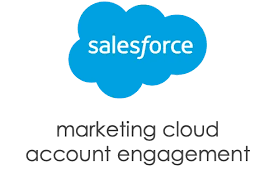
Hubspot vs Salesforce

HubSpot began as a marketing automation solution tailored for small businesses, but it has since grown into a comprehensive Enterprise CRM, integrating marketing, sales, CMS, and service functionalities. While Salesforce continues to be a popular choice for CRM, more teams are increasingly turning to HubSpot for its marketing automation capabilities. HubSpot is a leading platform in CRM, marketing, sales, and customer service software, with a clear mission: to empower companies to optimize their sales processes and drive growth. HubSpot offers a range of resources centered around its five main products or “Hubs,” with the Marketing Hub and Sales Hub being the most prominent. HubSpot vs. Salesforce: Key Differences Salesforce is known for its robust reporting and extensive customization options. In contrast, HubSpot offers a smoother learning curve, a more intuitive interface, and a comprehensive suite of marketing and sales tools, all available at an accessible price point, including a free tier. Integrating HubSpot with Salesforce Integrating HubSpot with Salesforce allows you to streamline operations, creating a seamless and efficient connection between the two platforms without the need for complex technical setup. Key Benefits of HubSpot-Salesforce Integration: Enhanced Data Management The HubSpot-Salesforce integration simplifies and accelerates data management by eliminating manual data transfers and reducing the risk of errors. Syncing all relevant business data to HubSpot in just a few clicks provides deep insights into customer interactions and preferences, enabling you to deliver personalized experiences that boost engagement and foster customer loyalty. Empowering Sales Teams The integration enables seamless bi-directional synchronization, giving your sales team critical lead intelligence. By customizing record syncing and providing lead scores from HubSpot to Salesforce, sales teams can prioritize their outreach efforts more effectively, ultimately leading to increased deal closures. Bridging the Gap Between Marketing and Sales Close the gap between marketing and sales by using Salesforce data to personalize emails, segment databases, and send emails on behalf of sales representatives. The integration eliminates the need for manual exporting and importing of lists and campaign responses, while also allowing you to track revenue from closed-won deals in HubSpot, attributing campaigns directly to the revenue they generate. Like Related Posts Who is Salesforce? Who is Salesforce? Here is their story in their own words. From our inception, we’ve proudly embraced the identity of Read more Salesforce Marketing Cloud Transactional Emails Salesforce Marketing Cloud Transactional Emails are immediate, automated, non-promotional messages crucial to business operations and customer satisfaction, such as order Read more Salesforce Unites Einstein Analytics with Financial CRM Salesforce has unveiled a comprehensive analytics solution tailored for wealth managers, home office professionals, and retail bankers, merging its Financial Read more AI-Driven Propensity Scores AI plays a crucial role in propensity score estimation as it can discern underlying patterns between treatments and confounding variables Read more
Read More
Anypoint Code Builder for Desktop

Anypoint Code Builder for Desktop

Anypoint Code Builder for Desktop represents MuleSoft’s cutting-edge integrated development environment (IDE) designed for developers to seamlessly create, develop, and deploy APIs, integrations, and automations within a unified environment. This innovative tool empowers developers by offering: Anypoint Code Builder for Desktop MuleSoft is excited to announce the official release of Anypoint Code Builder for Desktop, a groundbreaking addition to the MuleSoft family. This next-generation IDE revolutionizes the approach to API and integration development, promising increased speed, enhanced intuitiveness, and higher efficiency. Seamless Connections At MuleSoft, the mission is to enable organizations to seamlessly connect their systems, applications, and data, and Anypoint Code Builder is a significant stride toward achieving this goal. Recognizing the need for change in core integration tooling due to rapid technological advancements, they decided to build a new IDE from the ground up, catering to modern and future-looking use cases. Anypoint Code Builder is positioned as the future of API and integration development at Mulesoft, offering a next-generation developer experience. It empowers developers to design, develop, and deploy APIs and integrations seamlessly from a unified environment. The tool provides robust features, including flexible workspaces and the integration of AI to generate code and integration flows using natural language. Built-in Connectors The platform includes built-in connectors and access to a variety of connectors from Anypoint Exchange. Developers have two options to get started: a local version on VS Code for the desktop or a cloud version accessible directly from Anypoint Platform. The desktop version, now generally available, can be installed in three easy steps, allowing developers to work from their local machines. The cloud version is currently available in open beta, with plans for a full release in the first half of 2024. It’s essential to understand the difference between Anypoint Code Builder and Anypoint Studio. Anypoint Code Builder is based on Visual Code Builder, running as a service in the browser, while Anypoint Studio is based on Eclipse. Anypoint Code Builder goes beyond API implementation, also supporting API design and development. Like Related Posts Who is Salesforce? Who is Salesforce? Here is their story in their own words. From our inception, we’ve proudly embraced the identity of Read more Agiloft Salesforce Integration Optimize organizational efficiency, performance, and value by automating contracts with Agiloft Contract Lifecycle Management Software. Regain control and streamline processes Read more Demandbase Salesforce Integration The integration of Demandbase with Salesforce creates a seamless connection between Demandbase One and your Salesforce CRM, establishing a bidirectional Read more Box and Salesforce Integration What is Box and Salesforce integration? Together, Box and Salesforce integration bring you seamless solutions that make it easy for Read more

Read More
catch initial traffic source with Google Analytics

Integrate Google Analytics 4 and Salesforce Marketing Cloud

Connecting Google Analytics 4 Properties to Salesforce Marketing Cloud Now, Google Analytics 4 properties can seamlessly integrate with Salesforce Marketing Cloud using the Sales Marketing Cloud interface. This integration is available for both GA4 standard and 360 properties, extending to users who previously utilized a similar setup with Universal Analytics 360. The significance of this integration lies in its ability to synchronize audiences from Google Analytics to Salesforce Marketing Cloud. By linking these platforms, you can leverage Analytics audiences in Salesforce email and SMS direct-marketing campaigns, enabling targeted and efficient audience engagement. Here’s how it works: Integrate Google Analytics 4 and Salesforce Marketing Cloud Requirements for Integration: Google outlines specific criteria for enabling integration between Salesforce Marketing Cloud and GA4 properties: This integration streamlines audience management across platforms, empowering marketers to leverage Google Analytics insights effectively within Salesforce Marketing Cloud campaigns for enhanced audience targeting and engagement. Like1 Related Posts Who is Salesforce? Who is Salesforce? Here is their story in their own words. From our inception, we’ve proudly embraced the identity of Read more Salesforce Marketing Cloud Transactional Emails Salesforce Marketing Cloud Transactional Emails are immediate, automated, non-promotional messages crucial to business operations and customer satisfaction, such as order Read more Salesforce Unites Einstein Analytics with Financial CRM Salesforce has unveiled a comprehensive analytics solution tailored for wealth managers, home office professionals, and retail bankers, merging its Financial Read more AI-Driven Propensity Scores AI plays a crucial role in propensity score estimation as it can discern underlying patterns between treatments and confounding variables Read more
Read More
Salesforce

Salesforce Integrations for Sales Users

Salesforce integration offers compatibility with a wide array of business tools, and this insight article from Tectonic zeroes in on the most advantageous integrations tailored for your sales teams. Salesforce Integrations for Sales Users encompass various areas from contract management tools to lead enrichment and marketing automation platforms, the focus is on enhancing the efficiency of your sales operations. Understanding Salesforce Integrations A Salesforce integration is a mechanism linking the CRM with one or more business tools, facilitating seamless data transfer and automation of repetitive administrative tasks. With over 2,500 integrations, Salesforce is one of the most connected and flexible CRMs on the market. Let’s dive into the top Salesforce integrations for sales teams in 2024. Best Salesforce Integrations for Sales Teams 1. Slack – Streamlined Internal Communication Owned by Salesforce, Slack integration ensures smooth communication by facilitating easy sharing and querying of records between the two platforms. This integration promotes real-time updates, fostering improved collaboration, quicker decision-making, and enhanced productivity. Slack and Salesforce integrations are easy to set up and Tectonic can help. User Reviews: 2. Salesloft – Elevating Sales Engagement Salesloft complements Salesforce by focusing on customer engagement. This integration allows the import of contacts from Salesforce into Salesloft, enabling seamless communication with prospects. Recorded communication details are then synchronized back into Salesforce, offering visibility into deal progression and prospect engagement. User Reviews: 3. Chili Piper – Simplified Scheduling Chili Piper’s integration with Salesforce streamlines appointment scheduling by enabling one-click meeting scheduling within Salesforce. Every booked meeting is automatically logged and tracked as an event in Salesforce, contributing to improved data accuracy and efficient scheduling. All interactions with leads are added to engagement activity in their Salesforce record. User Reviews: 4. Juro – Accelerating Contract Management Juro’s all-in-one contract management platform integrates seamlessly with Salesforce, enabling sales reps to generate sales agreements effortlessly. The integration facilitates real-time syncing of data between the two platforms, allowing for swift contract drafting, negotiation, and management. Key Benefit: 5. LinkedIn Sales Solutions – Incorporate LinkedIn profiles to Salesforce records LinkedIn Sales Solutions embeds LinkedIn profiles with the CRM providing timely insights on buyers and companies. Data Validation flags out-of-date contacts. Key Benefit: 6. Lead Capture in Sales Cloud – Collect leads from Facebook and Google directly into Sales Cloud This application enables marketers to collect lead data from two primary external platform ad forms and share them with sales teams. Key Benefit: Salesforce Integrations for Sales Users These Salesforce integrations are tailored to augment the capabilities of sales teams, ranging from internal communication to contract management, ultimately fostering efficiency and productivity. If you are looking at tools to integrate with Salesforce for your teams, contact Tectonic for Salesforce implementation assistance. Like1 Related Posts Who is Salesforce? Who is Salesforce? Here is their story in their own words. From our inception, we’ve proudly embraced the identity of Read more Salesforce Marketing Cloud Transactional Emails Salesforce Marketing Cloud Transactional Emails are immediate, automated, non-promotional messages crucial to business operations and customer satisfaction, such as order Read more Salesforce Unites Einstein Analytics with Financial CRM Salesforce has unveiled a comprehensive analytics solution tailored for wealth managers, home office professionals, and retail bankers, merging its Financial Read more AI-Driven Propensity Scores AI plays a crucial role in propensity score estimation as it can discern underlying patterns between treatments and confounding variables Read more
Read More
SaaS Data Protection from Own

Reporting With Own

In any Salesforce organization, vast amounts of data are generated constantly from sales activities, customer interactions, marketing campaigns, and more. Summarizing and digesting this information quickly is crucial, especially when presenting the big picture to leadership. This is where Salesforce reports come into play. The Salesforce Reports feature enables organizations to analyze, visualize, and summarize data in real time. By pulling data from across your Salesforce environment, reports help consolidate information into easily digestible formats, such as charts, tables, and graphs. Salesforce reports are essential for: How Historical Data Can Improve Reporting in Salesforce While real-time reports are valuable, incorporating historical data can significantly enhance reporting by offering deeper insights into your organization’s long-term performance. Here’s how: Challenges of Reporting with Historical Data in Salesforce While incorporating historical data is smart, Salesforce’s native reporting capabilities impose certain limitations: Don’t Let Salesforce Reporting Limitations Hold You Back With Own Discover, customers can effortlessly generate time-series datasets from any objects and fields over any time period in just a few clicks. These datasets can be accessed using standard query and reporting tools without requiring a data warehouse or the need to enrich existing data warehouses, overcoming Salesforce’s native limitations. Like Related Posts Who is Salesforce? Who is Salesforce? Here is their story in their own words. From our inception, we’ve proudly embraced the identity of Read more Salesforce Marketing Cloud Transactional Emails Salesforce Marketing Cloud Transactional Emails are immediate, automated, non-promotional messages crucial to business operations and customer satisfaction, such as order Read more Salesforce Unites Einstein Analytics with Financial CRM Salesforce has unveiled a comprehensive analytics solution tailored for wealth managers, home office professionals, and retail bankers, merging its Financial Read more AI-Driven Propensity Scores AI plays a crucial role in propensity score estimation as it can discern underlying patterns between treatments and confounding variables Read more

Read More
Dropbox and Salesforce Integration

Dropbox and Salesforce Integration

Collaborate in Real Time with Salesforce Essentials Dropbox and Salesforce Essentials enable small businesses to effortlessly collaborate on files of any type and size. You can review, edit, and share content both internally and with customers directly within Salesforce, allowing you to focus on growing your business. Does Dropbox Integrate with Salesforce? Yes, the Dropbox for Salesforce integration allows teams to access and share their Dropbox files within Salesforce. To use this integration, you need to be on a Dropbox team account. Third-Party Integrations The following integration services work with both Dropbox and Salesforce. Note that these services are not vetted by us, so please exercise caution when deploying them: Getting Started with Dropbox for Salesforce The Dropbox for Salesforce integration allows teams to access and share their Dropbox files within Salesforce. Here’s how team members can get started after an admin has connected their Dropbox team account to Salesforce. Connecting Dropbox to Salesforce: Notes: Adding Files from Dropbox to Salesforce There are two ways to add files using Dropbox for Salesforce: Viewing or Downloading a File in Salesforce You can view, download, and share files directly from Dropbox for Salesforce: Understanding “All of Dropbox for Object” vs. “Dropbox for Object” “All of Dropbox for Object” and “Dropbox for Object” provide different levels of visibility into a user’s Dropbox account from Salesforce: Example Folder Structures: Can You Drag and Drop Files into Salesforce? Salesforce supports drag and dropping files stored on disk. Save the file to disk first, then drag the saved file to Notes & Attachments within Salesforce. Like Related Posts Who is Salesforce? Who is Salesforce? Here is their story in their own words. From our inception, we’ve proudly embraced the identity of Read more Salesforce Marketing Cloud Transactional Emails Salesforce Marketing Cloud Transactional Emails are immediate, automated, non-promotional messages crucial to business operations and customer satisfaction, such as order Read more Salesforce Unites Einstein Analytics with Financial CRM Salesforce has unveiled a comprehensive analytics solution tailored for wealth managers, home office professionals, and retail bankers, merging its Financial Read more AI-Driven Propensity Scores AI plays a crucial role in propensity score estimation as it can discern underlying patterns between treatments and confounding variables Read more

Read More
Salesforce Success Story

Case Study: Service Cloud Experience Cloud Federal Nonprofit Talent Acquisition

Military congressionally chartered, federally supported non-profit corporation that sustains and equips the armed forces. Client employs nearly 170,000 professionals to support and sustain the global mission of the armed forces. Service Cloud Experience Cloud Federal Nonprofit Talent Acquisition. Industry: Federal – Military Process Gaps: Client’s lack of a digital processes for talent acquisition hindered their ability to find and develop top-tier employees. The repository was incomplete, inaccurate, disconnected from other departments within the business ecosystem with no checks & balances in place – resulting into inefficient talent acquisition lifecycle that could not be tracked. Implemented : Technologies integrated : Our solution? Tectonic assisted with the successful implementation of Salesforce Sales Cloud, Experience Cloud, API Integrations and Advanced SF Security. Key activities included: Results: With Salesforce Public Sector Solutions, you can improve the provision of public services, expedite processes, and promote community trust and well-being. These solutions, which are specifically designed for government enterprises, use state-of-the-art technology to streamline workflows, guarantee compliance, and expedite operations. Discover the revolutionary potential of Salesforce in the areas of emergency program Salesforce offers digital transformation technology for government and public sector industries. If you are considering a Salesforce recruiting solution, contact Tectonic today. Like2 Related Posts Who is Salesforce? Who is Salesforce? Here is their story in their own words. From our inception, we’ve proudly embraced the identity of Read more Salesforce Marketing Cloud Transactional Emails Salesforce Marketing Cloud Transactional Emails are immediate, automated, non-promotional messages crucial to business operations and customer satisfaction, such as order Read more Salesforce Unites Einstein Analytics with Financial CRM Salesforce has unveiled a comprehensive analytics solution tailored for wealth managers, home office professionals, and retail bankers, merging its Financial Read more AI-Driven Propensity Scores AI plays a crucial role in propensity score estimation as it can discern underlying patterns between treatments and confounding variables Read more

Read More
gettectonic.com