Salesforce Implementation Services Archives - gettectonic.com - Page 12
Salesforce Automation

Salesforce Automation

In today’s fast-paced business landscape, efficiency reigns supreme, and the optimization of processes is paramount for success. Salesforce automation tools stand as indispensable allies in this pursuit, empowering businesses to automate repetitive tasks, eliminate errors, and liberate valuable time for employees to focus on mission-critical endeavors. From sales to marketing and customer service, Salesforce offers a comprehensive suite of automation tools designed to enhance efficiency, productivity, and ultimately, profitability. This insight serves as a guide to the value and various components of Salesforce automation. At the core of Salesforce’s effectiveness lies its sophisticated suite of automation tools, reshaping how organizations manage and streamline their sales operations. For administrators entrusted with overseeing the Salesforce environment, mastering these automation tools transcends mere skill; it’s a strategic necessity. Salesforce Automation Tools empower administrators to craft and deploy intricate workflows, facilitating seamless coordination of tasks and processes within the CRM platform. From lead generation to deal closure, these tools offer a comprehensive array of features that can metamorphose manual, time-consuming tasks into streamlined, automated processes. As businesses aspire for agility and efficiency in their operations, administrators assume the role of architects, leveraging Salesforce automation tools to erect a robust foundation for success. This deep dive into Salesforce Automation Tools aims to arm administrators with the knowledge and insights required to navigate the platform’s intricacies adeptly. We will dive into the fundamental components of automation, including workflow rules, process builder, and flow builder, unraveling their functionalities and showcasing how they can be tailored to suit specific business requirements. Through real-world examples and practical guidance, this exploration seeks to empower administrators to unleash the full potential of Salesforce Automation Tools, transforming them into proficient conductors of the CRM symphony. As we embark on this journey, administrators will cultivate a comprehensive understanding of Salesforce’s automation capabilities, enabling them to optimize processes, enhance productivity, and elevate the overall user experience. Whether you’re a seasoned Salesforce administrator or a newcomer to the platform, this deep dive promises invaluable insights and hands-on expertise to navigate the dynamic realm of Salesforce automation with confidence and proficiency. What is Salesforce Automation? Salesforce automation represents a sophisticated sales management solution that automates pivotal sales components such as lead management, sales forecasting, and team performance management. Leveraging Software-as-a-Service (SaaS) products enables the automation of repetitive and redundant tasks and processes. Workflow rules enable organizations to design and enforce business processes systematically. For example, as leads progress through the sales pipeline, workflow rules can automatically assign tasks to sales representatives, update opportunity stages, and notify relevant stakeholders. By establishing these rules, administrators lay the groundwork for a more streamlined and error-resistant workflow, allowing teams to focus on high-impact activities while the system handles routine, rule-based tasks. Understanding the foundations of Salesforce automation through workflow rules is crucial for administrators seeking to optimize their CRM environment. As businesses evolve, the ability to adapt and scale automation becomes paramount. This foundational knowledge not only empowers administrators to create efficient workflows but also sets the stage for exploring more advanced automation tools within the Salesforce ecosystem, ensuring a robust and responsive foundation for the dynamic world of CRM. Centralized Data Storage and Enhanced Lead Tracking Centralizing customer-related data stands as one of the most significant advantages of Salesforce automation. This consolidation facilitates streamlined lead tracking, performance monitoring, and revenue prediction. By automating non-revenue-generating tasks, which can consume up to two-thirds of a sales representative’s time, sales teams can redirect their efforts towards high-impact, revenue-generating activities, thereby fostering overall business growth. Automated Sales Processes: Boosting Productivity The automation of repetitive sales processes emerges as a direct response to research indicating the imperative to enhance sales productivity. Through automation, sales representatives can leverage their time more effectively, focusing on tasks that directly contribute to revenue generation and organizational success. Understanding the Crucial Role of Salesforce Automation The importance of Salesforce automation cannot be overstated in the realm of sales management. By offering centralized data storage, streamlined lead tracking, and enhanced performance monitoring, Salesforce automation revolutionizes the sales landscape. Discover – Controllers in Salesforce: What It Is, Types and Features. Key Benefits of Salesforce Automation The benefits of Salesforce automation are manifold. Firstly, it facilitates the consolidation of customer-related data, enabling efficient lead tracking, reminder setting, and performance monitoring. Additionally, automation saves time and minimizes errors, allowing sales representatives to concentrate on revenue-generating activities such as deal closure and client relationship building. Moreover, Salesforce automation ensures a personalized and consistent customer experience, empowering sales reps to tailor interactions based on customer preferences and behaviors. Furthermore, Salesforce automation fosters efficient collaboration and communication within sales teams, providing a centralized platform for accessing essential information and insights. Additionally, it offers valuable analytics and insights to optimize sales strategies, analyzing customer behavior, sales performance, and market trends to drive revenue growth. Components of Salesforce Automation Lead Management: Involves collecting, tracking, and analyzing customer data and interactions to streamline the sales pipeline and convert leads into customers. Sales Forecasting: Enables organizations to make educated decisions and prepare for future development by forecasting sales revenue based on market analysis and demands. Team Performance Management: Involves monitoring sales team performance, identifying areas for improvement, and providing feedback and coaching to enhance team performance. Email and Social Media Marketing: Automates marketing platforms to communicate better with consumers and prospects, customizing campaigns based on customer preferences and behaviors. Workflow and Approval Processes: Ensures that sales processes follow established procedures and workflows, reducing manual errors and enhancing organizational performance. Data and Analytics: Tracks key performance indicators (KPIs) and provides actionable insights to inform decision-making and drive revenue growth. Streamlining Appointment Scheduling: Assists in scheduling sales appointments efficiently, mitigating the risk of double-booking meetings. Prioritizing Leads: Analyzes leads based on various metrics to maximize sales and productivity. Salesforce automation has revolutionized sales operations, fostering efficiency, effectiveness, and customer-centricity. As technology continues to evolve, Salesforce automation remains a critical tool for businesses striving to stay ahead of the competition and achieve their sales goals. In the dynamic world of Salesforce, administrators

Read More
Salesforce and Healthcare

Healthcare Technology Solutions

Healthcare institutions have the golden opportunity to enhance the technology systems implemented over the past few pandemic years, particularly in the realm of virtual rounding—where clinicians utilize collaboration technologies to interact with patients remotely. This approach gained significant traction during the pandemic and is now poised for further growth and refinement. Healthcare Technology Solutions. Healthcare technology solutions refer to the use of technology to improve both healthcare delivery and outcomes.  These solutions encompass a wide range of technologies from electronic health records to wearable devices to mobile applications.  Many believe the solution to better healthcare is data and collaboration.  The right software can help. Healthcare Technology Solutions Here are ways to maximize the impact of virtual rounding specifically in your healthcare organization: Devices: Collaboration Software: Telehealth Peripherals: Electronic Medical Records: Patient Experience APIs: Asset Tracking: Business Intelligence: Mobility Management: Whether your organization requires healthcare technology hardware, software, or cloud-based solutions, Tectonic is well-equipped to expedite the implementation process with numerous healthcare implementations under our belt. Five Exciting and emerging healthcare technology solutions coming in 2023 and beyond: Like Related Posts Who is Salesforce? Who is Salesforce? Here is their story in their own words. From our inception, we’ve proudly embraced the identity of Read more Salesforce Marketing Cloud Transactional Emails Salesforce Marketing Cloud Transactional Emails are immediate, automated, non-promotional messages crucial to business operations and customer satisfaction, such as order Read more Salesforce Unites Einstein Analytics with Financial CRM Salesforce has unveiled a comprehensive analytics solution tailored for wealth managers, home office professionals, and retail bankers, merging its Financial Read more AI-Driven Propensity Scores AI plays a crucial role in propensity score estimation as it can discern underlying patterns between treatments and confounding variables Read more

Read More
Salesforce Queues

Salesforce Queues

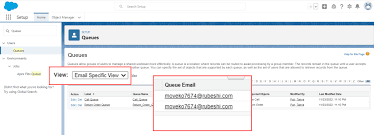
Salesforce Queues streamline the prioritization, distribution, and assignment of records among teams that collaborate on shared workloads. They function as holding areas within Salesforce where records wait for team members to pick them up and take ownership, either for themselves or on behalf of another user. Key Benefits of Salesforce Queues: How Salesforce Queues Work: In Salesforce, queues act as record owners instead of individual users. Records awaiting action are associated with a queue until a team member takes ownership. Components of a Salesforce Queue: Difference Between Queues and Groups in Salesforce: While both serve as ways to share records, queues and groups differ in their functionality. Creating a Salesforce Queue (Lead Queue Example): Step 1: Create a Queue Step 2: Create or Edit Assignment Rules Step 3: Test It Out Using Salesforce Queues Efficiently: Additional Salesforce Queue Examples: Salesforce Queues optimize team collaboration by facilitating record prioritization, distribution, and assignment. Organizations can leverage queues to enhance visibility and streamline workload management across teams effectively. With no limit to the number of queues you can create, Salesforce Queues empower teams to work smarter and collaborate efficiently. Like Related Posts Who is Salesforce? Who is Salesforce? Here is their story in their own words. From our inception, we’ve proudly embraced the identity of Read more Salesforce Marketing Cloud Transactional Emails Salesforce Marketing Cloud Transactional Emails are immediate, automated, non-promotional messages crucial to business operations and customer satisfaction, such as order Read more Salesforce Unites Einstein Analytics with Financial CRM Salesforce has unveiled a comprehensive analytics solution tailored for wealth managers, home office professionals, and retail bankers, merging its Financial Read more AI-Driven Propensity Scores AI plays a crucial role in propensity score estimation as it can discern underlying patterns between treatments and confounding variables Read more

Read More
Salesforce Success Story

Case Study: Flexible CRM for High Growth Sales

Hospitality company needs to enhance their CRM capabilities to match the business with a Flexible CRM for High Growth Sales. Industry: Hospitality – High Tech Client is a hospitality company specialized in a new, modern mode of housing, making it easy to live well — wherever, whenever. Company has homes in over 30 cities across the U.S. and have hosted over 1 million nights of stays. Backed by Airbnb, Comcast, Bowery, and Initialized Capital, they’ve raised $90M in funding. Problem: Implemented : Our solution? Results: Salesforce offers customized solutions for the travel and hospitality industries, assisting companies in this field to provide outstanding client experiences, optimize workflows, and spur expansion. These solutions make use of the Salesforce Customer 360 platform to improve communication, organize data, and give visitors a customized experience. Salesforce offers digital transformation technology for travel, tourist, and hospitality industries. If you are considering a Salesforce hospitality implementation, contact Tectonic today. Like2 Related Posts Who is Salesforce? Who is Salesforce? Here is their story in their own words. From our inception, we’ve proudly embraced the identity of Read more Salesforce Marketing Cloud Transactional Emails Salesforce Marketing Cloud Transactional Emails are immediate, automated, non-promotional messages crucial to business operations and customer satisfaction, such as order Read more Salesforce Unites Einstein Analytics with Financial CRM Salesforce has unveiled a comprehensive analytics solution tailored for wealth managers, home office professionals, and retail bankers, merging its Financial Read more AI-Driven Propensity Scores AI plays a crucial role in propensity score estimation as it can discern underlying patterns between treatments and confounding variables Read more

Read More
Salesforce Success Story

Case Study: Service Cloud Marketing Cloud Hospitality

Resort company builds loyalty and drives sales increase across all sites using data and segmentation. hospitality salesforce service marketing case study. Industry: Hospitality Located at the epicenter of Honolulu’s most exciting neighborhoods, resort offers guaranteed oceanfront panoramic views in guestrooms and luxury suites. The hotel also has its own golf course. Problem: Implemented : Technologies integrated : Our solution? Results: Tectonic has assisted customers in generating a live view of their visitors so they can pleasantly surprise and amuse them with customized service during every engagement. Salesforce offers customized solutions for the travel and hospitality industries, assisting companies in this field to provide outstanding client experiences, optimize workflows, and spur expansion. These solutions make use of the Salesforce Customer 360 platform to improve communication, organize data, and give visitors a customized experience. Salesforce offers digital transformation technology for travel, tourist, and hospitality industries. If you are considering a Salesforce hospitality implementation, contact Tectonic today. Like2 Related Posts Who is Salesforce? Who is Salesforce? Here is their story in their own words. From our inception, we’ve proudly embraced the identity of Read more Salesforce Marketing Cloud Transactional Emails Salesforce Marketing Cloud Transactional Emails are immediate, automated, non-promotional messages crucial to business operations and customer satisfaction, such as order Read more Salesforce Unites Einstein Analytics with Financial CRM Salesforce has unveiled a comprehensive analytics solution tailored for wealth managers, home office professionals, and retail bankers, merging its Financial Read more AI-Driven Propensity Scores AI plays a crucial role in propensity score estimation as it can discern underlying patterns between treatments and confounding variables Read more

Read More
Salesforce Slack Integration

Slack and Salesforce Announce Industry Specific Solutions

As the pace of digital transformation accelerates, businesses seek solutions to enhance productivity, foster connection and collaboration, and automate workflows in an increasingly digital-centric environment. Slack and Salesforce Industry Specific Solutions are leading the charge. Every company, regardless of size, can benefit from a digital platform that dismantles silos, fostering connectivity among people, tools, and customers—an approach we refer to as a digital HQ. However, embarking on digital transformation is a complex undertaking, demanding expertise and a profound understanding of trends shaping the business landscape and workforce. To address these challenges, we have collaborated with Slack and Salesforce consulting partners to introduce the initial phase of Slack Partner Industry Solutions. Slack and Salesforce Industry Solutions is the result! Earlier this year, we expanded Slack’s global consulting partner ecosystem. As the adoption of Slack continues to grow, our partners have invested in crafting solutions tailored to meet specific industry requirements, seamlessly integrating Slack into diverse work methodologies. Today, a broader array of solutions and services is available, empowering Slack and Salesforce customers to optimize their digital tools further. For those seeking a personalized solution aligned with their industry’s unique characteristics, Slack-certified consulting partners have developed tailored solutions for industries such as financial services, manufacturing, communications, retail, media, technology, and more. This development is particularly advantageous for Slack customers aiming to establish a digital HQ that aligns with the specific needs of their businesses. Customers will benefit from cutting-edge technologies offered by Slack and Salesforce’s Customer 360, complemented by invaluable services from our partners, encompassing advisory, strategy, organizational transformation, and change management. This collaborative effort aims to dismantle data silos, enabling organizations to collaborate productively in a work-from-anywhere paradigm. Our partners also provide strategic guidance, helping create digital HQs that address industry-specific challenges, such as intelligent case swarming for lapsing insurance policies, predicting customer churn in wealth management, streamlining manufacturing supplier onboarding and management, transforming contact centers for retail and consumer goods companies, or enhancing advertisement sales for communications and media businesses. “The world’s largest and most influential consultancies have recognized that every customer needs a digital HQ. Slack and Salesforce are a key enabler to make that happen. Having these partners engaged and primed to deliver these industry solutions is a big step in our ability to bring the digital HQ to market.” Richard Hasslacher, VP of Slack Alliances & Channels Like2 Related Posts Salesforce Unites Einstein Analytics with Financial CRM Salesforce has unveiled a comprehensive analytics solution tailored for wealth managers, home office professionals, and retail bankers, merging its Financial Read more Tectonic’s Successful Salesforce Track Record Salesforce Technology Services Integrator – Tectonic has successfully delivered Salesforce in a variety of industries including Public Sector, Hospitality, Manufacturing, Read more Asset Management Salesforce Can Salesforce do asset management? You can manage assets in Consumer Goods (desktop) and in the Consumer Goods offline mobile Read more Step By Step Guide to a Salesforce Quickstart Salesforce Implementation with a Tectonic Quickstart: Step-by-Step Salesforce Quickstart Guide. Step 1: Define Your Business Requirements Identify specific business processes Read more

Read More
What is Omni-Channel Salesforce

What is Omni-Channel Salesforce?

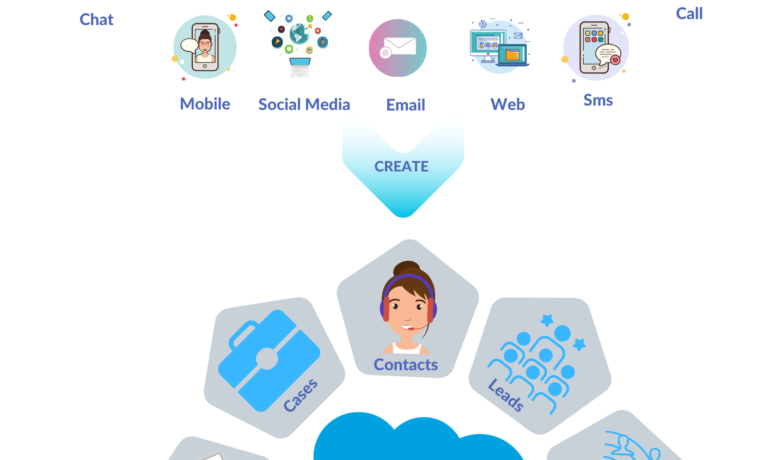
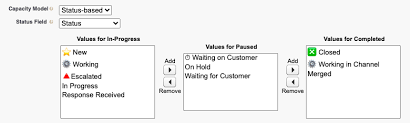
What is Omni-Channel Salesforce? Omni-Channel is a Salesforce feature designed for Customer Service and Console applications that automates the routing of various work items, such as Leads and Cases, to agents. It ensures that work items are assigned to agents based on their capacity, priority, skill set, and other criteria. Features of Omni-Channel Benefits Omni-Channel in Salesforce Enhanced Omni-Channel Setting Up and Using Omni-Channel Key Differences: Multichannel vs. Omni-Channel Route Work with Omni-Channel Omni-Channel is a flexible, customizable feature, and you can configure it declaratively—that is, without writing code. Use Omni-Channel to manage the priority of work items, which makes it a cinch to route important work items to agents quickly. Manage your agents’ capacity to take on work items so that they’re given only the number of assignments that they can handle. You can also define which agents can work on different types of assignments. For example, you can create one group of agents to respond to leads and sales inquiries, and another group that helps customers with support questions. Omni-Channel routes work requests to the most available and qualified support agents in the app. You can also provide real-time operational intelligence to support supervisors with Omni Supervisor. Agents no longer have to pick and choose work assignments manually from a queue, which saves everyone in your call center time, effort, and brainpower. Because it’s easier for agents to work on their assignments, they can assist your customers faster and more effectively and close assignments more quickly. Routing logic is applied when work is assigned to an owner. If field values on the work item are changed after the item is routed, the routing logic isn’t reapplied. Omni-Channel is supported in both Lightning Experience (recommended) and Salesforce Classic. You can run Omni-Channel in both standard and console apps. Route Work with Omni-Channel Use Omni-Channel to route work items to queues, agents, skills, and even Einstein Bots (on supported channels). Depending on your business needs, you can use different ways to route work, including Omni-Channel flows. Omni-Channel routes work based on the defined routing logic. When an agent is assigned a work item, they can accept it to begin working on it or decline it. When a work item is declined, Omni-Channel releases the agent’s capacity consumed by the work item. But the declined work item remains owned by the declining agent until the work is routed again. If the agent declines a work item or doesn’t accept the work item in the specified time period, Omni-Channel doesn’t try to route that work item to that agent again. If an agent accepts the work, they can transfer the work to another agent. NOTE We recommend using Enhanced Omni-Channel. Enhanced Omni-Channel features better and more extensive experiences for agents and supervisors than Standard Omni-Channel, and future Omni-Channel features are developed on Enhanced Omni-Channel. See Compare Standard and Enhanced Omni-Channel and Enable Omni-Channel. Set Up Omni-Channel Set up Omni-Channel to route any type of incoming work item to the most qualified, available support agents in your call center. Omni-Channel integrates seamlessly into both console and standard apps. NOTE We recommend using Enhanced Omni-Channel. Enhanced Omni-Channel features better and more extensive experiences for agents and supervisors than Standard Omni-Channel, and future Omni-Channel features are developed on Enhanced Omni-Channel. See Compare Standard and Enhanced Omni-Channel and Enable Omni-Channel. Test Your Omni-Channel Implementation Now that you’ve got Omni-Channel set up and enabled, test your implementation to make sure it’s working correctly. To test your implementation, route a work item to yourself. Sit back and relax. You’ll see an incoming request notification in Omni-Channel within a few seconds. Manage Agents, Queues, and Skills with Omni Supervisor Manage agents, queues, and skills in Omni Supervisor. Get to Know the Omni Supervisor TabsSupervisors can check the health of their call center in real time using the Agents, Queues Backlog, Assigned Work, and Skills Backlog tabs in Omni Supervisor. These tabs let supervisors see which work items are open and active, who’s assigned to what, and other details such as open capacities and average wait times for customers. Provide Customer Support for Real-Time Channels with Omni-Channel Service customers using their preferred means of real-time communication, including phone, messaging, or chat in standard and enhanced channels. You can accept and manage these types of support requests in Omni-Channel. If needed, while helping a customer, you can reach out to your supervisor to get support. Use the Omni-Channel Component to Work with CustomersTo begin receiving inbound requests from customers or to make outbound contacts, log in to the Omni-Channel component and update your status to indicate that you’re available. If you don’t see the Omni-Channel component in your app, check with your admin. Use the Omni-Channel Component to Work with Customers To begin receiving inbound requests from customers or to make outbound contacts, log in to the Omni-Channel component and update your status to indicate that you’re available. If you don’t see the Omni-Channel component in your app, check with your admin. When you mark your status as available in Omni-Channel, you begin receiving work requests, like phone calls. Work items assigned to you appear in Omni-Channel until you complete, transfer, or decline them. TIP By default, phone calls are taken through the same speakers and microphone your system device uses. To take calls through different audio devices, click the Settings icon on the Omni-Channel component and choose your preferred devices under Input and Output. The devices you choose are only set only for your current browser. For example, if you choose a device for Google Chrome, that device isn’t set for Mozilla Firefox. This feature isn’t available in Apple Safari browser. If you set up a service channel to use the tab-based capacity model, Omni-Channel determines agent capacity based on the open tabs. Each tab is a session for a specific work item. To close the work item and remove it from your Omni-Channel instance, close the tab for that item. The tab-based capacity model releases an agent’s capacity

Read More
Capacity Usage for Chat and Omni Routing

Capacity Usage for Chat and Omni Routing

When agents are assigned to chat buttons that use both Chat Routing (legacy Live Agent Routing) and Omni-Channel Routing, their capacity usage is determined based on the routing method used for each chat. Here’s a detailed breakdown: Chat Routing (Legacy Live Agent Routing) Omni-Channel Routing Example Scenario In this scenario, even though the agent has a total capacity of 3, they can only accept one Chat-routed chat and one Omni-routed chat because their remaining capacity after these two chats is less than 1 unit. Key Points of Capacity Usage for Chat and Omni Routing: This nuanced capacity calculation helps manage the agent’s workload effectively when using a combination of legacy Live Agent Routing and Omni-Channel Routing. Like Related Posts Who is Salesforce? Who is Salesforce? Here is their story in their own words. From our inception, we’ve proudly embraced the identity of Read more Salesforce Marketing Cloud Transactional Emails Salesforce Marketing Cloud Transactional Emails are immediate, automated, non-promotional messages crucial to business operations and customer satisfaction, such as order Read more Salesforce Unites Einstein Analytics with Financial CRM Salesforce has unveiled a comprehensive analytics solution tailored for wealth managers, home office professionals, and retail bankers, merging its Financial Read more AI-Driven Propensity Scores AI plays a crucial role in propensity score estimation as it can discern underlying patterns between treatments and confounding variables Read more

Read More
Salesforce Manufacturing Cloud

Salesforce for Manufacturing and Salesforce Manufacturing Cloud

What is Salesforce for Manufacturing? Salesforce Manufacturing Cloud is a tailored CRM solution designed specifically for enterprise-level manufacturing companies. It offers out-of-the-box functionality with key features including demand and production forecasting, along with sales agreements. The platform aims to transform customer operations in manufacturing through the integration of Data, AI, CRM, and Trust. How Manufacturers Use Salesforce Manufacturing companies utilizing the Salesforce platform typically leverage it for managing various aspects directly from the platform. These include sales, customer service, partner and channel portals, marketing, and e-commerce. In some cases, certain applications may also integrate with third-party systems. What’s Included With Salesforce Manufacturing Cloud? Manufacturing Cloud encompasses various components to manage the complete business cycle, from customer inquiry to order visibility and demand forecasting accuracy. Key components include Rebate Management, Revenue Cloud, B2B Commerce, CRM Analytics, Slack, and MuleSoft Anypoint Platform. Salesforce Service Capabilities for Manufacturing Salesforce Field Service Expand Salesforce Field Service service offerings with warranty management, aftermarket parts programs, and predictive maintenance services. Channel Partner Visibility and Engagement Connecting Sales and Operations with Manufacturing Cloud Manufacturing Cloud helps connect sales and operations, driving forecast accuracy and visibility across the ecosystem. It includes components such as Experience Cloud, CRM Analytics, Rebate Management, Loyalty Management, Revenue Cloud, B2B Commerce, Marketing Cloud, Slack, and MuleSoft Anypoint Platform. Like1 Related Posts Who is Salesforce? Who is Salesforce? Here is their story in their own words. From our inception, we’ve proudly embraced the identity of Read more Salesforce Marketing Cloud Transactional Emails Salesforce Marketing Cloud Transactional Emails are immediate, automated, non-promotional messages crucial to business operations and customer satisfaction, such as order Read more Salesforce Unites Einstein Analytics with Financial CRM Salesforce has unveiled a comprehensive analytics solution tailored for wealth managers, home office professionals, and retail bankers, merging its Financial Read more AI-Driven Propensity Scores AI plays a crucial role in propensity score estimation as it can discern underlying patterns between treatments and confounding variables Read more

Read More
Salesforce Slack

Slack Process Automation

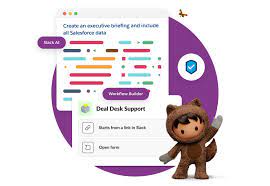
Salesforce’s Slack team collaboration tool extends beyond facilitating communication across channels; it empowers users to automate routine processes seamlessly through the Workflow Builder tool. This feature, available in Slack, offers a range of tools to streamline processes both within and outside Slack, all without the need for coding. Slack process automation improves the power and usage of the collaboration tool. The versatility of workflows is vast, accommodating simple to complex processes that can connect with various apps and services, not limited to Slack and Salesforce alone. With over 2,400 apps in the Slack App Directory, integration possibilities are extensive. Should a pre-built app fall short, customization options allow tailoring to specific business needs without the necessity for coding expertise. Building a workflow primarily requires identifying routine business processes suitable for automation, whether through app installation or custom Workflow Builder creation. The absence of coding prerequisites makes this accessible to a broader audience. Workflow Builder considers any series of sequential, repeatable tasks aimed at achieving a specific goal as a viable process for automation. Since Salesforce’s acquisition of Slack in 2021, the platform has become a pivotal collaboration tool within and beyond the Salesforce ecosystem. Its popularity has surged, particularly in remote-based work environments, where integrations with various applications synchronize data into Slack, providing a single, accurate source accessible to all team members. This, coupled with automation features directly accessible from the Slack app, significantly reduces manual task durations. Eight highly recommended Slack automations, facilitated through pre-built templates, cover various aspects, including recruiting, lead management, deal alerts, quote-to-invoice processes, project status tracking, time tracking, support case management, and even creative applications like hue light automation. Tectonic offers expertise in custom Slack integrations with Salesforce projects. Companies can explore how Slack enhances team collaboration and process automation by connecting with us. Slack Workflows Importantly, Slack workflows extend beyond Salesforce integration, working seamlessly with other platforms such as Zapier, Centro, Google Sheets, AttendanceBot, Polly, Datadog, Fellow, Automate.io, BirthdayBot, Jira, Workstreams, ToDoBot, Workast, Simple Poll, and more. The Workflow Builder feature enables the creation of predefined triggers and steps to automate processes directly within the Slack app. Triggers can be manually selected, initiated by emoticon selections, or set to run automatically. Once triggered, the workflow’s steps unfold in the selected order, allowing the seamless execution of various tasks. Process Automation in Slack The possibilities for automation using Workflow Builder in Slack are extensive, ranging from employee onboarding, customer support, content and communication review, to sales lead and marketing campaign management, request approval processes, and beyond. Slack, in conjunction with Tectonic, stands ready to bring these envisioned automations to life for organizations seeking enhanced efficiency and collaboration. Like Related Posts Who is Salesforce? Who is Salesforce? Here is their story in their own words. From our inception, we’ve proudly embraced the identity of Read more Salesforce Marketing Cloud Transactional Emails Salesforce Marketing Cloud Transactional Emails are immediate, automated, non-promotional messages crucial to business operations and customer satisfaction, such as order Read more Salesforce Unites Einstein Analytics with Financial CRM Salesforce has unveiled a comprehensive analytics solution tailored for wealth managers, home office professionals, and retail bankers, merging its Financial Read more AI-Driven Propensity Scores AI plays a crucial role in propensity score estimation as it can discern underlying patterns between treatments and confounding variables Read more

Read More
Salesforce Certifications

Writing Apex Code

Apex is a strongly typed, object-oriented programming language. Apex allows developers to execute flow and transaction control statements on the Lightning platform server in conjunction with calls to the Lightning Platform​ API. Writing Apex code makes valuable Salesforce tools available. Using syntax that looks like Java and acts like database stored procedures, Apex enables developers to add business logic to most system events, including button clicks, related record updates, and Visualforce pages. Apex code can be initiated by Web service requests and from triggers on objects. Writing Apex Code Apex is more similar to Java than javascript. There are different types of tools are available to write the code in Apex: How do you open the Apex code? Click Debug | Open Execute Anonymous Window to open the Enter Apex Code window and to open the code editor in a new browser window. To automatically open the resulting debug log when execution is complete, select Open Log. Note You can’t use the keyword static in anonymous code. The Developer Console There are several development environments for developing Apex code. The Developer Console and the Salesforce extensions for Visual Studio Code allow you to write, test, and debug your Apex code. The code editor in the user interface enables only writing code and doesn’t support debugging. The Developer Console is an integrated development environment with a collection of tools you can use to create, debug, and test applications in your Salesforce organization. The Developer Console supports these tasks: Like Related Posts Who is Salesforce? Who is Salesforce? Here is their story in their own words. From our inception, we’ve proudly embraced the identity of Read more Salesforce Marketing Cloud Transactional Emails Salesforce Marketing Cloud Transactional Emails are immediate, automated, non-promotional messages crucial to business operations and customer satisfaction, such as order Read more Salesforce Unites Einstein Analytics with Financial CRM Salesforce has unveiled a comprehensive analytics solution tailored for wealth managers, home office professionals, and retail bankers, merging its Financial Read more AI-Driven Propensity Scores AI plays a crucial role in propensity score estimation as it can discern underlying patterns between treatments and confounding variables Read more

Read More
Salesforce Success Story

Case Study: Automated CRM for Fundraising Development and Grants

The largest integrated, not-for-profit group practice in the world. Physicians and scientists from every medical specialty work in collaborative teams to advance discovery and translational research on behalf of patients. Client is a single institution located at three main campuses and over 70 smaller hospitals, laboratories and other facilities. Client’s unique, team-based approach to science is supported by world class resources, core facilities, and computing and other infrastructure. Automated CRM for Fundraising Development and Grants.

Read More
Understanding Salesforce Integration

Understanding Salesforce Integration

What is Salesforce Integration? Salesforce Integration is the process of connecting two or more systems to streamline workflows and enhance data consistency across platforms. Consider situations where vital information is stored in one system but also needed in another. By integrating these systems, you ensure seamless data flow, improve efficiency, and enable smooth business processes. Why is Integration Important? In today’s digital landscape, businesses must continuously enhance efficiency and customer experience to stay competitive. Operating in isolation is no longer an option. Effective system integration ensures faster, scalable, and more reliable operations. What is an API? An API (Application Programming Interface) enables different applications to communicate with each other. For instance, when you use a mobile app, it connects to the internet, retrieves data from a server, and displays it in a readable format. The right API ensures this process runs smoothly and efficiently. Different types of APIs will be discussed later in the Salesforce Integration Capabilities section. Types of Salesforce Integration Architectures Each integration architecture has advantages and drawbacks. Here are the three main types: 1. Point-to-Point Integration This is a one-to-one integration model where each system has a direct connection to another. For example, a sales application sends order details separately to a billing system, a shipping application, and a tracking system. However, this approach is costly to maintain and lacks scalability, as adding new integrations requires extensive modifications. 2. Hub-and-Spoke Integration With this model, a central hub facilitates communication between systems. Instead of creating multiple direct integrations, each system only connects to the hub. This setup simplifies management and scalability compared to point-to-point integration. 3. Enterprise Service Bus (ESB) Integration An evolution of the hub-and-spoke model, ESB uses an integration engine to connect various applications. ESB provides: Each system connects through an adapter, making it easy to scale integrations as business needs evolve. Salesforce Integration Capabilities Understanding APIs and integration capabilities is crucial. Here are key Salesforce integration tools: 1. REST API Best for web or mobile applications, REST API operates using: It uses JSON or XML and functions synchronously, meaning it waits for a response before proceeding. 2. SOAP API SOAP API is suited for back-end system integrations requiring structured payloads. It uses XML and supports asynchronous communication, meaning it can process requests without waiting for immediate responses. 3. Bulk API Designed for handling large data volumes, Bulk API efficiently processes up to 100 million records within a 24-hour period. It is asynchronous, making it ideal for initial data migrations and batch processing. 4. Streaming API Built on the publish/subscribe model, Streaming API supports near real-time data updates. It includes: This API is essential for event-driven architectures. 5. Outbound Messages This declarative option sends messages to external systems when triggered by workflow rules or approval processes. It is asynchronous but requires acknowledgment from the receiving system. 6. Web Service Callouts Salesforce can initiate outbound requests to external systems for data validation or process execution. These callouts require Apex coding and can be synchronous or asynchronous. 7. Salesforce Connect Salesforce Connect enables real-time data access from external systems without storing the data in Salesforce. This “data virtualization” reduces storage costs and ensures up-to-date information is available when needed. 8. Heroku Connect Heroku Connect synchronizes data between Salesforce and Postgres databases, making it ideal for high-volume applications where not all data needs to reside in Salesforce. Salesforce Integration Patterns Integration patterns define how systems interact. Consider: 1. Remote Call-In External systems retrieve, update, or delete Salesforce data (e.g., an order management system updating Salesforce records). 2. Request and Reply Salesforce calls an external system and waits for a response before proceeding (e.g., address validation services). 3. Fire and Forget Salesforce sends a request but does not wait for a response (e.g., outbound messages and platform events). 4. Batch Data Synchronization Data is periodically synchronized between Salesforce and external systems in bulk (e.g., nightly updates to a data warehouse). 5. UI Update Based on Data Changes Salesforce UI updates dynamically when backend data changes (e.g., real-time case status updates for support agents). 6. Data Virtualization Salesforce displays external data in real time without storing it, reducing storage costs and improving efficiency (e.g., Salesforce Connect). Conclusion Salesforce integration streamlines business processes, enhances efficiency, and improves data consistency. Understanding integration architectures, capabilities, and patterns helps businesses select the right approach for their needs. By leveraging Salesforce’s integration tools, organizations can achieve seamless connectivity across their technology ecosystem. Like Related Posts Who is Salesforce? Who is Salesforce? Here is their story in their own words. From our inception, we’ve proudly embraced the identity of Read more Salesforce Marketing Cloud Transactional Emails Salesforce Marketing Cloud Transactional Emails are immediate, automated, non-promotional messages crucial to business operations and customer satisfaction, such as order Read more Salesforce Unites Einstein Analytics with Financial CRM Salesforce has unveiled a comprehensive analytics solution tailored for wealth managers, home office professionals, and retail bankers, merging its Financial Read more AI-Driven Propensity Scores AI plays a crucial role in propensity score estimation as it can discern underlying patterns between treatments and confounding variables Read more

Read More
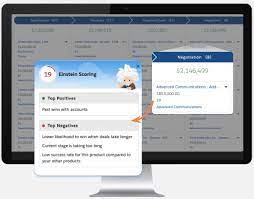
Einstein Opportunity Scoring Boosts Sales

Opportunities and List Views in Salesforce

Understanding Opportunities and List Views in Salesforce What Is an Opportunity? An opportunity in Salesforce represents a deal in progress. These records track key details such as the associated account, stakeholders, and potential sales value. Opportunities help sales teams manage pipelines and track revenue potential efficiently. To view and manage your opportunities, Salesforce provides list views, which display a collection of opportunity records. Since list views are dynamic, any updates to an opportunity automatically reflect in real time. Additionally, you can filter, customize, and visualize list views to streamline your workflow. Filtering Opportunities in a List View By default, your list view may show Recently Viewed opportunities. To switch to a different view: To remove all filters, simply click Remove All, then Save. Filtering becomes especially powerful when managing a large number of records. Try adding a new opportunity using the New button and adjust filters to see how they refine the view. You can always add more filters to further customize your list. Creating a New List View Note: Only users with the View Roles and Role Hierarchy permission can select from your org’s role list when editing public list view visibility. Customizing Displayed Fields This allows you to focus on the most relevant opportunity details at a glance. Visualizing Opportunities with Kanban By default, Kanban groups opportunities by Stage (opportunity status). To customize this: To return to the standard table view, click the Display as icon and select Table. Maximize Your Use of List Views Salesforce’s opportunity list views offer powerful filtering, customization, and visualization capabilities to help sales teams stay organized and efficient. Keep exploring different list view settings to optimize your workflow and better manage your deals. Like Related Posts Who is Salesforce? Who is Salesforce? Here is their story in their own words. From our inception, we’ve proudly embraced the identity of Read more Salesforce Marketing Cloud Transactional Emails Salesforce Marketing Cloud Transactional Emails are immediate, automated, non-promotional messages crucial to business operations and customer satisfaction, such as order Read more Salesforce Unites Einstein Analytics with Financial CRM Salesforce has unveiled a comprehensive analytics solution tailored for wealth managers, home office professionals, and retail bankers, merging its Financial Read more AI-Driven Propensity Scores AI plays a crucial role in propensity score estimation as it can discern underlying patterns between treatments and confounding variables Read more

Read More
gettectonic.com