Salesforce Sales Cloud Archives - gettectonic.com - Page 7
Salesforce Success Story

Case Study: Service Cloud Experience Cloud Federal Nonprofit Talent Acquisition

Military congressionally chartered, federally supported non-profit corporation that sustains and equips the armed forces. Client employs nearly 170,000 professionals to support and sustain the global mission of the armed forces. Service Cloud Experience Cloud Federal Nonprofit Talent Acquisition. Industry: Federal – Military Process Gaps: Client’s lack of a digital processes for talent acquisition hindered their ability to find and develop top-tier employees. The repository was incomplete, inaccurate, disconnected from other departments within the business ecosystem with no checks & balances in place – resulting into inefficient talent acquisition lifecycle that could not be tracked. Implemented : Technologies integrated : Our solution? Tectonic assisted with the successful implementation of Salesforce Sales Cloud, Experience Cloud, API Integrations and Advanced SF Security. Key activities included: Results: With Salesforce Public Sector Solutions, you can improve the provision of public services, expedite processes, and promote community trust and well-being. These solutions, which are specifically designed for government enterprises, use state-of-the-art technology to streamline workflows, guarantee compliance, and expedite operations. Discover the revolutionary potential of Salesforce in the areas of emergency program Salesforce offers digital transformation technology for government and public sector industries. If you are considering a Salesforce recruiting solution, contact Tectonic today. Like2 Related Posts Who is Salesforce? Who is Salesforce? Here is their story in their own words. From our inception, we’ve proudly embraced the identity of Read more Salesforce Marketing Cloud Transactional Emails Salesforce Marketing Cloud Transactional Emails are immediate, automated, non-promotional messages crucial to business operations and customer satisfaction, such as order Read more Salesforce Unites Einstein Analytics with Financial CRM Salesforce has unveiled a comprehensive analytics solution tailored for wealth managers, home office professionals, and retail bankers, merging its Financial Read more AI-Driven Propensity Scores AI plays a crucial role in propensity score estimation as it can discern underlying patterns between treatments and confounding variables Read more

Read More
Generative AI Regulations

Salesforce, Data Science, and Generative AI

Is Salesforce utilized in the field of data science? Salesforce data science and Generative AI Data Science-as-a-Service (DSaaS) democratizes access to machine learning through the Salesforce Data Management Platform, enabling widespread adoption of data science capabilities. Utilizing Salesforce for Data Science Empowerment: The integration of Salesforce into data science represents a transformative endeavor aimed at democratizing machine learning through Data Science-as-a-Service (DSaaS). By leveraging the Salesforce Data Management Platform, the objective is to empower individuals across various domains with the potential of data science. Democratization of Data Science: DSaaS introduces a versatile workbench that capitalizes on machine learning to refine segmentation, enhance activation strategies, and uncover deeper insights. Through robust analytics tools, users can gain profound insights into individual customer behaviors. Supported by a formidable 20-petabyte analytics environment and a real-time big data infrastructure, data-driven analytics are taken to unprecedented levels. Harnessing Modeling Resources: Data owners enjoy the flexibility to harness their data, algorithms, and models either within the Salesforce Data Management Platform or within their independent environments. Spearheading this initiative is the Salesforce Unified Intelligence Platform (UIP) team, constructing a centralized data intelligence platform aimed at enriching business insights, enhancing user experience, improving product quality, and optimizing operational efficiency, all while upholding the core value of trust embedded in the Salesforce platform. Salesforce Data Science and Generative AI Emphasizing Security and Design: Security stands as a cornerstone of the Salesforce platform, with the UIP’s evolution tracing back to a transition from a colossal Hadoop cluster to UIP in public clouds. The architectural journey prioritized data classification early on, engaging in meticulous reviews with legal and security experts to classify data intended for storage within UIP. Adopting the “zero-trust infrastructure” principle, the architecture is fortified against both internal and external threats, ensuring robust defense mechanisms against potential data breaches. Unlocking Data Science Potential through DSaaS: DSaaS serves as a catalyst in democratizing machine learning through the Salesforce Data Management Platform, spotlighting the pivotal role of data science in fostering generative AI and cultivating trustworthy AI. Data scientists play a critical role in ensuring data quality and organization to steer clear of issues such as biased or irrelevant outcomes. Navigating Data Science Challenges: Despite the transformative potential of data science, businesses encounter various challenges including managing diverse data sources, scarcity of skilled professionals, data privacy and security concerns, data cleansing complexities, and effectively communicating findings to non-technical stakeholders. Proposed Solutions: Addressing these challenges involves leveraging data integration tools, investing in the upskilling and reskilling of data professionals, implementing robust data privacy measures, employing data governance tools for data cleansing, and honing communication skills for reporting findings to non-technical stakeholders. The success of generative AI hinges on well-organized data, and data science is pivotal in achieving this. Whether utilizing AI tools built with the expertise of data scientists or building a data science team, businesses can navigate the evolving landscape of AI and data science with confidence. Content updated March 2024. Like1 Related Posts Who is Salesforce? Who is Salesforce? Here is their story in their own words. From our inception, we’ve proudly embraced the identity of Read more Salesforce Marketing Cloud Transactional Emails Salesforce Marketing Cloud Transactional Emails are immediate, automated, non-promotional messages crucial to business operations and customer satisfaction, such as order Read more Salesforce Unites Einstein Analytics with Financial CRM Salesforce has unveiled a comprehensive analytics solution tailored for wealth managers, home office professionals, and retail bankers, merging its Financial Read more AI-Driven Propensity Scores AI plays a crucial role in propensity score estimation as it can discern underlying patterns between treatments and confounding variables Read more

Read More
web content accessibility guidelines

Web Content Accessibility Guidelines

WCAG and ADA compliance While compliance with the Americans with Disabilities Act (ADA) and WCAG conformance have become almost synonymous over the years, it’s important to understand the distinction. Since WCAG itself is not a law, but a set of accessibility standards, there is no such thing as “compliance” with WCAG. However, WCAG was designed to help website owners achieve the level of accessibility that is required by laws like the ADA. It can be helpful to think of accessibility laws such as the ADA as the end destination—i.e., web accessibility for all—while WCAG maps out how to get there. Web content accessibility guidelines follow. Republished from www.w3.org Web Content Accessibility Guidelines Web Content Accessibility Guidelines (WCAG) 2.1 covers a wide range of recommendations for making Web content more accessible. Following these guidelines will make content more accessible to a wider range of people with disabilities, including accommodations for blindness and low vision, deafness and hearing loss, limited movement, speech disabilities, photosensitivity, and combinations of these, and some accommodation for learning disabilities and cognitive limitations; but will not address every user need for people with these disabilities. These guidelines address accessibility of web content on desktops, laptops, tablets, and mobile devices. Following these guidelines will also often make Web content more usable to users in general. WCAG 2.1 success criteria are written as testable statements that are not technology-specific. Guidance about satisfying the success criteria in specific technologies, as well as general information about interpreting the success criteria, is provided in separate documents. See Web Content Accessibility Guidelines (WCAG) Overview for an introduction and links to WCAG technical and educational material. WCAG 2.1 extends Web Content Accessibility Guidelines 2.0 [WCAG20], which was published as a W3C Recommendation December 2008. Content that conforms to WCAG 2.1 also conforms to WCAG 2.0. The WG intends that for policies requiring conformance to WCAG 2.0, WCAG 2.1 can provide an alternate means of conformance. The publication of WCAG 2.1 does not deprecate or supersede WCAG 2.0. While WCAG 2.0 remains a W3C Recommendation, the W3C advises the use of WCAG 2.1 to maximize future applicability of accessibility efforts. The W3C also encourages use of the most current version of WCAG when developing or updating Web accessibility policies. Status of This Document This section describes the status of this document at the time of its publication. A list of current W3C publications and the latest revision of this technical report can be found in the W3C technical reports index at https://www.w3.org/TR/. This is a Recommendation of WCAG 2.1 by the Accessibility Guidelines Working Group. This incorporates errata and are described in the change log. At some point additional changes might be incorporated into an Edited or Amended Recommendation. To comment, file an issue in the W3C WCAG GitHub repository. Although the proposed Success Criteria in this document reference issues tracking discussion, the Working Group requests that public comments be filed as new issues, one issue per discrete comment. It is free to create a GitHub account to file issues. If filing issues in GitHub is not feasible, send email to public-agwg-comments@w3.org (comment archive). This document was published by the Accessibility Guidelines Working Group as a Recommendation using the Recommendation track. W3C recommends the wide deployment of this specification as a standard for the Web. A W3C Recommendation is a specification that, after extensive consensus-building, is endorsed by W3C and its Members, and has commitments from Working Group members to royalty-free licensing for implementations. This document was produced by a group operating under the 1 August 2017 W3C Patent Policy. W3C maintains a public list of any patent disclosures made in connection with the deliverables of the group; that page also includes instructions for disclosing a patent. An individual who has actual knowledge of a patent which the individual believes contains Essential Claim(s) must disclose the information in accordance with section 6 of the W3C Patent Policy. This document is governed by the 12 June 2023 W3C Process Document. Requirements for WCAG 2.1 Introduction This section is non-normative. Background on WCAG 2 Web Content Accessibility Guidelines (WCAG) 2.1 defines how to make Web content more accessible to people with disabilities. Accessibility involves a wide range of disabilities, including visual, auditory, physical, speech, cognitive, language, learning, and neurological disabilities. Although these guidelines cover a wide range of issues, they are not able to address the needs of people with all types, degrees, and combinations of disability. These guidelines also make Web content more usable by older individuals with changing abilities due to aging and often improve usability for users in general. WCAG 2.1 is developed through the W3C process in cooperation with individuals and organizations around the world, with a goal of providing a shared standard for Web content accessibility that meets the needs of individuals, organizations, and governments internationally. WCAG 2.1 builds on WCAG 2.0 [WCAG20], which in turn built on WCAG 1.0 [WAI-WEBCONTENT] and is designed to apply broadly to different Web technologies now and in the future, and to be testable with a combination of automated testing and human evaluation. For an introduction to WCAG, see the Web Content Accessibility Guidelines (WCAG) Overview. Significant challenges were encountered in defining additional criteria to address cognitive, language, and learning disabilities, including a short timeline for development as well as challenges in reaching consensus on testability, implementability, and international considerations of proposals. Work will carry on in this area in future versions of WCAG. We encourage authors to refer to our supplemental guidance on improving inclusion for people with disabilities, including learning and cognitive disabilities, people with low-vision, and more. Web accessibility depends not only on accessible content but also on accessible Web browsers and other user agents. Authoring tools also have an important role in Web accessibility. For an overview of how these components of Web development and interaction work together, see: Where this document refers to WCAG 2 it is intended to mean any and all versions of WCAG that start with 2. WCAG

Read More
Sales Pipeline

Key Metrics of a Sales Pipeline

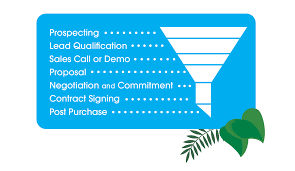
Key Metrics of a Sales Pipeline ensure you measure statistics that drive the needle to results. Initiate the optimization of your sales pipeline by incorporating vital elements that span distinct stages and pivotal metrics. Here are essential considerations: Lead Source: Determine how potential clients discover your business, whether through digital advertisements, print marketing, email campaigns, customer referrals, or alternative methods. Evaluate the effectiveness of each source in terms of conversion rates, enabling a focused approach on the most productive channels. Industry: Identify industries where your product resonates more effectively with clients. Concentrate marketing efforts on specific industries, tailoring strategies to align with their preferences and needs. Decision Makers Involved: Quantify the number of client-side contacts participating in the decision-making process. Customize strategies based on the roles of each contact, adapting approaches for CEOs, finance directors, or CTOs. Deal Size: Categorize buyers based on their willingness to invest, distinguishing between those with substantial budgets and those with more conservative ones. Tailor your presentations to accommodate the budget constraints and preferences of different segments. Probability to Close: Evaluate the likelihood of each lead transitioning into a customer. Consider factors like the sales pipeline stage, team interactions, and other criteria indicating the lead’s readiness to finalize a deal. Ensure the adaptability of your sales pipeline design, allowing for diverse analyses and inquiries. Regularly review and adjust your template to detect data anomalies, enabling the resolution of issues in your sales funnel and the maximization of opportunities to expedite your sales process. Key Metrics of a Sales Pipeline Like1 Related Posts Who is Salesforce? Who is Salesforce? Here is their story in their own words. From our inception, we’ve proudly embraced the identity of Read more Salesforce Marketing Cloud Transactional Emails Salesforce Marketing Cloud Transactional Emails are immediate, automated, non-promotional messages crucial to business operations and customer satisfaction, such as order Read more Salesforce Unites Einstein Analytics with Financial CRM Salesforce has unveiled a comprehensive analytics solution tailored for wealth managers, home office professionals, and retail bankers, merging its Financial Read more AI-Driven Propensity Scores AI plays a crucial role in propensity score estimation as it can discern underlying patterns between treatments and confounding variables Read more

Read More
Salesforce Sales Cloud

Salesforce Sales Cloud GPT

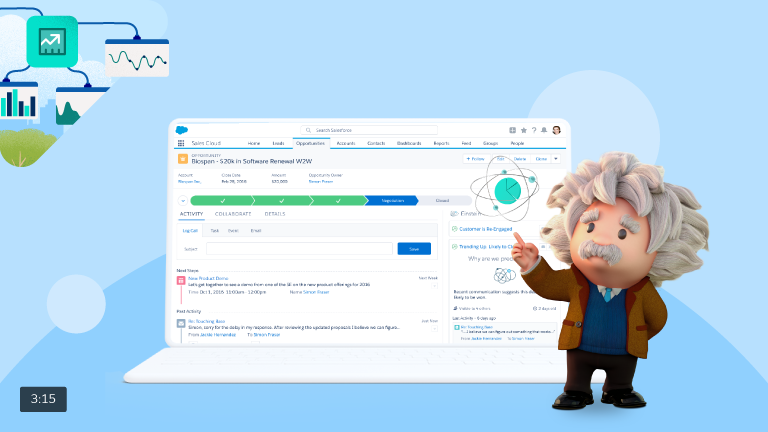
What is Salesforce Sales Cloud GPT? Salesforce’s Einstein GPT is a robust AI tool that seamlessly integrates both public and private AI models with CRM data. This unique synergy allows users to articulate natural-language queries directly within the Salesforce CRM environment, resulting in continuously adapted AI-generated content tailored to evolving customer information and requirements. Salesforce Sales Cloud GPT The suite encompasses a suite of powerful Artificial Intelligence (AI) products, including the Einstein service, the workplace-messaging app Slack, and the data analysis software Tableau. Notably, it unveils a compelling array of natural language tools slated for release in 2023, such as Sales GPT for personalized emails, Service GPT for service messages and chatbots, and Marketing GPT for refined audience targeting. Furthermore, the AI Cloud is meticulously crafted to host extensive language models from various providers such as AWS, Anthropic, and Cohere. Salesforce’s commitment to AI startups is further underscored by a substantial $500 million injection into its venture capital fund. Impact on Sales Cloud with AI and EinsteinGPT: Sales Cloud undergoes a transformative impact through AI, notably EinsteinGPT. Anchored in principles of Trust, Security, and Privacy, Salesforce introduces the Einstein Trust Layer within its AI Cloud offering to assuage privacy concerns. This layer ensures adaptability and transparency while upholding stringent standards for data privacy, security, and compliance. EinsteinGPT for Sales Cloud emerges as a game-changing innovation, serving as a personalized assistant within Salesforce CRM to streamline sales processes. Leveraging Generative AI, it transcends mere data analysis by generating novel content, ideas, and approaches. Key features encompass Einstein GPT, Einstein Conversation Insights, and Einstein Relationship Insights. Industries Experience Tangible Impact: Salesforce’s substantial investments in AI are reshaping the landscape of sales and customer engagement. As EinsteinGPT becomes an integral part of the platform, the anticipation of new and innovative use cases signals a significant leap forward in AI accessibility. Tectonic is please to announce our Sales Cloud Implementation Solutions. Like1 Related Posts Who is Salesforce? Who is Salesforce? Here is their story in their own words. From our inception, we’ve proudly embraced the identity of Read more Salesforce Marketing Cloud Transactional Emails Salesforce Marketing Cloud Transactional Emails are immediate, automated, non-promotional messages crucial to business operations and customer satisfaction, such as order Read more Salesforce Unites Einstein Analytics with Financial CRM Salesforce has unveiled a comprehensive analytics solution tailored for wealth managers, home office professionals, and retail bankers, merging its Financial Read more AI-Driven Propensity Scores AI plays a crucial role in propensity score estimation as it can discern underlying patterns between treatments and confounding variables Read more

Read More
Use Salesforce Data Protection Services

Use Salesforce Data Protection Services

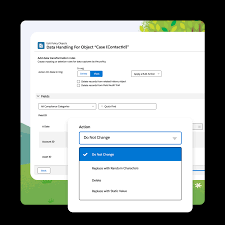
Ensuring Data Security in Salesforce: Use Salesforce Data Protection Services How is Data Protected in Salesforce? Salesforce.com employs cutting-edge Internet security technology, including Secure Socket Layer (SSL) with server authentication and data encryption, ensuring the protection of user information during access via supported web browsers. Why Use Salesforce Data Protection Services? Data Security is imperative to meet evolving privacy standards and safeguard sensitive information shared over the internet. Unauthorized access could pose significant risks to the entire organization, making data security a crucial aspect. Salesforce GDPR Certification: Yes, Salesforce is GDPR certified, as confirmed in Section 11 of the Data Processing Addendum, where Salesforce commits to providing reasonable assistance to customers. Salesforce CCPA Compliance with Customer 360: Salesforce 360 facilitates CCPA compliance by seamlessly connecting Marketing Cloud to Sales Cloud, ensuring a cohesive flow of customer data across the organization. Introduction to Salesforce Shield: Salesforce Shield comprises three security tools – Shield Platform Encryption, Event Monitoring, and Field Audit Trail – embedded into critical business applications to enhance trust, compliance, and governance. Data Protection and Privacy Regulations: Salesforce assists companies in complying with various data protection and privacy regulations, including GDPR, CCPA, PIPA, LGPD, PIPEDA, and more, offering guidance on common privacy principles. Guidance for Data Management and Privacy Compliance: Salesforce provides tools for efficient data management and privacy compliance, covering aspects such as data deletion, consent management, restriction of processing, data access and portability, and privacy center functionalities. Encryption of Data at Rest with Salesforce Shield Platform Encryption: Salesforce Shield Platform Encryption encrypts data at rest within servers, databases, search index files, and the file system, preserving functionality and ensuring secure storage. Use Salesforce Data Protection Services: To enable Data Privacy and Protection in Salesforce, users can navigate through Lightning Experience or Salesforce Classic, accessing the setup and entering “Data Protection and Privacy” in the Quick Find box. Various Data Security Settings in Salesforce: Salesforce offers multiple data security settings, including Object-Level Security through profiles, Permission Sets, Permission Set Groups, Ownership-Based Sharing Rules, Criteria-Based Sharing Rules, and Guest User Sharing Rules. Salesforce Data Ownership and Digital Chain of Custody: Salesforce Data Ownership involves maintaining a Digital Chain of Custody, ensuring meticulous tracking of data through each replication process. This guarantees data remains under control and protected at all times. Salesforce and DLP Functionality: Salesforce does not have built-in Data Loss Prevention (DLP) functionality. It relies on third-party apps like Nightfall to provide DLP capabilities, crucial for maintaining compliance with regulations such as HIPAA and PCI. Like Related Posts Who is Salesforce? Who is Salesforce? Here is their story in their own words. From our inception, we’ve proudly embraced the identity of Read more Salesforce Marketing Cloud Transactional Emails Salesforce Marketing Cloud Transactional Emails are immediate, automated, non-promotional messages crucial to business operations and customer satisfaction, such as order Read more Salesforce Unites Einstein Analytics with Financial CRM Salesforce has unveiled a comprehensive analytics solution tailored for wealth managers, home office professionals, and retail bankers, merging its Financial Read more AI-Driven Propensity Scores AI plays a crucial role in propensity score estimation as it can discern underlying patterns between treatments and confounding variables Read more

Read More
Salesforce Einstein

Customize Forecast Insights

Tailor your forecasts page to align with your specific business requirements by leveraging Lightning App Builder. Craft bespoke forecasts pages that integrate all necessary information crucial for your sales leaders to generate precise forecasts tailored to your unique business demands. Construct pages comprising both standard and custom components meticulously tailored to complement your distinct sales processes. Customize Forecast Insights in Salesforce. For precise forecasting based on the Opportunity, Opportunity Product, or Line Item Schedule objects, utilize a custom number field as a measure. The forecasts grid provides insights into forecasts for individual months or quarters and offers flexibility in defining the range of months or quarters, catering to your preferences. While a default one-month forecast period is established, it can be adjusted as needed to suit your requirements. Forecast categories categorize opportunities within the sales cycle based on their respective opportunity stages. Standard forecast categories such as Pipeline, Best Case, Commit, Omitted (excluded from forecasts), and Closed are available. Salesforce administrators can further enhance forecasting capabilities by introducing a Most Likely category in Lightning Experience and renaming categories for both single category rollups and cumulative category rollup scenarios. Customize Forecast Insights to see the information most important. Different users can have different views. To modify forecast categories in Salesforce: Customize the presentation of standard and custom forecast columns on the forecasts page, allowing for tailored visualization. For instance, arrange a custom Most Likely column to be positioned alongside the Open Pipeline column. For adjusting forecasts in Salesforce: Like Related Posts Who is Salesforce? Who is Salesforce? Here is their story in their own words. From our inception, we’ve proudly embraced the identity of Read more Salesforce Marketing Cloud Transactional Emails Salesforce Marketing Cloud Transactional Emails are immediate, automated, non-promotional messages crucial to business operations and customer satisfaction, such as order Read more Salesforce Unites Einstein Analytics with Financial CRM Salesforce has unveiled a comprehensive analytics solution tailored for wealth managers, home office professionals, and retail bankers, merging its Financial Read more AI-Driven Propensity Scores AI plays a crucial role in propensity score estimation as it can discern underlying patterns between treatments and confounding variables Read more

Read More
Google Analytics and Salesforce Integration

Google Analytics and Salesforce Integration

Syncing Google Analytics Data to CRM Analytics To integrate Google Analytics and Salesforce Integration using the Google Analytics connector, follow these steps: Important Note: As of July 1, 2023, the main product Google Analytics has been decommissioned and replaced with the new product Google Analytics 4 (GA4). The Salesforce announcement GA4 Set to Replace Universal Analytics gives an overview on this. Creating a Connection Required Settings: Google Analytics 4 Integration To sync Google Analytics 4 data to Salesforce Data Pipelines: Connector Considerations: Google Analytics Salesforce Sales Cloud Integration User Identification Analytics provides two methods to identify users: Required Salesforce Sales Cloud Objects and Fields: Integration Steps: Testing and Viewing Imported Data: Notes: Google Data Studio and Salesforce Integration Connecting Salesforce with Google Data Studio allows for powerful visualizations that combine sales and marketing data. This integration helps in understanding which channels generate the most leads and income. Google Analytics 4 Connection Setup: Connection Details: Advanced Properties: Considerations: By following these steps, you can seamlessly integrate Google Analytics data into your CRM Analytics and Salesforce Data Pipelines, ensuring robust data analysis and informed decision-making. Decide How to Identify Your Users: Analytics offers two ways to programmatically identify your users: Client ID and User-ID. To support Data Import for Salesforce Sales Cloud, you must implement Client ID. You may optionally choose to also implement User-ID. Client ID pseudonymously identifies a browser instance and is best suited for businesses focused on lead generation and new customer acquisition. User-ID enables the analysis of groups of sessions, across devices, using a unique, persistent, and non-personally identifiable ID string representing a user. This option is best for businesses with high rates of logged-in users. How to Import CRM/ERP Data with Google Analytics 4 Using a CSV File: Transitioning to Google Analytics 4: As of March 2023, Google has automatically created GA4 properties for users unless they opt-out. Until July 1, 2023, you can continue to use and collect new data in your Universal Analytics properties. After this date, you must export your historical reports as Universal Analytics will be phased out. How Does Google Help Salesforce Marketing Cloud Users? Google Analytics provides invaluable insights into user behavior, helping Salesforce Marketing Cloud users optimize campaigns and understand customer journeys. Integration with the Google platform allows businesses to combine offline sales data with digital analytics, optimizing digital marketing strategies and improving campaign effectiveness. Additional Integration: Using datasets from Google Analytics and Google BigQuery, businesses can create interactive Tableau CRM dashboards to visualize campaign activities and performance metrics. By following these guidelines, organizations can leverage Google Analytics data effectively within their Salesforce ecosystem, enhancing decision-making and strategic planning. Content updated July 2024. Like1 Related Posts Who is Salesforce? Who is Salesforce? Here is their story in their own words. From our inception, we’ve proudly embraced the identity of Read more Salesforce Marketing Cloud Transactional Emails Salesforce Marketing Cloud Transactional Emails are immediate, automated, non-promotional messages crucial to business operations and customer satisfaction, such as order Read more Salesforce Unites Einstein Analytics with Financial CRM Salesforce has unveiled a comprehensive analytics solution tailored for wealth managers, home office professionals, and retail bankers, merging its Financial Read more AI-Driven Propensity Scores AI plays a crucial role in propensity score estimation as it can discern underlying patterns between treatments and confounding variables Read more

Read More
Salesforce Data Cloud Explained

Salesforce Data Cloud Explained

Salesforce Data Cloud, previously recognized as Salesforce CDP/Genie, made its debut at Dreamforce 2022, hailed by Salesforce as one of the most significant innovations in the company’s history. A hyperscale data platform built into Salesforce. Activate all your customer data across Salesforce applications with Data Cloud. Data Cloud facilitates the intake and storage of real-time data streams on a massive scale, empowering automated tasks that result in highly personalized experiences. Data can be sourced from diverse Salesforce data outlets, including Mulesoft, Marketing Cloud, and others, along with customers’ proprietary applications and data sources. Subsequently, it can dynamically respond to this real-time data by automating actions across Salesforce CRM, Marketing Cloud, Commerce, and more, inclusive of automating actions through Salesforce Flow. What is the Salesforce data cloud? Data Cloud is the fastest growing organically built product in Salesforce’s history (i.e. Salesforce built it themselves, not via acquisitions). Data Cloud could be described as the ‘Holy Grail of CRM’, meaning that the data problem that’s existed since the infancy of CRM is now finally solvable. Data Cloud is the foundation that speeds up the connectivity between different ‘clouds’ across the platform. However, Data Cloud is also a product that can be purchased. While not all Salesforce customers have licensed Data Cloud, being at the foundation means they are still taking advantage of Data Cloud to a degree – but this all becomes even stronger with Data Cloud as a personalization and data unification platform. What is the history of Data Cloud? Salesforce has gone through several iterations with naming its CDP product: Customer 360 Audiences → Salesforce CDP → Marketing Cloud Customer Data Platform → Salesforce Genie → Salesforce Data Cloud. In some instances, changes were made because the name just didn’t stick – but what’s more important to note, is that some of the name changes were to indicate the significant developments that happened to the product. Salesforce Data Cloud Differentiators Data Cloud, in itself, is impressive. While many organizations would consider it expensive, if you were to flip the argument on its head, by buying your own data warehouse, building the star schema, and paying for ongoing compute storage, you’d be looking to spend 5 to 10 times more than what Salesforce is charging for Data Cloud. Plus, data harmonization works best when your CRM data is front and center. There are other key differentiators that helps Data Cloud to stand out from the crowd: Is data cloud a data lakehouse? That means that Data Cloud is now not just a really good CDP, it’s now a data lake which will be used in sales and service use cases. But it also means that we can start to fundamentally move some of our higher-scale consumer products like Marketing and Commerce onto the platform. Is Snowflake a data Lakehouse? Snowflake offers customers the ability to ingest data to a managed repository, in what’s commonly referred to as a data warehouse architecture, but also gives customers the ability to read and write data in cloud object storage, functioning as a data lake query engine. What is the benefit of Salesforce data cloud? Data Cloud empowers Salesforce Sales Cloud with AI capabilities and automation that quickly closes deals and boosts productivity across every channel. It drives customer data from all the touchpoints and unifies it separately in individual customer profiles. Salesforce Data Cloud is a powerful data warehouse solution that allows companies to effectively manage and analyze their data. What is the difference between Salesforce CDP and data lake? Talking abut Salesforce CDP is a little bit like a history lesson. While a CDP provides a unified, structured view of customer data, a data lake, on the other hand, is more of a raw, unstructured storage repository that holds a vast amount of data (more than just customer data) in its native format until it’s needed. Like1 Related Posts Who is Salesforce? Who is Salesforce? Here is their story in their own words. From our inception, we’ve proudly embraced the identity of Read more Salesforce Marketing Cloud Transactional Emails Salesforce Marketing Cloud Transactional Emails are immediate, automated, non-promotional messages crucial to business operations and customer satisfaction, such as order Read more Salesforce Unites Einstein Analytics with Financial CRM Salesforce has unveiled a comprehensive analytics solution tailored for wealth managers, home office professionals, and retail bankers, merging its Financial Read more AI-Driven Propensity Scores AI plays a crucial role in propensity score estimation as it can discern underlying patterns between treatments and confounding variables Read more

Read More
Channels and Tactics Redefine Customer Engagement

Channels and Tactics Redefine Customer Engagement

In today’s digital era, data is the core of enterprises, transforming actionable insights from a secondary role to a mission-critical element. Channels and Tactics Redefine Customer Engagement for nearly everyone. Marketers are investing heavily in tools and technologies that unify data, enabling brands to create unique customer profiles, automate campaigns, and scale personalized strategies effectively. While customer relationship management (CRM) systems are widely popular, marketers use a variety of tools to maintain relationships throughout the customer lifecycle. Notably, 89% of B2B and B2B2C marketers utilize account-based marketing platforms to conduct targeted campaigns in collaboration with their sales and service teams. To meet the growing demand for data-driven, personalized, and scalable customer experiences, over half of marketers have adopted artificial intelligence (AI). Additionally, 90% use CRM systems, 89% employ account-based marketing platforms, and 62% leverage AI. Marketers are keenly aware of customer trends and are experimenting with new digital channels to connect with their audience. Chief Marketing Officers (CMOs) cite customer preferences and expectations as the primary drivers of digital strategy. Recognizing the dominance of streaming services in the media landscape, marketers are increasingly using TV and over-the-top (OTT) platforms to reach prospects and customers. Video remains a crucial component of the marketing mix, with both pre-produced and livestream videos gaining traction. As customers show a growing preference for online engagement, marketers are leveraging a wide range of interactive and user-generated content to satisfy this demand. Interactive content and livestream videos, in particular, have experienced the most significant annual growth. Channels and Tactics Redefine Customer Engagement and that is not likely to change any time soon. Like Related Posts Who is Salesforce? Who is Salesforce? Here is their story in their own words. From our inception, we’ve proudly embraced the identity of Read more Salesforce Marketing Cloud Transactional Emails Salesforce Marketing Cloud Transactional Emails are immediate, automated, non-promotional messages crucial to business operations and customer satisfaction, such as order Read more Salesforce Unites Einstein Analytics with Financial CRM Salesforce has unveiled a comprehensive analytics solution tailored for wealth managers, home office professionals, and retail bankers, merging its Financial Read more AI-Driven Propensity Scores AI plays a crucial role in propensity score estimation as it can discern underlying patterns between treatments and confounding variables Read more

Read More
Salesforce Success Story

Case Study: Higher Education Software Provider-Higher Education Intelligence-Salesforce Sales/Service/Experience Clouds

Salesforce in a Higher Education Intelligence Solutions Company Leveraging Salesforce to Support Acquisition and High Organic Growth Industry: Educational Technology Sales Cloud Service Cloud Experience Cloud salesforce higher ed software provider A Higher Education Software Provider, formed via multiple acquisitions, services more than 1,700 higher education institutions with educational solutions for assessment and accreditation planning, learning outcome, ePortfolios, faculty activity reporting, course evaluation and institutional surveys, and curriculum and catalog management.  Salesforce higher ed software provider. Salesforce Higher Ed Software Provider PROBLEM SOLUTION RESULT Like Related Posts Salesforce Marketing Cloud Transactional Emails Salesforce Marketing Cloud Transactional Emails are immediate, automated, non-promotional messages crucial to business operations and customer satisfaction, such as order Read more Asset Management Salesforce Can Salesforce do asset management? You can manage assets in Consumer Goods (desktop) and in the Consumer Goods offline mobile Read more Lookup Relationship in Salesforce What is Lookup relationship in Salesforce? Salesforce’s lookup relationships is a significant capability that allows users to connect two objects Read more Listview in Salesforce What is a listview in Salesforce? A list view is a filtered list of records where you can view records Read more

Read More
Sales Cloud Einstein

Einstein Activity Capture

Einstein Activity Capture is a productivity-boosting tool that helps keep data between Salesforce and your email and calendar applications up to date. Note: Starting in late 2023, existing EAC services and data are migrating to Hyperforce. What is the difference between Salesforce Inbox and EAC? Salesforce Inbox excels in providing a unified email and calendar management interface, while EAC automates activity tracking and delivers AI-driven insights. Assess your specific sales requirements, budget, and preferences to determine which solution aligns best with your needs. What is the difference between lightning sync and Einstein activity capture? EAC has the same functionality as Lightning Sync, but it also automatically logs emails (both incoming and outgoing) in addition to events. EAC works in the background as well, so no user intervention is required. Does Einstein activity capture automatically log emails? Einstein Activity Capture (EAC) is part of the Sales Cloud family. It uses the power of AI to automatically log events and emails against their respective Salesforce records and can also sync Contacts from Gmail or Outlook. Why use Einstein activity capture? EAC is a productivity-boosting tool that helps keep data between Salesforce and your email and calendar applications up to date. How long does EAC store emails? The default is 24 months. The amount can range from 3 months to 5 years. How do I delete emails from EAC? To delete activity by email address: Does EAC sync contacts? EAC can sync up to 50,000 contacts per user. An additional non-syncing contact is picked up for sync only when one of the 50,000 stops syncing. What is the difference between EAC and Gmail integration? The main difference between these two is that Salesforce Gmail integration and Salesforce Inbox are both designed to providing users with Salesforce data and functionality within their email interface, while EAC focuses on automating data entry. What is the limit of Einstein activity capture? If you have only standard EAC users, a maximum of 6 months of captured activity data is stored and displayed on the activity timeline. Like1 Related Posts Who is Salesforce? Who is Salesforce? Here is their story in their own words. From our inception, we’ve proudly embraced the identity of Read more Salesforce Marketing Cloud Transactional Emails Salesforce Marketing Cloud Transactional Emails are immediate, automated, non-promotional messages crucial to business operations and customer satisfaction, such as order Read more Salesforce Unites Einstein Analytics with Financial CRM Salesforce has unveiled a comprehensive analytics solution tailored for wealth managers, home office professionals, and retail bankers, merging its Financial Read more AI-Driven Propensity Scores AI plays a crucial role in propensity score estimation as it can discern underlying patterns between treatments and confounding variables Read more

Read More
gettectonic.com