Salesforce Service Cloud Archives - gettectonic.com - Page 6
Salesforce Success Story

Case Study: Leading Provider of Branded, Designed Solutions Worldwide-Manufacturing-Salesforce Sales/Service/Experience Clouds

Leading provider of branded, designed solutions (laminate) for commercial and residential customers worldwide.  The company has been surfacing spaces for 110 years. Client struggled with no real ability to see a 360 degree view of the business.

Read More
Salesforce Customer Service Analytics

Salesforce Customer Service Analytics

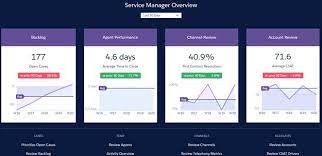
Customer service analytics involves capturing and analyzing data from customer interactions to extract valuable insights, enhancing the overall customer experience. The customer behavior analytics aspect focuses on data derived from various touchpoints in customer relationships. In today’s complex customer journey, understanding and optimizing these interactions are more crucial than ever. Envision dedicating just 10 minutes each morning, whether as a service manager reviewing critical Key Performance Indicators (KPIs) or as a service agent predicting customer churn probabilities and taking preventive measures. These scenarios vividly showcase the practical applications of modern customer service analytics. On a daily basis, your contact center receives a plethora of customer inquiries, generating a substantial pool of data with the potential to drive business growth. The State of Service underscores that 94% of service leaders view real-time data as indispensable for meeting customer expectations, with a notable 60% increase in expectations observed during recent global events. These statistics lead to a clear conclusion: Service teams leveraging customer service analytics as a catalyst for championing customer satisfaction are well-positioned to secure brand loyalty and more. To harness these benefits, here’s what you need to know: Make your service analytics smarter Introducing Service Intelligence, an advanced analytics app for Service Cloud, empowering you with actionable insights and AI-driven recommendations for informed decision-making. Understanding customer service analytics Customer service analytics involves assessing data generated by service interactions, encompassing various sources like phone calls, emails, chats, social media, and customer surveys. This data falls into quantitative and qualitative categories, providing measurable facts and insights into sentiments, feedback, and customer preferences. As businesses grow, customer service analytics distills this data into valuable information, revealing customer preferences, potential improvements, and opportunities for increased operational efficiency. Salesforce’s analytics tool: Service Intelligence for Service Cloud Overcoming the challenges of data analysis is crucial, as highlighted in the State of Data and Analytics report. While 96% of service leaders acknowledge the importance of trustworthy data during change, only 44% consider themselves highly data-driven. Salesforce’s Service Intelligence addresses this gap, helping you quickly make sense of all your data and gain trusted insights. Service Intelligence encompasses various analytics types: Leveraging these analytics types allows you to optimize service operations, from understanding recent events with omni-channel analytics to forecasting staffing needs with predictive analytics. Turn customer interactions into insights that help your business improve with service intelligence. Every day, we generate 2.5 quintillion bytes of data (as recorded in 2020). Businesses use social media, algorithms, and other tools to organize this data, aiming to achieve their goals. Customer service analytics plays a crucial role in identifying patterns, understanding consumer behavior, increasing customer loyalty, and improving the overall customer experience. Seventy-six percent of business leaders, according to a Forbes Insights Survey, believe that a company’s ability to satisfy its customers is essential to survival. Measurement is the first step in strategizing and improving Customer Experience (CX). Your brand can enhance customer experience and build enduring relationships by measuring and analyzing client data wisely. AI and customer service analytics AI powers many analytics functions by rapidly analyzing vast amounts of customer data, offering insights into behavior, preferences, and trends. To unleash AI’s potential, ensure your customer data is connected and unified. AI transforms clean, reliable data into intelligent predictions and recommendations, enhancing service quality. AI’s ability to handle complex data aligns with future trends, as 68% of data professionals anticipate a significant increase in data volume in the next 12 months. Effective data management becomes crucial as data volumes surge. Benefits of tracking customer service analytics Customer service analytics offers several advantages: What to measure for customer service analytics While customer service analytics is broad, defining Key Performance Indicators (KPIs) is essential. Consider metrics such as Customer Satisfaction (CSAT), Net Promoter Score (NPS), Customer Effort Score (CES), Average Response Time (ART), Average Handle Time (AHT), First Contact Resolution, Case Deflection, Agent Case Volume, Customer Lifetime Value (CLV), Customer Retention Rate, and Sentiment Analysis. Salesforce Customer Service Analytics Use Cases Beyond individual teams, support conversation analysis has numerous use cases for customer experience research, CX enhancements, and time-saving procedures for the entire business. Common use cases include: Get started with customer service analytics Follow these steps to harness the power of customer service analytics: Customer service analytics, as a powerful tool, drives satisfaction and business success through data-driven decision-making. As 48% of customers admit to switching brands for better customer service, and 94% believe good service increases the likelihood of another purchase, prioritizing data-driven insights becomes crucial. Start with Salesforce Customer Service Analytics to deliver fast, efficient service Every customer interaction is full of data. Learn how to make sense of all that data to boost agent productivity, cut costs, and enhance customer satisfaction. Tectonic is please to announce Salesforce Service Cloud Implementation Solutions. Like1 Related Posts Asset Management Salesforce Can Salesforce do asset management? You can manage assets in Consumer Goods (desktop) and in the Consumer Goods offline mobile Read more Lookup Relationship in Salesforce What is Lookup relationship in Salesforce? Salesforce’s lookup relationships is a significant capability that allows users to connect two objects Read more What is Salesforce? Salesforce is cloud-based CRM software. It makes it easier for companies to find more prospects, close more deals, and connect Read more Generating Documents in Salesforce Salesforce document generation poses a challenge for businesses, given the intricacies of integration involved. Fortunately, a variety of tools are Read more

Read More
Salesforce Success Story

Case Study: Large State Travel-Nonprofit and Hospitality/Travel-Salesforce Service/Experience Clouds

Transform into a Modern Data Driven Organization: case study nonprofit hospitality salesforce Largest Non-Profit Travel / Trade Organization moves to the cloud and adopts Salesforce and Google Cloud Platform to improve Operations and Marketing Industry: Government – Travel / Hospitality Service Cloud Experience Cloud case study nonprofit hospitality salesforce The largest nonprofit travel and Trade organization, is self-tasked with developing and maintaining marketing programs to further develop tourism in this large State. PROBLEM SOLUTION RESULTS Like2 Related Posts Who is Salesforce? Who is Salesforce? Here is their story in their own words. From our inception, we’ve proudly embraced the identity of Read more Salesforce Marketing Cloud Transactional Emails Salesforce Marketing Cloud Transactional Emails are immediate, automated, non-promotional messages crucial to business operations and customer satisfaction, such as order Read more Salesforce Unites Einstein Analytics with Financial CRM Salesforce has unveiled a comprehensive analytics solution tailored for wealth managers, home office professionals, and retail bankers, merging its Financial Read more AI-Driven Propensity Scores AI plays a crucial role in propensity score estimation as it can discern underlying patterns between treatments and confounding variables Read more


Read More
Salesforce Success Story

Case Study: Large Restaurant Entity-Salesforce Sales/Service/Experience Clouds

An American chain store of bakery-cafe fast food restaurants with over 2,000 locations, all of which operate in 48 states, the District of Columbia and Canada. The restaurant offers a sit-down restaurants (some with drive-throughs) where customers can enjoy a variety of freshly made sandwiches on your choice of bread, accompanied by soup or salad. Salesforce Case Study: Transforming  a Large Restaurant Entity by leveraging Salesforce. Sales Cloud Service Cloud Experience Cloud Implementation PROBLEM SOLUTION RESULTS . Like2 Related Posts Who is Salesforce? Who is Salesforce? Here is their story in their own words. From our inception, we’ve proudly embraced the identity of Read more Salesforce Marketing Cloud Transactional Emails Salesforce Marketing Cloud Transactional Emails are immediate, automated, non-promotional messages crucial to business operations and customer satisfaction, such as order Read more Salesforce Unites Einstein Analytics with Financial CRM Salesforce has unveiled a comprehensive analytics solution tailored for wealth managers, home office professionals, and retail bankers, merging its Financial Read more AI-Driven Propensity Scores AI plays a crucial role in propensity score estimation as it can discern underlying patterns between treatments and confounding variables Read more
Read More
Salesforce Service Console

Salesforce Service Console

The Service Console serves as a standard Salesforce Lightning console app designed to cater to various service requirements, allowing customization for a personalized touch. What defines the service console? The Salesforce Service Console stands as the central interface within the Salesforce Service Cloud, a dedicated application for customer service, support, and customer experience. This unified console empowers agents by providing a comprehensive view of all pertinent customer information linked to a particular case or customer support incident. Streamlining case management: The split view feature enables agents to handle multiple cases on a single screen, with a preconfigured, three-column layout consolidating essential information and minimizing clicks and scrolling. Column 1 displays case details, contact information, and related cases for the parent account via Related Record and Related List Single components. Column 2 presents a prominent highlights panel with a compact case feed for efficient case updates. Column 3 incorporates related lists and relevant Knowledge articles for the case. Enhanced details tracking: The preconfigured utility bar facilitates quick access to History and Notes, with customization options to include additional tools such as Macros, Omni-Channel, and Open CTI Softphone. The Actions & Recommendations component provides users with a to-do list, showing flows, quick actions, and recommendations based on Next Best Action strategies. Noteworthy features of Salesforce console for service: While the Lightning console apps offer substantial benefits, some features present in Salesforce Classic console apps, such as push notifications and custom keyboard shortcuts, are not yet available in Lightning console apps. Benefits of Salesforce console: The console proves beneficial for both Sales and Service roles, allowing support agents to handle multiple applications concurrently and maintain context as priorities shift. Sales representatives can effortlessly access tools to nurture leads, close deals, and manage relationships. Understanding Salesforce Lightning console: The Lightning Sales Console serves as a standard Salesforce Lightning app that consolidates various sales tools, providing easy access for prospecting leads, closing deals, and relationship management. Distinguishing Service and Service Console in Salesforce: Service Cloud encompasses the entire Salesforce instance or organization, while the Service Console is one of the apps within the Service Cloud. Accessed through Apps, the Service Console operates as a tab-based workspace, facilitating the management of multiple records on a single screen. Reach out to Tectonic today to discuss adding the Service Console to your Sales Cloud. Like1 Related Posts Asset Management Salesforce Can Salesforce do asset management? You can manage assets in Consumer Goods (desktop) and in the Consumer Goods offline mobile Read more Lookup Relationship in Salesforce What is Lookup relationship in Salesforce? Salesforce’s lookup relationships is a significant capability that allows users to connect two objects Read more What is Salesforce? Salesforce is cloud-based CRM software. It makes it easier for companies to find more prospects, close more deals, and connect Read more Generating Documents in Salesforce Salesforce document generation poses a challenge for businesses, given the intricacies of integration involved. Fortunately, a variety of tools are Read more

Read More
Caseworker Productivity Dashboard

Caseworker Productivity Dashboard in Salesforce

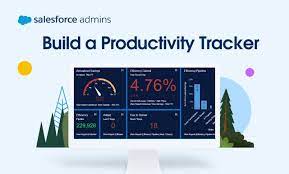
Gain Insights into Caseworker Efficiency and Community Impact Leverage Caseworker Productivity analytics to effectively manage workloads and make data-driven staffing decisions based on caseloads and case patterns. Provide supervisors with valuable insights into caseload distribution, caseworker performance, and case processing times to enhance overall caseworker productivity and efficiency. Visualize the community impact of your team by showcasing the number of beneficiaries assisted and the total benefits disbursed. Where: This enhancement is applicable to Lightning Experience in Enterprise, Performance, Unlimited, and Developer editions with enabled Public Sector Solutions. Case Management Reports and Dashboards Utilize reporting functionalities to extract meaningful data regarding Clients and Programs. You can duplicate reports, filter them to include the Clients and Programs under your management, and subsequently add them to personalized dashboards for efficient progress tracking. Case Management comprises three report folders: Case Management Reports, Program Management Embedded Reports, and Program Management Reports (Unpackaged). Access to reports can be controlled through folder sharing to manage permissions effectively. Caseworker Productivity Dashboard The Case Management Reports folder includes reports such as: The Program Management Embedded Reports folder encompasses reports like: The Program Management Reports (Unpackaged) folder incorporates reports like: Access Case Management Reports To access Case Management reports: View Dashboards Two dashboard folders under Case Management include the Contacts Who May Require Followup and Intake Summary dashboards. In the Program Management Dashboards folder, you’ll find the Sample Program Management and Program Management Home Page dashboards. The Contacts Who May Require Followup dashboard incorporates reports such as: The Intake Summary dashboard encompasses reports like: The Sample Program Management dashboard includes reports like: The Program Management Home Page dashboard incorporates reports such as: To view Case Management dashboards: When you install the caseworker productivity analytics app via Guided Setup, the auto-install process seamlessly adds the Workload Management Analytics dashboard to the Public Sector: Benefit Management app. To make the Case Analytics dashboard accessible to users, embed it in the case record page after the auto-install process completes. Caseworker Productivity Dashboard has Intake Summary Dashboards. Like1 Related Posts Tectonic’s Successful Salesforce Track Record Salesforce Technology Services Integrator – Tectonic has successfully delivered Salesforce in a variety of industries including Public Sector, Hospitality, Manufacturing, Read more Asset Management Salesforce Can Salesforce do asset management? You can manage assets in Consumer Goods (desktop) and in the Consumer Goods offline mobile Read more Lookup Relationship in Salesforce What is Lookup relationship in Salesforce? Salesforce’s lookup relationships is a significant capability that allows users to connect two objects Read more Generating Documents in Salesforce Salesforce document generation poses a challenge for businesses, given the intricacies of integration involved. Fortunately, a variety of tools are Read more

Read More
Salesforce the Pioneer of CRM

What Does Salesforce Do?

You might have glimpsed CEO Marc Benioff on CNBC or CNN or come across Salesforce’s cloud logo, friendly characters, or the distinctive headquarters dominating San Francisco. However, due to the diverse nature of theirr work, a common question arises: What does Salesforce do? In essence, Salesforce provides technology and services to help cultivate robust, enduring customer relationships, positioning itself as the customer company. The following sections will delve into what this entails. What does Salesforce do? For businesses with customers, managing customer data is a crucial challenge. Salesforce addresses this by offering customer relationship management (CRM) software. This software serves as a centralized hub for storing, tracking, and managing customer information, breaking down silos between different departments. Referred to as Customer 360, this portfolio encompasses products and services that unite various teams—sales, service, marketing, commerce, and IT—around a shared, AI-driven, real-time view of customers. The result is a seamless flow of customer information, enabling personalized experiences and fostering trust. Customer 360 contributes to lowering costs, increasing productivity, and driving efficient growth across organizations. It is adaptable to every industry and business size, providing flexibility for customization and integration with third-party partners. How does Salesforce work? Salesforce’s CRM operates in the cloud, facilitating online connectivity for teams, regardless of their physical locations. The cloud infrastructure, known as Hyperforce, allows Salesforce applications to scale rapidly and run globally. The cloud-based approach reduces maintenance costs, facilitates remote work, and opens up pay-as-you-go business opportunities. Harnessing the power of data is integral to modern business, yet many companies struggle with scattered data across numerous applications. Salesforce’s Data Cloud addresses this issue by providing access to and harmonization of various data sources, enabling a comprehensive view of customers and their histories. This clean data, coupled with Einstein AI, facilitates personalized customer interactions and creates a foundation for AI applications. How do you use Salesforce for sales? How Does Salesforce assist with sales? Originally designed for sales teams, Salesforce’s Sales Cloud aims to reduce costs, boost productivity, and increase deal success rates. By automating and scaling manual sales processes, Sales Cloud streamlines the entire sales cycle. Einstein for Sales integrates AI into sales workflows, automating tasks such as composing emails and scheduling meetings. Real-time insights and recommendations empower sellers, and integration with other departments enhances opportunities and customer experiences. What about customer service? Are there Salesforce tools for that? How Does Salesforce help customer service? Service Cloud, another facet of Salesforce, helps customers decrease support costs while enhancing service interactions. AI-driven tools, like Einstein, expedite service interactions by delivering knowledge articles and generating chat replies. Service Cloud covers critical touchpoints, from traditional customer service to self-service channels, field service, and digital channels like chat and SMS. How can you use Salesforce for marketing? How Does Salesforce work with marketing? Marketing Cloud is designed to save time, increase efficiency, and engage customers across various channels. Unified analytics and AI insights optimize campaign performance, leading to increased customer engagement and reduced acquisition costs. Marketing Cloud Customer Data Platform provides real-time data for understanding customers, while Einstein AI for Marketing dynamically generates personalized content for optimal customer engagement. Can Salesforce also be used for B2C and B2B shopping and commerce? Certainly. Commerce Cloud caters to both business-to-consumer (B2C) and business-to-business (B2B) commerce experiences. It simplifies the creation of personalized shopping experiences, maximizing revenue and removing friction from the buying process. Commerce Cloud users experience decreased order placement costs and increased online revenue. What about IT? Salesforce’s integrated IT tools assist organizations in automating processes, building intelligent apps, and securing data across Customer 360. This leads to increased productivity by improving scale, transparency, and security, resulting in a 19% decrease in IT costs for organizations. See an example of Salesforce at work A notable example is L’Oréal, the world’s leading beauty company, which utilizes Salesforce Customer 360 to deepen customer relationships through personalized beauty journeys. By integrating Marketing Cloud Personalization and Commerce Cloud with Einstein AI, L’Oréal achieves double-digit increases in average order value and improves agent satisfaction scores by 70%. What is Salesforce best known for? Salesforce pioneered placing business software in the cloud, eliminating the need for expensive custom-built computer infrastructures. It has since evolved into the world’s #1 CRM, continually innovating CRM with generative AI and real-time data to redefine customer-company connections. Why is Salesforce obsessed with customers? As the customer company, Salesforce has always been customer-obsessed, considering customer success as one of its core values. Recognizing that customer experience is as crucial as products and services, Salesforce focuses on helping businesses become customer-centric. Like1 Related Posts Who is Salesforce? Who is Salesforce? Here is their story in their own words. From our inception, we’ve proudly embraced the identity of Read more Salesforce Marketing Cloud Transactional Emails Salesforce Marketing Cloud Transactional Emails are immediate, automated, non-promotional messages crucial to business operations and customer satisfaction, such as order Read more Salesforce Unites Einstein Analytics with Financial CRM Salesforce has unveiled a comprehensive analytics solution tailored for wealth managers, home office professionals, and retail bankers, merging its Financial Read more AI-Driven Propensity Scores AI plays a crucial role in propensity score estimation as it can discern underlying patterns between treatments and confounding variables Read more
Read More
Improving Public Sector Employee Experience

Improving the Public Sector Employee Experience with Salesforce

Confronted with the ever-evolving challenges of a dynamic workforce, the public sector, much like its private counterparts, grapples with transformations brought about by the pandemic, remote work, health issues, retirements, and cyber threats.  Improving Public Sector Employee Experience with Salesforce helps. Improving Employee Experience with Salesforce to Prevent the Great Resignation and Quiet Quitting As the “new normal” emerges, organizations anticipate persistent issues related to employee engagement and retention, including the growing phenomenon known as the “Great Resignation.” This surge in resignations presents a potential crisis, intensifying the competition for talent amid a rise in open positions and governmental constraints. And now we have employees who are “Quiet Quitting.”  Quiet quitting refers to doing the minimum requirements of one’s job and putting in no more time, effort, or enthusiasm than absolutely necessary. The Solution? The key to attracting and retaining top talent involves reimagining staffing functions and prioritizing the overall Employee Experience. Like private enterprises, successful recruitment often hinges on employee referrals and positive ratings. Digital enablement and modernization play a critical role in meeting employee expectations shaped by consumer experiences. Public servants frequently encounter challenges in accessing information, navigating siloed communication, and dealing with paper-based processes, emphasizing the need for efficient, digitally-enabled systems. With the expansion of remote work, well-designed systems become crucial in determining employee engagement and fostering connected experiences that enhance loyalty, morale, and retention. Even small changes can significantly enhance the employee experience, from recruitment to the end of service. Aligning dispersed teams and fostering collaboration in a remote work environment requires a digital headquarters that connects teams, tools, customers, and partners. Improving Public Sector Employee Experience Providing a welcoming and efficient onboarding process for new hires and facilitating knowledge sharing through digital platforms contribute to a positive employee experience. Digital technology, resembling a searchable knowledge base, empowers employees to find answers quickly. A customer-centric employee experience, utilizing technology like Employee Concierge, ensures immediate access to essential information, promoting efficiency in a modern digital age. Features such as global search and automated workflows, supported by tools like Salesforce Bots, enhance accessibility and streamline support processes. Robotic Process Automation (RPA) can reduce repetitive tasks, allowing staff to focus on more complex problem-solving. Transforming paper processes into dynamic, digital experiences enhances accessibility and efficiency. Utilizing data for diversity, equity, and inclusion (DE&I) initiatives is crucial. Integrating modern platforms for data analysis provides insights into workforce demographics and HR processes. People Analytics strategies, including the use of tools like Tableau for visualization, aid in identifying diversity gaps and developing effective solutions. Overall, a strategic focus on the Employee Experience and leveraging modern technologies can help public sector organizations effectively navigate workforce challenges. From Experience Cloud for engagement to a Service Cloud Knowledge Base for ease of information, Salesforce has many tools to help improve the public sector employee experience. Contact Tectonic today to explore Public Sector, Government, and Tribal solutions. Like1 Related Posts Tectonic’s Successful Salesforce Track Record Salesforce Technology Services Integrator – Tectonic has successfully delivered Salesforce in a variety of industries including Public Sector, Hospitality, Manufacturing, Read more Asset Management Salesforce Can Salesforce do asset management? You can manage assets in Consumer Goods (desktop) and in the Consumer Goods offline mobile Read more Lookup Relationship in Salesforce What is Lookup relationship in Salesforce? Salesforce’s lookup relationships is a significant capability that allows users to connect two objects Read more Step By Step Guide to a Salesforce Quickstart Salesforce Implementation with a Tectonic Quickstart: Step-by-Step Salesforce Quickstart Guide. Step 1: Define Your Business Requirements Identify specific business processes Read more

Read More
Salesforce Success Story

Case Study: Service Cloud Experience Cloud Federal Nonprofit Talent Acquisition

Military congressionally chartered, federally supported non-profit corporation that sustains and equips the armed forces. Client employs nearly 170,000 professionals to support and sustain the global mission of the armed forces. Service Cloud Experience Cloud Federal Nonprofit Talent Acquisition. Industry: Federal – Military Process Gaps: Client’s lack of a digital processes for talent acquisition hindered their ability to find and develop top-tier employees. The repository was incomplete, inaccurate, disconnected from other departments within the business ecosystem with no checks & balances in place – resulting into inefficient talent acquisition lifecycle that could not be tracked. Implemented : Technologies integrated : Our solution? Tectonic assisted with the successful implementation of Salesforce Sales Cloud, Experience Cloud, API Integrations and Advanced SF Security. Key activities included: Results: With Salesforce Public Sector Solutions, you can improve the provision of public services, expedite processes, and promote community trust and well-being. These solutions, which are specifically designed for government enterprises, use state-of-the-art technology to streamline workflows, guarantee compliance, and expedite operations. Discover the revolutionary potential of Salesforce in the areas of emergency program Salesforce offers digital transformation technology for government and public sector industries. If you are considering a Salesforce recruiting solution, contact Tectonic today. Like2 Related Posts Who is Salesforce? Who is Salesforce? Here is their story in their own words. From our inception, we’ve proudly embraced the identity of Read more Salesforce Marketing Cloud Transactional Emails Salesforce Marketing Cloud Transactional Emails are immediate, automated, non-promotional messages crucial to business operations and customer satisfaction, such as order Read more Salesforce Unites Einstein Analytics with Financial CRM Salesforce has unveiled a comprehensive analytics solution tailored for wealth managers, home office professionals, and retail bankers, merging its Financial Read more AI-Driven Propensity Scores AI plays a crucial role in propensity score estimation as it can discern underlying patterns between treatments and confounding variables Read more
Read More
VOIP Salesforce Integration

VOIP Salesforce Integration

Voice Technology and Customer Service: Revolutionizing Customer Experience with VoIP: VOIP Salesforce Integration In the world of customer service, leveraging voice technology is paramount, with VoIP (Voice over Internet Protocol) playing a central role. Voice technology has seamlessly woven into our daily routines, influencing tasks such as hands-free calls in transit, multitasking at home, and online inquiries. Yet, its significance transcends everyday life, impacting the landscape of customer service and transforming service team operations. Exceptional customer service departments embrace voice technology, utilizing VoIP to bolster training, streamline operations, enhance communication, and elevate overall customer engagement. By integrating VoIP with CRM systems and digital channels, agents are empowered to deliver unparalleled service experiences. VOIP Salesforce Integration Understanding VoIP: VoIP, or “voice over IP,” colloquially known as “cloud telephony,” enables businesses to conduct phone calls sans traditional landlines by converting analog audio signals into digital data transmitted over the internet. In essence, VoIP equips service teams connected to the web to seamlessly assist customers from any internet-enabled device. Key Benefits of VoIP for Customer Service: Cost Efficiency and Flexibility: VoIP eliminates the need for cumbersome desk phones, leading to cost savings. Additionally, there are no extra charges for long-distance calls. Its agility surpasses traditional phone systems, enabling any agent with internet access to utilize VoIP. This flexibility facilitates team scalability without requiring additional hardware. Integration with CRM for Enhanced Interactions: When integrated with CRM systems, VoIP revolutionizes how agents engage with customers over the phone, fostering personalized interactions and expediting resolution of complex issues. Global Connectivity for Remote Teams: With the rise of remote work, VoIP ensures connectivity for service professionals worldwide, catering to the growing preference for remote or hybrid work setups. Management Benefits and Quality Assurance: VoIP streamlines training processes, providing management with valuable data and insights to support agents in delivering exceptional service. Analytical insights, live call monitoring, and call recording bolster quality assurance efforts. Efficiency and Personalization: VoIP enhances team efficiency by automating routine tasks, minimizing errors, and optimizing internal workflows. Integrated with CRM, VoIP enables personalized interactions by furnishing agents with comprehensive customer profiles, fostering deeper understanding of customer needs. Improved Customer Satisfaction: Through features like automated call recording, transcription, and reduced wait times via automatic call forwarding, VoIP contributes to faster, more personalized service delivery, ultimately enhancing customer satisfaction scores. Integrating VoIP with CRM systems empowers customer service teams with enhanced capabilities, ensuring streamlined operations, personalized interactions, and heightened customer satisfaction. This voice technology modernizes traditional telephone communication to meet the evolving expectations of 21st-century customers. Like1 Related Posts Who is Salesforce? Who is Salesforce? Here is their story in their own words. From our inception, we’ve proudly embraced the identity of Read more Salesforce Marketing Cloud Transactional Emails Salesforce Marketing Cloud Transactional Emails are immediate, automated, non-promotional messages crucial to business operations and customer satisfaction, such as order Read more Salesforce Unites Einstein Analytics with Financial CRM Salesforce has unveiled a comprehensive analytics solution tailored for wealth managers, home office professionals, and retail bankers, merging its Financial Read more AI-Driven Propensity Scores AI plays a crucial role in propensity score estimation as it can discern underlying patterns between treatments and confounding variables Read more

Read More
Salesforce Service Cloud

Back Up Service Cloud

Preventing Permanent Data Loss – Back Up Service Cloud Activate automatic daily backups of your Salesforce data to shield against unexpected system glitches and human errors. Ensuring Seamless System Upgrades Regular backups offer reassurance by enabling restoration to a stable state in the event of any issues during data modifications. Mitigating the Impact of Cyberattacks Restore data affected by security breaches to a backup prior to the incident, mitigating the fallout. Back Up Service Cloud Meeting Compliance and Legal Requirements Securely store data to meet industry data regulation standards, ensuring availability for audits or legal purposes. Statistics and Challenges 78% of CISOs report wielding 16 or more tools in their security portfolios, making data tracking, security, and recovery challenging. Additionally, 94% of organizations experiencing severe data loss fail to recover. Evolving Data Protection Challenges As AI adoption surges, data becomes an even more crucial strategic asset, necessitating protection against internal mishaps and external threats for seamless business continuity and customer trust. Salesforce Backup Salesforce Backup offers more than just data protection—it promises swift data restoration, top-tier performance, and robust resilience, safeguarding against data loss and corruption while preserving customer trust. There is a prevalent misconception that cloud platforms like Salesforce do not require backup solutions. While it’s true that cloud service providers manage disaster recovery scenarios, such support does not extend to everyday usage. Even in a cloud environment, data can still be inadvertently deleted or overwritten by users, necessitating an effective backup strategy. Previously, Salesforce offered a disaster recovery service as a last-resort option; however, this was discontinued effective July 31, 2020. In response, Salesforce introduced its native Backup & Restore service in 2022. Despite this, it’s generally advisable to have a third-party backup provider for enhanced data security, as Salesforce Backup & Restore is not included in the list below. Causes of Data Loss Data loss can occur due to various scenarios, including human error, erroneous data imports, workflow rule mishaps, or malicious user activity. Data vs. Metadata It’s crucial to differentiate between data and metadata. Data refers to stored values, while metadata encompasses configuration data specific to an organization, such as custom fields, layouts, and rules. Backup Methods Salesforce offers several options for simple backups, including manual data export, data export via reports, Data Loader import/export, and metadata backup via the Package Manager. Additionally, a full sandbox provides a complete mirror of the production instance, suitable for organizations heavily involved in Salesforce development. For organizations with development teams, managing metadata through development tools like IntelliJ or MavensMate enables effective versioning and backup on source code management systems like Git. Furthermore, mirroring Salesforce object data as a relational database using tools like Heroku or cData is an option, albeit without backing up metadata. Specialized backup tools offer the best solution, particularly for organizations using Salesforce extensively. These tools provide comprehensive backup solutions tailored to individual needs. Salesforce Backup Mechanics Salesforce backup solutions function as advanced data import/export tools rather than file-based backup/restore systems. They access data via APIs, necessitating the temporary disabling of triggers and workflows for effective restoration. Top Backup Solutions for Salesforce Several backup solutions are available for Salesforce, each offering unique features and benefits. Notable options include OwnBackup, AvePoint, CloudAlly, Odaseva, Spanning, and Skyvia. Restoring Salesforce Data vs. Relational Databases Restoring data in Salesforce differs from relational databases due to auto-generated IDs and names. Backup packages can handle lookup fields but may encounter challenges with auto-generated fields. Additional Benefits of Backup Tools Backup tools for Salesforce offer additional features like alerting, diff generation, cross-instance restoration, and anonymization, enhancing Salesforce administration capabilities. Conclusion Despite Salesforce being a cloud-based platform, implementing a backup strategy remains crucial. It should be an integral part of the overall Salesforce development strategy to ensure data security and continuity. Like1 Related Posts Who is Salesforce? Who is Salesforce? Here is their story in their own words. From our inception, we’ve proudly embraced the identity of Read more Salesforce Marketing Cloud Transactional Emails Salesforce Marketing Cloud Transactional Emails are immediate, automated, non-promotional messages crucial to business operations and customer satisfaction, such as order Read more Salesforce Unites Einstein Analytics with Financial CRM Salesforce has unveiled a comprehensive analytics solution tailored for wealth managers, home office professionals, and retail bankers, merging its Financial Read more AI-Driven Propensity Scores AI plays a crucial role in propensity score estimation as it can discern underlying patterns between treatments and confounding variables Read more

Read More
Salesforce Field Service

Understanding Salesforce Field Service

Salesforce Field Service is an expansive addition to Salesforce Service Cloud, offering a 360 degree perspective on workforce management, especially in scenarios where services extend beyond the office or work site into the field. This typically involves mobile employees such as service technicians, alongside service agents, dispatchers, and service managers. Let’s dive into the nuances of Salesforce Field Service, addressing key aspects like its definition, user roles, reporting, scheduling, optimization, and more. Salesforce Field Service is also a popular tool in public sector solutioning. Understanding Salesforce Field Service will help to decide if it is right for your service teams. Understanding Salesforce Field Service: Salesforce Field Service, formerly known as Field Service Lightning (FSL), is an extension of Service Cloud designed to provide a comprehensive workforce management view. It seamlessly manages services delivered in the field, such as a electrical installer arriving to fulfill a customer’s order. Field Service Lightning evolves with each Salesforce release, continually enhancing functionality. Salesforce Field Service enhances customer engagement with real-time personalization, optimization of field teams with a scheduling engine, and access to offline data. Components of Salesforce Field Service: Field Service comprises various components, including Service Appointments, Salesforce Service Cloud integration, Territory and Scheduling functionalities, the Field Service Dispatcher Console, and the Field Service Mobile App for Android and iOS with offline capabilities. A detailed data model diagram illustrates the relationship between Service Cloud and Field Service. Users of Salesforce Field Service: Salesforce Field Service is particularly valuable for organizations with mobile field technicians supporting customers. It excels in scenarios with intricate service delivery involving multiple individuals like dispatchers, field technicians, service agents, and service managers. Each user persona interacts with Salesforce Field Service in distinct ways, utilizing tools like the Dispatcher Console or Field Service Mobile App tailored to their roles. Use Cases for Salesforce Field Service: Field Service proves beneficial in diverse service scenarios, including repairs, maintenance, sales visits, and healthcare care visits. It facilitates efficient coordination among dispatchers, field technicians, service agents, and service managers, streamlining processes and enhancing customer satisfaction. Key Terms in Salesforce Field Service: Understanding key terms such as Work Orders, Service Appointments, Contracts, Entitlements, Work Types, Service Territories, Operating Hours, Resources, and Scheduling Policies is essential. These terms collectively form the foundation of Salesforce Field Service’s robust data model and optimized usability. Scheduling and Optimization: Scheduling in Salesforce Field Service is managed through the Dispatcher Console, empowering dispatchers to make informed decisions. Various methods, from manual to fully automated, enable the creation of service appointments, optimizing resource allocation and ensuring efficient service delivery. Forecasting and Planning: Use real-time data to quickly assess the impact of global or in-day optimization on travel time and resource utilization. Refine scheduling policies, get an instant view of optimization results, and KPI changes. Asset Service Management: Move from reactive to proactive service with real-time asset tracking. Monitor service outcomes and create preventive maintenance plans based on asset use, condition, age, and specific criteria. Service Territory Design: Service Territories, categorized as Primary, Secondary, and Relocation Territories, define where teams can perform work. Well-defined territories are crucial for efficient dispatcher satisfaction, requiring thoughtful initial design and ongoing maintenance. Field Service Mobile App: The Salesforce Field Service Mobile app is essential for on-the-move workforces, offering technicians essential information to optimize job execution. Offline capabilities ensure uninterrupted work, and the Visual Remote Assistant feature enables two-way video and audio communication between agents, technicians, and customers. Slack for Field Service: Empower your mobile workforce with seamless connectivity and timely assistance whenever it is needed. Mobilize for service appoints and tap into the expertise of colleagues throughout the organization with the user-friendly Slack interface. Reporting in Salesforce Field Service: Monitoring service efficiency and success involves leveraging Salesforce reports, list views, and other platform analytics. Work Order List Views and Field Service Report Types provide insights into service call-outs and overall performance. Enabling Field Service Lightning: Setting up Salesforce Field Service involves installing it as a Managed Package, assigning licenses to users, and configuring standard objects like Products, Assets, Service Contracts, and Entitlements. Creating records for Service Territories, Service Resources, and Operating Hours establishes the framework for the service model. Field Service Deployments: Deployments in Salesforce Field Service can be time-consuming due to its reliance on object data. Considerations for complex relational data movement between environments and potential risks, such as resistance to automation, require careful attention. Tectonic, as a Salesforce Consulting Partner, can assist your company in deploying Salesforce Field Service. Salesforce Field Service projects, while intricate, can be highly valuable when executed correctly providing a large ROI. Adequate planning, phased implementations, and a long-term perspective contribute to the success of organizations leveraging the capabilities of Salesforce Field Service. If you are looking for a more robust solution, consider Field Service Plus combining dispatch and technician functionality along with Service Cloud and Sales Cloud. Tectonic looks forward to helping your field service team utilize this Salesforce tool. Tectonic is please to announce Salesforce Service Cloud Implementation Solutions. Like2 Related Posts Who is Salesforce? Who is Salesforce? Here is their story in their own words. From our inception, we’ve proudly embraced the identity of Read more Salesforce Marketing Cloud Transactional Emails Salesforce Marketing Cloud Transactional Emails are immediate, automated, non-promotional messages crucial to business operations and customer satisfaction, such as order Read more Salesforce Unites Einstein Analytics with Financial CRM Salesforce has unveiled a comprehensive analytics solution tailored for wealth managers, home office professionals, and retail bankers, merging its Financial Read more AI-Driven Propensity Scores AI plays a crucial role in propensity score estimation as it can discern underlying patterns between treatments and confounding variables Read more

Read More
Salesforce Service Cloud

AI in Salesforce Service Cloud

Deliver personalized service and save time with AI built directly into your flow of service work. Utilize Salesforce’s trusted AI for customer service to create seamless conversational, predictive, and generative AI experiences for your agents and customers. Service Cloud has everything you need to scale now and drive immediate value. Salesforce launched Service Intelligence, a powerful new analytics app for Service Cloud designed to boost agent productivity, cut costs, and enhance customer satisfaction.  And now you have AI in Service Cloud. Powered by Data Cloud, Salesforce’s real-time hyperscale data engine, Service Intelligence gives users access to all of their data directly within Service Cloud, eliminating the need to toggle between screens for information. Pre-built, customizable dashboards inside Service Intelligence provide a view of essential metrics like customer satisfaction and individual and team workloads. And, with Einstein Conversation Mining, service professionals can use AI to analyze customer chat and email conversations to uncover insights — like specific challenges customers face during service interactions — assess the likelihood of complaint escalation, and proactively address the issue with the customer. To add AI in Service Cloud to your instance, contact Tectonic today. Service Intelligence, a new analytics app for Service Cloud is designed to boost productivity, cut costs, and enhance customer satisfaction.  AI is gaining prominence among service professionals, with an 88% increase in AI adoption from 2020 to 2022. This is no surprise, as 63% of service professionals say AI will help them serve customers faster. By embracing AI, service professionals can make informed decisions fast and enhance customer satisfaction, securing a competitive edge. Like Related Posts AI-Driven Propensity Scores AI plays a crucial role in propensity score estimation as it can discern underlying patterns between treatments and confounding variables Read more Tectonic’s Successful Salesforce Track Record Salesforce Technology Services Integrator – Tectonic has successfully delivered Salesforce in a variety of industries including Public Sector, Hospitality, Manufacturing, Read more Asset Management Salesforce Can Salesforce do asset management? You can manage assets in Consumer Goods (desktop) and in the Consumer Goods offline mobile Read more Lookup Relationship in Salesforce What is Lookup relationship in Salesforce? Salesforce’s lookup relationships is a significant capability that allows users to connect two objects Read more
Read More
Salesforce for Transportation and Logistics

Transportation, Logistics, The Cloud, and CRM

Transportation and logistics and crm. Typically, the state of transportation and logistics (T&L) mirrors the state of the economy, with FedEx earnings serving as a reliable indicator of how the rest of the players in the industry are doing. However, the past few years have been anything but normal. The pandemic led to a surge in demand, marked by container-filled ports and a nationwide hunt for truck drivers. After navigating two years of high intensity, T&L now faces challenges such as inflation, the Ukraine war, ongoing supply chain disruptions, the threat of recession, climbing interest rates, higher fuel costs, and overly cautious consumer behavior. Where are the Challenges? Compounding these issues is a staffing crisis in the industry, with a global shortage of warehouse workers, dock personnel, drivers, pilots, and rail crews that is expected to persist. In such uncertain times, successful transportation and logistics companies are taking strategic steps to future-proof themselves. One key strategy involves unifying customer data on a single platform to enhance efficiency and readiness for various scenarios. Smart transportation and logistics organizations plan for best, expected, and worst-case scenarios by monitoring critical signals such as capacity in key lanes, customer spending by lane, and customer lifetime value. Unifying customer data across sales, service, and operations enables informed decision-making, focusing investments where needed and optimizing resources. Manual Processes Despite this, much of T&L business, especially in sales, marketing, and customer service, relies on manual processes like phone calls, spreadsheets, and email. Centralized customer data is crucial for applying intelligence and analytics to process trends, segmenting customers, and analyzing their value. Companies investing in data unification report significant cost savings and efficiency benefits, including a 25% reduction in IT costs. Centralized customer data is also leveraged to enhance shipper experiences. T&L leaders use artificial intelligence (AI) to predict customer retention and potential churn, allowing proactive steps to be taken. Real-time data intelligence empowers customer service agents to make informed decisions swiftly. Access to shipper-specific on-time delivery performance provides valuable insights and strengthens client relationships. Transportation and Logistics and CRM More than half of T&L organizations are investing in cloud connectivity and data sharing, with 18% deriving the most value in sales and marketing, customer relationship management (CRM), distribution, and end-to-end visibility. These strategic investments are proving instrumental in navigating the complexities of the current economic landscape. Is it time to explore Salesforce CRM for your company? Contact Tectonic today. Like2 Related Posts Who is Salesforce? Who is Salesforce? Here is their story in their own words. From our inception, we’ve proudly embraced the identity of Read more Salesforce Marketing Cloud Transactional Emails Salesforce Marketing Cloud Transactional Emails are immediate, automated, non-promotional messages crucial to business operations and customer satisfaction, such as order Read more Salesforce Unites Einstein Analytics with Financial CRM Salesforce has unveiled a comprehensive analytics solution tailored for wealth managers, home office professionals, and retail bankers, merging its Financial Read more AI-Driven Propensity Scores AI plays a crucial role in propensity score estimation as it can discern underlying patterns between treatments and confounding variables Read more

Read More
gettectonic.com