
Log Into Salesforce with Your Email Address – A Game-Changer for Users & Admins
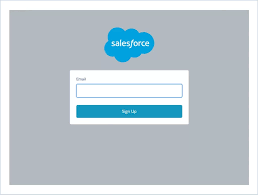
Yes, you can now log into Salesforce using your email address instead of your username! Salesforce has introduced this new login option to simplify access. May Day, May Day! Log Into Salesforce with Your Email Address is here!
- If your email is linked to only one Salesforce account, you’ll go straight to the password prompt.
- If it’s linked to multiple accounts, you’ll verify your email and then choose the right account from the Environment Switcher.
How to Log In with Your Email
- Go to the Salesforce login page: Visit login.salesforce.com.
- Click “Log In with Email”: This option appears on the standard login page.
- Enter your email address: Use the email tied to your Salesforce account.
- Proceed with password or verification:
- If your email is linked to one account, enter your password.
- If linked to multiple accounts, verify via email and select the correct org.
This feature is perfect if you:
✔ Forget your username
✔ Manage multiple accounts
✔ Want a faster login process
Why This Matters
Salesforce usernames must be unique across all orgs, while email addresses can be reused. Ever faced the “username already exists” error? Or struggled with a randomly generated Developer Edition username?
Now, you can skip the hassle—just log in with your email!
Introducing the Environment Switcher
For admins and consultants managing multiple orgs, Salesforce’s Environment Switcher is a game-changer.
When logging in with an email linked to multiple accounts, you’ll see:
✅ A list of all connected orgs
✅ Usernames, org types, and URLs
✅ Search and renaming options for easy access
Note: Sandboxes and Scratch Orgs are not yet supported in the Environment Switcher.
Key Considerations
🔹 Verification Required: If your email is tied to multiple orgs, you’ll need access to your inbox for the one-time code.
🔹 Mobile vs. Desktop: Codes last 30 days on desktop but expire after each mobile login.
🔹 SSO Users: If your org uses Single Sign-On (SSO), you’ll still be redirected to your identity provider.
🔹 Saved Emails: Previously used emails will appear for quick access (or you can choose a different login).
🔹 Privacy Control: You can remove stored email addresses individually.
Final Thoughts
No more digging through password managers or struggling with forgotten usernames! Salesforce’s email login and Environment Switcher make accessing multiple orgs faster and easier—whether you’re handling client environments, Developer Editions, or production orgs.

Who is Salesforce? Here is their story in their own words. From our inception, we've proudly embraced the identity of Read more

Salesforce Marketing Cloud Transactional Emails are immediate, automated, non-promotional messages crucial to business operations and customer satisfaction, such as order Read more

Salesforce has unveiled a comprehensive analytics solution tailored for wealth managers, home office professionals, and retail bankers, merging its Financial Read more

AI plays a crucial role in propensity score estimation as it can discern underlying patterns between treatments and confounding variables Read more





