Salesforce Ecosystem Archives - gettectonic.com - Page 6
Python Alongside Salesforce

Python Alongside Salesforce

Salesforce can integrate with Python, though the platform primarily relies on its proprietary languages and frameworks for core development. Python, however, plays a crucial role in enhancing Salesforce’s capabilities through integrations, automation, data analysis, and extending functionalities via external applications. Here’s an overview of how Python works within the Salesforce ecosystem: 1. Salesforce’s Core Development Stack Before exploring Python’s use, it’s important to understand the key development tools within Salesforce: These tools are the foundation for Salesforce development. However, Python complements Salesforce by enabling integrations and automation that go beyond these native tools. 2. Python in Salesforce Integrations Python shines when integrating Salesforce with other systems, automating workflows, and extending functionality. Here’s how: a. API Interactions Salesforce’s REST and SOAP APIs allow external systems to communicate with Salesforce data. Python, with its powerful libraries, is excellent for interfacing with these APIs. Key Libraries: Example: Extracting Data via API: pythonCopy codefrom simple_salesforce import Salesforce # Connect to Salesforce sf = Salesforce(username=’your_username’, password=’your_password’, security_token=’your_token’) # Query Salesforce data accounts = sf.query(“SELECT Id, Name FROM Account LIMIT 10”) for account in accounts[‘records’]: print(account[‘Name’]) b. Data Processing and Analysis Python’s data manipulation libraries like Pandas and NumPy make it ideal for processing Salesforce data. Example: Data Cleaning and Analysis: pythonCopy codeimport pandas as pd from simple_salesforce import Salesforce # Connect to Salesforce sf = Salesforce(username=’your_username’, password=’your_password’, security_token=’your_token’) # Fetch data query = “SELECT Id, Name, AnnualRevenue FROM Account” accounts = sf.query_all(query) df = pd.DataFrame(accounts[‘records’]).drop(columns=[‘attributes’]) # Process data df[‘AnnualRevenue’] = df[‘AnnualRevenue’].fillna(0) high_revenue_accounts = df[df[‘AnnualRevenue’] > 1000000] print(high_revenue_accounts) 3. Automation and Scripting Python can automate Salesforce-related tasks, improving productivity and reducing manual effort. This can involve automating data updates, generating reports, or scheduling backups. Example: Automating Data Backup: pythonCopy codeimport schedule import time from simple_salesforce import Salesforce def backup_salesforce_data(): sf = Salesforce(username=’your_username’, password=’your_password’, security_token=’your_token’) query = “SELECT Id, Name, CreatedDate FROM Contact” contacts = sf.query_all(query) df = pd.DataFrame(contacts[‘records’]).drop(columns=[‘attributes’]) df.to_csv(‘contacts_backup.csv’, index=False) print(“Salesforce data backed up successfully.”) # Schedule the backup schedule.every().day.at(“00:00”).do(backup_salesforce_data) while True: schedule.run_pending() time.sleep(1) 4. Building External Applications Using platforms like Heroku, developers can build external applications in Python that integrate with Salesforce, extending its functionality for custom portals or advanced analytics. Example: Web App Integrating with Salesforce: pythonCopy codefrom flask import Flask, request, jsonify from simple_salesforce import Salesforce app = Flask(__name__) @app.route(‘/get_accounts’, methods=[‘GET’]) def get_accounts(): sf = Salesforce(username=’your_username’, password=’your_password’, security_token=’your_token’) accounts = sf.query(“SELECT Id, Name FROM Account LIMIT 10”) return jsonify(accounts[‘records’]) if __name__ == ‘__main__’: app.run(debug=True) 5. Data Integration and ETL Python is commonly used in ETL (Extract, Transform, Load) processes that involve Salesforce data. Tools like Apache Airflow allow you to create complex data pipelines for integrating Salesforce data with external databases. Example: ETL Pipeline with Airflow: pythonCopy codefrom airflow import DAG from airflow.operators.python_operator import PythonOperator from simple_salesforce import Salesforce import pandas as pd from datetime import datetime def extract_salesforce_data(): sf = Salesforce(username=’your_username’, password=’your_password’, security_token=’your_token’) query = “SELECT Id, Name, CreatedDate FROM Opportunity” opportunities = sf.query_all(query) df = pd.DataFrame(opportunities[‘records’]).drop(columns=[‘attributes’]) df.to_csv(‘/path/to/data/opportunities.csv’, index=False) default_args = { ‘owner’: ‘airflow’, ‘start_date’: datetime(2023, 1, 1), ‘retries’: 1, } dag = DAG(‘salesforce_etl’, default_args=default_args, schedule_interval=’@daily’) extract_task = PythonOperator( task_id=’extract_salesforce_data’, python_callable=extract_salesforce_data, dag=dag, ) extract_task 6. Machine Learning and Predictive Analytics Python’s machine learning libraries, such as Scikit-learn and TensorFlow, enable predictive analytics on Salesforce data. This helps in building models for sales forecasting, lead scoring, and customer behavior analysis. Example: Predicting Lead Conversion: pythonCopy codeimport pandas as pd from sklearn.model_selection import train_test_split from sklearn.ensemble import RandomForestClassifier from simple_salesforce import Salesforce # Fetch Salesforce data sf = Salesforce(username=’your_username’, password=’your_password’, security_token=’your_token’) query = “SELECT Id, LeadSource, AnnualRevenue, NumberOfEmployees, Converted FROM Lead” leads = sf.query_all(query) df = pd.DataFrame(leads[‘records’]).drop(columns=[‘attributes’]) # Preprocess and split data df = pd.get_dummies(df, columns=[‘LeadSource’]) X = df.drop(‘Converted’, axis=1) y = df[‘Converted’] X_train, X_test, y_train, y_test = train_test_split(X, y, test_size=0.2, random_state=42) # Train model model = RandomForestClassifier(n_estimators=100, random_state=42) model.fit(X_train, y_train) # Evaluate accuracy accuracy = model.score(X_test, y_test) print(f”Model Accuracy: {accuracy * 100:.2f}%”) 7. Best Practices for Using Python with Salesforce To maximize the efficiency and security of Python with Salesforce: 8. Recommended Learning Resources By leveraging Python alongside Salesforce, organizations can automate tasks, integrate systems, and enhance their data analytics, all while boosting productivity. Content updated August 2024. Like Related Posts Who is Salesforce? Who is Salesforce? Here is their story in their own words. From our inception, we’ve proudly embraced the identity of Read more Salesforce Marketing Cloud Transactional Emails Salesforce Marketing Cloud Transactional Emails are immediate, automated, non-promotional messages crucial to business operations and customer satisfaction, such as order Read more Salesforce Unites Einstein Analytics with Financial CRM Salesforce has unveiled a comprehensive analytics solution tailored for wealth managers, home office professionals, and retail bankers, merging its Financial Read more AI-Driven Propensity Scores AI plays a crucial role in propensity score estimation as it can discern underlying patterns between treatments and confounding variables Read more
Read More
Salesforce Automation

Salesforce Automation

In today’s fast-paced business landscape, efficiency reigns supreme, and the optimization of processes is paramount for success. Salesforce automation tools stand as indispensable allies in this pursuit, empowering businesses to automate repetitive tasks, eliminate errors, and liberate valuable time for employees to focus on mission-critical endeavors. From sales to marketing and customer service, Salesforce offers a comprehensive suite of automation tools designed to enhance efficiency, productivity, and ultimately, profitability. This insight serves as a guide to the value and various components of Salesforce automation. At the core of Salesforce’s effectiveness lies its sophisticated suite of automation tools, reshaping how organizations manage and streamline their sales operations. For administrators entrusted with overseeing the Salesforce environment, mastering these automation tools transcends mere skill; it’s a strategic necessity. Salesforce Automation Tools empower administrators to craft and deploy intricate workflows, facilitating seamless coordination of tasks and processes within the CRM platform. From lead generation to deal closure, these tools offer a comprehensive array of features that can metamorphose manual, time-consuming tasks into streamlined, automated processes. As businesses aspire for agility and efficiency in their operations, administrators assume the role of architects, leveraging Salesforce automation tools to erect a robust foundation for success. This deep dive into Salesforce Automation Tools aims to arm administrators with the knowledge and insights required to navigate the platform’s intricacies adeptly. We will dive into the fundamental components of automation, including workflow rules, process builder, and flow builder, unraveling their functionalities and showcasing how they can be tailored to suit specific business requirements. Through real-world examples and practical guidance, this exploration seeks to empower administrators to unleash the full potential of Salesforce Automation Tools, transforming them into proficient conductors of the CRM symphony. As we embark on this journey, administrators will cultivate a comprehensive understanding of Salesforce’s automation capabilities, enabling them to optimize processes, enhance productivity, and elevate the overall user experience. Whether you’re a seasoned Salesforce administrator or a newcomer to the platform, this deep dive promises invaluable insights and hands-on expertise to navigate the dynamic realm of Salesforce automation with confidence and proficiency. What is Salesforce Automation? Salesforce automation represents a sophisticated sales management solution that automates pivotal sales components such as lead management, sales forecasting, and team performance management. Leveraging Software-as-a-Service (SaaS) products enables the automation of repetitive and redundant tasks and processes. Workflow rules enable organizations to design and enforce business processes systematically. For example, as leads progress through the sales pipeline, workflow rules can automatically assign tasks to sales representatives, update opportunity stages, and notify relevant stakeholders. By establishing these rules, administrators lay the groundwork for a more streamlined and error-resistant workflow, allowing teams to focus on high-impact activities while the system handles routine, rule-based tasks. Understanding the foundations of Salesforce automation through workflow rules is crucial for administrators seeking to optimize their CRM environment. As businesses evolve, the ability to adapt and scale automation becomes paramount. This foundational knowledge not only empowers administrators to create efficient workflows but also sets the stage for exploring more advanced automation tools within the Salesforce ecosystem, ensuring a robust and responsive foundation for the dynamic world of CRM. Centralized Data Storage and Enhanced Lead Tracking Centralizing customer-related data stands as one of the most significant advantages of Salesforce automation. This consolidation facilitates streamlined lead tracking, performance monitoring, and revenue prediction. By automating non-revenue-generating tasks, which can consume up to two-thirds of a sales representative’s time, sales teams can redirect their efforts towards high-impact, revenue-generating activities, thereby fostering overall business growth. Automated Sales Processes: Boosting Productivity The automation of repetitive sales processes emerges as a direct response to research indicating the imperative to enhance sales productivity. Through automation, sales representatives can leverage their time more effectively, focusing on tasks that directly contribute to revenue generation and organizational success. Understanding the Crucial Role of Salesforce Automation The importance of Salesforce automation cannot be overstated in the realm of sales management. By offering centralized data storage, streamlined lead tracking, and enhanced performance monitoring, Salesforce automation revolutionizes the sales landscape. Discover – Controllers in Salesforce: What It Is, Types and Features. Key Benefits of Salesforce Automation The benefits of Salesforce automation are manifold. Firstly, it facilitates the consolidation of customer-related data, enabling efficient lead tracking, reminder setting, and performance monitoring. Additionally, automation saves time and minimizes errors, allowing sales representatives to concentrate on revenue-generating activities such as deal closure and client relationship building. Moreover, Salesforce automation ensures a personalized and consistent customer experience, empowering sales reps to tailor interactions based on customer preferences and behaviors. Furthermore, Salesforce automation fosters efficient collaboration and communication within sales teams, providing a centralized platform for accessing essential information and insights. Additionally, it offers valuable analytics and insights to optimize sales strategies, analyzing customer behavior, sales performance, and market trends to drive revenue growth. Components of Salesforce Automation Lead Management: Involves collecting, tracking, and analyzing customer data and interactions to streamline the sales pipeline and convert leads into customers. Sales Forecasting: Enables organizations to make educated decisions and prepare for future development by forecasting sales revenue based on market analysis and demands. Team Performance Management: Involves monitoring sales team performance, identifying areas for improvement, and providing feedback and coaching to enhance team performance. Email and Social Media Marketing: Automates marketing platforms to communicate better with consumers and prospects, customizing campaigns based on customer preferences and behaviors. Workflow and Approval Processes: Ensures that sales processes follow established procedures and workflows, reducing manual errors and enhancing organizational performance. Data and Analytics: Tracks key performance indicators (KPIs) and provides actionable insights to inform decision-making and drive revenue growth. Streamlining Appointment Scheduling: Assists in scheduling sales appointments efficiently, mitigating the risk of double-booking meetings. Prioritizing Leads: Analyzes leads based on various metrics to maximize sales and productivity. Salesforce automation has revolutionized sales operations, fostering efficiency, effectiveness, and customer-centricity. As technology continues to evolve, Salesforce automation remains a critical tool for businesses striving to stay ahead of the competition and achieve their sales goals. In the dynamic world of Salesforce, administrators

Read More
Salesforce Service Cloud

Salesforce Service Cloud Explained

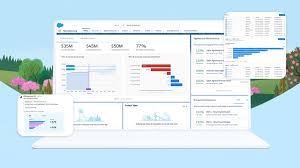
Service Cloud by Salesforce serves as a customer relationship management (CRM) tool designed to support a business’s customer service team. It facilitates customer-company communication through channels such as email support, live chat, or phone, assisting customer agents in locating and resolving customer issues. Salesforce Service Cloud Details Consider your recent interactions with a business using live chat or creating a support ticket – chances are, they were utilizing a system like Service Cloud. Service Cloud is a powerful customer service platform designed to streamline and enhance customer support processes. Customer service holds the key to uplifting brand value in today’s fast-paced business world. Supplementary Products: Digital Engagement, Service Cloud Einstein, Service Cloud Voice, Customer Lifecycle Analytics, Salesforce Surveys Response Pack. SFDC Service Cloud is built to make the delivery of service easier for your agents. It is one of the most popular customer service solutions devised by Salesforce. The tools of the Service Cloud offer businesses a 360-degree view of their customers and allow them to deliver faster, smarter, and more customized experiences. They can build a connected knowledge base and manage case interactions. And enable live agent chat- all from the comfort of one platform. Depending on the previous activity data of the customers, you can have personalized interactions with them. And also upsell your services or products. Salesforce Clouds Salesforce provides six major types of clouds: Sales Cloud, Marketing Cloud, Commerce Cloud, Service, Experience Cloud, and Analytics Cloud. There are nine other types of clouds in Salesforce for specific applications and industries, including a new Vaccine Cloud for managing COVID tests and vaccines. The ever-evolving Salesforce ecosystem is growing to meet all your business needs. Tectonic is please to announce Salesforce Service Cloud Implementation Solutions. Like1 Related Posts Who is Salesforce? Who is Salesforce? Here is their story in their own words. From our inception, we’ve proudly embraced the identity of Read more Salesforce Marketing Cloud Transactional Emails Salesforce Marketing Cloud Transactional Emails are immediate, automated, non-promotional messages crucial to business operations and customer satisfaction, such as order Read more Salesforce Unites Einstein Analytics with Financial CRM Salesforce has unveiled a comprehensive analytics solution tailored for wealth managers, home office professionals, and retail bankers, merging its Financial Read more AI-Driven Propensity Scores AI plays a crucial role in propensity score estimation as it can discern underlying patterns between treatments and confounding variables Read more
Read More
Salesforce Experience Cloud

Is Salesforce Experience Cloud Salesforce Communities?

The Salesforce ecosystem is in a constant state of evolution, and the introduction of the Salesforce Experience Cloud is a significant development aimed at delivering connected digital experiences to consumers rapidly. Is Salesforce Experience Cloud Salesforce Communities? In a recent update, Salesforce announced that the Community Cloud will now be rebranded as the Salesforce Experience Cloud. This renaming reflects the platform’s evolution to meet the diverse needs of consumers and highlights Salesforce’s commitment to creating exceptional digital experiences. The Salesforce Experience Cloud serves as a digital experience platform, enabling organizations to create scalable digital experiences for partners, consumers, and employees. Leveraging features from Salesforce CRM, Experience Builder, and CMS, the platform empowers organizations to swiftly develop websites, portals, and personalized content, all with just a few clicks. So, why did Salesforce decide to rename the Community Cloud to the Experience Cloud? The renaming signifies Salesforce’s dedication to enhancing people’s lives and transforming businesses. By shifting the focus from building communities to creating community experiences, Salesforce aims to underscore the importance of data-powered digital experiences that foster collaboration, automation, and real business value. The transition from Community to Experience Cloud represents a step into the future, where the platform integrates data and content seamlessly to provide meaningful solutions. This evolution brings added flexibility and efficiency to user journeys, enhancing the overall digital experience. But how does the Salesforce Experience differ from the Salesforce Community? With the rebranding, you’ll notice changes and improvements in the tools used to design sites. For instance, the Site built using the Experience Cloud, formerly known as the Community, can now be developed using either Visualforce or Experience Builder. This change in terminology signifies a broader shift in the platform’s capabilities. Moreover, other components within the Digital Experiences menu have been simplified and replaced, emphasizing the evolution from the Community Cloud to the Experience Cloud. Understanding the transition from Community to Experience Cloud is necessary for anyone embarking on the journey as an Experience Cloud Consultant. Whether you’re an existing user or a newcomer, grasping the significant differences between the two platforms is crucial. And to further explore the impact of this transition on your organization, consider joining industry-led courses like those offered by saasguru. Frequently Asked Questions (FAQ): Content updated March 2024. Like1 Related Posts Who is Salesforce? Who is Salesforce? Here is their story in their own words. From our inception, we’ve proudly embraced the identity of Read more Salesforce Marketing Cloud Transactional Emails Salesforce Marketing Cloud Transactional Emails are immediate, automated, non-promotional messages crucial to business operations and customer satisfaction, such as order Read more Salesforce Unites Einstein Analytics with Financial CRM Salesforce has unveiled a comprehensive analytics solution tailored for wealth managers, home office professionals, and retail bankers, merging its Financial Read more AI-Driven Propensity Scores AI plays a crucial role in propensity score estimation as it can discern underlying patterns between treatments and confounding variables Read more
Read More
Salesforce Slack

Slack Process Automation

Salesforce’s Slack team collaboration tool extends beyond facilitating communication across channels; it empowers users to automate routine processes seamlessly through the Workflow Builder tool. This feature, available in Slack, offers a range of tools to streamline processes both within and outside Slack, all without the need for coding. Slack process automation improves the power and usage of the collaboration tool. The versatility of workflows is vast, accommodating simple to complex processes that can connect with various apps and services, not limited to Slack and Salesforce alone. With over 2,400 apps in the Slack App Directory, integration possibilities are extensive. Should a pre-built app fall short, customization options allow tailoring to specific business needs without the necessity for coding expertise. Building a workflow primarily requires identifying routine business processes suitable for automation, whether through app installation or custom Workflow Builder creation. The absence of coding prerequisites makes this accessible to a broader audience. Workflow Builder considers any series of sequential, repeatable tasks aimed at achieving a specific goal as a viable process for automation. Since Salesforce’s acquisition of Slack in 2021, the platform has become a pivotal collaboration tool within and beyond the Salesforce ecosystem. Its popularity has surged, particularly in remote-based work environments, where integrations with various applications synchronize data into Slack, providing a single, accurate source accessible to all team members. This, coupled with automation features directly accessible from the Slack app, significantly reduces manual task durations. Eight highly recommended Slack automations, facilitated through pre-built templates, cover various aspects, including recruiting, lead management, deal alerts, quote-to-invoice processes, project status tracking, time tracking, support case management, and even creative applications like hue light automation. Tectonic offers expertise in custom Slack integrations with Salesforce projects. Companies can explore how Slack enhances team collaboration and process automation by connecting with us. Slack Workflows Importantly, Slack workflows extend beyond Salesforce integration, working seamlessly with other platforms such as Zapier, Centro, Google Sheets, AttendanceBot, Polly, Datadog, Fellow, Automate.io, BirthdayBot, Jira, Workstreams, ToDoBot, Workast, Simple Poll, and more. The Workflow Builder feature enables the creation of predefined triggers and steps to automate processes directly within the Slack app. Triggers can be manually selected, initiated by emoticon selections, or set to run automatically. Once triggered, the workflow’s steps unfold in the selected order, allowing the seamless execution of various tasks. Process Automation in Slack The possibilities for automation using Workflow Builder in Slack are extensive, ranging from employee onboarding, customer support, content and communication review, to sales lead and marketing campaign management, request approval processes, and beyond. Slack, in conjunction with Tectonic, stands ready to bring these envisioned automations to life for organizations seeking enhanced efficiency and collaboration. Like Related Posts Who is Salesforce? Who is Salesforce? Here is their story in their own words. From our inception, we’ve proudly embraced the identity of Read more Salesforce Marketing Cloud Transactional Emails Salesforce Marketing Cloud Transactional Emails are immediate, automated, non-promotional messages crucial to business operations and customer satisfaction, such as order Read more Salesforce Unites Einstein Analytics with Financial CRM Salesforce has unveiled a comprehensive analytics solution tailored for wealth managers, home office professionals, and retail bankers, merging its Financial Read more AI-Driven Propensity Scores AI plays a crucial role in propensity score estimation as it can discern underlying patterns between treatments and confounding variables Read more
Read More

What is Salesforce Field Service?

Salesforce Field Service (formerly known as Salesforce Field Service Lightning or FSL) is a comprehensive solution designed to help businesses manage and optimize their field service operations. It enables organizations to schedule, dispatch, and track field service technicians, ensuring efficient service delivery and improved customer satisfaction. Salesforce Field Service is part of the broader Salesforce Service Cloud ecosystem and integrates seamlessly with other Salesforce products to provide a unified platform for managing customer service and field operations. Key Features of Salesforce Field Service Benefits of Salesforce Field Service Use Cases for Salesforce Field Service How Salesforce Field Service Works Integration with Salesforce Ecosystem Salesforce Field Service integrates seamlessly with other Salesforce products, such as: Conclusion Salesforce Field Service is a powerful tool for businesses that rely on field operations to deliver services to customers. By optimizing scheduling, enhancing technician productivity, and improving customer communication, it helps organizations streamline their field service operations and deliver exceptional customer experiences. Whether you’re managing a small team or a large workforce, Salesforce Field Service provides the tools and insights needed to succeed in today’s competitive landscape. Content updated November 2024. Like Related Posts Who is Salesforce? Who is Salesforce? Here is their story in their own words. From our inception, we’ve proudly embraced the identity of Read more Salesforce Marketing Cloud Transactional Emails Salesforce Marketing Cloud Transactional Emails are immediate, automated, non-promotional messages crucial to business operations and customer satisfaction, such as order Read more Salesforce Unites Einstein Analytics with Financial CRM Salesforce has unveiled a comprehensive analytics solution tailored for wealth managers, home office professionals, and retail bankers, merging its Financial Read more AI-Driven Propensity Scores AI plays a crucial role in propensity score estimation as it can discern underlying patterns between treatments and confounding variables Read more

Read More
Salesforce Ecosystem

How the Phrase Salesforce Ecosystem Has Evolved With the Software and the Company

Since its establishment in 1999, the phrase Salesforce ecosystem has embarked on a remarkable journey, laying the groundwork for a dynamic community that has earned unparalleled acclaim. Anchored in its core values, Salesforce ensures that clients, partners, and developers within its ecosystem achieve similar levels of success. Today, Salesforce has both a biosphere and an ecosystem. The ecosystem encompasses a diverse array of stakeholders, including community members, users, consumers, business associate consultants, and technology developers. With 1.8 million direct users, these customers seamlessly communicate and collaborate with their peers, clients, and developers. Renowned industry expert Jason Bloomberg acknowledges that “Nobody has ever built an ecosystem bigger or better than Salesforce has.” This ecosystem thrives on the coexistence of various organizations utilizing Salesforce products and partners. When discussing the ecosystem, it also involves the technology aspect. Built on a cloud infrastructure with integration possibilities for thousands of third-party tools and applications, the Salesforce technology ecosystem is flourishing. Over the past two decades, Salesforce has continually fortified, expanded, and enriched its ecosystem by incorporating new companies, nurturing leadership, and fostering business opportunities for Independent Software Vendors (ISVs). Through the partner-client-developer relationship, ISVs can generate up to four times the revenue of the parent company. Projections for 2024 indicate that the partner ecosystem will amass 3.7 times the Salesforce revenue, marking a substantial increase from the current revenue by 2.8 times. Salesforce, through its extensive ecosystem, plays a crucial role in: Beyond being a provider of Customer Relationship Management (CRM) services and applications, Salesforce’s thriving ecosystem comprises businesses, consultants, and independent developers building applications atop the Salesforce platform. This ecosystem is supported by the Salesforce team, consistently developing new tools to enhance the developer experience. In essence, the Salesforce ecosystem is more than just a collection of services or software—it represents a collaborative team, a collective force that positions Salesforce as the leading CRM platform. Trailblazers within the ecosystem are the pioneers, innovators, and lifelong learners who drive innovation and success with Salesforce. Like Related Posts Who is Salesforce? Who is Salesforce? Here is their story in their own words. From our inception, we’ve proudly embraced the identity of Read more Salesforce Marketing Cloud Transactional Emails Salesforce Marketing Cloud Transactional Emails are immediate, automated, non-promotional messages crucial to business operations and customer satisfaction, such as order Read more Salesforce Unites Einstein Analytics with Financial CRM Salesforce has unveiled a comprehensive analytics solution tailored for wealth managers, home office professionals, and retail bankers, merging its Financial Read more AI-Driven Propensity Scores AI plays a crucial role in propensity score estimation as it can discern underlying patterns between treatments and confounding variables Read more

Read More
Collecting customer data

Customer Journey Mapping

Based on a Salesforce study, 51% of marketing leaders measure success with revenue growth.  22% look at customer satisfaction. While only 18% look at customer retention.  Customer journey mapping addresses retention, satisfaction, and revenue growth.  Taking a customer-centric approach to designing your customer journey map puts your focus on the customer improving customer satisfaction and retention, in addition to revenue. Your customer journey map coordinates all your marketing efforts. Maximize the Advantages of Customer Journey Mapping To maximize the advantages of customer journey mapping, it’s critical to take a comprehensive approach that integrates each of the following steps: Your Customer Journey Map is a Diagram of Touchpoints The customer journey map becomes a diagram of all the touchpoints a customer has with your company. While every customer’s experience with your company will be slightly, or greatly, different the customer journey map will outline potential journeys and touchpoints. Understanding how, when, and why your customer is interacting with your company is key to improving your customer experiences. The Salesforce team at Tectonic looks forward to assisting you in implementing your customer journey throughout the entire Salesforce ecosystem. Like1 Related Posts Who is Salesforce? Who is Salesforce? Here is their story in their own words. From our inception, we’ve proudly embraced the identity of Read more Salesforce Marketing Cloud Transactional Emails Salesforce Marketing Cloud Transactional Emails are immediate, automated, non-promotional messages crucial to business operations and customer satisfaction, such as order Read more Salesforce Unites Einstein Analytics with Financial CRM Salesforce has unveiled a comprehensive analytics solution tailored for wealth managers, home office professionals, and retail bankers, merging its Financial Read more AI-Driven Propensity Scores AI plays a crucial role in propensity score estimation as it can discern underlying patterns between treatments and confounding variables Read more
Read More
Einstein Discovery

Einstein Discovery Analysis

Elevate Your Business Outcomes with Einstein Discovery Analysis Einstein Discovery revolutionizes your approach to predictive analytics, allowing you to effortlessly build reliable machine learning models without any coding. Reduce reliance on data science teams with an intuitive model-building wizard and streamlined monitoring process. Transition swiftly from data to actionable insights, ensuring every decision is guided by intelligence. Enhance Your Business Intelligence with Einstein Discovery Incorporate statistical modeling and machine learning into your business intelligence with Einstein Discovery. Seamlessly integrated into your Salesforce environment, operationalize data analysis, predictions, and enhancements with clicks, not code. Developers can utilize the Einstein Prediction Service to access predictions programmatically, while data specialists can predict outcomes within recipes and dataflows. Tableau users can also leverage Einstein Discovery predictions and improvements directly within Tableau. Advanced Analytics Made Simple with Einstein Discovery Einstein Discovery offers a comprehensive suite of business analytics tailored to your specific data needs. Licensing and Permission Requirements for Einstein Discovery To utilize Einstein Discovery, your organization needs the appropriate license, with user accounts assigned relevant permissions. Supported Use Cases and Implementation Tasks Einstein Discovery solutions effectively address common business use cases, typically involving a series of defined implementation tasks. Key Differentiation: Einstein Analytics vs. Einstein Discovery While Einstein Analytics integrates predictive and analytical capabilities within Sales, Service, and Marketing clouds, Einstein Discovery is specifically focused on providing actionable insights and data-driven stories. Key Benefits of Einstein Discovery Supported Data Integration and Functionality Einstein Discovery enables direct integration and import of data from external sources like Hadoop, Oracle, and Microsoft SQL Server. It extracts data from diverse sources, leveraging AI, ML, and statistical intelligence to identify patterns and generate informed predictions. Enhanced Features Einstein Discovery seamlessly integrates insights into Tableau workflows, unlocks insights from unstructured data, fine-tunes prediction accuracy with trending data, handles missing values in datasets, accelerates prediction processing with high-volume writeback, and offers enhanced settings panels for efficient prediction management. Partner with Tectonic for Expert Guidance Collaborate with experienced Salesforce services providers like Tectonic to maximize the benefits of Einstein Discovery, ensuring a seamless implementation process and ongoing support. Empower Your Business with Einstein Discovery Einstein Discovery delivers automated data analysis, interactive visualizations, and predictive insights to elevate decision-making and optimize business operations. Unlock the power of AI-driven analytics within your Salesforce ecosystem to accelerate growth and gain a competitive edge. Like Related Posts Who is Salesforce? Who is Salesforce? Here is their story in their own words. From our inception, we’ve proudly embraced the identity of Read more Salesforce Marketing Cloud Transactional Emails Salesforce Marketing Cloud Transactional Emails are immediate, automated, non-promotional messages crucial to business operations and customer satisfaction, such as order Read more Salesforce Unites Einstein Analytics with Financial CRM Salesforce has unveiled a comprehensive analytics solution tailored for wealth managers, home office professionals, and retail bankers, merging its Financial Read more AI-Driven Propensity Scores AI plays a crucial role in propensity score estimation as it can discern underlying patterns between treatments and confounding variables Read more

Read More
Salesforce Quickstart

Salesforce Quickstarts Explained

What is a Salesforce Quickstart? Salesforce Quickstarts are great for individual departments or small sales & customer service teams who want to get the most out of their Salesforce investment from day one. Tectonic refers to these as Salesforce Implementation Solutions. Small to medium-sized businesses who are looking for quick deployment and want to get started with Salesforce as soon as possible benefit greatly from Salesforce quickstarts. Quickstart packages have also been called Salesforce Jumpstarts, a program to help businesses quickly and efficiently implement Salesforce. In either case, these programs are an all-in-one solution including everything from initial setup and configuration to training and support. What is a Salesforce Quickstart Package from Tectonic? A Salesforce Quickstart Package is a streamlined implementation process designed for companies seeking swift implementation of Salesforce. This limited engagement focuses on crucial planning, decision-making, standard and custom configurations, and essential user and admin training. It is tailored for small to medium-sized businesses aiming for a prompt Salesforce deployment, covering sales, marketing, service, and more. A QuickStart Implementation is the fastest way to get your organization using Salesforce. It is a limited engagement that provides immediate benefits and a foundation for future digital transformation. Key Benefits What you’ll receive .Partner Assistance in Implementing Salesforce with Quickstart A Salesforce consulting partner, like Tectonic, can assist in assessing needs, configuring Quickstart packages, providing training and support, adopting best practices, and optimizing the Salesforce environment. Tectonic offers ready-to-launch Quickstart packages and Accelerators, ensuring faster system fulfillment, cost reduction, secure scaling, and enhanced customer experience. How do I use trailhead to learn Salesforce after a quickstart? In Trailhead, learning topics are broken down into modules and each module contains units. At the end of a unit, you’ll complete a quiz or hands-on challenge that will earn you points. Once you’ve completed all the units in a module, you’ll get a badge that is displayed on your profile.  Salesforce Trailhead is your first, free choice for Salesforce training.  Trailhead is a fantastic learning platform for new Trailblazers coming into the Salesforce ecosystem and existing Salesforce professionals who want to improve their skills and knowledge. Tectonic is please to announce Salesforce Service Cloud Implementation Solutions. Content updated April 2024. Like1 Related Posts Who is Salesforce? Who is Salesforce? Here is their story in their own words. From our inception, we’ve proudly embraced the identity of Read more Salesforce Marketing Cloud Transactional Emails Salesforce Marketing Cloud Transactional Emails are immediate, automated, non-promotional messages crucial to business operations and customer satisfaction, such as order Read more Salesforce Unites Einstein Analytics with Financial CRM Salesforce has unveiled a comprehensive analytics solution tailored for wealth managers, home office professionals, and retail bankers, merging its Financial Read more AI-Driven Propensity Scores AI plays a crucial role in propensity score estimation as it can discern underlying patterns between treatments and confounding variables Read more
Read More
Salesforce Health Cloud

Salesforce Health Cloud Information

Since its inception in 2016, Salesforce Health Cloud has evolved significantly, adapting to the intricacies of the sensitive and dynamic health industry. The latest addition to its offerings, Customer 360 for Health, represents a strategic move towards more empathetic care, bolstering patient trust and fostering team collaboration.

Read More
gettectonic.com